Shipping Laptop Cost: A 2026 Merchant's Guide

Domestic shipping for a standard laptop typically costs $25 to $80, while international shipping can range from $100 to over $250. That's only the starting point, and in actual operations the label price is often the least useful number on the page.
If you're budgeting laptop shipments off the first carrier quote you see, you're probably underestimating the total cost. The surprise usually shows up later. A replacement unit needs rush service. A return kit needs packaging. A customer in another country gets stuck at customs. Support has to answer three tickets because the paperwork was wrong. Then one device never comes back at all.
That's why smart teams don't treat shipping laptop cost as a postage question. They treat it as a workflow problem. If you sell laptops, refurb units, accessories bundled with laptops, or work-from-home equipment through Shopify, your margin depends less on finding the cheapest label and more on controlling the total process around that shipment.
The Real Shipping Laptop Cost Is More Than The Label
A laptop shipment looks simple when you're staring at a rate calculator. You type in a box size, destination, and service level, then get a clean number back. That number feels actionable. It usually isn't.
The bill that matters includes the box, cushioning, label, declared-value decision, exception handling, and labor around the shipment. If the package crosses a border, add customs paperwork and customer communication. If it's a return, add the possibility that the device comes back late, damaged, or not at all.
UPS makes the operational point clearly: the visible shipping rate is only part of the total cost, and factors like packaging, declared-value protection, and carrier differences can materially change the final bill, making “cheap shipping” unexpectedly expensive in practice, as noted in UPS guidance for shipping laptops and other valuables.
Practical rule: If finance asks for your shipping cost per laptop, don't hand over the carrier label amount by itself. That's a partial number, not a usable operating cost.
Most public guides stop at rate examples. Merchants can't. A DTC electronics brand has to think about what happens before the label prints and after the box lands. The expensive part is often the rework. Wrong address. Missing apartment number. Customer picked an economy service, then opens a ticket asking where the package is. Customs needs clarification. Support escalates to ops. Ops calls the carrier. None of that appears in the first quote.
A better budgeting habit is to split every laptop shipment into two layers:
- Transport cost: The carrier rate for the chosen service.
- Operational cost: Materials, protection, exception handling, customer support time, and recovery risk.
That second layer is where margins disappear. Teams that ignore it think they're saving money because they bought a cheaper label. Often they just moved the cost somewhere harder to track.
The Four Factors Driving Your Shipping Bill
The easiest way to understand shipping laptop cost is to think about a carrier invoice like a restaurant bill. The menu price gets you in the door. The final total depends on all the choices around it.

For a standard 5-lb laptop, the spread can be dramatic. A useful baseline from FreightAmigo's laptop shipping guide shows domestic ground around $25 and next-day air climbing to over $130 for the same kind of device. That tells you something important right away. Speed and service level often hit harder than the laptop itself.
Weight and dimensions
A laptop may not weigh much, but the package around it decides a lot. Overbox a slim notebook in a carton that's too large and you can push yourself into a more expensive pricing tier. Underbox it and you increase the chance of damage, which is usually worse than paying a little more for better packaging.
Inexperienced teams make an expensive mistake. They optimize for the lowest carton cost instead of the lowest delivered cost. If the box saves a little on materials but raises breakage risk, it wasn't a savings decision.
Distance and destination
Distance matters, but not always in the way new operators expect. Domestic zone jumps can move the rate, yet the bigger operational shift comes when the shipment stops being domestic at all. Once a laptop goes international, cost is no longer just transportation. It becomes transportation plus compliance plus customs handling.
The farther the shipment travels, the more important predictability becomes. A cheap service that triggers exceptions can cost more than a premium service that arrives cleanly.
Speed and service level
This is the loudest multiplier on the invoice. Ground is one budget. Air is another budget. Overnight belongs in a completely different conversation and should usually require internal approval.
Use speed surgically. A replacement for a high-value customer, an executive escalation, or a failed delivery rescue can justify it. Routine orders usually can't.
Packaging and handling
The laptop is valuable, fragile, and battery-powered. That combination creates handling cost before the carrier even touches the box. You need enough cushioning to protect the device, enough structure to survive the network, and enough clarity in labeling to avoid confusion.
Here's the practical version of the four-driver model:
| Cost driver | What increases cost | What ops should control |
|---|---|---|
| Weight and dimensions | Oversized cartons, wasted void fill | Standardized box sizes |
| Distance and destination | Long zones, international routing | Better routing rules and destination checks |
| Speed and service level | Air, overnight, guaranteed windows | Approval workflows for upgrades |
| Packaging and handling | Fragile packing, protection add-ons, rework | Pack-out SOPs and trained warehouse staff |
Packing Requirements and Battery Regulations
Good laptop shipping starts in the packing station, not in the carrier portal. If the pack-out is sloppy, you'll pay for it later through damage claims, replacements, and support tickets. The fastest way to lose money on electronics is to treat them like ordinary parcels.

Pack the device for impact, not appearance
A neat-looking box isn't the goal. Survival is. The device shouldn't touch the outer walls, and it shouldn't shift in transit. If the original manufacturer packaging is available and still intact, use it as the inner layer. Then place that inside a stronger outer carton with cushioning around it.
A dependable pack-out routine usually includes:
- Device prep: Power the laptop down fully and remove loose accessories from the main cavity unless they're separately wrapped.
- Surface protection: Keep the laptop isolated from abrasion and static with protective wrap or sleeve materials suitable for electronics.
- Structured cushioning: Use padding that holds position during transit, not filler that collapses the moment the box gets tossed.
- Double boxing for higher-risk moves: This matters most for repair returns, refurb inventory transfers, and international shipments.
If you're also shipping chargers, mice, adapters, or small add-ons, packaging selection matters more than people think. For smaller components or accessory kits, it helps to find the right size padded envelope before someone defaults to a carton that's too big or too weak for the contents.
Battery compliance is not optional
Laptops aren't just expensive goods. They also contain lithium batteries, which changes the shipping decision. Carrier acceptance, routing, and documentation can all depend on whether the battery is installed in the device, whether the shipment is domestic or international, and whether the package is moving by air.
The safest operating mindset is simple:
- Treat every laptop shipment as a battery-regulated shipment until proven otherwise.
- Check carrier-specific requirements before release, especially for international and air services.
- Do not improvise labels or descriptions.
A lot of teams get tripped up because they know the product but not the shipping classification. That gap creates preventable delays. It also creates customer-facing confusion when a package is held and support has no clean explanation ready.
If your warehouse team can't answer “what battery-related checks happen before this label prints?”, your SOP isn't finished.
Build a repeatable pack-out SOP
One-off judgment calls are expensive. Write the pack-out process down and make it visual. Include acceptable carton types, cushioning standards, accessory placement, battery review steps, and escalation rules for damaged devices or swollen batteries.
Merchants tightening their fulfillment process should also review broader shipping and fulfillment best practices for Shopify merchants. The point isn't just shipping faster. It's reducing avoidable exceptions before they become customer service work.
Navigating International Laptop Shipping
International laptop shipping is where small process mistakes turn into expensive operational problems. The headline cost is higher, but the core issue is unpredictability. A domestic miss usually creates a delay. An international miss can create a chain of delays, customs holds, customer complaints, and manual intervention across multiple teams.
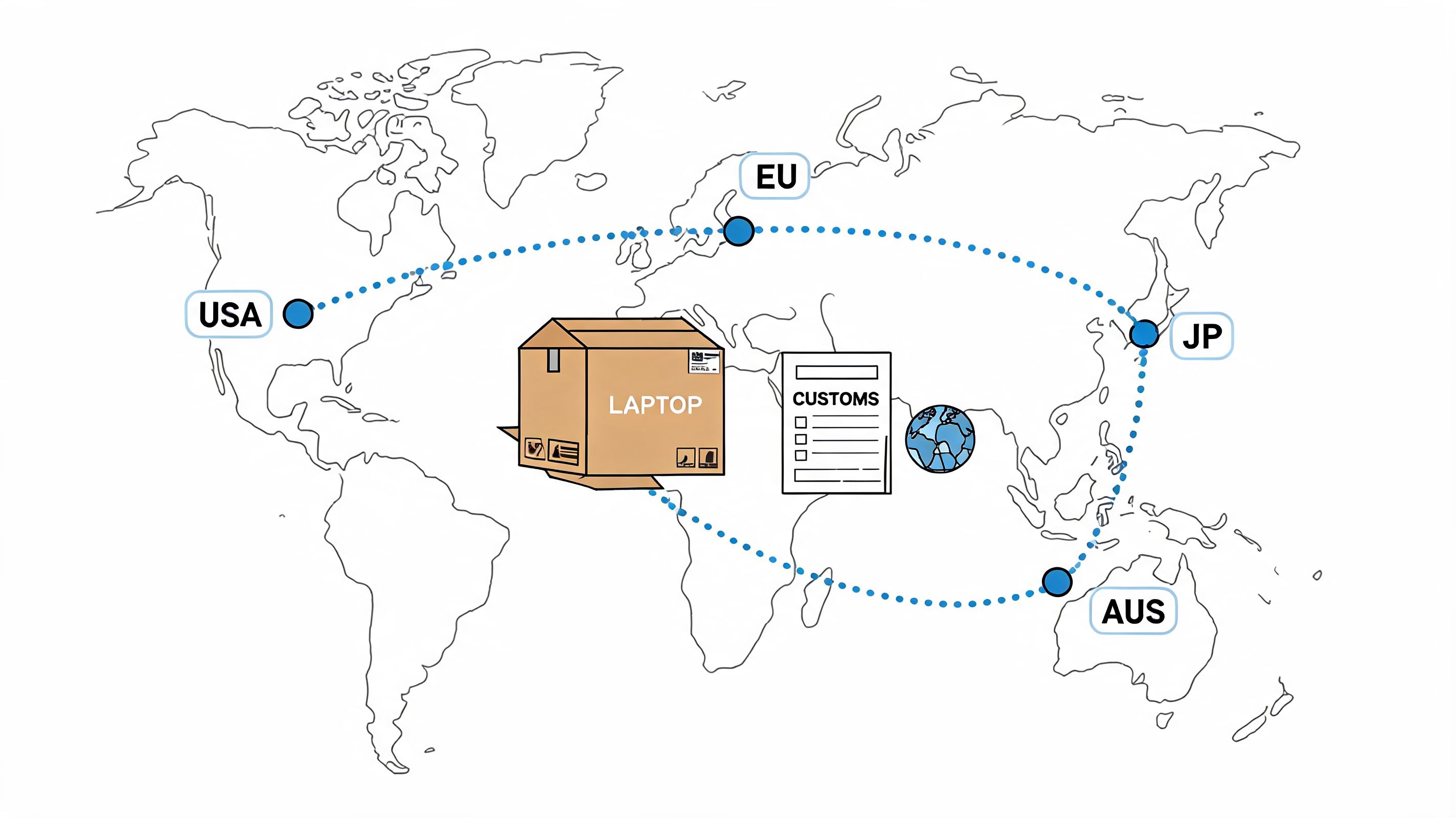
A current overview from Secursus on shipping laptops internationally captures the problem well: laptop shipments across borders face friction from lithium battery rules, customs documentation, and carrier restrictions, and the right question isn't only which service is cheapest. It's which service is still cost-effective once those compliance risks are included.
Customs paperwork has to be exact
International labels don't travel alone. They ride with commercial information, product descriptions, values, and destination-specific requirements. If that paperwork is vague or inconsistent, the shipment can stall before final delivery.
Common failure points include:
- Bad product descriptions: “Electronics” is too vague. So is “computer item.”
- Mismatched values: If the declared amount doesn't line up across documents, customs may stop the shipment.
- Missing consignee detail: Phone, tax-related details, or contact fields can matter depending on country and carrier workflow.
Ops teams that ship internationally should maintain approved description language by SKU or product category. Don't ask warehouse staff to freestyle customs content.
Duties and taxes change the customer experience
A lot of brands focus on transportation cost and ignore landed-cost friction until angry emails show up. The customer doesn't care whether the package got delayed because of unpaid duties, unclear tax treatment, or a handoff issue between broker and carrier. They only know the shipment didn't arrive as expected.
That's why the service choice has to align with the commercial model. If your storefront messaging suggests a clean delivered experience, your shipping workflow has to support that promise. If the customer may need to pay on arrival, say so early and clearly.
For merchants trying to build cleaner expectations around cross-border delivery, this guide to United States Post Office international shipping is useful context for how international postal workflows differ from private-carrier options.
Carrier capability matters more than sticker price
Two services can look similar at checkout and perform very differently once a laptop hits customs review. The cheaper option can become the expensive one if it generates more exceptions, weaker visibility, or slower issue resolution.
That's why international shipping decisions should account for:
- Customs handling strength: Some networks are better at clearing electronics.
- Battery acceptance rules: Not every service treats device-with-battery shipments the same way.
- Support burden after dispatch: A “cheap” method that creates repeated WISMO and customs tickets is not operationally cheap.
This explainer is useful if your team is training newer staff on why international electronics shipping needs more rigor than domestic parcel work:
Build an exception path before you need it
International shipping goes smoother when you assume exceptions will happen and decide in advance who owns them. Customer support should know when to answer, when to escalate, and what documents ops can quickly provide. Ops should know when to involve the carrier, when to correct paperwork, and when to cut losses and reship.
The cheapest international workflow is the one that prevents the second shipment.
Comparing Carriers USPS vs UPS vs FedEx
Carrier choice for laptops isn't about loyalty. It's about fit. Each network can work well, but not for the same reasons and not for every use case.

For a typical 5-lb laptop, Green Wave Electronics' carrier examples show the pattern clearly. USPS Ground can be around $25, UPS Ground near $21, UPS Next Day Air about $122, and FedEx First Overnight nearly $170. The lesson isn't “pick the cheapest brand.” The lesson is that service tier drives the bill much harder than most merchants expect.
USPS
USPS is often the value play for standard domestic shipments where you need reasonable cost control and can work within postal service constraints. For lighter, non-urgent laptop moves, it can be the practical option.
Its trade-off is that many merchants don't love using it for the most sensitive, highest-value exceptions. Not because it can't deliver them, but because teams often want tighter control and stronger premium-service options when the shipment is expensive or urgent.
UPS
UPS usually fits operations teams that want a broad menu of domestic and international services with predictable business-grade workflows. Ground can be attractive, but air services climb fast. That makes UPS a good carrier to use with rules, not emotion.
If your team allows customer service reps to upgrade shipments casually, UPS air charges can get away from you fast. Put approval gates around those decisions.
FedEx
FedEx tends to enter the conversation when speed, visibility, or premium handling matter more than baseline cost. It can be a strong fit for urgent replacements and high-priority deliveries. It can also be one of the fastest ways to blow up your shipping budget if those services get used by default.
Don't compare carriers at the brand level alone. Compare the exact service you'll actually buy under the exact workflow you'll actually run.
Carrier comparison for laptop shipping
| Carrier | Typical Ground Cost | Typical 2-Day Air Cost | Best For... | Key Consideration |
|---|---|---|---|---|
| USPS | Around $25 for Ground | About $27.95 for Priority Mail 2-Day | Cost-conscious domestic shipments | Strong value profile, but choose carefully for high-value exceptions |
| UPS | Near $21 for Ground | About $65.14 for 2nd Day Air | Merchants balancing cost, service options, and business workflows | Ground is attractive, but premium services rise sharply |
| FedEx | Faster options are much higher than ground alternatives in the examples cited | About $75.79 for 2-Day | Urgent replacements and premium delivery expectations | Overnight and priority services can become very expensive |
A practical carrier policy for laptop shipments usually looks like this:
- Ground by default: Use for standard outbound orders and non-urgent domestic returns.
- 2-day by exception: Reserve for replacements, escalations, or customer recovery moments.
- Overnight by approval: Use only when the business case is clear.
That kind of discipline matters more than chasing a universal “best carrier.” There isn't one.
Insurance vs Declared Value A Critical Distinction
A lot of merchants use insurance and declared value as if they mean the same thing. They don't. That confusion causes trouble when a laptop is lost, damaged, or stolen and someone expects an easy payout.
Declared value is typically a carrier liability mechanism, not the same thing as a standalone insurance policy. In plain English, you're not automatically buying a broad, frictionless safety net just because you entered a higher number during label creation.
Why the distinction matters
When a claim happens, the details suddenly matter a lot. Carriers may ask for packaging evidence, proof of value, proof of condition, and adherence to their rules. If the shipment wasn't packed to standard or the documentation is messy, recovery can get complicated fast.
Declared value can still be useful. It may make sense when you're operating inside a known carrier workflow, you trust your packaging SOP, and your team knows the claims process well. But you shouldn't assume it behaves like broad-form insurance.
How operators should think about it
Use this simple decision lens:
- Declared value: Better when you want a carrier-native option and you understand the exclusions, documentation burden, and claim path.
- Third-party insurance: Often worth considering when the shipment value is high enough that claim reliability matters more than convenience at label creation.
- No extra protection: Usually only reasonable when the laptop value, risk profile, and service choice make loss tolerable.
Ask one question before every protection decision: “If this package disappears tomorrow, what recovery path are we actually relying on?”
That question forces clarity. If nobody on the team can answer it, your risk management is probably more hopeful than real.
The operational lesson is simple. Protection choices should be standardized by shipment type, not made ad hoc by whoever prints the label. A new outbound sale, an RMA return, and an international replacement don't carry the same risk. They shouldn't use the same rules either.
How Merchants Can Reduce Total Shipping Expense
The biggest savings usually don't come from shaving a few dollars off a label. They come from removing failure points from the workflow. That matters even more for laptop returns and recoveries, where labor and non-return risk can overwhelm postage.
A 2025 analysis from Retriever's laptop return shipping cost breakdown found that a DIY laptop return can cost about $196 to $334 per device once you include IT labor, materials, and postage. The same analysis notes an average employee return rate of about 45%, pushing the effective cost per successfully recovered laptop to over $500 when unreturned devices are factored in.
That should change how you think about shipping laptop cost. The expensive part may not be the outbound shipment. It may be the broken return process behind it.
What actually works
- Standardize packaging: One approved pack-out method beats warehouse improvisation every time.
- Limit service upgrades: Put approval controls around air and overnight shipments.
- Clean up address data before fulfillment: Bad destination data creates avoidable rework and reships.
- Design returns as a system: Recovery instructions, packaging, tracking, and follow-up should be coordinated, not pieced together.
- Source hardware with lifecycle in mind: Vendors that support consistent device sourcing can reduce chaos later. For teams evaluating suppliers, Redchip's IT solutions for hardware procurement is one example of the kind of resource worth reviewing alongside your shipping workflow.
Many growing brands also reach a point where internal fulfillment isn't the cheapest path anymore. If your team is handling increasing shipment volume, returns, and replacement complexity, it's worth reviewing how 3rd-party fulfillment companies fit into your cost structure and service goals.
The short version is this: stop managing laptop shipping as a label-buying exercise. Manage it as an end-to-end operating process. That's how you protect margin.
For Shopify merchants, the cleanest shipping operation is the one that prevents avoidable tickets before they hit your team. SelfServe helps customers fix shipping details, update order information within your rules, and reduce post-purchase support load without giving up control. If your brand is shipping high-value orders and wants fewer address errors, smoother order changes, and a better customer experience after checkout, it's worth a look.