
Rated 5-stars by

merchants
Shopify Post-Purchase Order Editing & Upsells
Let your customers edit their own orders after checkout
Wrong size? Wrong address? Forgot an item? Forgot to add a discount code? SelfServe gives your customers a branded self-service portal to fix their orders, so your support team doesn't have to.
Powering post-purchase operations for Shopify Plus merchants like








The post-purchase problem
Every "Can I change my order?" email costs you $8–$15 to resolve
Your customers make mistakes. Wrong variant, wrong shipping address, forgot to add a gift. Right now, every one of those mistakes becomes a support ticket, and every ticket costs you time, money, and customer goodwill.
Meanwhile, your ops team is copy-pasting tracking links and manually editing orders inside the Shopify admin, praying they don't break an invoice.
Support tickets pile up
"Can I change my size?" is your #1 ticket category. Each one takes 5–10 minutes to resolve manually.
Revenue leaks out
Customers who can't get a quick response cancel the order entirely. You lose the sale and pay a refund processing fee.
Fulfillment errors multiply
Manual order edits in the Shopify admin risk inventory mismatches, wrong shipments, and chargebacks.
The fix
Say goodbye to "Can I change my order?" emails
SelfServe embeds a self-service order editing portal directly into your customer account page. Customers change what they need. You control what they're allowed to change. The system handles the rest, including payment adjustments, inventory sync, and shipping recalculation.
Address & Contact Editing
Let customers fix their shipping address and contact info post-purchase with built-in validation.
Rule-Based Editing Windows
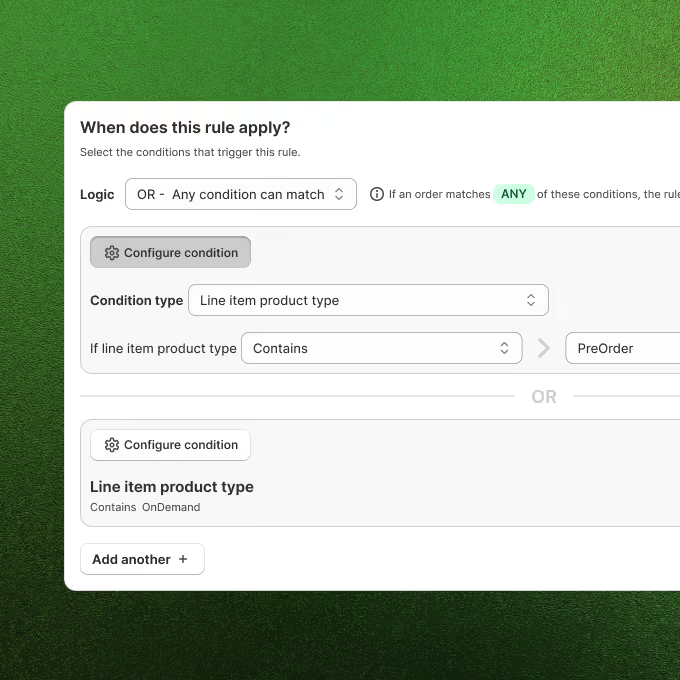
Control exactly when and how long customers can edit with simple time-based limits or advanced conditional rules.
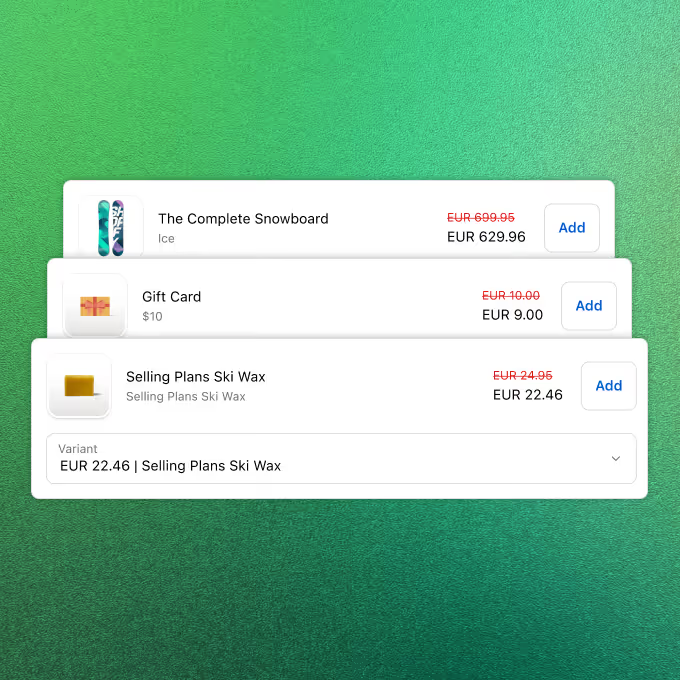
Post-Purchase Upsells
Turn every order edit into a revenue opportunity. Recommend products with automatic discounts during the editing flow.
Order Cancellations
Give customers a self-service cancellation flow with approval queues and tag-based restrictions to protect high-value orders.
Automated Order Tagging
Automatically tag orders in Shopify when customers make changes. Trigger workflows in Shopify Flow, update packing slips, and route to fulfillment.
Order Editing
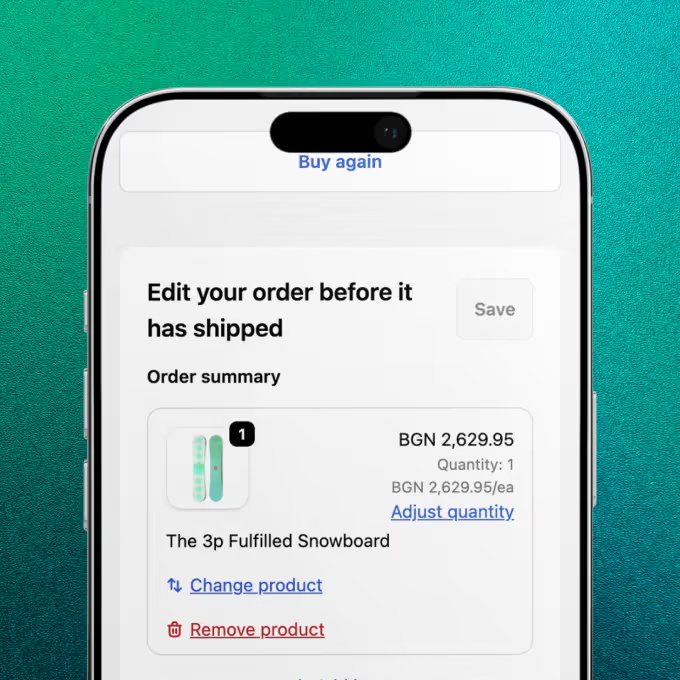
Let customers swap products, change variants, adjust quantities, and update shipping, all within rules you define.
Step 1
Install & configure your rules
Install SelfServe from the Shopify App Store. Set your editing window (e.g., "allow edits for 60 minutes after purchase"), define what can be changed, and set restrictions for final-sale or pre-order items.
Step 2
Customers edit their own orders
After checkout, customers visit their order status page and see a branded editing portal. They can change products, update quantities, swap variants, edit their address, or cancel, all within the boundaries you set.
Step 3
You stay in control, automatically
Every change syncs with Shopify in real time. Payment differences are collected or refunded automatically. If a customer doesn't complete payment within 15 minutes, the system auto-reverts the order. You see it all in a detailed activity log.
The post-purchase problem
Recovering revenue on auto-pilot
See what SelfServe merchants are saving on support costs and adding in upsell revenue.

Don't just take our word for it





Stop answering "Can I change my order?" emails
Start your free trial today. Set up in under 10 minutes.