What Is A Picking List? Your 2026 Fulfillment Guide

At its core, a picking list is a straightforward document that tells your warehouse team exactly what to grab, how many, and where to find it. Think of it less like a simple to-do list and more like a treasure map, guiding your staff to fulfill a customer's order without a single misstep. It’s the critical link that turns a customer's online 'buy' click into a physical package ready for shipment.
The Blueprint for Warehouse Fulfillment
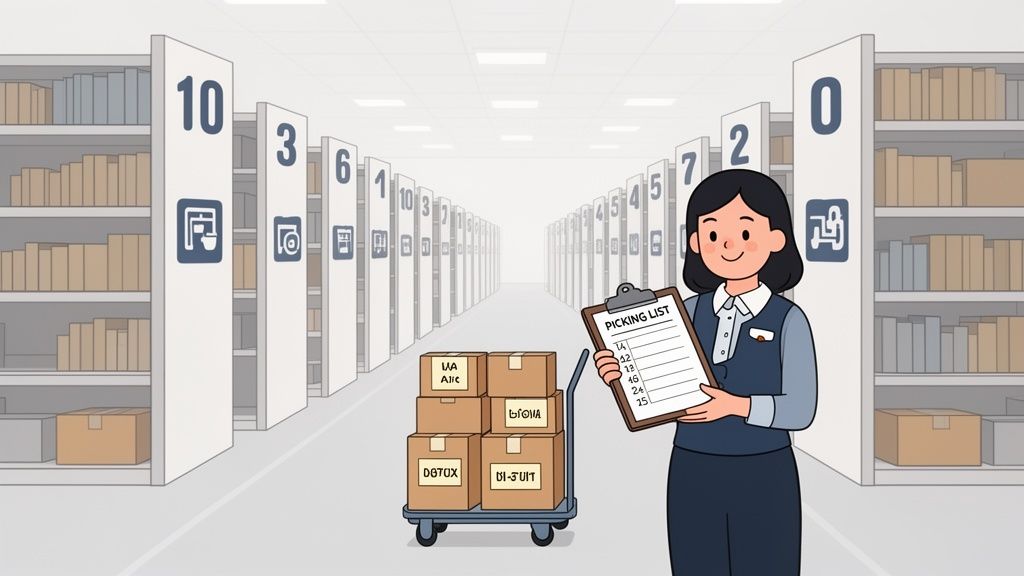
Let's put it this way: imagine your warehouse is a massive library, and a customer has just ordered five specific books. Without a clear guide, your librarian—the order picker—would waste precious time wandering aimlessly through the stacks. The picking list is their cheat sheet, turning potential chaos into a smooth, repeatable process.
On the ground, this document is the picker's roadmap. It lists out SKUs, quantities, and precise storage locations like "aisle 5, shelf B, bin 3." It's what connects the digital order information, often managed by an Order Management System (OMS), to the physical reality of your inventory.
Why Picking Lists Are Essential
For any growing ecommerce brand, getting the picking list right is fundamental to an efficient fulfillment operation. It’s the single most important tool for ensuring both accuracy and speed, which directly shapes your customer's experience. The benefits are clear and easy to measure:
- Improved Accuracy: It drastically reduces the chance of shipping the wrong product or quantity.
- Increased Speed: By mapping out the most efficient route, pickers can gather items much faster.
- Simplified Training: New team members can become productive almost immediately with a clear, easy-to-follow guide.
But it's not just about speed; it's about doing the job with precision. Research has shown that businesses using digital picking lists can reduce order picking errors by up to 87% compared to relying on manual, paper-based methods. For DTC brands, that means fewer costly returns and much happier customers. You can see how this fits into the broader workflow in our guide on how to fulfill orders on Shopify.
By organizing the entire product-gathering process, a picking list gives you a clear overview of everything that needs to get done. This simple document is the backbone of a high-performing warehouse, allowing for smarter decisions and optimization across the entire fulfillment workflow.
The Anatomy of an Effective Picking List
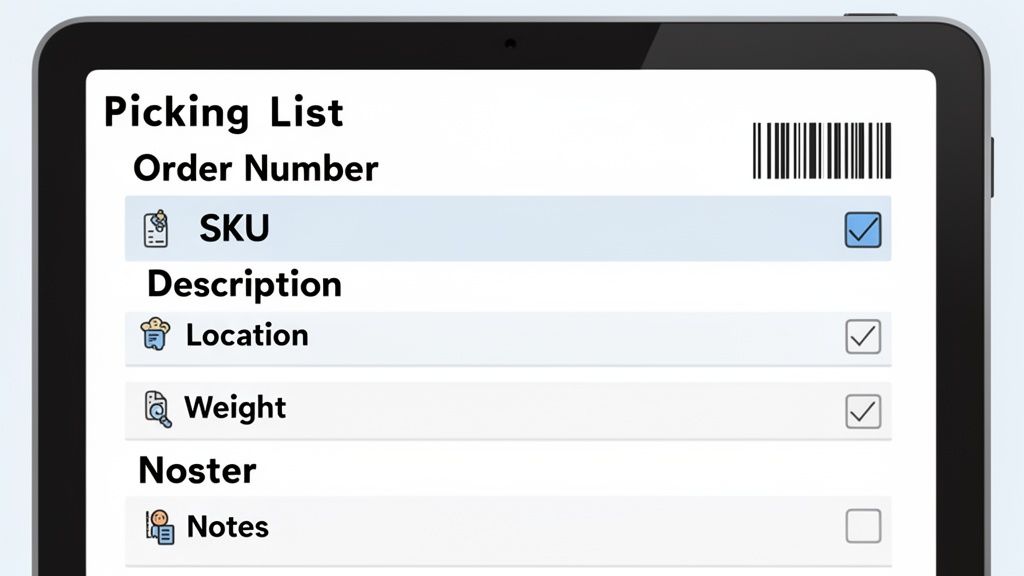
Think of a picking list less as a simple checklist and more as a detailed blueprint for your warehouse team. A truly effective list is designed to be an error-prevention tool, giving your pickers every piece of information they need to fulfill an order quickly and, most importantly, accurately.
At the end of the day, every picking list is built around a few essential data points. These are the non-negotiables that ensure the right items make it into the right box, every single time.
Core Informational Fields
The heart of any picking list is the data tied directly to the customer's order. This is what eliminates guesswork and keeps your team moving efficiently.
- Order Number: This is the unique ID that connects the physical task in the warehouse back to the specific customer order in your system. It's the master key for tracking.
- SKU and Quantity: The Stock Keeping Unit (SKU) is the product’s unique identifier. When you pair it with the exact quantity needed, you're telling the picker precisely what to grab and how many.
- Product Description: Adding a short, clear description next to the SKU is a simple but powerful way to provide visual confirmation. It’s a quick sanity check that helps the picker know they've got the right item in hand.
- Warehouse Location: This is the "treasure map" coordinate for your picker—think Aisle 12, Shelf C, Bin 4. A clear location code is the single biggest factor in cutting down on time spent searching for items.
Advanced Details for Operational Excellence
Getting the basics right is crucial, but it's the advanced details that separate a good picking list from a great one. These extra fields provide the context your team needs to handle orders with the kind of care that really impresses customers. Things like item weight can help with pre-calculating shipping costs, while special handling notes can be a lifesaver.
In fact, a recent 2026 report found that highly detailed pick lists enable high-volume operations to reach up to 99.5% order accuracy—an absolutely critical metric when you're managing thousands of SKUs. Since the picking process can eat up more than half of all warehouse labor hours, optimized digital lists are a game-changer for efficiency. You can dig into more data on how pick lists improve warehouse operations from AMSC-USA's findings on logistics.
By adding fields for special instructions, such as "Fragile" or "Pack Separately," you provide your team with the context needed to prevent damage and deliver a superior customer experience. It’s this level of detail that turns a standard fulfillment process into a memorable one.
Choosing Your Ideal Picking Strategy
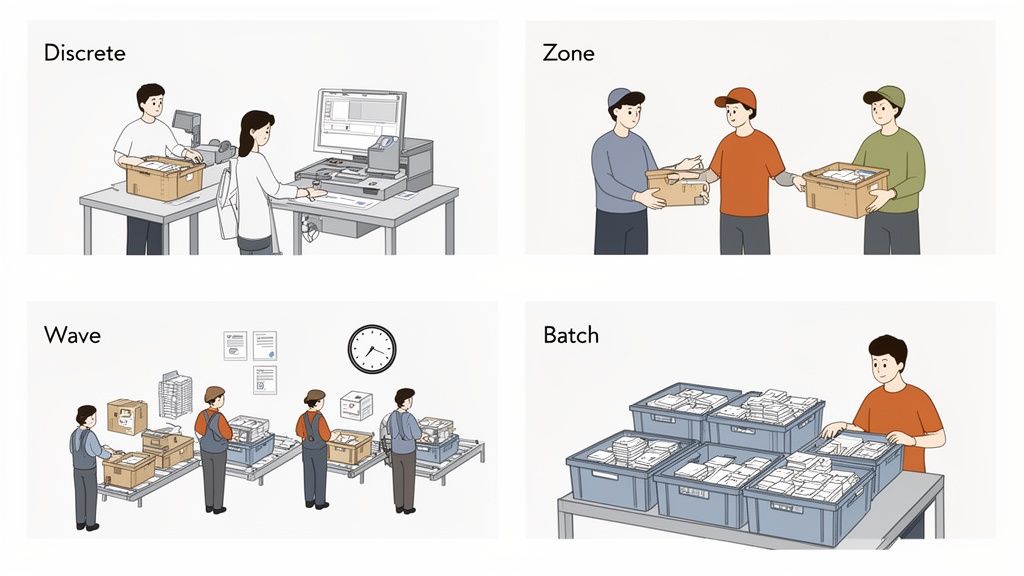
A picking list is only as good as the strategy you use to act on it. There’s no single "best" way to pick orders; the right method depends entirely on your operation's size, order volume, and warehouse layout. What works for a small brand shipping 50 orders a day will bring a large 3PL to its knees.
Think of it this way: your picking strategy is the engine of your fulfillment process. Choosing the right one determines your speed, accuracy, and ultimately, your ability to keep customers happy. Let's break down the four main strategies to see which one makes the most sense for your business.
Discrete Order Picking
This is the most straightforward method, and it's exactly what it sounds like. One picker takes one picking list and fulfills one complete order from start to finish. Think of it as a personal shopping experience for each customer's order.
For new or small businesses, this is often the default starting point. It's incredibly simple to learn, and because the picker is focused on a single order, accuracy tends to be very high. The major downside? It’s not efficient at scale. The biggest killer is travel time. A picker might walk the entire length of the warehouse for one item, only to do it all over again for the next order.
Batch Picking
As your order volume grows, discrete picking quickly becomes a bottleneck. That's where batch picking comes in. Instead of a personal shopper, this is more like making one big, efficient trip to the grocery store with a list for several neighbors.
A picker gets a consolidated list that combines multiple orders. They then walk a single, optimized route through the warehouse, grabbing all the items needed for the entire batch at once. This drastically cuts down on wasted walking time, as they visit each product location only once to pick for several orders.
The core idea behind batch picking is to minimize travel time by grouping similar orders. It’s ideal for operations with a high number of small orders that often share common SKUs.
Zone Picking
Now imagine your warehouse is set up like an assembly line, and your pickers are specialists at each station. In zone picking, the warehouse is divided into specific zones, and each picker is assigned to stay within their designated area.
Orders travel from one zone to the next, with each picker adding the items from their section. It’s like a relay race where the order is the baton. This method is fantastic for large warehouses with massive catalogs because it keeps pickers in a small, familiar area, making them incredibly fast and efficient. The main challenge is balancing the workload. If one zone gets slammed, it can create a bottleneck and slow down the entire line. For a deeper look at managing these complex workflows, check out our guide on the best WMS systems that excel at this.
Wave Picking
Wave picking is a sophisticated blend of batch and zone picking, organized into scheduled "waves." Instead of orders being picked as they come in, they are collected and released to the floor at specific times throughout the day.
These waves are often grouped by common factors, like shipping carrier (all FedEx Express orders), destination, or priority. Pickers then tackle all the orders within that wave at once. This creates a predictable and rhythmic workflow, almost like a series of coordinated sprints, allowing the warehouse to sync picking schedules with shipping deadlines.
To make it easier to see how these stack up, here’s a quick comparison.
Picking Strategy Comparison
This table helps summarize which picking strategy might be the best fit based on your operational needs.
| Picking Method | Best For | Key Benefit |
|---|---|---|
| Discrete Picking | Small businesses with low order volume or custom/complex orders. | High accuracy and simplicity. |
| Batch Picking | Businesses with many small orders containing few items (1-3 SKUs). | Dramatically reduced picker travel time. |
| Zone Picking | Large warehouses with a high number of SKUs and high order volume. | Highly scalable and minimizes picker movement. |
| Wave Picking | Large-scale operations that need to coordinate with shipping schedules. | Creates a predictable, rhythmic workflow. |
Ultimately, choosing the right strategy is about finding the sweet spot between your current needs and future growth. Many businesses even use a hybrid approach, adapting their methods based on the day's order profile.
Picking List vs. Packing Slip: What's the Difference?
It’s a question that trips up a lot of new e-commerce operators: what’s the real difference between a picking list and a packing slip? They sound alike, and both are critical to getting an order out the door, but they serve two completely separate functions for two very different audiences.
Think of it this way: the picking list is your team's internal, behind-the-scenes script. It’s a nuts-and-bolts document that lives and dies within your warehouse walls. Its only job is to guide your pickers, telling them exactly what products to grab, how many, and where they are in the warehouse to fulfill an order. Accuracy and speed are its main goals.
The packing slip, on the other hand, is for your customer. It’s the official list of contents that gets tucked inside the box before it's sealed. This customer-facing document confirms what they’ve received, matching it against what they ordered. It’s their proof of purchase and a final check that everything arrived as expected.
From Warehouse Shelves to the Customer’s Hands
So how do these two documents work together in a real-world fulfillment flow?
It all starts the moment an order comes in. Your warehouse system generates a picking list, and a picker takes that list into the aisles to gather the items. Once everything is collected and brought to a packing station, the picking list has done its job.
Next, the packer takes over. They'll typically verify the collected items against the original order one last time before generating the packing slip. That slip goes into the box along with the products, the package is sealed, and a shipping label is slapped on. This two-step process creates a natural check-and-balance system that catches errors before they ever leave your building.
A picking list is for your team; a packing slip is for your customer. The first directs the action, while the second confirms the outcome.
Don't underestimate how much a good picking list impacts your bottom line. Without one, picking errors happen in about 1 of every 250 lines. But with a detailed list that includes specifics like customer order IDs, that error rate drops to just 1 in 1,000. That's a huge improvement. For a deeper dive, check out this recent study on how detailed lists boost productivity.
Of course, these are just two of the crucial documents in the logistics chain. As your business grows, you'll also need to get familiar with others, like a bill of lading, to keep everything moving smoothly.
How Post-Purchase Changes Affect Picking Lists
Your picker is in aisle seven, list in hand, grabbing the last item for an order. At that very second, the customer, miles away, logs into their account. They add another product they forgot, or maybe they realize they typed in their old shipping address. This is the moment a traditional, static picking list becomes a liability, and a smooth operation starts to unravel.
What happens next is a familiar, frustrating story. The picker might finish and pack the original order, unknowingly sending an incomplete shipment. Now you're on the hook for a second shipping fee and a potential customer complaint. Worse, if the address was changed, that package is now headed to the wrong state—a costly mistake that erodes customer trust.
This is the fundamental disconnect between a live, digital customer order and a fixed, printed document. Every time a warehouse manager has to chase down a picker to manually update a list, you're not just losing time; you're opening the door to human error.
The Problem of Static Picking Lists
The heart of the issue is simple: once a paper or basic digital picking list is generated, it’s frozen in time. It’s a snapshot that knows nothing about the real-time changes a customer might make after they've clicked "buy."
- Wasted Labor: A picker might gather items that a customer just canceled, or they'll have to backtrack across the warehouse floor to add a last-minute item.
- Shipping Errors: Sending incorrect items or quantities leads directly to returns, refunds, and unhappy customers.
- Address Mix-ups: Packages sent to old addresses mean lost inventory and the high cost of shipping a replacement.
In modern e-commerce, a static picking list is a ticking time bomb. It creates a blind spot where customer convenience (like self-editing an order) clashes head-on with warehouse reality, turning a good feature into a logistical headache.
Bridging the Gap with Real-Time Syncing
This is where your fulfillment tech stack really has to shine. Instead of relying on static documents, the solution is a dynamic, two-way connection between the customer's order and the picking process itself.
A system needs to be in place that can instantly flag, update, or even pause an order on the warehouse floor the moment a customer makes a change. This is typically handled by a robust warehouse management system (WMS) or specialized post-purchase software. For a deeper dive into these workflows, our guide on managing orders on Shopify is a great resource.
For example, a modern post-purchase tool gives customers a portal to manage their own orders, and—crucially—syncs any changes directly back to your fulfillment system.
This screenshot shows a customer-facing portal where they can edit shipping details or add products to an order that's already been placed. By giving customers this control, you deliver a fantastic experience. But the real magic is what happens behind the scenes.
This real-time sync prevents your team from ever shipping the wrong items or sending a package to the wrong address. It transforms a potential customer service fire into a seamless, positive interaction, guaranteeing that what is on the picking list is always what the customer actually wants.
Alright, so you understand what a picking list is. But turning that knowledge into a smooth, efficient operation is where the real work begins. Let's move past the theory and get into the practical strategies you can use today to make your picking process faster and far more accurate.
The ultimate goal here is simple: cut out wasted motion, slash human error, and get every single order right the first time. It's about transforming that simple list into the engine of a high-performance fulfillment workflow.
Smart Warehouse Organization
The biggest time-waster in any warehouse? Travel time. Every extra step a picker takes is a direct hit to your productivity and your bottom line. The solution lies in a warehouse layout that’s built around logic, not just storage.
- Place Best-Sellers Strategically: Your fastest-moving products should be front and center, as close to your packing stations as possible. This one change can dramatically reduce walking time on the vast majority of your orders.
- Group Similar Items: Think like your customers. If they often buy coffee makers and filters together, store them side-by-side. This allows pickers to grab multiple items for an order without crisscrossing the entire warehouse.
- Clear Labeling: Every aisle, shelf, and bin needs a large, easy-to-read label. This isn't just about neatness; it eliminates guesswork and gets new team members up to speed in record time.
This is especially critical when dealing with last-minute order changes, which are a constant reality in modern ecommerce. If your systems aren't perfectly synced, chaos ensues.
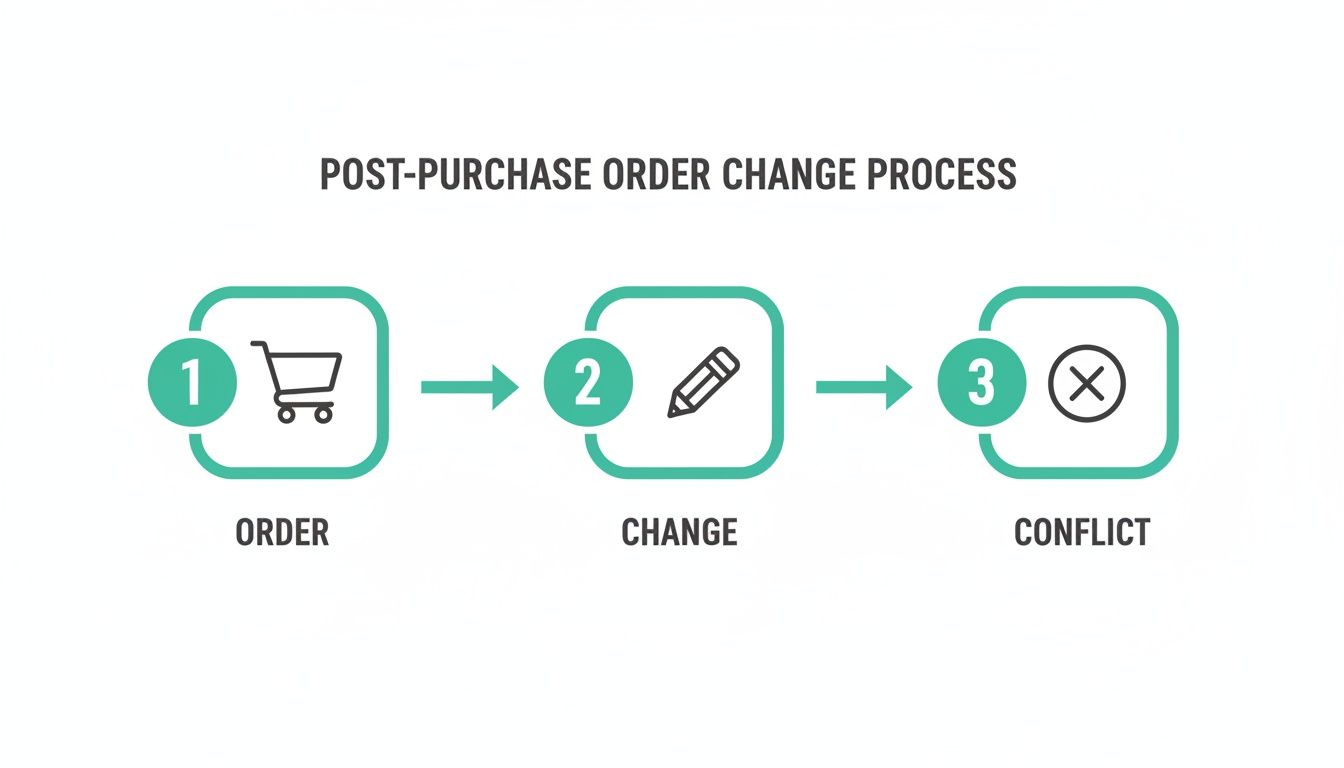
As you can see, a customer edit made after a picking list is generated creates a conflict. Without a system that updates that list in real-time, you’re almost guaranteed to ship the wrong order.
Adopt Technology and Train Your Team
Technology is your most powerful defense against mistakes. The simple act of using barcodes and scanners to verify each item as it's picked is a total game-changer for accuracy. Think of it as an instant quality check, confirming the correct SKU is going into the cart before it’s too late.
I’ve seen warehouses dramatically cut down on misreads and errors simply by switching to digital picking lists on tablets. With large, clear fonts and intuitive layouts, your team can work with more confidence and precision.
Finally, never, ever skimp on training. Your team needs to understand not just how to read a picking list but why every field and every step matters. A well-trained team is an empowered one—they'll spot inefficiencies, solve problems on the fly, and uphold the high standards your customers deserve.
Got Questions About Picking Lists? We’ve Got Answers.
Once you get the hang of picking lists, a few common questions almost always pop up. Let's clear up some of the most frequent points of confusion so you can get your team picking with confidence.
What's the Difference Between a Picking List and a Bill of Lading?
It’s easy to mix these up, but they play completely different roles. Think of it this way: a picking list is your team's internal to-do list. It never leaves the warehouse and simply tells your pickers what to grab off the shelves to fulfill an order.
A bill of lading, however, is an official, legally-binding contract between you and your shipping carrier (like FedEx or a freight company). It's the handover document that says, "Here are the goods you're transporting for me." It details the contents, quantity, and destination for the external shipping journey.
So, one is for your team inside the warehouse, and the other is for the truck driver leaving it.
How Do You Create a Picking List in Shopify?
Shopify makes this pretty simple, especially when you need to bundle multiple orders into one picking run.
Right from your Shopify admin dashboard:
- Head over to the Orders page.
- Use the checkboxes to select all the orders you’re ready to fulfill.
- Click the “More actions” button and select “Print picking lists.”
This will generate a consolidated list for your team. As you grow, you’ll probably want more powerful features like optimized pick paths. That’s when most brands look to a Warehouse Management System (WMS) from the Shopify App Store to automate and streamline the process even further.
A question we hear all the time is, "Can I use a picking list for customer returns?" The short answer is no. A picking list is strictly for getting products out the door.
Can a Picking List Be Used for Returns Management?
A picking list’s job ends once an order is shipped. For handling returns—what we call reverse logistics—you need a completely different document: a Return Merchandise Authorization (RMA).
The RMA is the guide for your team when a package comes back to the warehouse. It confirms which items were approved for return, notes their condition, and tells your staff what to do next—restock it, set it aside for inspection, or dispose of it. While a picking list orchestrates outbound fulfillment, an RMA manages inbound processing.
Managing post-purchase changes and keeping picking lists accurate is a major challenge for growing brands. SelfServe solves this by empowering your customers to make their own order edits while keeping your operations perfectly in sync. Reduce support tickets, prevent shipping errors, and even boost AOV with built-in upsells. Start your 30-day free trial of SelfServe today!