Shopify WMS Guide: best wms systems for scalable fulfillment 2026

For any high-volume Shopify Plus brand, picking a Warehouse Management System (WMS) is easily one of the most critical operational decisions you’ll ever make. The right WMS is the engine that powers everything: faster fulfillment, near-perfect order accuracy, and a customer experience that keeps people coming back. This guide is designed to give you a clear, strategic way to choose a system that won’t just work now, but will scale with you for years to come.
Finding the Right WMS for Your Shopify Store
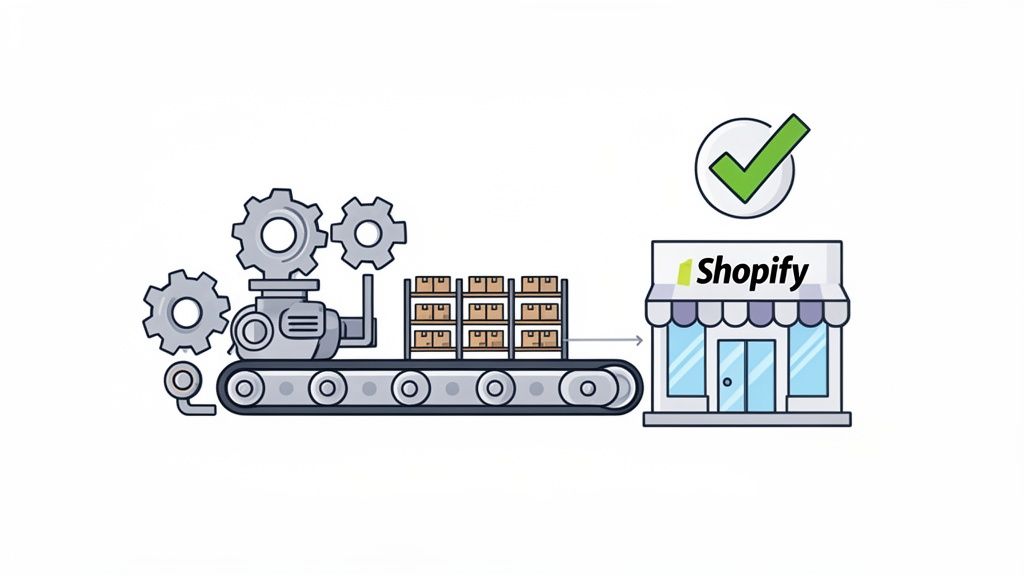
When your brand is scaling fast, the warehouse becomes the true heartbeat of your operation. As orders pile up, those manual processes and trusty spreadsheets that got you here start to break down. That's when you see it—shipping errors, inventory counts that are always off, and general operational chaos. A proper WMS isn't just a tool; it's what turns your warehouse from a constant headache into a real competitive advantage.
This isn't just a small trend, either. The entire market is moving this way. The global warehouse management system market is expected to hit $10.64 billion by 2026, growing at a steady clip of 11.70% annually. A huge driver of this is the boom in ecommerce and logistics, with cloud-based systems projected to make up 61.66% of the market thanks to their flexibility. You can dig into more of the data over at Fortune Business Insights.
My goal here is to help you cut through the noise and give you a solid framework for comparing the top WMS platforms. We'll start by focusing on the core criteria every operations manager should be scrutinizing.
Core Evaluation Criteria
To find the WMS that truly fits your business, you have to look past the slick sales demos and marketing jargon. Focus on what actually moves the needle for a high-volume DTC brand.
- Feature Depth: Does it handle the complex stuff you need? Think advanced workflows like wave picking, kitting, and dynamic slotting.
- Shopify Integration: How deep does the connection go? You need a real-time, two-way sync for orders, inventory levels, and product data between your WMS and Shopify.
- Scalability: Can the system handle your current order volume without breaking a sweat? More importantly, can it handle Black Friday and your growth targets for next year?
- Pricing & Support: Is the pricing model clear and does it make sense as you grow? What kind of help will you get during the crucial implementation phase and beyond?
A modern WMS should be the foundation of your entire tech stack. Its ability to seamlessly connect with post-purchase tools like SelfServe is what unlocks next-level efficiency. For example, automatically updating a shipping address in the warehouse before an order is picked not only saves money but also prevents a major customer headache.
To help you organize your thoughts and prepare for vendor calls, here’s a quick reference table. It breaks down the most important factors to consider when you're evaluating options.
Quick Comparison of Top WMS Evaluation Criteria
| Evaluation Criterion | Why It Matters for High-Volume Brands | Key Question to Ask Vendors |
|---|---|---|
| Shopify Integration | A deep, real-time sync is non-negotiable. It’s what prevents overselling and keeps fulfillment moving smoothly. | "How does your API handle order updates and inventory changes with Shopify Plus in real time?" |
| Scalability | Your WMS must perform under pressure, handling thousands of daily orders and massive seasonal spikes without crashing. | "What is your system's proven order throughput, and can you share case studies from brands at our scale?" |
| Pricing Model | The wrong model can kill your margins as you grow. You need predictability. | "Is your pricing based on users, order volume, or features? What are all the potential extra costs?" |
| Implementation Support | A botched rollout can bring your operations to a standstill for weeks. Solid support is crucial. | "Walk me through your standard implementation process and timeline for a store of our size." |
With these core criteria in mind, you're in a much better position to have productive conversations with potential WMS partners and make a choice that sets your brand up for long-term success.
Essential WMS Features for Scaling Ecommerce Brands
A great warehouse management system is more than just a digital ledger for your inventory—it’s the brain of your entire fulfillment operation. For any ecommerce brand that's serious about scaling, some features aren't just “nice to have.” They're the absolute foundation for profitability and keeping customers happy. When you move past the basic sales pitch, you start to see the real operational muscle a top-tier WMS provides.
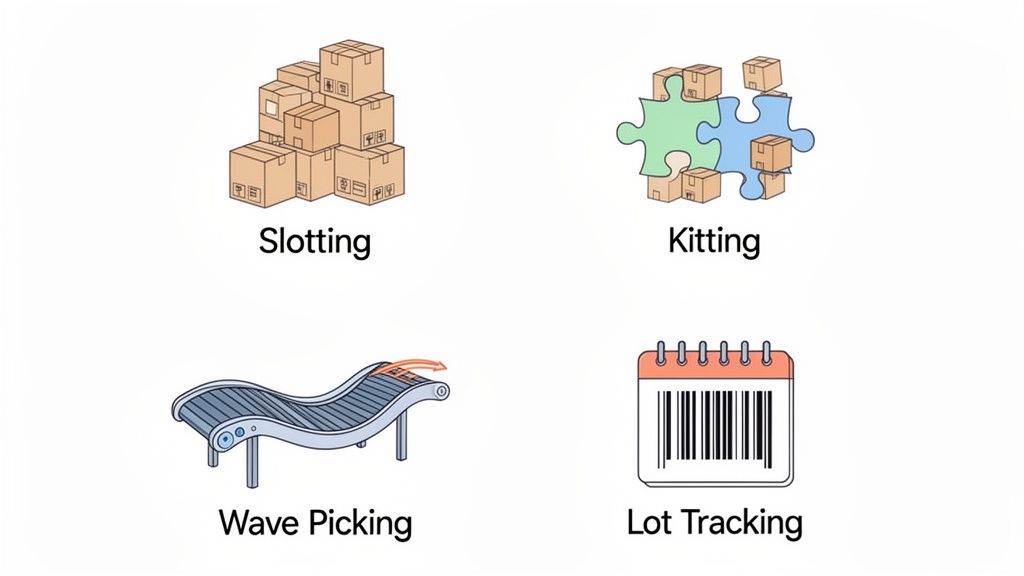
These are the functions that turn warehouse chaos into a well-oiled machine. They have a direct, measurable impact on your labor costs, how many orders you can get out the door, and your accuracy rates. Let's dig into the non-negotiable features that separate a simple tool from a true strategic asset for growth.
Advanced Inventory Control
At its most basic, a WMS has to give you perfect visibility into what you have in stock. But for high-volume brands, that’s just table stakes. You need sophisticated controls that optimize every inch of your warehouse and every single item on the shelves.
- Dynamic Slotting: This is a game-changer. The system analyzes sales data, product dimensions, and even seasonality to tell you the most efficient place to store each SKU. Simply moving your fastest-selling items to easily accessible bins near the packing stations can cut your pickers' travel time by over 50%. That's a massive boost to fulfillment speed.
- Cycle Counting: Forget the nightmare of shutting down your whole operation for an annual physical inventory count. Cycle counting lets you continuously count small, manageable sections of your warehouse. This keeps your inventory data incredibly accurate all year long, which is crucial for preventing stockouts and overselling. You can also read our guide to simplify inventory management and avoid stockouts for more on this.
- Kitting and Bundling: Your WMS must be able to handle both virtual and physical kits. This lets you market product bundles on your Shopify store, while the system intelligently tells your warehouse team to pick the individual component parts. It's essential for running promotions or managing subscription boxes accurately.
For brands in CPG, beauty, or food and beverage, one feature is an absolute deal-breaker: native support for lot tracking and expiration date management. This isn't just about compliance; it enables a First-Expired-First-Out (FEFO) picking strategy, which is critical for minimizing spoiled product and protecting your brand.
Intelligent Order Fulfillment Strategies
As your order volume climbs, how you pick orders becomes just as important as where you store the inventory. The best WMS platforms don't just list orders; they orchestrate the entire picking process with strategies that get the most out of your team. Handing out printed pick lists is a recipe for errors and bottlenecks.
A modern WMS automates this process using different methods depending on the order profile:
- Batch Picking: This is all about efficiency. The system groups multiple orders that contain the same SKUs into one pick run. Instead of walking to the same bin ten times for ten different orders, a picker can grab ten units of a popular product all at once.
- Wave Picking: This creates a predictable rhythm on the warehouse floor. Orders are released in scheduled "waves" based on rules you set, like carrier pickup times or shipping priority. It prevents that chaotic end-of-day rush that plagues so many fulfillment centers.
- Zone Picking: For large warehouses with huge catalogs, this is ideal. You assign pickers to specific zones, and orders move from one zone to the next on a cart or conveyor until all the items are collected.
These strategies aren't mutually exclusive. A truly powerful WMS can look at a batch of incoming orders and dynamically choose the best picking method to maximize efficiency at that specific moment.
Streamlined Outbound Logistics
The packing and shipping station is your final line of defense before an order reaches your customer. A good WMS fortifies this stage with automated checks and powerful cost-saving tools. For example, automated packing verification forces packers to scan the barcode of every single item before they can print a shipping label. This one step virtually eliminates mis-picks and wrong-item shipments.
On top of that, integrated carrier rate shopping is a must-have. For every order, the WMS automatically checks the shipping rates across all your connected carriers (like UPS, FedEx, and USPS). It then selects the cheapest option that still meets the customer's promised delivery date. This simple, automated step can save you a fortune on shipping costs when scaled across thousands of orders.
Comparing the Best WMS Systems for Shopify Merchants
Choosing the right warehouse management system isn't about finding a single "best" platform. It’s about finding the system that actually fits your business—your operational quirks, your growth plans, and your budget.
For a high-volume Shopify merchant, the small differences between the top contenders can have a huge impact on your daily efficiency and ability to scale. Instead of a generic pros and cons list, we’re going to look at these platforms through the lens of real-world business scenarios. This will help you see which system is built to solve your specific challenges, whether that’s taming complex international fulfillment or just getting your team onto a user-friendly platform, fast.
Our analysis focuses on four pillars that are critical for any scaling Shopify brand: how deep the Shopify integration goes, the core feature set, proven scalability, and the pricing model's transparency.
A Closer Look at the Top WMS Contenders
Let's break down some of the most popular WMS systems that high-growth ecommerce brands are turning to. We’ll look at what they do best and highlight the key differences that really matter when orders are flying out the door.
ShipHero: The User-Friendly Powerhouse
ShipHero has built a stellar reputation in the Shopify world, especially with brands that are scaling fast and can't afford a clunky, hard-to-learn system. It hits that sweet spot between having powerful features and an interface your team can actually use without weeks of training.
- Best Suited For: High-volume DTC brands that value speed of implementation and ease of use above all else. If you’re currently drowning in spreadsheets and manual pick lists, ShipHero is designed to get you organized quickly, without needing a massive IT project.
- Shopify Integration Depth: The integration is incredibly tight and built for one thing: speed. It offers one-click connections that handle real-time syncing for orders, inventory levels, and tracking numbers flawlessly. It nails the core data sync that every Shopify merchant relies on.
- Scalability: ShipHero is battle-tested. It’s proven to handle massive order volumes, making it a reliable partner for brands facing explosive growth or intense seasonal rushes like Black Friday Cyber Monday.
Logiwa: The High-Volume DTC Specialist
Logiwa bills itself as a modern WMS designed from the ground up for the chaos of high-volume B2C and DTC fulfillment. Its cloud-native architecture is all about flexibility and connecting to your entire tech stack.
- Best Suited For: Brands with complex needs, like multi-warehouse fulfillment, or even those operating as a 3PL for other merchants. Its smart automation and AI-driven workflows are for operations that need to squeeze every last drop of efficiency out of their process.
- Shopify Integration Depth: Logiwa offers a deep, API-first integration. This means it doesn't just sync basic data; it supports more advanced logic, which is perfect for building custom workflows or connecting to other specialized software.
- Pricing Model: Logiwa’s pricing is typically based on order volume. This can be a huge plus for businesses with seasonal or fluctuating demand, as your costs scale directly with your activity.
A key differentiator for WMS platforms built for DTC is how they handle the inevitable returns. A system that automates reverse logistics—generating return labels, guiding the inspection of returned goods, and updating inventory in real-time—is a massive operational advantage that saves both time and money.
Extensiv 3PL Warehouse Manager: The 3PL-Focused Solution
While many WMS platforms can be adapted for third-party logistics, Extensiv 3PL Warehouse Manager was purpose-built for it. This makes it a really interesting option for Shopify merchants who also fulfill orders for other brands.
- Best Suited For: Shopify merchants who also run a 3PL business or have multi-client warehousing needs. The entire platform is designed to manage inventory, billing, and reporting for completely separate clients, all under one roof.
- Shopify Integration Depth: Its strength lies in connecting to multiple Shopify stores at once, keeping all the inventory and order data perfectly segregated for each client.
- Key Feature: The platform truly shines with its multi-client billing. It automatically tracks storage fees, pick-and-pack charges, and shipping costs for each of your clients—a brutal administrative task to manage by hand.
WMS Feature Comparison for Shopify Plus
To help you see how these platforms stack up at a glance, this table offers a side-by-side analysis of how top WMS solutions compare on critical features, integration capabilities, and scalability for high-growth ecommerce.
| WMS Provider | Best Suited For | Shopify Integration Depth | Scalability Rating | Pricing Model |
|---|---|---|---|---|
| ShipHero | Rapidly growing DTC brands needing a user-friendly, powerful solution. | Strong, real-time sync with one-click integration, focused on core ecommerce needs. | High | Per-user or tiered plans, often with fulfillment services. |
| Logiwa | High-volume DTC and 3PLs with complex, multi-warehouse fulfillment needs. | Deep, API-first integration for advanced workflows and automation. | Very High | Primarily based on order volume, aligning costs with business activity. |
| Extensiv 3PL | Merchants who also operate as a 3PL, managing inventory for multiple clients. | Excellent; designed to connect to and manage multiple Shopify stores. | High | Tiered, often based on order volume and number of clients. |
| Infor CloudSuite | Mid-sized businesses needing industry-specific features and a highly intuitive interface. | Solid, with a focus on usability and connecting to a broader suite of business tools. | High | Subscription-based, often tailored to specific feature sets. |
Ultimately, the best WMS is the one that solves your biggest warehouse headaches today while giving you a clear path to grow tomorrow. Use these comparisons to guide your conversations with vendors, and always insist on a demo that mirrors your real, day-to-day warehouse workflows.
Why Cloud WMS Is the Future of Ecommerce Fulfillment
If you've been in ecommerce for a while, you remember the old way of managing a warehouse. It involved clunky, on-premise systems that cost a fortune upfront for servers and IT support, only to become outdated the moment you installed them. For a fast-moving DTC brand, that model just doesn't work anymore.
The entire game changed with the move to the cloud. Instead of buying and maintaining your own hardware, you're essentially renting powerful, top-tier warehouse software through your web browser. This shift is what gives modern, high-volume merchants the agility that on-premise systems could never offer.
Lower Costs and Greater Flexibility
The most obvious win is financial. You can forget about the massive capital investment in servers or complex, on-site installations. A cloud WMS runs on a predictable subscription model, turning a huge capital expense into a manageable operating cost that grows with you.
This flexibility also transforms how your team works. Your operations manager can check inventory levels from home, your support team can track an order in real-time from their desk, and you can oversee multiple warehouses from a single dashboard. That kind of remote access is essential for managing distributed teams and scaling efficiently.
Continuous Improvement and Real-Time Data
With a cloud platform, you're always running the latest and greatest version of the software. The provider handles all the updates, security patches, and new feature rollouts automatically. No downtime, no internal IT headaches—just continuous improvement delivered right to you.
A modern cloud WMS doesn't just manage your warehouse; it becomes the single source of truth for your entire operation. It feeds live, accurate inventory and order data to your Shopify store, your ERP, and any post-purchase tools you're using.
This constant flow of reliable information is what makes fast, accurate fulfillment possible. The market trends back this up completely. Cloud-based WMS is the fastest-growing segment in the industry, with some reports projecting a staggering 22.6% CAGR from 2026 to 2033. This boom is happening because brands are ditching hardware costs and seeing massive efficiency gains from real-time data, a trend detailed in research from Grand View Research.
This decision tree can help you map out whether a WMS is the right move for your brand's current stage.
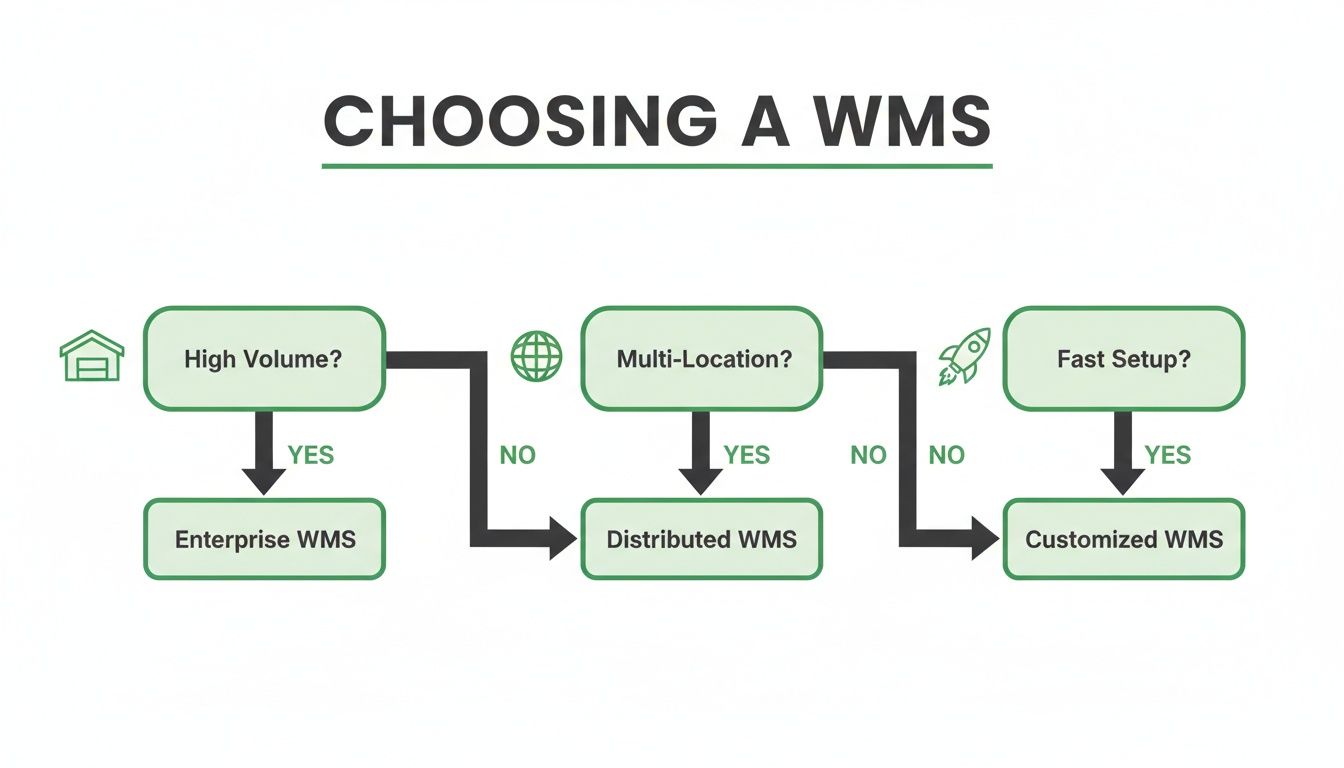
As you can see, the more your order volume, number of locations, and operational complexity grow, the less of a choice a WMS becomes. It’s an essential investment. The question isn't if you need one, but which one is the right fit for your unique business. For any scaling ecommerce brand, the agility and data-first approach of a cloud WMS is the clear path forward.
Integrating Your WMS to Optimize Your Tech Stack
A Warehouse Management System (WMS) is a powerhouse on its own, but its real value gets unlocked when you make it the central hub of your entire operational tech stack. The best systems don't work in a silo; they need to communicate flawlessly with every other tool you use, from your Shopify store all the way to your customer support desk. This level of integration is what turns a WMS from a simple warehouse tool into a force multiplier for your whole business.
Think of your tech stack as a team of specialists. Your WMS is the project manager, making sure everyone has the right information at the exact moment they need it. When these systems talk to each other, you kill manual data entry, slash human error, and create a seamless flow of information that makes your entire operation smarter and faster. This synergy is what separates a good business from a great one.
Creating a Connected Ecosystem
A deeply integrated WMS becomes the single source of truth for your inventory and order data. This connectivity powers sophisticated workflows that are simply impossible when your systems are disconnected. The goal is to build an ecosystem where data moves automatically, triggering actions across different platforms without a human ever having to step in.
For any high-volume merchant, this real-time data exchange is non-negotiable. It’s what ensures the inventory counts a customer sees on your Shopify store perfectly match the physical reality on your warehouse shelves.
- Shopify Integration: This connection has to be two-way and instant. An order placed on Shopify should pop up in the WMS immediately. Just as important, when new inventory is received, that stock level should instantly push to your product pages to prevent overselling.
- ERP Integration: Your WMS needs to be in constant sync with your Enterprise Resource Planning (ERP) system to keep the books straight. This link automates the flow of data for purchase orders, inventory valuation, and cost of goods sold, keeping your finance team happy.
- 3PL Integration: If you work with third-party logistics partners, your WMS has to talk to theirs. For a deeper dive on this, you can check out our guide on third-party logistics software to see how to optimize these critical relationships.
This level of integration puts everyone on the same page. It’s the secret to scaling your operations without inviting total chaos.
Post-Purchase Workflows and Support Automation
One of the most powerful places to focus your integration efforts is the post-purchase experience. This is where you can dramatically cut down your customer support load and even head off expensive fulfillment mistakes before they ever happen.
Think about this common headache: a customer realizes they typed in the wrong shipping address moments after clicking "buy." Without integration, this means a panicked email to your support team, who then has to scramble to find the order and alert the warehouse, hoping they catch it in time.
With an integrated system, that same customer can use a self-service portal like SelfServe to update their own address. The change is instantly pushed via API to the WMS, automatically correcting the order details before it's ever assigned to a picker. The error is fixed with zero intervention from your team.
This same logic is the key to other powerful post-purchase automations:
- Automated Order Tagging: Customer actions, like choosing expedited shipping or adding a gift message, can trigger automatic tags. A good WMS integration reads these tags and flags the order for special handling, making sure the warehouse team executes the order perfectly.
- Dynamic Order Bundling: A customer might add another item to their order through a post-purchase upsell. A smart integration will simply update the original order in the WMS, telling the picker to add the new item to the box instead of creating a whole new shipment.
- Streamlined Communication: When a support agent is looking into an order, they should be able to see its real-time WMS status directly inside their helpdesk. This gets rid of the need to switch systems or bother the warehouse for updates, leading to much faster answers for your customers.
By connecting your WMS with your post-purchase tools, you create a self-healing system that reduces manual work, eliminates support tickets, and delivers a far better customer experience.
Your WMS Implementation and Migration Plan
Okay, you've picked your WMS. That’s a huge step, but the real return on your investment hinges on a rock-solid implementation. I've seen brands get this wrong, and the results aren't pretty—fulfillment grinds to a halt, orders get delayed, and customers get angry. A well-planned launch, on the other hand, paves the way for years of smooth, scalable operations.

Let’s walk through a practical plan for Shopify merchants who are either implementing their first WMS or migrating from an older system. This is your field guide to getting it right the first time, based on what works (and what doesn't) in the real world.
Critical Pre-Launch Activities
Before you even think about going live, there’s some essential groundwork to cover. This is where the real nitty-gritty work happens to make sure the system has clean data and your team is fully prepared. Trying to rush this phase is the single biggest mistake you can make.
Here's what your pre-launch checklist must include:
- Data Cleansing: This is absolutely non-negotiable. Your SKU library, barcode data, and bin locations have to be pristine before you import them. Remember: garbage in, garbage out. A messy dataset will cripple your new WMS from day one.
- Hardware Procurement: Get your hardware ordered and tested long before you need it. This means your barcode scanners, label printers, tablets, or any other mobile devices your team will be using on the floor need to be in hand and working.
- Comprehensive Team Training: Your warehouse crew needs to feel confident with the new tools. Run detailed training sessions that cover every workflow they'll touch—from receiving and putaway to picking, packing, and shipping.
The most important pre-launch step is User Acceptance Testing (UAT). Don't just tick a box here. Create real-world test scenarios: process a complex multi-item order, handle a return, and do a cycle count. You need to confirm the system works exactly as you need it to in your warehouse, not just in a demo.
Managing the Transition with Minimal Disruption
The actual go-live day needs a smart strategy to prevent chaos. Just flipping the old system off and the new one on overnight is a massive gamble. A more deliberate approach is always better for managing the change. Our guide on how to fulfill orders on Shopify has some great insights on building resilient workflows that can help here.
A phased rollout is a great way to de-risk the process. Here, you introduce the WMS to just one part of your operation at a time. For instance, you could use the new system only for receiving inventory for a week before expanding it to your picking and packing stations.
Another proven method is a parallel run. This means you run your old system and the new WMS at the same time for a short period. Yes, it’s double the work, but it’s an incredible safety net. It lets you verify that the new WMS is producing the exact same results as your trusted old process before you cut the cord for good.
Frequently Asked Questions About WMS Platforms
Choosing a warehouse management system is a huge decision, and it’s natural to have questions. After all, this software becomes the brain of your entire fulfillment operation.
We've gathered some of the most common questions we hear from Shopify merchants and operations leaders. Here are the straight answers you need to move forward with confidence.
When Is My Shopify Store Ready for a WMS
The signs are usually impossible to ignore. You're ready for a WMS when your manual processes are actively costing you money and goodwill. Think frequent shipping mistakes, constant stockouts because your inventory count is wrong, and that feeling of chaos every time you try to onboard a new warehouse team member.
If you’re still trying to manage a high-volume operation with spreadsheets and sheer willpower, it's time for a change. A WMS isn't just a tool; it's the shift from reacting to problems to proactively managing your growth.
What Is the Typical Implementation Timeline for a Cloud WMS
For a high-volume Shopify merchant, you should budget for an implementation timeline of 4 to 12 weeks. This window covers the entire process—from initial setup and data migration to installing hardware, connecting with Shopify, and, most importantly, training your team.
A more straightforward, out-of-the-box system might get you live on the shorter end of that spectrum. On the other hand, projects with heavy customizations, multiple warehouses, or complex ERP integrations will naturally take more time.
The single most critical factor for a smooth rollout is having a dedicated internal project manager. This person owns the process, acts as the main point of contact for the WMS provider, and makes sure your team is prepared, which is key to avoiding costly delays.
How Does a WMS Help Reduce Operating Costs
A WMS drives down operating costs in a few very tangible ways. First, by enforcing barcode scanning for picking and packing, it dramatically boosts order accuracy. This nearly eliminates the costs associated with fixing wrong orders—think free returns, reshipment fees, and wasted products.
Second, it makes your team far more efficient. By optimizing pick paths and organizing tasks, a WMS helps you get more orders out the door with the same headcount. Finally, it can automate carrier rate shopping, ensuring every single package goes out using the most cost-effective shipping option available, which directly slashes your fulfillment expenses.
Can I Integrate a WMS With My Existing ERP or 3PL
Yes, absolutely. Any modern, cloud-based WMS worth considering was built with integration in mind. The best platforms have robust APIs and pre-built connectors for popular ERPs, 3PLs, and other key ecommerce software.
When you're talking to potential vendors, make sure to ask specifically about their integration capabilities. Even better, ask for case studies from clients who use a similar tech stack to yours. A seamless, real-time sync between your WMS, ERP, and 3PL is non-negotiable for keeping your operations running smoothly.
You can take this automation a step further by integrating your WMS with smart post-purchase tools. SelfServe gives customers the power to edit their own orders after they check out, with all changes syncing directly to your WMS. This stops incorrect orders before they're ever picked, preventing costly errors and lightening the load on your support team. Explore how to add this layer of automation at https://getselfserve.com.