Email Address Validation Tool: Boost Shopify Sales

A customer places an order, pays without hesitation, and expects the usual stream of reassurance. Order confirmation. Shipping update. Delivery notice. Review request. Maybe a replenishment email a few weeks later.
Then the first message bounces because they typed gamil.com instead of gmail.com.
In ecommerce, that isn't a minor form error. It breaks the communication chain attached to the order. The customer starts wondering whether the purchase went through. Your support team gets the ticket. Your retention flow misses them. If the order has a delay, return issue, or fraud review, you're suddenly trying to operate blind.
That's why an email address validation tool belongs in the same conversation as checkout optimization, shipping accuracy, and post-purchase experience. Bad email data costs money twice. First when operational messages fail. Then again when a real buyer never becomes a repeat buyer.
The Hidden Costs of a Single Email Typo
The damage from a bad email address usually shows up after the sale, not during it.
A shopper completes checkout on your Shopify store, closes the browser, and waits for confirmation. No email arrives. They check spam, then place a second order “just in case,” or they open a support ticket, or they call the fulfillment status into question before your team has even packed the item. None of that comes from bad intent. It comes from one broken contact field.
This is especially painful on stores with long shipping windows, custom products, subscriptions, or high-ticket orders. Customers rely on email to confirm that everything is on track. When that thread breaks, anxiety rises fast. Support volume follows.
Bad email data also undermines work you've already paid for. You spent to acquire the customer. You converted them. You may even have built a thoughtful post-purchase sequence. If the address is wrong, the sequence has no audience. That hurts list quality, campaign performance, and the long-term value of every hard-won order. If you're already working on acquisition, this guide on how to build an email list that actually buys from you is useful context, because list quality starts at capture.
A typo at checkout doesn't stay a typo. It turns into missed confirmations, avoidable support work, and a weaker path to the second purchase.
What merchants often miss is timing. By the time you notice a bounce in your ESP, the order already exists, the customer already expects updates, and your team is already reacting instead of preventing.
That's the core reason validation matters in Shopify. Not because forms should look cleaner. Because every valid order needs a reliable communication channel attached to it from the first minute onward.
What Is an Email Address Validation Tool Really Doing
Most merchants think validation means checking whether an address “looks right.” That's only the first layer.
A proper email address validation tool acts more like a postal worker, a map service, and a front-desk clerk rolled into one. It checks whether the address is formatted correctly, whether the destination can receive mail, and whether the specific mailbox appears reachable. Hunter describes this as a combination of syntax checks, domain and MX lookups, and server-response testing designed to reduce bounce rates and protect sender reputation before a campaign is sent, in its overview of how email verification works.
Working definition: An email validator doesn't just catch typos. It tests whether the email can function as a dependable route back to the customer.
It's more than an at-sign check
An address can be perfectly formatted and still be useless.
customer@brandname.co may look valid. But if the domain can't receive mail, or the mailbox doesn't exist, your order and lifecycle emails still won't land. That's why serious validation tools use layered checks instead of relying on formatting rules alone.
If you're reviewing vendors or workflows, it also helps to understand the broader deliverability side. This guide on how to improve email deliverability gives useful context on why validation should sit upstream of sending, not downstream after bounces pile up.
Why ecommerce teams should care
For a lead-gen form, a bad email address is an annoying loss. For Shopify operations, it's a service failure waiting to happen.
Email drives core order communication:
- Order status updates that reassure the buyer
- Exception handling when an item is delayed or flagged
- Retention flows such as replenishment, cross-sell, and win-back
- Self-service experiences that depend on customer identity and notification
If the address is wrong, every one of those workflows gets weaker.
That's why mature teams treat validation as infrastructure. It operates in the background, but it protects sender reputation, list hygiene, and customer communication all at once.
The Anatomy of a Comprehensive Email Check
A good validator doesn't make one decision from one signal. It stacks several checks, each answering a different question about risk and deliverability.
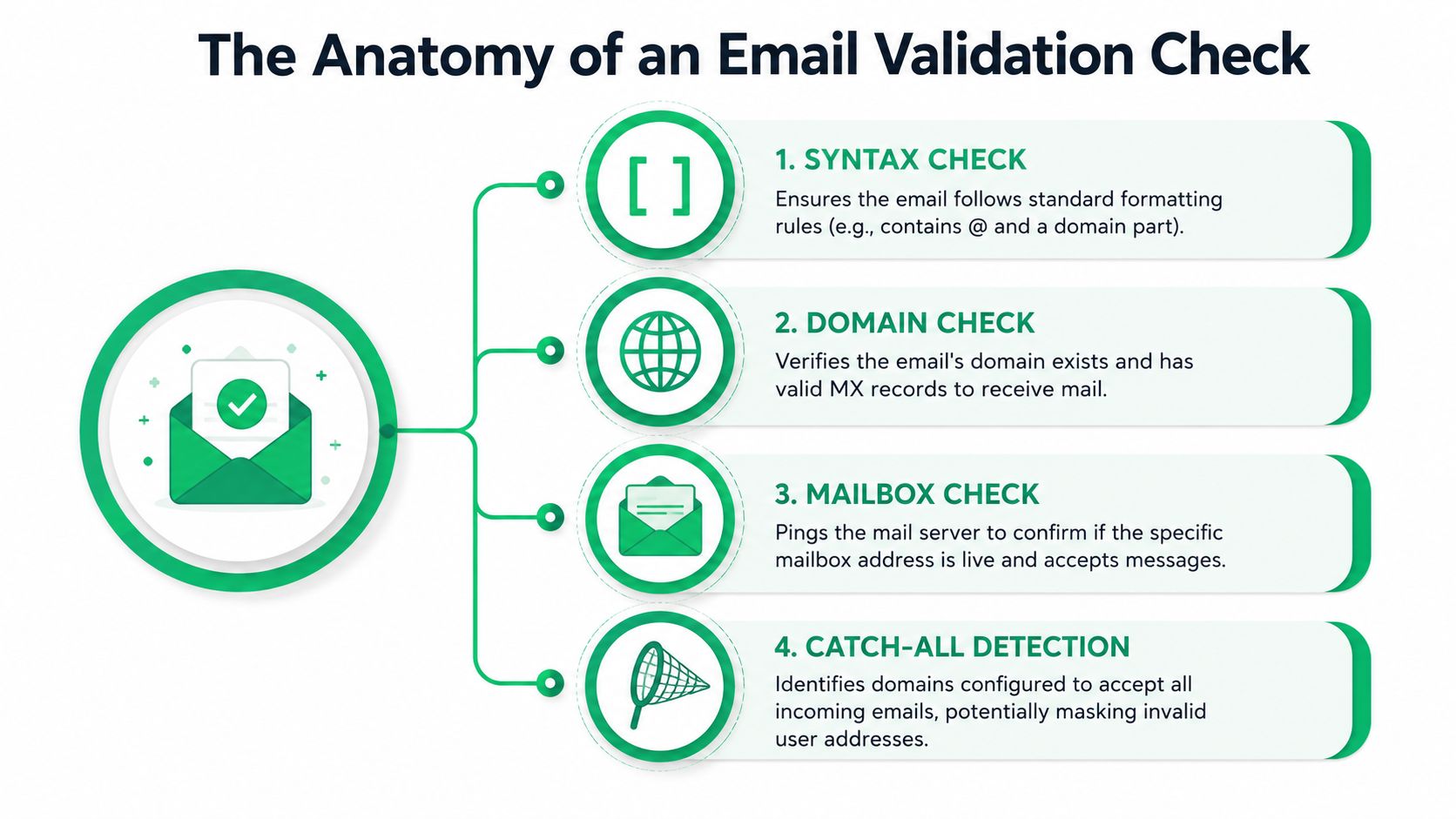
Syntax check
This is the front door. The tool looks for obvious formatting problems.
That includes missing characters, malformed domain parts, stray spaces, and other issues that make the address structurally invalid. Syntax checks are fast and useful, but they're also the easiest layer to overestimate. Plenty of bad addresses pass syntax.
For a Shopify store, syntax catches the basic checkout mistakes that should never enter your customer database in the first place.
Domain and mail server check
The next question is whether the domain behind the email can receive mail.
EDQ explains that effective validation typically verifies the address is well-formed, confirms the domain has an active mail server, and then tests whether the server is willing to accept mail, reducing false positives that slip past syntax-only checks in its guide to real-time email verification. This matters because a polished-looking email on a dead or misconfigured domain still won't receive your messages.
For merchants, this layer filters out addresses that look real but are operationally useless.
Mailbox reachability
Now the validator gets more specific. It checks whether the mailbox itself appears live and able to receive messages, usually without sending an actual email.
The tool proves considerably more valuable than a simple form rule. A reachable mailbox means your customer communication path is much more likely to work when it matters.
If your checkout only validates format, you're still accepting many addresses that will fail in post-purchase communication.
Catch-all handling
Catch-all domains create a common blind spot.
A catch-all setup can accept mail for many addresses on the domain, even if the exact user mailbox isn't confirmed. Loqate's best-practice guidance notes that strong validation should go beyond syntax and include mailbox reachability and catch-all handling, because checking for an @ symbol alone isn't enough for quality control or fraud prevention in its email validation best practice guide.
For ecommerce, catch-all domains matter because they can create false confidence. The validator may not reject the address, but that doesn't mean the buyer will reliably receive your shipping updates or offers.
Disposable and abusive signup detection
Not every bad address is accidental. Some are intentional.
Temporary inboxes, throwaway addresses, and abusive signups often appear around discount offers, referral programs, or gated promotions. This layer helps merchants identify addresses that may create fraud risk, abuse coupons, or weaken list quality over time.
In practical terms, this matters most when you run:
- First-order discount campaigns
- Referral incentives
- Warranty or registration captures
- Contest or giveaway forms
What to look for in a tool
Not every vendor exposes the same logic or returns the same level of confidence. When evaluating tools, look at whether they can handle the full chain, not just the easy checks.
| Check layer | What it tells you | Why it matters in Shopify |
|---|---|---|
| Syntax | Is the address properly formed | Stops obvious input mistakes |
| Domain and MX | Can the domain receive email | Blocks dead destinations |
| Mailbox | Does the mailbox appear reachable | Protects order communication |
| Catch-all | Is the domain masking uncertainty | Prevents false confidence |
| Disposable or risky | Is the address low quality or abusive | Helps control promo abuse and poor list hygiene |
A thorough check doesn't guarantee every email will perform perfectly. It gives you a much better basis for deciding what to accept, flag, review, or reject.
Choosing Your Implementation Strategy Real-Time vs Batch
The right validation setup depends on when you want to catch the problem.
Some stores need to stop bad addresses before they ever enter Shopify. Others need to clean existing lists before a launch or migration. Most growing brands eventually need both.
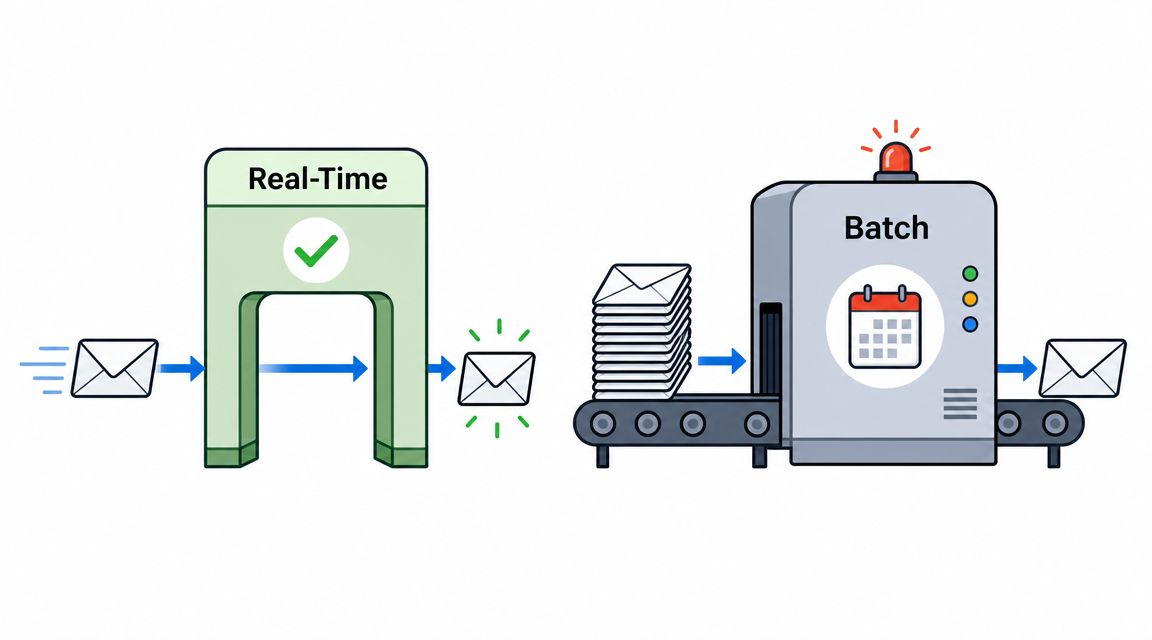
Real-time validation
Real-time validation runs at the point of capture. The shopper enters an email address, the validator checks it immediately, and the form can respond before submission completes.
For high-volume ecommerce, that approach matters because it blocks invalid addresses before they enter the database, which protects sender reputation and lowers bounce rates, as described by Emailable in its overview of real-time email verification for ecommerce.
This is the right fit for:
- Checkout email fields
- Account creation
- Newsletter pop-ups
- Back-in-stock and preorder forms
The big advantage is prevention. You never have to clean what you never captured.
Batch validation
Batch validation works on lists you already have.
You export contacts from Shopify, Klaviyo, or your ESP, run them through the validation platform, and then segment or suppress bad, risky, or uncertain addresses before a campaign. This is especially useful before a large seasonal send, after an imported list migration, or when reviving an old segment.
Batch cleaning is operationally useful, but it's reactive. It fixes data after it has already touched your systems.
Which one should you choose
Use this simple rule:
- Choose real-time when the email is tied to an active transaction or customer journey step.
- Choose batch when you're cleaning historical data or preparing a campaign.
- Choose both if your store is scaling and you don't want old problems recurring.
Operational rule: Real-time protects the front door. Batch cleans the warehouse.
How the plumbing usually works
In Shopify, these tools are usually connected through an API, app integration, or middleware layer. That sounds technical, but the practical point is simple. The validator needs a way to inspect the address as it's entered or after it's stored.
Webhooks can trigger downstream workflows when an address is flagged. APIs can return a validation result instantly at checkout or signup. Your team doesn't need to build all of this from scratch, but you do need to know where the decision happens and what action follows.
If no one defines that logic, validation turns into a dashboard your team rarely checks instead of a control point that protects the business.
Balancing Accuracy and User Experience
Validation can save a sale, but it can also kill one if implemented badly.
The mistake I see most often is treating every suspicious email as a reason to block checkout. That sounds strict and safe. In practice, it can frustrate legitimate customers, especially when the validator is slow or uncertain.
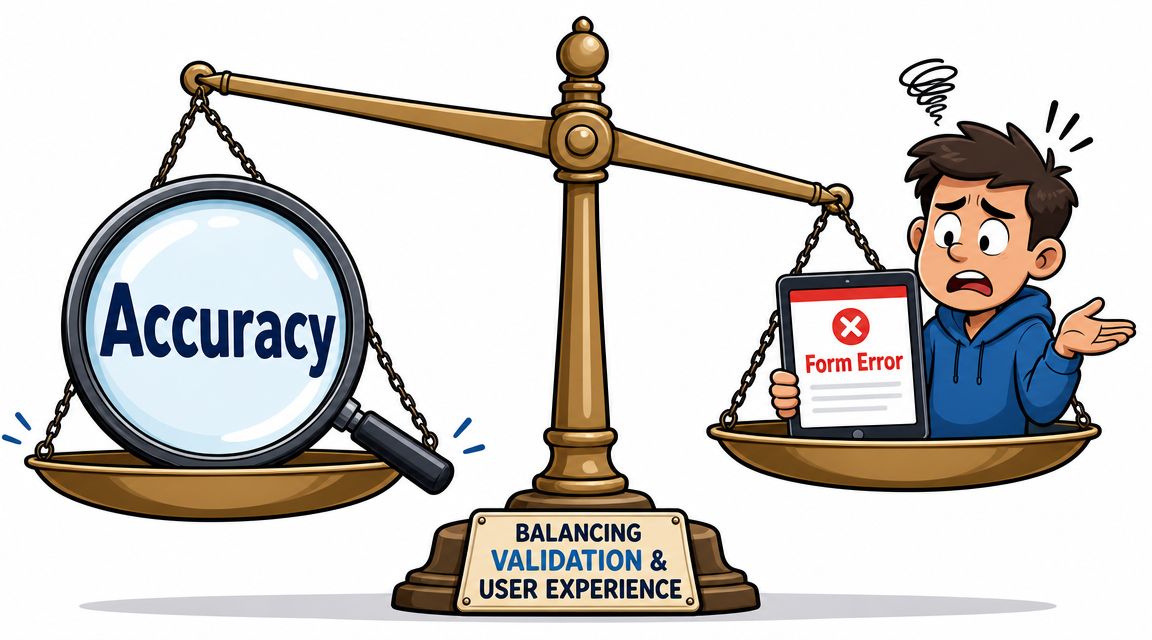
Strict enough to help, not so strict it hurts
A recent review of validation tools highlights a real trade-off for merchants. Some vendors are faster, while others are more conservative and return uncertain results as “unknown.” That matters in real-time checkout flows where latency or aggressive rejection can hurt conversion, as discussed in this 2026 validation tool review.
That's the operational nuance many guides skip. Accuracy claims sound great until a real customer enters a valid corporate address, your validator hesitates, and the checkout form throws a hard stop.
A better approach is tiered handling.
| Validation result | Better checkout behavior |
|---|---|
| Clearly invalid | Block submission and show a fixable error |
| Likely typo | Suggest a correction inline |
| Unknown | Let the customer continue, then flag for follow-up |
| High confidence valid | Stay out of the way |
What good UX looks like
The best validation feels helpful, not suspicious.
Use inline suggestions such as “Did you mean gmail.com?” when the issue is obvious. Keep error copy short and specific. Don't wipe the field. Don't force the shopper to guess what went wrong.
This matters just as much in address workflows as email workflows. If you're improving both sides of checkout and post-purchase data quality, this guide on Shopify address verification is a practical companion.
Where teams get too aggressive
Three patterns create unnecessary friction:
- Hard-blocking uncertain addresses when the tool returns an ambiguous result
- Running validation too late after the customer has already clicked pay
- Using technical error language that makes normal shoppers feel blamed
Good validation should be almost invisible on the happy path and very clear on the error path.
A practical policy for ecommerce teams
If you're selling to consumers, especially on mobile, optimize for correction over confrontation.
If you're selling high-risk products, running aggressive discount offers, or seeing repeated abuse, you can tighten policy selectively on known risky patterns. The key is selective enforcement. Not every questionable signal deserves the same response.
That balance is what separates a clean database from a broken checkout.
Integrating Validation into Your Shopify Store
Shopify merchants often think about validation only at signup or checkout. That leaves a major blind spot after the order is placed.
A customer can still discover they used the wrong email only after they don't receive confirmation. At that point, the issue has moved from form quality to order operations.
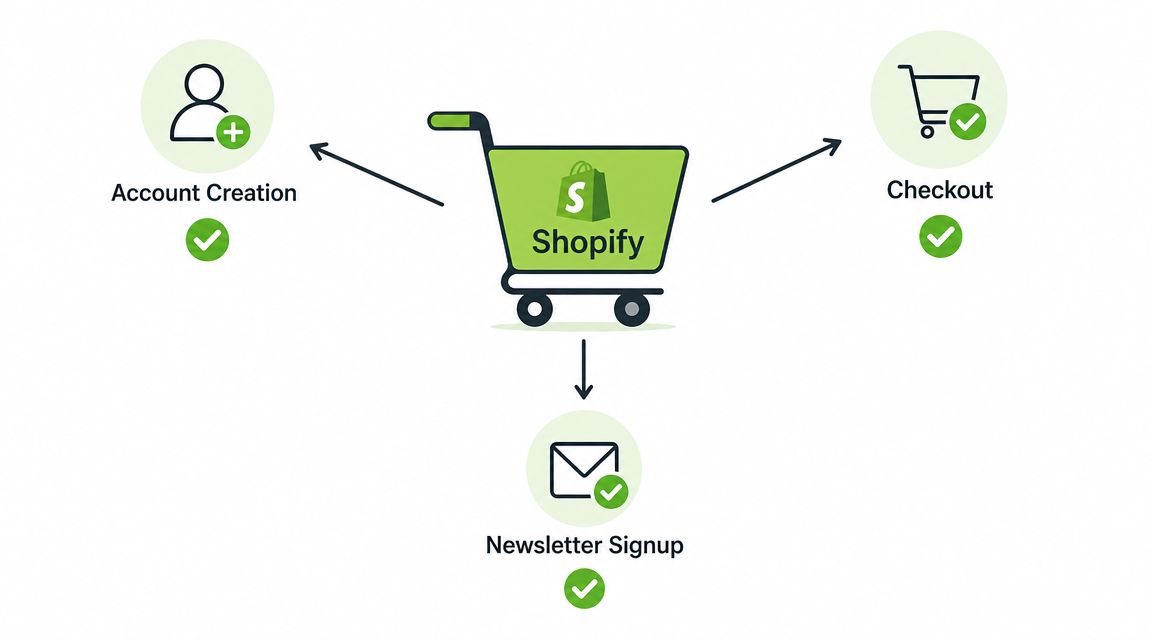
Start with the key touchpoints
Most Shopify stores should map validation to four moments:
Newsletter and lead capture
Catch low-quality emails before they ever enter your marketing stack.Account creation
Reduce login and notification issues tied to bad customer records.Checkout
Protect transactional messaging attached to live revenue.Post-purchase edits
Give buyers a way to correct mistakes after the order exists.
That last point matters more than many teams realize. Checkout prevention is important, but it won't catch every mistake. Mobile autofill issues, rushed buyers, gift purchases, and shared inbox confusion still happen.
Post-purchase correction is where many stores fall short
Once the order is submitted, merchants usually have two bad options. Support manually updates the email after a ticket arrives, or no one fixes it in time and the buyer misses critical messages.
The more scalable approach is to let customers correct their own details within controlled rules. That's already a familiar idea for shipping information. If you're also trying to reduce fulfillment mistakes, this walkthrough on how to correct Shopify shipping addresses is relevant because the same operational principle applies. Fix errors before they create downstream work.
A practical Shopify setup
A strong implementation usually looks like this:
At checkout
Use real-time validation on the email field to catch obvious mistakes and suggest corrections.After purchase
Offer a customer-facing edit flow for contact details during an allowed window.In your marketing stack
Sync validated customer data into your ESP so order and retention messaging use the same clean record.For existing lists
Run periodic batch validation before major campaigns or migrations.
If Klaviyo is part of your stack, your email correction process should also connect cleanly to segmentation and automation. This overview of a Klaviyo integration for Shopify post-purchase flows is useful for thinking through the operational handoff.
Keep ownership clear
Validation works best when one team owns the policy.
Operations usually decides what should be blocked, flagged, or editable. Support defines what customers can fix themselves. Marketing decides how validated statuses affect sends and suppression. If those decisions are scattered, the tooling won't solve much.
A clean Shopify setup isn't just “install an app and move on.” It's deciding where bad data should be stopped, where it can be corrected, and who is responsible when the system isn't sure.
Measuring Success and Ensuring Compliance
If you implement validation and never measure it, you'll underestimate its value.
Start with business-facing metrics, not just technical ones. Look at bounce trends, support tickets tied to missing confirmations or updates, the percentage of post-purchase contact corrections, and whether key flows are reaching the right customers more consistently. For Shopify teams, the primary win is fewer preventable service issues and cleaner communication across the order lifecycle.
You should also evaluate vendors on concrete performance data when they provide it. Mailtrap's comparison of validation tools lists NeverBounce at 99.9% accuracy, Bouncer and ZeroBounce at 99%+, Clearout at 98%+, GetProspect at 97%+, and notes Emailable at 0.012 seconds per email, while Verifalia states 99% accurate results and EmailListVerify offers 100 free verifications on account creation in its roundup of email verification tools and their published metrics. Those figures are vendor-specific, not standardized benchmarks, but they're still useful for comparing speed, pricing model, and operational fit.
Keep the scorecard simple
Track a short list consistently:
- Bounce rate trends after new captures and before major sends
- Support contact volume related to missing order emails
- Unknown or flagged validation outcomes that may need policy tuning
- Checkout friction signals if validation rules are too strict
- List hygiene over time across transactional and marketing records
Compliance is part of list quality
Validation also supports cleaner data practices.
It doesn't replace consent management or privacy controls, but it helps you avoid storing and repeatedly sending to bad or unreachable records. That's useful for governance, suppression hygiene, and maintaining a customer database your team can trust.
The stores that do this well don't treat validation as a one-time cleanup. They treat it as an ongoing control across acquisition, checkout, and post-purchase operations.
SelfServe helps Shopify brands give customers controlled post-purchase editing options so small mistakes don't turn into support tickets, failed deliveries, or missed order communications. If you want a practical way to reduce operational workload while improving the customer experience, take a look at SelfServe.