How to Reduce Support Tickets on Shopify

Monday morning usually starts the same way in a busy Shopify store. The inbox is already stacked with address change requests, where is my order messages, and cancellations that should've been handled without an agent ever touching them. That queue looks like a staffing problem, but in practice it's usually a product and workflow problem.
If you want to reduce support tickets, the question isn't how to answer them faster. It's how to remove the contact reasons that keep generating the same tickets in the first place, then make the remaining ones easier to route, resolve, and learn from.
Why Your Support Queue Keeps Growing
The fastest way to get buried is to treat the queue like a fire you keep feeding instead of a signal you can read. A Shopify ops lead will recognize the pattern immediately. One weekend promotion goes live, a few shipping updates land late, customers can't edit their own addresses, and by Monday the inbox is full of the same four issues with different order numbers attached.
The queue is usually a workflow mirror
Most of the volume comes from predictable post-purchase friction. Merchants get hit by unclear policies, manual-only edits, missing self-service, and weak proactive communication. Those are the places where customers stop and ask for help because the store didn't give them a clean path forward.
Practical rule: if the same question appears twice a day, it's probably a workflow issue, not a training issue.
That distinction matters because ticket handling is expensive in time, attention, and morale. A practical support benchmark puts average ticket resolution at 82 hours, while top-performing teams can resolve tickets in about 17 hours. The same analysis notes that up to 30% of tickets are misrouted in manual workflows, which means a large share of support effort gets spent on triage instead of actual problem-solving. It also says a healthy backlog sits around 5% to 10% of daily volume, with anything above 10% to 20% signaling a systemic problem, not a temporary spike (operational support backlog benchmark).
The cheapest fix is usually upstream
Hiring more agents can help with throughput, but it doesn't remove the contact reason. A better place to start is the point where the customer first becomes confused or blocked. That's why the most effective merchants stop asking, “How many tickets did we answer?” and start asking, “Which unnecessary contact reasons disappeared this month?”
The strongest playbook is simple. Fix the issue once, then let the queue shrink on its own. When teams systematically cluster common questions, publish content for the top topics, and keep feeding articles from zero-result searches, a well-built knowledge base and related self-service content can reduce ticket volume by 40% to 60% within 90 days (support deflection benchmark). That's not magic, it's just the compounding effect of removing repeated friction.
Run a 30-Day Contact-Reason Analysis
Pull the last 30 days of tickets and work from actual contact reasons, not a quarter-long average and not a hunch from the support inbox. Tag each ticket by the exact question the customer asked, merge duplicates, and rank the top five friction points by volume. One ticket analysis workflow recommends clustering identical questions first, then fixing the repeat issues before writing or correcting the knowledge-base article for each one.
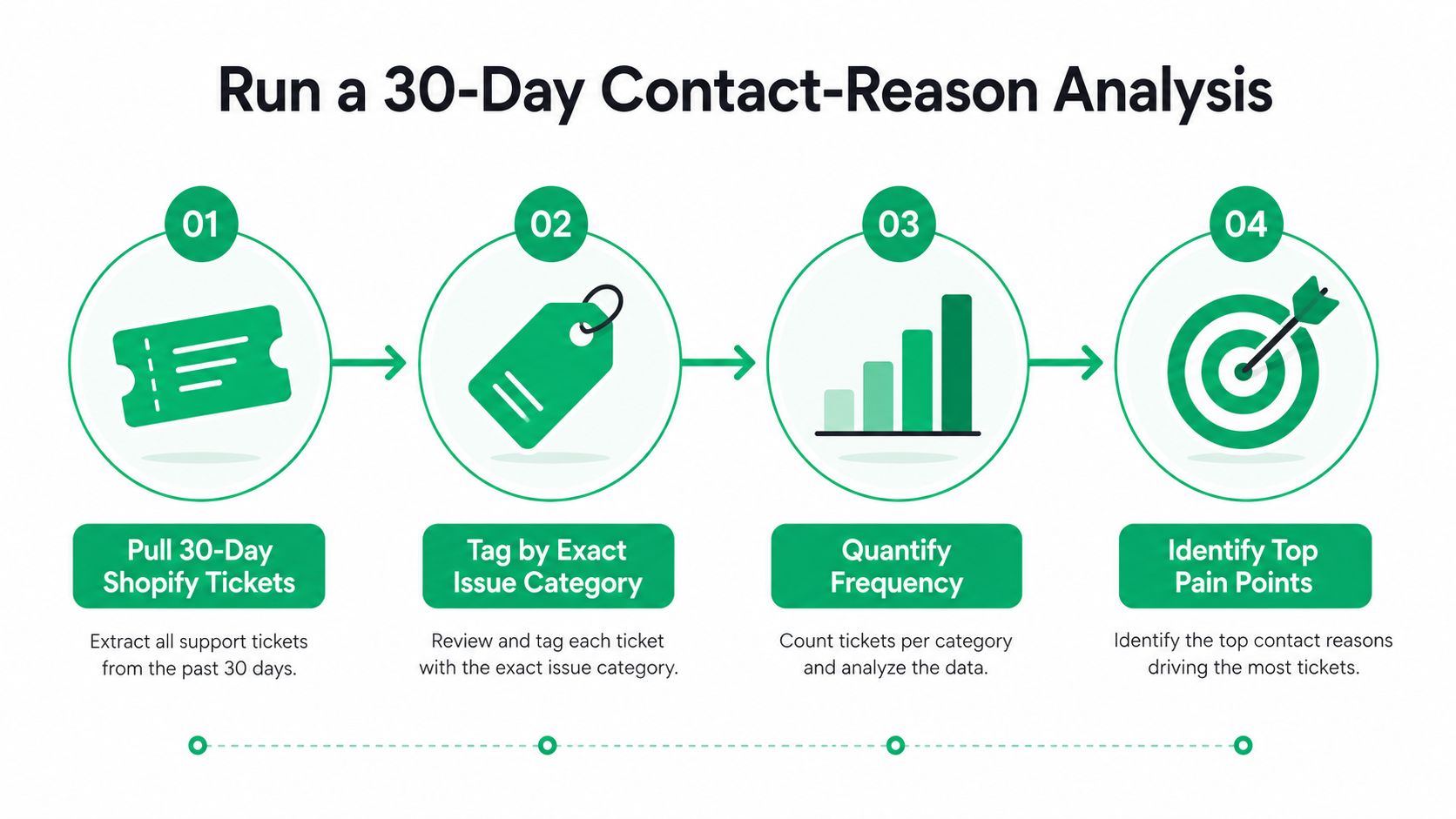
Tag by the exact issue, not the department name
If a customer writes in about an address edit, tag it as address edit, not “order support.” If they ask about cancellation status, tag it as cancellation, not “general inquiry.” The point is to cluster the words customers use so the data reflects the friction they feel, not the internal org chart.
For most Shopify stores, the useful buckets are repetitive and obvious once you look closely.
- Address edits. Customers notice their shipping details are wrong after checkout and want a fast correction.
- Cancellations. Buyers change their mind after purchase and want a clean stop without a back-and-forth chain.
- Shipping status. Shoppers are anxious about delivery timing and want certainty without waiting for a reply.
- Refund questions. People want to know when money moves, what's eligible, and how long it takes.
- Discount issues. A code failed, was forgotten, or didn't behave the way the customer expected.
Use Shopify's native order and customer data alongside a helpdesk export so you can see both the ticket label and the associated order context. That matters because the same issue can show up in different words depending on where the customer is in the journey. A cancellation before fulfillment is not the same operational problem as a cancellation after pick and pack has started.
Rank by repeat volume, then re-measure
After clustering, sort the list by ticket count, not by how annoying the issue feels inside the team. The top five usually show where queue pressure is really coming from. A related operational method recommends using the last 100 tickets, grouping them into issue categories, ranking the top five friction points, shipping fixes, then checking again after 30 days to confirm the change reduced inbound demand.
That re-check matters. If the same issue comes back under different wording, you have not solved it. You have only shifted the phrasing.
The Post-Purchase Tickets Costing You the Most
The most expensive tickets are rarely the most dramatic ones. They're the repeatable, low-emotion contacts that happen at scale, especially after checkout. Address changes, cancellations, shipping status, and discount-code complaints dominate a lot of Shopify support queues because each one feels small in isolation but shows up again and again.
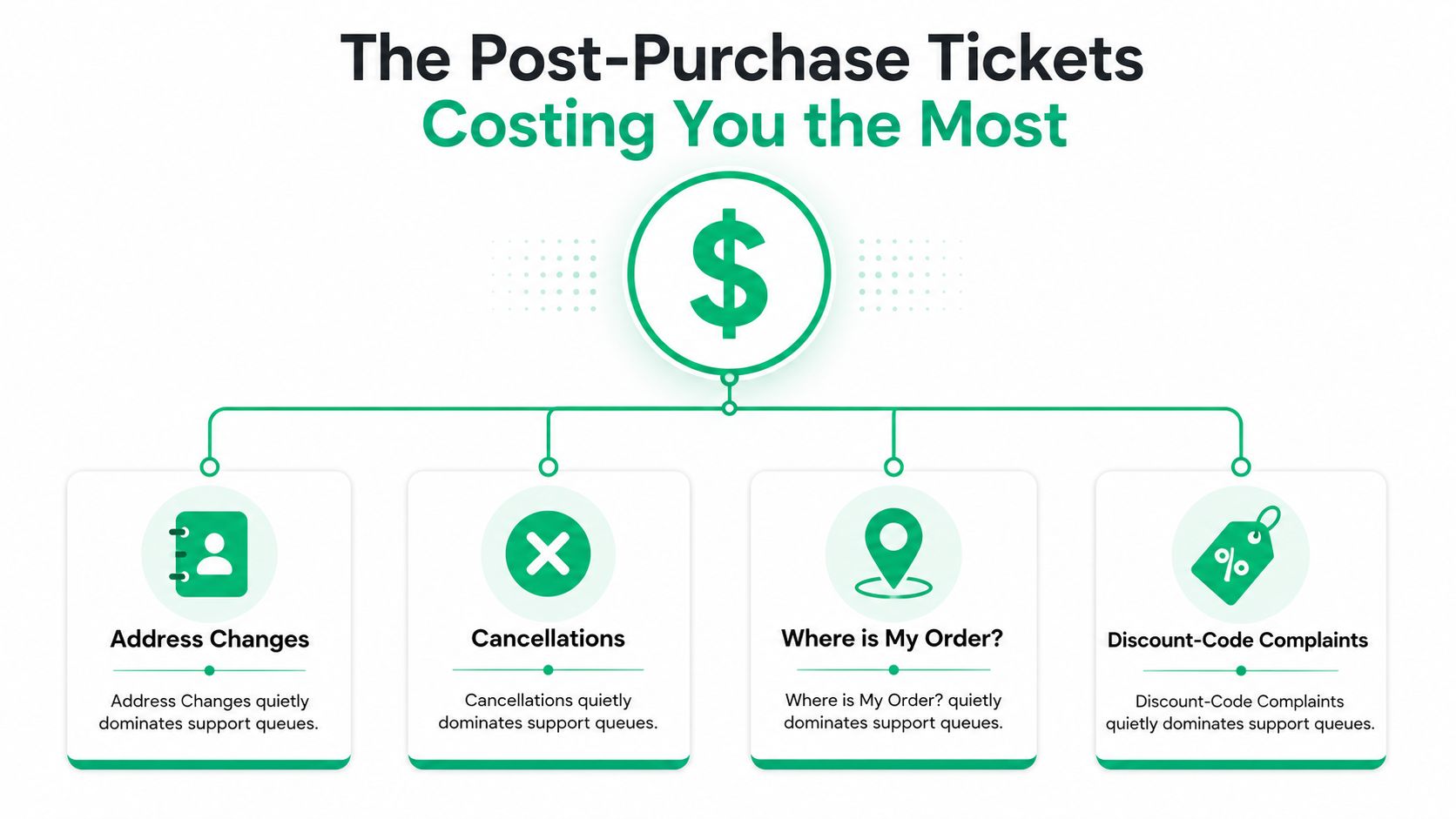
Address changes and cancellations need self-service guardrails
Address edits are usually a deliverability problem masquerading as a support ticket. The customer is trying to fix a mistake before the package ships, and every extra email exchange increases the chance of a bad outcome. The most cost-effective option is a self-serve edit window with real-time validation, so customers can correct the address without waiting on an agent.
Cancellations are similar, but the control point is different. Merchants often want a human checkpoint, especially when fulfillment has already started. A manual approval queue gives the team that checkpoint without forcing the customer into an email round-trip that just adds delay.
Operational rule: if a request can be safely approved or blocked by a policy window, the customer should never have to ask twice.
Shipping questions need proactive visibility
“Where is my order” is really a certainty problem. People don't want a generic reply, they want to know whether anything is wrong and when they can stop checking. That's why branded tracking pages and proactive delay notifications outperform a reactive email thread. Customers stop asking when they can see progress without opening a ticket.
Discount-code complaints often look trivial, but they're usually a checkout expectation problem. A shopper sees a code as valid, then the store's rules or timing make it fail. The cleanest fix is to tighten the rule communication and surface the behavior earlier, before the customer gets frustrated enough to contact support.
Refund questions and policy confusion follow the same pattern
Refund inquiries tend to spike when policies are hard to find or written in internal language. Customers don't read the operation manual, they scan for plain answers about timing and eligibility. If the policy page is clear and the self-service path is obvious, these questions shrink fast. If not, the team ends up answering the same question one ticket at a time.
The pattern is consistent. For each category, the best fix is not “train agents better.” It's remove the reason the ticket had to exist, then use the queue data to prove the fix worked.
Self-Service Tools That Deflect Tickets
Chatbots get too much credit when the gain sits deeper in the workflow. If a shopper can edit an address, request a cancellation, or add a product to an existing order without sending an email, that is a ticket removed before it reaches the queue. The strongest self-service setup handles a narrow set of high-volume post-purchase actions cleanly and predictably, then leaves the rest to support.
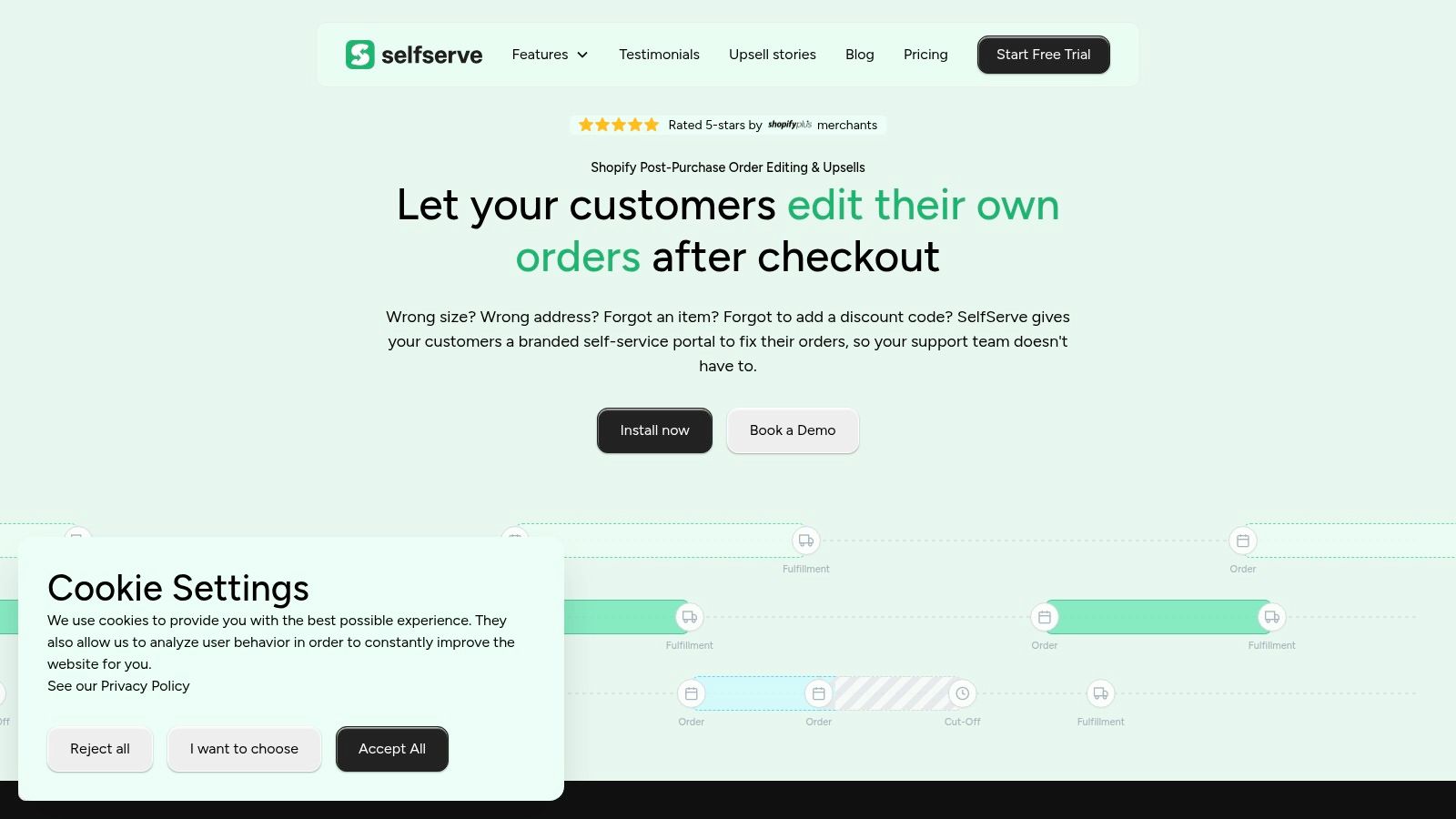
Put self-service on the pages customers already use
The Thank You page and Order Status page are the highest-intent places to intercept routine requests. Customers look there first for shipping updates, order changes, and add-on opportunities, so the widget has to meet them there instead of sending them to another channel. If it respects the customer's language and the store's tone, the experience feels native rather than bolted on.
The best implementations also keep merchants in control. Permission windows matter because not every field should stay editable forever. A shopper can update contact details inside the allowed window, while higher-risk changes route to an approval flow. Real-time address validation powered by Google Maps helps catch deliverability mistakes before fulfillment, and automatic order tagging keeps ops and finance aligned when an order changes.
Use one widget to solve several ticket types
A strong post-purchase widget should reduce more than one queue category at once. Address edits, cancellations, and upsells belong in the same interaction layer if the logic is clean enough. That lets a single widget replace several tickets, while giving the customer a faster path than a back-and-forth support thread.
For teams that want a practical reference point on support tooling behavior and customer expectations, Stamina's customer support insights is useful context. It keeps the focus on the workflow around the tool, because that is what changes ticket volume.
You can also see how a purpose-built self-serve flow is framed in the product documentation at customer self-service tools. The point is not to add automation for its own sake. It is to let customers finish the task they already came to do, without forcing a support touch.
Keep human checkpoints where risk is real
Manual cancellation queues still have a place when margin, fulfillment timing, or fraud risk requires review. That is not a failure of self-service. It is a design choice that gives the store speed where speed is safe and control where control matters. The same logic applies to upsell modules. If a customer is already changing an order, offering a relevant add-on can lift order value without creating another support touch.
SelfServe installs in minutes from the Shopify App Store, works with most themes, and offers a 30-day free trial, with higher-tier plans including dedicated account management, 3PL/ERP integrations, and custom upsell flows for Shopify and Shopify Plus brands. That setup replaces repetitive post-purchase tickets with a controlled workflow instead of just a prettier inbox.
Build a Knowledge Base That Closes the Loop
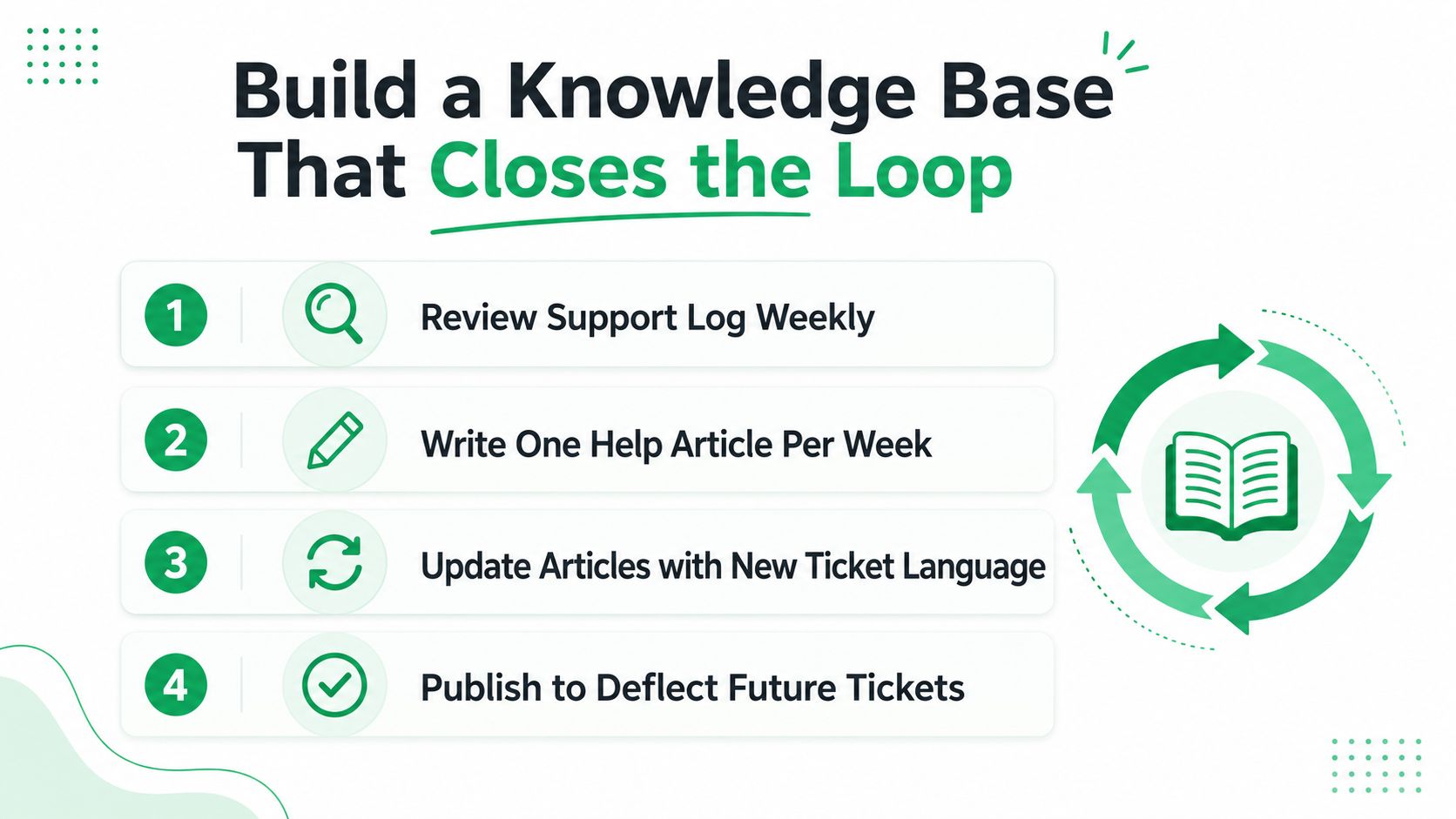
A knowledge base only works if it mirrors the words shoppers use. If your article calls it a fulfillment exception policy, but the customer is searching for “can I change my address after checkout,” the answer might as well be invisible. The weekly habit matters more than the platform, review the support log, write one article from the top unanswered search or repeat question, then keep publishing until the gaps start closing.
Write for search terms, not internal policy names
Shoppers don't search for “fulfillment exception policy.” They search for what they are trying to do. Articles should be organized around shipping questions, return windows, address edit rules, gift card behavior, cancellation timing, and other plain-language problems customers run into. The same rule applies inside the self-serve widget. If the right article appears at the moment of confusion, the customer gets an answer before filing a ticket.
That content also keeps drift under control. Zero-result searches are not noise, they are a list of missing articles. In practice, they show which questions your help center is failing to answer and which gaps are likely driving repeat contacts in the queue.
Keep the loop tight between article and queue
The highest-value habit is simple. Review unanswered searches, write one clear article, then watch whether that question disappears from the queue over the following weeks. Teams that treat content as part of support operations, not as a one-time documentation project, tend to see better deflection because the help center grows from real contact reasons instead of guesswork. The same approach is laid out in customer self-service best practices, where the useful point is that content only matters when it is tied to the workflow customers are using.
That same loop should include the post-purchase edges that generate avoidable tickets on Shopify stores. If customers keep asking to edit an address, cancel an order, or check whether an upsell can be reversed, the article should sit next to the action that causes the question. A good help center does more than explain policy, it closes the loop between the storefront, the order page, and the support queue. When a customer can self-correct or self-confirm at the point of friction, you remove a ticket without adding a second handoff.
Triage, Routing, and Macros That Save Headcount
Even after the self-service work lands, some tickets still need a human. The mistake is letting those tickets wander to the wrong person first. Misrouted tickets are what clog the queue, stretch handling time, and make the team feel understaffed even when the bigger problem is classification.
Route by topic, order data, and urgency
A Shopify-friendly helpdesk should use order context, customer tags, and topic detection to send billing questions to billing, shipping issues to shipping, and product problems to the right owner. The objective isn't to reduce the number of tickets. It's to stop paying agents to act like human routers. Once the ticket lands with the right specialist on the first try, time-to-resolution usually drops and the backlog stops feeling as volatile.
Macros are the other half of that setup. The top recurring ticket types deserve templated responses written in the brand voice, with placeholders for order numbers, tracking links, and policy details. That's how teams keep replies consistent without forcing every agent to rewrite the same explanation from scratch.
A clean macro library is not about sounding robotic. It's about removing variation from answers that should never vary.
Use routing as the last efficiency layer
Routing works best after prevention and self-service have done their part. At that point, the remaining tickets are the ones that need human judgment, so the routing rules can be sharper. If the team can see that a cancellation request is pending fulfillment and the order is tied to a specific warehouse flow, the ticket can go straight to the right queue instead of bouncing around.
For a practical operations benchmark on how support teams structure this kind of standardization, the workflow around customer service standard operating procedures is worth keeping handy. It's the operating discipline behind the tooling.
Your 90-Day Ticket Reduction Checklist
The sequence matters more than the tool stack. Start by measuring what's really driving the queue, then remove the highest-volume friction points, then tighten the remaining human workflows. That's how the reduction compounds instead of stalling after a few easy wins.
| Phase | Weeks | Key Action | Metric to Track |
|---|---|---|---|
| Diagnose | 1 to 2 | Run the 30-day contact-reason analysis and rank the top five friction points | Ticket volume by issue |
| Deflect | 3 to 4 | Deploy self-service for address edits and cancellations | Self-service completion rate |
| Document | 5 to 8 | Publish the first run of help articles from unanswered searches | Repeat-ticket rate |
| Optimize | 9 to 12 | Tune routing rules and build macros for the top ticket types | Time-to-resolution |
The metrics that matter are ticket volume per 100 orders, first-contact resolution rate, time-to-resolution, repeat-ticket rate, and self-service completion rate. A merchant can't manage support reduction by instinct, and the queue will keep lying if only total ticket count is watched. Weekly measurement forces the team to see whether the fix removed a contact reason or just moved the phrasing around.
After 90 days, the goal isn't a perfect queue. It's a queue that contains more real exceptions and fewer avoidable contacts.
If you're ready to replace repetitive post-purchase tickets with cleaner customer workflows, SelfServe gives Shopify teams the tools to let shoppers edit orders, request cancellations, and add upsells without opening a support thread. Visit SelfServe to see how it fits into your store and start cutting the tickets that shouldn't be there in the first place.