A Guide to Customer Service Standard Operating Procedures
Customer service standard operating procedures are really just your team's playbook. They are documented, repeatable instructions that clearly lay out how to handle specific customer situations, time and time again. This takes the guesswork out of support and ensures every single customer gets the same great experience, no matter who they talk to.
Why Vague Support Is Quietly Costing Your Shopify Store
For a high-volume Shopify store, inconsistent customer support is more than just a small headache—it’s a silent profit killer. When you don't have clear guidelines, your support team is essentially winging it. This leads to a chaotic mix of responses that directly hits your bottom line. It's not about creating rigid robots; it's about plugging leaks in your revenue and protecting the brand you've worked so hard to build.
Think about Black Friday. Your ticket queue is exploding with questions about shipping deadlines, glitchy discount codes, and last-minute order changes. One agent might offer a 10% discount to smooth over a delay, while another offers free shipping, and a third just says "sorry." This kind of inconsistency breeds confusion, sets unpredictable expectations, and eats away at both customer trust and your profit margins.
The True Cost of Inconsistency
When agents are left to improvise, a few things are almost guaranteed to go wrong. This lack of structure creates friction that customers can feel right away.
Here’s a look at what happens when you don't have clear customer service SOPs:
- Agent Paralysis: Team members get nervous about making a decision, so they wait for a manager's approval on routine issues. This stalls everything, and your response times tank.
- Needless Escalations: Simple problems that a front-line agent should be able to handle get bumped up the chain, tying up senior staff and driving up operational costs.
- Plummeting CSAT Scores: Customers get conflicting answers, which leads to frustration and a wave of negative reviews that can seriously damage your brand's credibility.
- Higher Employee Churn: Your support agents feel stressed and unsupported, leading to burnout and high turnover in a role that is absolutely critical to your business.
The bottom line is that customers want two things above all else: predictability and speed. Vague support destroys both. It makes shoppers feel like they're rolling the dice every time they reach out, and that uncertainty is a massive driver of churn.
Making the Shift from Reactive to Proactive Service
Customer expectations have evolved. It's not just about solving problems anymore. Research shows a pretty big gap here, with only 33% of customers feeling that companies are actually proactive about their needs. This is a golden opportunity for brands that decide to get serious about structured support.
The data doesn't lie: 86% of buyers are willing to pay more for a great customer experience, and 90% say speed is critical, defining an "immediate" response as 10 minutes or less. You can read the full research on evolving customer expectations to dig deeper.
Ultimately, customer service SOPs are the best tool you have for creating positive, predictable outcomes. They give your agents the confidence to act decisively, which helps reduce churn. More importantly, they lay the foundation for smart automation, freeing up your team to focus on the high-value conversations that build real, lasting loyalty.
Building Your SOP Playbook from Scratch
Alright, let's get into the nuts and bolts of it. The idea of "better support" is great, but it's just an idea until you turn it into a concrete playbook your team can actually use. A truly effective set of customer service SOPs isn't about downloading a generic template; it's about getting granular with your own customer's journey and mapping out the perfect response for every bump in the road.
This process creates a single source of truth for your entire team, eliminating guesswork and making great service the default, not the exception.
Start by Walking in Your Customer's Shoes
Before you can write a single procedure, you have to know where you need them. The best way to do this is to literally trace the path a customer takes with your store. And I don’t just mean the simple "add to cart" and "checkout" flow. You need to think about all the tiny moments in between where a question, a doubt, or a problem could pop up.
Walk through the entire experience, from the second someone first hears about your brand all the way to weeks after their package has been delivered.
Here are the key stages I always tell brands to focus on:
- Pre-Purchase: This is everything that happens before the credit card comes out. Think about questions on product materials, sizing and fit concerns, shipping cost inquiries, or confusion over a discount code. Every unanswered question here is a potential lost sale.
- Purchase & Fulfillment: This is a high-anxiety window for the customer. It covers the checkout process, payment confirmations, and that tense waiting period for the shipping notification. Common issues include failed payments, frantic "I need to change my address!" emails, and questions about how long it really takes to pack the order.
- Post-Purchase & Delivery: The moment an order ships, the "Where is my order?" (WISMO) clock starts ticking. This stage is all about managing delivery expectations, handling items that show up damaged, and fielding initial feedback on the product itself.
- Returns & Support: The journey isn't over when the box lands on the doorstep. This phase covers returns, exchanges, warranty claims, and for subscription brands, requests to pause or change an order. Honestly, this is where brand loyalty is forged in fire.
By mapping out these touchpoints, you stop being reactive. You start anticipating what customers will ask and build clear procedures to provide fast, consistent answers before your inbox even gets flooded.
The Anatomy of a World-Class SOP
Forget those 10-page, jargon-filled documents that get saved once and never looked at again. A great SOP is sharp, concise, and built for a support agent who’s under pressure to find an answer right now.
Over the years, I've found a simple, four-part structure that works for pretty much any DTC scenario. It keeps things crystal clear and dead simple to follow.
Every single procedure you write should have these four things:
- Objective: A single, clear sentence explaining why this SOP exists. For example, "To efficiently process a return request while trying to save the sale with an exchange or store credit offer."
- Triggers: What specific action kicks this process off? It could be an email with "Return" in the subject line, a specific tag applied in your helpdesk like
order-issue-damaged, or a customer choosing "damaged item" from a dropdown in your support portal. - Action Steps: This is the core of the SOP. It’s a numbered or bulleted list of the exact steps an agent needs to take. Write it in plain English. Include what to say, what to click in Shopify or Gorgias, and what info to gather from the customer.
- Resolution Metrics: How do you know you did a good job? This could be a specific outcome, like applying a
return_processedtag to the ticket, hitting a 90% First Contact Resolution (FCR) rate for this issue, or seeing a positive CSAT score come back from the customer.
An SOP isn't just a rulebook; it's a tool for empowerment. A well-defined structure gives your agents the confidence to solve problems on their own. That means fewer escalations and more time for managers to focus on the big picture.
This framework turns a vague goal like "handle shipping questions better" into a real, actionable checklist. A WISMO inquiry is no longer just about copy-pasting a tracking link. The SOP might guide an agent to first check the fulfillment status in Shopify, then look at the carrier’s tracking for detailed notes, and finally, use a pre-written macro that gives helpful context, not just a cold link.
To get you started, here’s a look at some of the most critical procedures every high-volume Shopify store should have documented from day one. I've broken them down by the customer journey stages we just talked about.
Essential SOPs for High-Volume Shopify Stores
This table breaks down the non-negotiable procedures that will likely cover the bulk of your support volume, categorized by where they happen in the customer's experience.
Nailing these common scenarios first gives you an immediate win by tackling the majority of your support tickets. This becomes the foundation you can build on as your business scales and new, more complex customer issues start to surface. The goal is to create a living, breathing playbook that makes every single support interaction smoother and more effective than the last.
Defining Escalation Paths and Team Roles
Documenting your procedures is a massive step forward, but even the best SOPs fall apart if your team doesn't know who owns what. A brilliant SOP is useless if an agent reads it and still has to ask, "Okay, but who do I send this to?" This is where defining clear roles and building smart escalation paths turns your playbook into a high-functioning support system.
Without that clarity, simple issues get bounced around like a hot potato, creating internal friction and, even worse, frustrating delays for your customer. You need a structure that empowers agents to solve what they can and provides a smooth handoff for everything they can’t.
Structuring Your Support Tiers
For any high-volume store, a tiered support structure isn't just nice to have—it's essential. It keeps your most experienced agents from getting bogged down with simple "where is my order?" tickets and prevents new hires from being overwhelmed by complex technical glitches. This isn't about creating a rigid hierarchy; it's about efficiency.
Here’s a tried-and-true way to structure your team roles:
- Tier 1 Agents (The Front Line): Think of these folks as your generalists. They handle the lion's share of incoming tickets—the 80% of inquiries that are common and have a straightforward SOP, like returns, exchanges, and basic product questions. Their main goal is First Contact Resolution (FCR).
- Tier 2 Specialists (The Problem Solvers): When a Tier 1 agent hits a wall, the ticket lands here. These agents have deeper product knowledge or technical skills. They’re the ones who tackle tricky situations like complex subscription changes, investigating damaged item claims, or figuring out why a discount code is misbehaving.
- Tier 3 or Leadership (The Strategists): This level is for managers, team leads, or even other departments like marketing or finance. Escalations here are rare and are usually triggered by specific, high-impact events that require a strategic decision.
This tiered system ensures every issue is handled by the person with the right skills at the right time. It's the foundation of an efficient customer support operation.
The decision tree below shows how an SOP can guide an agent through different customer journey stages.
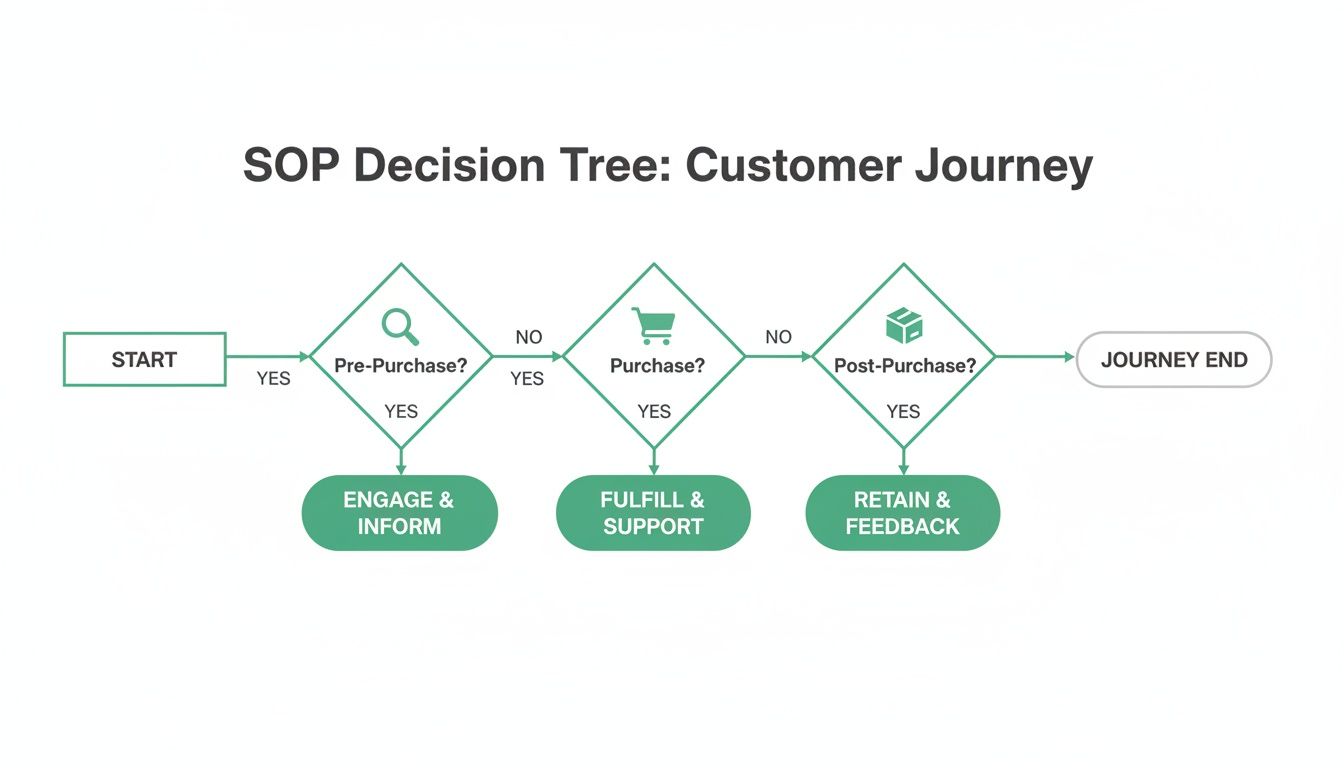
This kind of visual flow helps agents quickly pinpoint where a customer is in their lifecycle and points them to the right procedures, cutting down on guesswork and speeding up response times.
Creating a Visual Escalation Matrix
The next step is to map out exactly when and how an issue moves from one tier to the next. Don't leave this to an agent's gut feeling. A clear, visual escalation matrix is your best friend here, outlining the specific triggers for bumping a ticket up the chain.
This isn't about passing the buck. It's about a swift, controlled handoff that keeps the customer informed every step of the way.
An escalation path is your safety net. It guarantees that no matter how complex or unusual a problem is, there is a clear, documented process for getting it to the right person. This builds confidence in your team and trust with your customers.
Your matrix needs to define unmistakable triggers. For instance:
- Financial Trigger: A customer is requesting a refund on an order over $500. Action: Escalate to Tier 2 for review and processing.
- Social Media Trigger: A customer posts a public complaint on Twitter or Instagram. Action: Escalate immediately to the Team Lead (Tier 3) for a coordinated brand response.
- Technical Trigger: A customer reports a bug preventing them from checking out. Action: Escalate to a Tier 2 technical specialist to replicate the issue and flag it for the dev team.
- Threat Trigger: A customer uses threatening language or mentions legal action. Action: Escalate immediately to Tier 3 management without any further engagement.
Mapping these scenarios out removes all ambiguity. An agent never has to wonder if they should "bother" a manager; the SOP makes the decision for them. This is especially vital when dealing with returns. To really dial in this process, check out our guide on how to manage returns and refunds smoothly on Shopify.
Fostering Seamless Internal Communication
Finally, your SOPs have to nail down how your team talks to each other during these handoffs. Chaos is what happens when one agent uses Slack, another leaves a private note in the helpdesk, and a third just walks over to someone's desk.
You need to standardize your internal communication protocol. For most helpdesks like Gorgias or Zendesk, the best practice is simple: use internal notes.
This keeps the entire history of the issue—both customer-facing messages and internal back-and-forth—in a single, chronological thread. That way, any agent who picks up the ticket gets the full context instantly. It prevents them from asking the customer to repeat themselves, which, as we all know, is one of the most frustrating experiences a person can have.
Using Automation to Supercharge Your SOPs
Your customer service standard operating procedures are much more than a training manual. Think of them as the perfect blueprint for intelligent automation. Once you’ve taken the time to document the exact steps for handling common requests, you can translate those processes into powerful, time-saving workflows that run 24/7 without anyone needing to lift a finger. This is the point where your SOPs stop being a static guide and start becoming an active part of your support engine.
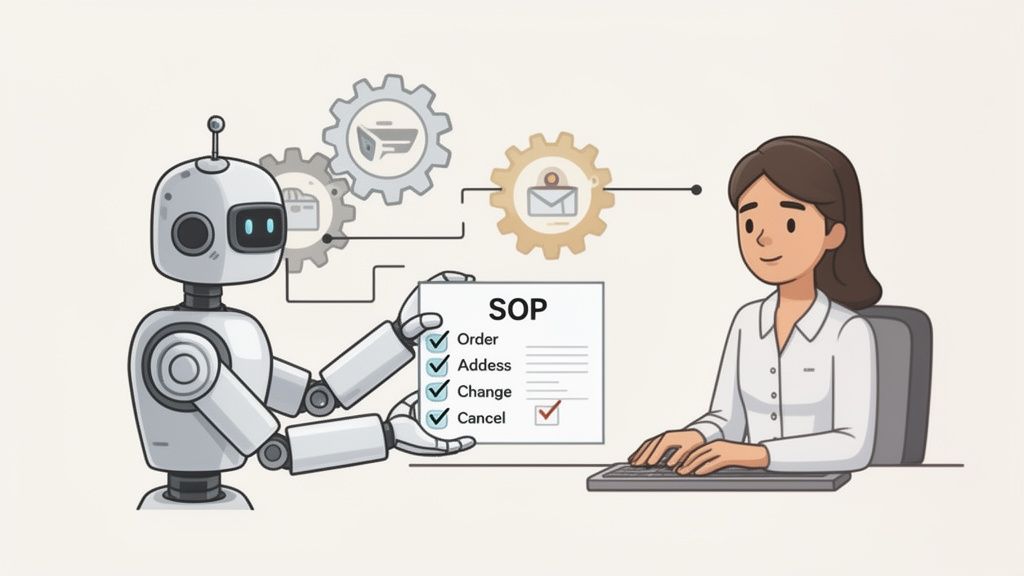
For any high-volume store, this shift from manual to automated is a total game-changer. It immediately gets repetitive work off your team's plate, slashes the risk of human error, and gives customers the instant answers they expect. Instead of waiting hours for an agent to process a simple address change, a customer can get it done themselves in seconds, guided by a system built directly from the rules in your SOPs.
Turning SOPs into Automated Workflows
Modern helpdesks like Gorgias or Zendesk and specialized Shopify apps are built to execute your documented procedures automatically. The trick is to start by identifying the high-frequency, low-complexity tasks that eat up most of your agents' day.
These are almost always the best candidates to automate first:
- Order Cancellations: Your SOP defines the eligibility window (e.g., "must be within 1 hour of purchase"). An automation rule can enforce this, letting customers self-cancel only if they meet that exact criteria.
- Shipping Address Changes: The SOP likely says addresses can only be changed before the order is fulfilled. An automated tool can instantly check the order status in Shopify and either permit the change or politely inform the customer it's too late.
- Simple Order Edits: A customer wants to swap a size Small for a Medium. Instead of tying up an agent, an automated flow can check inventory and process the edit based on the business rules you’ve already defined in your procedure.
This frees your team from the endless "Where is my order?" and "Can I change my address?" tickets, allowing them to focus on issues that actually require a human touch.
Want to see this in action? Many stores are building out a self-service customer portal that puts these automated SOPs directly into the customer's hands, letting them resolve their own issues instantly.
Scaling Consistency with Macros and AI
Automation isn’t just about complete self-service; it's also about making your human agents faster, more accurate, and more consistent. Your SOPs are the perfect source material for building powerful tools right inside your helpdesk.
The real magic of SOP-driven automation is that it frees up your team to handle the complex, high-empathy conversations that technology can't. When a bot can handle the address change, your best agent can focus on saving a customer who had a terrible shipping experience.
Take macros (or canned responses). Instead of agents re-typing the same reply for a damaged item claim a dozen times a day, you can build a macro straight from your SOP. With one click, it can:
- Insert a pre-written, empathetic response that matches your brand voice.
- Ask for the specific photos needed to process the claim.
- Automatically apply the correct helpdesk tag (e.g.,
damaged-item-claim). - Assign the ticket to the Tier 2 specialist who handles replacements.
This flawlessly executes your documented procedure in seconds.
Newer AI-powered tools can take this even further. Modern helpdesks can analyze an incoming email, understand its intent (like a return request), and suggest a complete reply drafted from your knowledge base and SOPs. The agent simply has to review the AI’s suggestion, personalize it, and hit send.
This approach ensures every single agent, from a seasoned veteran to a new hire on day one, is following your established best practices. It turns your SOPs into a living, breathing assistant for your team, driving consistency at scale and helping you deliver exceptional service even as your order volume skyrockets.
Training Your Team and Tracking SOP Performance
So you've built the ultimate customer service playbook. Now what? Just dropping your new SOPs into a shared folder and hoping for the best is a surefire way to watch them fail. A brilliant playbook is useless if your team doesn't know the plays, and that's where the real work begins.
Success boils down to two things: engaging, repeatable training and consistent, data-driven measurement. Without a real rollout plan, even the most well-crafted SOPs will collect digital dust. You need to transform these documents from a static resource into the living, breathing foundation of your team's daily workflow.
From Documentation to Active Learning
Your training can't feel like a lecture. The goal is to build "muscle memory" around your procedures so agents can act confidently and correctly, especially when a customer is frustrated and waiting for a fix. Forget just sending a link to a Google Doc; you need to create interactive learning experiences.
One of the best ways to do this is scenario-based role-playing. Don't just talk about the SOP for handling a damaged item. Create a mock ticket and have an agent work through it, step-by-step, using the documented procedure as their guide.
Here are a few other tactics that actually work:
- Live Role-Playing Sessions: Pair up your agents and have them run through common scenarios. One plays the frustrated customer, the other uses the SOP to solve the problem. This is the fastest way to find gaps in your procedures and build practical skills.
- Gamified Quizzes: Use simple tools to create short, fun quizzes on specific procedures. This helps reinforce key details, like refund eligibility windows or which tags to use for different ticket types.
- SOP-Powered Knowledge Base: Don't let your SOPs live in isolation. Use them as the source material to build a searchable internal knowledge base. This empowers agents to find answers instantly instead of hunting through a long document while a customer is on the line.
Pinpointing the Right Performance Metrics
You can't improve what you don't measure. Tracking performance isn't about micromanaging your team; it's about figuring out if your SOPs are actually making a difference. The right key performance indicators (KPIs) tell a story, revealing where your procedures are solid and where they’re falling short.
Your helpdesk is a goldmine of this data. You just need to know what to look for.
Key KPIs to Monitor
- First Contact Resolution (FCR): This is the percentage of tickets solved in a single interaction. A high FCR is a strong signal that your SOPs are clear and give agents everything they need to resolve issues without a follow-up or escalation.
- Ticket Escalation Rate: Seeing a spike in escalations for a specific issue? That’s a red flag. It almost always means the Tier 1 SOP for that problem is unclear, incomplete, or the team hasn't been trained on it properly.
- Customer Satisfaction (CSAT) Score: This is your ultimate report card. Start tracking CSAT scores on tickets related to specific procedures. If all your "return" tickets have low scores, for example, that points directly to a problem with your returns SOP.
- Average Handle Time (AHT): Speed isn't everything, but a consistently high AHT on certain ticket types can mean the SOP is too complex or confusing for agents to follow efficiently.
Analyzing these metrics creates a powerful feedback loop. The data doesn't just grade your agents; it grades your procedures. This allows you to continuously evolve your SOPs to meet the real-world needs of your customers.
For example, a low FCR on WISMO ("Where Is My Order?") tickets might mean your SOP needs a better, more streamlined process for checking fulfillment status. You can learn more about this by reading our article on how to track Shopify orders effectively.
Creating a Culture of Continuous Improvement
Ultimately, tracking performance is about creating a culture of coaching and improvement, not punishment. When you dig into the data, you’ll find two kinds of opportunities: process gaps and coaching moments. A process gap means the SOP itself is flawed and needs a rewrite. A coaching moment means an agent needs a bit more support understanding the existing procedure.
This data-driven approach is critical. Research shows that 75% of customers forgave company mistakes when they received excellent service. That means a well-executed recovery SOP can turn a negative experience into a loyalty-building moment.
And when you consider that nearly 50% of customers who switched brands did so because of poor service, the ROI on refining your procedures becomes undeniable. By combining great training with sharp KPI tracking, your SOPs become a dynamic tool that drives your support quality higher every single quarter. Find more customer service insights to see the full picture.
A Few Common Questions About Customer Service SOPs
Even with the best-laid plans, building out your first set of customer service SOPs can feel a bit abstract. It’s totally normal for a few “what ifs” to pop up once the rubber meets the road. I get asked these questions all the time, so let's tackle them head-on and clear up any confusion that might be holding you back.
These are the real-world sticking points that can slow you down. Let’s get them sorted.
How Often Should We Update Our SOPs?
This is a big one. If you let your SOPs gather dust, all your hard work goes out the window. They absolutely must be living documents, not a static project you check off a list. I always tell my clients to think of them like software—they need regular updates to stay useful.
A good baseline is to schedule a full review of all your procedures at least once per quarter. Blocking out this time ensures you’re proactively catching things before they become a problem for an agent and a customer.
But sometimes, you can't wait for that quarterly check-in. Certain events should trigger an immediate update:
- Policy Changes: If you tweak your return policy or shipping rates, the related SOPs need to be updated that same day. No exceptions.
- New Tools or Software: Rolling out a new feature in your helpdesk or a new Shopify app? The workflow has changed, so the SOP needs to change with it, right away.
- Product Launches: Bringing on a new product line with unique warranty or support needs? The procedures for handling those inquiries have to be ready before you launch.
Here's a pro-tip that works wonders: assign ownership. Make one person on your team the "owner" of a specific set of SOPs, like "Returns & Exchanges" or "Subscription Management." That built-in accountability is the best way to make sure nothing slips through the cracks.
What’s the Best Format for an SOP Document?
Honestly, the best format is the one your team will actually use when they’re under pressure. A shared Google Doc is certainly better than nothing, but for a busy support team, it’s a bottleneck waiting to happen. Searching through a 50-page document while a customer is waiting is a recipe for frustration.
For any high-volume store, a dedicated knowledge base or internal wiki is a non-negotiable investment. Tools like Notion, Confluence, or even the built-in knowledge base in platforms like Gorgias or Zendesk are designed for this.
They’re built with features that simple documents just can't match:
- Killer Search: Agents can type a keyword and find the exact answer in seconds.
- Version Control: You can see who changed what and when, and easily roll back if an update was made in error.
- Rich Media: You can embed screenshots, GIFs, and short video walkthroughs. It’s a lot easier to show someone how to process a complex refund than to write it out.
When information is this easy to find, you'll see a direct improvement in your Average Handle Time and First Contact Resolution. Faster answers mean happier customers.
How Do We Get New Hires to Actually Follow SOPs?
If you treat your SOPs like an afterthought, so will your new hires. Buy-in starts on day one. You have to weave your procedures into the very fabric of your onboarding and training.
Of course, make the SOP manual required reading. But don't just leave it at that. The real magic happens with active learning. Build an onboarding checklist that ties specific training modules directly to the relevant SOPs. Have them role-play common customer scenarios using the SOPs as their guide—this helps build that crucial muscle memory.
Another hugely effective strategy is to pair a new agent with a seasoned mentor for their first couple of weeks. The mentor isn't just there to answer questions; they're there to reinforce the "why" behind the procedures. They can do regular QA on the new hire's tickets, using the SOPs as the benchmark for constructive feedback.
Will SOPs Make Our Support Sound Robotic?
This is probably the biggest fear I hear, and it’s completely understandable. But it's also entirely preventable. A well-designed SOP should guide the what (the correct steps to take) but leave room for the how (the tone, personality, and specific wording).
Your procedures are a framework, not a script.
An SOP makes sure an agent knows the five steps to process an exchange correctly. It shouldn't tell them exactly what to type. You want to empower your team to inject their personality into their responses.
Think of it this way: SOPs give your team the confidence that they're providing accurate, consistent information. This actually frees up mental energy. Instead of worrying if they're "doing it right," they can focus all their attention on listening to the customer and having a genuine, empathetic conversation.
Ready to automate your SOPs and give your customers the power to solve their own issues? SelfServe lets you build a self-service portal where shoppers can edit orders, change addresses, and even add products to their existing purchase—all based on the rules you define. Reduce your support tickets and drive more revenue. Learn more and start your free trial at SelfServe.