10 Customer Self Service Best Practices for Shopify: 2026
Your support inbox probably looks familiar. Customers want to fix a shipping typo, update a phone number, cancel an order that hasn't shipped yet, or add one more item after checkout. None of those requests are especially complex, but they still pull agents into repetitive work, create fulfillment risk, and slow down response times.
That's why customer self service best practices matter so much on Shopify. Self-service isn't just a help center anymore. For ecommerce teams, the key benefit is realized after checkout, when shoppers can manage routine order changes on their own and your team keeps control over what's allowed.
The behavior shift is already clear. According to customer support statistics citing Harvard Business Review research, 81% of customers try to resolve issues on their own before contacting a live agent, and 67% prefer self-service for simple issues, which makes self-service the default starting point for many shoppers (customer support self-service statistics). For store operators, that means the post-purchase experience deserves the same attention as checkout.
The challenge is that most advice still stops at FAQs and knowledge bases, while Shopify merchants deal with operational requests like address edits, contact changes, and cancellation review queues. Those are the workflows that create friction every day.
If you're trying to reduce ticket volume without creating chaos in fulfillment, start here. These are the customer self service best practices I've seen hold up best in real Shopify operations. And if you also run physical retail, this guide on enhancing customer loyalty for brick-and-mortar businesses is a useful companion.
1. Proactive Order Management Portals
The strongest self-service setup starts with a customer-facing order portal, not a buried help article. When a shopper needs to fix an address or update contact details, they shouldn't have to open a ticket and wait for someone on your team to copy data from one screen to another.
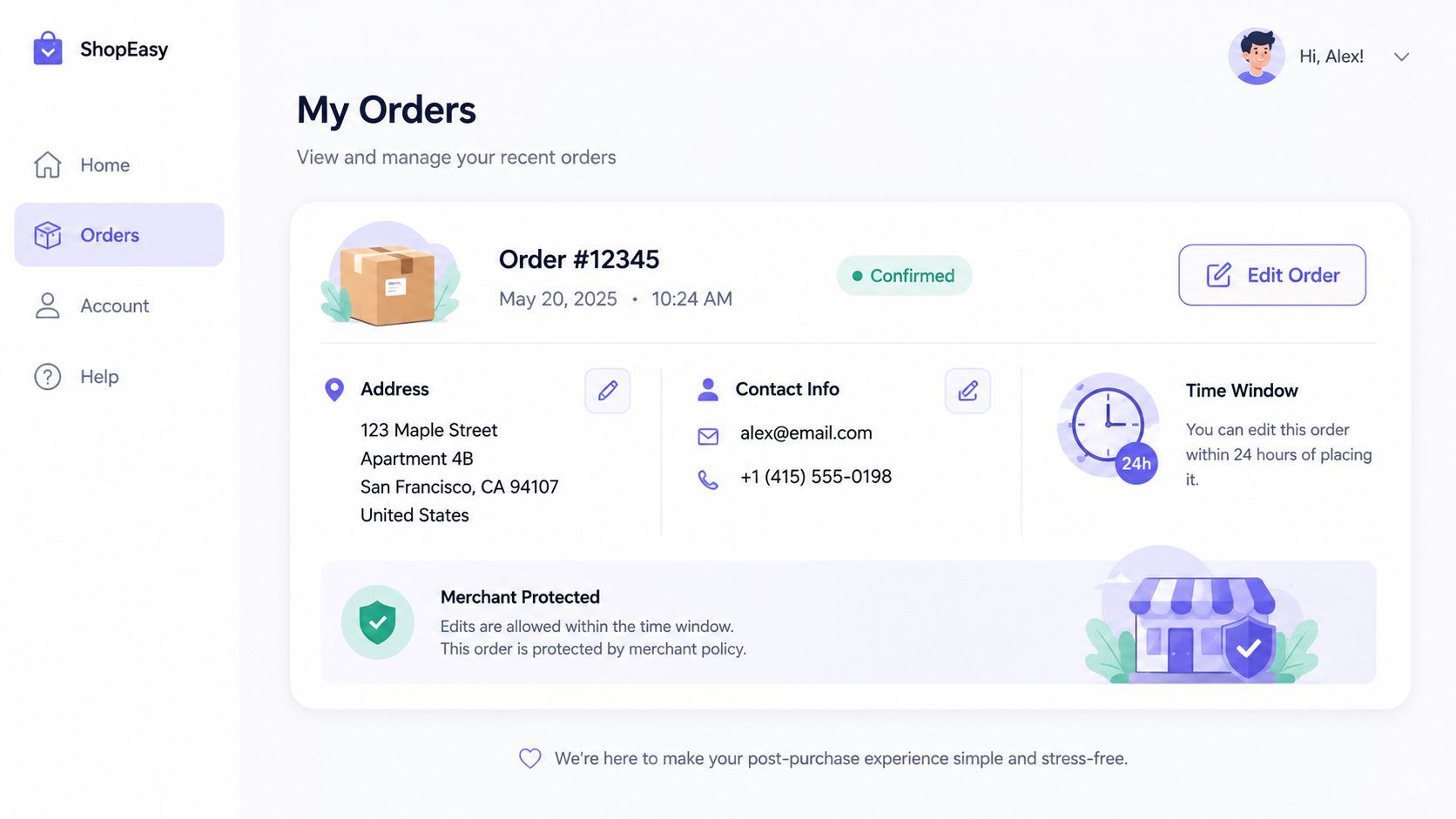
On Shopify, this usually works best when the portal appears where customers already are. Thank You pages, Order Status pages, and authenticated order views are better entry points than a separate account area customers have to hunt for. SelfServe is built around that pattern, and it's close to how Amazon handles order changes and how carriers like UPS and FedEx expose pre-delivery updates.
What good control looks like
A portal should show the order clearly, list exactly what can still be changed, and close those options once your fulfillment window has passed. That protects operations without making the experience feel arbitrary.
A few practical rules matter:
- Set editing windows clearly: Tell customers whether they can edit within a defined post-purchase window, before fulfillment starts, or only on certain shipping methods.
- Confirm every change: Send an email confirmation after address or contact edits so the customer has a record and your team has less room for dispute.
- Keep the actions narrow: Let shoppers change the fields that routinely cause tickets. Don't open up every order attribute unless your backend can support it.
Practical rule: If a customer can edit something, your fulfillment team needs to know exactly when that edit stops being safe.
For Shopify Plus merchants, post-purchase self-management offers greater value than a static FAQ. Most general self-service guidance still misses that gap, even though it's a major support driver in ecommerce. If you're mapping this process internally, ecommerce order management software is the right place to think through ownership, timing, and operational handoff.
2. Multilingual Self-Service Interfaces
If you sell internationally, a self-service flow in only one language creates avoidable mistakes. Customers are far more likely to abandon a change, submit a ticket, or enter bad information when the interface doesn't match their language or local formatting habits.
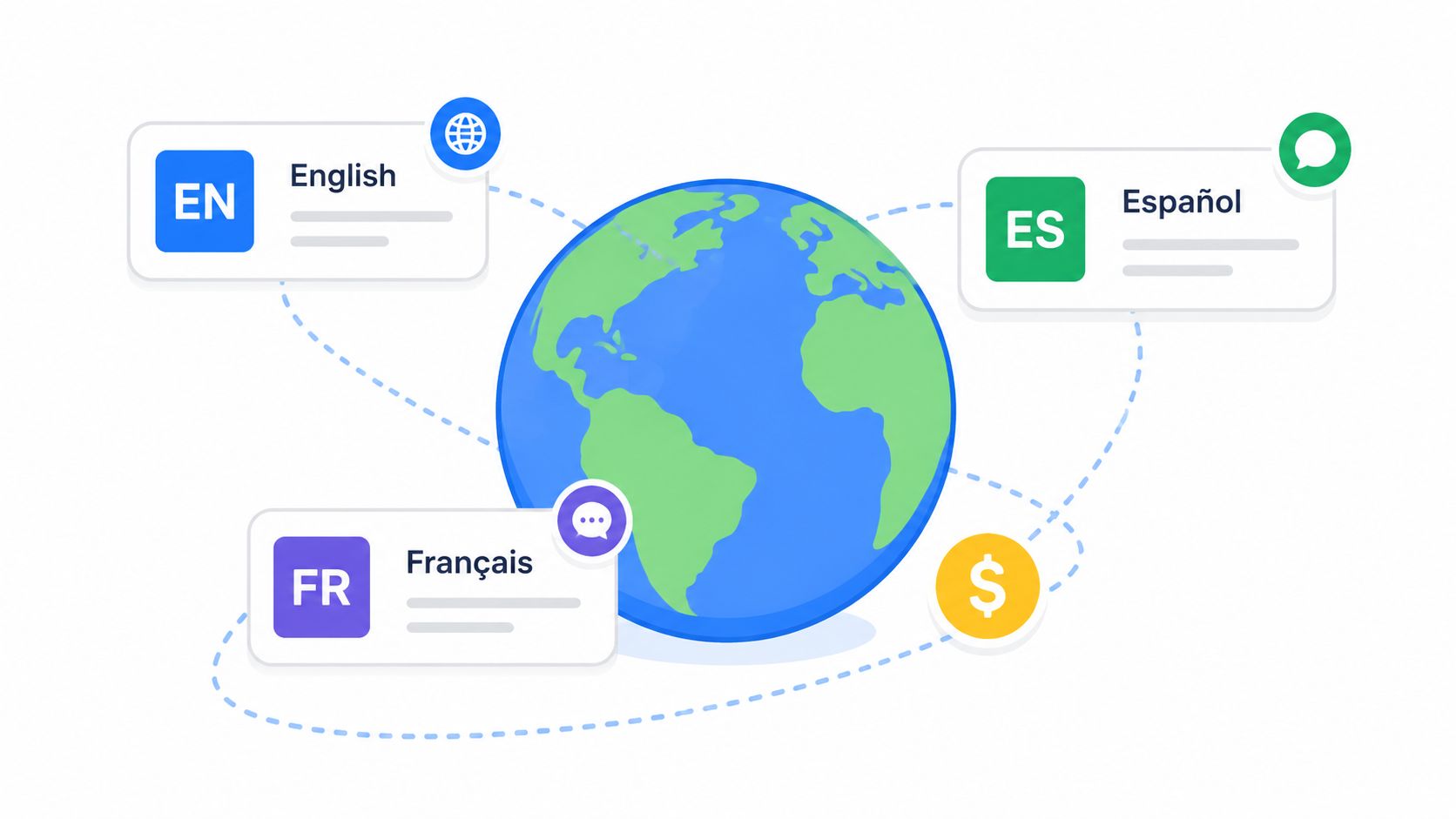
For Shopify brands with global traffic, multilingual self-service should adapt automatically whenever possible. SelfServe's widget is designed for that use case. The customer lands on the order page and sees the interface in the language they expect, instead of switching context in the middle of a time-sensitive edit.
Translation isn't the hard part
The hard part is localization. Address fields, date formats, phone number expectations, and wording around delivery all vary by market. A perfect direct translation can still create confusion if the workflow feels foreign.
I'd prioritize these fixes first:
- Localize form logic: Country-specific address formats matter as much as translated labels.
- Use native review: Machine translation is useful for speed, but checkout and post-purchase flows should still be reviewed by native speakers.
- Mirror support content: If your order edit UI is multilingual but your help article is English-only, customers still hit a dead end.
The broader self-service conversation has started to acknowledge personalization and globalization as important capabilities, but recent guidance still leaves merchants with very little hard ROI clarity on multilingual post-purchase workflows (ultimate guide to customer self-service). In practice, though, international DTC brands don't need abstract theory here. They need a self-service layer that reduces mistakes before they reach support or the warehouse.
For implementation details, localization best practices is a useful reference point when you're deciding how far to adapt content, forms, and customer messaging by market.
3. Real-Time Address Validation Systems
Address changes are where self-service gets operational fast. If you let customers edit addresses after purchase without validation, you've just moved the mistake from support to shipping.
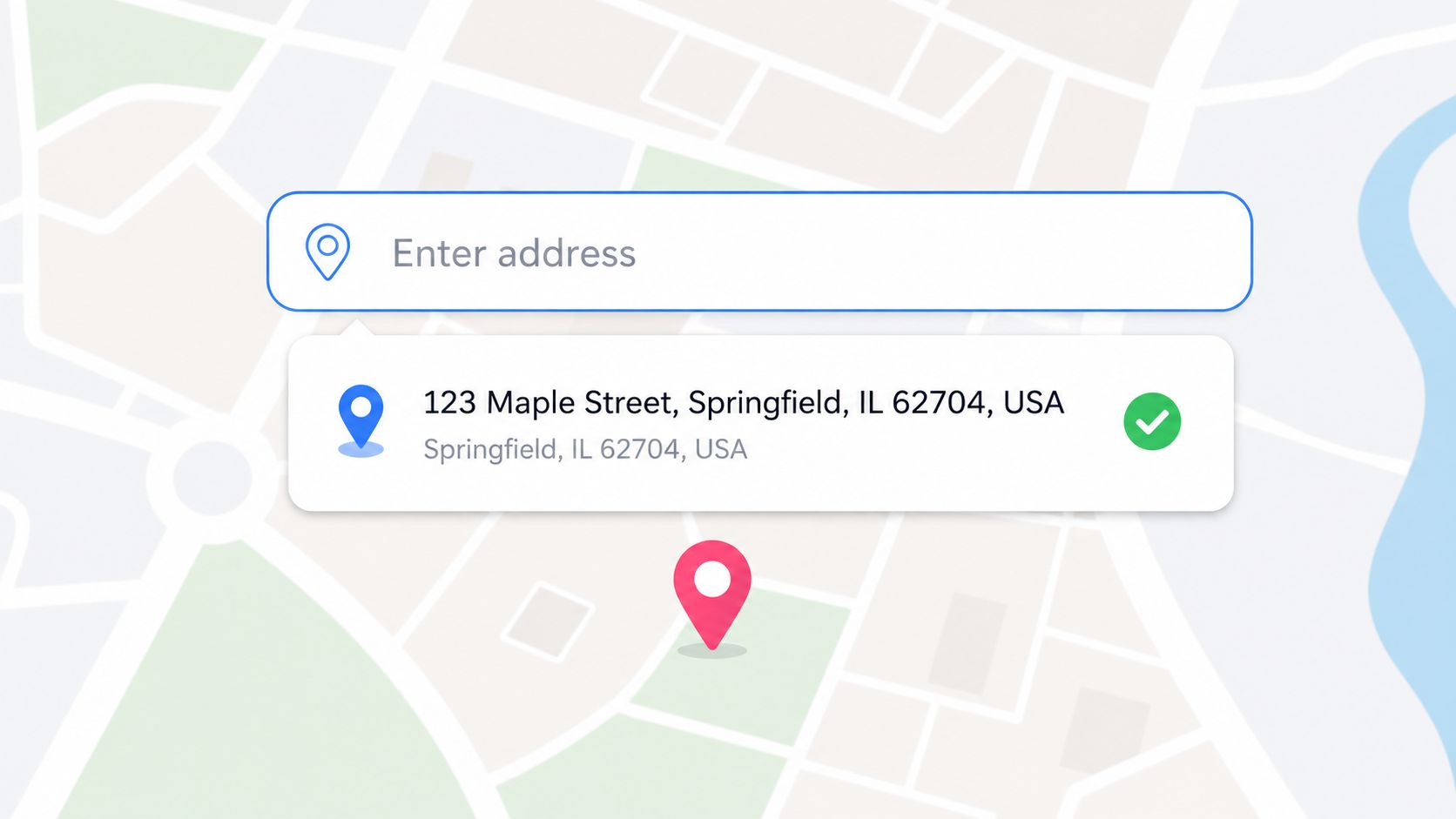
That's why real-time validation matters. SelfServe uses Google Maps-powered validation and auto-complete, which is the right model for Shopify stores that want to reduce manual correction work. Shopify's own checkout address logic, plus carrier-side verification from services like FedEx Delivery Manager, points in the same direction. Validate early, validate clearly, and don't leave the customer guessing which part failed.
Balance strictness with completion
Too much validation creates its own problem. Some legitimate addresses don't fit standard patterns, especially in rural regions, new developments, military addresses, or certain international destinations. If your tool blocks every edge case, support volume comes right back.
What tends to work:
- Suggest corrections first: “Did you mean this address?” converts better than a hard rejection.
- Allow controlled overrides: Give customers a path to proceed when the address is real but unconventional, then flag it for review if needed.
- Validate post-purchase too: Checkout validation helps, but shoppers still request delivery changes later.
Bad self-service says “invalid address.” Good self-service shows the closest valid option and explains what to do next.
If you're configuring this on Shopify, don't treat validation as only a form feature. It's an operational safeguard tied directly to fulfillment quality. A practical walkthrough on how to validate an address can help you set the right level of friction for your store.
4. Strategic Upsell and Cross-Sell Modules
Post-purchase self-service doesn't have to be defensive. It can also create revenue, if you place offers where they feel useful instead of intrusive.
The best moment is after order confirmation, when the customer is already engaged and reviewing details. Thank You pages and Order Status pages work well because the primary task is done. The shopper isn't deciding whether to buy anymore. They're deciding whether to add something relevant to an order they already trust.
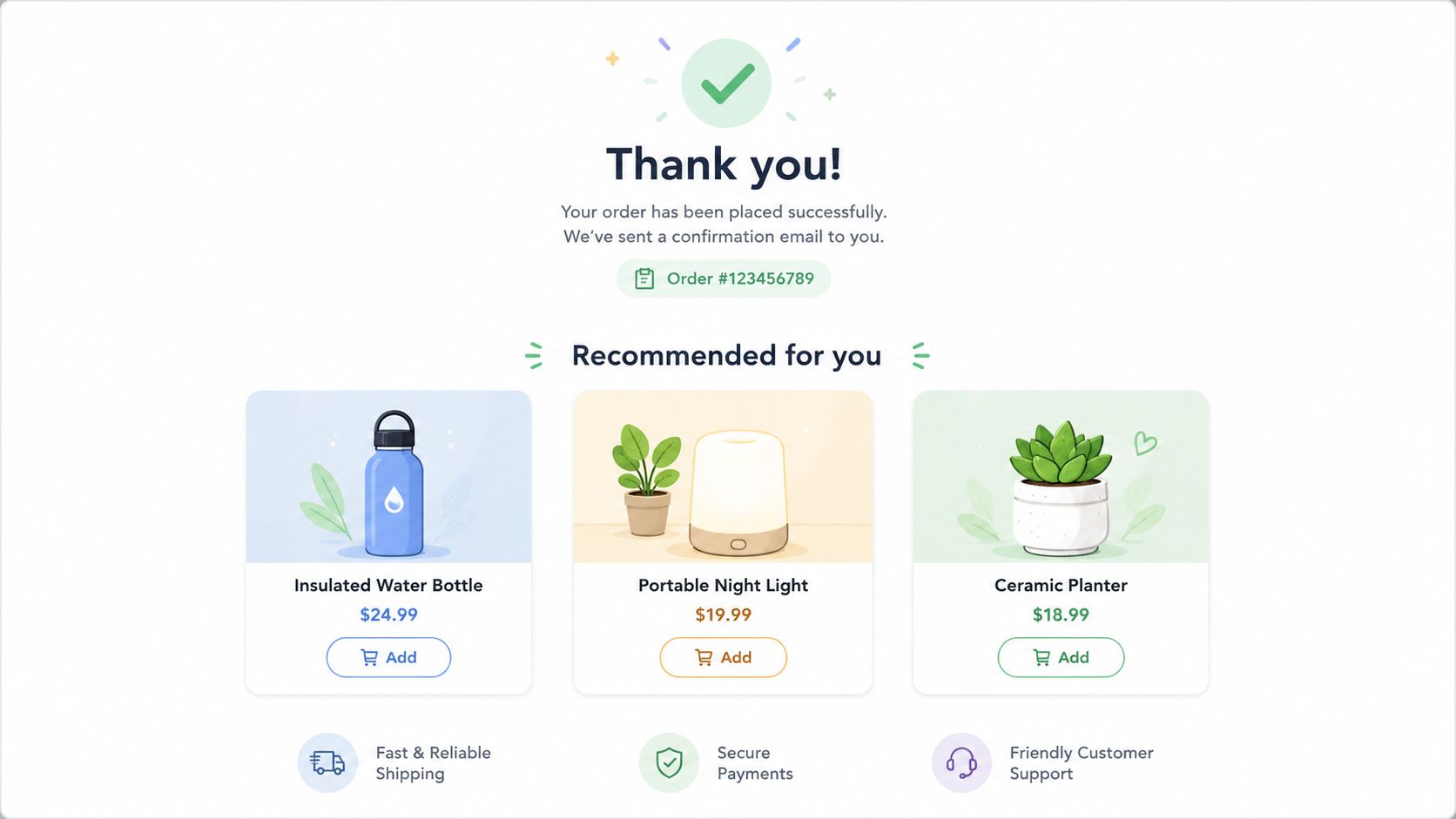
SelfServe builds this directly into the post-purchase flow with upsell modules on Thank You and Order Status pages. That's a stronger fit for many Shopify brands than sending a separate follow-up email that the customer may ignore.
What converts without annoying people
The temptation is to overfill the page with recommendations. That usually backfires. Customers came to confirm and manage an order, not browse a mini storefront again.
A cleaner approach is better:
- Keep the selection tight: A few well-matched items beat a long carousel.
- Match the original intent: Replenishment add-ons, accessories, and complementary products fit better than random bestsellers.
- Respect fulfillment rules: If adding an item creates backend complexity your team can't absorb, turn that offer off.
This is one of the biggest gaps in generic customer self service best practices. A lot of guidance still treats self-service as a static support layer. In ecommerce, the post-purchase screen can also become a controlled merchandising surface, especially when merchants can restrict which products appear and where.
5. Granular Permission-Based Access Controls
Customer self-service only works when the rules are explicit. If every shopper can edit anything at any time, your support queue may shrink for a while, but your fulfillment team will inherit the chaos.
Permission controls fix that. SelfServe gives merchants the ability to decide what customers can change, when they can change it, and which orders are eligible. That's the right model for Shopify stores with multiple fulfillment states, rush shipping options, subscriptions, or custom products.
Start tighter than you think
The common mistake is launching broad permissions because the self-service demo looks smooth. Then edge cases hit. Pre-orders behave differently. Personalized items shouldn't be edited. Orders already in picking shouldn't accept shipping changes.
I usually recommend a tighter rollout:
- Limit by order state: Allow edits only before a clear fulfillment milestone.
- Separate contact from shipping edits: Changing a phone number is usually lower risk than changing a destination.
- Create exceptions for special products: Final sale, made-to-order, and subscription-linked items often need different rules.
Field note: Teams rarely regret starting restrictive. They do regret giving customers options the warehouse can't support.
This also helps support teams. When permissions are visible and predictable, agents stop improvising case by case. Customers get a consistent answer, and operations gets fewer surprises.
6. Automated Order Tagging and Workflow Automation
Self-service only scales if customer actions trigger the right internal signals. Otherwise, your team ends up checking dashboards manually to see what changed.
Automated tagging is one of the most underrated Shopify workflow tools. When a shopper edits an address, updates contact details, adds an upsell item, or submits a cancellation request, the order should be tagged automatically so support, operations, and any connected 3PL can react in the right way.
Tags should drive action
Too many stores create tags that describe activity but don't affect workflow. That clutters the admin without helping anyone. A better approach is to make every tag operational.
Useful examples include:
- Address-updated tags: Let fulfillment teams quickly filter orders that may need review before shipment.
- Cancellation-requested tags: Keep customer intent visible without automatically canceling profitable orders.
- Post-purchase-upsell tags: Help teams spot modified orders that may need packing changes.
SelfServe supports this kind of automation directly, which is important because Shopify stores often run with a mix of native admin views, Flow automations, ERP connections, and warehouse processes. A self-service layer should feed those systems, not sit beside them.
I'd also keep the taxonomy small at first. A short set of clean tags is far more useful than a sprawling label system nobody remembers how to use.
7. Manual Cancellation Queues with Approval Workflows
Not every self-service action should be instant. Cancellations are the clearest example.
Customers should be able to request a cancellation easily, but immediate auto-cancel isn't always the right business rule. Some orders are already in progress. Some customers might accept a modification instead. Some cancellations reveal a preventable issue like accidental duplicates, delivery timing concerns, or a missing product detail on the site.
Build review into the process
A manual cancellation queue gives the customer a clear path without forcing your team into reactive inbox triage. SelfServe's approval-flow approach fits this well. The request is captured in a structured way, the order can be tagged, and support or operations can review it before taking action.
That workflow is useful because it creates space for judgment:
- Offer a fix before canceling: If the issue is an incorrect address, shipping speed concern, or wrong variant, a save may be possible.
- Preserve internal control: Staff can check fulfillment status before approving.
- Track reasons consistently: Cancellation data becomes far more useful when requests come through a structured form instead of scattered emails.
A lot of Shopify teams miss this and frame self-service as “customer does everything alone.” That's not the goal. Good self-service removes unnecessary back-and-forth while keeping high-stakes decisions inside defined approval lanes.
8. Contextual Help and Guided User Flows
Even strong self-service tools fail when customers don't understand what they can do. If order editing exists but nobody notices it, ticket volume won't move much.
That's where contextual help matters. Instead of sending people to a separate support center, guide them inside the workflow itself. Shopify does this well in parts of its admin. Slack and Salesforce are also good examples of in-product guidance that appears when the user needs it, not three steps later.
A guided demo is often the fastest way to spot friction:
Keep guidance short and situational
Most customers don't want a tutorial. They want one answer at the moment they're hesitating. A tooltip beside “Edit shipping address” is useful. A five-minute explainer buried in your help center usually isn't.
Use lightweight prompts such as:
- First-use guidance: Show a short explanation the first time a customer opens the widget.
- Restriction explanations: If an edit window has closed, explain why and what the customer can do next.
- Inline reassurance: Confirm whether an address update or contact change was saved immediately.
The broader self-service space still overemphasizes static repositories. Guidance inside live workflows is often where adoption improves. For Shopify post-purchase experiences, that means the help should sit inside the order page, not only in a knowledge base.
9. Transparent Communication and Status Tracking
Customers don't just want control. They want proof that their action worked.
When someone changes an address, submits a cancellation request, or adds an item post-purchase, silence creates anxiety. They'll contact support just to confirm whether the request went through. That defeats the point of self-service.
Show status like a timeline
Amazon set the customer expectation here. People are used to seeing where an order is, what changed, and what happens next. Shopify merchants should borrow that logic for post-purchase management.
A solid status experience includes:
- Immediate confirmation: Show the update on-screen as soon as the customer completes it.
- Change history: Let the customer review what was modified and when.
- Reasoned restrictions: If an order can't be edited anymore, say whether it's already in fulfillment, locked for shipping, or otherwise unavailable.
Customers tolerate limits better when the system explains the limit in plain language.
SelfServe's Order Status page model is effective because it combines action with visibility. Customers don't have to guess whether an edit is pending, accepted, or blocked. Support gets fewer “just checking” messages, and operations gets fewer duplicate requests from the same shopper.
10. Data-Driven Optimization and Analytics
Self-service launches aren't finished when the widget goes live. They need ongoing review, because customers will show you where the flow still breaks.
That's especially important in ecommerce, where post-purchase behavior changes with promotions, fulfillment policies, markets, and product mix. Generic self-service guides often focus on content quality, but Shopify teams also need to understand which operational requests appear most often and which actions customers take.
According to a 2024 CustomerThink study referenced in Boomi's discussion of self-service best practices, 80% of contacts come from the top 20% of questions (self-service best practices analysis). For merchants, that's a useful reminder to prioritize the requests that dominate post-purchase support instead of trying to automate everything at once.
Focus on issue types, not vanity metrics
If I were setting up a review cadence, I'd care most about behavior that changes operations:
- Most-used self-service actions: Which edits customers attempt most often.
- Blocked action patterns: Where customers try to do something your current rules don't allow.
- Ticket overlap: Which requests still become support conversations even after self-service is available.
- Revenue-side signals: Which upsell placements fit naturally into the order flow and which distract from it.
SelfServe's built-in analytics are useful here because the data stays close to the workflow itself. That makes it easier for support and operations teams to refine permissions, rewrite messages, or add new actions based on actual customer behavior.
Top 10 Customer Self-Service Practices Compared
| Solution | Implementation Complexity 🔄 | Resource Requirements ⚡ | Expected Outcomes 📊 | Ideal Use Cases ⭐ | Quick Tip 💡 |
|---|---|---|---|---|---|
| Proactive Order Management Portals | Medium, OMS integration, UX and permission rules | Dev + UX, order APIs, address validation services | Reduces support tickets ~30–50%; lowers ops cost | High-volume DTC stores wanting customer autonomy | Set clear edit time windows and send confirmations |
| Multilingual Self-Service Interfaces | High, localization, RTL, currency/format handling | Professional translations, localization tools, QA | Increases conversions in non‑English markets; fewer intl support requests | Global DTC brands and marketplaces | Use professional translators and native testing |
| Real-Time Address Validation Systems | Low–Medium, API integration and fallback logic | Mapping/postal APIs (costs), dev integration, geocoding fallback | Prevents undeliverable addresses; saves on RTS and shipping errors | Merchants with high order volumes or cross‑border shipping | Allow manual overrides and balance strictness |
| Strategic Upsell and Cross‑Sell Modules | Medium, recommendation rules and A/B testing | Product catalog integration, analytics, merchandising time | Increases AOV 10–30%; captures high‑intent revenue | Post‑purchase pages (Thank You, Order Status) for revenue lift | Limit recommendations to 2–4 items; test placements |
| Granular Permission‑Based Access Controls | High, rule matrices, role management, override flows | Policy design, admin UI, support training, monitoring | Prevents costly fulfillment errors and fraud; maintains control | Enterprises with complex fulfillment or fraud risk | Start restrictive; expand permissions based on data |
| Automated Order Tagging & Workflow Automation | Medium, rule configuration and integrations | OMS/3PL integrations, ops input, monitoring | Cuts manual tagging 80%+, improves routing and visibility | Operations needing consistent handling and forecasting | Begin with 5–10 core tags and validate on samples |
| Manual Cancellation Queues with Approval Workflows | Low–Medium, queue management and SLA enforcement | Trained support staff, CRM integration, approval tooling | Recovers ~20–30% cancellations; yields retention insights | Subscription services and high‑LTV customer segments | Set clear SLAs and train reps to suggest alternatives |
| Contextual Help & Guided User Flows | Medium, content creation and in‑app tooling | UX writers, help UI, analytics for hotspots | Raises self‑service adoption 40–60%; reduces errors | Complex self‑service tasks or new feature rollouts | Keep guidance concise (3–5 steps) and test with users |
| Transparent Communication & Status Tracking | Medium–High, real‑time feed and notification systems | Fulfillment integrations, notification channels (SMS/email) | Cuts status inquiries 35–50%; builds customer trust | Merchants with tracked fulfillment and delivery windows | Update status instantly and avoid notification fatigue |
| Data‑Driven Optimization & Analytics | High, measurement, A/B testing, cohort analysis | Analytics stack, data analysts, A/B tools, governance | Enables evidence‑based improvements and measurable ROI | Organizations scaling self‑service across segments | Define 3–5 core KPIs and review metrics monthly |
Next Steps for Self-Service Excellence
The best customer self service best practices on Shopify don't start with a giant transformation project. They start with one painful workflow that your team handles over and over again. For many brands, that's address changes. For others, it's contact edits, cancellation requests, or repetitive “can I add this item to my order?” questions.
Start where the friction is obvious. If your support team keeps touching the same post-purchase tasks manually, that's usually the clearest signal that the process belongs in self-service. Customers already expect digital control, and the broader trend supports that expectation. Effective self-service setups can deflect a meaningful share of inbound support volume when they're designed around routine requests rather than only content libraries, as noted earlier from the Harvard Business Review research cited in the customer support statistics source.
What works in practice is a combination of UX, operational rules, and communication. The interface needs to be simple enough that customers use it without thinking. The permission model needs to be tight enough that your warehouse doesn't get blindsided. And the notifications need to be clear enough that customers don't open a ticket just to ask whether a change was saved.
That's also why static advice often falls short for ecommerce teams. A help center is useful, but it won't solve time-sensitive order edits on its own. Post-purchase self-service needs real-time logic. It needs to know whether the order is still editable, whether the address is valid, whether a cancellation should enter a queue, and whether an upsell can be added without breaking fulfillment.
If you're running a Shopify Plus store or any high-volume operation, build this in phases. Launch one or two actions first. Watch how customers use them. Check which requests still spill into support. Tighten your permissions where needed, and expand only after the workflow is stable. That sequence is usually better than trying to automate every possible request from day one.
The stores that get this right don't chase self-service as a trend. They use it to remove repetitive support work, protect fulfillment accuracy, and create a cleaner post-purchase experience. This delivers substantial benefits. Customers get faster control over routine issues, your team gets time back for exceptions that need judgment, and the order journey keeps working even after checkout.
If you want a practical way to put these ideas to work, SelfServe gives Shopify merchants a focused post-purchase self-service layer with multilingual order editing, real-time address validation, configurable permissions, automated tagging, cancellation approval flows, and built-in upsells on Thank You and Order Status pages. It installs quickly, works with most Shopify themes, and is built for brands that need to reduce support load without losing operational control.