Customer Self Service Tools for Shopify: A 2026 Guide
Your support inbox doesn't need another week of “where is my order?” and “can I change this address?” tickets. A growing Shopify brand usually hits the same wall, the team knows the answers, customers still wait, and every small post-purchase request ends up in a human queue that shouldn't have to touch it.
That's why customer self service tools have moved from a nice convenience to a core expectation. Microsoft's 2025 Global State of Customer Service Report found that 90% of consumers globally expect a brand to offer an online self-service portal, and Salesforce's State of the Connected Customer report found that 67% of customers prefer self-service over speaking with a company representative for at least some requests customer support self-service statistics. For Shopify merchants, that expectation matters most after checkout, when order edits, delivery issues, and cancellation requests can either stay smooth or turn into expensive support work.
If you're trying to scale support without hiring an an army, the question isn't whether self-service belongs in your stack. The question is whether it handles the post-purchase work that drives cost, speed, and trust. For a useful benchmark on how brands think about that broader experience, Next Point Digital's D2C strategies are a strong companion read.
Beyond the Support Queue
A typical Shopify support inbox fills up with the same low-value requests over and over. Customers want to fix an apartment number, check whether a parcel shipped, cancel an order they placed five minutes ago, or update a contact detail before fulfillment. None of those requests need a long back-and-forth, but they still consume agent time, create delays, and push your team into reactive mode.
The bigger issue is that manual handling doesn't scale cleanly. As order volume grows, every routine ticket still requires someone to look it up, confirm policy, and make the change by hand. That might work for a small store, but it breaks down fast once you're dealing with higher volumes, multiple shipping zones, and customers in different time zones.
The customer now expects to solve simple problems alone
The expectation shift is already visible in customer behavior. Microsoft's 2025 report found 90% of consumers globally expect an online self-service portal, while Salesforce found 67% prefer self-service over speaking with a representative for at least some requests customer support self-service statistics. That means a portal isn't just a cost lever, it's part of the buying experience.
For ecommerce, the post-purchase window is where that expectation becomes operational. Customers don't want to wait for a reply just to correct a street name or add a unit number. They want to finish the task themselves, right away, and move on.
Practical rule: if a request can be safely answered or changed by policy, customers should probably be able to do it without opening a ticket.
A better post-purchase flow also supports growth across regions and time zones without proportional headcount growth, which is why self-service is especially relevant for Shopify brands that ship broadly. If your current process depends on agents catching every small edit, your support queue is doing work that software can handle more consistently.
What Are Customer Self Service Tools
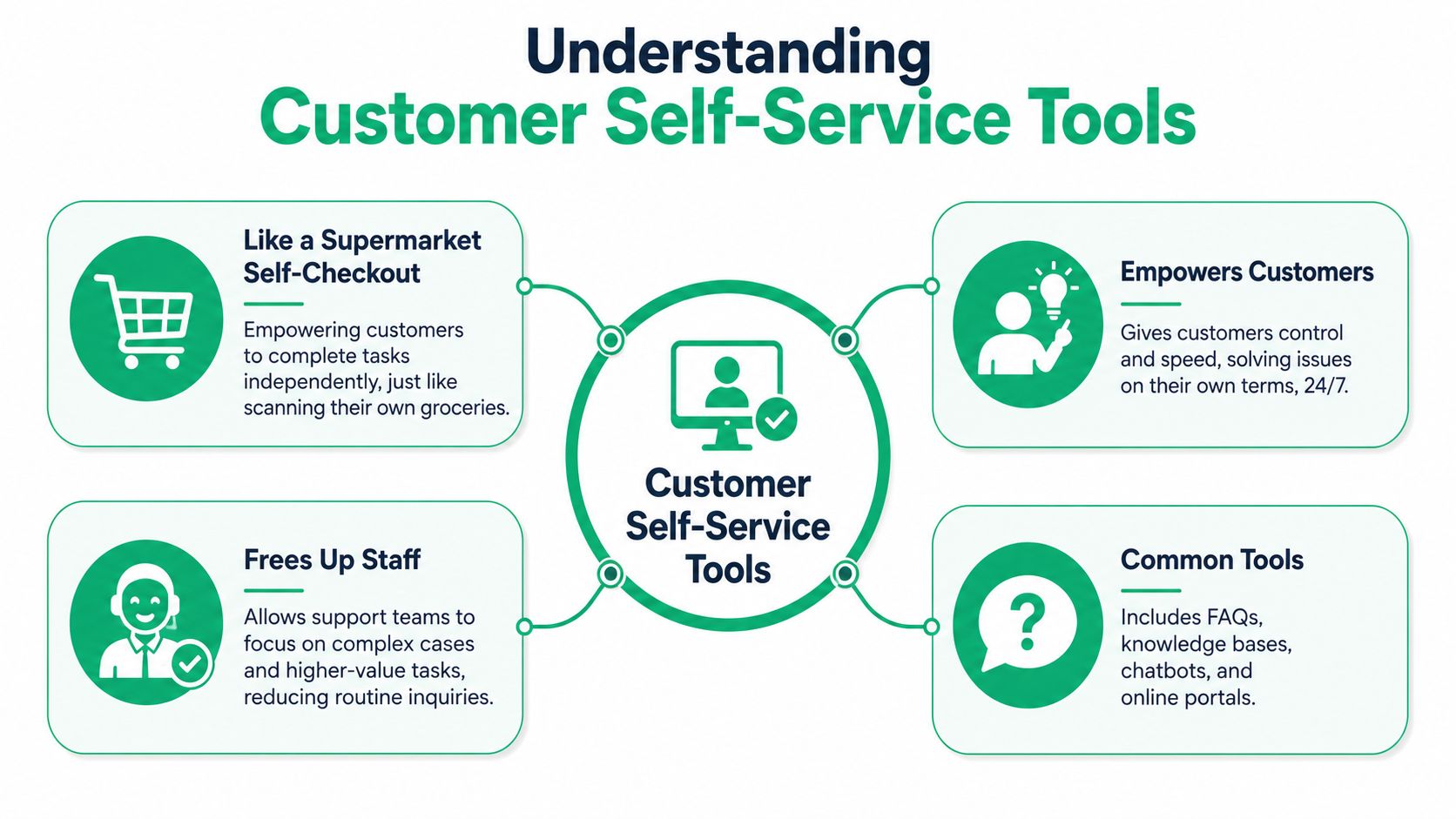
Think of customer self service tools like the self-checkout lane at a supermarket. The customer scans items, pays, and leaves faster, while staff stay free to help with exceptions, age verification, or a machine that needs attention. The goal isn't to remove people from support, it's to reserve people for cases that need judgment.
At the simplest level, these tools answer questions. At the most useful level, they let customers complete tasks. That difference matters a lot for Shopify merchants, because a knowledge article can explain a policy, but a portal can let someone edit an order before it ships.
The main types of tools
The category usually breaks into three layers. First are knowledge bases and FAQs, which help customers find answers on their own. Then come chatbots and AI assistants, which can guide a user through a question in a more conversational way.
The highest-value layer for ecommerce is the transactional portal. That's where a customer can change shipping details, track an order, manage a subscription, or request a return without waiting on an agent. For a Shopify brand, that's the difference between content that informs and software that removes work.
The strongest tools don't live in a silo. They connect to other systems, preserve customer context, and make handoff to human support easy when the issue falls outside the rules. If you want a broader definition of what that looks like in practice, the internal overview on what customer self-service is is useful background.
The Real ROI of Empowering Customers
The obvious win is fewer support tickets, but that's only part of the business case. Customer self-service also changes what your team spends time on, how much operational friction you carry, and how much revenue you can attach to the post-purchase moment. For a Shopify merchant, that's where the ROI gets interesting.
The software market reflects that shift. Mordor Intelligence estimates the customer self-service software market at USD 22.08 billion in 2025 and projects a 21.68% CAGR through 2031 Mordor Intelligence customer self-service software market. That scale tells you this isn't a niche add-on anymore, it's a serious operating category.
Hard ROI and soft ROI live together
Hard ROI shows up first in support load. If customers can edit their own orders, confirm status, or correct an address inside a portal, agents spend less time on repetitive contacts. That means fewer manual touches, less time spent on routine updates, and more capacity for exceptions that need human judgment.
Soft ROI matters too. Customers tend to value speed and control, and agents usually prefer solving difficult problems over repeating the same policy answer all day. In practice, that can improve the tone of support interactions, reduce frustration on both sides, and make the team feel less like a ticket factory.
Key takeaway: self-service doesn't just remove work, it changes the mix of work, which is where the operational value comes from.
There's also a revenue angle specific to ecommerce. If a customer is already engaged on the order status page, that's a natural place to surface a relevant add-on or replacement item without interrupting the service flow. When that's done well, self-service supports both cost control and incremental sales inside the same experience.
Essential Features for Shopify Merchants
For Shopify merchants, not every self-service feature deserves equal weight. A searchable FAQ is useful, but it won't solve the daily operational pain of address corrections, item swaps, or order edits before fulfillment. The features that matter most are the ones that reduce support touches on real post-purchase tasks.
Start with transactional control
The first thing to look for is configurable order editing windows. Customers should be able to change the details that are safe to change, but only within the rules your operation sets. That often includes shipping address edits, contact detail updates, or product swaps before the order leaves the warehouse.
Real-time address validation is another must-have. If the platform can check an address before it's saved, you reduce the chance of reroutes, delivery failures, and follow-up support. For Shopify brands that ship into multiple regions, that's a practical safeguard, not a nice extra.
Don't ignore the backend
The merchant-facing side matters just as much. Good tools should support custom permissions, automated order tagging, and clear workflow controls so your team can review edge cases without losing track of them. They should also integrate cleanly with the systems that already drive fulfillment and finance.
ScienceSoft notes that customer self-service portals are most effective when they're integrated with adjacent operational systems such as CRM, ERP, and billing tools to keep customer-facing data synchronized and enable 24/7 execution of transactional tasks ScienceSoft customer self-service portals. That's exactly the architecture Shopify merchants need when orders, inventory, and service need to stay aligned.
If you're in fashion, the same logic applies to fit-related support and variant-heavy catalogs. WearView's guide to AI fashion tools is a good reminder that ecommerce tooling works best when it's tied to the actual customer journey, not just a generic help layer.
An order management feature set should also include upsell capability on post-purchase pages, multilingual support, and compatibility with your existing theme so the experience feels native. The internal feature breakdown on order editing is a useful reference point if you're mapping requirements.
Best Practices for a Seamless Implementation
A lot of self-service rollouts fail for non-technical reasons. The software works, but the policy is fuzzy, the support team isn't aligned, or customers never notice the portal exists. A clean launch needs operational discipline as much as product capability.
Set the rules before you expose the feature
Define exactly what customers can change, and when. Address edits might be allowed up until fulfillment, while cancellation rules may depend on the order stage or product type. If those guardrails aren't written down first, you'll create confusion for both customers and agents.
The same is true for escalations. When a customer hits a policy boundary, the handoff needs to be obvious and fast. That avoids the common failure mode where self-service ends in a dead end and the customer has to repeat everything from scratch.
Train support to point people to the tool
Your agents need to know when to use the portal and how to explain it in one sentence. If the team keeps solving routine requests manually because it feels faster in the moment, adoption stalls and the queue never shrinks.
Customer communication matters too. Put the portal where customers already look, on order status pages, in transactional emails, and in support macros. If it's hidden inside a help center nobody visits, usage will stay low regardless of how good the interface is.
Gainsight's guidance is blunt on this point, self-service works when digital and offline support are coordinated with clear escalation paths, because this is a workflow problem, not just a content problem Gainsight digital self-service. That's especially true for high-volume commerce where policy control has to stay consistent across channels.
Putting Theory into Practice with SelfServe
The most useful way to evaluate a post-purchase portal is to test it against real Shopify problems. Wrong shipping address. Missed opportunity to add a complementary item. Customer wants to change contact details before fulfillment. Those are the moments where software either saves the team work or creates another support loop.
A few common pain points and the matching fix
If a customer enters an incorrect address, the fix should happen inside the order page, not by email. A self-service widget can let them update the address inside a controlled time window, then validate the change before it's saved. That keeps the merchant in control while removing a manual intervention.
If a customer realizes they forgot something after checkout, a post-purchase upsell flow can surface a relevant add-on while the order is still active. That's a cleaner way to grow revenue than trying to force a separate campaign later, because the customer is already in a buying mindset.
If your brand ships globally, multilingual support matters because customers shouldn't have to go through a foreign-language support flow just to fix a simple order issue. A portal that adapts to the shopper's language reduces friction without adding separate processes for every market.
Here's the part merchants usually care about most.
Operational rule: the best post-purchase tools reduce tickets, but they also protect policy, which is what keeps fulfillment and support from drifting apart.
For a deeper look at the product model behind this kind of workflow, the internal overview on the self-service customer portal is a practical companion. The core idea is simple, keep the experience customer-friendly and the rules merchant-controlled.
The strongest implementations also connect the visible customer experience to the backend systems your team already trusts. That way, order edits, tagging, and fulfillment logic stay synchronized instead of being managed through a patchwork of emails and manual exceptions.
Evaluating and Measuring Self Service Success
The easiest way to compare tools is to separate what the customer experiences from what your team needs to operate. A polished interface means little if it can't enforce policy or sync with your order data. Likewise, a powerful backend won't help if customers can't find the feature.
| What to check | What good looks like |
|---|---|
| Shopify integration depth | Order data stays current and changes flow cleanly into your existing process |
| Customization | You can control permissions, timing, and supported actions |
| Upsell support | The portal can surface relevant post-purchase offers without disrupting service |
| Multilingual experience | The interface feels native to the customer's language |
| Operational controls | Tagging, approvals, and handoffs are easy for your team to manage |
Measure outcomes, not just usage
Gartner recommends treating self-service as a product, not a project, and measuring usage, search behavior, and journey bottlenecks with analytics so the experience keeps improving Gartner self-service customer service. That's the right mindset for a Shopify merchant too, because a portal should get better as your catalog, policies, and volume change.
The most useful KPIs are simple. Self-Service Resolution Rate tells you how often customers finish the task without human help. Deflection Rate shows how many potential tickets the portal kept out of the queue. CSAT on self-service interactions tells you whether the experience feels useful, and incremental revenue from post-purchase upsells shows whether the portal contributes beyond cost savings.
If you're choosing between vendors, don't stop at feature lists. Test the workflow, check how the escalation path works, and ask whether the system can grow with your order volume without creating new manual work. Then launch, measure, refine, and keep the portal aligned with how your store operates.
If you're ready to cut repetitive post-purchase tickets and give shoppers a faster way to manage their orders, start evaluating SelfServe today on getselfserve.com.