8 Shopify Flow Examples to Automate Your Store in 2026

Stop drowning in manual tasks. If you're still tagging orders by hand, chasing address fixes in Slack, or answering the same post-purchase change request all day, your ops team is spending time on work that Shopify Flow can handle better. Shopify built Flow around event-triggered automation, and its own documentation shows how a trigger like a new order can fan out into lookups, list checks, summaries, and time-based actions without custom code, which is exactly why it's useful for high-volume merchants and Shopify Plus teams (Shopify Flow developer documentation). The best shopify flow examples aren't the simplest ones. They're the workflows that connect order events to real operational outcomes, then make self-service tools like SelfServe do part of the customer-facing work before a human ever gets involved.
These 8 examples focus on practical trigger-condition-action logic, not theory. You'll see how to tag orders, route approvals, validate addresses, sync inventory, and prevent support tickets, all in ways that fit post-purchase operations where speed and accuracy matter. When it makes sense, pair Flow with a self-service layer so customers can edit details, request changes, or add upsells inside a controlled workflow instead of opening another ticket.
1. Automated Order Tagging Based on Customer Actions
Order tagging sounds basic until you're managing thousands of edits, cancellations, and upsells across channels. A merchant can use Shopify Flow to watch for customer actions in SelfServe, then apply structured tags that downstream teams can act on immediately. That keeps fulfillment, support, and marketing looking at the same order context instead of scattered notes.
The trigger-condition-action chain is straightforward. A customer edits a shipping address, adds an upsell, or requests a cancellation. Flow checks the action type, then applies a tag such as a fulfillment priority label or a cancellation-review label, which can later route the order to the right queue. For merchants using SelfServe, the workflow becomes cleaner when tagging follows a consistent taxonomy, because the tag itself can trigger alerts, segments, or inventory steps through the rest of the stack. SelfServe's Shopify Flow guide gives a useful starting point for the Trigger → Condition → Action structure and related examples like first-time buyer tagging and milestone buyer tagging in a post-purchase context (SelfServe's Shopify Flow guide).

Practical rule: Keep tags hierarchical and predictable. A tag like
modified:address:urgentis far easier to filter than a loose pile of one-off labels.
A strong implementation usually includes a quick testing pass before launch. Check that tags fire only when the customer completes the intended action, that fulfillment sees the right label, and that unused tags don't pile up over time. For high-volume DTC brands, the impact shows up in fewer manual handoffs, cleaner segmentation, and less operational drift when order volume spikes.
2. Conditional Upsell Triggers Based on Order Value and Product Category
The best post-purchase upsells feel relevant, not noisy. Shopify Flow can support that by using order value, product category, customer segment, or geography as conditions that decide which upsell module appears on the Thank You or Order Status page in SelfServe. That means the offer changes with the order, instead of showing the same generic add-on to everyone.
A practical flow starts with the order being paid. Flow reads the order context, then routes the customer into the right upsell path. Apparel merchants can surface matching size or color variants, beauty brands can show mini-size add-ons when the basket hits a certain threshold, and electronics sellers can recommend protective accessories after a compatible product purchase. If you want the mechanics of post-purchase upselling, SelfServe's guide on Shopify post-purchase upsell explains how these offers sit inside the customer journey rather than bolted onto it (SelfServe post-purchase upsell guide).
You want relevance before volume. Two or three strong offers usually outperform a cluttered module because customers can understand the choice quickly and decide without friction.
- Match the offer to the original purchase. A case, refill, or companion product should feel like the next logical step.
- Segment by behavior, not just spend. First-time buyers and repeat buyers often respond to different post-purchase paths.
- Use region-aware content. Geography can change product availability, shipping expectations, and language.
- Review the offer set often. Stale recommendations train customers to ignore the module.
Testing here is simple but essential. Confirm the right upsell appears for each customer segment, the product catalog stays accurate, and the offer doesn't slow down page load or confuse the buyer. The main win is not just incremental revenue. It's a cleaner post-purchase experience that feels customized instead of pushy.
3. Multi-Step Approval Workflow for Manual Order Cancellations
Cancellation requests become a mess when they land in a single inbox with no rules. A better Shopify Flow example is a multi-step approval path that routes sensitive requests to the right reviewer before anything changes in the order. That matters most for high-value orders, active subscription customers, and cases where fulfillment is already moving fast.
The flow usually starts when a customer submits a cancellation request through SelfServe or when a rule flags the order for review. Flow then checks conditions such as order value, product type, or whether the fulfillment window is close, and sends the request into an approval queue. Approvers can accept, deny, or request a modification, and the decision can be logged for auditability. If your team handles permissions carefully, SelfServe's permission-based access control overview is a useful companion reference for structuring who can do what inside the process (SelfServe on permission-based access control).
This is one of those workflows where speed and discipline need to coexist. You don't want every cancellation to wait for a manager, but you also don't want a high-risk order auto-refunded because the request happened at the wrong time.
Operational insight: Set a hard line between automatic cancellations and review-required cancellations before you launch the workflow. Teams get into trouble when the rules are fuzzy.
A sensible test plan checks three things. First, does the right order enter the approval queue? Second, can the approver see enough context to make a decision without digging? Third, does the queue escalate if nobody acts? Mobile notifications help here, especially for urgent cases that hit during peak fulfillment windows. The best approval workflows reduce chaos without turning every request into a bottleneck.
4. Address Validation and Correction Workflow With Customer Notification
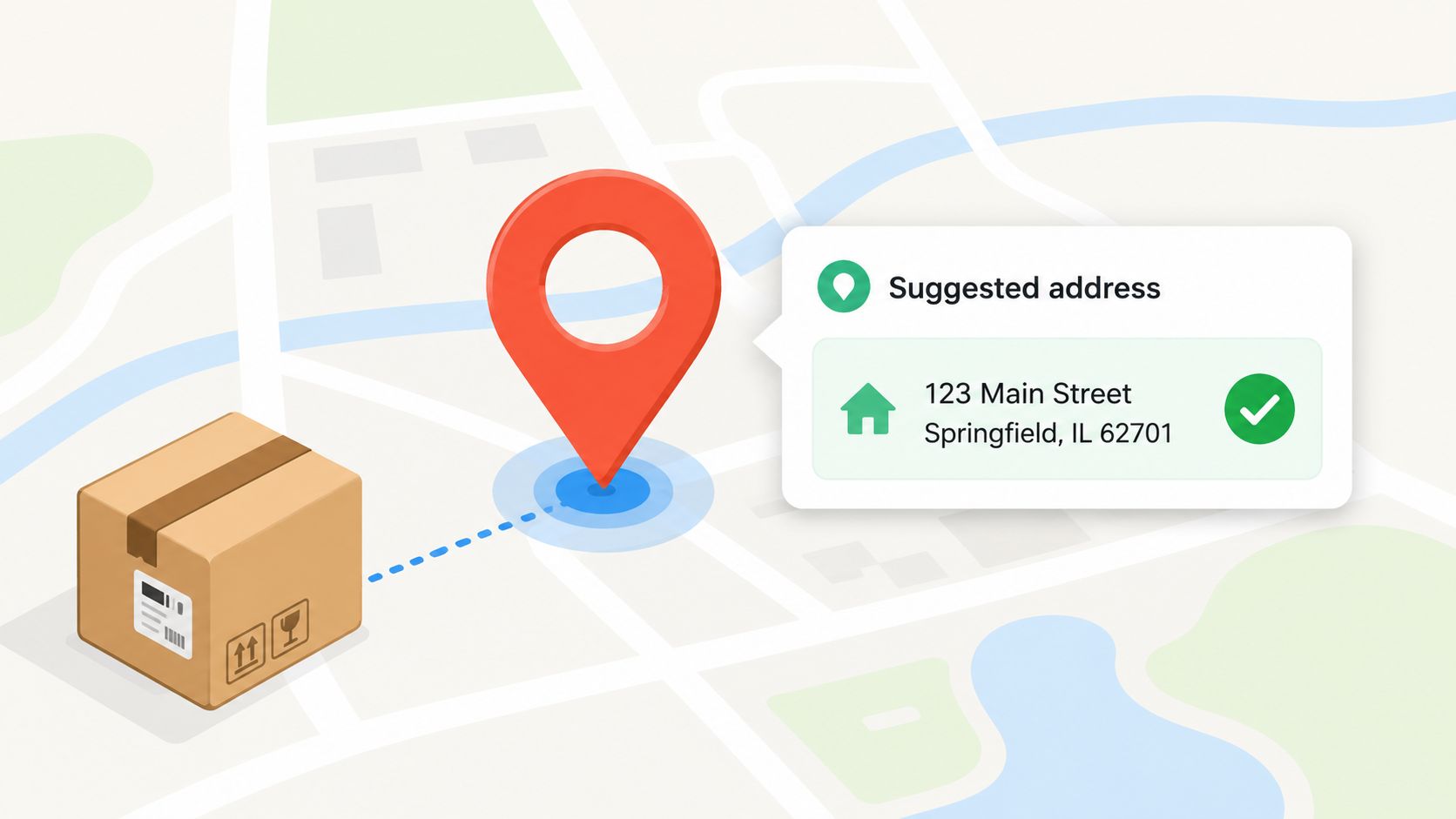
Bad addresses create expensive follow-up work, especially when customers edit details after checkout. Shopify Flow can sit on top of a self-service address edit and force a validation step before the updated information reaches fulfillment. When SelfServe flags an address as invalid or ambiguous through its Google Maps-powered validation, Flow can notify the customer with suggested corrections and wait for confirmation before the order updates.
That flow is especially useful for international merchants, same-day delivery operations, and subscription brands that rely on recurring accuracy. The trigger is the customer's address change. The condition checks whether the new address passes validation, then the action either approves the update or sends the customer a correction request. This fits the way Shopify describes Flow's event-driven model, where a trigger starts the workflow and conditions decide whether the order continues through the next step (Shopify Flow developer documentation).
The trade-off is strictness. Too rigid, and customers feel blocked. Too loose, and fulfillment inherits preventable delivery failures.
A practical rollout starts with your most common shipping destinations. Test how the validation behaves for apartment numbers, rural routes, and common local formats, then decide where to allow fallback review instead of a hard stop. Also confirm that the final approved address flows cleanly into your 3PL or ERP, because a validated address that never syncs is still a problem.
5. Automated Language-Based Customer Communication and Workflow Routing
Global stores need more than translation. They need order flows that recognize the customer's language and use it consistently across notifications, support handoffs, and self-service actions. Shopify Flow can take language preference data from a multilingual interface like SelfServe and route the customer into the right communication path without making support teams guess which template to send.
The workflow is simple in concept. A customer signs in or starts a request, the system identifies language preference, and Flow uses that signal to choose the proper message, escalation path, or support queue. In practice, that means Spanish-language customers receive updates in Spanish, support tickets land with language-fluent agents, and order-editing instructions stay clear across regions. SelfServe's multilingual product behavior supports this kind of localized post-purchase experience across markets, which helps keep the workflow coherent from the customer side to the team side.
The mistake many brands make is relying on machine translation alone. That can work for a first pass, but it's not enough for policy language, refund instructions, or address correction prompts.
- Use language-specific templates. Keep the tone and wording native to the market.
- Review copy quarterly. Native speakers catch phrasing issues automation misses.
- Test every target language. Don't assume the logic works just because the English version does.
- Route support by language. The best message in the wrong queue still slows resolution.
This workflow pays off when the business spans multiple markets and support volume is rising faster than headcount. Customers get faster answers, agents get fewer misunderstandings, and the brand looks more consistent across regions.
6. Dynamic Inventory Synchronization Triggered by Order Modifications
Order edits should never live only in the storefront. If a customer adds an item, changes quantity, or swaps a product through SelfServe, inventory should move with that change across connected systems. Shopify Flow can trigger the sync logic that updates 3PL, ERP, or warehouse data so stock stays aligned after the modification.
The trigger is the order change itself. The condition checks what changed, such as an upsell addition or quantity adjustment, and the action pushes an update to the systems that need the new count. Shopify's advanced-workflows guide shows how Flow can do more than simple if-this-then-that logic, including count and sum operations inside workflows and scheduled reporting around fulfillment windows, which is useful context when you're designing inventory-related automation at scale (Shopify's advanced workflows guide).
Sync failures are where this workflow gets expensive. If you don't log them clearly, teams end up reconciling stock after the fact, which defeats the point of automation.
The testing checklist needs to be practical. Use sample orders, confirm the update reaches each connected system, and make sure the sync doesn't double-count when a customer makes multiple changes in one session. Document the order of operations, because warehouse systems often behave differently from Shopify when updates arrive in rapid sequence. For multi-channel sellers, this is one of the strongest Shopify Flow examples because it prevents one edit from becoming a stock discrepancy across every channel.
7. Customer Segmentation and Behavior-Based Offer Customization
Static segments age badly. A better approach is to let Flow build dynamic customer segments from actual behavior inside SelfServe, then use those segments to change permissions, messaging, or offers. If a customer edits orders often, accepts upsells frequently, or requests cancellations repeatedly, that behavior is more useful than a generic demographic label.
The trigger usually comes from a customer action or a segment update. Flow evaluates the behavior, applies the right tag or segment membership, and then changes what the customer sees next. VIP customers can receive longer editing windows or faster review, while at-risk customers can be shown retention messaging or limited offers. Shopify's own case-study index reports that W. Titley & Co. saw a 190% revenue increase with Shopify Flow, which is a useful reminder that operational automation often sits close to commercial outcomes in enterprise commerce stacks (Shopify case-study index).
Fairness matters as much as performance. If customers can't tell why they're in a segment, the workflow feels arbitrary.
A good rollout starts small. Create one or two clear groups, such as repeat modifiers or frequent cancellers, then watch how those groups behave over time. Track whether the segment changes support load, repeat purchase behavior, or offer acceptance, and adjust the definition only when the data says the grouping is no longer useful. The point is not to classify everyone. The point is to serve each customer with the right level of friction.
8. Support Ticket Prevention Through Proactive Issue Resolution Workflows
The best support ticket is the one that never gets created. Shopify Flow can help by spotting repeated friction patterns, then intervening before the customer opens a ticket. If a shopper keeps trying to change an address, rejects multiple upsells, or hits cancellation repeatedly, the workflow can respond with a better path, a longer edit window, or a more relevant message.
Flow and SelfServe work especially well together. The self-service layer catches the behavior, Flow interprets the pattern, and the next action changes the experience before support has to step in. That might mean routing the customer to a human agent only after a few failed attempts, or offering a clearer edit path when the customer seems stuck. Shopify's workflow examples page shows that Flow is used for operationally specific cases such as B2B order tagging, company-account approvals, invoice routing, and expedited-order logistics, which makes it a natural fit for more proactive service design too (Shopify Flow workflow examples).
The benefit is not just fewer tickets. It's fewer repetitive tickets that burn agent time and frustrate customers who already tried to solve the problem themselves.
Start by mapping your top support categories to the interactions that cause them. That usually reveals a small number of fixable friction points.
Testing should stay close to real customer behavior. Try the workflow with small cohorts first, watch whether the intervention resolves the issue, and check whether support volume shifts to another channel instead of disappearing. If it does, tighten the trigger or improve the copy. The aim is to reduce needless contact, not hide the problem.
8 Shopify Flow Examples Compared
| Workflow | Implementation Complexity 🔄 | Resource Requirements ⚡ | Expected Outcomes 📊 | Ideal Use Cases 💡 | Key Advantages ⭐ |
|---|---|---|---|---|---|
| Automated Order Tagging Based on Customer Actions | 🔄 Moderate, configure conditions & taxonomy | ⚡ Low–Medium, tag mapping & integrations | 📊 Consistent categorization; faster routing; reduced manual work | 💡 High-volume DTC, international merchants, subscription services | ⭐ Scales tagging, enables downstream automation, audit trails |
| Conditional Upsell Triggers Based on Order Value and Product Category | 🔄 Moderate–High, rule logic & A/B testing | ⚡ Medium, creative assets, analytics, performance tuning | 📊 Increased AOV & conversions; measurable ROI | 💡 Merchants focused on post-purchase revenue and personalization | ⭐ Higher AOV via relevant offers; measurable impact |
| Multi-Step Approval Workflow for Manual Order Cancellations | 🔄 High, role-based routing, escalations, SLAs | ⚡ Medium–High, approvers, training, notification systems | 📊 Fewer erroneous cancellations; stronger compliance & accountability | 💡 High‑value orders, B2B, time-sensitive fulfillment | ⭐ Protects revenue; clear audit trail; controlled exceptions |
| Address Validation and Correction Workflow with Customer Notification | 🔄 Moderate, integrate validation API & UX prompts | ⚡ Medium, validation API, UI, monitoring | 📊 Fewer delivery failures & carrier surcharges; improved fulfillment accuracy | 💡 International merchants, same‑day delivery, high‑value orders | ⭐ Reduces failed deliveries; improves first‑delivery rates |
| Automated Language-Based Customer Communication and Workflow Routing | 🔄 High, multi‑language templates & routing rules | ⚡ High, translation/localization and multilingual staff | 📊 Higher satisfaction and fewer miscommunications across markets | 💡 Global merchants serving multiple language audiences | ⭐ Consistent localized experience; better conversion & compliance |
| Dynamic Inventory Synchronization Triggered by Order Modifications | 🔄 High, bi‑directional sync, conflict resolution | ⚡ High, reliable APIs, monitoring, integrations with 3PL/ERP | 📊 Fewer oversells/stockouts; accurate multichannel inventory | 💡 Multi‑warehouse, multi‑channel sellers, Shopify Plus merchants | ⭐ Real‑time accuracy; reduces fulfillment errors; improves forecasting |
| Customer Segmentation and Behavior-Based Offer Customization | 🔄 Moderate–High, behavioral rules & dynamic reassignment | ⚡ Medium, analytics, targeted content, monitoring | 📊 Improved LTV, retention, and targeted marketing efficiency | 💡 Brands prioritizing personalization and CLV optimization | ⭐ Granular personalization; proactive retention; VIP experiences |
| Support Ticket Prevention Through Proactive Issue Resolution Workflows | 🔄 Moderate–High, pattern detection & intervention flows | ⚡ Medium–High, support integration, analytics/ML, feedback loops | 📊 Reduced ticket volume; earlier issue resolution; lower support cost | 💡 High‑volume retailers, subscription services seeking lower support load | ⭐ Prevents tickets proactively; surfaces systemic issues; reduces support burden |
From Automation to Autonomy Your Next Steps
These shopify flow examples show that automation isn't just about shaving minutes off admin work. It's about building a store that reacts cleanly when orders change, customers self-serve, and fulfillment needs a decision before a human can step in. Shopify Flow is strongest when it's tied to a real operational goal, whether that's cleaner tagging, better routing, faster approvals, or fewer support tickets.
The biggest mistake is treating Flow like a one-off rules engine. Shopify's own advanced workflows make clear that Flow can handle list operations, count and sum logic, scheduled checks, and time-based summaries, which means it can support recurring controls instead of only reacting to fresh events (Shopify's advanced workflows guide). That matters for merchants running large catalogs, multiple regions, or high-frequency post-purchase changes. It also means your workflows should be designed like operating procedures, not just notifications.
If you're running a Shopify Plus or high-volume store, start with one workflow that removes a known bottleneck. Tag modified orders. Validate edited addresses. Route cancellations through approval. Then measure whether the workflow reduced manual handling or improved the customer experience. If it did, use that same logic in the next process, because the stack gets more valuable every time Flow and self-service tools work together.
SelfServe fits naturally into that model because it gives customers a controlled way to edit orders, add upsells, and resolve common post-purchase issues without waiting on support. That combination turns automation into something closer to autonomy, where the customer handles simple changes and your team only steps in when judgment is needed. For broader planning around workflow design, ECORN's marketing automation guide is a useful companion resource.
If you want to cut post-purchase tickets and give shoppers controlled self-service, SelfServe is built for that job. It lets merchants automate order edits, upsells, validation, and approval flows while keeping control over permissions and timing. Visit it, connect it to your Shopify Flow setup, and start with one workflow that removes a real operational bottleneck.