Shopify Post Purchase Upsell Your Proven AOV Boosting Strategy
A Shopify post purchase upsell is an offer you make after a customer has already paid but before they've left your site. It’s a simple, one-click offer that pops up on the Thank You or Order Status page. This lets them add another item to their order instantly—no need to pull out their credit card again. It's a remarkably smooth way to bump up your average order value.
Why Post Purchase Upsells Are Your Untapped Goldmine
Picture this: a customer just hit "complete purchase." They're happy, they trust you, and their wallet is already out. That exact moment is a prime opportunity that most stores completely miss. It’s a goldmine. This is where a smart post-purchase upsell strategy can completely change the game for your Shopify store.
Unlike pre-purchase upsells that can interrupt the checkout flow and even cause people to abandon their carts, the post-purchase approach is completely risk-free. You’ve already secured the initial sale. You aren't getting in the way of the main purchase; you're simply adding to it.
The Psychology Behind Its Success
The real power of a Shopify post purchase upsell is rooted in basic human psychology. After someone makes a purchase, they feel a sense of commitment and trust. They're in a positive headspace, which makes them much more open to a relevant suggestion. It feels less like a hard sell and more like a helpful tip from a brand they’ve just decided they like.
By presenting an offer after the main transaction is complete, you're tapping into the customer's existing buying momentum without adding any friction to the original sale. You effectively turn a static "Thank You" page into a dynamic, revenue-generating asset.
This whole strategy is about adding value at the perfect moment. Someone who just bought a new coffee maker is probably going to be interested in a discounted bag of espresso beans. A customer who just picked up a new dress might easily be persuaded to add a matching accessory. These offers feel like a natural next step, which is why their acceptance rates are so high.
The Data Driven Advantage
The numbers don't lie. Post-purchase upsells on Shopify consistently beat other methods, boasting average conversion rates of 10-15%. That's a huge leap from the typical 3-8% you see with in-cart or pre-purchase upsells. While other channels can perform well, the post-purchase upsell is unique because it carries zero risk to the original transaction.
This isn't just some small adjustment; it’s a powerful tool that directly boosts your most critical metrics:
- Increased Average Order Value (AOV): Even if just a small fraction of your customers take the offer, it can dramatically lift your average transaction size over time.
- Higher Customer Lifetime Value (CLV): You're introducing customers to more of your product catalog, which encourages them to come back and builds stronger brand loyalty.
- Maximized Return on Ad Spend (ROAS): You’re making more money from the traffic you already have, making every marketing dollar work that much harder for you.
Ultimately, this is about working smarter. You're taking an existing customer and a completed sale and building on it to generate more revenue without any new acquisition costs. By optimizing this single touchpoint, you can unlock a steady, predictable income stream that was just being left on the table. For a deeper look, check out our guide on elevating the entire post-purchase customer experience.
Getting Your First Shopify Post-Purchase Campaign Live
Alright, let's move from theory to action. This is where you start seeing a real impact on your average order value. Launching your first Shopify post-purchase upsell isn't complicated, but getting the details right from the start can make a huge difference. The goal is to get a compelling offer in front of your customers the second they confirm their purchase.
The heart of a great post-purchase strategy on Shopify is a solid app. While Shopify itself is amazing, you really need a specialized tool to get the targeting, customization, and analytics required to do this well. Apps like SelfServe are built for the entire post-purchase journey, not just upsells, which makes them a powerful choice for boosting revenue and cutting down on support tickets.
Finding and Installing the Right App
Your first stop is the Shopify App Store. When you're browsing for a post-purchase upsell app, don't just grab the first one you see. You need to look for a few key things that separate the good from the great:
- Smart Targeting Rules: Can you show offers based on what a customer just bought? Their total order value? Their location? Granular control is key.
- A/B Testing: This is non-negotiable. You have to be able to test different products, discounts, and messaging to see what actually works.
- Clean Integration: The app must play nice with your theme and other apps without you needing to write a single line of code.
- Clear Analytics: You need to see the numbers. How many people took the offer? How much extra revenue did it generate? The data has to be easy to find and understand.
Once you’ve picked your app, installation is usually just a click away. From there, you'll go through a quick setup to link it to your store and give it the permissions it needs to modify orders after the fact.
This simple diagram breaks down how a post-purchase upsell works its magic.
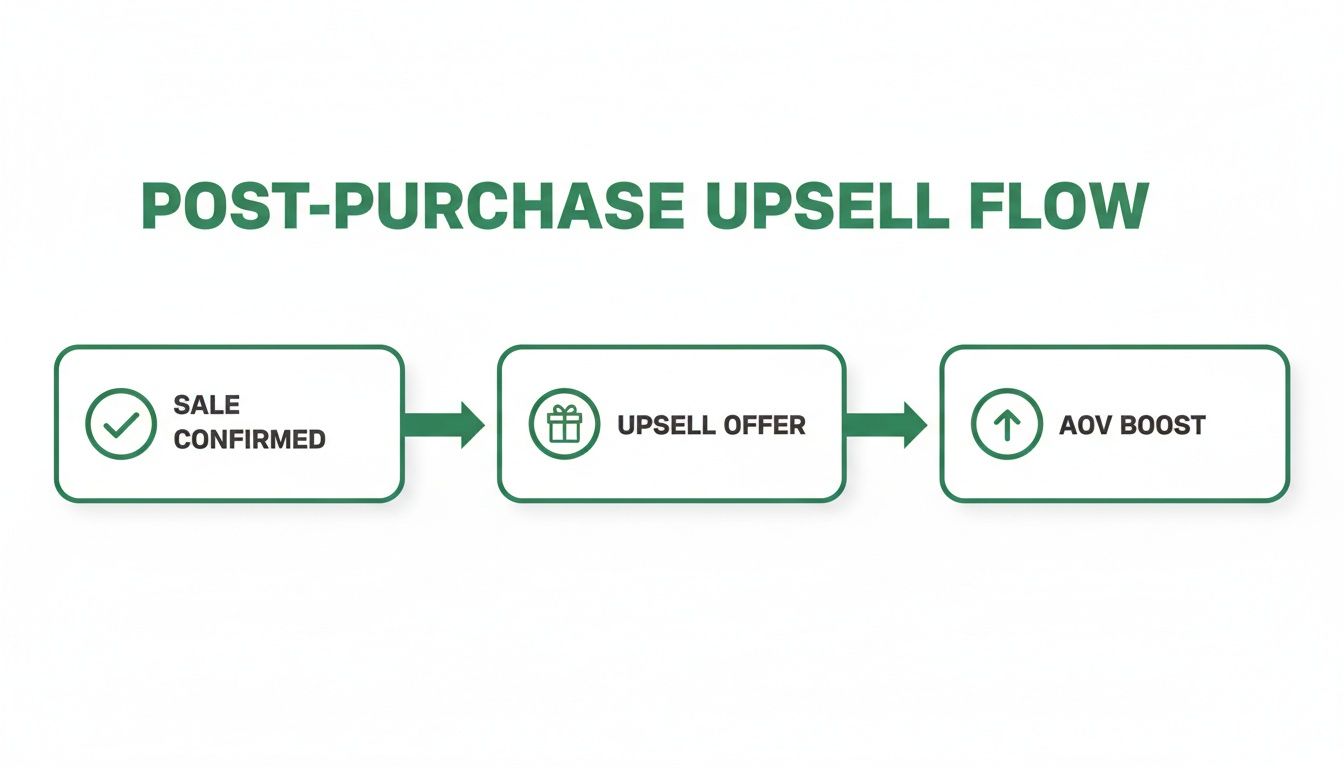
The beauty of this flow is that the offer only shows up after the initial sale is locked in, making it a zero-risk way to increase the final cart value.
Crafting Your First Offer
With the app ready to go, it’s time to build your first offer. This is where smart product selection meets compelling copy.
Let's imagine you sell high-quality leather bags. A customer just bought your flagship "Weekender Duffel." What's the perfect add-on? You want something complementary and less expensive.
A matching "Leather Care Kit" at a 20% discount is a fantastic first campaign. It's directly related to what they just bought, adds value to their original purchase, and the special discount makes it feel urgent and exclusive.
Your goal is to make the offer feel like a helpful suggestion, not a desperate sales pitch. Relevance is everything. A poorly matched offer can feel jarring and erode trust, while a thoughtful one strengthens the customer relationship.
Inside an app like SelfServe, you'll set the trigger—in this case, the purchase of the "Weekender Duffel." Then you'll pick the product to offer (the Leather Care Kit) and set the discount. Finally, write some good copy. Instead of a boring "Add this to your order," try something more personal: "Protect your new duffel! Add our Leather Care Kit for just $15 and keep it looking great for years."
Deciding Where to Place Your Upsell
The last piece of the puzzle is where the customer will see this offer. You've got two main options, and each has its own strategic advantage.
- The Thank You Page: This is the most popular spot for a reason. Your offer appears right after checkout is confirmed, when the customer's excitement and trust are at their highest. It’s a direct and powerful way to tap into that buying momentum.
- The Order Status Page: This is a more subtle, long-term play. Customers often visit this page multiple times to track their shipment, which means more chances for them to see and accept your offer. It's also a great spot for them to make other post-purchase edits, turning it into a self-service hub.
For your very first campaign, I almost always recommend starting with the Thank You page. It’s the fastest way to get data and see what’s working. Once you have some baseline numbers, you can start experimenting with the Order Status page or even running different offers in each location. A seamless upsell is just one part of a great customer journey; you can learn how to improve your Shopify checkout experience and reduce drop-offs for a more holistic view.
Crafting Irresistible Upsell Offers That Convert
Having a powerful app is only half the battle. The real magic behind a successful Shopify post purchase upsell is the offer itself. A generic, poorly timed offer gets ignored every time. But a highly relevant, valuable suggestion? That feels like you're genuinely helping the customer, which strengthens the relationship and, of course, boosts your revenue.
The secret is to stop guessing. Your own Shopify analytics are a goldmine of information just waiting to be used. Start by looking for "frequently bought together" patterns to find those natural product pairings you can spin into compelling upsell opportunities.
The Art of the Strategic Offer
Not all upsells are created equal. You need to match the type of offer to what the customer just bought. Getting this right is what separates a frustrating pop-up from a high-converting post-purchase flow.
To get you started, here's a look at some of the most effective strategies I've seen work time and again.
Each strategy serves a different purpose. The key is to build a playbook of offers that you can deploy based on specific products and customer behaviors.
The best upsell offers live at the intersection of three things: high relevance to the initial purchase, a clear value proposition for the customer, and a healthy profit margin for you. When you find that sweet spot, your conversion rates will take off.
Digging Into Your Data for Gold
Your store’s order history is the best place to find your next winning offer. Seriously, go look at your last thousand orders and start identifying patterns. Are customers who buy your best-selling running shoes frequently coming back a week later for specialty running socks? That’s your next post-purchase upsell, right there.
Don't just stop at what was bought together in a single order, either. Dig into the buying history of your repeat customers. What did they buy on their second or third purchase? This can uncover less obvious product relationships that your competitors are probably missing. This data-driven approach takes the guesswork out of the equation and grounds your offers in proven behavior.
Personalization Through Customer Segments
Once you have a few solid offer ideas, you need to get them in front of the right people. This is where segmentation and targeting rules come into play. A good upsell app will let you build rules based on customer data, making your offers feel incredibly personal.
Think about using segmentation tactics like these:
- Based on Cart Value: For smaller carts, offer a low-cost, high-margin item to nudge the AOV up. For someone who just dropped a lot of money, you could offer an exclusive or premium product that complements their big purchase.
- Using Order Tags: If a customer is tagged as a "VIP" or "Repeat Buyer," you can show them an exclusive discount that new shoppers don't see. It's a great way to reward loyalty.
- By Product Purchased: This is the most direct and powerful targeting method. If someone buys Product X, you trigger an offer for Product Y. It ensures maximum relevance and should be the foundation of any upsell strategy.
By layering these strategies, you stop using a one-size-fits-all approach and create a dynamic system that responds to what each customer is doing. That level of personalization is what separates mediocre results from exceptional ones. For a deeper look at this, check out our guide on proven ways to increase your Shopify store's average order value. This is how you turn a simple transaction into a tailored experience that drives real growth.
Advanced Tactics For Shopify Plus And High-Volume Stores
Once you're running a high-volume store or you're on Shopify Plus, a simple, single-offer Shopify post purchase upsell just won't cut it. That's entry-level stuff. The real money is made when you build sophisticated, multi-layered funnels that squeeze every last drop of revenue potential out of each transaction.
This is where you graduate from basic offers to a truly dynamic post-purchase experience. The core idea is to create a decision tree. Instead of throwing one offer out there and hoping it sticks, you build a sequence. If a customer says "yes" to your first upsell, you can immediately follow up with a second, complementary one. If they decline, you can pivot and offer a less expensive alternative—a downsell. This approach allows you to capture as much value as possible without being pushy.
Building Multi-Step Upsell and Downsell Funnels
A multi-step funnel is all about continuing the conversation after the customer has already paid. You’re building a cascading series of offers based on their immediate actions.
Let's walk through a real-world example. Imagine a customer just bought a high-end espresso machine from your store.
- Upsell 1: The first thing you show them is a premium coffee grinder at a 15% discount. It’s a high-ticket, perfectly matched item. They're already invested, so this is a logical next step.
- If Accepted: Awesome. Now you can follow up with a smaller, impulse-buy type of offer, like a set of artisanal espresso cups or a three-month coffee bean subscription. You've already got the big win, so this is just a bonus.
- If Declined (Downsell): No worries. Maybe the grinder was too much of a commitment. Instead, you can immediately pivot to a much lower-priced item they're more likely to grab, like a bag of your best-selling espresso beans for just $10.
This strategy is powerful because it adapts in real-time. By having a logical downsell ready, you still have a solid chance to increase the average order value, even if your initial upsell was a swing and a miss. It’s about creating multiple, smaller opportunities to get a "yes."
The Power of Rigorous A/B Testing
At scale, even tiny optimizations can lead to massive revenue gains. High-volume merchants simply can't afford to guess what works. This is where methodical A/B testing becomes your most valuable tool for dialing in your Shopify post purchase upsell strategy.
You have to test everything, but the key is to isolate one variable at a time. That’s the only way to get clean, actionable data.
- Test the Offer: Is a 20% discount more effective than a flat $15 off? Does a product bundle convert better than a single add-on?
- Test the Creative: Does an image of the product in use outperform a sterile product shot on a white background? Try testing different headlines and even the text on your call-to-action buttons.
- Test the Funnel Logic: In your multi-step funnels, experiment with different downsell products. You might discover that a low-cost, high-margin item is the perfect fallback offer that consistently gets accepted.
A/B testing isn't a "set it and forget it" task; it's a continuous process. Your best-performing offer today could be old news next month. You have to build a culture of constant iteration, where the goal is always to beat your own control.
Managing Operational Complexity
Look, advanced funnels are great for revenue, but they also bring operational headaches that smaller stores don't have to deal with. The two biggest hurdles I see are managing inventory for upsell offers and keeping your data clean for fulfillment partners.
Setting Product Restrictions
Nothing kills the customer experience faster than offering an out-of-stock product as an upsell. It creates an instant customer service nightmare, forces you to issue refunds, and erodes the trust you just earned. High-volume stores absolutely must have a system that automatically hides unavailable items from post-purchase offers.
A robust app like SelfServe lets you set these kinds of product restrictions. You can exclude specific products or even entire collections from being offered if their inventory drops below a certain number. This is non-negotiable for maintaining a smooth operational flow.
Automating Order Tagging for 3PL and ERP Integration
When a customer accepts a post-purchase offer, Shopify creates a second order and then merges it with the first one. For your 3PL or ERP system, this can be a recipe for disaster if not handled correctly. You need a bulletproof way to flag these modified orders for your ops team.
This is exactly what automated order tagging is for. You can configure your upsell app to automatically add tags like post-purchase-upsell-accepted or funnel-A-winner to any order that contains an accepted offer. These tags then trigger specific workflows in your fulfillment system, ensuring your team knows precisely how to pack and ship the complete order without any confusion.
It’s a simple automation that keeps your back-end operations as seamless as your front-end experience. When you dial all this in, the returns are impressive; we see leading apps boost AOV by as much as 30%. You can discover more insights about top-performing apps like Aftersell to see the data for yourself.
How to Measure and Optimize Your Upsell Performance
Getting your first post-purchase upsell live is a huge step, but the real work—and the real money—is in the data. Just setting it and forgetting it is a surefire way to leave revenue on the table. If you want to turn that thank you page into a serious profit center, you need to get into a rhythm of measuring, analyzing, and tweaking.
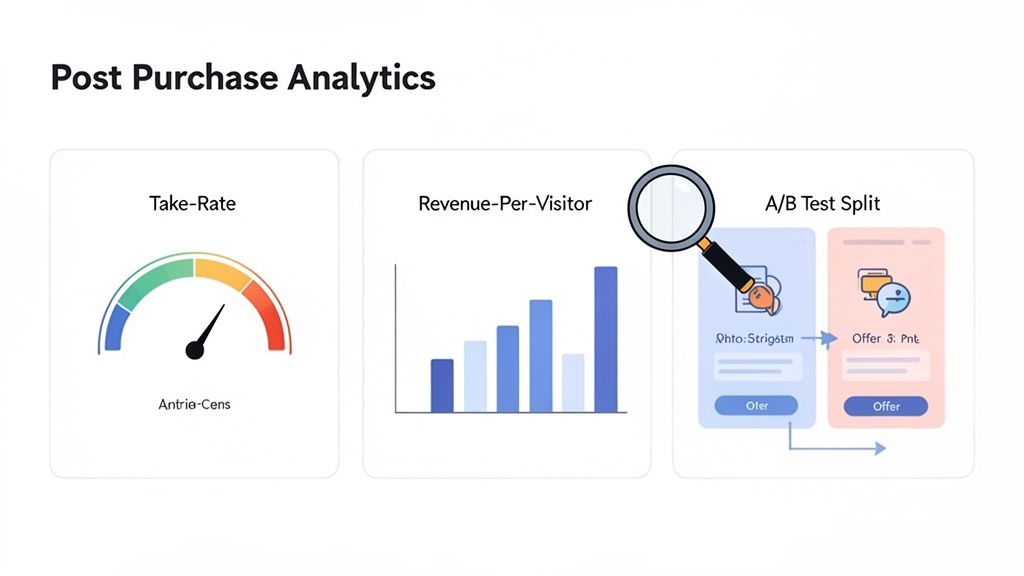
This isn't about finding one "perfect" offer and letting it run forever. It's about building a system of constant improvement, always testing new ideas based on how your customers are actually behaving.
Key Metrics to Track
To really understand what's working, you have to look past the top-line revenue number. While that figure is obviously important, it doesn't paint the full picture. Your upsell app's dashboard should be your new best friend, giving you a detailed breakdown of your campaign performance.
You need to keep a close eye on these core metrics:
- Take Rate (or Conversion Rate): This is your north star. It’s the percentage of customers who actually accept an offer they're shown, telling you exactly how relevant and compelling your pitch is.
- Total Upsell Revenue: The raw dollars and cents generated from your post-purchase offers. This metric directly quantifies the financial impact of your entire upsell strategy.
- Average Order Value (AOV) Lift: This shows the average increase in order value for customers who accept an upsell versus those who don't. It proves how effectively you’re boosting the size of each transaction.
- Revenue Per Visitor (RPV) of Post-Purchase Page: Calculated by dividing total upsell revenue by the number of unique customers who saw an offer. It helps you understand the dollar value of every single post-purchase impression.
As a general benchmark, we see most stores hitting an average 4% take rate on post-purchase upsells. The real pros, though, are pushing 10% or even higher. This is an incredibly powerful way to lift your AOV when a customer's motivation to buy is at its absolute peak. You can see more post-purchase benchmarks to get a sense of where you stand.
Analyzing Your Winners and Losers
After you’ve got a few weeks of data under your belt, it's time to dig in. The goal is simple: find your winning offers—the ones with high take rates and a solid AOV lift—and figure out why they’re connecting with customers. On the flip side, you have to be ruthless about cutting the losers that are dragging down your numbers.
An offer with a low take rate isn't just a missed opportunity; it can actively create friction. If an offer is consistently ignored, it's better to scrap it and test something new than to let it clutter the customer experience.
Look for trends in your best campaigns. Are your top performers all complementary products under a certain price? Are they bundles with a specific discount? These insights are gold—they form the basis for your next round of A/B tests.
An Iterative Optimization Framework
Continuous improvement is the name of the game here. Instead of making random changes and hoping for the best, follow a structured process. This ensures you’re making data-driven decisions that lead to real, measurable growth.
- Form a Hypothesis: Start with a clear, testable idea based on your data. For example: "I bet offering a product bundle with a 15% discount will get a better take rate than a single full-price item."
- Run an A/B Test: Use your app’s A/B testing tool to pit your new offer (the variation) against your current best-performer (the control). Let it run long enough to get statistically significant results.
- Analyze the Results: Compare the key metrics for both versions. Did the new offer win? If it did, it becomes your new control.
- Repeat the Process: Whether the test was a win or a loss, you've learned something valuable. Use that new insight to come up with your next hypothesis and start the cycle all over again.
This constant loop of testing, learning, and refining is how you build a powerful, self-improving post-purchase upsell machine that consistently drives more revenue for your Shopify store.
Frequently Asked Questions About Post-Purchase Upsells
Even with a solid plan, it’s smart to have a few questions before diving into a Shopify post purchase upsell strategy. This is a powerful feature, and really understanding the mechanics is what separates a decent AOV lift from a great one. We've compiled the most common questions we hear from merchants to help you get started with confidence.
The biggest hesitation we see? Fear of messing with the core checkout experience. Let's clear that up right away.
Will This Slow Down My Checkout Process?
Nope, not at all. That’s the entire beauty of this strategy. A true post-purchase upsell only shows up after the customer has already entered their payment details, confirmed their order, and landed on the Thank You page.
This means it has zero impact on your checkout funnel’s speed or conversion rate. The original sale is 100% locked in before the customer even lays eyes on your extra offer. It's a completely risk-free way to increase that final order value.
How Do I Choose the Right Products to Upsell?
This shouldn't be a guessing game; your own data is your best guide. Dig into your order history and look for products that customers are already buying together organically. Those natural pairings are your lowest-hanging fruit.
If you're looking for a starting point, these categories almost always perform well:
- Complementary Items: Think of a lens cleaning kit for a camera, a protective case for a phone, or a specific conditioner for a shampoo.
- Low-Cost Add-Ons: Small, high-margin products are perfect here. They feel like an easy, impulsive "yes" for the customer.
- Sample or Travel Sizes: This is a fantastic, low-commitment way to introduce customers to other bestsellers in your catalog.
The key is to make the offer feel like a helpful suggestion, not a desperate sales pitch. From there, A/B testing different product offers is the only way to know for sure what really clicks with your audience.
A good starting benchmark for a post-purchase upsell conversion rate is around 4-5%. But don't stop there. We regularly see well-optimized stores with highly relevant offers push that number to 10-15% or even higher. It just shows you what's possible when you nail the offer.
Can I Use This Strategy Without Shopify Plus?
Absolutely. While Shopify Plus offers some deep checkout customizations, the post-purchase upsell functionality itself is primarily driven by third-party apps from the Shopify App Store.
These apps are built to integrate with all Shopify plans. They work their magic on the Thank You and Order Status pages, which every single Shopify merchant has access to. You definitely don't need a Shopify Plus subscription to build out a powerful and profitable post-purchase flow. This makes it one of the most accessible AOV-boosting tactics for any store.
Ready to turn your Thank You page into a revenue driver while cutting down on support tickets? SelfServe gives you the tools to create powerful post-purchase upsells and lets customers manage their own orders, saving you time and money. Start your free 30-day trial and see the difference.