Automation for Ecommerce: A Practical Guide
Your inbox is already telling the story. A customer in Toronto wants to change the shipping address, someone else needs to fix a typo in their email, and a third buyer wants to add one more item before the box leaves the warehouse. Support answers the same questions all day, fulfillment pauses for small changes, and every manual handoff creates one more chance for a mistake.
That's where automation for ecommerce earns its keep. The biggest wins usually aren't in flashy campaigns, they're in the post-purchase work that merchants deal with every hour: edits, validation, tagging, routing, upsells, and the exceptions that need a human review. When those pieces are handled well, support stops acting like a fire brigade and starts acting like a controlled process.
The Support Ticket Problem No One Talks About
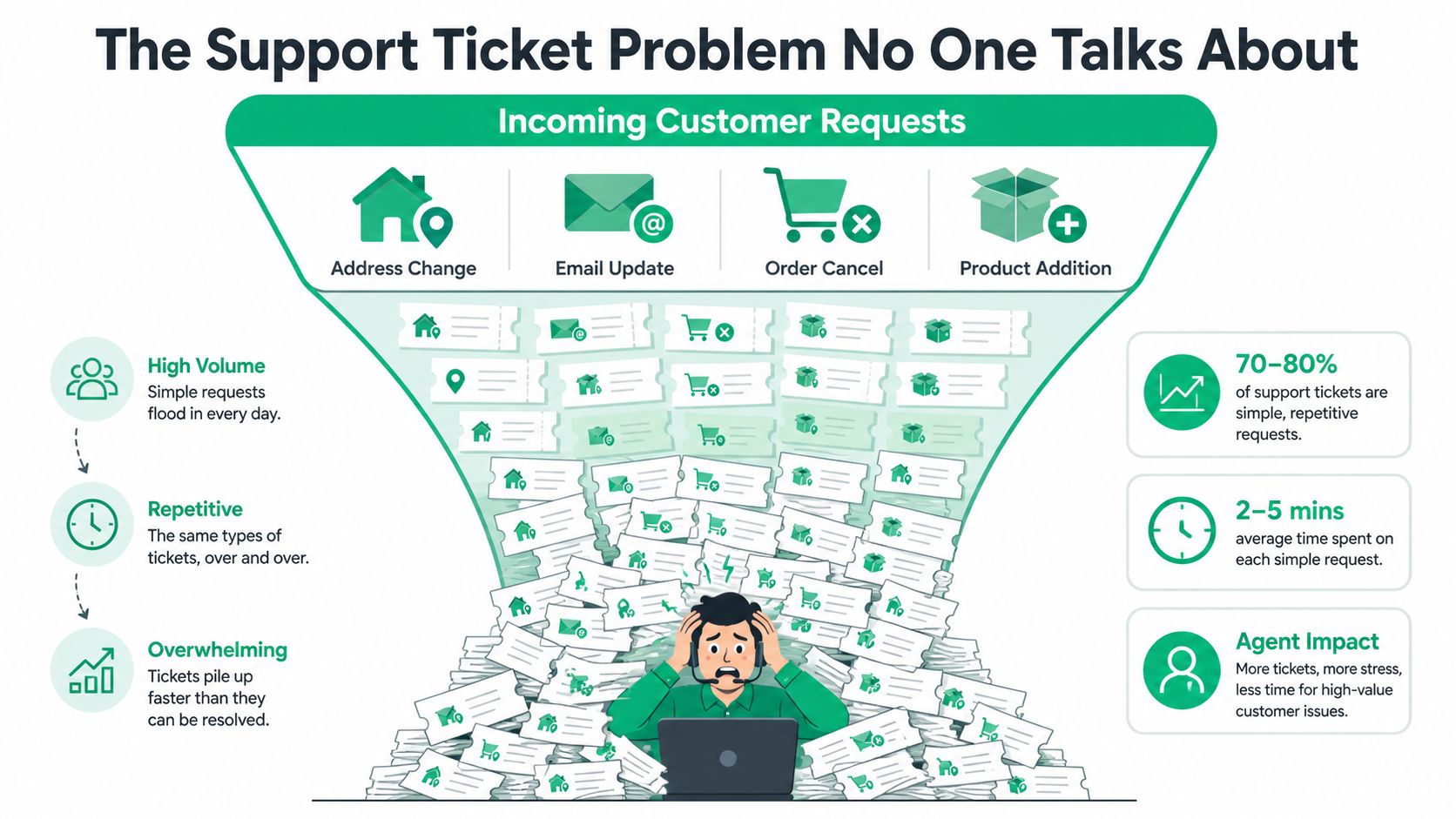
A lot of Shopify stores don't have a “support” problem in the abstract. They have the same four tickets repeating all day, change my address, update my email, cancel my order, and can I add this product. None of those requests are unusual, but each one interrupts someone on your team, and each one tends to arrive after the customer has already made the purchase decision.
That matters because post-purchase tickets don't just consume time, they stall the rest of the operation. If a shipping label has already been printed, a late address change turns into a manual exception. If the request lands after fulfillment starts, support has to coordinate with warehouse staff, not just answer a question. International shoppers feel that friction even harder, because address formats, language differences, and time zones make simple fixes harder than they should be.
Practical rule: If a request follows the same pattern every time and the merchant still has to retype it, route it, or recheck it, that request is a candidate for automation.
The shift that helps most stores is treating those requests as a self-serve layer, not a support task. The customer opens a portal, edits what's allowed, and the system applies rules in the background so the merchant still controls timing and permissions. That's the difference between a clogged inbox and an operating model that can absorb volume without adding headcount.
What Ecommerce Automation Actually Means
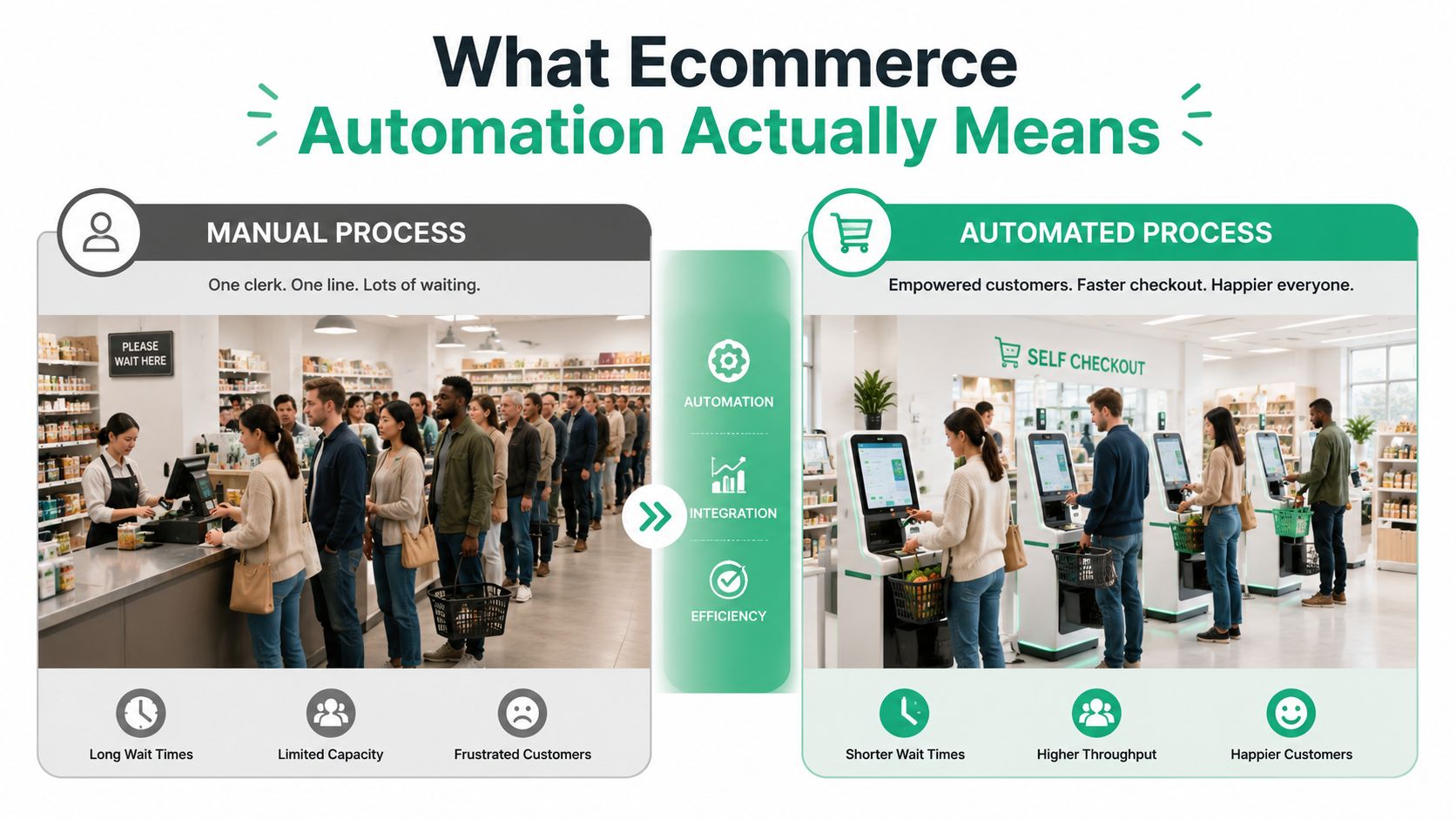
Think of ecommerce automation like a store with self-checkout lanes instead of one cashier handling every shopper. The cashier still matters, but they're no longer the bottleneck for every transaction, every correction, and every routine question. In the same way, automation for ecommerce doesn't replace the team, it moves repeatable work into systems that can act faster and more consistently than a person doing the same job fifty times a day.
A practical way to define it is simple. Automation is the layer that takes structured inputs, applies rules, and completes a workflow without someone manually pushing each step. In ecommerce, that includes order routing, post-purchase edits, support replies, lifecycle marketing, and inventory sync, as long as the data underneath is clean enough to trust.
A useful mental model is to separate the work into five buckets:
- Order routing and tagging: New orders get labeled by channel, risk, region, or product type so downstream teams know what needs attention.
- Self-serve order edits: Customers can change permitted fields inside a defined time window instead of emailing support.
- AI-assisted replies: Common questions get drafted or answered from approved knowledge, while edge cases still route to a person.
- Lifecycle marketing: Messages go out after a trigger, not just on a calendar, which keeps timing tied to shopper behavior.
- Inventory and fulfillment sync: Stock, order status, and shipping events stay aligned so your systems don't argue with each other.
The strongest automation setups don't live inside one app. They connect product data, customer identity, payments, refunds, and shipping into a single workflow layer, which is why a tool like growth marketing with Claude is useful as a reference point for how teams think about coordinated workflows rather than isolated campaigns. The pattern is the same, rules, data, trigger, response.
Practical rule: If a workflow needs the same data from two different systems every time, the real problem is usually integration, not effort.
Business Benefits That Actually Move the Numbers
The merchant case for automation gets clearer when you tie it to outcomes a finance or ops lead can defend. The first is support ticket reduction. If customers can edit a shipping address or add a product without opening a ticket, the inbox shrinks because the merchant has removed the request, not just answered it faster.
The second is average order value lift from post-purchase offers. That's a different kind of automation than the usual abandoned-cart sequence, because it works with existing intent instead of hoping a shopper comes back later. On the marketing side, Omnisend's 2025 ecommerce report found that one in three people who click on an automated message make a purchase, compared with one in 18 for scheduled messages, and that automated emails generated 37% of sales from just 2% of email volume. The same report says abandoned-cart, welcome, and browse-abandonment flows accounted for 87% of all automated orders. Those numbers are a strong reminder that automation isn't just about labor savings, it's also about turning behavior into revenue at the right moment. Omnisend's 2025 ecommerce marketing report
A third benefit is fewer fulfillment errors. If address validation catches an obviously bad shipping field before fulfillment, you reduce the chance of reship cycles, refund disputes, and angry follow-up emails. The fourth is smoother international expansion, because multilingual, rule-based workflows let you serve more markets without asking support to interpret every order manually.
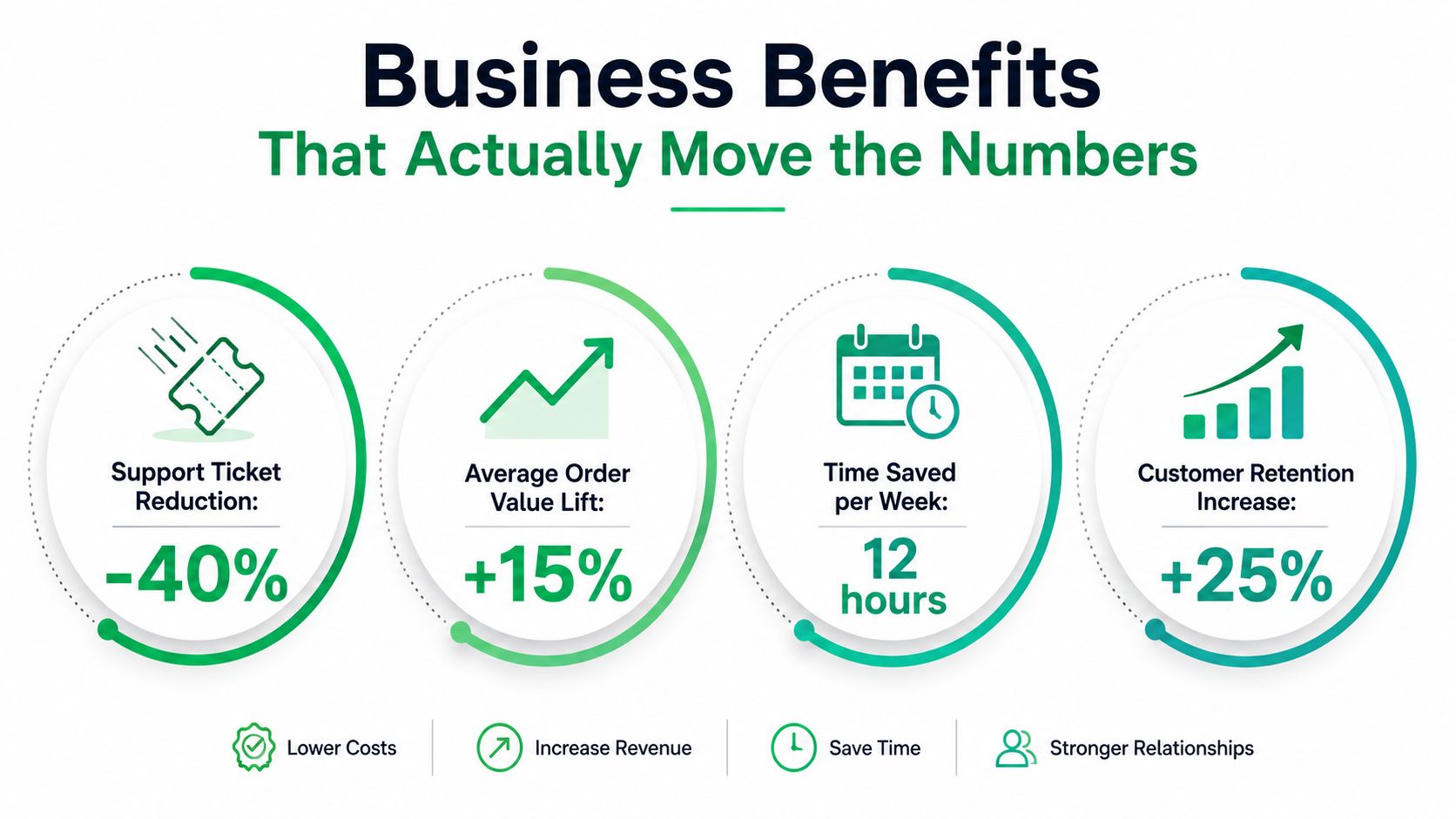
The KPI stack I'd wire up first is straightforward:
- Support tickets per 100 orders
- Post-purchase edit rate
- Average order value on orders with edits or upsells
- Fulfillment exceptions tied to address or data errors
You can see the same logic in retail automation more broadly, and the internal example at automation in retail shows how merchants usually connect workflow automation to clear operational outcomes instead of vague efficiency claims.
The Post-Purchase Automation Stack in Practice
The strongest post-purchase systems start with permissioned order editing. A shopper gets a controlled window to change shipping or contact details, but not every field is open forever. Merchants decide which products can be edited, which regions get access, and when an order becomes locked for fulfillment. That keeps the customer experience flexible without turning operations into a free-for-all.
What the self-serve layer should do
Real-time address validation matters here because the cheapest fix is the one caught before a label is printed. If the portal uses Google Maps autocomplete, shoppers are less likely to submit malformed addresses, and support spends less time translating half-typed street names into deliverable ones. Multilingual interfaces help too, especially for international stores where the same change request can arrive in several languages and formats.
The next layer is order tagging and approval control. If a customer changes an order, the system can tag it automatically so fulfillment, support, and finance all see the same event. If the edit involves a restricted product, a canceled line, or a high-risk situation, the order can move into a manual queue instead of flowing straight through.
Good post-purchase automation doesn't remove judgment, it removes delay.
Upsell modules on the Thank You page and Order Status page fit into the same stack. A customer who's already committed can add a curated product or collection without starting a new checkout session, which is cleaner for the merchant and less friction for the buyer. That only works well if the upsell logic is tied back to inventory and order status, so the offer stays relevant and the downstream team sees the updated order immediately.
SelfServe is one example of this pattern in practice. It combines post-purchase order editing, real-time address validation, multilingual support, upsell modules, product restrictions, automated order tagging, and manual cancellation queues with approval flows in one workflow layer. The point isn't that every merchant needs every feature on day one, it's that these pieces behave better when they're connected.
A Sequenced Roadmap for Shopify and Shopify Plus Merchants
The easiest way to roll out automation is to match the setup to your maturity, not your wish list. A small Shopify store and a high-volume Shopify Plus brand do not need the same first move, because they're solving different bottlenecks. One needs fast relief, the other needs workflow control across more systems.
Stage 1 Quick wins
Start with the automations that remove repetitive tickets and prevent obvious errors. Abandoned-cart email is still worth keeping, but the more immediate operational wins are self-serve order editing, basic order tagging, and a clear address validation flow. Those three move the work out of the inbox and into the system without forcing a full platform change.
Stage 2 Operational scale
Once the basics are stable, add support deflection and review automation. Automated FAQs and AI-assisted replies can answer routine questions, while review requests and post-purchase messaging keep the customer journey moving. This is also the stage where many teams realize their data hygiene matters more than their app stack, because if order states aren't consistent, the automations become noisy instead of helpful.
Stage 3 Strategic growth
Shopify Plus merchants usually land here when they need custom upsell flows, 3PL and ERP connections, and rule-based permissions for different markets. That's also where a solution like this Shopify Flow guide becomes useful, because Flow-style logic helps teams connect events to downstream actions without building everything from scratch.
A simple decision rule helps. If most of your support load is still basic order changes, stay in Stage 1. If your team is already managing exceptions across multiple systems, you're in Stage 2 or Stage 3 and should design the workflow around integration, not just features.
The Pitfalls Most Automation Guides Skip
Most automation writeups gloss over the hardest part, which is the 10 to 20 percent of cases where the system should stop and ask for help. That's the part merchants need to design on purpose. If you don't create approval queues, permission rules, and monitoring, the automation can speed up the wrong decision just as efficiently as the right one.
Why exceptions need their own workflow
High-volume stores feel this first. A tiny data mismatch, maybe a shipping address format the parser doesn't like, a refund state that isn't synced, or a restricted product in a customer edit, can reach fulfillment before anyone notices. Once that happens, the issue stops being a clean automation win and becomes a customer-facing incident.
The other failure point is data silo drift. Automation only behaves well when catalog, inventory, order, payment, refund, and shipping status all live in a model the workflow can trust. If those records don't match, a rule can't make a safe decision. That's why teams should test validation logic against enough sample documents before deployment, especially in catalog and product onboarding workflows where supplier formats vary and downstream listing defects start with bad extraction.
Practical rule: If a workflow can't explain why it paused, your team will eventually stop trusting it.
The safeguard list is short but essential:
- Approval queues for cancellations, restricted products, and risky edits
- Rule-based permissions for which fields customers can change
- Sandbox testing before rollout
- Continuous monitoring for failed tags, missing updates, and sync drift
- Exception routing that sends edge cases to a human instead of forcing a guess
What to Automate First and Where to Go Next
The next 30 days should focus on three moves. Deploy self-serve order editing with address validation, add post-purchase upsell modules, and turn on automated order tagging so every edit and exception leaves a clear trail. For teams that are still sorting out what belongs in a first workflow, how to automate repetitive tasks is a useful starting point because it forces the work into repeatable steps instead of one-off email handling. If you want one metric that cuts through the noise, track support tickets per 100 orders or, if revenue is the focus, average order value on orders with at least one post-purchase edit.
The payoff shows up after launch, when the store starts handling more of the routine work without adding more manual review. Event-based workflows and AI-driven systems will keep getting better at handling returns, subscriptions, pricing, and post-purchase economics, but they still depend on a normalized data layer and a clear exception process. That is the difference between automation that scales and automation that creates a larger mess faster. In practice, the merchants who get this right use automation to reduce ticket volume in the post-purchase window, then keep a human path open for edge cases that touch fraud, restricted items, or unsettled payment states.
If your store is still handling address changes, add-to-order requests, and cancellation approvals by email, move those tasks into a controlled workflow. SelfServe helps Shopify merchants do that with post-purchase editing, validation, upsells, tagging, and approval flows, so support spends less time on repetitive requests and more time on exceptions that need judgment. Visit SelfServe and see how a tighter post-purchase system changes the way your team works.