Address Validation Online Explained for Shopify Stores
A customer places an order on your Shopify store during a lunch break. They type the street correctly, skip the apartment number, tap through checkout, and move on with their day. Your team sees a normal order. Your warehouse prints a normal label. The carrier picks up a normal parcel.
Then the trouble starts.
The package can't be delivered. Support gets the “where is my order?” message. Someone on your team checks the tracking page, emails the customer, updates the address, reships the order, and explains the delay. One small address mistake turns into extra handling, extra shipping work, and a dent in customer trust.
That's why address validation online matters so much in ecommerce. It's no longer just a mailing-room cleanup task. It sits right in the checkout path, where a single field entry can affect delivery success, support workload, and how smoothly orders move into your 3PL or fulfillment stack.
The shift has been easy to miss because address tools often get described too broadly. Many merchants hear “validation” and think of a red error message that blocks checkout. In practice, that's only part of the story. Good address validation is less like a locked gate and more like a guided checkout assistant. It helps shoppers enter a better address, checks what they entered, and then gives them a chance to confirm anything that looks uncertain.
Introduction Why Address Errors Still Break Deliveries
Address problems still show up in modern ecommerce because checkout is fast, mobile, and often rushed. A shopper might rely on autofill, mistype a house number, skip a unit, or choose a slightly wrong suggestion without noticing. The order still looks complete enough to submit, but the delivery chain inherits the mistake.
That's a bigger operational issue than many teams realize. Independent ecommerce reporting notes that around 47% of ecommerce sites still did not have an address validator at checkout, even as address mistakes continued to drive failed deliveries and support costs. The same reporting cites Shippo data showing about 2.1% of all ecommerce parcels have address issues, with 30% undeliverable because of insufficient address details, 28% because the address did not exist, and 26% because the recipient was unknown. Those figures come from independent ecommerce coverage of address validation and parcel failure causes.
The hidden cost of one wrong apartment number
For a Shopify merchant, the first problem isn't usually the label. It's everything that follows:
- Support work increases: A simple delivery exception becomes a ticket, a reply, and often a manual fix.
- Fulfillment gets interrupted: The team may need to hold, reroute, or recreate the shipment.
- Customer confidence drops: Even if you solve the problem, the order no longer feels smooth or reliable.
A bad address rarely stays an address problem. It quickly becomes a service problem.
Poor address data also gets more expensive the longer it survives. Industry coverage citing U.S. Postal Service data and broader research says undeliverable-as-addressed mail accounts for about 6.5% of all mail, and poor data quality can cost organizations an average of $12.9 million annually. The same source explains the long-used 1-10-100 rule: validating an address at entry costs about $1, correcting it later in batch costs about $10, and leaving it uncorrected can cost more than $100. That framing appears in industry coverage of the business impact of address verification software.
Why Shopify teams treat this as a checkout control
When merchants think about checkout optimization, they usually think about payment friction, shipping rates, and cart abandonment. Address quality belongs in the same conversation. A checkout that accepts flawed delivery data may look frictionless on the surface, but it pushes friction into support, shipping, and post-purchase recovery.
That's why the most useful way to think about address validation online isn't “Does the form reject bad input?” It's “How does the store help the customer submit a deliverable address with the least possible friction?”
What Address Validation Online Really Does
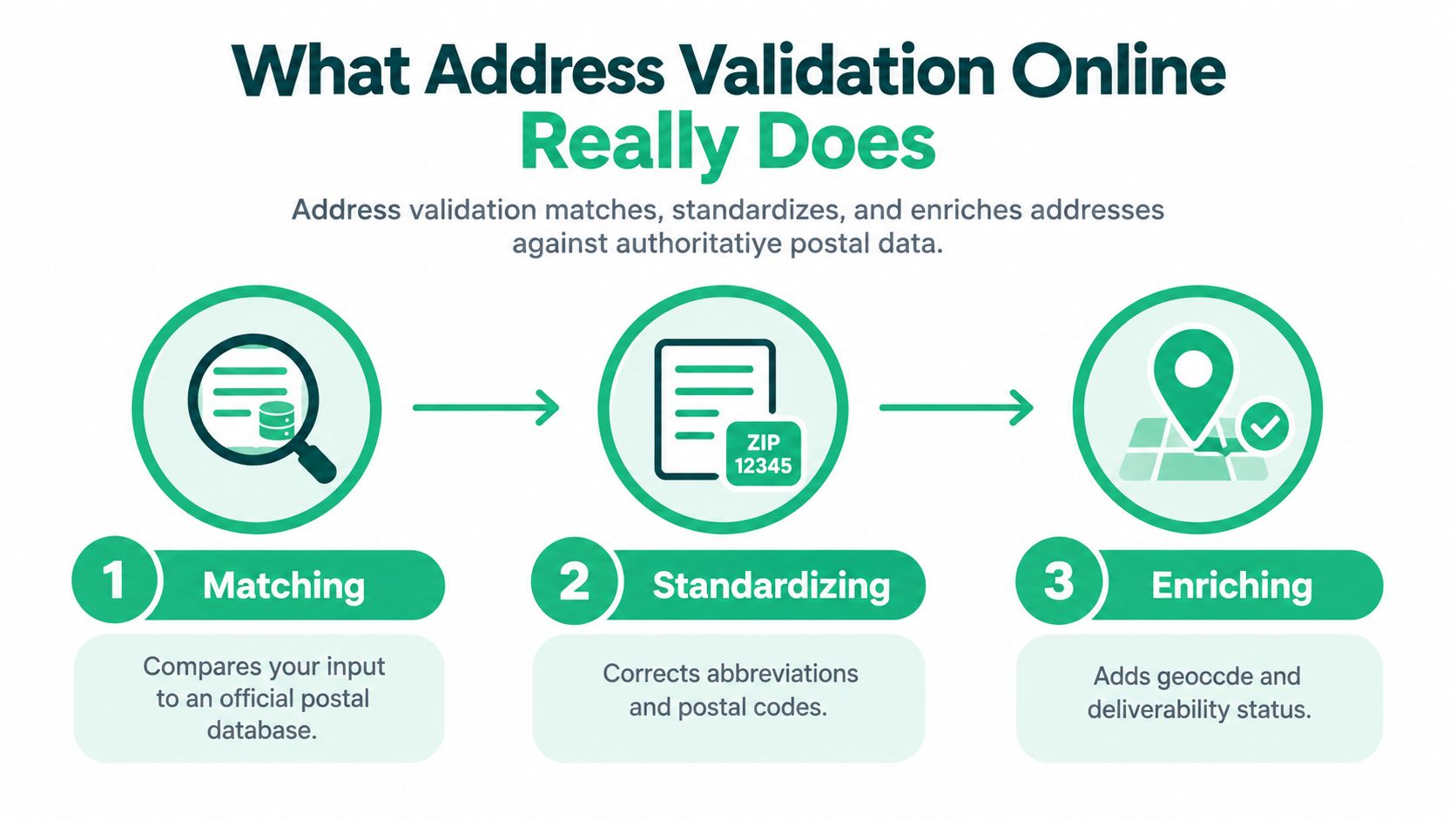
Address validation online compares what a shopper typed against authoritative postal data, then returns a cleaner, more usable result. Google's Address Validation API describes this as validating address components, standardizing the address for mailing, and returning geocoding metadata. It also recommends including regionCode for better accuracy and supports USPS CASS processing for U.S. and Puerto Rico addresses only, as described in the Google Address Validation API overview.
That sounds technical, but the core idea is simple.
Think of it as a spell-checker for shipping addresses that also reformats the answer and adds location intelligence. It doesn't just ask whether an address “looks okay.” It tries to determine what the customer most likely meant, whether the parts fit together, and how that address should be stored for mailing and downstream systems.
Matching against trusted address records
First, the validator checks the submitted address against postal reference data.
If a shopper enters “221b baker st” with uneven casing or a minor typo, the system tries to match those pieces to a recognized address record. Structured inputs matter. Street number, street name, city, state or region, and postal code help the validator disambiguate the result.
A vague entry gives the system less to work with. “Main Street” is not enough. “123 Main Street, Springfield” is better. Add the region and postal code, and the result becomes much more dependable.
Standardizing the format
After matching comes standardization. This is the cleanup step.
The validator may normalize abbreviations, casing, component order, and postal formatting so your store, carrier tools, and warehouse systems all receive a consistent version of the address. That helps prevent duplicate customer records and weird formatting mismatches between checkout and shipping software.
Here's a simple way to separate related terms that often get confused:
| Term | What it does | Example |
|---|---|---|
| Autocomplete | Helps the shopper enter an address faster | Suggests full addresses as they type |
| Validation | Checks address components against trusted data | Detects missing or questionable parts |
| Standardization | Rewrites the address into a consistent mailing format | Normalizes abbreviations and layout |
Enriching the result
Many systems also return extra metadata, such as geocoding details. That gives merchants more than a cleaned-up label line. It can support map confirmation, downstream routing logic, and decisions about whether an address is precise enough to trust.
Practical rule: Validation isn't only about catching errors. It's about turning messy customer input into an address your operations team can actually use.
How Real Time Validation and Autocomplete Work Together
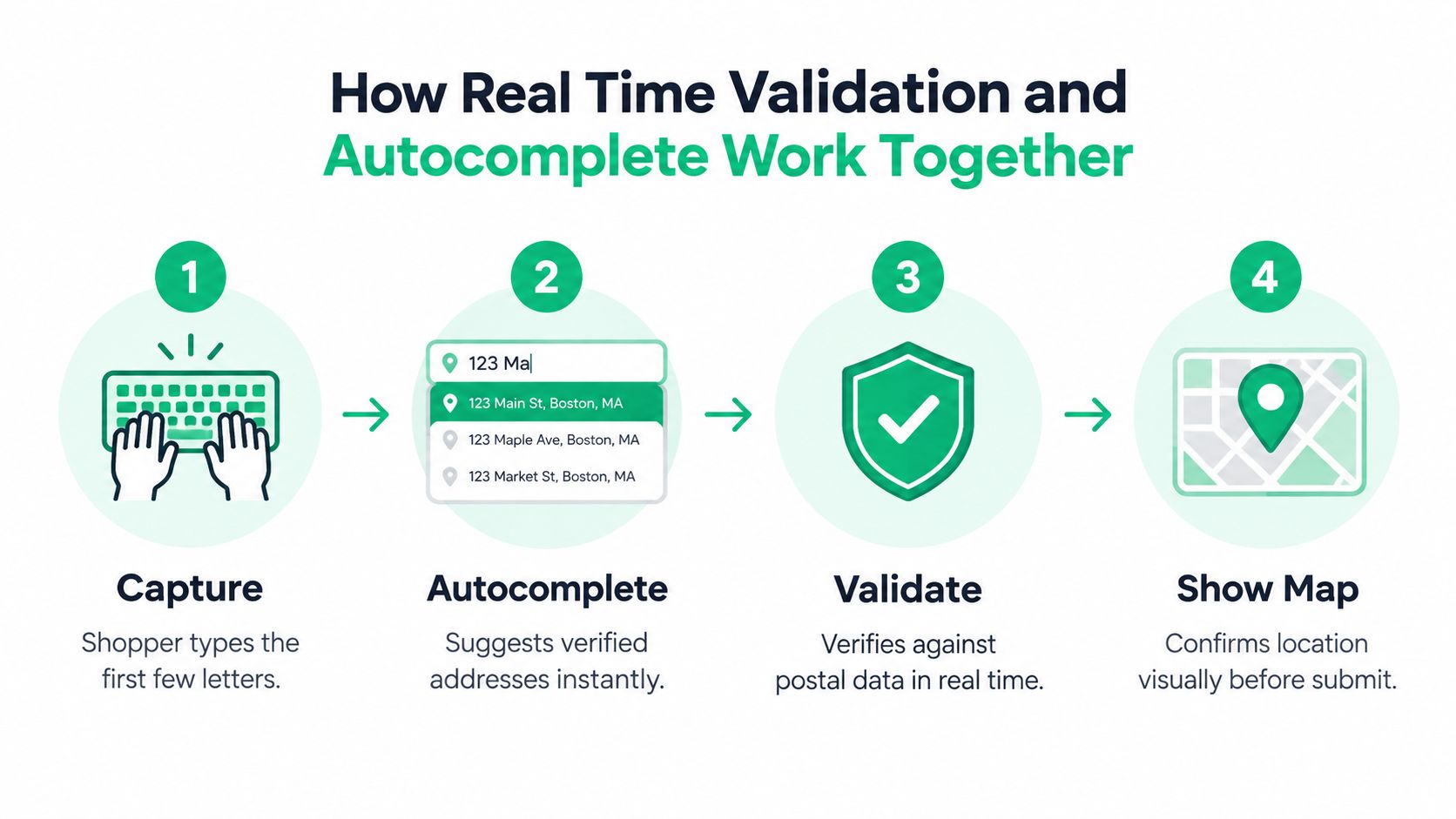
The most useful checkout flow isn't “type everything, click submit, hope for the best.” Google's recommended ecommerce pattern is capture with autocomplete, validate, then show map confirmation, as outlined in its ecommerce checkout address validation guidance.
That sequence matters because each step solves a different problem. Autocomplete reduces typing. Validation checks quality. Confirmation handles uncertainty.
Step one starts before the customer finishes typing
A shopper begins entering their shipping address. After a few characters, autocomplete suggests likely matches. Instead of forcing someone on a phone to type every line manually, the form helps them select a recognized address quickly.
For Shopify merchants, this is often the first major quality win. Fewer keystrokes usually means fewer typos, especially on mobile.
If you want a practical look at how this improves the customer side of checkout, this guide on Shopify address autocomplete is a useful companion.
Validation checks the address in real time
Autocomplete and validation are related, but they're not the same feature. A shopper can still pick an address that needs more review. Maybe the building exists, but the unit is missing. Maybe the result is valid only at the street level, not the delivery-point level.
That's where real-time validation comes in. It checks whether the entered components align well enough to be accepted, corrected, or questioned before the order moves forward.
A good validator doesn't treat every mismatch the same way. Some issues deserve silent cleanup. Others need a nudge. A few need customer confirmation.
This short walkthrough helps make the flow feel concrete:
Confirmation prevents false confidence
The last step is where many stores stop too early. They validate, then submit. But the recommendation to show a map or location confirmation exists for a reason. Sometimes the address is technically plausible but still not the place the customer intended.
A visual confirmation step helps with common edge cases such as:
- Apartment buildings: The street is right, but the subpremise is missing.
- New developments: The location exists, but the formatting may vary.
- Rural addresses: The entered description may be understandable to the local customer but unclear in postal form.
“Accept, fix, or confirm” is usually a better checkout mindset than “pass or fail.”
Why the flow works better than a hard gate
A hard validation gate can create unnecessary checkout friction. A guided flow reduces friction early and introduces it only when needed. That's the advantage of the capture-validate-confirm model.
For the shopper, it feels smoother. For your operations team, it produces better address data before the order ever hits shipping.
Benefits for Merchants and Customers Beyond Fewer Returns
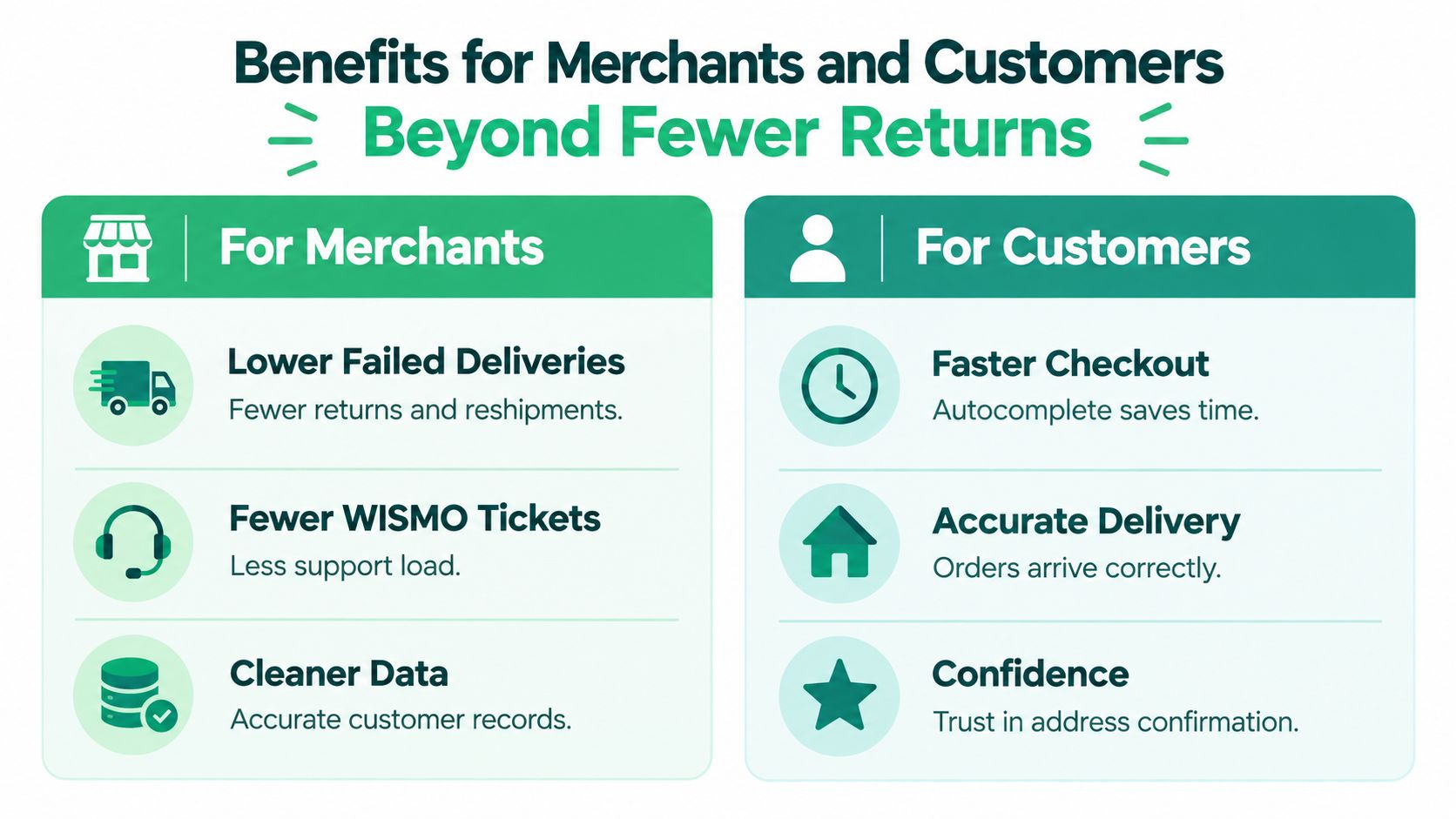
The obvious benefit of address validation online is fewer failed deliveries. The less obvious benefit is that it protects several parts of your operation at once.
Google's A/B testing guidance for address validation recommends measuring more than form completion. It specifically points merchants toward delivery success, courier address-change charges, and residential-versus-commercial capture, as described in its address validation A/B testing guidance. That tells you something important: the value of validation shows up after checkout too.
What merchants gain
For operations teams, better address capture improves handoffs. When the checkout record is cleaner, your shipping software, ERP, 3PL, and support tools receive fewer messy exceptions.
A strong setup can help merchants in several ways:
- Fewer delivery exceptions: Orders are less likely to fail because of missing or malformed address details.
- Less support rework: Teams spend less time fixing preventable address mistakes after the order is placed.
- Cleaner customer records: Standardized address data is easier to deduplicate and analyze across systems.
There's also a broader data-quality angle. Independent industry research cited by Google says 84% of organizations reported struggling with inaccurate or duplicate data, which is why real-time verification increasingly sits inside larger data governance efforts, not just shipping workflows. That figure appears in the same Google A/B testing and ROI discussion.
What customers notice
Customers don't usually think, “This store has excellent address governance.” They feel the outcome instead.
They notice that checkout is quicker when autocomplete reduces typing. They notice that the address shown back to them looks complete and familiar. They notice that packages arrive where they expected, without follow-up emails asking them to clarify apartment numbers or street details.
Better experience and better economics often come together
This is one of those ecommerce improvements that helps both sides at the same time. Faster entry can coexist with stronger validation if the flow is designed well.
Cleaner addresses don't only save shipping effort. They reduce the number of moments where a customer has to wonder whether your store has things under control.
That combination makes validation easier to justify internally. It's not just a formatting tool. It supports revenue protection, customer satisfaction, and operational consistency.
Integration Options for Shopify Stores From APIs to Apps
Shopify merchants usually choose between three paths: direct API integration, an app-based setup, or a lighter native approach that improves capture without building a full custom validation layer. The right choice depends on how much control you need, how quickly you want to launch, and whether post-purchase address changes matter in your workflow.
The main paths side by side
A direct integration gives you maximum flexibility. You can define how your checkout captures data, how warnings appear, and what happens when the validator returns partial confidence. That's useful for larger teams with development resources and custom checkout logic.
An app-based route is usually faster. It can bundle validation with other operational tools such as post-purchase edits, customer self-service, and language handling. For merchants that want faster deployment and less maintenance, that tradeoff often makes sense.
If you're evaluating tools around the broader order stack, it also helps to browse Crescade integrations so you can see how address workflows fit with other operational systems your team may already use.
Here's a practical comparison:
Choosing Your Address Validation Integration Path
| Integration Path | Best For | Control and Effort | Post Purchase Flexibility |
|---|---|---|---|
| Direct API integration | Teams with developer resources and custom checkout requirements | Highest control, highest implementation effort | Depends on what your team builds |
| Shopify app | Merchants who want faster rollout and packaged functionality | Lower setup effort, less custom engineering | Often stronger if the app includes editing flows |
| Native or lightweight form improvements | Stores starting with basic capture improvements | Lowest effort, least granular control | Usually limited |
When an API build makes sense
A direct API approach is usually worth it when your team needs custom decision rules. For example, you may want to accept street-level matches for some geographies, but require extra confirmation for others. You may also want to feed validation results into internal fulfillment or fraud-review workflows.
For merchants exploring that route, this overview of an address validation API for Shopify gives a useful starting point.
When an app is enough
A packaged app is often the practical choice when the main goal is reducing operational drag without launching a custom project. One example is SelfServe, which combines real-time address validation with post-purchase address editing, multilingual customer-facing widgets, and controls around what shoppers can change after checkout.
That type of setup is especially relevant for high-volume stores where the address problem doesn't end at checkout. Customers change plans, mistype details, or notice a missing unit only after the order is placed. If your support team handles those requests manually today, post-purchase flexibility may matter as much as checkout accuracy.
Accuracy Signals and Best Practices for Tricky Addresses
The hardest part of address validation online isn't spotting obvious mistakes. It's handling addresses that are partly right, partly missing, or unclear in a way that doesn't justify blocking checkout.
Google's recommended flow for ecommerce validation highlights signals like validationGranularity, confirmationLevel, and missingComponentTypes, and one independent dataset cited in that same discussion found 2.5% of 50,000 sampled addresses were incomplete or missing vital information such as house numbers or street names. That's why a simple yes-or-no model breaks down in practice, as explained in Google's ecommerce architecture guidance for handling incomplete addresses.
Read the signal, not just the verdict
A better approach is to treat validation output as a decision aid.
If the validator returns a strong, complete match, accept it and keep checkout moving. If it shows a likely match but flags missing subpremise information, ask for confirmation. If the result is too vague to trust, prompt for correction.
That logic is especially useful for:
- Apartments and suites: The building may validate cleanly while the unit is missing.
- Rural routes: The format may be less intuitive than a standard street address.
- International addresses: Country-specific structure can make “missing” components look different from what your default form expects.
A practical decision framework
Use the output to sort addresses into three buckets:
Auto-fix
Minor formatting issues, casing, or standard abbreviations can often be corrected without bothering the shopper.
Confirm
If the core location looks right but some detail is uncertain, show the corrected version and ask the customer to confirm it.
Warn but allow
Some addresses may be unusual but still worth accepting, especially if blocking them would create unnecessary abandonment.
If your validator is forcing every unusual address into the same red-error path, it's probably costing you valid orders.
Keep edge cases from turning into checkout friction
Teams often overcorrect. They add a strict gate, reduce bad input, and then create new problems for legitimate customers in apartment-heavy cities or less standardized address regions.
A better operating habit is to test where friction helps and where it hurts. For merchants dealing with cross-border complexity, this guide to international address validation is a helpful next read because it frames validation around local address realities rather than a single domestic standard.
Putting Address Validation Into Practice With Confidence
Go back to the missed apartment number from the opening example. In a better flow, the customer starts typing, selects a suggested address, gets prompted that the unit may be missing, and confirms the corrected result before submitting the order. The warehouse receives a cleaner record. Support never sees the ticket. The customer never experiences the problem.
That's the core promise of address validation online. Not perfect data in theory, but fewer preventable mistakes in the places that hurt most.
A sensible rollout plan
You don't need to rebuild your entire checkout to start improving address quality. A practical sequence looks like this:
- Audit your current flow: Look for where customers can submit partial, inconsistent, or unconfirmed addresses.
- Choose the right integration path: Match the solution to your team's technical capacity and post-purchase needs.
- Define exception rules: Decide when to auto-correct, when to ask for confirmation, and when to allow submission with a warning.
- Measure outcomes after launch: Track delivery success, courier address-change charges, and support load around address fixes.
Treat validation as an operational tool, not just a form feature
The biggest mindset shift is this: validation shouldn't be judged only by whether the form catches bad input. It should be judged by whether it improves downstream outcomes.
That means asking questions your operations team already cares about. Did fewer orders need manual address intervention? Did your support queue see fewer shipping-location clarifications? Did carriers have fewer reasons to flag or adjust shipments?
When you frame it that way, the capture-validate-confirm model becomes much easier to evaluate. It isn't just a checkout enhancement. It's a cleaner handoff between the customer, your store, and your fulfillment stack.
Start small if you need to. Pilot it on your current checkout or post-purchase editing flow, review the operational impact, and refine from there. For most Shopify merchants, better address data pays off not because it looks more polished, but because fewer orders go sideways.
SelfServe helps Shopify merchants handle this exact problem by combining real-time address validation, autocomplete, and post-purchase address editing in one customer-facing flow. If you want shoppers to fix delivery details themselves while your team keeps control over rules and timing, visit SelfServe.