E Commerce Websites Development India: E-commerce Website

India’s e-commerce market reached roughly $60 billion in GMV in 2025 and Bain projects $170 to $190 billion by 2030. That number should change how you think about e commerce websites development india. This isn’t a side-channel build anymore. For many brands, India is now a core growth market that punishes weak infrastructure fast.
Most development advice still stops at theme selection, payment setup, and launch checklists. That’s incomplete. In India, the brands that scale well usually win on operations after checkout too. They reduce avoidable support, absorb regional complexity better, and use the post-purchase journey to protect margin instead of creating extra workload.
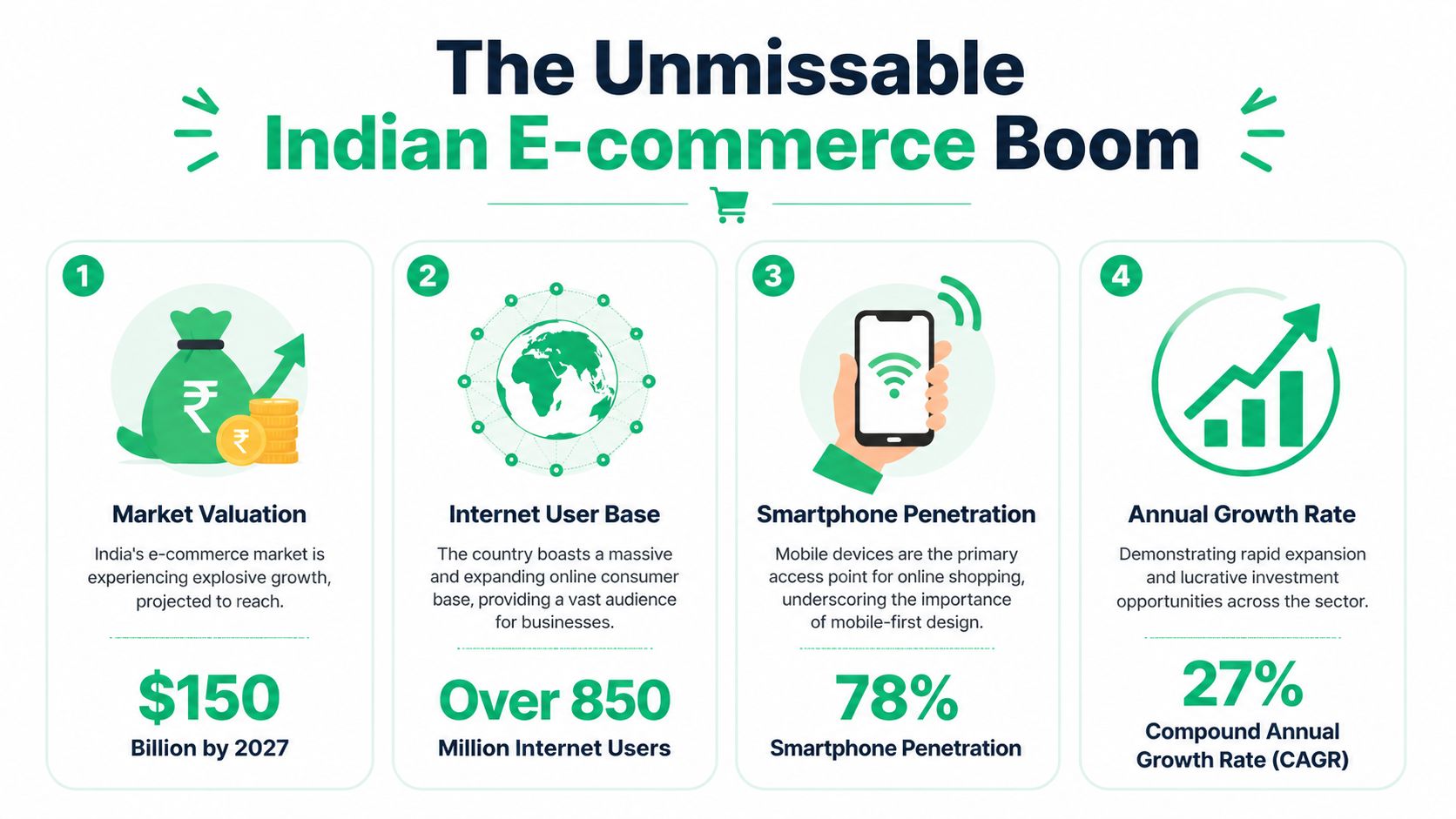
The Unmissable Indian E-commerce Boom
Nearly 60% of new online shoppers since 2020 came from Tier-3 and smaller cities, according to Bain’s India online shopping analysis. That single shift changes how an Indian e-commerce site should be planned, built, and operated.
Teams that design only for metro buying behavior usually see the strain after launch, not during design review. Failed deliveries rise. Support tickets pile up around address edits, order status, and payment confusion. Conversion can still look acceptable at first, but margin gets hit later through reattempts, returns, and manual support work.
Why the market is different now
India’s e-commerce growth is no longer concentrated in a small set of urban customer profiles. Bain also found that over 60% of new sellers since 2021 came from Tier-2 or smaller cities. That matters because the ecosystem is broadening on both sides. Buyers, sellers, logistics networks, and service expectations are becoming more distributed, and the website has to carry more of that operational load.
For operators, that usually creates four immediate build requirements:
- Regional readiness: Address handling, language context, and courier serviceability need to be considered early.
- Support efficiency: Repetitive issues like wrong house numbers, landmark confusion, and change requests should not land in an agent queue every time.
- Mobile reliability: A large share of traffic arrives on mobile devices with mixed network quality, so page weight and app bloat become direct revenue issues.
- Peak-event stability: Festive sales expose weak theme code, poor app decisions, and fragile integrations very quickly.
Practical rule: Build for the customer mix you expect after growth, not only for the first metro audience that got you started.
Tier-2 and Tier-3 demand changes development priorities
In Indian builds, we often see teams spend heavily on front-end polish while leaving order-quality controls and post-purchase flows underdeveloped. That trade-off looks harmless at launch. It becomes expensive once order volume rises.
A store serving demand beyond Tier-1 cities has to handle ambiguity better. Customer-entered addresses are less standardized. Delivery instructions matter more. COD, prepaid trust signals, and status visibility all affect whether a shopper completes the purchase and whether the operations team can fulfill it profitably. On high-volume Shopify stores, the actual pressure point is rarely the homepage banner. It is the handoff between storefront data, checkout logic, OMS rules, courier allocation, and self-service after checkout.
That is also why platform choice matters early. Brands comparing Shopify plans should look beyond theme features and examine workflow control, automation, and scale requirements. A practical starting point is this comparison of Shopify vs Shopify Plus for growing brands.
| Development priority | Why it matters in India | What usually fails |
|---|---|---|
| Mobile-first storefronts | Many customers browse and buy on phones first | Desktop-led review cycles and heavy front-end assets |
| Flexible checkout and payment UX | Payment comfort varies by customer, region, and order value | Card-first assumptions and weak trust messaging |
| Address quality controls | Better address data reduces delivery costs and failed attempts | Free-form inputs without validation or prompts |
| Post-purchase self-service | Customers often need edits, tracking help, or quick answers after ordering | Routing every request to support agents |
| Logistics integrations | Fulfillment complexity increases outside major metros | Manual courier assignment and patchy status sync |
Generic global playbooks break here
A global DTC template can produce a good-looking store in India and still create avoidable operational drag. The problem is not only checkout conversion. The problem is what happens after the order is placed.
The stores that scale cleanly usually treat the website as an operating layer, not just a selling layer. They reduce avoidable support contact, give customers better post-purchase visibility, and use that journey to protect margin and increase average order value. That is the part many development guides skip, and in India, it has a direct effect on how well a brand handles scale.
Choosing Your Platform Shopify Custom or Hybrid
Platform choice shapes speed, maintenance burden, and how painful scale becomes later. In practice, most Indian brands choosing between Shopify, Shopify Plus, WooCommerce, Magento, and a custom stack aren’t really choosing software. They’re choosing their future operating model.
A founder usually asks, “What can we launch fastest?” The better question is, “What can we still manage cleanly during sale events, catalog expansion, and post-purchase exceptions?”
What works for most growth-stage brands
For many DTC brands in India, Shopify is the best balance of launch speed, ecosystem depth, and lower operational overhead. For higher-volume merchants with more complex workflows, Shopify Plus usually becomes attractive when the business needs stronger process control without taking on the engineering burden of a full custom platform.
If you’re evaluating the difference at that level, this breakdown of Shopify vs Shopify Plus is useful because the primary decision usually comes down to workflow complexity, not branding.
Side-by-side platform comparison
| Platform | Ideal For | Estimated Upfront Cost (INR) | Scalability | India-Specific Ecosystem |
|---|---|---|---|---|
| Shopify | DTC brands that need speed and lower maintenance | Qualitatively lower than enterprise custom builds | Strong for most brands | Good app ecosystem for payments, shipping, and merchandising |
| Shopify Plus | High-volume stores with more advanced operational needs | Higher than standard Shopify | Very strong for large DTC operations | Strong fit for brands needing more process control and app extensibility |
| WooCommerce | Content-heavy brands with in-house technical comfort | Varies widely by scope | Good, but depends heavily on hosting and code quality | Flexible, but plugin quality and maintenance vary |
| Magento Adobe Commerce | Enterprises with complex catalogs and internal tech resources | Higher than most standard platform builds | Strong, but heavy to manage | Viable for complex operations, often more than many DTC brands need |
| Custom or hybrid build | Businesses with unusual workflows or deep internal systems | Highest and least predictable | Depends on architecture and team maturity | Can fit India-specific requirements well, but takes discipline |
The real trade-offs
Shopify and Shopify Plus win when the business wants speed, app ecosystem access, and fewer infrastructure headaches. That matters in India because teams often need to move fast on campaigns, landing pages, logistics integrations, and support tooling without waiting on a large engineering roadmap.
WooCommerce can work well for brands with strong WordPress content operations or a technical team that can manage plugin conflicts, hosting issues, and performance tuning. It tends to look cheaper at first than it feels later if governance is weak.
Magento is often chosen for capability, then regretted for complexity. It can be the right fit, but many mid-market brands buy enterprise weight before they have enterprise process discipline.
Custom builds make sense when the brand has unusual workflows, not when it just wants a more unique storefront. If your needs are mostly merchandising, checkout, promotions, and post-purchase operations, going fully custom too early usually creates expensive dependency.
A platform should remove work from your team. If it creates a constant queue of developer-only fixes, it’s the wrong fit.
A practical selection lens
Use these decision criteria instead of feature-list comparisons:
- Choose Shopify if your team values speed, app-driven extensibility, and lower day-to-day technical maintenance.
- Choose Shopify Plus if the business already feels operational strain from scale, approvals, complex support scenarios, or deeper systems integration.
- Choose WooCommerce if content is central and you already have strong technical ownership in-house.
- Choose Magento only if your complexity is real and sustained.
- Choose hybrid or custom only when a standard commerce platform cannot support the business model without awkward workarounds.
In India, the best platform is rarely the one with the longest feature checklist. It’s the one your team can operate confidently during growth.
Navigating India-Specific Development Requirements
According to PaymentsCMI’s India e-commerce market overview, e-commerce made up 8% of India’s total retail market in 2024 and is projected to reach 14% by 2028, while Tier-2+ cities drive 60% of online orders. That mix changes how a store should be built. Indian commerce development has to account for payment behavior, tax handling, logistics reliability, and post-purchase communication from day one.

Payment expectations are local, not generic
A checkout that works in the US or UK often underperforms in India, especially on mobile. UPI support is expected. Wallets still matter in many categories. Failed payment recovery matters more than many teams assume, because a large share of abandonment happens after intent is already clear.
For high-volume Shopify stores, I usually look at the payment stack as both a conversion layer and a support layer. If payment status is unclear, support tickets rise. If retry logic is weak, recovered revenue falls. If COD rules are too loose, returns and fake orders eat margin.
A solid implementation usually includes:
- UPI support: Required for broad market acceptance.
- Wallet readiness: Useful for faster repeat purchases.
- Fallback and retry logic: Helps recover orders after failed attempts.
- Clear payment messaging: Customers need to know if the order is confirmed, pending, or failed.
- COD controls where relevant: OTP verification, pincode rules, or prepaid incentives can reduce bad orders.
GST and invoicing need operational thought
GST setup affects more than compliance. It touches order records, invoice generation, returns, accounting sync, and customer communication. If those flows are inconsistent, the issue shows up after purchase, not during launch QA.
The practical approach is simple. Define tax handling before development starts. Map invoice generation to your OMS, ERP, or finance workflow. Test edge cases such as partial shipments, split orders, refunds, and discount combinations.
This is also the point where team structure matters. If the build needs custom invoice logic, tax rule handling, and middleware support, many brands choose to hire full-stack developers instead of relying only on front-end execution.
Localization goes beyond language
Regional growth changes UX priorities. Address forms need to be forgiving. Error messages need to be plain. Delivery promises need to be specific. Order tracking and cancellation flows should answer common questions before the customer contacts support.
That last point gets ignored too often.
A store built for India should reduce post-purchase confusion, not just help users place the order. Clear order confirmation, invoice access, shipment updates, self-serve tracking, and return status visibility reduce support load and protect contribution margin as order volume grows.
Strong Indian e-commerce builds remove ambiguity across the full order journey, especially after checkout.
Shipping integrations should be planned early
Shipping is where many polished storefronts break operationally. Courier allocation, serviceability checks, COD availability, NDR workflows, and tracking events all affect customer experience after the order is placed. If these systems do not sync properly, the support team ends up answering preventable WISMO queries and fixing fulfillment exceptions by hand.
Use this launch checklist as a minimum standard:
| Requirement | Why it matters | Common mistake |
|---|---|---|
| UPI and wallet support | Matches customer payment behavior | Offering only generic card-first flows |
| GST-ready invoice logic | Keeps finance, customer records, and returns aligned | Treating tax setup as a late-stage plugin task |
| Courier and shipping integration | Improves fulfillment accuracy and tracking visibility | Running growing order volume on manual dispatch operations |
| Regional UX readiness | Helps users in non-metro markets complete orders with less friction | Designing only for English-first metro shoppers |
| Order communication flows | Reduces support tickets after purchase | Sending vague confirmations and weak tracking updates |
A store can look polished on launch day and still struggle in India a month later. The weak points are usually the same: payment drop-offs, bad address capture, courier exceptions, unclear order updates, and manual back-office work that scales support costs faster than revenue.
Structuring Your Development Project Agency vs Freelancer
This decision is usually framed around cost. That’s too narrow. In India, the better comparison is risk transfer versus management overhead.
A freelancer can be a strong choice for a tightly scoped store, a redesign sprint, or one specialized task. An agency is usually the safer choice when the project includes platform setup, custom UX, app integrations, QA, analytics, and post-launch support. Most high-volume stores need more coordination than one person can reliably provide.
When a freelancer makes sense
Freelancers are useful when the scope is narrow and the operator on your side is strong. If you already know the platform, have your brand assets ready, and need a storefront build with limited custom logic, a good freelancer can move quickly.
Freelancer-led builds work best when:
- The requirements are fixed: No moving target on features.
- You already know your stack: Payments, shipping, and apps are decided.
- You can manage the project internally: Someone on your team can review work, test flows, and keep deadlines honest.
The weak point is continuity. If the freelancer disappears during launch week or after a critical bug appears, you don’t have much protection.
When an agency is the better call
For most serious e commerce websites development india projects, agencies become worth the premium when complexity rises. That’s especially true for Shopify Plus merchants handling merchandising logic, systems integration, and operational workflows beyond the storefront.
An agency usually gives you:
- Specialist coverage: Design, development, QA, and project management under one roof.
- Process discipline: Better testing, documentation, and handoff.
- Ongoing support: Useful when sale events or post-launch fixes are critical.
Cheap delivery is expensive when rework starts. The first quote rarely includes the cost of weak QA and unclear ownership.
A practical way to decide
If you need flexibility in hiring for a mixed internal-external setup, marketplaces where you can hire full-stack developers can help fill specific skill gaps. That’s often more sensible than forcing either a pure agency or pure freelancer model.
Use this filter before you hire:
| Situation | Better fit |
|---|---|
| Simple theme-led build, clear scope, internal operator available | Freelancer |
| Fast MVP with limited integrations | Freelancer or small specialist team |
| Shopify Plus build with apps, automation, and support requirements | Agency |
| Replatforming with logistics and backend coordination | Agency |
| Ongoing CRO and iterative development | Agency or hybrid retained team |
The wrong hiring model creates hidden cost. The project stalls, bugs linger, and your team becomes the unpaid project manager.
Winning on Performance SEO Speed and Mobile-First Design
According to Prabisha’s guide to e-commerce website development in India, 75% of traffic comes from mobile devices, sub-3-second load times can reduce cart abandonment by up to 32%, and PWA features can improve re-engagement by 2.5x. For Indian brands, that is not a front-end detail. It affects paid efficiency, organic visibility, checkout completion, and support volume after the order.
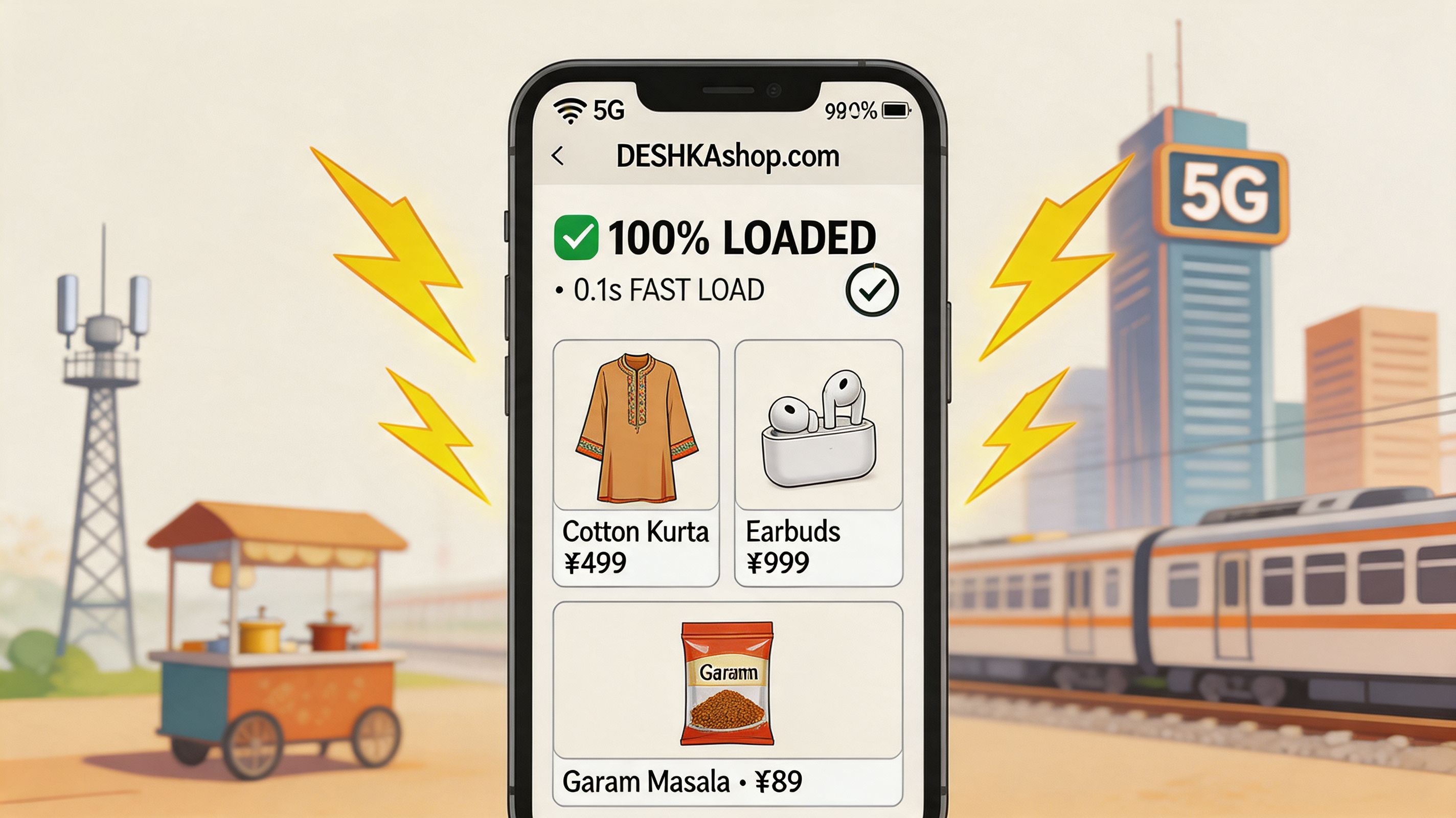
I see the same pattern on high-volume Shopify stores in India. Teams approve polished desktop designs, then wonder why conversion lags on campaign traffic from Instagram, Meta, and Google Shopping. The issue is usually simpler. The store is too heavy for mid-range Android phones, inconsistent mobile networks, and script-heavy category pages.
Mobile-first design starts with constrained conditions. Smaller screens, slower connections, thumb-driven navigation, and buyers who want product details, delivery clarity, and checkout access without waiting. That changes build priorities.
Focus on these implementation areas:
- Image discipline: Use modern formats, compress aggressively, and lazy-load non-critical media.
- App control: Review every script, pixel, widget, and review app for actual revenue impact. Remove what does not earn its keep.
- Fast first render: Load primary product information, price, variants, and add-to-cart first.
- Search and filtering: Make discovery fast on collection pages, especially for larger catalogs and repeat buyers.
- Checkout clarity: Surface shipping promises, COD information, return terms, and trust signals early so customers do not hesitate or open support tickets later.
SEO and performance are tied together in practice. Slow collection pages hurt crawl efficiency, weaken user signals, and waste paid clicks that should have turned into product views. Strong internal linking, clean collection architecture, and mobile pages that render quickly still beat gimmicky SEO tactics. If you want a practical reference on category structure and ranking basics, this guide to the best ecommerce SEO is worth reviewing.
Conversion work also needs discipline. Otter A/B's conversion playbook is useful because it connects testing decisions to revenue, not cosmetic changes that look productive in review meetings but do little on live traffic.
For Indian merchants, speed work also improves operations after the sale. Faster storefronts reduce mis-taps, duplicate clicks, abandoned payments, and checkout confusion. That means fewer "did my order go through?" tickets, fewer accidental address mistakes, and less load on support teams already dealing with COD verification, courier exceptions, and return requests.
Use these standards during QA and launch review:
- Collection and product pages should load quickly on average Android devices, not just office Wi-Fi and new iPhones.
- Search, filters, variant selection, and cart updates should respond instantly enough that users do not repeat actions.
- Third-party apps should be treated as cost items. Each one must justify its effect on conversion or operations.
- Above-the-fold content should prioritize product understanding and buying actions, not decorative elements.
- Mobile UX should reduce post-purchase confusion, because every avoidable support ticket has a staffing cost.
Here’s a useful visual primer for teams discussing mobile and storefront speed with non-technical stakeholders.
Fast stores convert better, rank better, and create fewer support problems because customers can complete the right action the first time.
The Post-Purchase Playbook Slashing Support and Boosting AOV
A high-volume store in India can handle growth on the front end and still lose margin after the order is placed. That usually starts with support queues, manual order edits, failed delivery attempts, and disconnected fulfillment workflows. As Orangemantra notes in its discussion of Indian e-commerce development gaps, many development conversations still underweight backend automation, approval flows, and 3PL or ERP integration. For operators, those gaps show up as daily friction.
I see this pattern often on Shopify builds. Teams spend heavily on acquisition, optimize PDPs, improve checkout, and then route every address change, phone correction, and order-update request into WhatsApp, email, or a helpdesk queue. That model breaks once order volume rises, especially when COD verification, courier exceptions, and partial fulfillment already consume support capacity.
Turn repetitive tickets into controlled customer actions
Post-purchase self-service works when it is tightly scoped. Customers should be able to fix common mistakes quickly, but only within rules that protect fulfillment and margin.
Useful controls usually include:
- Address edits within a time window: This catches entry errors before picking starts.
- Phone or email correction: Courier communication depends on clean contact data.
- Approval rules for sensitive changes: Operations can allow low-risk edits and hold anything that affects fraud, shipping cost, or inventory allocation.
- Order tags and workflow triggers: Modified orders can be routed for review, repacking, or carrier updates without manual chasing.
For teams building this into their stack, this guide to post-purchase customer experience is a practical reference because it treats the order journey as an operating workflow, not just a sequence of status emails.
Bad address data gets expensive fast
In India, address quality is rarely a minor issue. It affects delivery success, return-to-origin rates, customer satisfaction, and support workload. Apartment names are skipped, landmarks are inconsistent, pincode and locality combinations are mistyped, and customers often notice the mistake only after payment.
Good development work reduces that mess early. Use autocomplete where possible, validate fields in real time, and make post-purchase correction simple before the order is locked for fulfillment. If bad data enters the system, warehouse and support teams pay for it later.
Post-purchase systems should remove routine work from your team, not create another queue to monitor.
The thank you page should earn revenue
Order confirmation is not dead space. It is one of the few moments where customer intent is still high and acquisition cost has already been paid.
Well-run stores use the Thank You page and order-status flow to present relevant add-ons that can be attached to the existing order without confusing fulfillment. The offer has to fit the original purchase, stock position, and shipping logic. Random cross-sells create more support questions than revenue.
| Post-purchase capability | Operational effect | Revenue effect |
|---|---|---|
| Self-service order edits | Cuts repetitive support tickets | Protects fulfillment efficiency |
| Address validation | Reduces failed deliveries and manual intervention | Lowers downstream order friction |
| Approval workflows for changes | Keeps risky edits under control | Prevents margin loss from manual handling |
| Upsells on confirmation and status pages | Adds revenue without increasing acquisition cost | Raises average order value |
What usually fails
Three decisions create avoidable problems:
- Handling all changes through support channels. Response time slows, customers get frustrated, and ticket cost rises with volume.
- Allowing unlimited edits after payment. Warehouse errors, fraud risk, and shipping exceptions increase.
- Skipping system sync. If storefront changes do not reach fulfillment, ERP, or courier workflows correctly, the team still fixes everything by hand.
Strong Indian e-commerce builds do more than convert. They reduce service load after purchase, keep operations tighter under volume, and use the post-purchase journey to raise AOV without creating new chaos in the backend.
Key Questions on E-commerce Development in India
How should a merchant handle GST across states
Treat GST as an operational workflow, not just a storefront setting. Confirm product tax mapping, invoice generation logic, and how refunds or partial fulfillment affect your records. Your development team and finance team should review this together before launch.
Is Shopify or custom better for India
For most DTC brands, Shopify is the more practical starting point because it reduces maintenance and speeds up launch. Custom only makes sense when your workflows are unusual enough that a standard commerce platform creates constant compromise.
What matters most for mobile performance in India
Prioritize page weight, app-script control, image optimization, and simplified mobile UX. If the site feels slow on a common smartphone with variable connectivity, the build isn’t done.
What causes support volume to spike after launch
Usually it’s avoidable order issues. Address errors, contact-detail mistakes, unclear order messaging, and missing self-service options push routine tasks onto support. That’s why post-purchase design matters as much as pre-purchase conversion.
Should brands choose an agency or freelancers
Use freelancers for narrow, well-managed scopes. Choose an agency when the store has multiple integrations, operational complexity, or meaningful post-launch support requirements. The more systems involved, the more coordination matters.
If your Shopify store is growing and your team is buried in post-purchase edits, support tickets, and missed upsell opportunities, SelfServe is worth a close look. It helps merchants give customers controlled self-service for order changes, validate addresses in real time, and add post-purchase upsells on Thank You and order-status pages, all without turning operations into a manual mess.