Infinite Options Shopify App: Guide & Review 2026
A lot of Shopify teams reach the same breaking point the same way. A product line starts simple. Then merchandising adds personalization, bundles, gift add-ons, made-to-order fields, or wholesale-style configuration. Suddenly the product page no longer fits the catalog structure that worked six months ago.
That’s when the native variant system starts fighting you. The store team tries to squeeze custom logic into product variants, duplicates products to handle edge cases, and keeps a backup spreadsheet because no one trusts the catalog anymore. Marketing wants a cleaner product page. Support wants fewer order notes. Operations wants the order to print correctly the first time. None of those teams are asking for the impossible. They’re asking Shopify to support a more flexible buying experience than native variants were designed for.
Introduction Escaping Shopify's Variant Limit
A merchant launches a product page for a customizable gift set. Within a month, the team needs gift messages, delivery-date selection, optional upgrades, and packaging notes. Native variants handle the sellable SKU well enough. They do a poor job of capturing everything around that SKU that operations still needs to fulfill the order correctly.
That gap explains why the infinite options shopify app category stays relevant. Infinite Product Options has been around for years because it solves a practical catalog problem. It lets merchants collect buyer inputs without exploding the product count or forcing awkward variant combinations that make the admin harder to maintain.
For high-volume stores, this is not just a merchandising question. It affects how cleanly order data moves into fulfillment, how reliably custom instructions appear for support and warehouse teams, and whether your storefront stack can render option fields without breaking the product page. That last point matters more now than it did a few years ago, especially for brands running modern theme builds, page builders, or custom storefront logic instead of a mostly standard Shopify theme.
I usually advise teams to separate two questions early. First, do you need more flexibility before checkout. Second, do you need better control after the order is placed. Infinite Options is aimed at the first problem. It can be a strong fit if the job is collecting customization inputs on the product page. It is not a full order-editing system, and stores that need post-purchase changes often discover that later, after support volume rises.
If your customization needs are starting to overlap with workflow complexity, this comparison of Shopify vs Shopify Plus for scaling operational complexity helps frame whether the issue is plan-level capability, storefront architecture, or both.
Some brands also reach the point where app configuration is no longer enough and they need to optimize your Shopify store with custom apps to fit their catalog, theme, and back-office process.
The core problem usually isn’t “I need more fields on a product page.” It’s “my catalog model no longer matches how customers actually buy.”
How the Infinite Options App Fundamentally Works
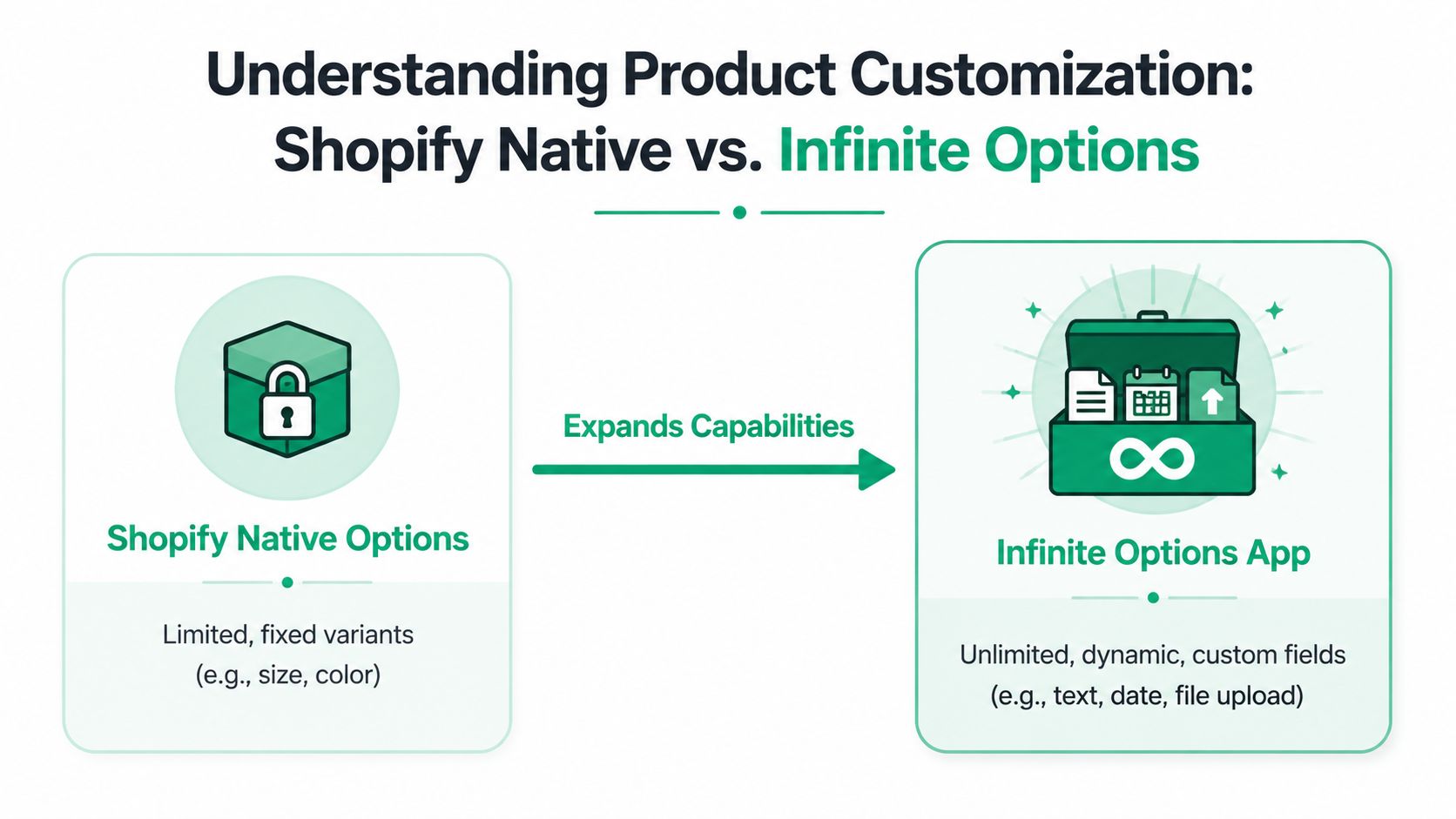
A merchant sells a best-selling candle in six scents, then decides to add gift notes, custom labels, box color, and a requested ship date. If all of that is modeled as variants, the catalog gets messy fast. Infinite Options avoids that by keeping the sellable product as a normal Shopify item and collecting the extra customer input separately on the product page.
The distinction matters in practice. Shopify variants control inventory, SKU logic, and native product combinations. Infinite Options handles buyer-supplied details that do not need to become standalone variants in admin. For high-volume stores, that usually means less catalog maintenance and fewer avoidable merchandising errors.
It runs on line item properties
The app works by writing customer selections to line item properties instead of creating a new Shopify variant for every possible combination. As shown in this walkthrough on YouTube, that approach lets merchants collect inputs that would be impractical to model as native variants, such as engraving text, monograms, delivery notes, file uploads, or made-to-order measurements.
In the cart and order, those values appear as product-specific attributes tied to that line item. A setup might store details like:
- Engraving text: Happy Birthday Alex
- Gift wrap: Yes
- Thread color: Gold
- Delivery date: Friday
That architecture is the app’s main advantage. It keeps the product catalog cleaner because the team is not creating admin records for every personalization scenario.
It also creates a clear trade-off. Line item properties are excellent for capturing instructions, but they do not behave like true variants. They do not manage inventory by option value, and they can require extra testing with custom carts, drawer carts, upsell apps, and page builders.
What happens on the storefront and in the order
On the storefront, the app injects additional fields into the product form. A shopper selects options, enters text, or uploads a file. Those values are then passed into the cart with the product and saved as part of the line item data.
If the theme and product form are configured correctly, the order in Shopify Admin shows those instructions directly on the purchased item. That is what fulfillment teams need. Engravers, print operators, pick-pack teams, and customer support staff should be able to see the custom input without checking email threads or internal notes.
I usually treat this as an implementation checkpoint, not a nice-to-have. If option data is visible on the product page but fails to carry cleanly into the cart, checkout, order admin, notification templates, or packing workflows, the setup is incomplete. Stores doing serious volume should also test how these fields render on mobile, accelerated checkout flows, and any product page built outside the default theme template. This guide to Shopify product page optimization best practices is useful because option apps often fail at the form layer, not in the feature list.
Why merchants use this model
The business case is simple. Infinite Options lets a store collect paid add-ons and buyer-specific instructions without turning one product into a long list of low-value variants.
That works well for stores selling personalized products, configurable gifts, made-to-order items, and products with optional service add-ons. It is also useful when the base SKU stays stable but the customer needs to specify details that change from order to order.
Where merchants get into trouble is assuming this solves every customization problem. It solves pre-purchase data capture. It does not replace order editing, post-purchase change management, or complex operational routing on its own. Brands with custom workflows often reach a point where they need to optimize your Shopify store with custom apps so the option data flows cleanly into fulfillment, ERP logic, or customer service tools.
Where the model fits best
Infinite Options scales best when the product has a stable core SKU and a flexible instruction layer on top of it.
Common examples include personalized gifts, custom print products, configurable furniture, event merchandise, and bundled products where the customer needs to choose extras without creating a variant explosion in Shopify. It is a strong pre-purchase tool. The main question is not whether it can collect the data. The critical question is whether the rest of your storefront and operations stack can use that data reliably.
Core Features and Customization Capabilities
A strong options app does two jobs at once. It shapes the buying experience on the product page, and it determines how cleanly custom data reaches support, production, and fulfillment after the order is placed.
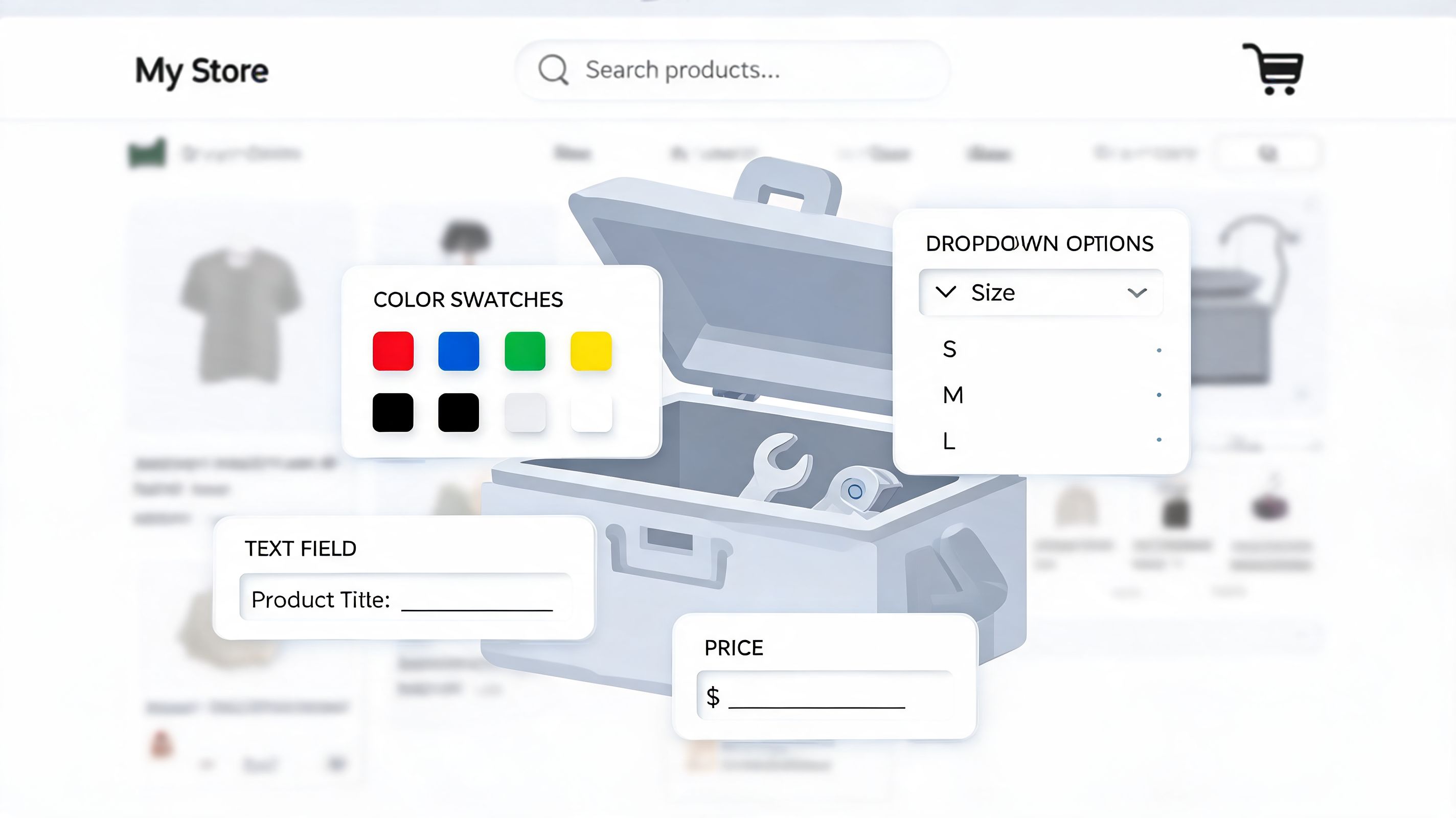
Infinite Options covers the field types that matter for real merchandising work. The Shopify App Store listing for Infinite Options shows support for text inputs, radio buttons, dropdowns, checkboxes, swatches, number fields, file uploads, required fields, character limits, and conditional display rules. That mix is broad enough for many stores, but the field itself is never the hard part. The hard part is choosing inputs that reduce mistakes instead of creating more of them.
Which input types actually help operations
The practical value of each field type depends on who needs the information next.
- Text fields fit engraving, gift notes, personalization, and reference data that changes per order.
- Dropdowns keep selections controlled for material, finish, assembly choice, or packaging level.
- Checkboxes work for simple paid add-ons such as rush production or gift wrap.
- Swatches reduce hesitation on visual selections like color, finish, or fabric.
- Number fields help with dimensions, custom measurements, and quantity-based inputs.
- File uploads are useful for print, corporate merch, uniforms, and artwork-driven products.
On high-volume stores, dropdowns and controlled choices usually age better than open text. Customer service teams can scan them faster. Ops teams can map them more reliably. Reporting is cleaner too.
Text fields still matter. They just need guardrails. Character limits, required fields, and input validation reduce the number of orders that come in with incomplete instructions or unusable personalization.
Conditional logic is where the app becomes useful
Without conditional logic, a configurable product page turns into a long form. Conversion drops first on mobile, then support volume rises because shoppers are not sure which fields apply to their order.
Infinite Options handles show and hide logic well enough for many common setups. A buyer selects a premium material, then the relevant finish options appear. A buyer checks engraving, then the text box opens with a character limit. A buyer skips that upgrade, and the field stays out of the way.
That sounds simple. It is also the difference between a page that sells and a page that asks too much.
I usually recommend designing option sets in layers:
- Start with the base buying decision.
- Reveal only the next dependent choice.
- Ask for free-form input last.
- Keep optional upsells visually separate from required production details.
That structure keeps the page readable and makes order instructions easier to interpret later.
Pricing logic matters more than the form itself
Merchants often focus on whether the app can collect custom inputs. The bigger issue is how those selections affect revenue and order handling.
Infinite Options can apply charges to upgrades and add-ons, which is useful for personalization fees, material upgrades, premium packaging, and service add-ons. For many stores, that is enough to support a focused upsell strategy and increase average order value without creating another layer of Shopify variants.
The trade-off is operational clarity. Some option selections behave fine as line item properties. Others should really exist as separate products or bundled components because inventory, picking, and fulfillment depend on them.
| Capability | Best use | Ops impact |
|---|---|---|
| Line item property | Engraving text, gift notes, one-off instructions | Easy to capture, but harder to report on and automate |
| Price-based option | Paid upgrade, rush fee, premium packaging | Simple for merchandising, but can be limiting if the add-on needs its own SKU logic |
| Separate bundled item | Inventory-tracked add-on or service component | Cleaner for fulfillment and analytics, but requires more setup |
This is one of Infinite Options' real dividing lines. It is strong for pre-purchase customization. It is less elegant when a store needs every add-on to flow through inventory systems, ERPs, subscriptions, or complex 3PL rules as fully structured line items.
Page builder compatibility deserves a real review
This is the part many app comparisons skip.
On a standard Shopify theme, Infinite Options is usually straightforward to implement. On headless storefronts, custom product templates, or heavily customized page builders, the work can shift from app setup to front-end troubleshooting. Dynamic option rendering, add-to-cart behavior, sticky cart modules, and custom sections do not always cooperate out of the box.
I have seen solid option logic break because the product form was rebuilt by a page builder that handled variant selectors and cart events differently than the theme expected. The merchant blamed the app. The underlying issue was the interaction between the app script, the builder, and the product form architecture.
Before rolling this out broadly, test four things on your actual template stack:
- Product pages built in your live theme and in any page builder you use
- Mobile behavior, especially for long option sets
- Cart drawer and mini-cart handling
- How option data appears in order admin, confirmation emails, and downstream systems
Teams that are already reworking product templates should also review broader Shopify product page optimization best practices, because even good option logic performs poorly on cluttered pages with weak hierarchy.
Start narrow, then harden the workflow
The best rollout pattern is not storewide. Start with a small set of products where customization already affects conversion or margin. Audit the order output. Confirm that warehouse staff, print teams, customer support, and any external systems can all read and use the option data without manual cleanup.
That process exposes the true fit.
Infinite Options is good at collecting pre-purchase inputs. It is not a full customization operations layer by itself. Stores with simple to moderate configuration needs can get value quickly. Stores with complex downstream routing usually need additional work after the product page is solved.
A quick product demo can also help teams visualize how these interfaces behave in practice:
Use Cases and Industries Who Benefit Most
The merchants who get the most from the infinite options shopify app aren’t looking for novelty. They’re trying to sell products that don’t fit a rigid variant matrix.
Apparel and accessories
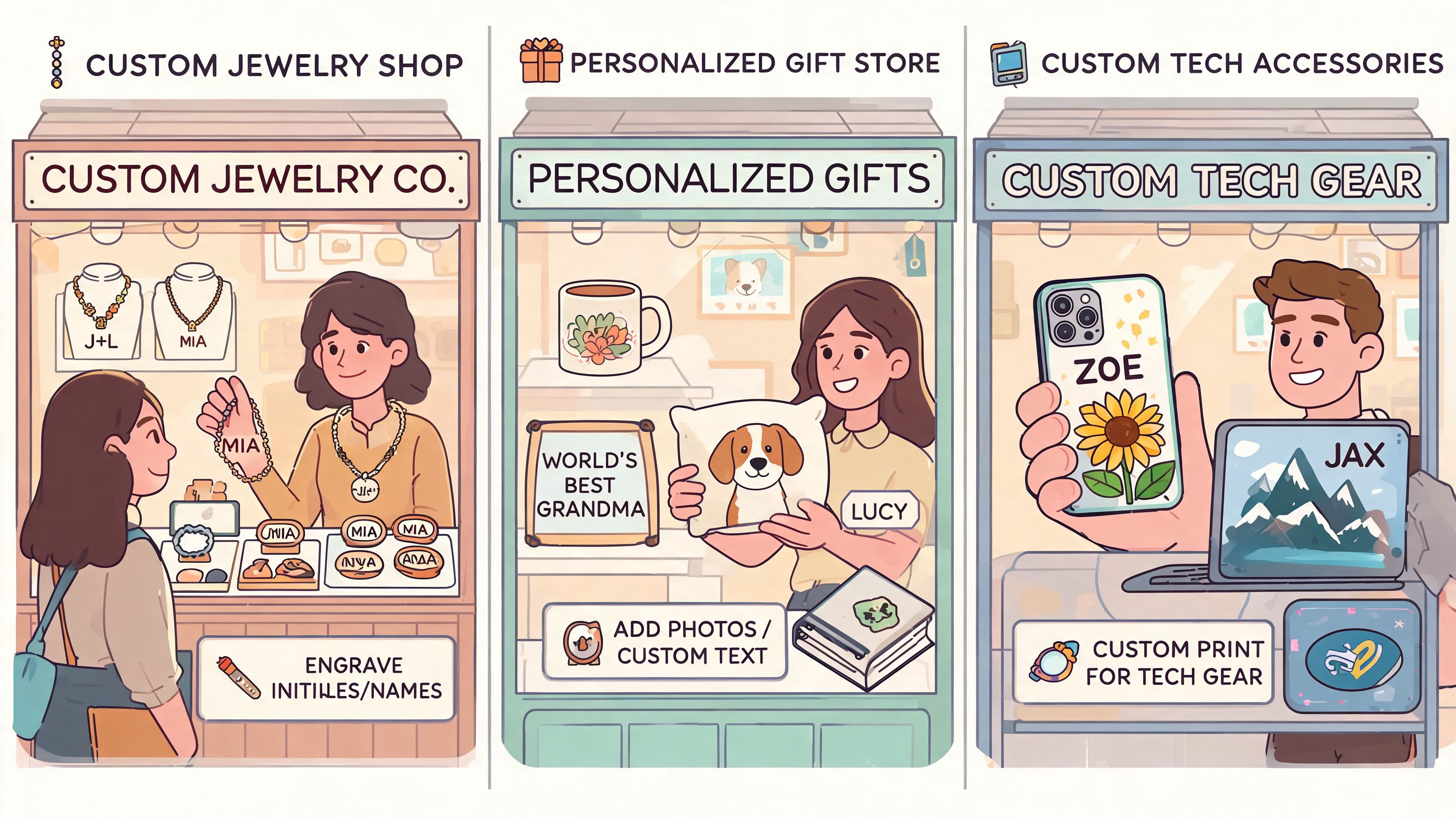
Apparel brands often hit the wall first. Size and color already consume native options, so anything extra becomes awkward. A monogrammed sweatshirt, a custom patch placement, or a team order with player names can’t be handled elegantly with variants alone.
That’s where an option layer works. The product keeps its base SKU structure, while the customer adds text fields, placement choices, and premium upgrades on top. The merchandising team avoids variant overload. The warehouse sees the instructions directly on the order.
Jewelry and premium gifting
Jewelry stores are a natural fit because the customer often wants to configure the product without feeling like they’re filling out a form. Engraving text, chain length, packaging upgrades, and material upgrades all belong in a controlled buying flow.
The app works well when the store needs to guide the buyer through steps in sequence. Select engraving. Then show the engraving text field. Choose premium packaging. Then add the charge visibly. Keep the page tidy and the order data structured.
Home goods and made-to-order products
Home brands use Infinite Options differently. They’re less focused on novelty and more focused on capturing specifications correctly. A furniture merchant may need finish, room placement notes, installation details, or dimension input. A home decor brand may need fabric selection, lining preference, or personalization copy.
These stores benefit when the product page can ask detailed questions without forcing the team to create a separate variant for every edge case. It’s especially helpful when the primary value is in collecting production instructions, not in tracking every possible front-end combination as a native SKU.
The strongest implementations don’t ask more questions than necessary. They ask the exact questions production needs.
Food, gift boxes, and tech accessories
Food and gifting brands often have a different problem. Their products are bundle-like by nature. A gift set can include packaging, note content, occasion-specific add-ons, and product mix decisions. Native variants break down quickly because the combinations are too broad and too seasonal.
Tech accessories sellers also benefit when products are configuration-heavy. Custom cable lengths, compatibility notes, engraving, or upgrade modules are easier to capture as options than as variants.
The merchants who usually get the clearest return from this app share a few traits:
- They sell products with customization as part of the value proposition
- Their team needs structured order data, not loose order notes
- They want add-ons and upgrades to raise order value
- Their catalog would become unmanageable if every combination became a variant
If your product is basically standard retail with a simple size-color matrix, this app may be more than you need. If your product page acts like a mini configurator, it’s often the right category of solution.
Pros Cons and Critical Limitations
A store launches a high-converting landing page for a customizable product, paid traffic hits it, and orders start coming in with missing selections or option fields that fail to load on mobile. That is usually where the true evaluation of Infinite Options begins. The app can work well in production, but only if the store’s merchandising model, theme stack, and order operations match what it is designed to do.
Where it excels
Infinite Options solves a practical catalog problem. It lets teams collect personalization data, service selections, and paid add-ons without creating an inflated variant matrix that becomes hard to merchandise and even harder to maintain.
That has direct operational value.
Merchandising can launch faster because the team is not creating and naming endless variant combinations. Operations gets more structured order input than a free-form order note. Marketing can test add-ons like gift wrap, rush production, or monogramming without asking the catalog team to rebuild products every time.
It also performs well for a specific kind of upsell. If the add-on is a choice attached to the base product rather than a separate inventory-managed item, the app gives stores a clean way to increase order value before checkout. Teams focused on margin often pair option-based add-ons with broader Shopify post-purchase upsell strategies so revenue growth does not depend on the product page alone.
The app’s maturity also matters. Stores doing serious volume usually value predictable behavior over flashy configuration features they will never use.
The limitation merchants underestimate
Infinite Options stores customer selections as line item properties. That distinction matters because line item properties are not native variants.
For personalization fields, that is usually fine. For inventory-aware components, it can become a serious constraint. If a shopper selects a premium hardware finish, an upgraded insert, or a specific accessory that your warehouse needs to pick as its own SKU, the setup gets more complicated. Some merchants work around this with linked products, bundles, or custom cart logic, but those choices need to be mapped before launch.
I have seen this go well for engraving, gift messaging, and made-to-order instructions. I have also seen teams push it too far and end up with brittle workflows where customer-facing options look elegant, while fulfillment staff are manually interpreting order data behind the scenes.
That is the dividing line. Infinite Options is strong for capturing customization data. It is less reliable as a substitute for a true configurator tied tightly to inventory logic.
The page builder problem is real
Compatibility is the issue many teams discover late.
Stores on standard Shopify themes often have a straightforward implementation path. Stores using Replo, GemPages, heavily customized themes, or headless builds need more testing, because the product form, app scripts, and page-builder components all need to cooperate. As noted in Replo’s documentation on Infinite Options integration limitations, merchants can run into specific constraints, including limits on how the app can be embedded on a page and gaps around certain add-on setups.
For high-volume brands, this is not a small technical footnote. It affects campaign execution. A growth team wants a custom landing page. The product team wants dynamic option logic. Development finds form conflicts or rendering limits. Support then deals with failed selections, confused customers, and manual order cleanup.
Those problems show up fast in conversion metrics. If you are trying to reduce shopping cart abandonment, a broken customization flow can erase the benefit of better pricing, stronger creative, or more aggressive retargeting.
The honest verdict
Infinite Options is a good fit for stores that need flexible pre-purchase inputs on a standard product page and can tolerate the trade-offs of line item properties. It is often a poor fit for merchants who need every selectable option to behave like a native SKU across inventory, fulfillment, and reporting.
That does not make it limited in a negative sense. It makes it specialized.
Used within its boundaries, it is a dependable option app. Used as a workaround for complex product configuration across modern page builders and inventory-heavy catalogs, it starts to show strain.
Alternatives and Post-Purchase Considerations
Choosing an infinite options shopify app isn’t only about the product page. It’s about where in the customer journey you need flexibility.
Some merchants need a pre-purchase configurator. Others already solved that and now have a different problem: once the order is placed, the customer can’t fix a typo, change an address, or adjust the order without contacting support. Those are related problems, but they are not the same problem.
Pre-purchase alternatives
Infinite Options competes in a crowded category. The direct alternatives are usually evaluated on four things: field types, conditional logic, design flexibility, and compatibility with the merchant’s theme stack.
Bold Product Options is commonly compared with Infinite Options because it also handles advanced option logic and paid add-ons. In practice, the choice often comes down to implementation style and ecosystem fit rather than one app having a universally better feature list. Some teams prefer one app’s setup flow, others prefer the other’s UI behavior or support approach.
There are also stores that don’t need a pure options app at all. If the challenge is inventory-aware bundling, kit building, or multi-SKU assemblies, a bundling-focused solution can be more appropriate than trying to force all complexity through line item properties.
The gap every options app leaves behind
No matter which pre-purchase app you choose, the customer usually becomes less flexible after checkout.
That creates a common pattern in support queues:
- The customer wants to fix a misspelled engraving note
- They entered the wrong apartment number
- They want to add another item after purchase
- They need to cancel or adjust part of the order
A product-options app doesn’t solve any of that. Its job ends before fulfillment begins. That’s where merchants often realize they solved selection on the product page but not management after conversion.
Shopify app roles across the customer journey
| App | Primary Use Case | Customization Type | Point in Customer Journey |
|---|---|---|---|
| Infinite Options | Product page configuration | Pre-purchase option fields, conditional logic, price add-ons | Before checkout |
| Bold Product Options | Product customization and add-ons | Pre-purchase product options and logic | Before checkout |
| Bundling-focused apps | Multi-SKU kits and inventory-aware bundles | Pre-purchase bundle assembly | Before checkout |
| SelfServe | Order changes and customer self-management | Post-purchase edits, address updates, upsells | After checkout |
What merchants should decide first
The best way to evaluate alternatives is to map the operational pain, not just compare app screenshots.
Ask these questions:
Is the main pain on the product page or after checkout?
If it’s product complexity, compare options apps. If it’s support load after purchase, you need a different tool.Do selections need inventory behavior or just order context?
If every choice should map tightly to stock or fulfillment systems, an options-only approach may not be enough.Will the store run on native templates or page builders?
This changes the implementation risk substantially.Who owns the workflow after launch?
Merchandising, support, and operations all interact with these tools differently.
For stores that already monetize the product page and want the next operational win, the more strategic move is often improving the post-purchase experience. This is especially true if your team is trying to add revenue after checkout rather than cramming every add-on decision into the initial buy. A useful example is this guide to Shopify post-purchase upsell, which focuses on the revenue and workflow opportunities that happen after the original order is placed.
The key point is simple. Infinite Options can improve how customers configure products before purchase. It won’t manage what happens next.
Frequently Asked Questions about Infinite Options
Does Infinite Options track inventory for each option?
Not in the same way native variants do. The app is strongest when the base product carries inventory and the option layer captures instructions, personalization, or paid extras. If an add-on needs strict SKU-level inventory behavior, treat that as a separate merchandising decision and test whether bundling or separate line items are the better fit.
Does it work on Shopify Plus?
Yes, and Plus merchants often use it because their catalogs and customization needs are more complex. But Plus doesn’t remove implementation risk. If your storefront relies on custom themes, page builders, or headless components, test the full product-page flow before rollout. Don’t assume app compatibility just because the store is on Plus.
Will it slow down my product pages?
It can add front-end complexity because it injects scripts, field logic, and price behavior into the product form. The practical fix is to keep option sets focused. Remove fields that aren’t essential, limit unnecessary conditional branches, and QA the mobile experience carefully. A shorter, sharper configurator usually performs better than a page loaded with every conceivable choice.
Keep the form as small as possible and as strict as necessary.
Is migrating from another product options app easy?
Usually not fully automatic. Even if the new app supports similar field types, you still need to rebuild logic, verify design behavior, and test how orders display in admin and fulfillment tools. The key work isn’t copying settings. It’s validating that the customer experience and order data still make sense after the switch.
What should I test before launch?
Run through the full lifecycle, not just the product page.
- Product page behavior: Required fields, hidden logic, mobile layout
- Cart behavior: Option persistence, price changes, edited quantities
- Order output: How properties appear in admin, notifications, and print workflows
- Support edge cases: Edits, refunds, duplicate orders, and customer confusion points
That last one is where many merchants fall short. They test whether the form works, but not whether the business can operate around it cleanly.
If your team already has pre-purchase customization handled but still spends too much time on post-purchase edits, address changes, cancellations, and after-checkout upsells, SelfServe fills that gap. It gives customers a controlled way to manage their own orders while helping support and operations teams cut manual workload and capture extra revenue after purchase.