10 Examples of Standard Operating Procedures for 2026

You finish a flash sale, check the revenue, and feel good for about ten minutes. Then the post-purchase queue starts filling up. Address changes, size swaps, cancellation requests, duplicate orders, and customers asking whether anything can still be edited before fulfillment starts.
Well-run post-purchase operations prevent that pileup. The fix is a clear SOP that defines what triggers a request, who owns it, which changes are allowed, when the order locks, and what KPI shows whether the process is working. In practice, that means fewer judgment calls from support, fewer warehouse interruptions, and fewer expensive exceptions passed around in Slack.
For Shopify merchants, this is usually where operations break down. Teams spend time optimizing checkout, then leave the post-purchase flow half-manual. Customers still need changes. Support still needs answers. Fulfillment still needs clean cutoffs. If those rules are not documented and enforced inside the order experience, the same problems repeat after every promotion.
A strong post-purchase SOP is not just a template. It is a system. The best versions spell out triggers, role responsibilities, lock states, automation rules, and KPIs you can track. They also give customers a controlled way to solve simple requests on their own. A self-service customer portal for order changes is often the fastest way to reduce tickets without losing control of fulfillment.
Many SOP examples online stay generic or focus on industries with very different constraints. Shopify operators need something more practical. If you want a broader framework for tightening operations before you document them, start with Tooling Studio's business process guide.
The 10 SOPs below focus on post-purchase automation for Shopify stores, including the trade-offs that matter: customer flexibility versus fulfillment speed, automation versus exception handling, and support coverage versus operational control.
1. Customer Self-Service Order Management SOP
A customer places an order, notices the apartment number is missing, and wants to fix it before the warehouse touches the shipment. If the only path is a support ticket, your team now has a race condition between inbox triage and fulfillment. A self-service SOP removes that bottleneck by giving the customer a controlled edit window with clear rules.
A good self-service order management SOP lets customers update low-risk order details without creating operational mess downstream. The scope usually includes shipping details, contact information, and selected order preferences. Zendesk has reported that many customers prefer to resolve simple issues themselves before contacting support, which is one reason this workflow cuts pressure on support while giving buyers a faster answer.
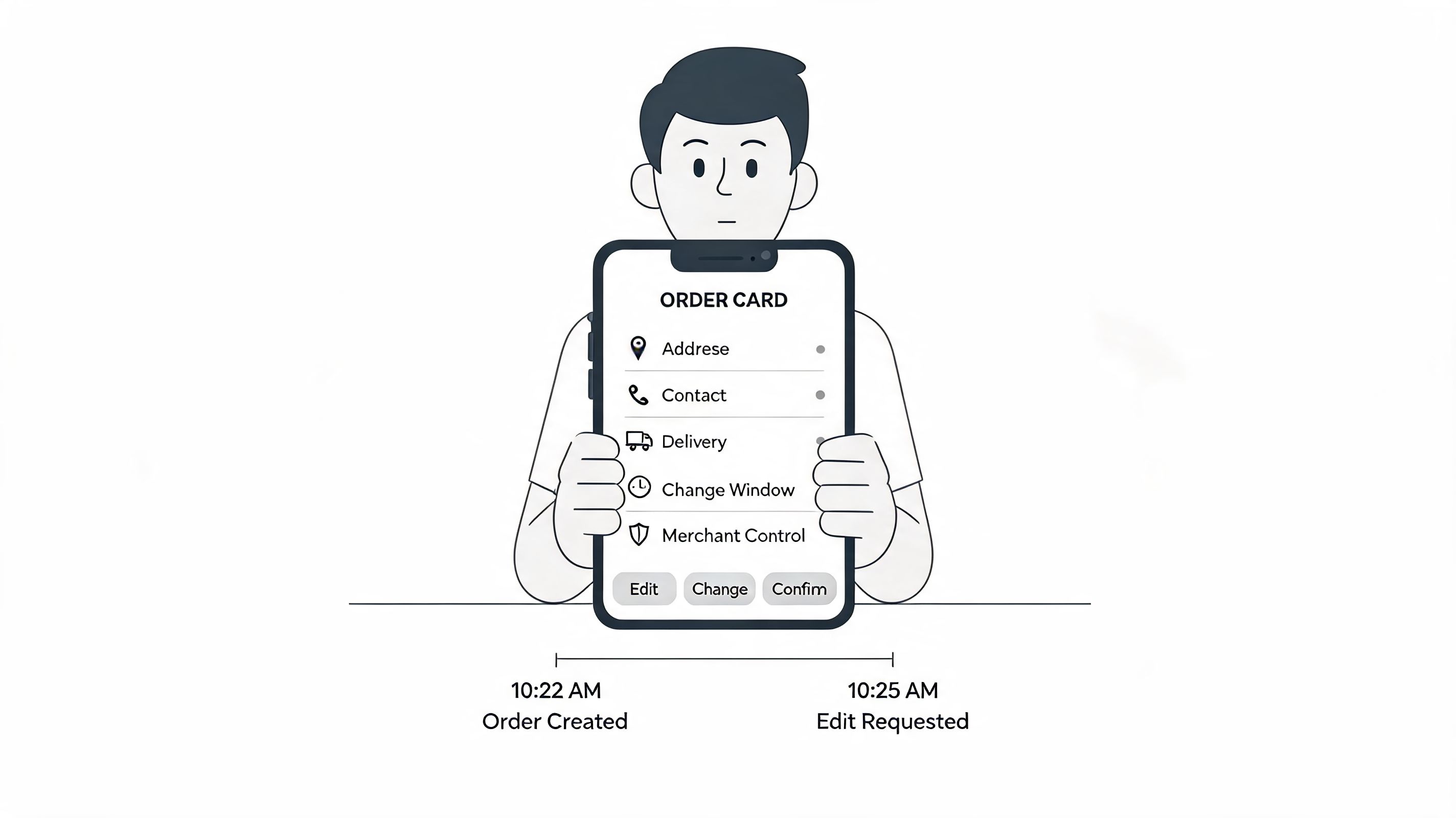
For Shopify stores, placement matters as much as policy. Put this flow inside the order confirmation and order status experience, where the customer is already looking for reassurance after checkout. Bury it in a help center and ticket volume comes back fast.
What the SOP should define
- Trigger: Customer requests a post-purchase change before the edit window closes.
- Primary owner: Ecommerce operations.
- Secondary owners: Support for exceptions. Fulfillment for lock-state sync.
- Core KPI: Reduction in support tickets tied to order-edit request types.
- Guardrail KPI: Error rate on edited orders after the fulfillment lock activates.
The primary design choice is not whether to offer self-service. It is how much freedom to allow before the cost of change exceeds the support savings. Early in the order lifecycle, broader access makes sense. Once an order is queued for pick and pack, the SOP should narrow fast.
What works is a narrow, explicit scope tied to fulfillment status. Let customers edit fields that do not disrupt inventory allocation, packing, or carrier handoff. What fails in practice is open-ended editing with vague cutoffs, because support stops handling tickets while operations inherits preventable exceptions.
Practical rule: Expand customer access when the order is still easy to change. Tighten access when warehouse and carrier costs start to rise.
The strongest versions of this SOP also assign system behavior, not just team responsibility. The workflow should show what is editable, what is locked, the deadline for changes, and the reason for each restriction. A branded self-service customer portal for Shopify orders is a common way to enforce those rules consistently, and pairing it with Shopify address verification for post-purchase edits helps prevent a simple customer correction from becoming a failed delivery later.
2. Address Validation and Auto-Complete SOP
Address changes are where good intentions turn into reshipments.
Customers often know they entered something wrong only after checkout. If your SOP allows manual edits without validation, support may feel faster in the moment, but your delivery network pays later through failed deliveries, carrier exceptions, and replacement orders.

A solid address validation SOP uses real-time auto-complete and structured verification at the moment the customer edits the order. It also keeps a manual fallback because some legitimate addresses won't resolve cleanly, especially in newer developments or edge-case international formats.
The control points that matter
- Trigger: Customer edits shipping or billing address after checkout.
- Primary owner: Ecommerce operations or systems admin.
- Escalation owner: Support team for low-confidence or failed validations.
- Core KPI: Validation failure rate by market and carrier issue rate tied to address edits.
This is one of the clearest examples of standard operating procedures where the format should be a flowchart, not a flat checklist. If the API returns a confident match, accept it. If confidence is weak, prompt the customer. If the address can't be validated, route to manual review.
Don't force a customer into a "valid" address that your carrier can't actually interpret in the destination market.
That trade-off matters. Teams sometimes set validation thresholds too aggressively and create friction for international buyers. The better approach is controlled flexibility. Accept standardized addresses when possible, but log every override so ops can review patterns by country.
If you're building this on Shopify, a practical reference is this walkthrough on Shopify address verification. It aligns well with stores that need both Google Maps style convenience and merchant-side control.
3. Permission-Based Order Editing SOP
A customer places an order at 9:02. At 9:11, they notice the wrong size. At 9:18, your warehouse starts picking. If your rules are unclear, support gets dragged into a race they usually lose.
A permission-based editing SOP prevents that scramble. It defines which fields customers can change on their own, which requests need review, and which edits must be blocked once an order reaches a certain state. For Shopify merchants, this is one of the most practical examples of standard operating procedures because it connects customer experience, fraud control, and fulfillment accuracy in one system.
The key is to tie permissions to operational risk, not to a blanket "edit order" button. The same store may allow a size swap on an in-stock apparel SKU, require approval for a subscription item, and block any change on a regulated product or an order already released to the warehouse. Payment status, fraud status, fulfillment stage, product type, and destination should all affect what the customer sees.
What the SOP needs to define
Write the logic as a decision matrix that ops, support, and engineering can all follow.
- Trigger: Customer requests a post-purchase change through the order status page, portal, or support.
- Primary owner: Ecommerce operations.
- Supporting owners: CX for exception handling, fulfillment lead for lock timing, risk team for fraud-sensitive rules.
- Core KPI: Self-service edit completion rate versus exception rate, plus downstream fulfillment errors caused by approved edits.
Then set editing rights by scenario:
- Auto-approved: Low-risk changes before pick and pack, such as contact details or eligible variant swaps with inventory available.
- Review required: Cancellations, bundle edits, subscription-linked items, high-value orders, or orders flagged for fraud review.
- Blocked: Orders in picking or packed status, international orders with customs-sensitive fields, regulated goods, and items with market restrictions.
Strategy is key. Broad permissions reduce tickets fast, but they also create edge cases that hit ops later. Tight permissions protect the warehouse, but they push more shoppers into support. The right setup is usually narrower at launch, then expanded after two to four weeks of reviewing exceptions.
I have seen teams get better results by auditing denied requests than by chasing total edit volume. Denials show whether the rules are protecting the business or just creating extra work. If a large share of denied requests are legitimate size swaps before fulfillment, loosen that rule. If approved edits are causing repicks or carrier issues, tighten it.
Customer-facing copy matters too. A specific reason reduces repeat contacts. "This order can't be changed because it is already in picking" works far better than "Editing unavailable."
For Shopify stores, this usually runs best through rule-based order editing controls that map permissions to fulfillment stage, product rules, and exception paths instead of giving every order the same edit access.
4. Multilingual Customer Communication SOP
A French-speaking customer updates an address after checkout, then gets the confirmation in English. Support gets the follow-up ticket, not because the workflow failed, but because the message did.
For Shopify merchants selling across markets, multilingual communication needs its own post-purchase SOP. The job is not just to translate interface text. The SOP needs to define which language is used, which events trigger localized messages, who approves the copy, and how exception messages are handled when automation cannot complete the request.
That matters most in post-purchase flows because these messages often carry consequences. A shopper is deciding whether to fix an address, approve a substitution, wait for a cancellation review, or accept that an order is locked. If the wording is vague or appears in the wrong language, self-service completion drops and ticket volume rises.
What belongs in the SOP
- Trigger: Any post-purchase event that sends a notification or displays an action state, including address fixes, edit approvals, edit denials, cancellation reviews, and fulfillment lock notices.
- Primary owner: CX operations.
- Supporting owners: Localization lead, market lead, and ecommerce operations.
- Core KPI: Self-service completion rate by language, plus escalation rate tied to misunderstood or untranslated prompts.
The strongest SOPs also assign responsibility by message type. CX owns customer clarity. Localization owns translation quality and terminology. Ecommerce ops owns the event logic, fallback rules, and QA before launch. Without that split, teams usually end up with translated templates but untranslated edge cases.
Those edge cases are where this process earns its keep.
Buttons are usually translated first. Error states are often missed. "Address not recognized," "item no longer eligible for change," and "request submitted for review" need the same standard as the main flow. So do time-sensitive notices, such as cutoff windows and fulfillment locks. If customers can act in their language, they need to understand restrictions in that language too.
A practical SOP should specify fallback behavior. If a preferred-language version is unavailable, send the default language only if the message includes a support path and the event is low risk. For higher-risk events, such as cancellations, payment issues, or customs-related address problems, hold the automated message until approved localized copy is available. That trade-off slows some communication, but it prevents bad confirmations and costly misunderstandings.
I have seen teams get the best results by reviewing misunderstood-message tickets by market each week. That review shows whether the issue is translation quality, poor event logic, or copy that makes sense internally but not to customers. It also keeps this SOP tied to outcomes, not just template completion.
This is one of the more useful SOPs for global Shopify brands because it connects localization to post-purchase automation. The goal is simple. Fewer confused replies, higher self-service completion, and clearer customer decisions after the order is placed.
5. Post-Purchase Upsell and Cross-Sell SOP
A customer places an order, sees a relevant add-on, accepts it, and expects one package, one charge flow, and no follow-up hassle. If your process cannot support that expectation, the extra revenue is not worth the cleanup.
Post-purchase upsell SOPs work best when they are tied to fulfillment reality, not just merchandising goals. The team needs clear rules for when an offer appears, which SKUs are eligible, which orders are excluded, how inventory is checked, and what happens after the customer accepts. The hard part is not showing the offer. The hard part is making sure the added item merges into the order without creating support tickets, pick errors, or refund work.

For Shopify merchants using post-purchase automation tools such as SelfServe, this SOP should document the exact decision points. Which trigger launches the offer. Which role owns the product pairings. Which role approves operational limits. Which events stop the flow, such as fraud review, fulfillment lock, subscription items, or low-stock SKUs. That level of detail turns a template into a repeatable system.
Set triggers that match your fulfillment window
- Trigger: Thank-you page load, order status page revisit, or other approved post-purchase session inside the add-on window.
- Primary owner: Ecommerce merchandising lead.
- Supporting owners: Operations manager for merge rules, support lead for exception handling, retention or lifecycle manager if the offer logic is tied to customer segments.
- Core KPI: Offer acceptance rate, merged-order success rate, added revenue per eligible order, and support ticket rate tied to post-purchase additions.
The best SOPs also define stop conditions. If an order is already released to the warehouse, the offer should not appear. If a SKU requires separate packing, hazmat handling, cold-chain shipping, or manual approval, exclude it unless operations has confirmed a workable path. That trade-off reduces the number of offers you can show, but it protects margin and keeps the customer experience clean.
What usually works
Relevant add-ons outperform broad product dumps. A supplement order can support a shaker bottle or travel pack. A cosmetics order can support an applicator or refill. Limit the set. Two or three strong offers are easier to act on than a crowded block of recommendations.
Role boundaries matter here. Merchandising should own product selection, margin targets, and testing priorities. Operations should own merge eligibility, cutoff times, inventory safeguards, and warehouse constraints. Support should know the exception paths before the campaign goes live. I have seen too many teams launch a smart offer strategy that failed because nobody decided what happens when a customer adds an item three minutes after a pick ticket is printed.
A strong SOP also names the failure modes in advance. Duplicate items. Split shipments. Added products that miss promotional pricing. Orders that cannot be edited after payment capture. If the flow uses SelfServe or a similar tool, document which events are handled automatically and which ones create a manual review queue. That is what makes the system replicable across campaigns instead of dependent on tribal knowledge.
6. Order Tagging and Categorization SOP
At 4:15 p.m., support approves an address change, fulfillment puts the order on hold, and a VIP customer asks for a gift note in the same thread. If those events are tagged three different ways, the team loses time deciding what the order is instead of deciding what to do next.
That is why this SOP needs to do more than label orders. For Shopify merchants running post-purchase automation, tagging is routing logic. It determines which requests SelfServe can process automatically, which orders need human review, and which exceptions should stay out of the warehouse queue until someone clears them.
Build the taxonomy around actions
A useful taxonomy starts with operational triggers, not reporting wishes. Tag the events that change ownership, priority, or fulfillment status. Leave nice-to-have analysis fields for a separate reporting layer.
Common action-driving tags include edited_order, address_review, cancellation_pending, warehouse_hold, upsell_added, international_review, and VIP. The naming matters less than the discipline. One format, one owner, one meaning.
- Trigger: A post-purchase event occurs, a customer request changes order handling, or a staff member creates an exception.
- Primary owner: Operations lead.
- Supporting owners: Support manager, fulfillment manager, and analytics lead.
- Core KPI: Tag accuracy, routing accuracy, and percentage of orders processed without manual reclassification.
In practice, I split tags into two groups. Action tags trigger a workflow or queue change. Reporting tags help analysts segment behavior later. Mixing those jobs creates confusion fast, especially during peak volume.
The trade-off is simplicity versus detail
Teams usually overbuild this system on the first pass. They want tags for every campaign, every customer tier, every edge case, and every internal note. Then agents stop applying them consistently, or they apply five tags when one would have been enough to route the order correctly.
Keep the active taxonomy small. If a warehouse picker or support lead cannot understand a tag immediately, it should not control fulfillment behavior.
Field note: Good tags reduce decision time. Bad tags create a second layer of interpretation work.
The SOP should also define who can create new tags and when. Without that rule, taxonomy drift starts subtly. One manager adds "hold_intl." Another agent types "international hold." A third uses a free-text note instead. The system still looks organized in Shopify, but automation quality drops because triggers stop firing reliably.
For stores using SelfServe or a similar post-purchase stack, document the exact handoff between event and tag. Example: customer submits address edit within the allowed window, system applies address_review, validation runs, then either approved_change or manual_review_needed is added based on the result. That level of detail is what makes the SOP repeatable across teams, not dependent on whoever happens to be on shift.
7. Order Cancellation and Approval Workflow SOP
Cancellation policy gets emotional fast. Customers want certainty. Merchants need control. The SOP is what keeps those two needs from colliding in your inbox.
A good cancellation workflow doesn't stop at yes or no. It defines the cancellation window, the approval queue, refund ownership, inventory restoration logic, and the point at which the request turns into a support-only exception because fulfillment has already progressed too far.
The queue design matters
- Trigger: Customer requests cancellation or support submits cancellation on customer behalf.
- Primary owner: Support operations.
- Supporting owners: Finance for refund reconciliation, fulfillment for release or hold.
- Core KPI: Time to cancellation decision and percentage of cancellations resolved without cross-team back-and-forth.
The SOP should also state what alternatives agents may offer before approving a cancellation. In some stores, an address correction or delayed shipment solves the actual issue. In others, especially time-sensitive or perishable categories, alternatives only add confusion.
A construction case study from NSKT Global shows what happens when teams replace ad hoc execution with documented procedures. Their client achieved a 25% reduction in project delays, completed 95% of projects on or ahead of schedule, and cut on-site accidents by 40% after implementing SOPs, according to this NSKT Global SOP case study. Different environment, same operational lesson. Clear approval paths remove bottlenecks.
What merchants usually get wrong
They hide the rules. If your cancellation deadline exists only in policy docs, customers miss it and support absorbs the frustration.
Make the deadline visible in order communications and self-service surfaces. Then make the internal decision path equally visible to your team. Fast denials with clear reasoning are often better than slow, ambiguous approvals.
8. Fulfillment Stage-Based Access Control SOP
This SOP is where customer experience and warehouse reality finally meet.
Every order passes through stages. Pending, approved, queued, picking, packing, labeled, handed to carrier, shipped. If your customer-facing edit permissions don't map to those stages, your team will either block too much too early or allow changes too late.
The answer is dynamic access control. Customers can do more when the order is still easy to intercept. They can do less when warehouse labor has already been committed.
Stage gates need real owners
- Trigger: Order status changes in Shopify, WMS, or 3PL system.
- Primary owner: Operations systems lead.
- Supporting owners: Warehouse manager, CX lead.
- Core KPI: Successful edits by stage and exception volume caused by late-change attempts.
This is one of the examples of standard operating procedures that should be written from the warehouse backward. Don't start with "what would be nice for customers." Start with "at what exact point does a change create rework."
A related operational mindset shows up outside ecommerce too. If you're tightening inventory and warehouse responsiveness more broadly, these practical AI inventory solutions are useful context for how system visibility supports better decisions.
The trade-off you should accept
Some customers will be frustrated when the window closes. That's still better than pretending a change is possible and then failing to execute it.
Use visible stage language. "Your order is now in picking, so changes are locked" is operationally honest. It also reduces the support loop where agents ask fulfillment for exceptions that should never be routine.
9. Real-Time Support Ticket Reduction and Analytics SOP
Monday starts with a familiar problem. Support says ticket volume is up, ops says nothing changed, and finance wants to know whether the self-service tool is saving labor. If you do not have a clear measurement SOP, every team tells a different story.
This SOP defines how a Shopify brand measures post-purchase automation after launch. The goal is not a generic drop in tickets. The goal is to prove which requests moved out of the queue, which still need agent handling, and which failure points deserve the next automation pass in SelfServe or your help stack.
Set the trigger and owner before you build the dashboard
- Trigger: Ticket tagged to a post-purchase category, self-service action completed, self-service flow started but not finished, or agent override used.
- Primary owner: Support operations or CX analytics.
- Supporting owners: Ecommerce ops, finance, and the systems owner for post-purchase tooling.
- Core KPI: Ticket deflection rate by request type, completion rate by self-service flow, and residual manual touches per 100 orders.
Start with a narrow scorecard. Track address changes, cancellations, contact detail updates, and item swap or quantity edit requests first. Those categories usually carry enough volume to show whether the workflow is working, and they map cleanly to labor savings. After that, expand into more situational cases such as multilingual support follow-ups or upsell confusion.
What matters is first-attempt success. A completed self-service action only counts as a win if the customer gets the result without opening a ticket later or forcing an agent to clean up the order manually.
Separate true deflection from disguised failure
A lower ticket count can come from slower sales, seasonality, or a broken contact path. None of that proves the SOP is doing its job.
Track four states for every eligible request type: customer solved it alone, customer started but abandoned the flow, customer was blocked by policy, or agent handled it manually. That breakdown is what turns reporting into operational guidance. If abandonment is high on address edits, the issue may be weak form design. If policy blocks are high on cancellations, your edit window may be too short for actual shopper behavior. If agent overrides stay high after automation is live, the rule set is probably too rigid or the front-end instructions are unclear.
Measure the request that left the queue, the request that failed in self-service, and the request agents still had to rescue.
That is the level of detail leadership trusts during budget planning. It also gives the CX lead, ecommerce operator, and finance owner a shared view of what the SOP is producing, instead of arguing over total inbox volume.
10. Customer Communication and Change Notification SOP
A shopper updates a shipping address at 9:12 PM, sees no confirmation, and opens a support ticket before your team logs on the next morning. The order may be fine. The experience is not.
This SOP controls how Shopify stores communicate every post-purchase change so customers know what happened, what happens next, and whether they still need to act. For merchants running self-service flows through tools like SelfServe, the communication layer is what turns an automation into a trusted process instead of a black box.
Build messages around the operational moment
Start with the event, not the channel. The message should match the exact state change in the order workflow.
- Trigger: Change submitted, approved, rejected, edit window closing soon, or sent to manual review.
- Primary owner: CX operations.
- Supporting owners: Lifecycle marketing and ecommerce operations.
- Core KPI: Follow-up contact rate after a change notification is sent.
Each notification needs a single job. Receipt messages confirm the request was captured. Success messages confirm the order record changed. Rejection messages explain the policy or fulfillment constraint that blocked it. Lock-window reminders create urgency only when the customer still has a valid action available.
That structure also helps internally. Agents know what the customer already saw. Operations can audit whether the message matched the order state. Marketing avoids sending broad campaigns that conflict with a pending cancellation or edit review.
What good notification logic looks like
Send confirmation immediately after the customer submits the request. Send approval or rejection as soon as the rule engine or agent makes the decision. If the order is approaching a cutoff, remind only the customers who can still change something and have not already completed the action.
Specificity matters more than volume. “Your request was received” works for the first touch. It does not work as a final status. Customers need the actual outcome, the affected order details, and the next step if the request failed.
I have seen brands create the self-service flow, then treat notification copy as an afterthought. The result is predictable. Customers submit a valid change, doubt whether it worked, then contact support anyway. Ticket deflection disappears because the system solved the task but failed to communicate the result.
Guardrails for post-purchase automation
Use the same rules across Shopify, your helpdesk, and your notification platform. If SelfServe allows an address edit until a certain fulfillment stage, the email and SMS copy should reflect that exact rule. If manual approval is required for high-risk edits, say that clearly and give the expected review timeframe.
Track three failure points closely: delayed sends, vague copy, and duplicate notifications. Delayed sends create uncertainty. Vague copy forces customers to ask follow-up questions. Duplicate notifications train people to ignore future updates, including the one message that needs attention.
A strong SOP here reduces avoidable tickets, but the bigger win is trust. Customers are far more likely to use self-service again when every order change produces a clear, timely, final answer.
Top 10 Order & Customer SOPs Comparison
| SOP | Implementation Complexity 🔄 | Resource Requirements 💡 | Expected Outcomes 📊 | Ideal Use Cases | Key Advantages ⭐/⚡ |
|---|---|---|---|---|---|
| Customer Self-Service Order Management SOP | 🔄 Moderate, portal + workflows, audit trails | 💡 Dev effort, UX, merchant rules, multilingual support | 📊 ↓ Support tickets 30–50%, faster resolutions, lower ops cost | DTC brands with high order volume; customers needing edits pre-fulfillment | ⭐ Empowers customers; ⚡ 24/7 availability; reduces support load |
| Address Validation and Auto-Complete SOP | 🔄 Low–Moderate, API integrations & formatting | 💡 Third‑party API costs, testing, carrier integrations | 📊 ↓ Undeliverables ≈95%, ↑ first-attempt delivery | Merchants shipping globally or high-volume address edits | ⭐ High delivery accuracy; ⚡ faster entry; reduces reship costs |
| Permission-Based Order Editing SOP | 🔄 Moderate–High, rule engines & permission matrices | 💡 Policy design, ongoing tuning, role management | 📊 ↓ fulfillment errors, protects inventory & compliance | Complex catalogs, perishable goods, regulated products | ⭐ Maintains merchant control; reduces operational risk |
| Multilingual Customer Communication SOP | 🔄 Moderate, translation systems & locale rules | 💡 Professional translations, localization QA, maintenance | 📊 ↑ adoption & CSAT internationally; ↓ non‑English tickets | Global merchants expanding into multiple language markets | ⭐ Increases global adoption; builds trust in new markets |
| Post-Purchase Upsell and Cross-Sell SOP | 🔄 Low–Moderate, widget + analytics + A/B testing | 💡 Merchandizing, creative assets, analytics tooling | 📊 ↑ AOV 10–25%, incremental revenue without new acquisition | High-intent thank-you/status pages, complementary SKUs | ⭐ Boosts revenue; ⚡ captures incremental sales moments |
| Order Tagging and Categorization SOP | 🔄 Low, rule-based automation and taxonomy | 💡 Taxonomy design, automation rules, team training | 📊 ↑ routing efficiency, better reporting, less manual work | High-volume ops needing prioritization and filtering | ⭐ Improves visibility; ⚡ speeds fulfillment workflows |
| Order Cancellation and Approval Workflow SOP | 🔄 Moderate, approval queues & refund integrations | 💡 Ops owners, refund systems, timing rules | 📊 ↓ costly late cancellations; protects cash flow | Merchants balancing customer flexibility and financial control | ⭐ Controls refunds; prevents unnecessary fulfillment spend |
| Fulfillment Stage-Based Access Control SOP | 🔄 High, real-time WMS/3PL integrations | 💡 Tight WMS/3PL integration, stage mapping, notifications | 📊 ↓ picking/packing errors; aligns customer expectations | Warehouses/3PLs where late changes disrupt operations | ⭐ Prevents ops disruption; ⚡ preserves fulfillment accuracy |
| Real-Time Support Ticket Reduction and Analytics SOP | 🔄 Moderate, analytics and attribution setup | 💡 Clean data pipelines, BI tools, baseline measurement | 📊 Quantifies deflection, identifies automation ROI | Teams measuring impact of self‑service rollouts | ⭐ Demonstrates value; guides continuous improvement |
| Customer Communication and Change Notification SOP | 🔄 Low–Moderate, multi-channel triggers & templates | 💡 Notification systems (email/SMS/in-app), timing rules | 📊 ↓ confusion & inquiries; ↑ engagement and transparency | Any merchant offering order edits or critical deadlines | ⭐ Builds trust; ⚡ reduces missed deadlines and follow-ups |
From Procedures to Profits Your Next Steps
Most stores don't suffer from a lack of effort. They suffer from inconsistent execution.
Support tries to help, fulfillment tries to stay on schedule, and operations tries to patch the gaps with policy docs, macros, and spreadsheets. That works for a while. Then order volume rises, more markets open, more edge cases appear, and the team starts handling the same preventable requests over and over.
That's where SOPs become commercial infrastructure, not admin work.
The strongest examples of standard operating procedures don't just describe a task. They define a trigger, assign an owner, set a KPI, and make the next action obvious. In a Shopify environment, that's what separates a store that absorbs growth from one that gets buried by it. You don't need a huge documentation project to start. You need the handful of post-purchase workflows that create the most support load and the most customer friction.
If you're choosing where to begin, start where the failure is both frequent and expensive. For many brands, that's order edits. For others, it's cancellation handling, address quality, or stage-based lock logic between Shopify and the warehouse. Pick one. Document the allowed actions, lock conditions, escalation path, and success metric. Then put the SOP somewhere the team will use it.
That last part matters more than most operators admit. A beautiful SOP in a buried Notion page doesn't change anything. The process has to show up inside the tools your team and customers already touch. That means the edit rules should live in the customer portal, the stage lock should reflect real fulfillment data, the cancellation queue should route to the right owner, and the notification logic should fire automatically.
You also don't need to overcomplicate measurement. Start with a before-and-after view of ticket categories, exception volume, and successful customer-completed actions. Then review what still leaks through. If customers keep asking for something your SOP blocks, figure out whether the block is necessary or just inherited from an old workflow. If support is still handling too many "simple" requests manually, the SOP probably isn't visible enough or the permissions aren't clear enough.
There is a broader operational lesson here too. The best SOPs reduce cost by reducing ambiguity. They speed up execution by removing decisions that never needed to be made case by case. They also improve customer trust because the experience becomes predictable. A customer doesn't need unlimited flexibility. They need clear options, quick feedback, and confidence that what they changed will stick.
As your process library grows, don't write SOPs like static compliance documents. Write them like living operating systems. Review them when your fulfillment flow changes, when you add a new 3PL, when you launch in a new market, or when support starts seeing a new pattern. That's how procedures stay useful.
And if you're also tightening adjacent workflows beyond post-purchase, this guide to optimizing client onboarding is a useful reminder that the same principle applies everywhere. Good process design reduces friction before it turns into labor.
The payoff is simple. Fewer repetitive tickets. Cleaner warehouse handoffs. Better customer communication. More controlled revenue from post-purchase add-ons. Less operator fatigue. Those aren't side benefits. They're what scalable ecommerce looks like in practice.
If you're ready to turn these SOPs into a working Shopify system, SelfServe is built for exactly that. It gives customers controlled post-purchase editing, multilingual experiences, real-time address validation, upsells on thank-you and order status pages, automated tagging, and cancellation approval flows, without forcing your team into manual cleanup. It installs quickly, works with most themes, and gives high-volume brands a practical way to reduce support load while keeping operations in control.