Creating a FedEx Return Label A Practical Guide for Ecommerce
Returns are a fact of life in ecommerce, but how you handle them says everything about your brand. Creating a FedEx return label isn't just a logistical task; it’s a final, crucial touchpoint with your customer. A quick and easy returns process can turn a potentially bad experience into the very reason a shopper decides to buy from you again.
Why a Seamless Return Label Process Matters
Let's be real—no one gets excited about processing returns. They mean lost revenue, extra operational costs, and headaches with inventory. But if you only see returns as a negative on your balance sheet, you're missing the bigger picture.
Today's shoppers demand a clear and simple returns policy before they even think about clicking "buy." A confusing or difficult process doesn't just annoy a customer once; it can make them swear off your brand for good. Think of the return label as your last chance to make a good impression. A frictionless system for creating a FedEx return label shows you respect your customer's time and stand behind your products.
The Strategic Value of Effortless Returns
A great returns system isn't just a 'nice-to-have'—it's a serious tool for building customer loyalty. When a shopper knows they can easily send something back, it removes a huge barrier to purchase. This is especially true for businesses in fashion, where customers might order multiple sizes knowing they’ll return what doesn’t fit.
This isn't a small trend. The ecommerce world is shipping at a massive scale, with global package volumes recently hitting an estimated 407 billion packages and projections soaring toward 498 billion. Those numbers alone show why a flexible, reliable return label solution is a must-have for any merchant. You can dive deeper into these shipping trends on electroiq.com.
A great returns experience is one of the most effective, yet often overlooked, retention tools you have. It communicates trust and respect, turning a moment of potential disappointment into a chance to strengthen the customer relationship.
Turning Returns into a Competitive Advantage
Ultimately, mastering how to create a FedEx return label helps you control costs while building a stronger brand. By offering modern, convenient options like QR codes or emailable labels, you meet customer expectations head-on and remove friction from the process.
Handling returns efficiently also gives you valuable data on why products are coming back, which you can use to improve your offerings. For more on this, check out our guide on how to manage returns and refunds smoothly on Shopify. It's all about turning a necessary evil into a genuine strategic asset.
Choosing the Right Way to Create FedEx Return Labels
Let's be honest: there's no single "best" way to create a FedEx return label. The right approach for your business really hinges on your sales volume, what you sell, and the kind of experience you want to give your customers.
For businesses just starting out or handling only a handful of returns, using the standard FedEx website to create a one-off label is perfectly fine. It gets the job done. But as you grow, manually punching in details for every return becomes a massive time-sink and a real drag on your operations.
This is where thinking strategically about your returns process pays off big time. A smooth, easy return can be the very thing that turns a one-time buyer into a loyal customer for life. A clunky one? You'll probably never see them again.
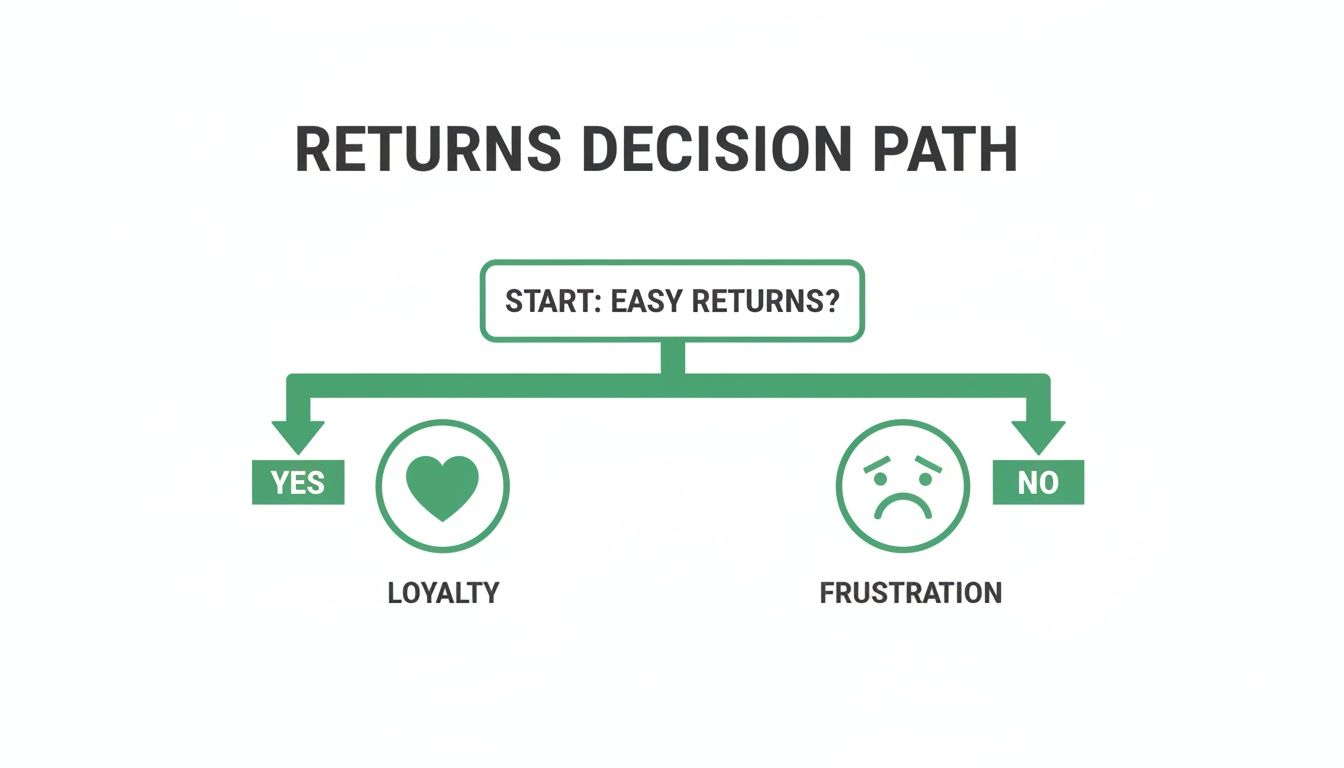
As the flowchart shows, the path you create for your customers at this critical post-purchase moment directly impacts their loyalty.
To help you figure out the best fit, let's look at the main options available.
FedEx Return Label Generation Methods Compared
This table breaks down the primary methods for generating FedEx return labels. It's a quick way to compare which tool might be the right one for your specific situation.
Ultimately, moving from manual website generation to a more integrated system like Ship Manager or a fully automated platform is a natural progression as your business scales.
Diving into FedEx Ship Manager
Once you're dealing with a steady stream of returns, it's time to graduate to FedEx Ship Manager. This platform is a true logistics hub designed for businesses, not just a simple label printer.
Think of it as your command center. You can create shipments, manage all your returns, and track everything from a single dashboard. The real power comes from features like saving recipient addresses, creating templates for common shipments, and processing returns in batches. These tools shave off precious minutes from every return, which really adds up.
Prepaid vs. On-Demand Digital Labels
This is a big one. Should you pop a prepaid label in every outbound box, or do you provide an on-demand digital label only when a customer actually requests it? Each strategy has its place.
Prepaid Labels in the Box: This is the gold standard for customer convenience. One study found that 72% of online shoppers absolutely "love" finding a prepaid label in their package. It's a fantastic fit for subscription boxes or high-end goods where returns are a predictable part of the business model. The downside? You're printing—and paying for—a lot of labels that will end up in the recycling bin.
On-Demand Digital Labels: This is the more modern, cost-effective approach. When a customer needs to make a return, you send them a label via email or direct them to a returns portal. This is perfect for apparel brands where fit is a variable. It also gives you a valuable touchpoint to understand why the return is happening and maybe even save the sale.
The choice between prepaid and on-demand really comes down to a classic trade-off: do you prioritize proactive customer convenience or operational efficiency and cost control?
A good way to decide is to look at your products. If you sell specialized auto parts, including a label to send the old "core" part back makes the whole process seamless. But if you're a furniture store, printing labels for bulky items that are rarely returned would be a huge waste. Knowing your customers' habits and your own return rates will point you to the smartest choice for your bottom line.
Go Digital: Modernizing Returns with Emailable Labels and QR Codes
Let's be honest, assuming every customer has a printer ready to go is a thing of the past. If your returns process still hinges on "print this PDF," you're putting a major roadblock in front of your customers—one that can easily kill a return and any chance of a future sale. Modern ecommerce means meeting people where they are, and today, that’s on their phones.
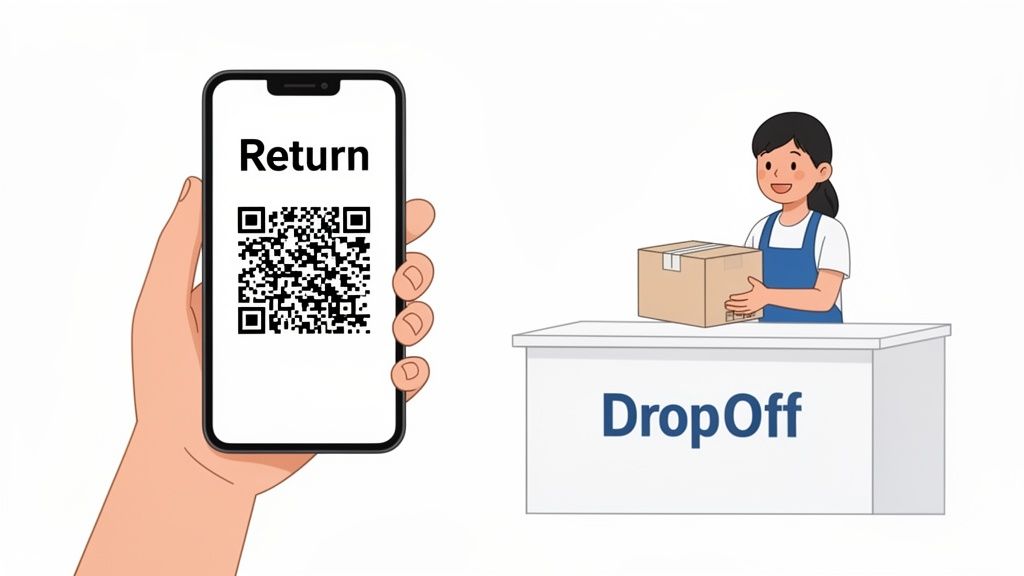
This isn't just a minor tweak for convenience; it’s about aligning with new customer expectations. Offering options like an emailable label or a QR code instantly removes the single biggest hassle for many shoppers. Imagine your customer just having to show a code on their phone at a FedEx location. No ink, no paper, no problem. That's the new standard.
Why Printerless Returns Are a Game-Changer
It all boils down to a simple truth: the easier you make returns, the more confident people feel buying from you. Data from a recent FedEx survey paints a clear picture. Not long ago, only 37% of shoppers even knew about no-box, no-label returns. Today, that awareness has jumped to 48%.
More importantly, actual usage is soaring, climbing from 31% to 41%. Customers aren't just aware of these options; they're actively seeking them out. You can dive into the full report on consumer return habits at Stattimes.com.
By embracing digital returns, you're turning a potential logistical nightmare into a smooth, professional part of your brand experience. This level of convenience doesn't just make customers happy; it stops them from abandoning a return out of pure frustration, which saves you from dealing with a dissatisfied shopper and lost inventory.
How to Enable Digital Returns in FedEx
If you're already using FedEx Ship Manager, getting these options up and running is pretty straightforward. When you set up a return shipment, you’ll have choices for how the label is delivered.
- FedEx Email Return Label: This is a great starting point. It sends your customer a secure, password-protected link to their label. From there, they can either pull up a scannable barcode on their phone or print it if they have a printer. You can also add an expiration date to the link, which is a nice little nudge to get packages back sooner.
- QR Code Generation: This is the core of the truly printer-free experience. The QR code is typically generated as part of the email label process. Your customer simply brings their item and the QR code on their phone to a participating FedEx Office, and the staff takes care of printing and attaching the label.
Offering a QR code return option has quickly moved from a "nice-to-have" perk to a baseline expectation. It's now the standard for a modern, customer-first returns process that removes friction and builds loyalty.
This is exactly where an automated tool, like a dedicated self-service customer portal, can tie everything together seamlessly. Instead of you or your team manually creating each digital label, a portal lets customers start the return on their own time, pick their preferred method (like a QR code), and get it sent to their inbox instantly, 24/7. It's a win-win: your workflow gets simpler, and your customers get the on-demand service they expect.
Navigating Billing Options and International Returns
Handling the cost and complexity of returns is a huge part of running a successful ecommerce business. When you generate a FedEx return label, you're doing more than just facilitating a shipment—you're making a financial decision that directly impacts your customer's experience. The first big question is always the same: who pays?
The most common approach for direct-to-consumer brands is to absorb the cost yourself by billing your own FedEx account. This creates a frictionless, confidence-building experience for your customers. Of course, there are situations where that doesn't make sense. For B2B transactions or out-of-warranty repairs, you might need the customer to cover the shipping cost by billing their account instead.
Who Foots the Bill?
Your billing strategy is a core part of your returns policy, so you need to match it to the specific situation.
- Bill Shipper (You): This is the go-to for most online stores. Offering free returns is a massive conversion driver and a great way to build trust. The best part? You only get charged when the label is actually scanned and used.
- Bill Recipient (Your Customer): This option works well for items where returns are the exception, not the rule—think final sale or custom orders. It's also how you'd handle things if you deduct a return shipping fee from the customer's refund.
- Bill Third Party: This is essential for more complex logistics. For instance, if you work with a 3PL (third-party logistics) provider to manage your returns, you can have the shipping charges billed straight to their FedEx account. This keeps your own accounting much cleaner.
Figuring out who pays for return shipping is a critical policy decision. While eating the cost can boost sales, having a flexible approach lets you handle unique cases—like B2B orders or international returns—without losing your shirt.
Tackling International Returns
If you thought domestic returns were tricky, international returns add a whole new layer of complexity. Suddenly, it’s not just about getting a package from point A to point B; it’s about successfully navigating customs. One small mistake here can lead to a package getting stuck for weeks, leaving both you and your customer frustrated with surprise fees and delays.
The single most important document for cross-border returns is the Commercial Invoice. This is non-negotiable. It tells customs officials exactly what's in the box, its value, and where it was made.
Accuracy is everything. Declaring the wrong value or misclassifying an item is the quickest way to get your package flagged and held up at the border.
Let’s say a customer in Canada is returning a dress to your warehouse in the U.S. That Commercial Invoice absolutely must list "Returned Goods" as the reason for export. This tells customs agents it’s not a new purchase, which helps you avoid paying unnecessary duties and taxes on your own merchandise. The pro move here is to pre-fill all of this for your customer. Giving them a completed Commercial Invoice along with the return label takes all the guesswork out of it and ensures the package has a fighting chance of getting back to you smoothly.
Automating Your Shopify Returns Workflow
Let's be honest, manually creating a FedEx return label for every single request is a huge drag on your business. It's the kind of repetitive, soul-crushing task that ties up your support team, slows things down for your customers, and opens the door to costly mistakes. As you scale, that manual process just won't cut it.
The answer isn't to work harder; it's to work smarter by embracing automation. When you integrate a dedicated returns portal into your Shopify store, you hand the keys back to the customer. They can manage their own returns, 24/7, turning what was once a support headache into a smooth, self-service flow.
Think about it: a customer lands on your site, starts a return from their order history, picks a reason, and instantly gets a FedEx return label or QR code sent to their phone. No emails, no waiting, no back-and-forth. That's what a modern, automated returns process looks like.
Empower Customers with a Self-Service Portal
A self-service returns portal is your secret weapon for getting your team's time back. Your support staff can stop being middlemen for simple label requests and instead focus on the customers who truly need their help. You just set the ground rules—your return window, which products are eligible, the reasons they can select—and the portal handles the rest.
From the customer's perspective, the experience is night and day. They get what they need instantly and feel in control, which is a massive win for building trust and loyalty. A difficult return can sour a customer on your brand forever, but a painless one can be the very thing that brings them back for another purchase.
Here’s a glimpse of what that self-service experience can look like right inside Shopify.
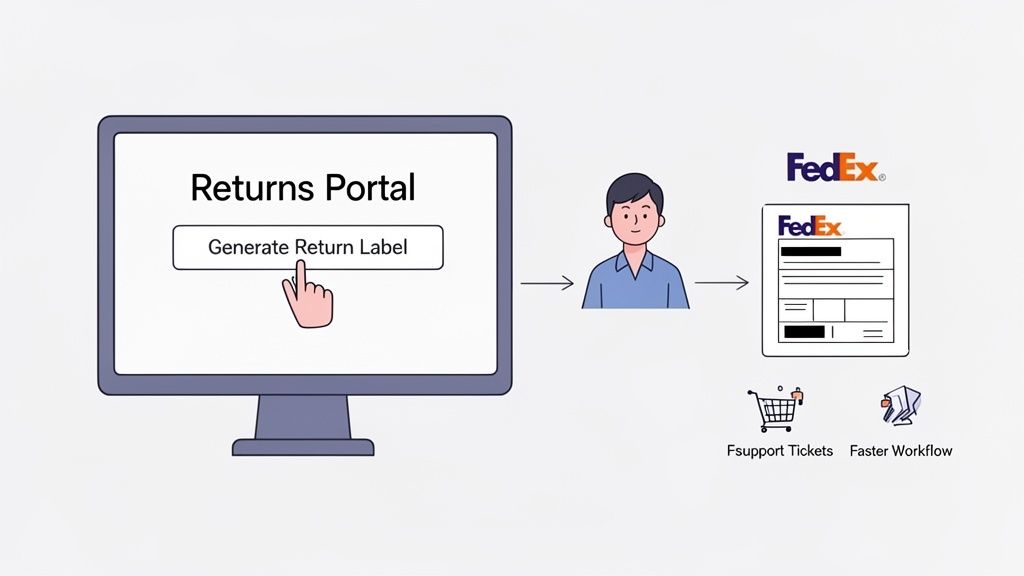
This kind of clean interface gives customers clear, simple options to manage their order after the sale, which dramatically cuts down on how often they need to contact you for help.
The Real-World Benefits of an Integrated Approach
Plugging a tool like SelfServe into your Shopify and FedEx setup does a lot more than just spit out labels. The impact is felt across the business.
- Fewer Support Tickets: When customers can help themselves, the flood of "Where's my label?" emails and chats slows to a trickle. This frees up your team for more important work.
- Drastically Reduced Errors: Automation means no more typos in addresses or wrong service types on a FedEx return label. The system gets it right every time, ensuring packages find their way back to you without a detour.
- A Better Customer Experience: Today's shoppers expect on-demand service. A modern, slick returns process leaves a lasting positive impression of your brand.
- Invaluable Data: You can easily see why people are returning items. Is a specific product getting sent back for the same reason? Now you have the data to fix it and lower your return rate over time.
The point of automation isn't just to make your life easier. It's to build a returns experience so good that it actually becomes a reason for customers to shop with you again. It shows you value their time and stand behind your products.
By connecting these systems, you create a powerful, hands-off loop. The customer starts the return, the app generates the right FedEx label based on your rules, and everyone is kept in the loop automatically. That's the kind of efficiency you need to grow. If you're serious about tightening up your operations, checking out the top Shopify shipping apps is a great next step to see how you can streamline these crucial post-purchase workflows.
Common Questions About FedEx Return Labels
Even when you think you have the process dialed in, questions about FedEx return labels always seem to find their way into your inbox. Whether you're a merchant wrestling with logistics or a shopper just trying to send something back, getting clear answers is key.
Let's walk through some of the most common questions I hear from brands and customers alike. Getting these details right from the start saves everyone a headache and keeps your returns flowing smoothly.
Can I Create a Return Label Without the Original Tracking Number?
Yes, absolutely. This is a very common scenario, especially for businesses using tools like FedEx Ship Manager. You don't need the original outbound tracking number at all. You can simply kick off a new shipment by plugging in the customer's address and your own return address.
For an ecommerce store, this is the default way of doing things. When a customer uses your return portal, they aren't expected to dig up an old tracking number. The system just generates a fresh label for the return journey, completely separate from the original order's tracking information.
How Long Is a FedEx Return Label Valid?
This is a big one, and there's a bit of nuance here. Technically, a standard, unused FedEx shipping label doesn't have a hard expiration date. However, the shipping rates are tied to the date it was created, and if FedEx has a rate change, an old label could cause billing snags.
The real answer for ecommerce returns is different. The link to download the label or the QR code itself is almost always set to expire. Most merchants I work with configure this window to 30 or 60 days. It’s a smart move to encourage customers to send items back promptly so you can get that inventory back on your shelves.
Bottom line: It's always best to use the label as soon as you can to avoid any issues.
FedEx Ground vs. Express Return Labels
The choice here really comes down to two things: speed and cost.
- FedEx Ground Return: This is your workhorse option. It uses FedEx’s standard ground network, making it the most economical choice for non-urgent returns. It's what the vast majority of merchants offer as their free return method.
- FedEx Express Return: This label taps into FedEx's faster air network (think services like FedEx 2Day® or Standard Overnight®). It costs a good bit more, but it gets the package back to you in a fraction of the time. Some brands offer this as a paid upgrade for customers who want a faster refund or exchange.
It’s all about balancing your budget against how quickly you need that product back in your hands.
Can I Edit an Address on a Return Label?
Nope. Once a FedEx return label is created, the "from" and "to" addresses are set in stone. Think of it as a fixed contract for a specific journey.
If you or your customer catch a mistake, the only way forward is to void the incorrect label and generate a brand-new one. This is exactly why using an automated returns platform with built-in address validation is such a game-changer. It catches those typos and errors before the label gets made, saving you from lost packages and frustrated customers.
Stop wasting time on manual return label creation and repetitive support tickets. With SelfServe, you can automate your entire Shopify returns process, letting customers generate their own labels 24/7. It's time to reduce errors, delight your customers, and get your team's valuable time back. Start your free trial at https://getselfserve.com and see the difference automation can make.