The Modern Self Service Customer Portal Your Store Needs
Think of a self service customer portal as a secure, 24/7 digital hub where your customers can manage their own orders, track shipments, and find answers to their questions—all without needing to contact your support team. For merchants on Shopify, this isn't just a fancy add-on; it's a way to completely reshape the post-purchase experience, putting customers in control and freeing up your team from endless, repetitive support tickets.
What Is a Self Service Customer Portal
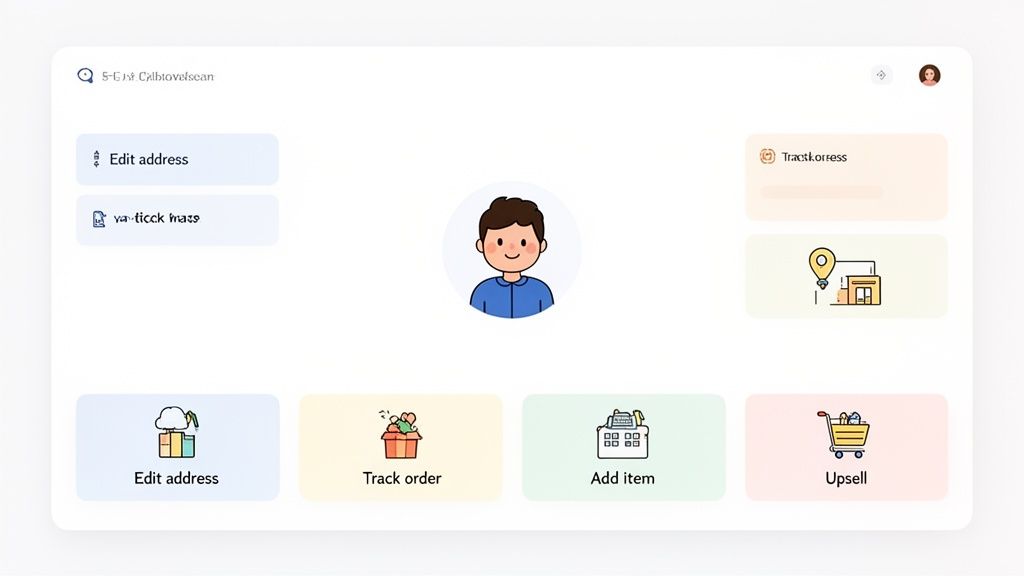
Imagine giving every single customer their own personal mission control center. This isn't just a generic login page; it's an interactive dashboard that puts them firmly in the driver's seat. From here, a customer can instantly fix a typo in their shipping address, see exactly where their package is in real-time, or even add that one last item they forgot to their recent order.
This is the power of a modern self service customer portal. It's a fundamental shift away from the old, reactive model of customer support that forces shoppers to wait for an email reply or sit on hold.
Moving Beyond Basic Account Pages
Shopify's native customer account page is a decent starting point. It lets customers see their order history, and that's about it. It just doesn't have the dynamic, hands-on capabilities that today's shoppers expect and that high-growth brands desperately need to scale. A true portal gives customers direct control over their entire post-purchase journey.
When you empower them to handle simple tasks on their own time, your business reaps the rewards:
- Slash repetitive support tickets: Think about how many emails you get about address changes, order tracking, and cancellations. A portal automates nearly all of them.
- Improve operational efficiency: Your support team can finally stop acting as glorified data entry clerks and focus on the complex, high-value customer issues that actually move the needle.
- Boost customer satisfaction: People love the speed and convenience of solving a problem instantly. That's the kind of experience that builds real brand loyalty.
A Strategic Asset for Growth
The market's obsession with these tools isn't just hype; it's a clear signal of their value. The global customer self-service software market was recently valued at USD 18.07 billion and is on track to hit an incredible USD 57.21 billion by 2030. What’s driving this massive growth? Simple: customers demand instant, easy solutions. Read the full research about customer self-service market growth.
By implementing a self service portal, you’re not just adding a feature; you’re building a scalable system that supports your brand's growth, enhances customer trust, and even unlocks new revenue streams through integrated upsells.
The benefits of a well-designed customer portal ripple across your entire organization, empowering different teams to do their best work.
Portal Benefits by Team Role
Here’s a quick overview of how a self service customer portal directly benefits different teams within an ecommerce business.
From the support agent handling daily tickets to the CEO planning for future growth, a portal creates a more efficient and profitable ecosystem for everyone involved.
Ultimately, a self service customer portal turns a major point of friction—that anxious post-purchase wait—into a seamless and positive brand interaction. It's a foundational tool for any Shopify merchant serious about scaling efficiently while delivering a customer experience that truly stands out.
Why Modern Customers Demand Self Sufficiency
The whole idea of "instant gratification" has completely reshaped online shopping. Today’s customers are on their own schedule, and they have zero patience for waiting on a support agent to handle a simple request they could fix themselves in seconds. This isn't just a minor preference—it's a huge shift in consumer behavior that's fueling the entire self-service movement.
Just put yourself in their shoes for a second. A customer realizes they mistyped their apartment number a moment after hitting "Confirm Order." The old way of doing things creates a cascade of headaches: they have to find the support email, draft a clear message, and then wait anxiously for hours—or even days—for a reply. With a self service customer portal, they just log in, fix it in under 30 seconds, and get on with their day.
That immediate sense of control isn't a "nice-to-have" anymore. It's a fundamental expectation that separates a modern, competitive brand from the rest.
The New Standard of Convenience
For younger shoppers, especially millennials and Gen Z, doing things themselves isn't a bonus—it's the default. These are digital natives who are used to managing every part of their lives through slick apps and dashboards. They naturally expect the same level of control and transparency from the brands they buy from.
When they run into a brand that forces them through a slow, manual support process for a basic task, it feels clunky and ancient. The friction from waiting on an email response for a simple address fix can quickly kill brand trust and steer them away from future purchases.
And the data backs this up, big time. Customer preferences are leaning heavily toward self-service. A whopping 73% of users prefer using a website to solve their issues over other channels. On top of that, 60% of customers will pick self-service for simple tasks instead of talking to a live agent. The message couldn't be clearer: a recent study found 81% of customers want more self-service choices. This is especially true for Gen Z and millennials, where 38% will just give up on an issue entirely if a self-service option isn't available. Discover more insights about self-service preferences on document360.com.
A customer's post-purchase experience is just as important as their pre-purchase journey. Forcing them to wait for support on a simple issue is like having a single, slow checkout lane in a massive superstore—it creates a bottleneck that damages the entire experience.
So, setting up a self service customer portal isn't just about making your own operations more efficient. It's about meeting a very real, very established customer expectation.
Turning Friction into a Competitive Advantage
Brands that get this can turn a potential point of frustration into a massive competitive edge. By offering a solid self-service portal, you're sending a clear signal to your customers: you value their time and trust them to manage their own orders.
This forward-thinking approach delivers some serious wins:
- Builds Lasting Trust: Empowering customers shows you respect their time and intelligence, which builds a much stronger, more loyal relationship.
- Meets Modern Expectations: It puts your brand on par with the on-demand, digital-first experience that today’s best companies offer.
- Reduces Post-Purchase Anxiety: Customers can rest easy knowing they can fix small problems themselves, making them much more likely to come back and buy again.
At the end of the day, the demand for self-sufficiency is all about a bigger desire for control, speed, and convenience. A self service customer portal is the best way to meet that demand head-on, turning your post-purchase process from a potential problem into a real asset that builds customer loyalty.
What Makes a Great Customer Portal? The Must-Have Features
Let's be honest, not all customer portals are the same. Some are little more than a static webpage where customers can look up an old order number. A truly high-performing self-service customer portal, however, is a different beast entirely. It’s an interactive command center that actively solves problems for both you and your customers.
So, what separates the basic from the brilliant? It's all about giving customers genuine control while making sure you, the merchant, never lose oversight. The best features are built to eliminate the most common—and most expensive—hiccups that happen after a customer clicks "buy."
Granular Merchant Controls and Permissions
The number one fear I hear from merchants is that giving customers more control will create absolute chaos in their warehouse. It's a valid concern. That's why the most critical feature of any portal is your ability to set clear, custom rules. This isn't about handing over the keys to the kingdom; it's about offering controlled flexibility.
A powerful portal lets you define precise editing windows. For instance, you could let a customer change their shipping address for only two hours after they place an order. Once that window closes—or once the order gets tagged "Sent to Fulfillment"—the option simply disappears. A simple rule like that prevents a last-minute address swap from derailing your entire pick-and-pack process.
Look for granular permissions that cover things like:
- Time-Based Editing: Set specific time limits (say, 1 hour or 6 hours) for actions like changing an address or swapping an item.
- Fulfillment Status Locks: Automatically freeze edits the moment an order hits a certain stage in your fulfillment software.
- Product-Specific Rules: Block edits or cancellations on certain items, like personalized or final-sale products.
This level of control ensures your self-service customer portal actually makes your life easier, not harder.
Real-Time Address Validation
Shipping errors are a quiet killer of profit margins. One tiny typo in a street name or zip code can trigger a chain reaction: a failed delivery, a package returned to your warehouse, a frustrated customer, and the cost of shipping the item all over again. This is why real-time address validation is non-negotiable.
A great portal will use a service like Google Maps to check and correct addresses as the customer is typing. This catches mistakes before they ever become problems, which is huge when you consider that nearly 20% of packages fail to be delivered on the first try because of bad address info.
This feature offers auto-complete suggestions and flags invalid addresses on the spot, so you know every order you ship is going to a real, verified location. It's a small function that saves an incredible amount of money, time, and support tickets. To learn more about protecting your store's operations, check out our guide on essential security tips every Shopify merchant should know.
Multilingual Support for Global Reach
If you're selling internationally, your customer experience can't be one-size-fits-all. A portal that only speaks English puts up a massive wall for a huge chunk of your customers. A high-performing portal automatically detects a customer's browser language and translates everything for them.
This is more than just a nice-to-have; it builds trust. When a customer in Germany can manage their order in German, or a shopper in France can request a return in French, the whole experience feels native and professional. It removes friction and shows you're serious about your global audience.
The screenshot below shows how a clean, intuitive portal can be adapted for any language, keeping the experience seamless across the globe.
The design is built for clarity, with obvious buttons for common tasks. This visual simplicity translates perfectly across different languages without creating confusion.
Integrated Post-Purchase Upsells
Here’s where things get really interesting. A truly effective self-service customer portal doesn't just save you money—it actively makes you money. By building upsell and cross-sell opportunities right into the post-purchase flow, you turn a simple order status page into a revenue-generating machine.
Think about it: the customer has just bought from you. Their trust is high, and their wallet is out. This is the absolute best time to show them a relevant, compelling offer.
Here’s how it works in practice:
- Targeted Offers: You display products or collections that complement what they just bought, right on the order confirmation and status pages.
- Frictionless Addition: The customer can add the new item to their existing, unshipped order with just one click. No need to enter payment or shipping info again.
- Increased AOV: Because it’s so easy, this can give your average order value (AOV) a serious lift.
This approach transforms your portal from a cost-saving tool into a strategic marketing asset. You've just created a brand-new sales channel that captures extra revenue with almost zero effort.
How to Launch Your Shopify Customer Portal
Getting a self-service customer portal live on your Shopify store isn’t about just flipping a switch. It's more of a thoughtful rollout—one that empowers your customers without throwing a wrench into your operations. A great launch comes down to smart configuration, clear communication, and a phased approach that guarantees a smooth transition for everyone involved.
The first real step is moving from idea to execution by installing a dedicated app like SelfServe from the Shopify App Store. The initial setup is fast, but the real magic happens in the configuration settings. This is where you’ll define the rules of the road for your new portal and strike that perfect balance between customer freedom and operational control.
Configuring Your Core Settings
Before you even think about telling your customers, you need to dial in the backend settings. Honestly, this is the most critical phase. It ensures the portal works for you, not against you. The goal is simple: automate common requests while shielding your fulfillment workflow from complete chaos.
Start by defining your permission windows. For any store doing serious volume, this is a non-negotiable feature.
- Time-Based Editing Rules: Decide how long a customer has to make changes. A solid best practice is to allow address edits for 2-4 hours after a purchase. This gives customers a reasonable window to catch a typo before the order is whisked away to your fulfillment team.
- Product-Specific Restrictions: Let's be real, not every product can be edited or canceled on a whim. Make sure you exclude items like personalized goods or final-sale products from these self-service options. It’ll save you from some very expensive mistakes.
- Automated Order Tagging: Use tags to create a seamless line of communication between the portal and your team. For instance, you can automatically apply a tag like "Address Edit Request" to an order so your fulfillment crew can instantly spot and verify any changes.
Think of these initial settings as your safety net. They prevent the portal from creating more work than it solves.
The flow below gives you a clear picture of the core actions a customer will take in the portal, from tweaking an order to validating an address and even adding upsells.
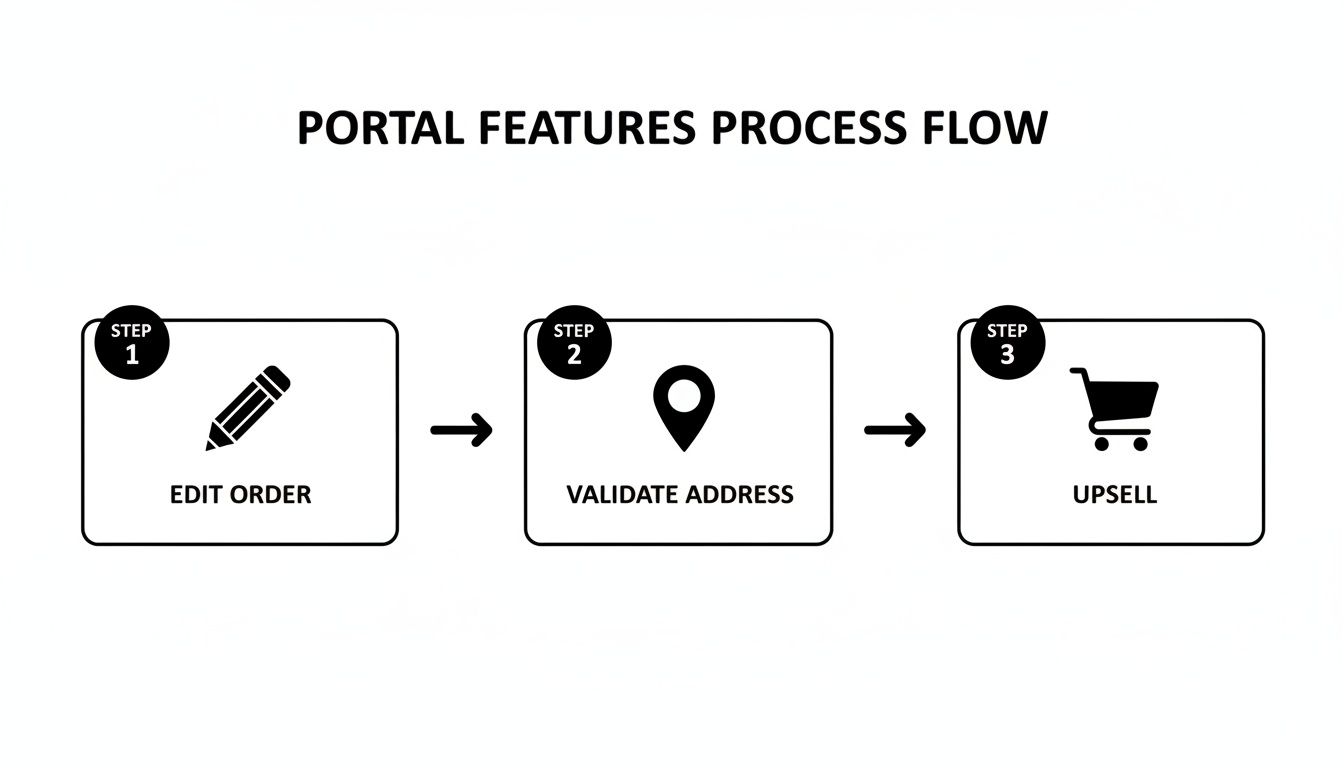
This process shows how each feature dovetails into the next, creating a post-purchase experience that feels both seamless and controlled.
Planning a Phased Rollout
Instead of a big-bang launch to all your customers at once, I’d strongly suggest a phased rollout. This approach lets you gather priceless feedback, iron out any unexpected kinks, and build momentum. You could start by giving access to a small group of loyal customers or even just have your internal team run through the user experience from end to end.
This strategy dramatically lowers your risk and helps you fine-tune everything before the full launch. Once you’ve confirmed it’s all running smoothly, you can start getting the word out to everyone else.
The global shift toward self-service technology absolutely validates this kind of investment, especially if you have international ambitions. The market is expected to hit USD 88.33 billion by 2030. While North America is currently the biggest adopter, the Asia-Pacific region is growing the fastest, which really highlights the need for multilingual, user-friendly tools that can handle the complexities of different markets.
To guide you through a structured launch, we've put together a simple checklist. Following these steps will help ensure you cover all your bases, from initial setup to gathering post-launch feedback.
Portal Rollout Checklist
This checklist isn't just a to-do list; it's a roadmap to a successful rollout that minimizes headaches and maximizes customer happiness right from the start.
Communicating the Launch to Customers
How you introduce your new self-service customer portal will make or break its adoption rate. Your messaging needs to be crystal clear, concise, and laser-focused on the benefits to the customer—which, at the end of the day, are convenience and control.
Here’s a simple game plan to spread the word:
- Email Announcement: Send a dedicated email to your entire list. Frame it as an exciting upgrade that puts them in the driver's seat. A punchy subject line like, "New: Manage Your Orders Instantly" works great.
- On-Site Banners: Pop a banner on your homepage and add a quick notification to the order confirmation page. This ensures both new and returning customers get the news.
- Update Transactional Emails: This one's huge. Add a small section in your order and shipping confirmation emails that links directly to the portal. Something like, "Need to make a change? Manage your order here."
Pro Tip: Keep your messaging simple and benefit-driven. Instead of saying, "We launched a customer portal," try something like, "Tired of waiting for support? Fix typos, track packages, and manage your order 24/7."
A well-executed launch sets you up for immediate success, reducing friction for your customers and lightening the load for your support team right away. And remember, managing post-purchase issues goes beyond simple edits. To see how to handle more complex situations, check out our guide on how to manage returns and refunds smoothly on Shopify.
Measuring Your Portal's Impact and ROI
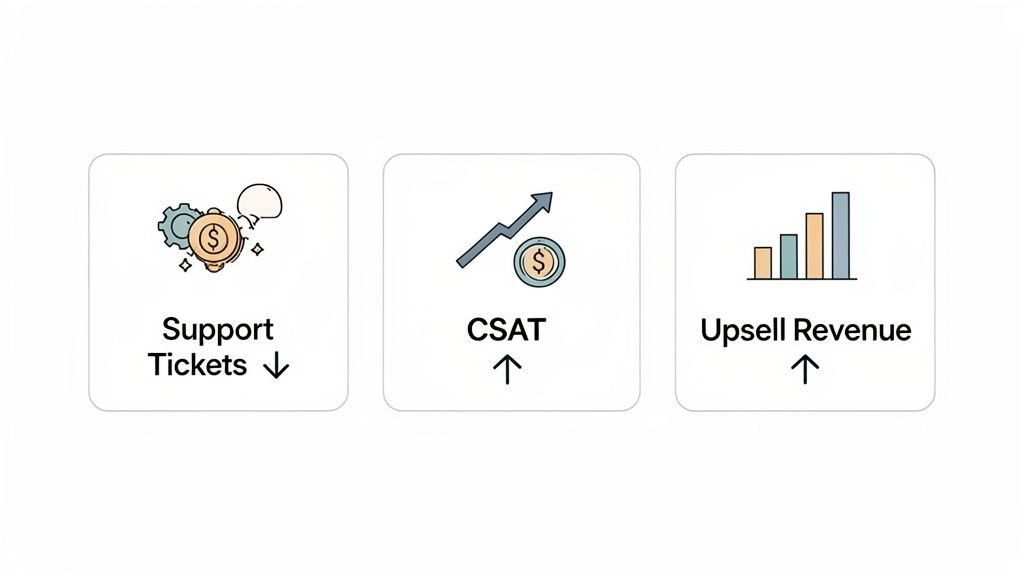
Launching a new self service customer portal feels good, but how do you prove it’s actually working? To build a real business case and show its value, you need to get past gut feelings and look at the cold, hard data. Tracking the right key performance indicators (KPIs) is the only way to measure your portal’s true impact and calculate its return on investment (ROI).
These metrics tell a compelling story about your team's efficiency, your customers' happiness, and your bottom line. They shift your portal from being just another "nice-to-have" feature to a strategic asset that you can prove is making a difference.
Let's break down the essential KPIs you should be watching.
Reduced Support Ticket Volume
This is the most straightforward and satisfying metric you can track. The whole point is to cut down on the easy, repetitive questions hitting your support team, and this KPI tells you if you’re succeeding.
But don't just stop at the total ticket count. To get the real story, you need to dig a little deeper.
Start by categorizing your support tickets before and after the portal goes live. You should see a big drop in a few key areas:
- "Where Is My Order?" (WISMO) tickets: These should plummet as customers can now track orders themselves.
- Address change requests: When customers can fix their own typos, this entire category of tickets nearly vanishes.
- Simple cancellation requests: A clear self-service cancellation option means fewer of these requests land in your agents' inboxes.
A major dip in these specific ticket types is the clearest sign that your self service customer portal is doing its job. It proves you're solving the exact problems you set out to fix, freeing up your support team for the complex issues where they're needed most.
Improved Customer Satisfaction Scores
Happy customers are the lifeblood of any successful store. A smooth self-service experience makes customers happy because it gives them the instant answers they've come to expect. In fact, research shows a staggering 88% of customers expect brands to offer an online self-service portal.
The best way to measure this is with Customer Satisfaction (CSAT) scores. You can use simple, one-question surveys that pop up after a support chat or a visit to the portal. Ask something direct, like, "How satisfied were you with your experience today?" If you see those positive scores climbing after launch, you have solid proof the portal is a hit.
Direct Revenue from Post-Purchase Upsells
A great customer portal isn't just a cost-saver; it can be a money-maker. If you've built post-purchase upsell opportunities into your portal, tracking the revenue is simple and incredibly powerful. This is one of the most exciting metrics because it ties your support tool directly to business growth.
To figure this out, just tally up the total value of all items customers add to their orders through the portal's upsell feature. That number is pure, incremental revenue you wouldn't have captured otherwise. It transforms a support tool into a profit center, making its ROI impossible to ignore. For a closer look at the numbers, check out our guide on how to track and understand Shopify analytics for smarter decisions.
Decreased Fulfillment and Shipping Errors
Fulfillment mistakes are a killer. They cause mis-shipments, returned packages, and the cost of sending an order out a second time—not to mention the hit to customer trust. Your self service customer portal fights this problem head-on with features like real-time address validation.
To measure this, track the number of packages returned because of a bad address, both before and after the portal is active. A clear drop in returns means you're saving real money on shipping and operational waste. This KPI provides a tangible financial justification for the portal by showing exactly how much it's saving you.
The Future of Ecommerce is Self-Service, and It's Already Here
Let's be honest: the modern shopper is in charge. They expect speed, control, and convenience, and they won't settle for less. We've walked through how a self-service customer portal has gone from a nice-to-have feature to a core part of any serious online brand. It's the most direct way to meet customers where they are.
This isn't just about deflecting support tickets. It’s about completely rethinking the post-purchase experience. When you give customers the tools to solve their own problems, you’re not just saving time—you’re building trust and showing you respect their independence.
The Triple Win You Can't Ignore
For any growing brand, the benefits create a powerful ripple effect. First, you dramatically cut down on operational overhead by automating all those repetitive "Where's my order?" or "I need to change my address" questions. Second, you deliver a genuinely better customer experience, one that feels effortless and instant.
But the third win is where things get really interesting: you open up new revenue streams. By weaving post-purchase upsells and offers right into the order management portal, it stops being a cost center and starts actively making you money. For brands that want to scale intelligently, this is no longer optional.
A self-service customer portal is a promise to your customers that you value their time. It’s a clear signal that you trust them to manage their own experience, turning a simple purchase into a real relationship.
Your Next Move: Effortless Operations
The days of drowning in support emails and manually fixing simple order mistakes are over. The brands that win are the ones that automate the routine work so they can focus on the human side of business—building a community and creating amazing products.
Adopting self-service is probably the single biggest step you can take to make your post-purchase operations resilient, efficient, and ready for whatever comes next.
Ready to see what a self-service customer portal can do for your Shopify store? Find out how SelfServe cuts down support tickets and boosts your revenue. You can start your free 30-day trial today.
Frequently Asked Questions
Even when you see the benefits clearly, jumping into a new system like a self-service customer portal can feel a bit daunting. Let's walk through some of the most common questions we hear from Shopify merchants and get you some straight, practical answers.
Will a Self-Service Portal Work with My Custom Shopify Theme?
In short, yes—most of the time. Modern portal apps are built to play nicely with the vast majority of Shopify and Shopify Plus themes. They're designed to hook directly into Shopify’s native order status and "thank you" pages, which means they often work right out of the box without you having to touch a single line of code.
That said, if you're running a heavily customized theme or a headless setup, it’s smart to pick a provider that offers solid, dedicated support. Before you go live, always take advantage of the free trial. Test the portal on a duplicate of your theme to spot any potential quirks and make sure everything is rock-solid for your customers.
How Do I Stop Customers from Wrecking My Fulfillment Process?
This is a big one, and it's a perfectly valid concern. The best portals solve this by putting you, the merchant, in complete control. The magic is in setting up custom permissions and time-based rules that give customers flexibility without causing chaos for your warehouse team.
For instance, you can create a rule that lets a customer edit their shipping address for only two hours after they place an order. Once that window slams shut, or the order gets tagged for fulfillment, their ability to make changes is automatically locked. This simple feature is a lifesaver—it prevents those last-minute address swaps that lead to costly shipping errors and inventory headaches.
Can a Customer Portal Actually Make Me More Money?
Absolutely. While the main draw for many is cutting down on support tickets, a good portal is also a fantastic revenue-generating tool. It flips a cost center into a profit center by weaving post-purchase upsells and cross-sells right into the order management experience.
Think about it: a customer on their order status page has just shown the highest possible purchase intent. This is the perfect time to show them a relevant, compelling offer.
You can feature complementary products or popular add-ons directly on the page where they're tracking their order. Because they've already gone through checkout, adding another item is a simple, one-click affair. You're catching highly engaged buyers at just the right moment, which can seriously boost your average order value (AOV) and bring in extra revenue without any extra effort.
Ready to slash your support tickets and unlock new revenue? SelfServe gives your customers the control they crave while keeping your operations running like a well-oiled machine. Start your free 30-day trial today and see the difference a true self-service customer portal can make.