Shopify Shipping Apps Your Guide to Seamless Fulfillment
At their core, Shopify shipping apps are specialized tools designed to take the manual grind out of your entire fulfillment process. Think of them as your logistics command center. They eliminate tedious tasks like copy-pasting customer addresses or bouncing between carrier websites to compare rates, replacing them with a smooth, automated workflow.
For any brand with its sights set on growth, these apps aren't just a nice-to-have; they're an absolute necessity for scaling up without breaking down.
Why Your Store Needs a Shipping App to Scale
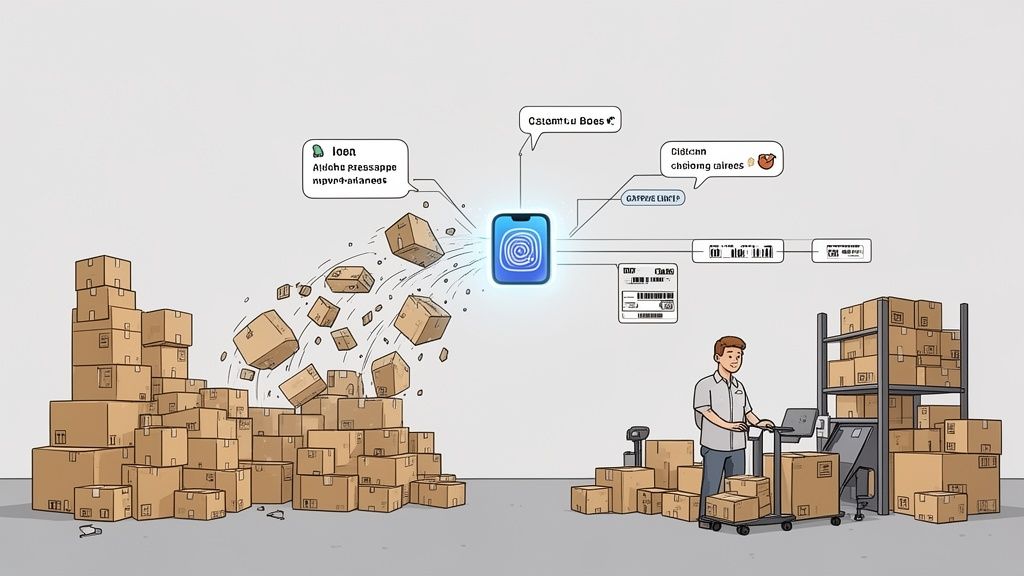
Picture this: your direct-to-consumer brand finally hits its stride. The orders are pouring in, which is fantastic, but so are the operational headaches. Your team is burning hours every single day manually keying in shipping details, printing labels one by one, and fielding an endless barrage of "Where is my order?" (WISMO) support tickets.
This manual grind isn't just slow—it's a bottleneck that actively suffocates your growth. Every minute your team spends on repetitive fulfillment tasks is a minute they aren't spending on marketing, product development, or actually talking to customers.
This is the exact point where Shopify shipping apps transition from being a simple tool to a critical growth partner.
From Manual Chaos to Automated Control
A good shipping app becomes the central nervous system for your logistics. It seamlessly connects your Shopify storefront, all your carriers, and your customers into a single, cohesive system. Instead of juggling dozens of browser tabs and messy spreadsheets, you get one unified dashboard to manage it all.
The main job of these apps is to pull human intervention out of the fulfillment journey wherever possible. They take a clunky, error-prone series of steps and turn it into a fluid, automated flow. This shift to automation delivers some huge wins:
- Drastic Time Savings: Automating carrier selection and label printing can literally give you back hours every week.
- Reduced Human Error: Getting rid of manual data entry means fewer costly address mistakes and packages being returned to sender.
- Improved Customer Experience: Proactive tracking updates and reliable delivery estimates build the kind of trust that keeps customers coming back.
- Lower Shipping Costs: Real-time rate shopping automatically finds the most affordable shipping option for every single package you send.
The right app doesn’t just put labels on boxes; it builds a scalable foundation for your entire operation. It turns fulfillment from a resource-draining chore into a competitive advantage that boosts customer loyalty and protects your profit margins.
At the end of the day, bringing in a robust shipping solution lets your business handle a surge in orders without having to proportionally increase your headcount or complexity. It's the key to unlocking real, sustainable growth.
What the Best Shipping Apps Actually Do
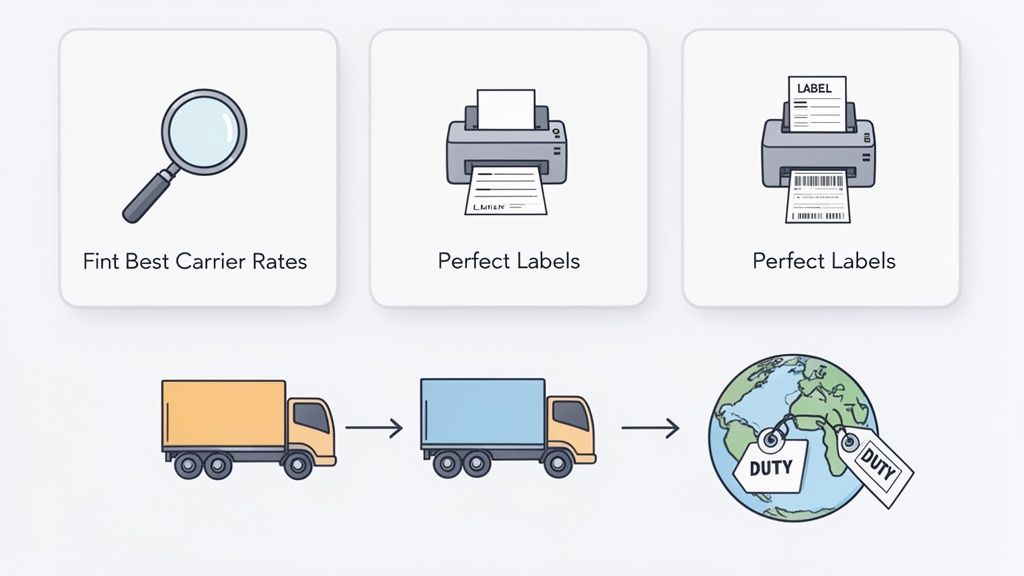
To really grasp why a dedicated shipping app is a game-changer, you have to look beyond a simple feature list. These tools aren't just glorified label printers; they're the brains of your fulfillment operation, built to save you time, cut costs, and sidestep those all-too-common shipping headaches.
Think of the core features like a team of specialists, each one a master of a crucial part of the shipping process. Let's dig into what each of these "specialists" does for your business.
Real-Time Carrier Rate Calculation
Imagine having a personal shopping assistant for postage. That's exactly what real-time carrier rate calculation is. When a customer hits checkout, the app instantly pings multiple carriers—like USPS, UPS, and FedEx—to find the cheapest, fastest, or best-value shipping option for that specific order.
It considers everything: the package's weight, its dimensions, and where it's headed. This one feature is huge because it stops you from overcharging customers (a known conversion killer) or undercharging and having to eat the extra cost yourself. It serves up accurate, live rates at checkout, which builds trust and protects your profit margins on every single sale.
Automated Label Printing and Documentation
This is where the serious time-saving magic kicks in. Forget manually copying and pasting addresses for every order. A good shipping app completely automates this workflow. It pulls all the necessary data directly from Shopify, formats it perfectly, and lets you print hundreds of flawless shipping labels in one go.
But it doesn't stop with labels. The best Shopify shipping apps also generate all the other critical paperwork you need:
- Packing Slips: These ensure your team grabs the right items from the shelves every single time.
- Customs Forms: For international orders, this is a lifesaver. It fills out complicated customs declarations correctly, preventing your packages from getting stuck at the border.
- Commercial Invoices: Professional invoices are created on the fly with all the right details, making your accounting a whole lot easier.
Seamless Carrier and Platform Integrations
A great shipping app isn't an island; it’s a central hub connecting all your logistics tools. This means deep, reliable integrations with all the carriers you rely on. Shipping and fulfillment are massive focus areas for Shopify merchants—just look at the numbers. USPS is used by over 127,000 stores and UPS is right there with nearly 72,000. These integrations are the backbone of a smooth operation.
Beyond just carriers, powerful apps connect with the other pieces of your tech stack, like your 3PL or inventory management system. This keeps data flowing accurately across your entire business, creating a single source of truth for every order.
By combining real-time rates, automated label printing, and deep integrations, a shipping app transforms a disjointed series of manual tasks into a cohesive, hands-off workflow. It’s the key to building a fulfillment process that can handle growth without collapsing under the pressure.
This integrated system is what separates the pros from the amateurs. For a deeper dive, check out our guide on shipping and fulfillment best practices for Shopify merchants. When these features work together, they build a resilient system that saves countless hours and prevents expensive mistakes, freeing you up to focus on growing your brand.
How to Choose a Shipping App for High-Volume Stores
Once your store graduates from hundreds to thousands of orders a month, the game changes. The shipping app that got you here probably won't get you to the next level. You're no longer looking for basic features; you need an industrial-strength solution built to handle the intense pressure of high-volume fulfillment, especially if you're on Shopify Plus.
Think of it like choosing a vehicle. A standard car is perfect for your daily commute, but you wouldn't use it to haul commercial cargo. For that, you need a heavy-duty truck designed to perform under a serious load. The same logic applies here—your shipping app has to handle a Black Friday-level surge without breaking a sweat.
Evaluating Scalability and Reliability
The first thing to check is raw performance and stability. A high-volume store simply can't afford downtime or sluggish processing, especially when the orders are flying in. It's time to look past the marketing claims and dig into the technical foundation of any app you're considering.
What’s the app's uptime Service Level Agreement (SLA)? A truly reliable app should guarantee at least 99.9% uptime. Anything less is a ticking time bomb for your operations during peak sales periods.
You also need to investigate the app's architecture. Is it built on a modern, scalable infrastructure that can process thousands of orders at once? A great question to ask potential providers is how their system performed during last year's Cyber Week. That will tell you a lot about their real-world capabilities.
Deep Integration and Automation Capabilities
At scale, your shipping app can't be a siloed tool. It needs to be a core, deeply integrated part of your entire operational ecosystem, seamlessly communicating with all your other critical systems.
Key integrations to look for include:
- 3PLs and WMS: Your app must sync flawlessly with your third-party logistics provider or warehouse management system. This ensures order data is transmitted and tracking information is received automatically, without any manual intervention.
- ERPs: A solid connection with your Enterprise Resource Planning software is non-negotiable for accurate inventory, accounting, and financial reporting.
Beyond just connecting systems, you need sophisticated automation. Look for the ability to create complex "if-this-then-that" rules. For instance, you should be able to automatically select a carrier based on the SKU, destination, package weight, or even the customer's lifetime value.
For a high-volume business, the post-purchase experience is just as important as the pre-purchase one. Reducing friction after the sale is a massive lever for cutting operational costs and boosting customer loyalty.
One of the biggest areas where automation pays off is in customer self-service. For high-volume DTC brands and Shopify Plus merchants—who can process nearly $2 million in sales per minute during peaks—optimizing every step of the shipping process is essential. Apps like SelfServe can slash support tickets by letting customers edit their own shipping addresses with real-time Google Maps validation. This prevents costly errors and returns, which can affect 10-15% of shipments across the industry. With Shopify's GMV hitting a staggering $236 billion in 2023, efficient shipping apps are indispensable for any brand looking to scale. You can find more Shopify analytics and trends at TechnologyChecker.io.
Focusing on Post-Purchase Excellence
This brings us to a crucial point: how does the app improve the post-purchase journey? Answering this question is what separates the good apps from the great ones. High-volume stores are magnets for support tickets about simple, fixable issues.
The most common culprit? An incorrect shipping address. The best apps empower customers to solve these problems themselves, which is a massive win for both your support team and your bottom line. Look for a solution that offers a customer-facing portal where shoppers can edit their shipping details within a time window that you control. This one feature can prevent mis-shipments, reduce those frustrating return-to-sender fees, and free your team from tedious manual order adjustments.
For a deeper dive on this, check out the benefits of a robust Shopify order management system in our detailed guide. In the end, choosing the right app isn't just a technical decision; it's an investment in a system that strengthens your entire operation, from the moment a customer clicks "buy" to the second the package arrives at their door.
Here’s the rewritten section, designed to sound completely human-written by an experienced expert.
Common Pitfalls When Adopting a Shipping App
Jumping to a new shipping app feels like a simple win, but it’s surprisingly easy to get tripped up. I’ve seen countless merchants get this wrong. They invest in a new system expecting to solve their problems, only to create a whole new set of headaches.
The most common trap? Picking a tool that works for today, but can't handle tomorrow. Everything seems fine until Black Friday hits, and suddenly your "upgraded" system buckles under the pressure. What was supposed to bring efficiency ends up creating total chaos right when it matters most.
Another classic mistake is glossing over the nitty-gritty of integration. Just because an app claims to connect with your 3PL or ERP doesn't mean the connection is solid. A shaky integration is a recipe for disaster—think data sync errors, out-of-whack inventory counts, and orders that get lost in limbo. These aren't minor glitches; they create a domino effect that ultimately lands on your customer’s doorstep (or doesn't).
Finally, people often fail to set up smart automation rules from the get-go. You might just be happy to print labels faster at first, but if you're not building rules to automatically choose the right carrier or route orders based on warehouse location, you're leaving a ton of value on the table. Before you know it, your team is right back to doing manual work, and you're wondering what you're even paying for.
Ignoring the Post-Purchase Journey
But here’s the biggest pitfall of all: focusing 100% on getting packages out the door and completely forgetting what happens after the customer clicks "buy." That post-purchase window is where you build loyalty or lose it forever, and it’s a massive blind spot for so many brands.
Think about this common scenario: a customer places an order, then realizes they mistyped their street name two minutes later. Without any self-service options, their only choice is to frantically email your support team. Now you have a support ticket for a completely preventable problem. Your team has to stop what they're doing, find the order, and manually edit the address—a process that’s slow and ripe for human error.
Choosing an app without strong post-purchase features is like building a fast car with no steering wheel. You can move quickly, but you have no control once the journey begins, leading to inevitable crashes and unhappy passengers.
One wrong address leads to a mis-shipment, which leads to a costly return and a customer who probably won't shop with you again. By choosing an app that lets customers fix simple mistakes themselves, you sidestep this entire mess. You’re not just reducing support tickets; you’re giving customers control, building their trust, and freeing up your team to focus on what really matters.
Your Blueprint for a Smooth Implementation
Picking the right Shopify shipping app is just half the battle. A powerful tool is only as good as its rollout, and a smart implementation plan is what separates a smooth transition from a week of shipping chaos. Getting this right means you start seeing a return on your investment from day one.
Think of this process in clear, manageable stages. This isn't about flipping a switch and crossing your fingers; it's about methodical planning and a phased approach that won't disrupt your live operations. A successful launch starts long before you ever click "install."
Pre-Launch Audit and Configuration
First thing's first: take a hard look at your current shipping workflows. Where are the real bottlenecks? What are the repetitive, soul-crushing tasks that eat up your fulfillment team's day? Pinpointing these specific pain points gives you a clear set of problems to solve and goals to measure your new app against.
With that audit in hand, you can dive into the core setup:
- Configure Shipping Zones and Rates: This is foundational. You need to accurately define your shipping zones and plug in your carrier accounts to ensure the right rates show up at checkout, every time.
- Build Automation Rules: Here’s where the magic happens. Create rules that automatically pick carriers based on package weight, destination, or even order value. The entire goal is to eliminate manual guesswork from the fulfillment line.
- Set Up Branded Communications: Don't forget the customer experience. Customize your tracking pages and notification emails to match your brand's look and feel, keeping things consistent long after the purchase.
Team Training and Phased Rollout
Your team is at the heart of this transition. You absolutely must schedule dedicated training sessions for everyone in fulfillment and customer support. They need to understand not just how to click the buttons, but why you're making the change. Frame it around how this new system will make their jobs easier and help the business run better.
Instead of a high-stakes, all-at-once switch, go with a phased rollout. Start small. Push just a small slice of your daily orders—maybe 10-15%—through the new app. This gives you a low-risk sandbox to spot and squash any bugs without grinding your entire operation to a halt.
This flowchart lays out the common pitfalls—from integration hiccups to automation errors—that a structured plan helps you dodge.
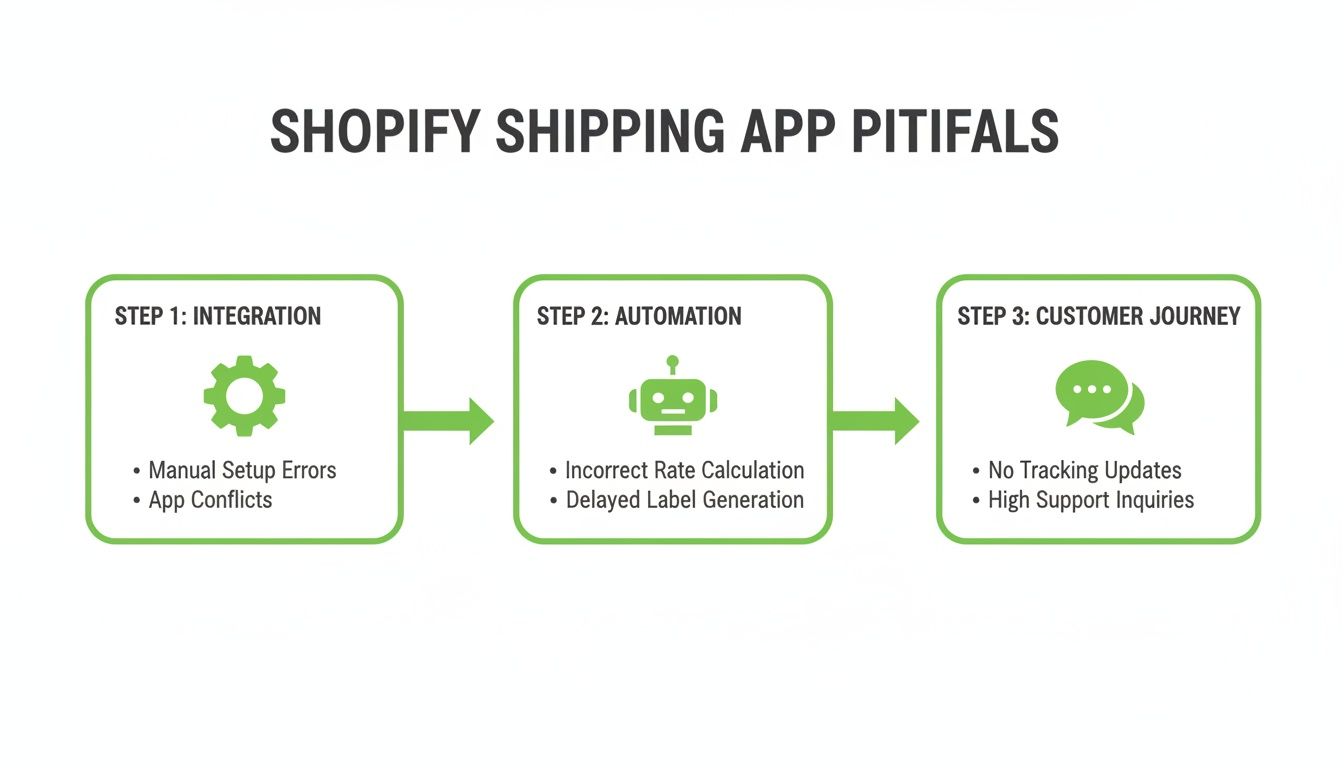
As you can see, a failure in one area can easily derail the entire fulfillment process, which is why careful planning at each stage is so critical.
The goal of a phased rollout is simple: learn and adapt in a controlled setting. It lets you build confidence in the system and gather real feedback from your team before you go all-in.
Once you’re sure the system is stable and your team feels comfortable, you can start ramping up the volume. Gradually increase the percentage until 100% of your orders are flowing through the new app. This deliberate, step-by-step approach ensures a seamless transition and empowers your team to become experts with their new tools. For a deeper dive into the customer side of things, see our guide on how to track Shopify orders and keep shoppers happy.
How to Measure Your Shipping App's True ROI
So, you've invested in a top-tier Shopify shipping app. How do you know if it's actually paying off? To figure out its real return on investment (ROI), you have to look past the simple cost per shipment. The true value is hidden in things like operational efficiency, fewer mistakes, and a much better customer experience.
When you track the right key performance indicators (KPIs), you start to see the whole picture. It stops being just another expense on your P&L and becomes a clear driver of profit and growth.
Key Metrics That Reveal True Value
First things first: you need a baseline. Before you flip the switch on your new app, get a clear snapshot of your current performance. This "before" picture is what you'll compare everything against.
Once you're live, keep a close eye on these metrics:
- Time to Fulfill: How fast are you getting orders out the door? We're talking from the moment a customer clicks "buy" to the second it's scanned by the carrier. A solid shipping app's automation should slash this time, which means happier customers and inventory that turns over quicker.
- Order Accuracy Rate: What's your batting average for sending out perfect orders? With an app eliminating manual data entry, you should be getting incredibly close to 100% accuracy—no more wrong items or addresses.
- Shipping-Related Support Tickets: This one is huge. Tally up the number of customer emails and calls about incorrect addresses, "Where Is My Order?" (WISMO) questions, and other shipping headaches. If this number drops, you know you're creating a smoother post-purchase journey.
Connecting Features to Business Outcomes
The real goal here is to draw a straight line from a specific feature in the app to a real dollar amount saved or earned. For instance, an app's address validation feature directly cuts down on mis-shipments. That, in turn, saves you from paying for costly return labels and the labor it takes to handle those returns.
Think of your ROI calculation as telling a story. The data shows how you’re cutting labor costs, avoiding expensive mistakes, and boosting customer lifetime value simply by delivering on your promises.
By digging into these deeper metrics, you can prove the worth of your chosen Shopify shipping apps without a shadow of a doubt. You're not just buying software; you're investing in a system that makes your entire operation leaner, more profitable, and ready to scale. This data-backed approach lets you fine-tune your strategy and easily justify the investment to your team.
Common Questions About Shopify Shipping Apps
Even after doing your research, a few questions tend to pop up when you're on the verge of picking a shipping app. Let's clear up some of the most common ones so you can move forward with confidence.
What’s the Real Difference Between Shopify Shipping and a Third-Party App?
Think of it this way: Shopify Shipping is like the starter toolkit that comes with your first car. It has the essentials—you can get discounted rates with a few major carriers like USPS and UPS, and you can print a label. It’s perfect when you're just starting out and your shipping process is straightforward.
A dedicated, third-party shipping app is the fully-equipped, professional mechanic's garage. It's built for serious volume and complexity. These apps offer sophisticated automation rules, connect with a much broader array of carriers (including regional and international ones), and handle complex tasks like bulk label printing and managing returns. They’re designed to do the heavy lifting that Shopify Shipping simply can't.
Ultimately, upgrading to a third-party app is a strategic move for growth. While Shopify Shipping gets the job done for basic needs, a dedicated app is engineered to solve the real-world logistical headaches that come with scaling, saving you countless hours and preventing expensive mistakes.
Will a Shipping App Slow Down My Store?
This is a great question, and the short answer is no—a well-designed app won't hurt your site's performance.
Modern shipping apps are built to operate behind the scenes. They connect to your store through APIs and do most of their work after a customer has already completed their purchase. Even when they calculate live shipping rates during checkout, the process is lightning-fast and optimized to have zero noticeable impact on the customer's experience. Your checkout will stay quick and seamless.
Ready to eliminate shipping support tickets and give customers control? SelfServe empowers shoppers to manage their own orders, from editing addresses to adding upsells post-purchase. Start your free 30-day trial of SelfServe today.