Mastering Customer Effort Score: Guide for Ecommerce 2026

A high-effort experience is one of the fastest ways to lose a customer after the sale. For Shopify merchants, the cost usually shows up after checkout, in tracking confusion, address changes, return questions, subscription edits, and repeat contacts that should never have reached the inbox in the first place.
That is the lens for this guide. Many CES articles stay broad and explain the metric in general customer service terms. This one stays focused on the part of the journey where effort gets expensive fastest for ecommerce teams: post-purchase and self-service.
In day-to-day operations, support volume is rarely the root problem. It is the visible result of friction in your systems and flows. Every “where is my order?” email, every return-status follow-up, and every manual request to fix something a customer should have been able to handle alone points to unnecessary effort.
Customer effort score gives merchants a practical way to find that friction, measure it at specific moments, and decide what to fix first. Used well, it becomes one of the more useful CX metrics for better customer experience because it ties customer feedback directly to ticket reduction, self-service adoption, and a smoother post-purchase experience.
What Is Customer Effort Score Really Measuring
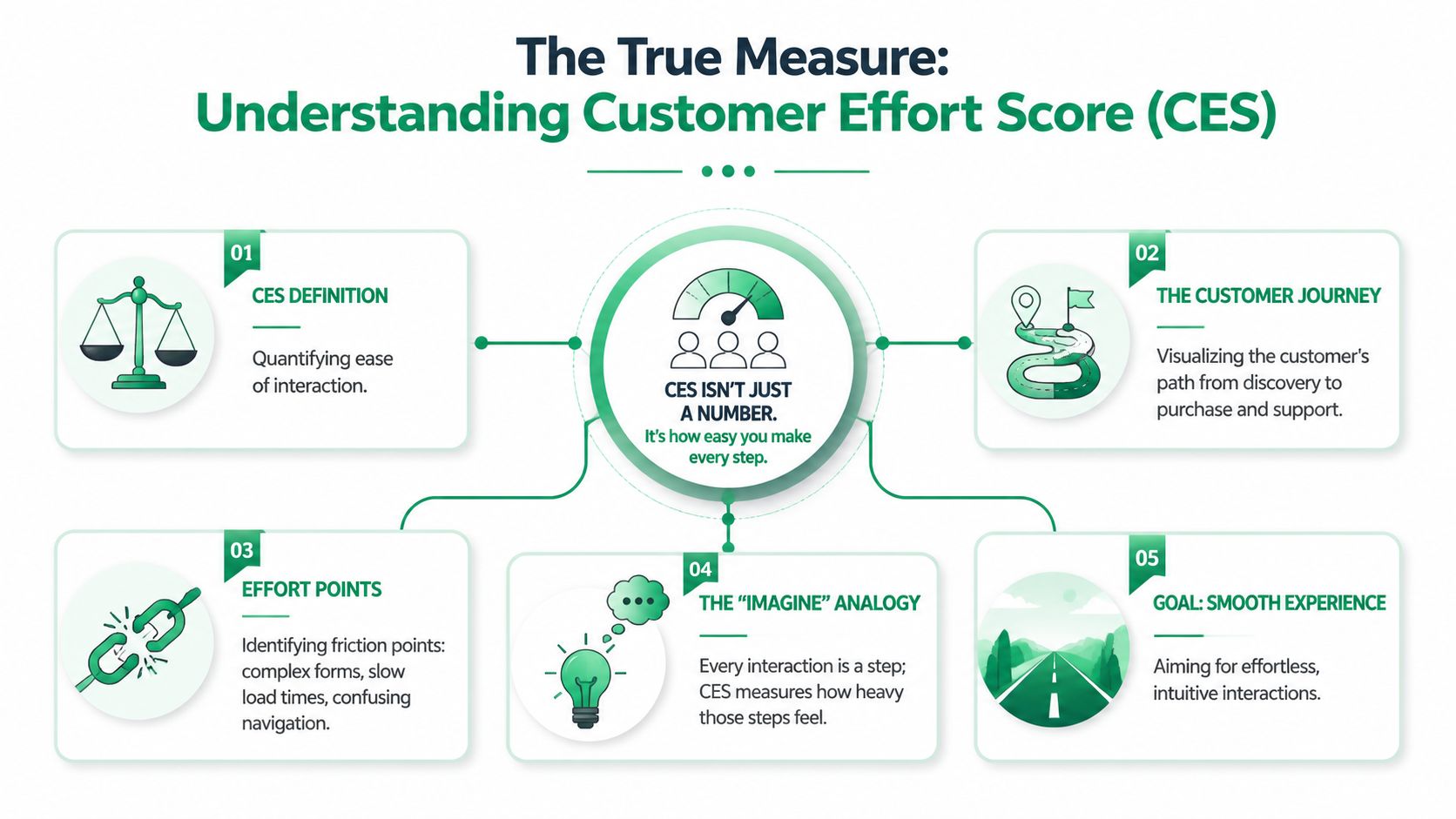
Customer effort score measures one thing: how hard a customer had to work to get something done. It's a focused customer experience metric built around ease, not delight, and it's commonly captured with a single post-interaction question on a 1–5 or 1–7 scale, with the score calculated as the average of responses, as outlined by SurveyMonkey's guide to customer effort score.
Effort is the steepness of the journey
A customer journey isn't just a funnel. It's a path with hills, dead ends, missing signs, and unnecessary steps. Customer effort score tells you how steep that path felt at a specific moment.
That distinction matters. A shopper can love your product and still resent the process it took to update an address, find tracking, or complete a return. They may even report that the outcome was acceptable while still deciding they don't want to deal with your store again.
It doesn't measure happiness
CSAT asks whether the customer was satisfied. NPS asks whether they'd recommend you. Customer effort score asks whether your process made the task easy.
That makes CES particularly useful for operational teams. It points to friction in actions customers take, such as:
- Tracking an order
- Changing shipping details
- Resolving a support issue
- Starting a return
- Finding an answer without contacting support
Practical rule: If the customer had a job to complete, customer effort score can tell you how much burden your process added to that job.
Why Shopify teams should care about the distinction
On a Shopify store, some of the most damaging friction appears after payment. The sale is already won, but the relationship is still fragile. If customers can't self-serve common needs, your team absorbs the effort instead. That creates a false sense of control because support “handled it,” but the customer still felt the friction.
A helpful way to frame CES is as one of several CX metrics for better customer experience, with a very specific role. It isolates process difficulty. That makes it more actionable than broad sentiment when you're trying to clean up post-purchase operations.
The Business Case for Reducing Customer Effort
High effort is expensive in two ways. It pushes customers away, and it creates support work your team should never have had to handle in the first place.
For Shopify merchants, the second cost usually shows up first.
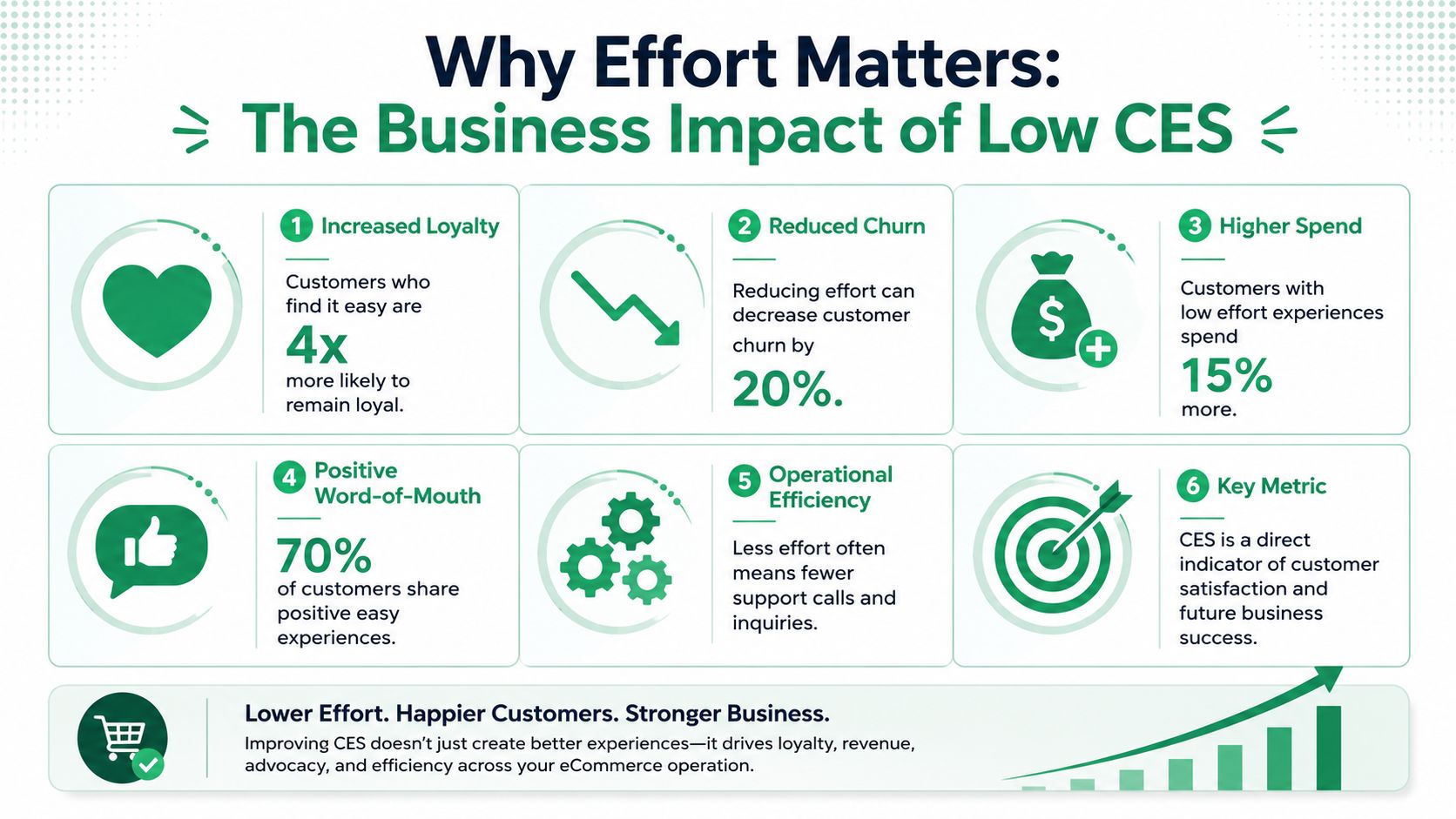
A customer who cannot find tracking, change an address, or start a return without help often still gets an answer eventually. The order may even arrive on time. But your team paid for that outcome with ticket volume, manual work, and slower response times for everyone else.
That is why CES matters as an operating metric, not just a feedback metric. It helps merchants spot where the business is making simple post-purchase tasks harder than they need to be.
Where merchants feel the cost first
The cost of effort is rarely dramatic at the start. It shows up as a steady stream of repetitive tickets.
One unclear delivery update creates a WISMO contact. One rigid edit policy creates a panicked email five minutes after checkout. One return page with weak instructions creates two or three back-and-forth replies before the issue is resolved. On their own, these look like ordinary service requests. At scale, they become preventable labor.
| Friction point | What the customer experiences | What the team experiences |
|---|---|---|
| Order tracking confusion | Uncertainty and extra effort | More WISMO tickets |
| Address change friction | Panic after purchase | Manual edits and exceptions |
| Return ambiguity | Hesitation and repeat questions | Higher support load |
| Weak self-service | Customers give up and contact support | Longer queues and slower resolution |
This is the trade-off merchants miss when they treat support as the safety net for broken flows. The customer still feels the burden. The support team just absorbs it.
Low effort is an operational strategy
Reducing effort usually has less to do with delight and more to do with removal. Remove extra steps. Remove unclear instructions. Remove dead ends between the order confirmation page and issue resolution.
In practice, that often means investing in better self-service before adding headcount. If your team keeps answering the same post-purchase questions, the underlying issue is usually process design, not agent productivity. This guide to solving recurring customer service problems in ecommerce is a useful reference for identifying which issues belong in the workflow instead of the queue.
The fastest way to lower support demand is to make common customer jobs easier before a ticket is created.
Stores with low-effort post-purchase flows are cheaper to support and easier to trust. Customers get answers faster. Agents spend more time on exceptions that need judgment. Operations teams get a clearer view of what is broken, because the noise from avoidable contacts drops.
How to Measure and Analyze Your CES
Customer effort score works best when you measure it at the exact moment friction is likely to appear. For ecommerce teams, that means you shouldn't ask a broad “how was your experience?” question days later. You should ask about one task, right after it happened.
According to Checkbox's guidance on customer effort score, CES is most useful at high-friction transaction points such as support resolution, returns, onboarding, billing, and purchase completion, and teams should investigate when scores fall below roughly 3.5/5 or 5.5/7.
Start with a single clear question
Keep the survey short. One rating question and one open-text follow-up is enough for most touchpoints.
You can use either of these formats:
Classic effort framing
“How much effort did you personally have to put forth to resolve this issue?”Ease framing
“The company made it easy for me to complete this task.”
The second version is often easier to operationalize because it puts responsibility on the business, not the shopper.
Measure at the touchpoints that actually create work
Generic CES programs fail because they survey the wrong moments. In Shopify, the high-value touchpoints are usually post-purchase and self-service related.
A practical list includes:
After a support ticket closes
Useful for spotting handoff issues, weak resolutions, or repeat-contact friction.After a return is initiated or completed
Returns often look simple internally but feel messy to customers.After checkout
This can surface friction in payment, shipping selection, or promo-code handling.After a customer uses an account or help-center flow
This shows whether self-service reduced effort or just pushed customers into another dead end.
If your service model spans multiple channels, this guide to the ecommerce contact center is a useful operational reference for deciding where to trigger surveys and how to interpret channel-specific issues.
Don't stop at the average
A single average score is a starting point, not the answer. The useful analysis comes from slicing CES by interaction type.
For example, compare:
- Chat vs. email support
- Domestic vs. international returns
- Order edits vs. cancellation requests
- Order-status page visits that ended in self-service vs. support contact
That's where bottlenecks show up. A decent store-wide number can hide one painful flow.
Ask one follow-up question every time: “What made this easy or difficult?” The rating tells you where the friction exists. The comment tells you what to fix.
Look for patterns in language, not just scores
When merchants review CES comments, the same themes usually keep appearing:
- Customers couldn't find something
- They had to repeat information
- The next step wasn't clear
- They expected to self-serve but couldn't
- The process took too long or felt uncertain
Those comments are operational gold. They tell you whether your issue is content, workflow, permissions, timing, or channel design.
CES Benchmarks and How It Compares to NPS and CSAT
Most merchants ask the same question once they start collecting CES. What's a good score?
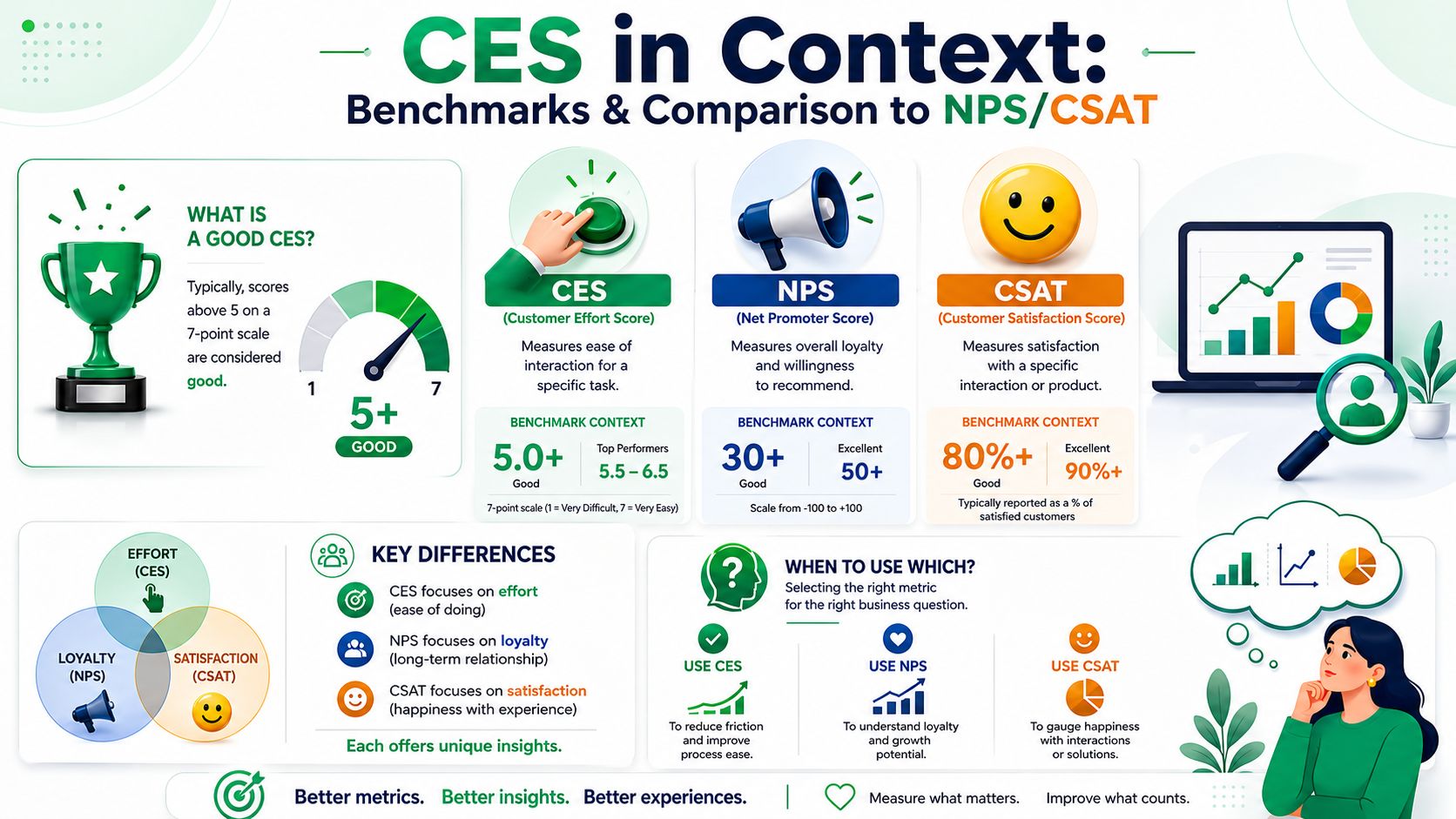
The honest answer is that benchmark advice exists, but it's messy. Rule-of-thumb targets such as 4.0+/5, 5.5+/7, or 80%+ agreement are commonly cited, but they're inconsistent and mostly vendor-derived. SmartSurvey's analysis of what counts as a good customer effort score makes the stronger point: CES is more defensible as an internal trend metric than as a universal benchmark.
Good compared to what
A score only means something in context.
A smooth password reset and a complex international return are not the same kind of task. Even if they receive the same score, the operational interpretation is different. That's why merchants get more value from watching movement over time than from chasing a generic target.
A practical approach is to compare each touchpoint against itself:
| Touchpoint | What to track |
|---|---|
| Order edits | Score trend after workflow changes |
| Returns | Score trend by return reason or policy type |
| Support resolution | Score trend by channel |
| Checkout | Score trend after app or theme changes |
CES vs NPS vs CSAT
These metrics answer different questions. Mixing them up leads to weak decisions.
- Customer effort score tells you whether a specific task was easy.
- CSAT tells you how satisfied the customer felt about an interaction.
- NPS tells you about broader loyalty and willingness to recommend.
That's why CES is so useful for ecommerce operations. It maps directly to process friction. If you're thinking more broadly about loyalty programs, brand health, or referral behavior, you'll usually bring NPS into the picture too. For teams working on relationship-level measurement, this guide on how to improve your Net Promoter Score is a useful complement.
A rising NPS can hide a broken returns flow. A healthy CSAT can hide a tedious order-edit experience. CES is the metric that exposes the work you're making customers do.
Use benchmarks lightly
Targets can help with calibration, especially early on. But don't let them distract you from the main purpose.
If your CES improves after simplifying the order-status page, that matters. If return-related CES drops after a policy update, that matters even more. The store that wins isn't the one with the prettiest benchmark slide. It's the one that removes effort from the moments customers remember.
How to Lower Effort in Your Shopify Store
For Shopify merchants, lowering effort is mostly a systems problem. Customers struggle when the store forces them to ask for help on tasks that should have been easy to complete alone.
CES is usually measured as a single-question score on a 1–5 or 1–7 scale, with the average of responses used as the result. Common rule-of-thumb targets often cited are 4.0+ on a 1–5 scale or 5.5–5.6+ on a 1–7 scale, as noted in Balto's customer effort score guide. For operators, the more useful question is simpler: where are customers still getting stuck?
Before purchase
A lot of avoidable effort starts before checkout and then spills into support later.
Clean this up first:
- Product detail pages should answer the obvious questions before the shopper has to ask them. Sizing, materials, delivery expectations, compatibility, and return conditions should be easy to scan.
- Site search and navigation should help customers narrow options quickly. If shoppers can't find the right variant or policy page, they'll either abandon or contact support.
- Policy pages should use plain language. Merchants often write returns and shipping pages for legal safety, not customer comprehension.
During checkout
Checkout effort is expensive because it blocks conversion and sets up post-purchase confusion.
Look closely at:
Shipping transparency
Delivery timing, cost, and method need to be visible before payment.Form friction
Ask only for what's necessary. Every extra field creates another chance for input errors and follow-up support.Error recovery
If the customer makes a mistake, the path to fixing it should be obvious.
After purchase
Here, high-volume Shopify brands usually have the biggest opportunity.
The most common post-purchase tickets tend to come from a short list of customer jobs:
- Changing a shipping address
- Correcting contact details
- Checking order status
- Canceling or editing an order
- Starting a return or exchange
If the customer has to email support for each one, effort rises immediately. So does workload. The better model is to design the post-purchase flow around controlled self-service.
A strong post-purchase setup usually includes:
| Customer need | Low-effort approach |
|---|---|
| Track my order | Clear order-status page with timely updates |
| Fix my address | Guided self-service edit within allowed rules |
| Change order details | Permission-based edits with clear deadlines |
| Start a return | Simple flow with visible status and instructions |
| Add to my order | Relevant offers presented without forcing a new checkout path |
Self-service works when it resolves the issue
Not all self-service reduces effort. A buried FAQ, a chatbot loop, or a help article that ends with “contact support” can make the experience worse.
Good self-service has a few traits:
- The option appears at the moment of need
- The customer can tell what's allowed
- The process finishes the job
- The store prevents errors before they create more support work
That's why merchants often invest in a proper self-service customer portal instead of patching together separate pages, inbox macros, and policy links. The point isn't to deflect customers. It's to let them complete routine tasks cleanly.
The best self-service flow doesn't feel like support. It feels like the store already expected the customer's need and built the simplest path for it.
What usually doesn't work
Some anti-patterns show up over and over in Shopify operations:
- Forcing customers into email for simple edits
- Hiding time windows or restrictions until after the request starts
- Using policy text where a task flow is needed
- Sending customers from order status to help center to contact form
- Treating post-purchase upsells as separate from customer convenience
When you remove those obstacles, CES tends to improve because the customer no longer has to figure out your process. They just complete their task and move on.
Frequently Asked Questions About CES
Which survey format should I use
Use the format your team can interpret consistently. Some teams prefer direct effort wording. Others prefer agreement wording such as “the company made it easy for me to complete this task.” The second option usually works well for ecommerce because it points attention back to process design.
Keep the scale consistent by touchpoint. If you mix formats and scales too freely, trend analysis gets muddy.
Can a low-effort experience still be bad
Yes. A process can be easy but still unsatisfying if the outcome is poor.
For example, a return request might be simple to submit but still leave the customer unhappy if the policy feels unfair. That's why CES works best alongside open-ended feedback and other CX signals. It tells you whether the task was easy, not whether the overall business decision was popular.
How often should I send CES surveys
Send them after important touchpoints, not after everything. If you over-survey, response quality drops and customers start ignoring requests.
A practical rule is to reserve CES for moments with real operational stakes: support resolution, returns, checkout, onboarding, and self-service flows. Accessibility matters here too. If a page is hard to use, customers will report high effort for reasons unrelated to policy or staffing, so it's worth using tools that test accessibility as part of your review process.
What should I do if my CES is weak in one area
Don't launch a broad CX initiative. Fix the workflow.
Read the comments. Watch the click path. Check whether the page explains the next step, whether self-service is visible, and whether the customer had to switch channels. Then change one part of the flow and measure again. CES is most useful when it leads directly to operational edits.
If your Shopify team wants to reduce post-purchase tickets and give customers a cleaner way to manage order changes themselves, SelfServe is built for that job. It helps merchants turn high-effort requests like address edits, contact updates, and post-purchase order changes into controlled self-service, so support can spend less time on routine fixes and more time on exceptions that need attention.