Team Productivity in E-Commerce: Cut Tickets, Scale Support

Monday morning hits, the queue is already full, and your best agents are stuck doing address corrections, order edits, and shipping-status lookups before their first coffee cools. Meanwhile, the messy cases sit untouched, because every simple post-purchase request steals the same attention as a real escalation. That's why team productivity in e-commerce usually isn't a motivation problem, it's a workflow problem.
Why Your Support Team Feels Busy but Falls Behind
A support manager can look at a packed inbox and assume the team needs more headcount. In practice, the team often needs less repetitive work and fewer interruptions. The agents aren't slow, they're being pulled in too many directions by the same low-complexity requests over and over.
A high-volume Shopify store makes this painfully clear. One agent is updating an apartment number, another is checking whether an order can still be canceled, and a third is answering a question that should have been visible on the order status page already. None of those tasks are hard by themselves, but together they destroy momentum.
Busy work hides the real bottleneck
The problem is not just volume. It's fragmentation. Every time an agent has to stop one ticket, open a different tab, chase a policy, or confirm a detail with operations, the queue grows a little longer.
Practical rule: If a request can be handled safely by the customer inside a rule set, it should never become a ticket in the first place.
That's the practical shift. Team productivity improves fastest when operations leaders stop asking how to make agents faster at repetitive work and start asking which work should disappear entirely. If you need a starting point for that kind of automation, the workflow mindset in how to automate repetitive tasks is the right place to think.
The same pattern shows up in every support team I've scaled through peak seasons. The queue looks like a people problem, but the root cause is usually a systems design problem. Repeated edits and status checks don't just consume minutes, they reset attention, and attention is what agents need for the cases that require judgment.
Repetition is what makes a queue feel heavier than it is
A team can be fully staffed and still feel behind if the work is all interruption-driven. That's especially true after purchase, when customers mostly want small changes, quick confirmations, or reassurance. If those requests all route through humans, the team spends the day context switching instead of resolving.
This is why support productivity and customer experience are linked. Customers don't care whether a change took one minute or ten, they care whether it was easy. Agents don't care whether a request is technically simple, they care whether it broke their flow.
The fix starts with a different question. Not “How do we close more tickets?” but “Which tickets shouldn't exist?” That's the lens that makes team productivity a design choice rather than a morale speech.
The Hidden Cost of Interruptions on Support Output
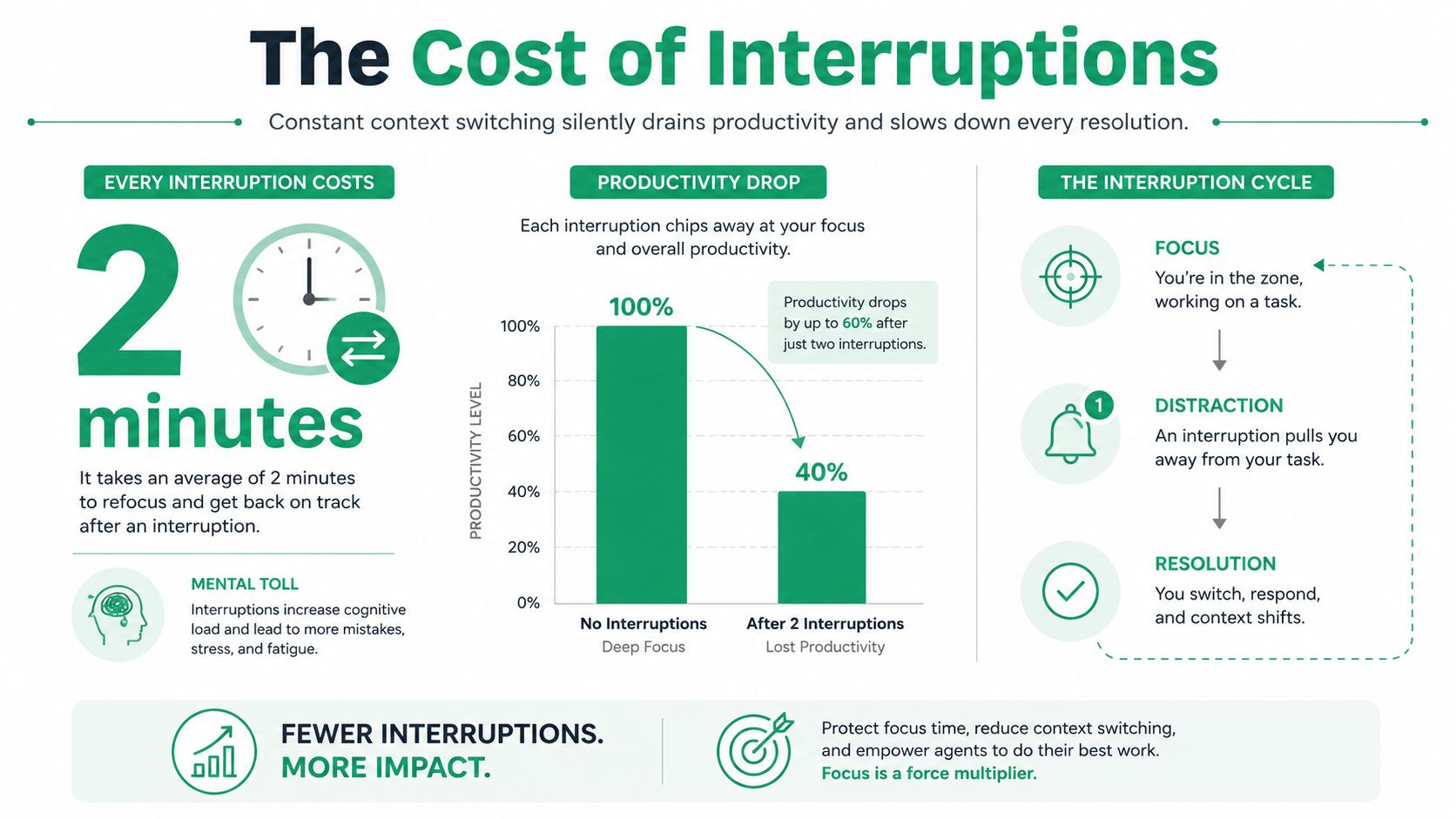
Support teams feel the drag of interruptions long before the dashboard shows it. A 2026 workplace productivity compilation says employees are productive for only 5 hours 56 minutes per day, leaving a 54-minute daily gap versus organizational expectations of about 6 hours 50 minutes. The same source says 58% of employees fall short of their productivity targets, and another 2026 summary notes that workers are interrupted every 2 minutes, or roughly 275 interruptions per person per day. Those are broad workplace figures, but they map cleanly onto support work, where every ping, tab change, and policy lookup chips away at the time agents need for actual resolution. Chanty's workplace productivity statistics makes the scale of that interruption load hard to ignore.
In e-commerce support, the damage is often hidden inside apparently harmless tickets. A shipping address change looks quick, until the agent has to confirm whether the order already moved to picking. An order cancellation sounds simple, until someone checks the fulfillment state, payment status, and cancellation rules. Each step sounds small, but together they create the exact kind of fragmented work that keeps teams busy and behind.
Simple tickets are expensive because they interrupt complex ones
The queue is rarely the issue by itself. The issue is that repetitive tickets interrupt the tickets that require judgment, empathy, or cross-system coordination. When a team spends the day toggling between repetitive edits and edge cases, the complex work gets delayed and the repetitive work never really disappears.
That's why ticket deflection is such a high-impact intervention. Every self-service change removes one interruption from the day, which leaves more uninterrupted time for order issues, fraud concerns, fulfillment exceptions, and unhappy customers who truly need a human. The productivity gain isn't just fewer tickets, it's better focus.
It also helps to think about the macro picture. In 2024, global productivity growth across OECD economies was only 0.4%, while U.S. productivity rose by at least 1.5%, and the pre-pandemic global average from 2015–2019 was 1.8% per year. That gap matters because small workflow improvements at the team level scale into real output differences over time, especially when support teams are carrying growth without a matching increase in staffing. Archie's employee productivity statistics shows how thin the margin can be.
The fastest way to improve support output is often to remove the interruption, not to accelerate the response.
The more your queue is built around post-purchase changes, the more that rule applies. If customers can complete safe changes themselves, the team gets the one thing productivity depends on most, longer stretches of uninterrupted work.
Auditing Your Ticket Queue for Self-Service Opportunities
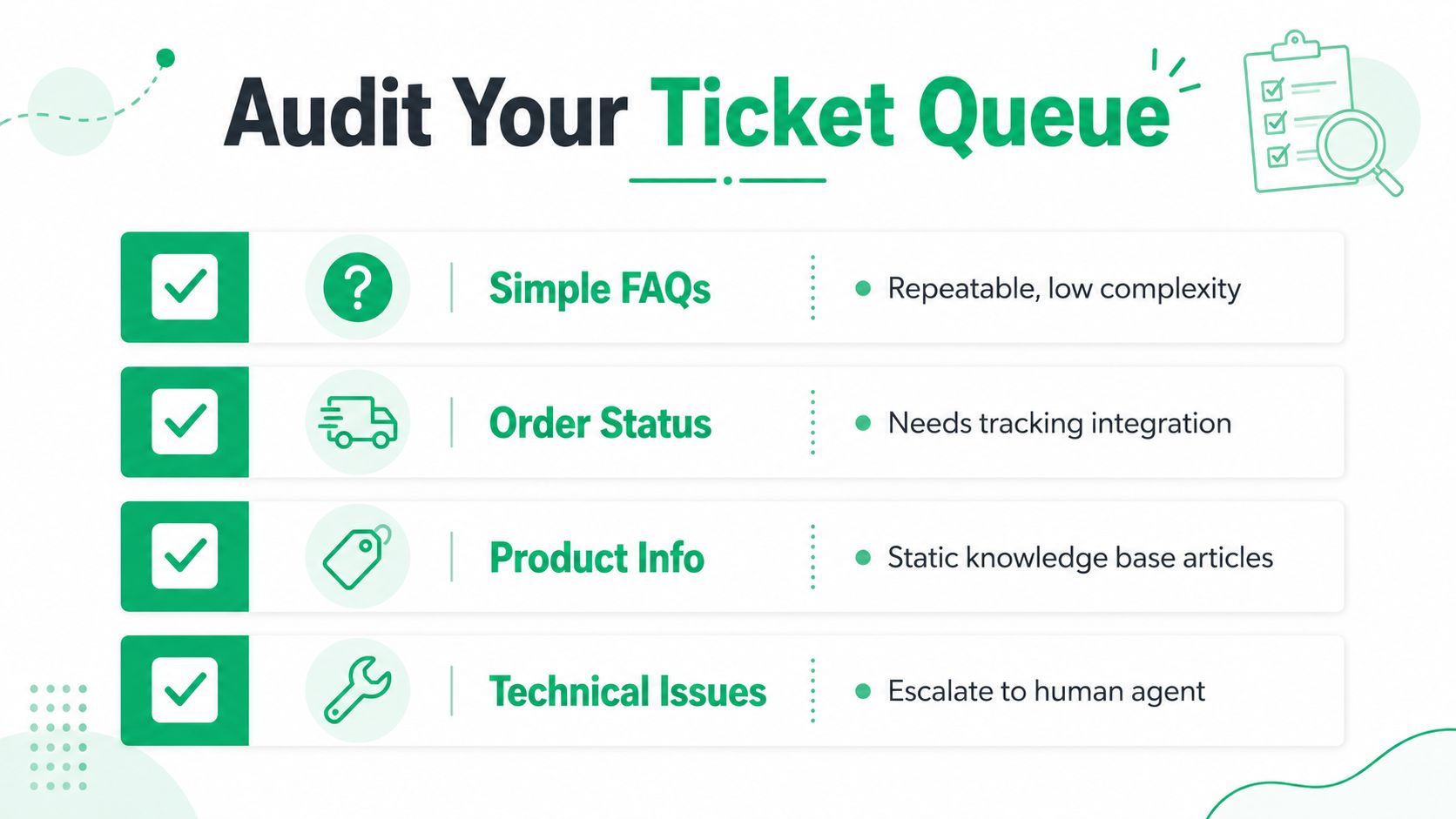
Start by sorting tickets by frequency, complexity, and risk. That sounds basic, but many teams skip straight to tooling before they've separated safe, repeatable requests from cases that need human judgment. A useful model is to tag every ticket in a recent period, then group the top recurring post-purchase requests into categories that reflect what the customer is asking for, not what the agent had to do behind the scenes.
The first pass usually reveals the same patterns. Address changes, shipping method updates, order cancellations, and contact detail edits rise to the top because they're common and operationally repetitive. If you're also seeing a steady stream of “where is my order” messages, that belongs in the same audit because it's often a self-service visibility problem, not a support skill problem.
Decide what can be deflected and what can't
A good audit doesn't just count tickets. It asks what would happen if the customer handled the request directly.
Decision rule: Deflect only the requests that are reversible, trackable, and limited by clear permissions.
That keeps the process honest. A shipping address edit can be safe if it happens before fulfillment starts and if validation protects delivery accuracy. A cancellation can be safe if the order hasn't entered the wrong stage of the workflow. A contact detail change is usually lower risk, but only if the update flows through the right systems so the customer still gets confirmation and tracking.
By contrast, anything tied to fraud review, custom fulfillment logic, high-value exceptions, or partial shipments should stay in a human queue. Those requests aren't good self-service candidates because the cost of a bad change is higher than the cost of a manual review. The goal is not to eliminate support, it's to stop wasting support time on tasks that follow a predictable rule set.
For a practical framework on how customer-facing deflection should be structured, customer self-service best practices is worth reading alongside your own ticket analysis. The useful question is simple. If a customer can make the change without creating downstream confusion, it probably belongs in self-service.
Build the audit around the work, not the org chart
A lot of teams tag tickets by department, which sounds neat and tells you very little. Tag by customer intent and operational impact instead. That gives you a clearer view of where team productivity is being burned on repeatable work and where human effort is adding value.
If you do this right, the queue becomes a map of opportunities. Not every ticket should be deflected, but the high-frequency, low-risk ones almost always deserve a customer-facing path.
Designing Permissions and Editing Windows That Protect Operations
The mistake I see most often is giving customers editing power without any operational guardrails. That creates a mess fast. Self-service only helps team productivity when the merchant controls what can change, when it can change, and what happens after a change is submitted.
A solid permissions model starts with time. Let customers edit shipping or contact details only inside a defined window, ideally before the order enters the picking queue. After that point, the risk of misalignment with fulfillment climbs, and the value of automation drops. The point is not to lock customers out, it's to make sure changes happen before they become operationally expensive.
Put the right limits around the right actions
Not every field needs the same level of access. Shipping address changes can be allowed under one rule set, while product swaps or quantity changes may need tighter controls. Cancellation requests are often best routed through a manual approval queue when the order has already advanced, because the operational consequence of a late change is bigger than the support savings.
The strongest setup uses a few practical safeguards:
- Permission scope: Limit edits to the specific fields you're comfortable exposing, such as address or contact information.
- Editing window: Close self-service access after the order passes a fulfillment threshold.
- Order tagging: Mark changed orders automatically so operations can spot them without checking every record.
- Cancellation workflow: Route sensitive requests through an approval queue instead of automatic execution.
- Product restrictions: Block edits for items or collections that can't be safely changed after purchase.
That structure turns flexibility into control. The customer gets autonomy, and the ops team avoids surprise exceptions that ripple into picking and packing.
Use automation to reduce handoffs, not to create new ones
A change that updates the order but leaves your team guessing is only half a solution. The better pattern is to automate the downstream signal, so operations knows what changed and why. That can mean tagging orders in Shopify Flow, flagging modified records for review, or feeding changes into the right fulfillment process before anyone notices a mismatch.
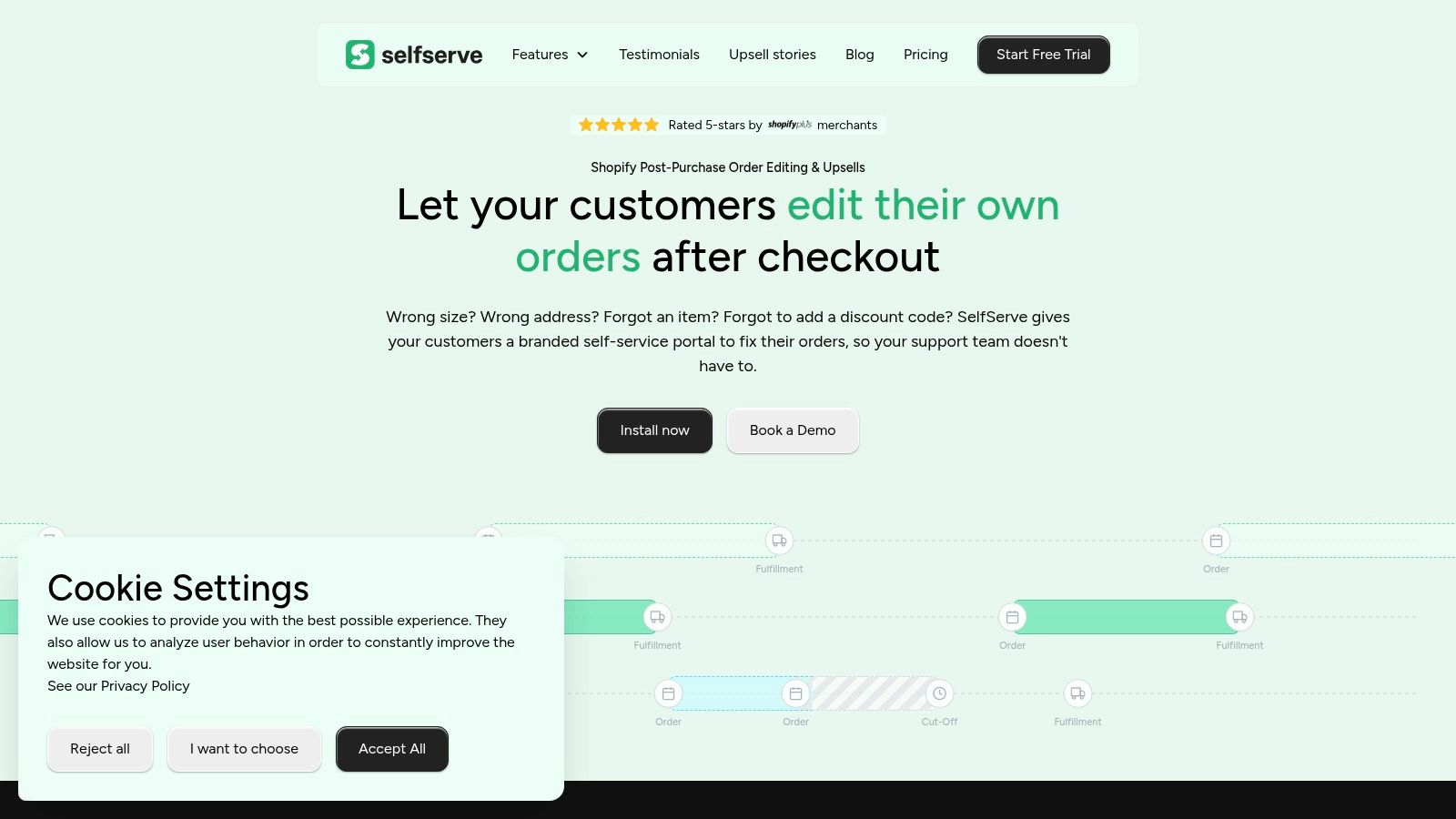
SelfServe is one option in that category, because it lets merchants define post-purchase editing rules, automate order tagging, and manage cancellation flows with approval logic. It fits the same logic as any other permission-based system. The value comes from making the rules explicit, not from handing over the keys.
Later in the workflow, the customer-facing experience matters too. If the self-service page is clear and localized, customers make fewer mistakes and ask fewer follow-up questions. That's where multilingual support and real-time address validation become productivity tools, not just convenience features.
Build around failure points, not theoretical freedom
The best permission systems are conservative where they need to be and generous where they can be. If a request can break fulfillment, keep it gated. If it's low risk and reversible, let the customer handle it. That's the balance that protects the operation while taking pressure off the queue.
For a deeper look at how access rules can be structured without opening operational gaps, permission-based access control is a useful companion read. The logic is simple. Team productivity improves when the support team stops acting like a manual approval layer for safe, routine changes.
Measuring Productivity Without Incentivizing the Wrong Behavior
A support dashboard can lie to you if you ask it the wrong question. Tickets closed per hour, time online, and similar activity measures can look impressive while quality slips and the team burns out. That's why outcome-based measurement matters more than visible busyness.
A more durable approach is to track task completion rate, cycle time, quality, and collaboration load together. The point isn't to build a giant scorecard. It's to see whether work is moving cleanly through the system, or whether throughput is being bought at the expense of accuracy and sustainability.
Compare outcomes against activity
Here's a practical way to think about the metrics.
| Metric Type | Examples | What It Reveals | Risk of Over-Reliance |
|---|---|---|---|
| Outcome-based | Task completion rate, on-time delivery, cycle time, planned-to-done ratio | Whether work is finishing predictably and with less friction | Can miss quality issues if used alone |
| Quality-based | First-contact resolution, revision rate, rework rate | Whether the team is solving the right problem the first time | Can slow teams down if judged in isolation |
| Activity-based | Tickets closed per hour, time online, response volume | Visible output and coverage | Encourages speed theater and shallow work |
The comparison is useful because it stops managers from confusing motion with progress. A high close rate doesn't mean the team is healthy if agents are rushing, reopening tickets, or carrying hidden rework. In support, the better signal is usually whether the customer got a correct answer with minimal back-and-forth.
For more examples of work performance metrics, the Kohru guide on examples of work performance metrics is a good reference point when you're building a balanced view. The key is to treat that list as a menu, not a mandate.
Trend the numbers, don't worship a single day
One day of data tells you almost nothing. A week or month of trend data tells you whether a process change is helping. That's why baseline periods matter so much. You need a stable comparison point before you decide a change improved productivity, especially in support where seasonal swings can distort the picture.
The safest habit is to review metrics by team, not by individual outlier. Individual numbers can be useful for coaching, but productivity problems in e-commerce are usually systemic. If one queue is overloaded, one policy is unclear, or one process creates rework, the whole team feels it.
Metrics should help you see friction earlier, not pressure agents into looking productive all day.
That's the trade-off. Good measurement makes work clearer. Bad measurement makes people hide. If you want sustainable team productivity, measure the workflow, not just the worker.
Building a Sustainable Productivity System for Peak Seasons
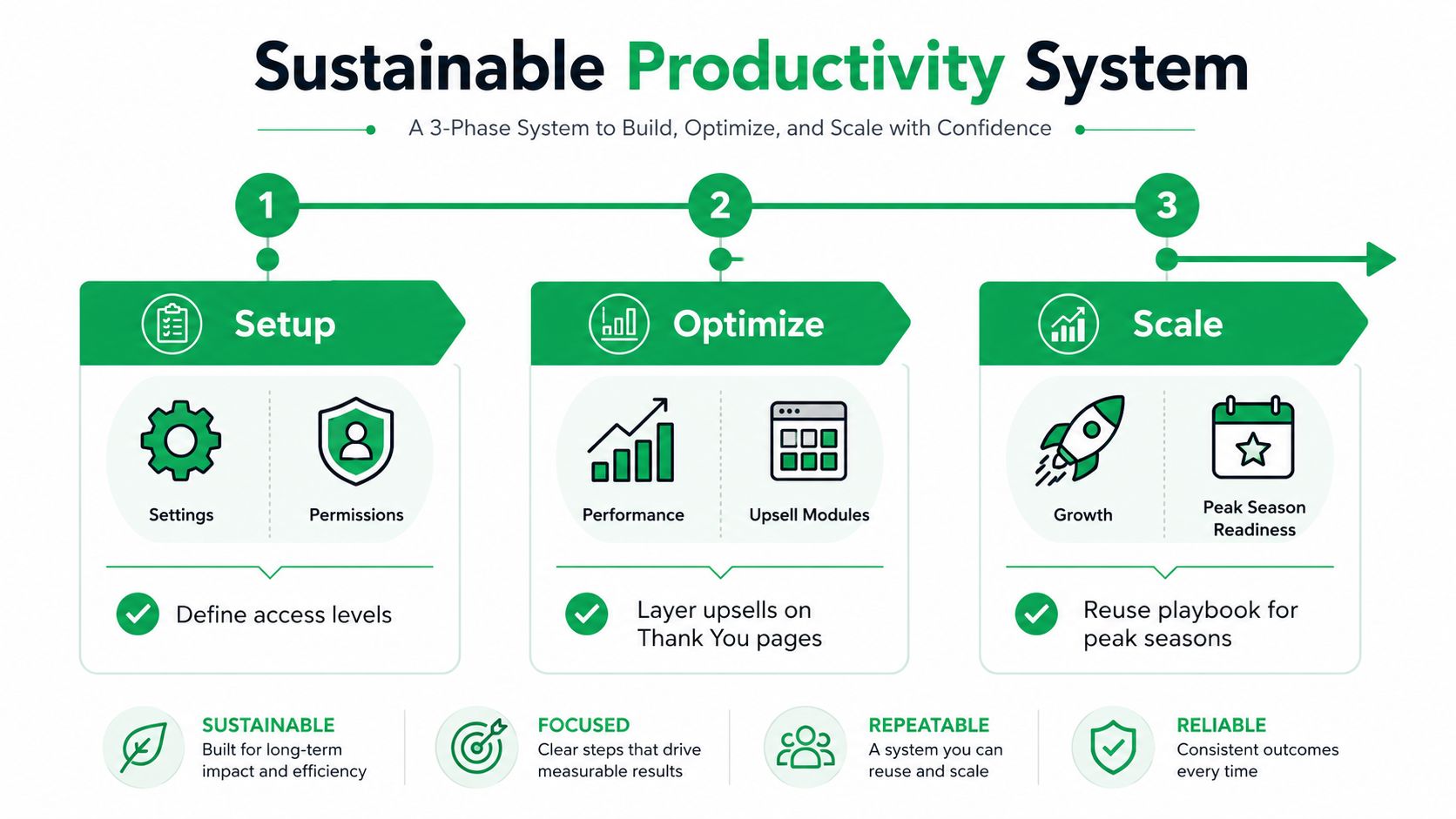
The most durable support systems don't rely on heroics during peak season. They rely on repeatable rules that keep repetitive tickets out of the queue, protect fulfillment from bad edits, and give managers a clean read on what's working. When those pieces fit together, team productivity stops being a scramble and starts looking like operating discipline.
A practical rollout can happen in three moves. First, define which post-purchase actions customers can take themselves and set the permission windows around fulfillment reality. Second, add the operational layer, order tags, approval queues, and address validation, so changes land cleanly in the back office. Third, use the dashboard to watch whether the queue is shrinking and whether the team is spending more time on high-value cases instead of repetitive edits.
Use the product page as a productivity surface
Support efficiency doesn't end in the inbox. Thank You and Order Status pages can absorb a lot of repeat questions if they carry the right next step, whether that's order updates, add-on items, or clear status visibility. That matters because every question answered on-page is one less interruption for the support team.
Multilingual self-service helps the same way for international merchants. If customers can read instructions in their own language, they make fewer mistakes and need fewer clarifications. Real-time address validation does similar work upstream, because bad addresses create avoidable correction tickets later.
A simple 30-day sequence keeps the rollout grounded:
- Week 1: Map the recurring post-purchase ticket types and decide which are safe for self-service.
- Week 2: Set permissions, editing windows, and approval logic around those requests.
- Week 3: Turn on tagging, address validation, and any downstream workflow routing.
- Week 4: Review the queue, look for friction, and adjust the rules that caused confusion.
That sequence is enough to get momentum before the next busy period. It also keeps the team from overbuilding before they've proven which requests belong outside the queue.
If your store is drowning in post-purchase edits, SelfServe is built for that exact kind of workflow. It gives Shopify merchants a way to let customers manage order changes within defined rules, while keeping operations in control of what gets changed and when.
If your support team is spending too much of the day on address edits, cancellations, and order tweaks, SelfServe can help move those requests out of the queue and into a controlled self-service flow. Visit SelfServe to see how permission-based post-purchase editing can cut repetitive tickets and give your agents back the time they need for the work that needs a human.