Solving Customer Service Problems for Modern Ecommerce

If you're trying to solve customer service problems, you first need to understand what they're actually costing you. For most ecommerce brands, the default support model is purely reactive—teams just respond to issues as they come in. This approach traps you in a costly cycle of high ticket volumes, lost revenue, and frustrated customers.
Breaking that cycle means getting ahead of common post-purchase friction before it starts.
The Real Cost of Reactive Ecommerce Support
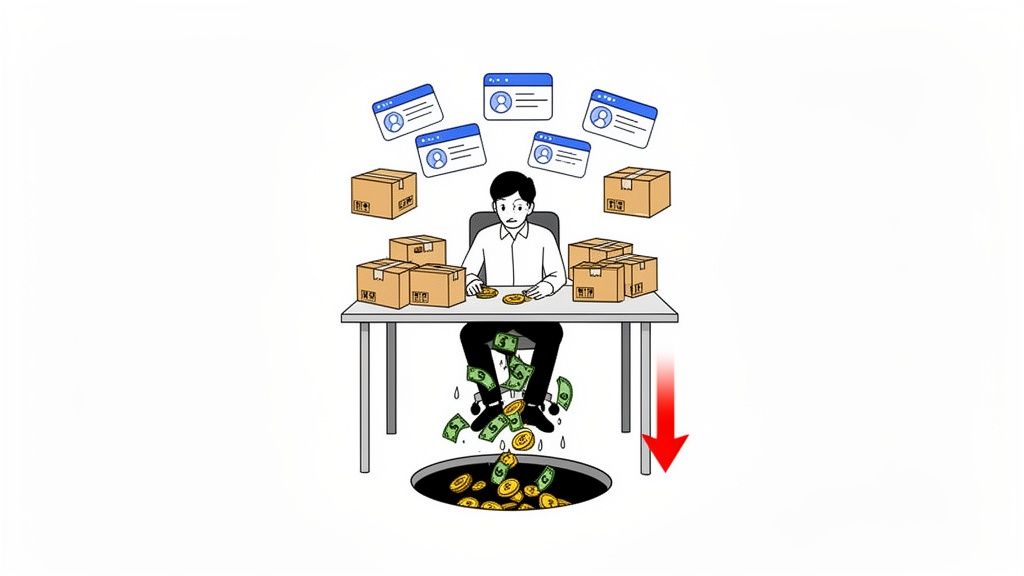
Does your customer service feel more like a bottleneck than a solution? If your support team is constantly underwater, especially as a high-volume Shopify store, you’re not alone. This is the classic symptom of a reactive support model, where agents are forced to spend their days putting out fires instead of preventing them.
This constant firefighting goes far beyond just agent time. It’s about the tangible revenue you lose and the customer loyalty that erodes with every frustrating experience. Simple post-purchase issues—things like address typos, urgent order cancellations, or shipping method changes—are the little cuts that add up fast. Each ticket isn't just a salary cost; it's a potential crack in your customer relationships.
The Vicious Cycle of Manual Fixes
A reactive model is a self-perpetuating machine. A customer makes a small mistake, like entering the wrong apartment number. They send a panicked email, creating a ticket. Your agent has to drop everything, find the order, manually update the address in your system, and then confirm the change with both the customer and your fulfillment center.
That one instance seems minor. But now multiply it by hundreds or even thousands of times a month.
The result is a support team completely bogged down by repetitive, low-impact tasks and a backlog that never seems to shrink. This inevitably leads to slower response times for everyone, including the customers with complex issues that genuinely need a human touch.
The financial drain from inadequate support is immense. U.S. companies lose a staggering $75 billion annually due to poor customer service, a figure that has stubbornly remained unchanged for years. It’s a clear sign that unresolved post-purchase issues are a primary driver of customer churn.
In this environment, agent burnout becomes a serious risk. They're stuck handling the same solvable problems day after day, which is both demoralizing and deeply inefficient. Their performance and morale suffer, feeding the cycle of customer frustration.
To get a clearer picture, let's break down the most common issues and how they hurt everyone involved.
Diagnosing Common Customer Service Pain Points
Seeing these issues laid out makes the real damage obvious. Every one of these problems is a direct threat to your bottom line and customer loyalty.
The Financial Damage of Poor Support
The impact goes far beyond operational headaches. The statistics paint a grim picture for businesses that don't get a handle on solving these basic customer service problems.
- Losing Customers Fast: After just one poor interaction, 50% of customers will switch to a competitor. That number skyrockets to a shocking 92% after two or three negative experiences.
- A Trillion-Dollar Problem: On a global scale, the potential loss from bad service reaches an astronomical $3.7 trillion each year.
These numbers are a harsh reminder that every unresolved address edit or delayed cancellation is a direct hit to your revenue. You can explore more of these customer service statistics to see just how deep the problem runs.
Once you truly grasp the financial drain these repetitive issues cause, the path forward becomes clear. Shifting from a reactive to a proactive, self-service strategy isn't just an improvement—it's a critical move for sustainable growth. It's about empowering your customers to fix their own simple mistakes, which frees your team to deliver real value where it matters most.
Finding Your Store’s Biggest Support Bottlenecks
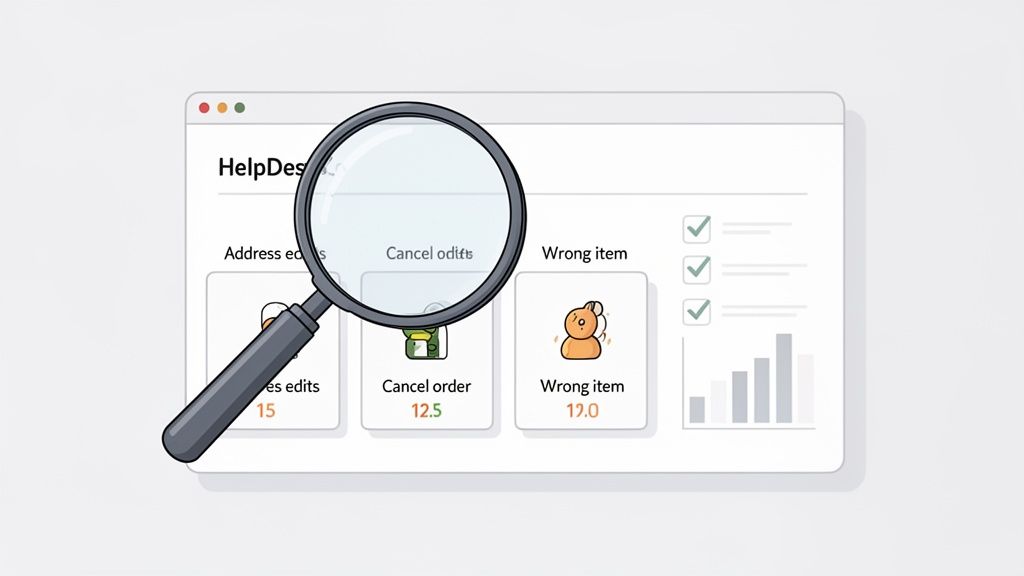
Before you can fix what's broken, you have to know exactly where the cracks are. A vague feeling of being overwhelmed by support tickets isn't an action plan; it’s a symptom. To get to the root cause, you need to conduct a 'support audit' and let the data show you the way.
This means digging into your helpdesk—whether it's Gorgias, Zendesk, or another platform—to find the patterns hiding in plain sight. You're hunting for the repetitive, time-sucking tickets that keep your agents from focusing on more complex customer needs. Think of it as a diagnostic check-up for your support operations.
Get Granular with Your Ticket Categories
Your first move is to organize your tickets with ruthless specificity. If you’re using generic tags like "Order Issue," you're essentially flying blind. That single tag could represent a dozen different problems, each with its own solution.
Get much more detailed. The goal is to see precisely what customers are asking for with action-based tags.
- Address Edit - Pre-Fulfillment: A customer needs to update their shipping address before their order hits the warehouse.
- Cancel Order - Buyer's Remorse: Someone wants to cancel an order they just placed.
- Wrong Item Shipped: The customer got product B instead of the product A they ordered.
- Discount Code Not Applied: A post-purchase request to add a coupon they forgot at checkout.
This level of detail is where the magic happens. Without it, you’d never know that 30% of your "Order Issues" are actually simple address edits—a perfect candidate for automation.
Calculate the Real Cost of Each Problem
Once your tickets are properly categorized, you can measure their true impact. Don't just look at ticket volume; a high number of easy-to-solve tickets might be less of a problem than a moderate number of issues that take forever to resolve.
For each category you’ve created, you need to know two things:
- Ticket Volume: How many of these tickets pop up each week or month?
- Average Handle Time (AHT): How many minutes does an agent spend, on average, to fully resolve one of these tickets?
Multiplying ticket volume by the average handle time for each category reveals the total agent hours being spent. This simple calculation will immediately show you which problems are costing you the most. You might find that canceling an order takes twice as long as updating an address, making it a more expensive bottleneck even if you get fewer of them.
This data-first approach shifts the conversation. The vague stress of a full inbox becomes a prioritized list of your top 3-5 most expensive problems. Now you have clear targets.
For a deeper dive into formalizing these processes, you can learn more by exploring how to create effective customer service standard operating procedures for your team.
Turning Your Data Into an Action Plan
With this analysis in hand, you can build a simple dashboard to track your biggest operational drains. You don't need fancy software—a basic spreadsheet gets the job done.
This isn't just a report; it's a business case. When you show your leadership that manual address edits are costing the company 37.5 hours of paid agent time every month, the need for a solution becomes undeniable.
This audit gives you a roadmap. It points directly to where a self-service tool like SelfServe can make the biggest impact, fast. By focusing your automation efforts on the most frequent and costly inquiries first, you free up your team to handle the issues where a human touch truly matters.
Building Self-Service Workflows That Actually Work
Once you’ve pinpointed your biggest support bottlenecks, it’s time to start building real solutions. This isn’t about applying a quick fix or a temporary patch. The goal is to create permanent, automated workflows that solve common issues on their own, stopping support tickets before they’re even created. You want to give customers the power to fix things themselves, instantly.
But let's be clear: effective self-service is so much more than a dusty old FAQ page. It requires smart design, clear business rules, and the right tools. When you get this right, everybody wins. Customers get immediate answers, and your support team can finally focus on the complex issues that actually need a human touch.
A Real-World Scenario: The Dreaded Address Edit
Let's start with one of the most classic post-purchase headaches: shipping address mistakes. We've all seen it. A customer places an order late at night and wakes up the next morning with that sinking feeling—they used their old address.
The Old Way: The customer fires off a panicked email with "URGENT ADDRESS CHANGE" in the subject line. This instantly becomes a high-priority ticket. Your agent has to drop everything, find the order in Shopify, and manually copy-paste the new address, all while racing against the clock before the order hits your fulfillment center. It’s a process that's slow, stressful, and wide open for human error.
The Self-Service Way: The customer simply heads to your branded order status page. They see a button that says "Edit Shipping Address." They click it, update their details using a Google Maps-powered field that ensures accuracy, and hit save. The order is automatically updated in Shopify, and a tag like
selfserve-address-editis added for tracking. The whole thing takes less than 30 seconds.
This is what a well-designed workflow looks like in action. You can set a specific time window—say, two hours after purchase—during which customers can make this change. After that window closes, the option simply disappears, protecting your fulfillment process from any last-minute chaos.
Expanding to Other Common Issues
You can apply this same logic to just about any high-frequency request that’s clogging up your support queue. Think about order cancellations, a constant source of tickets driven by buyer's remorse or accidental purchases.
Instead of making a customer wait for an agent to respond, you can offer an instant "Cancel Order" button right on the order status page. With a tool like SelfServe, you can even get granular with your rules. For instance, you could configure it to automatically approve cancellations for standard orders but flag high-value orders or those with specific items for a quick manual review.
This hybrid approach gives you the efficiency of automation for most requests while keeping a human in the loop where it matters most. It’s this strategic balance that truly lets you scale your support without sacrificing control.
This level of control ensures your day-to-day operations continue to run smoothly. To dive deeper into the nuts and bolts, you can read our detailed guide on building a self-service customer portal that plugs right into your store.
To make this more concrete, here’s a quick playbook for turning common manual tasks into automated self-service wins.
Self-Service Playbook for Common Post-Purchase Issues
By implementing simple workflows like these, you can systematically eliminate the repetitive tasks that drain your team's time and energy.
From Problem-Solving to Revenue Generation
A truly great self-service strategy doesn't just cut costs—it should be making you money. Your "Thank You" and Order Status pages are some of the most overlooked real estate in all of ecommerce. Customers visit these pages multiple times, making them the perfect place for a well-timed post-purchase offer.
Instead of just showing a static order summary, you can transform these pages into a new sales channel.
- Scenario: A customer just bought a new skincare product. While they're on the order confirmation page, you can show them a complementary item—like a best-selling serum or a travel-size kit—with a simple "Add to My Order" button.
- Implementation: Using SelfServe, you can set up a rule to offer specific product collections as one-click add-ons. The customer adds the item, and their existing order is updated seamlessly without creating a new transaction or extra shipping charge.
Suddenly, a standard transactional page becomes a powerful revenue driver, boosting your average order value without you spending a single extra dollar on marketing.
The Growing Demand for Self-Sufficiency
Building these automated workflows isn't just an operational upgrade; it's about meeting modern customer expectations head-on. People want control and they want it now. Research shows that 61% of customers would rather use self-service for simple issues than talk to a live agent.
But the stakes are high. 77% of people say a bad self-service experience is even worse than having no self-service at all because it just wastes their time. With 74% of consumers expected to demand 24/7 availability by 2026, the shift toward always-on, automated support is no longer optional. You can explore more of these customer service trends for 2025 and 2026.
By building these workflows, you’re not just fixing today’s problems—you’re future-proofing your entire customer experience. You’re giving customers the fast, effortless resolutions they crave and empowering your support team to move from reactive firefighting to proactive, high-impact work.
Balancing Automation with a Human Touch
I hear it all the time: a deep-seated worry that automating customer service means creating a cold, robotic experience. Teams are afraid they’ll lose the personal connection that builds real brand loyalty. Let’s set the record straight: smart automation isn’t about replacing your support team. It’s about making them superhuman.
When you automate the repetitive, soul-crushing tasks—I’m looking at you, address edits and simple cancellations—you’re not firing your agents. You’re giving them a promotion. You free them up to focus on the complex, high-value conversations where empathy and genuine expertise can turn a frustrated customer into a lifelong fan.
Think of it as shifting from a manual-first approach to a more efficient, self-service model that puts customers in control.
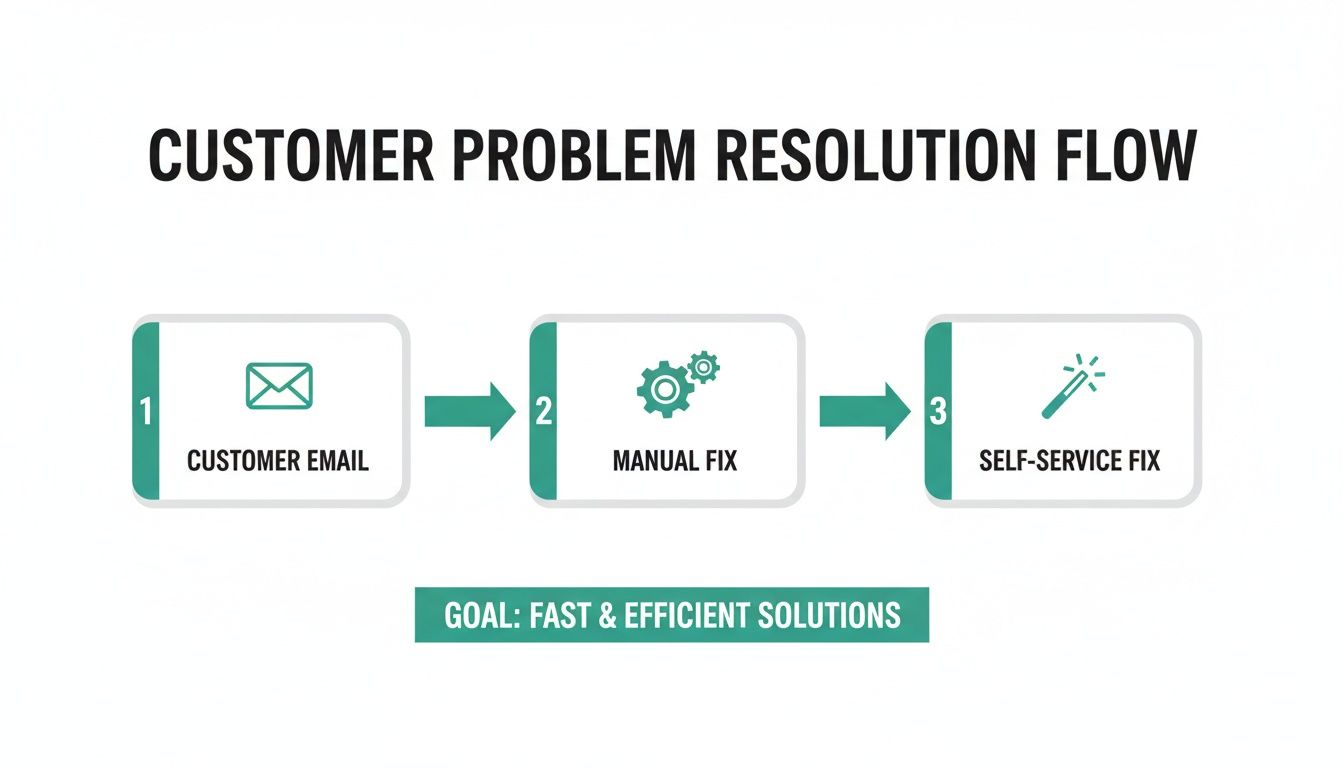
As you can see, self-service becomes the first line of defense, intercepting simple issues instantly. This reserves your team’s brainpower for the tricky problems that actually need a human touch.
How a Hybrid Model Works in the Real World
The most effective strategy I've seen in practice is a hybrid model that blends automated efficiency with human oversight. This gives you the speed customers demand without sacrificing control. For instance, you can absolutely empower customers to cancel their own orders, but you should build in a critical safeguard.
With a tool like SelfServe, you can set up a simple "approval queue." It looks something like this:
- A customer goes to their order status page to initiate a cancellation.
- If the order is under a set value, say $100, the system cancels it automatically. No ticket, no wait.
- If the order is over $100, the request is flagged and sent to a queue for a quick human review.
This one rule prevents costly mistakes with high-value orders while still automating the vast majority of requests. Your team only steps in when their judgment is truly needed. It’s a perfect example of automating customer service the smart way.
Finding the Right Balance for Your Team
The goal is to have automation support your team, not replace it. Let the machines handle the predictable, rule-based tasks so your agents can apply their skills to situations that require nuance and creative problem-solving.
Great automation acts as a filter, clearing away the noise so your team can focus on what they do best: building relationships with your customers. It transforms their role from reactive ticket-solvers to proactive brand ambassadors.
Put it this way: would you rather have your best agent spend 10 minutes copy-pasting an address, or 10 minutes helping a VIP customer find the perfect product replacement after a shipping snafu? The choice is pretty clear.
Getting the Human Side of AI Right
The push toward AI in support is undeniable. Projections show 88% of contact centers plan to use it by 2026, but just having the tech isn’t enough. There’s a huge gap between simply adopting AI and actually implementing it well.
Customer expectations are also evolving. After too many bad experiences with basic chatbots, 53% of users now fear privacy risks, and half feel the human touch is completely gone. When customers give you their data, 74% expect a more personalized experience in return. This shows just how high the stakes are for getting the approach right.
This is exactly why a hybrid model is so critical. You meet the customer's need for speed with instant self-service, but you also meet their need for personalization by escalating the right issues to an empathetic human expert. It's about giving them the best path to a resolution, every single time.
Measuring the ROI of Your New Support Strategy
So you've rolled out a new and improved support strategy. That’s a huge win, but the work isn’t over. If you can’t prove its value in dollars and cents, getting buy-in for your next big idea will be an uphill battle.
You need to show that all your hard work isn't just making customers happier—it's delivering a real financial return. And that means you have to get comfortable with the numbers.
The first step is establishing a baseline. Before you flip the switch on any new self-service tools or workflows, you need to take a snapshot of your current performance. This "before" picture is the benchmark you'll use to measure every improvement.
Key Metrics to Monitor Pre-Implementation
Pull data from the 30-60 days right before you make the change. This gives you a solid average of your team’s typical workload and efficiency, smoothing out any weird weekly spikes or dips.
Focus on the core operational metrics that your new strategy is designed to fix.
- Total Ticket Volume: This one’s simple. How many tickets are hitting your helpdesk? It’s the most basic measure of support demand.
- Ticket Volume by Category: Dig a little deeper. Break down your tickets by the exact issues you plan to automate, like "Address Edit" or "Cancel Order." This tells you precisely where your team's time is being spent.
- Average Handle Time (AHT): How long does it take an agent, on average, to resolve a ticket from start to finish? AHT is a direct line to measuring team efficiency.
- First Contact Resolution (FCR): What percentage of issues get solved on the very first try? A high FCR is a sign of effective, knowledgeable agents.
Armed with this data, you can figure out your baseline cost per ticket. A back-of-the-napkin calculation is simple enough: take an agent's hourly wage and multiply it by the average handle time for a specific ticket type. This cost is what you’ll use to calculate your savings later.
Tracking Performance After Launching Self-Service
Once your new self-service workflows are live, it’s time to start tracking the "after" data. You'll be collecting the exact same metrics, but now you're looking for clear signs of change. You want to see a direct link between the automation you introduced and the improvements in your KPIs.
Your most immediate win will likely be a sharp drop in ticket volume for the automated categories. If address edits previously accounted for 20% of your tickets, you should see that number plummet as customers begin resolving the issue themselves. This is the first and clearest sign your strategy is working.
Beyond just deflecting tickets, keep an eye on your team's efficiency metrics. With fewer mind-numbing, repetitive tickets in the queue, your agents are freed up to tackle the trickier issues that actually require a human brain.
This should have a ripple effect. Your Average Handle Time for human-led tickets ought to go down, and your First Contact Resolution rate should start to climb.
Calculating Your Financial Return
Now for the fun part—connecting your efforts to the bottom line. This is how you build a business case that gets people's attention. The formula for calculating direct cost savings is surprisingly straightforward:
Total Saved Agent Hours = (Baseline AHT - New AHT) x Number of Tickets Resolved via Self-Service
Let's walk through a real-world example. Say your baseline AHT for a simple address edit was 5 minutes. After implementing a self-service workflow with a tool like SelfServe, the time an agent spends on that task drops to zero for automated edits.
If customers fix 500 addresses on their own in a single month, you've just saved over 41 hours of agent work.
Translate those hours into hard dollars using your average agent wage, and you’ve got a clear, undeniable ROI on cost reduction.
But that's only one side of the coin. The best support strategies don't just save money; they make money.
Measuring New Revenue from Upsells
A truly powerful self-service system can turn your post-purchase experience into a profit center. By adding one-click upsell offers to your Thank You and Order Status pages, you’re creating a brand-new sales channel that doesn’t cost you a dime in marketing spend.
Tracking this revenue is easy. Every time a customer adds an item to their order through your self-service portal, you can have it tagged automatically in Shopify (e.g., selfserve-upsell). At the end of the month, simply filter your orders by that tag and sum up the total value.
This number represents pure, incremental revenue—money your business would have otherwise completely missed out on.
When you bring this data to your leadership team, the conversation changes. You're no longer just talking about saving a few bucks in the support department. You're proving that investing in smart, customer-first technology is a direct driver of business growth.
Got Questions About Ecommerce Support Automation? We've Got Answers.
When we talk to ecommerce teams about bringing in automation, the same few (very valid) questions always come up. It's smart to be skeptical—you want to be sure a new approach will actually solve problems, not just create new ones for your team or, worse, your customers.
Let's walk through the most common concerns we hear from brands just like yours. The goal here isn't to just bolt on another tool; it's about making your support genuinely more efficient and giving customers the fast answers they want.
How Quickly Will I Actually See Fewer Support Tickets?
You can expect a noticeable drop in tickets for your most common issues within the first 30 days. The trick is to not try and boil the ocean. Start by pinpointing and automating your top two or three ticket drivers.
Think about it: if 20% of your daily inquiries are simple address edit requests, building a self-service option for that one task can slash that ticket category almost overnight. The full impact builds from there as customers learn to use the new tools and you automate more flows, but those initial wins usually come fast.
Won't Automating Order Edits Create Fulfillment Chaos?
Not at all. In fact, it's the opposite—it brings more control and order to your fulfillment process. A smart self-service system isn't a free-for-all; it’s built on rules that you set.
You can set a specific cut-off window, like two hours after purchase, where orders are locked and can no longer be edited by the customer. This completely prevents changes from messing with orders that have already been sent to your 3PL or warehouse.
On top of that, features like real-time address validation can check addresses as they're typed in, catching typos before they ever become a shipping headache. And for keeping your team in the loop, automated order tagging in Shopify means your ops crew sees every change without needing a single manual email or Slack message. Everyone is always on the same page.
This All Sounds Great, But My Store Has Really Complex Rules.
That's exactly where good automation shines. You aren't stuck with some rigid, one-size-fits-all solution. The whole point is to build workflows that perfectly match your store's unique logic.
For instance, you can easily implement rules like:
- Blocking edits on specific products, like personalized gear or final sale items.
- Defining which shipping details a customer can change (and which they can't).
- Preventing certain actions based on customer tags or the total order value.
And for those truly tricky situations, especially for stores on Shopify Plus, you can build in approval flows. This means a request that meets certain criteria—say, a cancellation on a high-value order—gets automatically flagged for a quick manual review. The strategy is to automate the easy 80% of requests so your team can dedicate their expertise to the 20% that really need a human touch.
Ready to stop solving the same customer service problems over and over? SelfServe empowers your customers to resolve their own post-purchase issues, from editing an address to adding an upsell, freeing your team to focus on growth. Start your free 30-day trial today.