What Is Customer Self Service for Modern Ecommerce

Customer self-service is all about empowering your customers to solve their own problems without having to wait for a support agent. Think of it as handing them a digital remote control for their own orders, letting them manage their experience whenever and wherever they want.
The Shift From Reactive Support to Proactive Empowerment
For years, customer service was a purely reactive game. A customer had an issue—a typo in their shipping address, the wrong size shirt, a question about delivery—and their only move was to contact your support team. This kicked off a frustrating waiting game for everyone involved.
That old model just can't keep up with the speed and scale of modern ecommerce. Today's shoppers are used to getting what they want instantly, and that includes answers. In fact, research shows that 81% of customers want more self-service options, and a solid 61% would rather use them for simple issues than talk to a person. Waiting 24 hours for an email response to a basic question just doesn't fly anymore.
So, What Does Customer Self-Service Look Like in Practice?
This is where you switch from forcing customers to ask for help to giving them the tools to help themselves. The whole strategy revolves around anticipating common post-purchase questions and building the answers right into the customer's journey.
A great self-service experience isn't just about deflecting support tickets. It's about fundamentally upgrading the customer relationship. It sends a clear message: you respect their time and trust them to manage their own experience.
For an ecommerce brand, this usually takes the form of a customer portal or an enhanced order status page. In this dedicated space, customers can handle all sorts of tasks that used to create a support ticket. You can learn more about how a well-structured customer account page can enhance this experience.
Common self-service actions include:
- Order Editing: Letting customers swap a product's size or color on their own before it ships.
- Address and Contact Updates: Allowing shoppers to fix a typo in their address or update their phone number, preventing failed deliveries.
- Returns and Exchanges: Giving customers a way to start a return or exchange automatically without needing an agent's approval for every little step.
- Order Tracking: Providing detailed, real-time tracking info right in their account, which cuts down on those "Where is my order?" (WISMO) questions.
Let's look at how this changes your day-to-day operations.
Manual Support vs Customer Self Service At a Glance
This table breaks down the core differences between the old way of doing things and a modern, self-service-first approach.
The contrast is pretty stark. One model creates bottlenecks and friction, while the other creates efficiency and happier customers.
By rolling out these kinds of features, you move away from a high-touch, manual support system and toward an efficient, automated one. This doesn't just meet modern expectations; it frees up your support team to focus on the complex problems where a human touch really makes a difference. They can finally stop being ticket-solvers and start being true brand ambassadors.
The Most Impactful Types of Customer Self Service
When most people think of "customer self-service," their mind usually lands on a dusty, old FAQ page. And while that's not a bad starting point, it's really just the tip of the iceberg. True self-service is so much more than a static list of questions. It's about giving your customers the power to solve their own problems, especially those urgent, post-purchase issues that always seem to pop up at the worst times.
Think about it from your customer's perspective. It’s 11 PM on a Friday. They’ve just realized they ordered the wrong size shirt. Instead of firing off a frantic email and hoping for a reply on Monday, what if they could just open their order history, find the item, and swap it for the right size in less than a minute? That’s the kind of experience that builds loyalty.
This shift towards more advanced, action-oriented tools is a massive trend. The customer self-service software market is absolutely exploding, on track to hit USD 24.9 billion by 2026. This growth isn't just hype; it’s driven by the simple fact that when you give customers the right tools, they can handle 70-80% of their own issues without ever needing to speak to a person. The research on this market's growth and its drivers is pretty clear on this.
This shift in thinking is all about empowerment—moving away from a model where customers depend on your team for everything, to one where they feel in control.
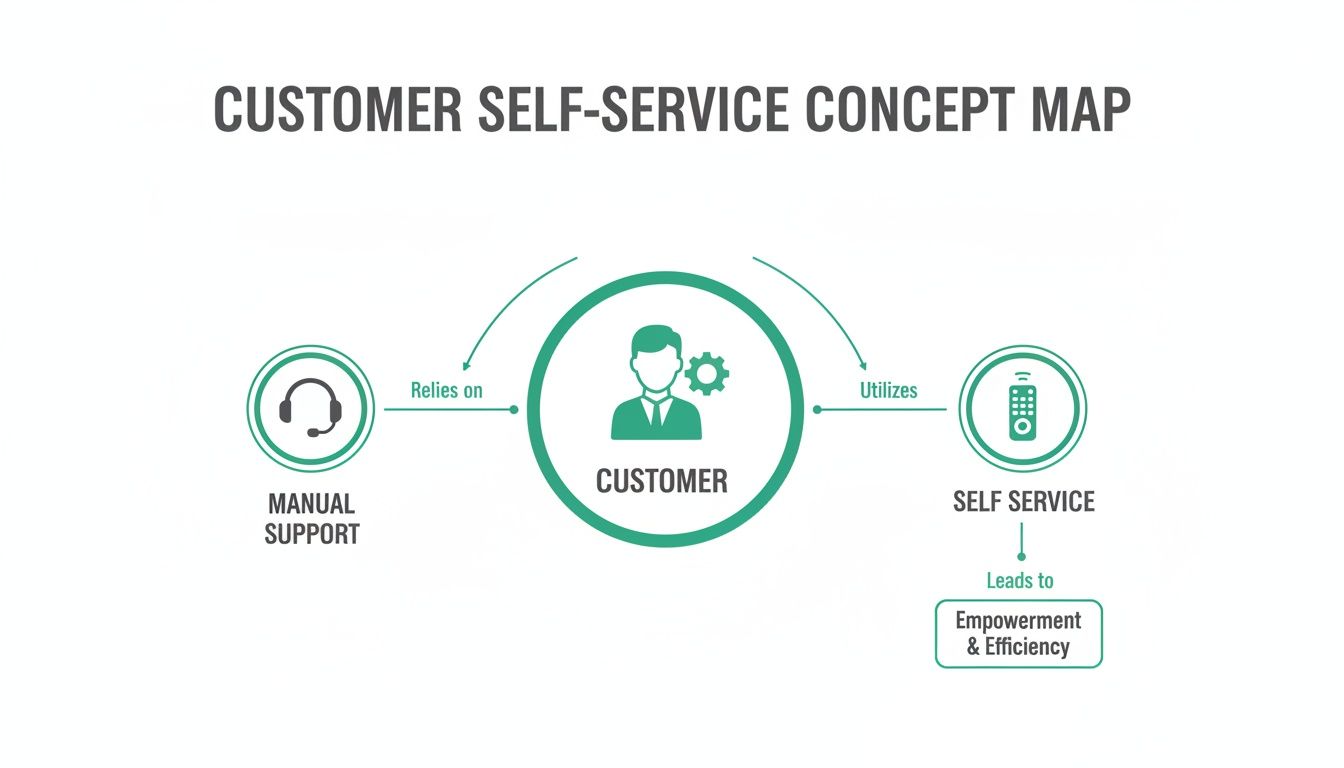
As you can see, modern self-service gives the customer a direct remote control for their experience, cutting out the friction and delays that come with traditional support queues.
Dynamic Post-Purchase Order Edits
Let's be honest, one of the biggest drivers of support tickets is the simple "oops" moment. A customer picks the wrong color. They mistype their apartment number. They click "Large" when they meant "Medium." Post-purchase order editing tools put the power to fix these common mistakes right where it belongs: in the customer's hands.
With a solution like SelfServe, you're not just flipping a switch; you're setting the rules. You can decide what customers are allowed to change and for how long. For instance, maybe you let them edit the size or color, but only within the first two hours of placing the order, or before it hits your fulfillment queue. This provides the flexibility customers want without creating chaos for your operations team.
Automated Returns and Exchanges
Returns are a fact of life in ecommerce, but they don't have to be a black hole for your time and money. A well-designed, automated returns and exchange portal can turn this process from a support nightmare into a streamlined, revenue-saving operation.
Instead of the endless email back-and-forth just to get a return approved, customers can jump into a branded portal and manage it all themselves. The flow is incredibly simple:
- Initiation: The customer just needs their order number and email to pull up their purchase history.
- Selection: They pick the item they want to return and select a reason from a dropdown menu.
- Resolution: Here's the magic. The system can offer an instant exchange for a new size or color, or even provide bonus store credit. These options are often much more appealing than a simple refund.
- Label Generation: A printable shipping label is generated on the spot.
This not only slashes your ticket volume but actively works to keep revenue in your business by steering customers toward exchanges instead of cash refunds.
AI-Powered Chatbots and Knowledge Bases
While letting customers take action is huge, getting them instant answers is just as important. AI-powered chatbots have come a long way from the clunky, frustrating bots of yesterday. Today's best chatbots can understand normal, everyday language, pull up specific order details, and provide personalized help 24/7.
A smart chatbot doesn't just parrot back information; it acts like a triage nurse for your support team. It can handle all the common questions about order status or return policies instantly. For trickier issues, it can seamlessly pass the conversation—along with all the context—to a human agent.
These bots work best when they're connected to a deep knowledge base—a living library of articles, guides, and how-tos. Together, they create an incredibly effective first line of defense, making sure customers can find what they need, right when they need it.
What Can Self-Service Actually Do For Your Business?
Let's get real. Implementing customer self-service isn't just about deflecting support tickets. It's about fundamentally changing how your business operates, turning what's often seen as a cost center into a powerful engine for growth. The results are clear, measurable, and hit your bottom line where it counts.

When you give customers the tools to solve their own problems, you’re not just making them happier. You're building a more resilient, profitable, and scalable brand from the inside out.
Slash Your Support Costs
The most immediate win you'll see from self-service is a dramatic drop in operational costs. Think about how many times a day your team answers "Where is my order?" or fixes a tiny typo in a shipping address. Every one of those simple, repetitive questions eats up valuable agent time and drains your team's energy.
By automating the answers to these common questions, you can instantly deflect a huge chunk of your support tickets. Many ecommerce brands see a ticket reduction of 30-50%, which is a massive efficiency boost. This doesn't just lower the direct cost of staffing a large support team; it frees up your agents to tackle the complex, high-value conversations where a human touch really makes a difference.
Consider this real-world scenario: A Shopify Plus brand was drowning in over 5,000 post-purchase tickets every single month. By implementing a self-service portal for order edits and returns, they successfully cut their support ticket volume by a staggering 40%.
This shift means you can grow your business without having to grow your support headcount at the same rate. Your team can finally move from being reactive problem-solvers to proactive customer advocates. To dig deeper, you can explore the specific advantages of a self-service portal and see how they stack up.
Create Happier Customers Who Actually Spend More
Let’s be honest: modern customers don't just prefer self-service, they expect it. Giving them instant, 24/7 answers respects their time and puts them in control. A customer who can fix their own shipping address typo at midnight is going to be far happier than one who has to wait until Monday morning for a reply.
This instant gratification sends your customer satisfaction (CSAT) scores through the roof and builds real loyalty. The stakes have never been higher—poor customer service is projected to put $3.8 trillion in global revenue at risk by 2026. While 73% of consumers will ditch a brand after multiple bad experiences, a powerful counter-statistic shows that three out of four will actually spend more with companies that deliver an effortless experience.
A smooth, empowering post-purchase journey turns a potential headache into a moment of brand reinforcement. It makes customers feel valued and confident, making them far more likely to come back for more.
Boost Revenue and Average Order Value (AOV)
This is the part many merchants overlook: self-service can be a powerful sales channel. A well-designed portal isn't just for support; it's a golden opportunity to generate new revenue. By weaving smart upsell and cross-sell offers into the post-purchase flow, you can turn a simple inquiry into a new sale.
Imagine a customer logs in to track their order. While there, they see a personalized offer to add a complementary product to their shipment with just one click. That’s a high-intent, low-friction sales opportunity you can't get anywhere else.
This strategy is incredibly effective in two key places:
- The Thank You & Order Status Page: By adding upsell modules here, you catch customers when they are most excited about their purchase, encouraging them to add more to their order before it ships.
- The Returns & Exchanges Flow: When a customer starts a return, you can offer them bonus store credit or suggest relevant product exchanges, keeping that revenue in your business instead of losing it to a refund.
That same Shopify Plus brand didn't just cut tickets. They also integrated post-purchase upsells into their new portal. The result? They boosted their Average Order Value (AOV) by 8%, turning their support solution into a consistent revenue driver.
How to Implement Self Service on Shopify
Getting started with customer self-service on Shopify isn't about diving headfirst into a complex technical project. The smartest way to approach it is strategically, not just technologically. It all begins with a simple question: where do things hurt the most for your customers and your support team?
The first step is a quick and dirty audit of your support tickets. Take a look at your helpdesk data from the last 30 to 60 days and start sorting the inquiries into buckets. Are 50% of your tickets just people asking to fix a typo in their shipping address? Are you drowning in requests to swap a size or color? This data is pure gold. It gives you a clear roadmap, showing you exactly where to focus for the biggest and fastest win.
Once you’ve identified your top two or three most repetitive, low-value ticket types, you’ve found the perfect starting point. This data-driven approach means you’re not just bolting on a new feature for the sake of it; you're solving a real, costly business problem right from the get-go.
Choosing the Right Tools for Your Store
With your pain points identified, the next move is to pick the right tool for the job. If you're on Shopify, seamless integration is a must-have, not a nice-to-have. A tool that operates outside the Shopify ecosystem often leads to data sync problems, a clunky experience for customers, and a lot of operational headaches for your team. You want a solution that feels like a natural part of your store.
Look for apps on the Shopify App Store that offer:
- Deep Shopify Integration: The tool should plug directly into your Shopify admin and pull order data in real time, no complicated setup required.
- Theme Compatibility: Make sure the app plays nice with your existing Shopify theme to maintain a consistent brand experience.
- Ease of Installation: The best solutions, like SelfServe, can be installed and running in minutes, not weeks.
A truly great self-service tool doesn't make you overhaul your entire workflow; it makes it better. It should give you fine-grained control, letting you decide precisely what customers can edit and under what conditions, so your operations keep running smoothly.
This level of control is what separates empowerment from chaos. You're not just giving customers free rein; you're creating a guided experience with guardrails that protect your business. You can see how a dedicated self-service customer portal becomes the central hub for this kind of controlled freedom.
Key Best Practices for a Successful Launch
Just installing a tool is only half the job. The real magic happens when you configure it correctly to balance customer convenience with your own operational sanity.
Here are a few essential best practices to nail from day one:
- Configure Smart Permissions: Set clear, logical rules. For example, allow customers to edit their shipping address, but only before the order has been sent to your fulfillment center. Let them swap a product variant, but only for an item of equal value to avoid messy payment adjustments.
- Establish Time Windows: Use time-based rules to prevent last-minute changes from throwing a wrench in your warehouse's pick-and-pack process. A common setup is to allow all edits within the first two hours after an order is placed.
- Use Real-Time Validation: One of the biggest—and most frustrating—hidden costs in ecommerce is failed deliveries from bad addresses. A solution with built-in address validation (like a Google Maps integration) can auto-complete and verify addresses as the customer types. This one feature can prevent a mountain of shipping errors, saving you a fortune in reshipment costs and keeping customers happy.
Finally, remember to think globally from the start. If you sell to an international audience, multilingual support is non-negotiable. An app that automatically detects a shopper's browser language and translates the interface creates a seamless, trustworthy experience for everyone, no matter where they are. It’s a small touch that can have a huge impact on your international conversion rates.
Measuring the Success of Your Self-Service Strategy
Putting a self-service solution in place is a great start, but how do you know if it's actually working? To really see the value, you need to go beyond gut feelings and start tracking the right key performance indicators (KPIs). Measuring success isn't just about counting fewer support tickets; it’s about understanding the full picture—the impact on your team's workload, your customers' happiness, and even your bottom line.
When you can connect your self-service portal to real, tangible business results, its value becomes crystal clear. It moves from being a "nice-to-have" tool to a core part of your growth strategy.
Key Self-Service KPIs to Keep Your Eye On
To get a complete view of how things are going, you’ll want to look at a mix of metrics covering efficiency, customer sentiment, and financial impact. These four KPIs give you a fantastic, well-rounded view.
- Ticket Deflection Rate: This is the big one. It measures the percentage of customer questions that get answered without a support ticket ever being created. It's the most direct way to see how much pressure your self-service tools are taking off your support team.
- Self-Service CSAT Score: Customer Satisfaction (CSAT) scores tell you how happy customers are with the self-service experience. A high score here is a great sign that you're not just deflecting tickets, but you're also creating a positive and empowering experience.
- Self-Service Adoption Rate: This metric shows what percentage of your customers are actually using your self-service portal. It’s a good way to gauge if your tools are easy to find, accessible, and intuitive enough for customers to use on their own.
- Incremental Revenue: For platforms that include features like post-purchase upsells, this KPI tracks the extra revenue you're generating through the self-service portal. It's the most direct link between your support solution and top-line growth.
By watching these numbers, you can build a powerful story backed by solid data. It shows how self-service isn't just a cost-saving tool but a strategic asset that makes the entire customer journey better.
The market for self-service tools is projected to explode from USD 26.78 billion in 2026 to USD 148.49 billion by 2035. This incredible growth is all about the industry's laser focus on customer satisfaction and loyalty. We're seeing that self-service can slash ticket handling time by up to 50% for high-volume stores. Explore more about this growing market's potential.
This trend just goes to show how much of a competitive edge you can gain by getting your self-service implementation—and measurement—right.
Tracking Your Self-Service ROI
Tracking these metrics doesn't have to be complicated. The table below breaks down what each KPI means for your business and how you can start measuring it.
By regularly reviewing these KPIs, you can confidently prove the return on your investment and make smarter decisions to improve your customer experience over time.
Common Pitfalls to Avoid With Self-Service
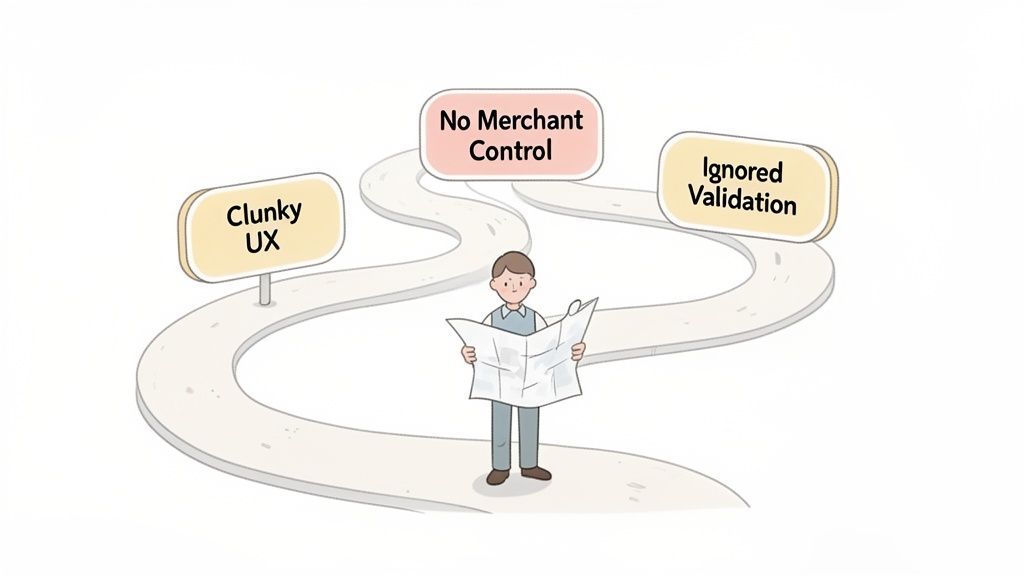
While the benefits of self-service are huge, a poorly planned rollout can easily create more problems than it solves. Just plugging in a tool and hoping for the best isn't a strategy. Execution is everything, and sidestepping common mistakes is what separates a great customer experience from another layer of frustration.
In fact, a staggering 77% of consumers say a bad self-service experience is even worse than having none at all. Why? Because it wastes their time. Get it right, and you build loyalty. Get it wrong, and you risk losing customers for good.
Let's walk through the three biggest landmines you need to watch out for.
Pitfall 1: A Clunky User Experience
The most frequent mistake is building a portal that's confusing, slow, or just doesn't work. Think about it from the customer’s perspective: they just want to fix a typo in their shipping address. They shouldn't have to click through five different screens or play hide-and-seek with a button.
If the process is more difficult than just sending an email, that's exactly what they'll do—and you're right back where you started, with another support ticket.
The goal of customer self-service is to reduce friction, not add to it. A clunky interface that leaves customers more confused than when they started will only increase frustration and drive your support ticket volume up, not down.
To get this right, your self-service tools must feel intuitive. The design should be seamless, feeling like a natural part of your brand, not some clunky third-party app that’s been bolted on.
Pitfall 2: No Merchant Control
On the other end of the spectrum is giving customers too much freedom. This can quickly spiral into chaos. Imagine a customer changing their shipping address after the order has already left the warehouse. Or swapping a basic t-shirt for a limited-edition collaboration at no extra cost. This is a recipe for operational nightmares, inventory headaches, and lost revenue.
This is where a powerful rules engine becomes non-negotiable. It allows you, the merchant, to set firm guardrails and stay in control of the experience.
Smart controls typically include:
- Time Windows: Limiting edits to a specific timeframe, like the first two hours post-purchase, before the order hits your fulfillment center.
- Permission Settings: Defining precisely what customers can and can't do. For example, you might allow address edits but block item swaps entirely.
- Manual Approval Queues: Flagging specific changes—like canceling a high-value order—for a team member to review before anything is finalized.
Without these controls in place, you’re simply trading support tickets for far more expensive operational fires.
Pitfall 3: Ignoring Compliance and Validation
Finally, a surprisingly common oversight is forgetting about data validation and compliance. Letting a customer enter an incomplete or incorrect shipping address is a surefire way to guarantee a failed delivery. That means you’re on the hook for reshipment fees, and your customer is left waiting for a package that’s never going to arrive.
Beyond that, a lack of proper checks can open the door to fraud. Any modern self-service platform worth its salt must have built-in safeguards. Look for essential features like real-time address validation, which uses tools like Google Maps to auto-complete and verify addresses as the customer types. This one feature alone can prevent countless delivery errors.
For scaling brands, particularly those on Shopify Plus, this goes even deeper. A self-service tool that doesn't sync perfectly with your 3PL or ERP is a ticking time bomb of data mismatches and fulfillment delays. These tools need to be a core part of your tech stack, not just a pretty front-end feature.
Frequently Asked Questions About Customer Self Service
Even with all the benefits laid out, it's natural to have some practical questions about what customer self-service actually looks like in your day-to-day operations. Let’s tackle the most common concerns we hear from merchants before they take the plunge.
How Much Control Will I Have Over Edits?
This is a big one. Many merchants worry they'll lose control over their order fulfillment process, but the truth is, modern self-service tools are designed to give you more control, not less. You get to set specific, granular rules that align perfectly with how your business operates.
For example, you can decide exactly which fields a customer can edit. You could also set strict time windows for those edits, like allowing address changes only within the first two hours after an order is placed, or before it’s been sent to your fulfillment partner.
Think of it this way: you aren't handing over the keys to the kingdom. You’re building smart, automated guardrails that empower customers while protecting your operations from chaos. This balance is what makes a self-service strategy successful.
Will This Replace My Entire Support Team?
Absolutely not. It will, however, make them much more effective. Customer self-service isn't about replacing your agents; it's about elevating the work they do. By automating the simple, repetitive tasks that eat up their time and energy, you free them up for what humans do best: solving complex, high-value problems that need a personal touch.
Instead of answering "Where is my order?" a dozen times a day, your agents can focus on helping a high-value customer navigate a tricky issue, build genuine relationships, and act as true advocates for your brand. This shift not only improves employee satisfaction by reducing burnout but also boosts customer happiness by ensuring expert help is available when it’s truly needed.
Is It Difficult to Install on My Shopify Store?
Not at all. The best self-service solutions are built with ease of use in mind, especially for the Shopify ecosystem. Top-tier apps are designed to integrate directly with your Shopify admin, often installing in just a few minutes with zero coding required.
These tools are made to work seamlessly with most Shopify themes right out of the box, so your brand’s look and feel stays consistent. The whole point is to get you up and running fast, so you can start seeing the benefits almost immediately.
Can Self-Service Actually Increase My Revenue?
Yes, it can, and this is one of the most powerful—and often overlooked—perks. By integrating smart upsell and cross-sell opportunities directly into the post-purchase experience, you can turn a simple support interaction into a profitable sales opportunity.
Imagine this: a customer logs in to track their order. Right there, you can present a personalized offer to add a complementary product to their existing shipment. This strategy catches customers when they're already in a buying mindset, effectively boosting your average order value and turning your support portal into a new revenue channel.
Ready to cut support tickets and increase AOV? SelfServe empowers your customers to solve their own post-purchase issues, from editing orders to processing returns, all within a branded, easy-to-use portal. Start your free 30-day trial of SelfServe today.