How to Track Shopify Orders and Improve Customer Experience
At its core, tracking a Shopify order is pretty straightforward.You'll use the Shopify admin or mobile app to check an order’s fulfillment status, and once you add a carrier’s tracking number, Shopify automatically creates a tracking link. It’s a simple system that lets both you and your customer watch the package’s journey from your warehouse to their front door.
But just knowing the mechanics isn’t enough.
Why Mastering Order Tracking Is a Competitive Advantage
Let's be real: effective order tracking is so much more than a logistical box to check. It's one of the most powerful tools you have for building customer trust and actually scaling your business without hiring a massive support team.
The moment a customer clicks "buy," their journey with you is really just beginning. This post-purchase window is a critical moment. It's where you'll either earn a loyal fan for life or create a frustrated customer who never comes back.
A transparent and proactive tracking process has a direct line to your bottom line. When you give customers clear, easy-to-find information about their shipment, you head off the single most common support ticket by a mile: "Where Is My Order?" (WISMO).
Reduce Support Load and Increase Efficiency
Every single WISMO ticket your team has to answer is time and money spent on a problem that automation can, and should, solve. Think about what your team could be doing instead—like handling complex product questions or building a genuine community around your brand.
A well-oiled tracking system frees up your support staff to focus on growth, not just putting out fires. The best Shopify merchants I've worked with have this down to a science. They've turned that anxious waiting period into another positive touchpoint with their brand.
By providing self-service tracking options and proactive updates, you empower customers and build confidence in your brand’s reliability. This small shift in focus has a massive impact on customer perception and operational smoothness.
Build Trust and Drive Repeat Business
Trust is everything in ecommerce. When you communicate clearly about shipping and provide accurate tracking, you're sending a powerful message: "We value your business and respect your time."
That positive feeling is exactly what brings people back. A customer who feels informed and cared for after you already have their money is far more likely to become a repeat buyer.
Beyond that, a great tracking experience just makes your brand look good. It signals professionalism and a serious commitment to your customers that many competitors simply don't bother with.
To really dig into this, you can learn more about crafting an exceptional post-purchase customer experience in our detailed guide. Mastering how to track Shopify orders isn't just about logistics; it's about building a brand that customers love and trust for the long haul.
Getting Started with Shopify's Built-In Order Tracking
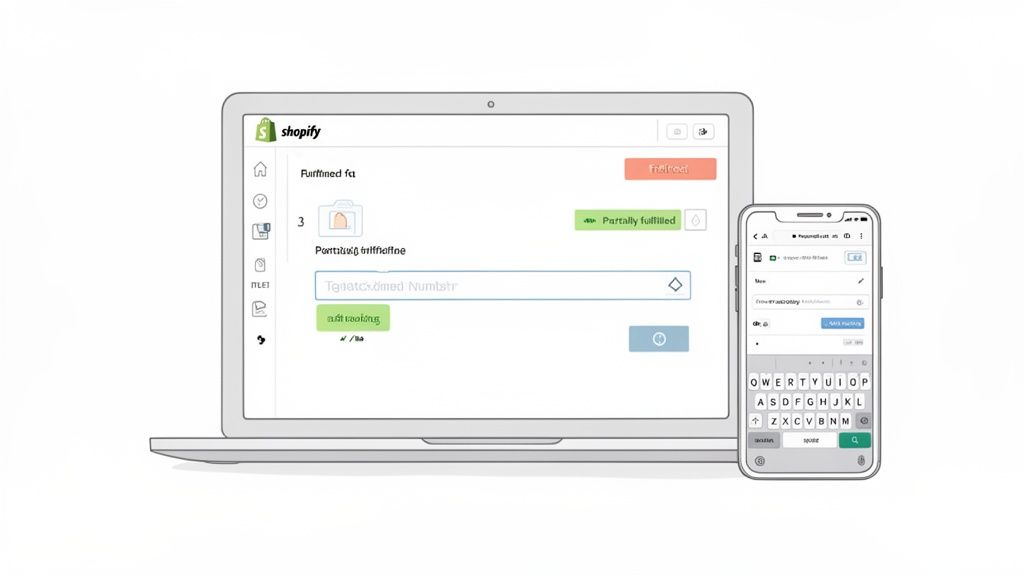
Before you even think about third-party apps, it’s worth mastering the tools Shopify gives you right out of the box. Your admin dashboard has a robust set of features that provide a clear view of every order's journey from click to delivery. These native tools are your command center for the entire post-purchase experience.
Everything starts in your Orders tab. As soon as a customer checks out, their order pops up here, complete with its payment and fulfillment status. Getting a handle on what these statuses mean is the first, most critical step.
- Unfulfilled: This is an order that's paid for but hasn't been shipped yet. It's sitting in your queue, waiting for you to pack it up.
- Fulfilled: Mission accomplished. The entire order is on its way, and you've added the tracking number.
- Partially Fulfilled: A common one for more complex orders. This means you've shipped some items, but others are still waiting. You'll see this often if you're drop-shipping or have products in different warehouses.
How to Add Tracking Numbers Manually
Once you've boxed up an order and have a shipping label, adding the tracking info to Shopify is a breeze. Just pull up the order, hit Fulfill items, and you'll find a field ready for the tracking number from your carrier, whether it's USPS, FedEx, or DHL.
One of the slicker features here is that Shopify can usually recognize the tracking number format and will pre-select the carrier for you. If it gets it wrong or can't identify it, you can just pick the right one from the dropdown menu. Once you plug in the number, you can check a box to fire off a shipping notification email to your customer right then and there.
This single action is huge. It automatically updates the customer's order status page with a live tracking link, so they can watch their package's progress themselves instead of emailing you for an update.
Track Your Orders from Anywhere with the Shopify Mobile App
Let's be real—you're not always chained to a desk. The Shopify mobile app is an absolute game-changer for managing your store on the move. You can see every order's status, fulfill items, and even add tracking numbers straight from your phone.
This isn't just a convenience; it's essential. Mobile commerce is king, and as a store owner, you need to operate where your customers are. In fact, mobile traffic accounts for nearly 79% of all visits to Shopify stores. By 2025, it's projected that about 70% of all Shopify orders will be placed on a mobile device. You can read more about how mobile commerce is shaping Shopify.
Pro Tip: Turn on push notifications for new orders in the Shopify app. This keeps you in the loop instantly and helps you stay ahead of the fulfillment queue, which is a lifesaver during busy sales or the holiday rush.
Navigating Complex Shipments and Carrier Integrations
As your store grows, your shipping gets more complicated. The simple days of "one box, one order" quickly fade, replaced by the reality of managing products from different warehouses, dropshipped items, and international customers. Knowing how to track Shopify orders in these real-world scenarios is what separates a good customer experience from a frustrating one.
Let’s look at a super common situation. A customer buys a t-shirt that you ship from your warehouse and a pair of custom-printed socks that are drop-shipped from a partner. This creates what Shopify calls a partially fulfilled order, something you’ll see all the time as you scale.
Shopify handles this beautifully. When you ship the t-shirt, you’ll add its unique tracking number to the order. A few days later, when your partner ships the socks, you’ll go back into that same order, fulfill the remaining items, and add the second tracking number. The customer's order status page then neatly displays both shipments, each with its own tracking link, so they can see exactly what’s going on.
Handling International Tracking Challenges
International shipping adds a whole new level of fun. A single package might get passed between several carriers on its journey. For example, it could start with USPS in the States and get handed off to Royal Mail once it lands in the UK.
This is where you absolutely need clear communication and good systems. When a package crosses a border, the original tracking number might stop updating, or the local carrier might assign a completely new one. You have to anticipate this handoff.
A pro tip for international orders: Many carriers provide a secondary or "final mile" tracking number. If you get one, add it to the order notes or use an app that can display it for the customer. This simple step prevents a lot of panicked emails when the original tracking link looks like it has gone dead.
Streamlining with Carrier Integrations
Look, manually typing in tracking numbers for every single order just doesn't scale. It’s a recipe for typos and wasted hours that you should be spending on growing your business. Connecting Shopify directly with your shipping carriers is no longer a "nice-to-have"—it's a must.
Using Shopify Shipping or a direct carrier integration links your store's backend to the carrier's system. The benefits are immediate:
- Automatic Data Sync: When you buy and print a shipping label, the tracking number is instantly added to the Shopify order. No copy-pasting required.
- Fewer Mistakes: Getting rid of manual entry means no more typos that lead to broken tracking links and confused customers.
- Real-Time Updates: The connection ensures tracking updates from the carrier sync reliably with the customer's order page.
For any merchant dealing with a decent volume of shipments, these integrations are the bedrock of an efficient operation. If you want to really dial in your entire process, check out our guide on shipping and fulfillment best practices for Shopify merchants. By automating the flow of information, you turn order tracking from a tedious chore into a seamless part of your workflow.
Automating Customer Updates for a Proactive Experience
If you're still manually sending shipping updates to customers, you're creating a bottleneck that will stunt your growth. It’s a massive time sink, mistakes are inevitable, and it’s just not a sustainable way to operate. The real key to a great post-purchase experience is switching from a reactive support model to a proactive, automated one that keeps customers happy and frees up your team.
The good news is, you can start with the tools already built into your store. Shopify’s default email and SMS notifications are your first line of defense against the constant barrage of "Where Is My Order?" (WISMO) questions. But don't just leave them as-is.
Refining Shopify's Default Notifications
Your first stop should be Settings > Notifications in your Shopify admin. This is where you can inject your brand’s voice into what are often dry, robotic messages.
Think about it: changing "Your order has shipped" to something like "Heads up! Your package is officially on the move" feels so much more human. The most important thing here is to make sure the tracking link is front and center—don't make your customers dig for it.
To create a consistent and helpful experience, focus on customizing these three notifications:
- Shipping confirmation: This is the big one. Make the tracking number and link the star of the show.
- Shipping update: This email automatically fires when a package is out for delivery or has been delivered. It’s a fantastic way to give customers peace of mind at the most critical moments.
- Partial shipment notification: For orders with multiple shipments, this notification is essential for clearly communicating what’s on its way and what’s still being prepared.
The complexity of your fulfillment determines how you need to communicate. A single-item order is simple, but as soon as multiple items or suppliers are involved, things get more complicated.
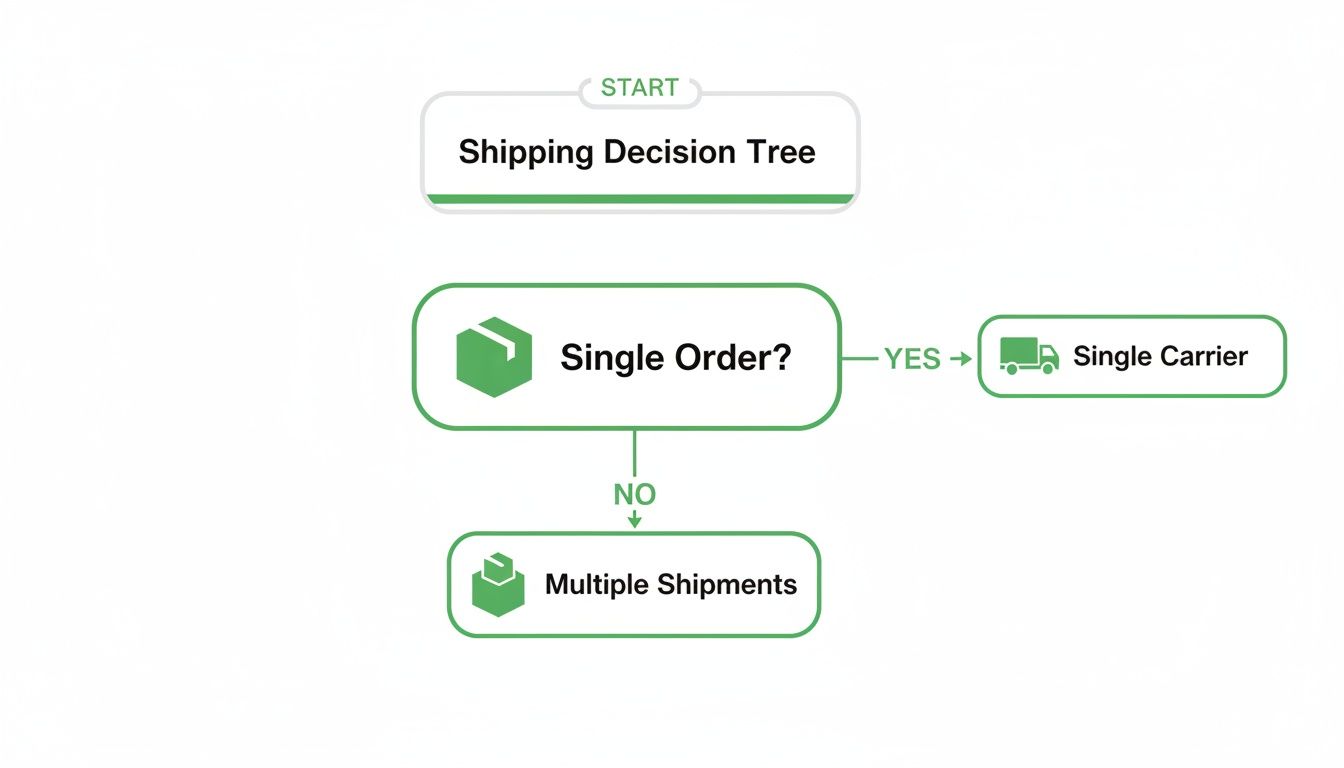
This simple decision tree shows how quickly communication needs can change. For anything beyond a simple, single-package shipment, a more detailed communication strategy is needed to keep customers in the loop.
Empowering Customers with Self-Service Tools
While branded email notifications are a solid first step, the ultimate goal is to give customers the power to find answers on their own. This is where a dedicated self-service customer portal or a tracking app can be a total game-changer. These tools move beyond basic email alerts and offer customers a central hub to manage their entire journey with your brand.
Here’s a look at how different communication methods stack up when it comes to scalability and the customer experience.
Order Tracking Communication Methods Comparison
The best approach often combines methods—using Shopify's automated emails to push updates while also offering a self-service portal where customers can check status anytime they want.
By offering a branded tracking page or a customer portal right on your site, you keep that valuable traffic with you instead of sending customers off to a generic carrier page. It's another chance to reinforce your brand, showcase new products, and keep them in your ecosystem.
These platforms become the single source of truth for your customers, cutting down on confusion and the number of support tickets you have to answer. A modern portal like SelfServe goes even further, allowing customers not only to track their orders but also to edit their shipping address after the purchase or even add more items to an existing order.
This kind of control transforms the post-purchase experience from a passive waiting game into an interactive, positive experience that builds the kind of loyalty that keeps customers coming back.
Proven Strategies for Cutting Down on WISMO Inquiries
The single most common customer question—“Where Is My Order?”—isn't just a support ticket. It’s a bright, flashing sign that there’s a communication gap in your post-purchase experience. Closing this gap with a few proactive strategies is the key to slashing your support load and building a more resilient brand.
Winning this battle starts long before a package ever leaves your warehouse. It really begins with setting crystal-clear expectations at every single customer touchpoint. Your product pages, checkout process, and shipping policy should all broadcast consistent and realistic delivery timeframes. This upfront transparency is a surprisingly powerful tool for turning hesitant shoppers into confident buyers.
After all, we all know how challenging cart abandonment is. Providing clarity gives you a real competitive edge. In fact, research shows that 84% of customers are directly influenced by clear delivery timelines when deciding whether to buy. You can find more insights on Shopify analytics and consumer trends that back this up.
Create a Centralized Tracking Hub
Once a customer places an order, making them dig through their inbox for an old shipping confirmation email is a recipe for frustration. Instead of sending them on a hunt, bring them back to your site with a dedicated, on-site order tracking page.
This page becomes their single source of truth. Make it easy to find right from your main navigation or footer, allowing a customer to simply pop in their email and order number to see the latest status.
By hosting the tracking experience on your own domain, you keep customers within your brand's ecosystem. This is a golden opportunity to reinforce your brand identity, suggest related products, or highlight a current promotion instead of just sending valuable traffic to a generic carrier site.
Embrace Proactive Communication and Self-Service
The psychology behind customer service is pretty simple: people feel better when they feel informed and in control. Notifying a customer about a potential shipping delay before they notice it themselves can completely transform a negative situation into a moment that actually builds trust. It shows you’re on top of it.
This is exactly where a modern self-service customer portal becomes invaluable. A solution like SelfServe empowers customers to do more than just track their Shopify orders. They can find all their post-purchase information in one spot without ever needing to contact your team.
This approach combines the best of all worlds:
- Empowerment: Customers get instant answers, 24/7, on their own terms.
- Efficiency: Your support team is freed from the repetitive grind of WISMO tickets.
- Trust: Proactive updates and self-service options build lasting customer confidence.
By shifting from a reactive support model to a proactive, self-serve one, you’re not just answering questions—you’re building a better, smoother customer experience that encourages loyalty and repeat business.
Common Questions About Tracking Shopify Orders
Even with a rock-solid tracking system, you're bound to run into a few tricky situations. Knowing how to handle these common hiccups will not only make your life easier but also show your customers they're in good hands.
Let's break down the most frequent challenges and how to solve them.
How Do I Handle an Order with Multiple Shipments?
This happens all the time, especially if you use multiple warehouses or deal with backorders. When one order needs to ship in separate boxes, you simply add a unique tracking number for each shipment as it goes out the door.
Fulfill the first part of the order and add its tracking number. When the rest of the items are ready to ship, you'll fulfill that portion and add the second tracking number. Shopify's order status page is built for this, neatly displaying both shipments so your customer can see exactly what's on the way and when.
What Should I Do If a Carrier's Tracking Is Not Updating?
First off, don't panic. It's incredibly common for a tracking number to show no movement for the first 24-48 hours after a package is picked up. The initial scan just hasn't hit the carrier's public-facing system yet.
If you’re past that 48-hour window and still see nothing, your next move is to check the tracking number directly on the carrier’s website. Sometimes their own site updates faster than the information fed to Shopify. If there's still a dead end, it's time to reach out to the carrier directly.
The most important thing? Keep your customer in the loop. A quick email saying, "Hey, I noticed the tracking hasn't updated and I'm looking into it for you," turns a moment of frustration into a great customer service experience.
Can I Automate Adding Tracking Numbers from My 3PL?
Yes, and honestly, you absolutely should. Manually copying and pasting tracking numbers is a recipe for mistakes and a huge time sink. If you're working to scale your business, this is a non-negotiable automation.
Nearly all modern Third-Party Logistics (3PL) providers offer a direct integration with Shopify. Once connected, their system automatically sends fulfillment updates and tracking numbers right back into your Shopify orders. This eliminates human error and gets tracking info to your customers instantly. It's a game-changer.
Ready to slash your "Where Is My Order?" tickets and empower your customers? SelfServe provides a self-service portal that allows shoppers to track orders, edit addresses, and even add items to their purchase post-checkout. Install the app today and start your 30-day free trial.