Manage Phone Number Changes: Shopify Best Practices

A customer places an order, mistypes one digit in their phone number, and never notices. Your warehouse ships on time. The courier gets stuck at the gate, can't reach the customer, marks the stop as failed, and your support team gets the fallout. By the time someone fixes the number, you may be dealing with a delayed delivery, an angry email, and a review that says your brand is impossible to work with.
That's why phone number changes shouldn't sit in the same bucket as minor profile edits. In Shopify operations, this is a policy decision. If you make updates too hard, support gets buried. If you make them too loose, fraud slips through and downstream systems drift out of sync. The right setup gives customers a narrow, controlled path to fix real mistakes without turning order data into an open field.
The Hidden Costs of Incorrect Phone Numbers
Organizations often first notice bad phone data at the worst possible moment. It usually shows up after payment, after routing, and often after fulfillment has already started. At that point, a single wrong digit isn't a form issue. It's an operational defect.
Where the real damage happens
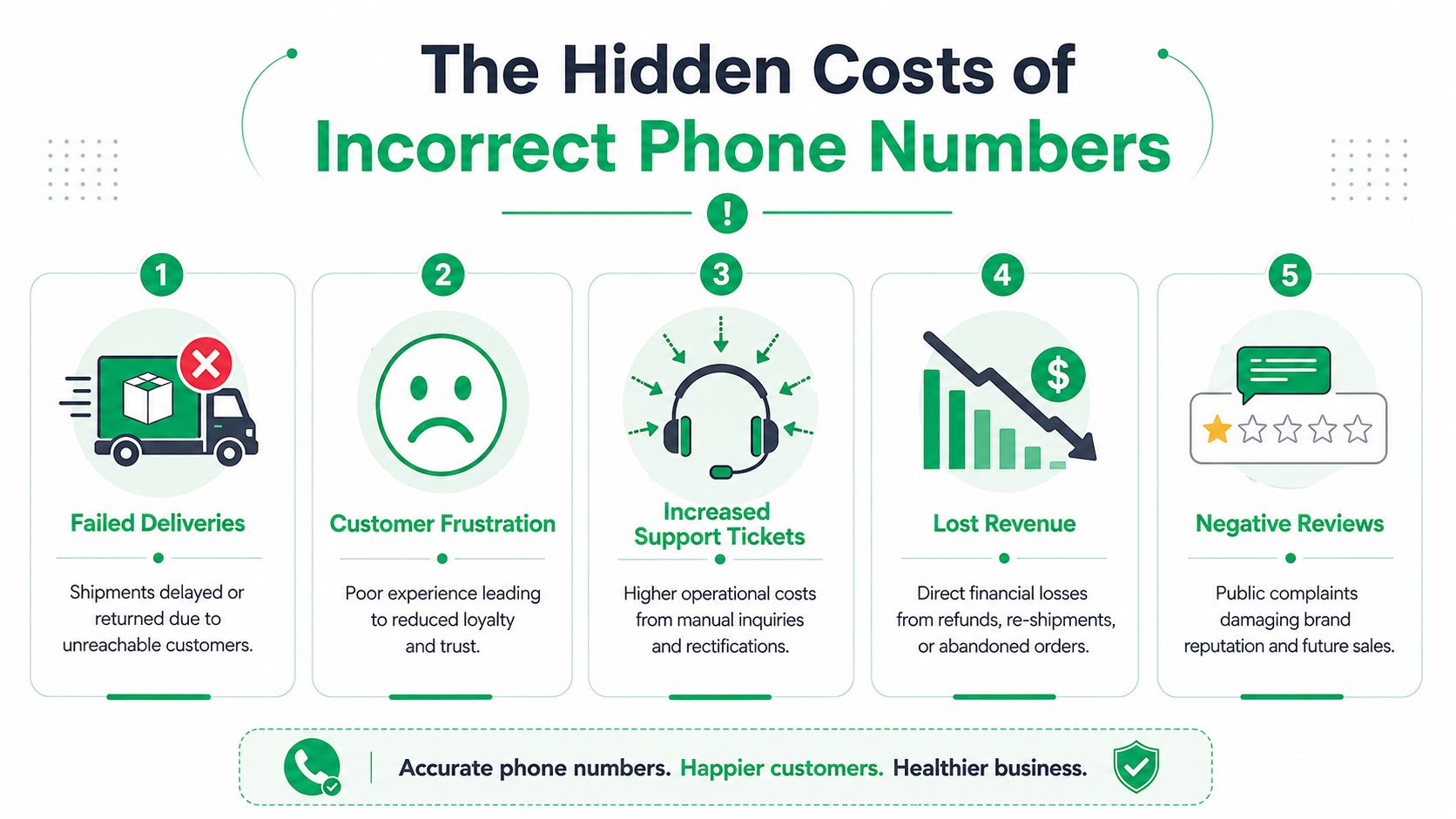
The obvious problem is failed contact during delivery. The less obvious problem is everything that follows:
- Carrier friction: Drivers and local delivery partners often rely on the phone field when an address is hard to find, access codes are missing, or the recipient isn't available.
- Support rework: Agents have to verify identity, update the order, notify fulfillment, and reassure the customer that the package isn't lost.
- Marketing and service gaps: SMS notifications, post-purchase updates, and account recovery flows stop reaching the right person.
- Bad internal data: If one system gets corrected and another doesn't, teams start acting on conflicting contact records.
- Trust erosion: Customers don't care whether the failure came from checkout, the carrier, or your CRM. They see one brand.
The scale of the problem is larger than many stores assume. A 2025 Scientific Reports study found that phone number changes occurred at a rate of 15 to 19 per 100 person-years, which means the issue isn't rare or occasional. It's a recurring data maintenance problem in real populations over time, as shown in the Scientific Reports study on phone number change incidence.
Why this hits ecommerce harder than teams expect
Phone numbers now sit inside much more than delivery workflows. They're tied to verification, notifications, returns coordination, and customer service. Pew Research reports that 98% of Americans own a cellphone and 91% own a smartphone, which helps explain why the phone field has become a core operating identifier in digital commerce, according to Pew's mobile fact sheet.
Practical rule: Treat the phone field like fulfillment data, not like optional profile data.
When merchants tighten address quality controls but ignore contact quality, they create a mismatch. The parcel may be technically deliverable, but the order is still fragile if no one can reach the customer when something changes. That's one reason teams that already care about address quality usually end up expanding into contact controls too. If you're already working on checkout accuracy, this address validation tool overview is a useful companion to a phone-edit policy.
A bad phone number doesn't always create a visible failure on day one. Sometimes it causes notifications to break, delays handoffs, or forces manual cleanup later. That delayed cost is exactly why phone number changes deserve their own playbook.
Your Policy on Post-Purchase Phone Number Changes
Before you enable any workflow, decide what your store will allow. The safest setup is not the strictest one. It's the one your team can enforce consistently across guest orders, logged-in customers, support agents, and fulfillment cutoffs.
Start with eligibility, not technology
The first question is simple. Who can request a phone update, and when?
For most Shopify brands, a workable policy includes three lanes:
| Request type | Recommended treatment | Why |
|---|---|---|
| Obvious typo fixed shortly after purchase | Allow self-service | Low friction, low operational risk |
| Change requested before fulfillment but outside the normal edit window | Allow with verification | Still recoverable, but needs a control |
| Change requested after fulfillment or combined with other risky edits | Route to review | Higher chance of sync errors or abuse |
That framework matters because “let customers edit their phone number” sounds cleaner than it is in practice. You're not just editing a field. You're deciding when an order is still safely editable and when the cost of change is too high.
Avoid rigid area-code logic
A common mistake is rejecting phone edits because the area code doesn't match the shipping destination. That catches some typos, but it also blocks legitimate customers.
According to Pew Research, 10% of U.S. adults have a cellphone number that does not match the state where they live, which is a strong reason to avoid simplistic location rules. The better approach is to use validation that checks whether the number is structurally valid, while allowing for relocation and number retention, as discussed in Pew's analysis of keeping a cellphone number after moving.
Don't treat a non-local number as suspicious by default. Treat it as a signal that needs context.
Define the approval path in plain language
Write the policy the way your support team will use it. If an agent has to improvise, the policy is too vague.
A usable rule set usually answers these questions:
- Timing: Can customers edit until payment capture, until picking starts, or until fulfillment is created?
- Identity: Is email confirmation enough, or do certain orders require another check?
- Channel: Can guests use the same path as logged-in customers?
- Scope: Is phone-only editing allowed while address changes require review?
- Logging: Where is the old number stored, and who can see the edit history?
If your team needs a broader framework for handling changes after checkout, this ecommerce customer support playbook is a useful reference because it treats support decisions as operational design, not just inbox work.
Put the option where customers already look
Don't bury phone updates behind a contact form. Customers look in two places after purchase: the confirmation experience and their order status page. If the edit path isn't there, they'll email support. Then your “self-service” policy becomes a manual queue with extra steps.
The policy should feel predictable to the customer and boring to your team. That's the goal. Boring systems scale.
Implementing Secure Phone Number Updates in Shopify
The slow way to handle phone number changes is familiar. A customer emails support. An agent verifies the request, edits Shopify, pings the warehouse or 3PL if needed, and hopes every downstream system stays aligned. It works for a handful of tickets. It breaks once volume rises.
A better setup moves the simple requests into a controlled workflow and leaves exceptions for humans.
Build the workflow around order state
The cleanest implementation starts with order status. Not customer intent. Not support availability. Order state.
Here's the logic I've seen work best in practice:
- Allow edits while the order is still operationally flexible. If the order hasn't entered your irreversible fulfillment stage, the customer can correct the phone number without agent intervention.
- Lock direct edits once fulfillment has crossed the line. After that, let the customer request help, but don't let them rewrite the order data freely.
- Separate phone changes from higher-risk bundles. A phone-only correction is one thing. A phone-plus-address change deserves different handling.
- Tag every approved phone edit. A tag like
phone-changedgives support, ops, and analytics a clear handle for review and automation.
That last point is easy to overlook. If you don't tag changed orders, you lose the ability to audit patterns, troubleshoot sync failures, or build downstream rules.
Sync logic matters more than the edit form
The customer-facing form is the easy part. The hard part is what happens after save.
Your stack may include Shopify, an ERP, a WMS, a 3PL portal, a help desk, and SMS tooling. If the updated phone number lands in one place but not another, you create a split record. Then the customer says, correctly, that they already updated it, while your warehouse or support agent is staring at stale data.
Use a setup that keeps contact editing tied to reliable Shopify updates and clear post-change visibility. This address and contact editing workflow shows the kind of implementation detail that matters: permissions, edit windows, and controlled updates instead of ad hoc agent work.
The safest automation isn't the one that approves everything. It's the one that updates one source of truth and shows everyone what changed.
Handle edge cases without reopening the whole order
Some customers asking for phone number changes are dealing with a carrier switch, VoIP issue, or number port. Support teams don't need to become telecom experts, but they should know when the problem sits outside the order. For those cases, a practical resource like this guide for porting Google Voice numbers can help support leads understand why a customer may suddenly lose access to a number they were using at checkout.
Operationally, keep your rules narrow:
- Phone-only changes can stay self-service when the order is still editable.
- Combined edits should trigger extra scrutiny.
- Late requests should create a review task, not a direct overwrite.
- Sync failures should create an internal alert, not rely on the customer to discover the mismatch.
That's how you keep the workflow efficient without making it loose.
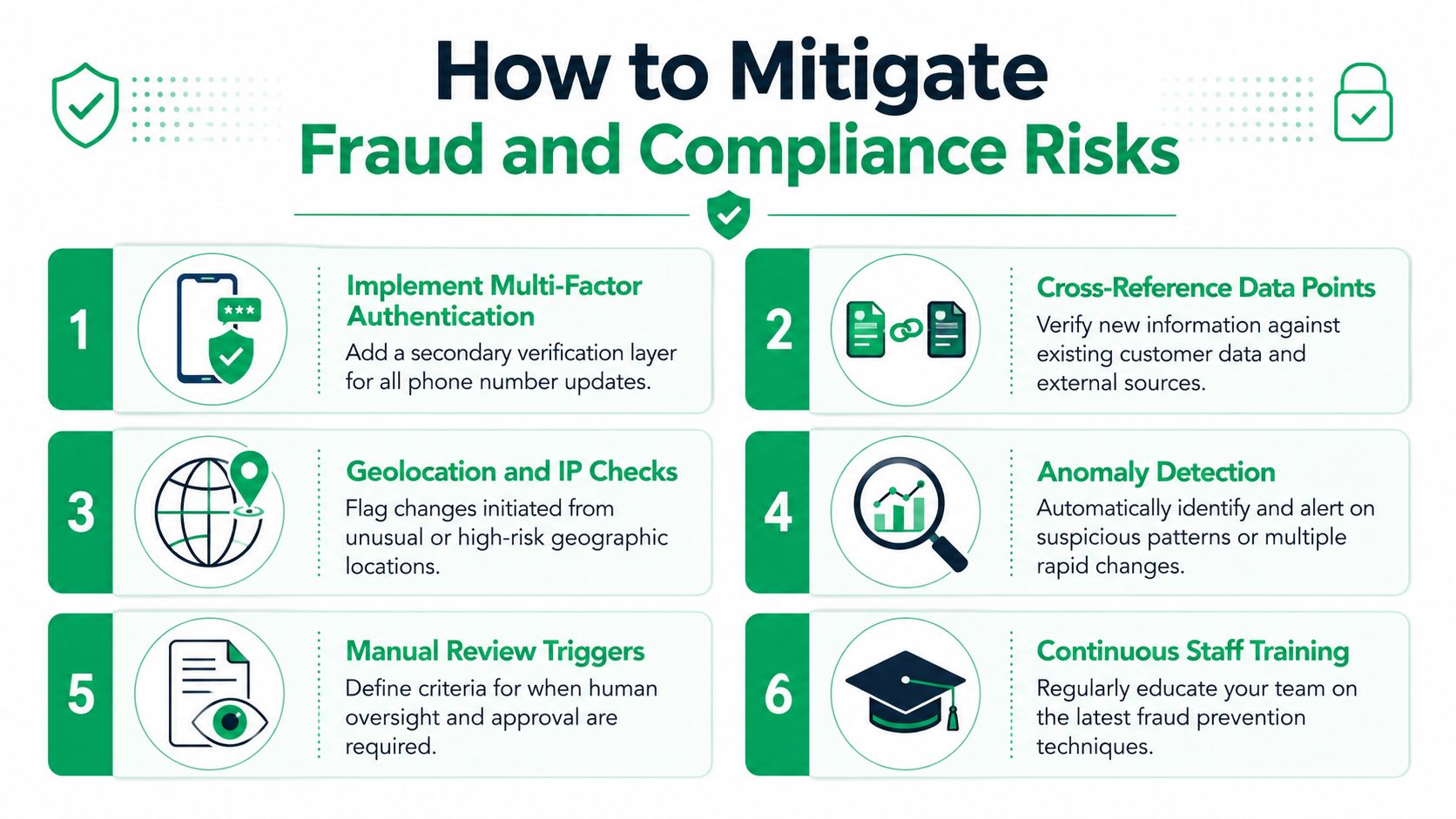
How to Mitigate Fraud and Compliance Risks
Phone number changes look harmless until they appear next to other edits. A fraudster rarely announces intent. They test whether your store treats contact data as low-risk, then pair small changes with bigger ones.
Classify the edit before you approve it
Not every phone update deserves the same response. The trick is to classify requests by pattern, not by customer tone.
A practical risk model looks like this:
| Pattern | Risk level | Response |
|---|---|---|
| One corrected digit, same order context | Low | Auto-approve within edit window |
| New phone number plus address change | Medium to high | Hold for review |
| Repeated changes in a short span | High | Freeze self-service and investigate |
| Update requested after fulfillment handoff | Medium | Review before making any downstream edits |
This doesn't require a huge fraud stack. It requires discipline. If your team has no threshold for suspicious combinations, every request gets handled as if it were equally safe.
Use verification selectively
Merchants often swing between two bad extremes. They either require heavy verification for every minor fix, which creates needless support, or they verify nothing, which invites abuse.
A better approach is step-up verification. Keep routine corrections simple, then add friction only when the pattern changes. If your team is refining that layer, this guide to SMS verification is useful background on how verification flows are typically structured.
Security note: A phone number update should never silently replace the prior contact path. Notify the original contact channel when possible so the real customer can spot misuse.
Compliance starts with accurate contact ownership
Compliance risk is less visible than fraud risk, but it's just as real. If you text the wrong number, or text a number without a valid communication basis in a regulated context, the issue isn't just customer experience. It becomes legal exposure.
The legal side of customer messaging has real constraints. STAT News reported that federal law has historically restricted health plans from texting patients without prior consent, which shows how important it is to maintain accurate, verified contact information and not assume a phone field is always usable for outreach, as covered in STAT News on texting restrictions and patient communication.
That example comes from healthcare, but the operational lesson applies broadly. A stored number is not automatically a trustworthy communications channel forever. Ownership changes. Customers move. Access changes. Internal records lag.
Put review triggers in writing
Fraud controls fail when they live in someone's head. Document the triggers and train the team to follow them.
Use written rules for cases like:
- Multiple field changes: Phone and shipping details changing together.
- Late-stage edits: Requests after pick, pack, or fulfillment submission.
- Conflicting account signals: The requester can access email but struggles to verify other order details.
- Repeat contact edits: The same order or customer profile changing more than once.
The goal isn't to block legitimate customers. It's to stop treating all edits as harmless. Good controls keep self-service open for normal corrections and narrow the path when the pattern shifts.
Clear Communication and Notification Templates
Most phone number change workflows fail in the copy, not the logic. The policy may be sound. The automation may work. But if the customer doesn't understand what happened, they'll still open a ticket.
Confirmation shown at the right moment
The first message should appear before the customer needs it. A short note on the order confirmation or status page works better than burying instructions in a help center article.
Example:
Need to fix your phone number? You can update contact details for a limited time from your order page. If your order has already moved into fulfillment, we'll review the request before making changes.
That message does three jobs. It tells the customer the option exists, sets expectations about timing, and signals that some requests require review.
Email template for a successful change
Use a confirmation email that goes to the existing contact path and, when appropriate, the new one too. That creates a simple security backstop.
Subject: Your order contact number was updated
Body:
Hi [First Name],
The phone number on order [Order Number] was updated successfully.
Previous number: [Old Phone Number]
New number: [New Phone Number]
If you requested this change, no action is needed.
If you did not request it, contact our support team immediately so we can review the order.
Thanks,
[Brand Name]
For teams also revisiting email change notices, this change email address notification guide is a good model for how to structure security-focused customer messaging without making the copy sound alarming.
Template for manual review
When a change can't be approved automatically, say so directly. Don't hide behind “processing” language.
Subject: We're reviewing your phone number update
Body:
Hi [First Name],
We received your request to update the phone number on order [Order Number].
Your order is currently at a stage where contact changes may need a quick manual review. Our team is checking the request now and will follow up as soon as it's confirmed.
If we need anything else from you, we'll reach out using the contact details on file.
Thanks,
[Brand Name]
What good messaging prevents
Clear notifications reduce three recurring problems:
- Duplicate tickets: Customers don't keep asking whether the edit went through.
- Fraud blind spots: The original contact path gets a visible alert.
- Internal confusion: Support can point to a clear paper trail instead of reconstructing events from notes.
Good copy doesn't need to be clever. It needs to answer the customer's next question before they ask it.
Troubleshooting Common Issues and Automating Workflows
Once the workflow is live, the recurring issues are usually operational, not technical. The customer says they can't find the edit option. A support agent updates Shopify manually and forgets to tell fulfillment. A number change saves correctly, but a partner system still uses the old contact.
Fix the root cause, not the ticket
Start by sorting issues into buckets.
If customers can't find the edit path, that's usually a placement problem or a permissions problem. The option may only appear during a short window, or only on the order status page, or only for certain order states. If support keeps answering “where do I change my phone number,” the UI isn't doing enough work.
If the change doesn't reach fulfillment, that's a sync or process ownership issue. Don't solve it by asking agents to send more Slack messages. Solve it by defining which system is authoritative and which events should trigger alerts.
A repeated support issue is usually a policy gap wearing a customer-service costume.
Turn tags into workflows
The most useful automation starts after the edit happens. Once you tag changed orders consistently, you can route work without relying on someone to notice it.
Examples that work well in Shopify Flow or an equivalent workflow layer:
phone-changedplus address edit present: Send the order to a manual review queue.phone-changedafter fulfillment creation: Notify operations to verify the carrier handoff.- Repeated contact edits on the same order: Escalate to fraud review.
- Phone updated successfully before fulfillment: Add an internal note so support sees the current state instantly.
The point isn't automation for its own sake. It's removing judgment calls from routine cases and preserving human attention for the exceptions.
Keep a short review loop with support and ops
The strongest setup is one your support lead and ops lead review together. Look at changed-order tags, failed delivery complaints, and review-triggered orders. Then ask two questions: which cases should become easier, and which should become stricter?
That review loop usually surfaces the same useful improvements:
- Tighten edit windows when late changes keep missing fulfillment.
- Relax rigid validation when legitimate customers get blocked by harmless mismatches.
- Improve notification copy when customers don't understand what was approved versus reviewed.
- Add clearer internal notes when teams are reading different versions of the same order.
Phone number changes don't need to become a ticket factory or a fraud loophole. With the right rules, they become another controlled post-purchase workflow that customers can handle themselves and your team can trust.
If your store is still handling phone number changes through tickets, spreadsheets, and one-off agent edits, it's worth looking at SelfServe. It gives Shopify merchants a controlled way to let customers update post-purchase details within defined rules, while keeping approvals, visibility, and downstream operations manageable.