Product Recommendation Engine: A Guide for Shopify Stores
McKinsey-reported data cited by IBM says 35% of what shoppers buy on Amazon comes from product recommendations. That stat changes how most merchants think about recommendations. They're not a cosmetic add-on for product pages. They're a revenue system.
For a Shopify store, a product recommendation engine plays the role your best in-store associate would play if that person could work every page, every session, every hour of the day. It notices what the shopper is looking at, what tends to go together, what should be surfaced first, and what should be saved for later in the journey.
Most merchants already understand the pre-purchase use cases. Related products on PDPs. Frequently bought together in cart. Best-sellers on collection pages. The overlooked opportunity is what happens after the order is placed, when the customer is still engaged, trust is high, and adding one more relevant item can be far easier than winning a brand-new session.
Why Recommendations Are Your Silent Sales Team
A lot of Shopify stores still treat recommendations like décor. Add a widget, show a few products, hope something gets clicked. That mindset leaves money on the table.
The Amazon example matters because it shows what recommendations become when they're done well. They stop being a merchandising extra and start functioning like a silent sales team. They guide discovery, reduce decision friction, and surface products customers might not have found on their own.
What merchants usually miss
A recommendation engine isn't just there to say “you may also like.” It does several jobs at once:
- It narrows choice: Large catalogs overwhelm shoppers. Recommendations reduce that burden.
- It increases relevance: The customer sees products that fit their behavior, not a generic shelf.
- It supports merchandising goals: You can push discovery, attach accessories, move seasonal inventory, or reinforce category depth.
- It keeps selling after checkout: The session doesn't stop being valuable once payment clears.
A practical example. A shopper buys a coffee maker from your store. A weak setup shows random kitchen products everywhere. A strong setup changes by context. On the product page, it might show grinders and filters. In cart, it might suggest descaling solution. On the thank you page, it might surface coffee beans or mugs that can still be added without restarting the shopping journey.
Better recommendations don't feel like upsells. They feel like help.
Why this matters for Shopify stores
Most Shopify merchants don't need an advanced data science team to benefit from a product recommendation engine. They need a system that matches their catalog complexity, traffic pattern, and operations reality.
That last part matters. If the engine recommends irrelevant products, customers ignore it. If it pushes items that create fulfillment headaches, support teams pay for it later. If it only optimizes for a click, it may look good in a dashboard while eroding customer trust.
Good recommendation strategy isn't about adding more blocks to more pages. It's about putting the right logic in the right moment.
Understanding Recommendation Engine Algorithms
A recommendation engine is only useful if it matches the moment. The same logic that works on a product page can fall flat after checkout, where the customer has already committed and the best next offer is usually an accessory, refill, or add-on that fits the order they just placed.
The four algorithm families
Collaborative filtering uses behavior patterns across shoppers. If buyers of one SKU often add a second SKU, the system learns that relationship and can recommend it to the next similar customer. This tends to work well once a store has enough traffic and order history.
Content-based filtering uses product attributes. It matches items by category, brand, compatibility, material, size, flavor, or other catalog fields. This matters more than merchants expect, especially for post-purchase placements where recommendations need to stay tightly aligned with the order that was just placed.
Rules-based recommendations use merchant logic. You choose which products appear in specific contexts, which products should never appear together, and which offers fit operational constraints such as shipping, margin, or inventory.
Hybrid models combine those approaches. In practice, that is usually the best fit for Shopify stores because catalog data, shopper behavior, and merchandising goals rarely point in exactly the same direction.
Comparison of Recommendation Algorithm Types
| Algorithm Type | How It Works | Best For | Challenge |
|---|---|---|---|
| Collaborative filtering | Learns from patterns across similar shoppers | Stores with steady traffic and enough order history | Struggles with new products and thin data |
| Content-based filtering | Matches products by shared attributes and past shopper preferences | Catalogs with clean product data and clear attributes | Can become too narrow if you never mix in discovery |
| Rules-based | Uses merchant-defined logic for placement and product selection | Compatibility, bundles, launches, margin control, and fulfillment constraints | Needs ongoing maintenance |
| Hybrid | Combines behavioral data, product data, and merchant rules | Most growing Shopify stores, especially for post-purchase upsells | Depends on the app's data quality and setup options |
Why production systems use two stages
Good systems usually do not evaluate every product against every shopper action in real time. They narrow the list first, then score the shortlist.
Aerospike explains this as a two-stage setup. A candidate generation step finds a smaller pool of relevant products. A ranking step sorts those options by predicted fit, which keeps response times fast enough for live ecommerce experiences while still producing relevant results (Aerospike on how recommendation engines work).
That matters on thank you pages and order status pages. You have a short window, a confirmed order, and a clearer signal than you usually get before purchase. The engine does not need to guess what category the shopper likes. It can start with what they just bought and rank the best next add-on.
What actually works in a Shopify store
For new or lower-traffic stores, rules and content-based logic often outperform behavior-driven models. That surprises merchants who expect the “AI” option to win immediately. If the store does not have enough interaction history, collaborative filtering has very little to work with.
For mature stores, behavioral data gets more useful. Repeat purchase patterns, product pairings, and category affinities start to produce stronger recommendations, especially for replenishment items or natural attachments. If customers who buy a serum often come back for cleanser, or customers who buy a camera often add a memory card, the system can surface those patterns at the right time.
Post-purchase is where this gets especially practical. On a thank you page, the goal is rarely broad discovery. The better play is relevance with low friction. Recommend the case that fits the phone just purchased. Recommend the filters that match the machine in the order. Recommend the refill, accessory, or consumable that increases order value without creating a support problem.
I usually advise merchants to start with a simple mix. Use rules for compatibility and margin protection. Use content-based logic where attributes are strong. Layer in behavioral signals once the store has enough volume to make them trustworthy. That approach also lines up well with broader Shopify AOV improvement strategies that work in practice.
One caution matters here. The best algorithm on paper can still be the wrong choice if it recommends bulky items that increase shipping cost, low-stock products that create substitution issues, or offers that require customer support to edit orders manually. Model quality and business fit are different questions.
If you want a useful primer on where data science and practical marketing intersect, Silver Spoon Agency's expert marketing is a good reference point for thinking about model choice in a commercial context.
Measuring Success and Calculating ROI
The easiest mistake with recommendations is measuring the wrong thing.
A recommendation block can generate clicks and still be a poor business decision. If it encourages low-quality add-ons, drives returns, or creates order-edit support issues, the headline metric looks better than the actual outcome.
The metrics that matter first
Start with a tight set of practical KPIs:
- Recommendation engagement: Are shoppers clicking or interacting with the module?
- Recommendation-driven conversion: Do those interactions lead to purchased items?
- Revenue attribution: Which orders included a product added from a recommendation unit?
- Average order value impact: Are recommendation-driven orders larger than comparable orders without exposure?
You don't need a giant measurement framework on day one. You need clean attribution and a control mindset.
Don't stop at short-term revenue
LimeSpot makes an important point that many merchants skip. “Better” recommendations may depend on downstream metrics like repeat purchase quality, not just short-term revenue, especially as recommendation systems expand across real-time and multi-channel experiences (LimeSpot on product recommendation engine evaluation).
That means your scorecard should also watch for:
- Support impact: Did certain recommendations lead to more “can I change my order?” or compatibility questions?
- Return behavior: Did customers keep the add-on item or send it back?
- Repeat purchase quality: Did the recommendation lead to another good order later, or just one impulsive add-on now?
- Trust signals: Are shoppers engaging with recommendations repeatedly across sessions, or tuning them out?
A recommendation that raises immediate revenue but increases returns or buyer regret isn't a win. It's a deferred problem.
How to test without overcomplicating it
A/B testing works best when you change one variable at a time. Placement, product logic, offer framing, and creative presentation all matter. If you change all four together, you won't know what moved the result.
A simple structure looks like this:
- Pick one placement such as PDP, cart, thank you page, or order status page.
- Hold the design steady so visual noise doesn't muddy the result.
- Test one recommendation logic against a control or against another logic type.
- Measure order quality, not just add-to-cart activity.
If your team needs a broader finance-side refresher, this guide to marketing ROI for businesses can help frame attribution discussions with stakeholders. For Shopify-specific average order value ideas, this roundup of proven ways to increase your store's AOV is also useful context.
Shopify Implementation Approaches
Most merchants have three realistic paths to add a product recommendation engine on Shopify. The right one depends less on ambition and more on resources, catalog complexity, and how much control you need.
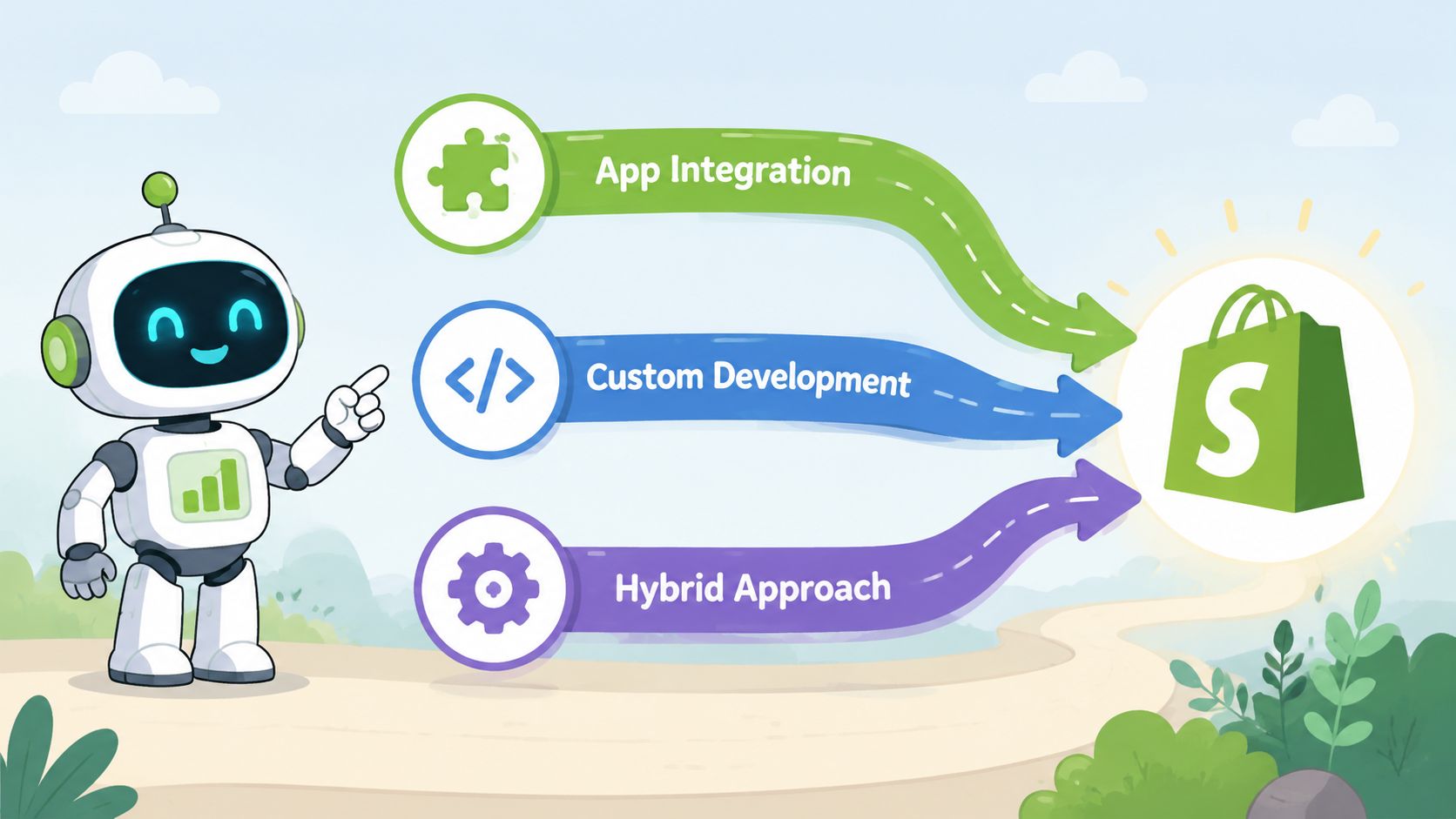
Good, better, best
Good with native theme or platform features
Some Shopify themes and built-in components can handle simple related-product blocks or basic best-seller placements. This is enough if your store is small, your catalog is tight, and your recommendation goal is mostly visual merchandising.
The drawback is obvious once you want nuance. Native options usually don't offer deep testing, advanced segmentation, or post-purchase logic designed for operational constraints.
Better with Shopify apps
For most brands, apps are the practical sweet spot. They're faster to install, easier to test, and usually give you more control over placement and recommendation logic without asking your developers to rebuild merchandising infrastructure.
Apps make sense when you want to move beyond “related items” and start tailoring recommendations by page type, customer behavior, collection, or stage in the journey. They also let operations and ecommerce teams iterate without waiting on a full development cycle.
A useful way to evaluate this category is to compare setup speed, merchandising controls, analytics quality, and where the app can render recommendations. This list of recommendation apps for Shopify that actually move the needle is a solid starting point if you're shortlisting options.
Best with custom development
Custom builds are usually reserved for brands with unusual requirements. Think Shopify Plus stores with large catalogs, proprietary customer data, complex bundling rules, or a broader personalization stack outside Shopify.
Custom can be powerful, but it comes with real cost. Someone has to define the logic, maintain the integrations, handle performance, and build the analytics layer. If your team doesn't already have product, engineering, and merchandising alignment, custom often turns into a slow expensive version of what an app could have done sooner.
A practical decision filter
Use these questions before you choose an approach:
- How large and dynamic is the catalog? Fast-changing inventory often needs more than static blocks.
- Who owns optimization? If marketers and merchandisers need control, app-based workflows tend to be better.
- Do you need post-purchase placements? Not every recommendation tool is strong after checkout.
- How much technical debt can your team absorb? Every custom rule and integration adds maintenance.
What usually fails
The most common implementation mistake is buying an advanced tool and using it like a static widget. The second is the opposite. Trying to custom-build advanced recommendation logic when the actual business need is straightforward cross-sell control.
Pick the lightest system that can support the outcomes you care about. For most Shopify stores, that means app-first, with selective custom work only where it creates a clear advantage.
The Post-Purchase Upsell A Hidden Goldmine
Most recommendation conversations stop too early. They focus on product pages and carts, right before checkout. That's useful, but it ignores one of the cleanest moments in the entire buying journey.
Once a customer has completed an order, several barriers are gone. They've already decided to buy from you. They trust the transaction enough to finish it. They're still paying attention. And they're often more open to a relevant add-on than they were five minutes earlier, because the main decision is done.
Why the thank you page works differently
Pre-purchase recommendations compete with the main conversion. A customer might like the suggestion, but it can still distract from checkout.
Post-purchase recommendations don't have that problem in the same way. The primary sale is already secured. Now you're not trying to rescue intent. You're extending it.
That changes the psychology of the interaction. The customer isn't thinking, “Should I buy from this store at all?” They're thinking, “Is there anything useful I should add while this order is still being processed?”
A good example is a coffee maker purchase. On the thank you page or order status page, a relevant recommendation might be a bag of coffee beans, paper filters, or a matching mug set. Those products make sense because they complete the original purchase. They don't ask the customer to restart a new shopping mission.
The best post-purchase recommendations feel like order completion, not a second sales pitch.
What to recommend after checkout
Not every product belongs in a post-purchase unit. The format works best when the recommendation is tightly connected to the original order and easy to understand fast.
Strong candidates usually include:
- Consumables: Refill items, ingredients, pods, filters, or care products.
- Accessories: Cases, attachments, mugs, batteries, cables, or lids.
- Protection and maintenance: Cleaning supplies, replacement parts, or compatible add-ons.
- Low-friction complements: Simple items that don't require heavy consideration or sizing complexity.
Weak candidates are usually broad category jumps or products that create new decision stress. If someone just bought a coffee maker, don't use that moment to promote a standing desk.
Why order status pages matter too
Thank you pages get attention, but order status pages can continue the opportunity window. Customers return there to check shipping progress, verify details, and revisit the order. That repeat visibility gives merchants another chance to show context-aware recommendations.
This is especially useful when your recommendation logic needs to account for fulfillment realities. You might want to limit suggested items to products that can be added smoothly, avoid fragile combinations, or exclude products likely to create service friction.
A short walkthrough helps make the post-purchase flow more concrete:
If you want examples of how merchants use this placement specifically inside Shopify, this guide to Shopify post-purchase upsell strategy is worth reviewing.
The operational upside merchants underestimate
There's another reason post-purchase recommendation strategy matters. It can be easier to operationalize than adding more clutter before checkout.
When a customer adds a relevant item to an existing order, the merchant may be able to increase order value without forcing the customer through another full purchase cycle. In the best setups, that reduces friction for the shopper and keeps the add-on attached to an order that was already heading into fulfillment.
That's why post-purchase recommendation design shouldn't sit only with marketing. Ecommerce, ops, and support should all weigh in. The recommendation may create revenue, but it also affects packing workflows, order editing, customer expectations, and ticket volume.
Testing Privacy and Scaling Best Practices
Recommendation systems improve when merchants treat them like a merchandising program with ongoing tuning, not a one-time app install.
Start smaller than you think.
A common mistake is launching recommendations across the homepage, product pages, cart, thank you page, order status page, and email at the same time, then trying to figure out what changed. Pick one high-intent placement, one recommendation goal, and one success metric. For many Shopify stores, the cleanest place to start is after checkout, where the customer has already committed and the recommendation can focus on increasing order value instead of rescuing a conversion.
Useful test variables include:
- Placement choice: Product page, cart, thank you page, or order status page
- Logic choice: Behavioral, attribute-based, manual rules, or a blended approach
- Presentation: Grid, carousel, bundle framing, or a single featured add-on
- Message framing: “Frequently bought together,” “Complete your order,” or “Add this before your order ships”
Post-purchase testing needs tighter success criteria than pre-purchase testing. A recommendation can get clicks and still create problems if the add-on slows fulfillment, creates order edit errors, or pushes support tickets up. The best tests measure revenue and operational impact together.
Privacy matters here too. Customers usually respond well to relevance. They react poorly when the copy feels intrusive or overly specific. “Pairs well with your order” is often strong enough. You do not need language that suggests you are tracking every move.
Recommendation tools also need to match your store's consent handling, customer data practices, and retention policies. If the experience feels opaque, trust drops fast, and a small lift in conversion is not worth that trade-off.
As your catalog grows, your logic should get more specific. New products often need rules or attribute-based recommendations before enough purchase history exists. Established categories with high order volume can support more behavior-driven logic. Post-purchase placements usually need an extra layer of control so you only show items that fit your shipping, packaging, and order-edit workflow.
Hybrid setups often work best in practice because each method covers a different weakness. Rules help with control. Catalog attributes help with new items. Behavioral patterns get stronger as order volume builds.
Scale after the basics are stable. That means the recommendations are relevant, the measurement is clear, and the downstream workflow still holds up when volume increases.
The stores that get the most from a product recommendation engine test with discipline, protect customer trust, and adapt recommendation logic to the moment. On Shopify, that usually means treating thank you and order status pages as a distinct revenue channel, not just another slot to reuse pre-purchase widgets.
If post-purchase recommendations are the gap in your Shopify strategy, SelfServe is built for that exact moment. It helps merchants turn thank you and order status pages into revenue-generating touchpoints, lets customers add curated items to existing orders, and supports post-purchase workflows that can lift average order value without adding unnecessary friction.