Recurring Payments Shopify: A Practical Guide to recurring payments shopify
Think about your store's revenue. Does it feel like you're constantly chasing one-off sales, with unpredictable peaks and valleys? Now, imagine that same revenue stream as a steady, reliable river, consistently flowing into your business month after month. That's the core promise of setting up recurring payments on Shopify.
This isn't just about selling more; it's about shifting from one-time transactions to building a foundation of predictable income and incredibly loyal customers.
Building Predictable Revenue with Shopify Subscriptions
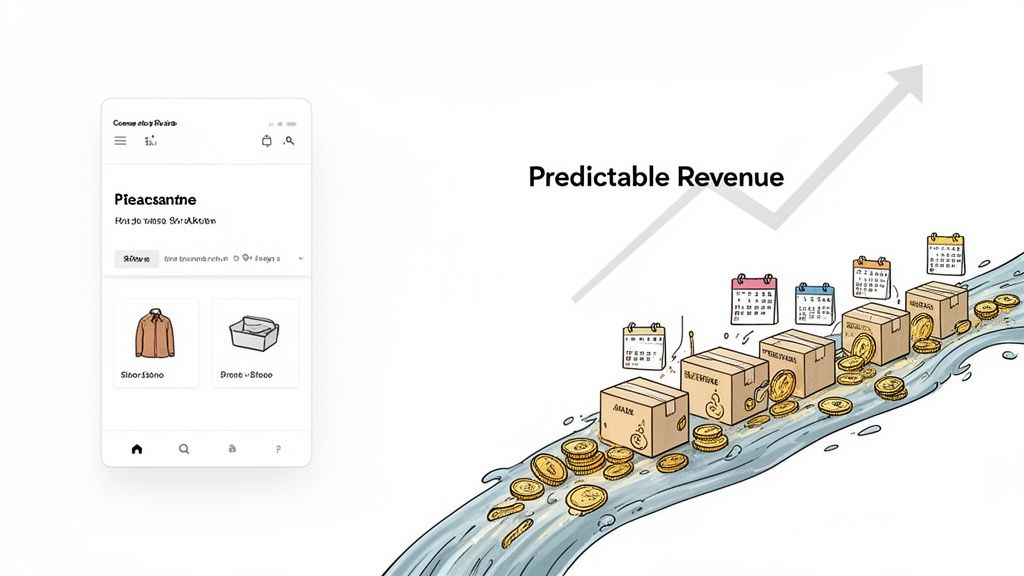
The old-school, one-and-done sales model forces businesses to operate in a constant state of uncertainty. How much inventory should you order for next month? Can you really afford that big marketing campaign? Subscriptions sweep that guesswork off the table by creating a stable base of predictable cash flow. For high-volume stores and Shopify Plus brands, this isn’t just a nice-to-have feature—it’s a fundamental business strategy.
This newfound financial stability is what truly fuels smart, sustainable growth. When you have a clear picture of your monthly revenue, you can make decisions with confidence. It’s no surprise, then, that the ecommerce subscription market is on track to hit a staggering $2.3 trillion by 2028. This is a massive shift in how the best brands approach their growth.
The Strategic Value of Predictable Income
Moving to a recurring revenue model offers benefits that go way beyond just the numbers on your balance sheet. It completely reshapes your operations and how you connect with your customers.
- Confident Inventory Planning: With a clear line of sight into upcoming orders, you can finally match your purchasing to real demand. This means fewer stockouts and less money tied up in costly overstock.
- Smarter Growth Investments: Steady cash flow gives you the green light to invest in customer acquisition, new technology, and growing your team, all without the risk that comes with a fluctuating income.
- Deeper Customer Loyalty: Subscriptions naturally turn a simple transactional relationship into a long-term partnership. The result is a massive boost in customer lifetime value (LTV).
Take a real-world example: a brand like Better Booch gets about 70% of its orders from subscriptions. That shows just how quickly a well-run subscription program can become the main engine of a business, driving the lion's share of its revenue.
The Role of Technology in Scaling Subscriptions
While Shopify gives you an incredible platform to build on, the nitty-gritty of managing a subscription service at scale requires some specialized tools. Shopify's native features are a great place to start, but high-volume brands soon realize they need more firepower. If you want to dive deeper into this model, our complete guide to building an ecommerce subscription business is a great resource.
This is where third-party apps come into play. They do the heavy lifting, handling everything from complex billing schedules and failed payment recovery (dunning) to giving customers a slick portal to manage their own subscriptions. These apps don't just process payments; they create a seamless experience that reduces churn and frees you from operational headaches, so you can focus on what matters—growing your subscriber base. Trying to manage thousands of recurring orders without them would be a logistical nightmare.
Choosing Your Tools: Shopify Native vs. Third-Party Apps
When you're ready to launch a subscription program, one of the first big decisions you'll face is how to manage your recurring payments on Shopify. Should you stick with Shopify's own built-in tools, or is it time to bring in a specialized third-party app?
Think of it like this: Shopify's native tools are the standard toolkit that comes with a new car. It's perfect for basic maintenance and gets the job done. But if you plan on racing that car or running a professional garage, you'll need a dedicated mechanic's set—tools built for high performance, heavy use, and custom jobs.
Shopify’s out-of-the-box subscription features give you a solid foundation. You can set up simple subscription plans, handle basic billing cycles, and give customers a standard portal to see their orders. If you're just dipping your toes into the subscription model with a small group of subscribers, this might be all you need for now.
But as your business grows, you'll likely start to feel the limits of that basic toolkit. You might hit a wall when you try to offer more complex subscription options, or when you need to dig deeper into your business metrics. This is usually the point where the conversation shifts from “what’s free?” to “what’s going to build the most value for my business?”
Where Native Tools Can Fall Short for High-Volume Brands
For ambitious stores, the goal isn’t just to offer subscriptions; it’s to build a profitable, low-churn revenue engine. This is where the gaps in Shopify's native features can become real business problems. You’ll quickly find yourself needing more sophisticated tools to manage growing complexity and keep your subscribers happy.
A few key limitations often pop up first:
- Limited Dunning Management: When a customer's payment fails, native tools might only make a few basic attempts to retry the charge. This can lead to a surprising amount of involuntary churn because you don't have the advanced logic to intelligently recover those failed payments.
- Inflexible Customer Portal: The standard portal is often too rigid. It might not let customers swap products, add a one-time item to their next shipment, or easily skip a delivery—all actions that are proven to reduce cancellations.
- Basic Analytics: You'll get the top-level numbers, but you’ll miss out on the detailed, cohort-based analytics needed to understand why customers are churning and what your true customer lifetime value (LTV) really is.
The Power of Specialized Third-Party Apps
This is exactly where third-party apps shine. These platforms are purpose-built to solve the complex challenges of a scaling subscription business. They integrate directly with Shopify but add a powerful layer of features designed to reduce churn, increase average order value (AOV), and automate tedious operational work.
At the heart of this ecosystem is Shopify Payments. Over 1.89 million Shopify merchants use it for recurring transactions, and it processes 62% of the platform's total GMV. For Shopify Plus brands, pairing this powerful payment backbone with an advanced app creates a nearly frictionless experience for repeat buyers, especially with features that let customers edit their own orders and add upsells. To understand the full scope of its adoption, you can explore more about Shopify Payments usage statistics on redstagfulfillment.com.
These apps completely transform the subscription experience for both you and your customers. One of the most critical features they unlock is the mixed-cart checkout, which lets a shopper buy a subscription product and a one-time item in the same transaction. Forcing a customer into two separate checkouts is a major point of friction that these apps eliminate entirely.
The table below offers a clear, side-by-side comparison. It highlights exactly where a third-party app's value becomes undeniable for a growing brand focused on recurring payments on Shopify.
Native Shopify Subscriptions vs. Third-Party Subscription Apps
Here’s a direct look at the features and capabilities you get with Shopify’s native tools versus what you can expect from a dedicated third-party app.
As you can see, while native tools provide a starting line, third-party apps give you the engine you need to win the race. For serious subscription businesses, investing in a specialized app isn't just a nice-to-have; it's a core part of a growth strategy.
The Technical Side of Recurring Payments
While your marketing team is busy crafting compelling subscription offers, your developers are likely asking a different question: How do we actually make recurring payments on Shopify work reliably at scale? To get to the bottom of that, we need to pop the hood and look at the technical machinery that powers Shopify’s entire subscription ecosystem.
Think of it like building a custom home. You have your architectural blueprint (the logic behind your subscription model), the foundation (Shopify’s core platform), and then the specialized crews who handle the plumbing, electrical, and finishing work. In the Shopify world, those specialized crews are its powerful APIs.
This flow chart gives you a bird's-eye view of the path you'll take, whether you stick with native tools or integrate a third-party app.
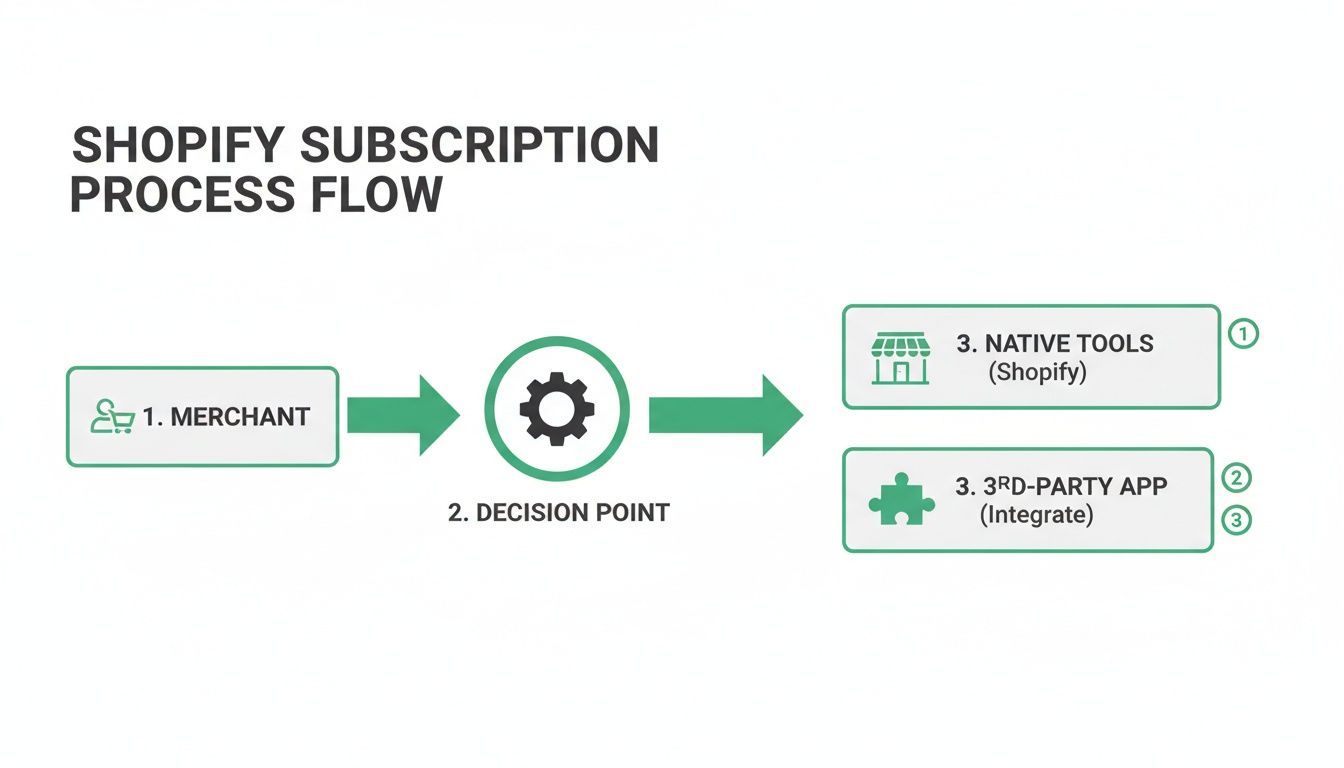
As you can see, both routes lead to recurring revenue, but the choice of tools directly impacts the level of customization and the technical legwork required to get everything set up.
Understanding the Core Shopify APIs
At the heart of any Shopify subscription setup, you’ll find three key APIs doing the heavy lifting. Each has a very specific job, and they all work together to manage a subscriber’s entire journey—from their first purchase to every renewal that follows.
Shopify Subscriptions API: This is the master controller for the agreement itself. Think of it as the digital handshake that manages the subscription contract between you and your customer. It’s what handles creating, updating, pausing, or canceling a plan. When a customer decides to skip next month's box, this is the API that makes it happen.
Shopify Billing API: This one is the financial workhorse. Its sole job is to create and process the recurring charges outlined in the subscription contract. It’s responsible for automatically hitting the customer's saved payment method at just the right time, whether that's every 30 days or every three months.
Checkout UI Extensions: This component is all about what the customer sees and interacts with. It’s what allows you to add custom subscription options and UI elements right into Shopify's native checkout. This is absolutely essential for creating a smooth, on-brand experience where customers can opt into a subscription without ever feeling like they've left your site. If you're looking to really dial in this part of the journey, our guide on how to modify the Shopify checkout page is a great place to dig deeper.
This trio of APIs gives you a powerful toolkit for building a subscription system that’s not only robust on the back end but also feels completely seamless to your customers.
The Critical Role of Webhooks
If APIs are the muscles doing the work, webhooks are the nervous system connecting everything. They are simply automated messages sent from one system to another when a specific event occurs. Honestly, they're the secret sauce for keeping your entire business in sync.
Imagine a customer logs into their portal and pauses their subscription. A webhook can instantly fire off a message to your CRM, tagging that customer for a re-engagement campaign down the road. At the exact same moment, another webhook could tell your ERP to adjust its inventory forecast, preventing you from over-ordering stock.
This real-time communication is what turns isolated actions into a coordinated, automated business process. Without webhooks, your team would be stuck manually updating data across different platforms—a tedious and error-prone task that simply doesn't scale.
Here are a few common ways we see webhooks used in Shopify subscription setups:
- Syncing Customer Data: Updating customer records in your helpdesk or marketing platform the second a subscription status changes.
- Triggering Retention Flows: Kicking off a "win-back" email sequence in your marketing automation tool the moment a customer cancels.
- Managing Fulfillment: Sending order details to your third-party logistics (3PL) partner as soon as a recurring order is successfully created.
By tying all these technical pieces together, you build a resilient and automated machine for handling recurring payments on Shopify. You're not just writing code; you're creating real business efficiency and a far better experience for your loyal customers.
Managing Payments, Compliance, and Migration
Getting the tech side of your subscription program built is a huge milestone, but it's really just the beginning. Now comes the day-to-day reality of running the business: managing payments, keeping customer data secure, and handling any transitions. Long-term success with recurring payments on Shopify hinges just as much on nailing these operations as it does on writing the initial code.
At its heart, every recurring payment follows a simple lifecycle. It kicks off with an initial authorization, where the customer's card is verified and saved. From there, your system tries to capture the payment on each billing cycle. If it works, an order is created and the money is on its way.
But what about when a payment fails? This is where the rubber meets the road. Your system's logic for retrying charges and how you communicate with customers in that moment is absolutely critical. A failed payment can happen for a dozen reasons—an expired card, not enough funds, a fraud block from the bank. It's a normal part of business, but how you respond determines whether you rescue the sale or lose a customer for good.
The Critical Role of PCI Compliance
When you're handling customer payment details, security isn't just a feature; it's a requirement. The Payment Card Industry Data Security Standard (PCI DSS) is a strict set of rules designed to keep sensitive cardholder data safe. A breach can be catastrophic, leading to huge fines and destroying the trust you've built with your customers.
This is exactly why Shopify Payments and a process called tokenization are so incredibly important.
Think of a payment token as a secure placeholder for a customer's actual credit card number. Instead of storing that high-risk data on your own servers, Shopify's secure vault keeps the real card info and hands you an encrypted, unusable token in its place. This simple but powerful step takes your business out of scope for many of the toughest PCI rules, essentially letting Shopify handle the heaviest security lift.
This secure foundation is a big reason why the platform has been so successful. For high-volume merchants, knowing that Shopify Payments processes the vast majority of the platform's Gross Merchandise Volume gives you confidence that it can handle repeat transactions securely and at scale. You can find more data-driven insights on Shopify's financial scale on ecommercetrix.com.
A Guide to Subscriber Migration
So, what happens if you've already built a loyal subscriber base on another platform? Moving everyone over to Shopify requires a delicate, well-planned migration to avoid service interruptions and prevent customers from churning involuntarily. You can't just copy and paste subscriber lists; you have to transfer their payment tokens securely.
The process is a coordinated dance between your old payment processor, your new one, and your subscription app. It’s a precision operation that leaves no room for error.
Here’s how to approach a smooth migration:
- Secure Token Transfer: This is the most critical technical step. You'll need to work directly with your subscription app partner and payment gateways to move the vaulted payment tokens from the old system to the new one.
- Customer Data Import: Systematically bring over all other subscriber data—shipping addresses, product selections, delivery frequencies, and order history.
- Clear Communication: Get ahead of the change by telling your customers what’s happening. Explain the benefits of the new system (like a better customer portal) and, most importantly, reassure them that their payment information remains secure.
- Testing and Verification: Before you flip the switch for everyone, run comprehensive tests with a small segment of subscribers. You need to be certain that billing, order creation, and the customer portal are all working perfectly. A bumpy transition is a surefire way to cause failed payments and frustrated customers.
Actionable Strategies for Reducing Churn
Once you’ve got the technical side of your recurring payments on Shopify locked down, the real work begins. It’s no longer about setup; it's about retention. Keeping your subscribers happy and active is the name of the game, because even a tiny monthly churn rate can quietly eat away at that predictable revenue you’ve worked so hard to build.
To win this fight, you first have to know your enemy. Churn isn't a single problem—it comes in two very different flavors, and each needs its own game plan.
- Voluntary Churn: This is when a customer makes a conscious choice to hit the "cancel" button. Maybe the product wasn't a good fit, they found a better price, or they simply don't need it anymore.
- Involuntary Churn: This one’s purely mechanical. A customer wants to stay, but their payment fails—think expired credit cards, insufficient funds, or a random bank decline.
Losing a perfectly happy customer because of a preventable payment glitch is incredibly frustrating. The good news? It's also the easiest type of churn to fix.
Tackling Involuntary Churn with Smart Dunning
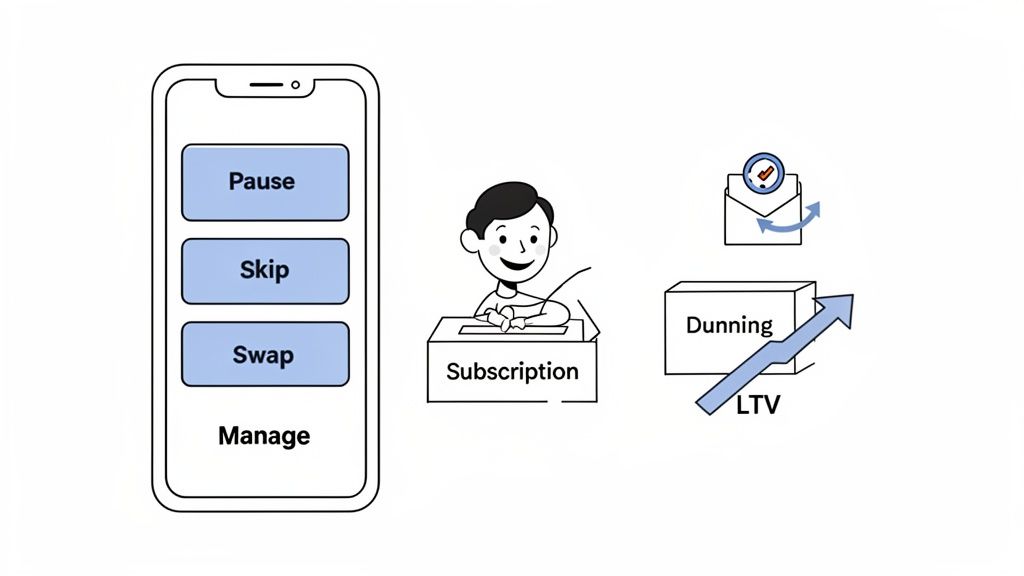
Your best weapon against failed payments is a solid smart dunning management system. Think of it as an automated safety net. Instead of giving up after a single payment failure, a dunning process intelligently retries the charge over a period of time.
This usually involves a series of automated emails letting the customer know there's an issue, often with a simple, secure link to update their payment details. A well-executed dunning strategy can claw back a huge chunk of otherwise lost revenue, all without your team lifting a finger.
For a high-volume store, recovering even a few percentage points of revenue can mean tens of thousands of dollars back in your pocket each year. It’s a low-effort, high-impact way to stabilize your monthly recurring revenue (MRR).
The really sophisticated systems go even further. Some can time their retry attempts for moments when a customer is more likely to have funds, like right after a common payday. This is the kind of advanced logic that makes dedicated third-party subscription apps worth their weight in gold.
Reducing Voluntary Churn with Flexible Management
Fighting voluntary churn is all about giving your customers control and flexibility. If their only choices are "keep my subscription" or "cancel it," you're going to see a lot of people head for the exit when life gets in the way. The trick is to offer them a third door.
This is where a self-serve customer portal is absolutely essential. When you empower shoppers to manage their own subscriptions, you don't just reduce support tickets—you slash cancellations. Customers who feel in control are far more likely to stick with you. You can learn more about how this improves the post-purchase customer experience in our guide.
Here are the most effective options you can offer in your portal:
- Skip a Delivery: Is a customer going on vacation or just overloaded with product? Let them easily skip the next shipment.
- Swap a Product: Give subscribers the power to try a new flavor, scent, or version of a product without the hassle of canceling and re-subscribing.
- Change Delivery Date: Life happens. Allowing customers to move their next delivery date to fit their schedule is a simple feature that builds incredible loyalty.
Think of these features as off-ramps on the cancellation highway. Instead of losing a customer for good, you're just accommodating a temporary need, preserving that long-term relationship and the revenue that comes with it.
Your Game Plan for Launching Recurring Payments
Putting a subscription program in motion can feel overwhelming, but breaking it down into a clear, step-by-step process makes all the difference. Think of this checklist as your playbook for building a profitable and scalable system for recurring payments on Shopify.
This isn’t about just installing an app and hoping for the best. It's about making smart, intentional decisions at every turn to build a program that lasts. From nailing down your offer to keeping a close eye on your numbers after launch, each step sets the stage for the next.
1. Lock in Your Strategy and Offers
Before you even think about the technology, you need to know exactly what you're selling and who you're selling it to. This is the foundation for everything else. A confusing or weak offer will sink your program, no matter how great the tech is.
- Pick Your Subscription Model: Are you doing a simple replenishment model (like coffee beans), a curated box (like a monthly snack discovery), or an access-based membership (like exclusive content)?
- Create Your Pricing Tiers: You need to give customers a compelling reason to commit. Think about offering clear discounts for quarterly or annual prepayments—it's a great way to improve cash flow and secure that customer for the long haul.
- Choose Your Subscription Products: Let's be honest, not everything is a great fit for a subscription. Start with your best-sellers or products people naturally buy over and over again.
2. Choose and Set Up Your Tech Stack
Once your strategy is solid, it's time to pick the tools to make it happen. This is a huge decision that will affect how easily you can scale and how much manual work your team has to do later.
First up, you have to decide between Shopify’s own subscription tools and a more powerful third-party app. While the native stuff can be a decent starting point, serious, high-volume brands almost always gravitate toward a dedicated app for its superior features—think better dunning management, more flexible customer portals, and deeper analytics. After that, get your payment gateways configured, making sure they’re set up for recurring billing and use tokenization to keep everything PCI compliant.
Don't forget that your tech choice is your front line in the battle against churn. The right app arms you with automated tools to recover failed payments and gives customers the power to manage their own subscriptions, which are two of the most effective ways to keep them around.
3. Map Out the Customer Journey
How your subscribers interact with their plans is just as crucial as the products they get in the box. A smooth, self-service experience means fewer support headaches for you and a happier, more loyal customer.
- Build an Effortless Customer Portal: Make it dead simple for subscribers to skip a delivery, swap a product, or update their address and credit card info without ever having to email you.
- Plan Your Subscriber Migration (If you're switching): Moving from another platform? You need a rock-solid plan for securely transferring payment data and letting your customers know what's happening every step of the way.
- Set Up Your Churn-Fighting Workflows: This is where the magic happens. Configure your smart dunning to automatically retry failed payments, and create tempting win-back offers for anyone who tries to cancel.
Lastly, decide which numbers you're going to live and die by. From day one, you should be tracking your key performance indicators (KPIs) like Monthly Recurring Revenue (MRR), churn rate, and Customer Lifetime Value (LTV). This data is your North Star for optimizing and growing your entire subscription business.
Common Questions About Shopify Subscriptions
When you're diving into recurring payments on Shopify, especially at scale, a few key questions always pop up. Let's tackle them head-on with clear, practical answers.
Can Customers Buy Subscriptions and Regular Products Together?
Yes, they absolutely can. This is often called a “mixed-cart checkout,” and it’s a non-negotiable for a good customer experience. Think about it: you want someone to be able to buy their monthly coffee subscription and a new mug in the same, single transaction.
While this used to be a sticking point for Shopify's own tools, the best third-party subscription apps handle this seamlessly. Forcing a customer into two separate checkouts is a surefire way to create friction and lose sales, so make sure your setup supports mixed carts.
What Happens if a Recurring Payment Fails?
This is a common scenario, and your system should have an automated process to handle it. When a recurring charge fails, it triggers what’s known as a dunning process. This is just a fancy word for an automated series of attempts to recover the payment.
Typically, the system will try the card again on a set schedule—maybe a few times over the course of a week. At the same time, it sends automated emails to the customer, letting them know about the payment issue and giving them a link to update their card details. If all attempts fail, the subscription is usually paused or canceled so you don't keep shipping products for free.
A well-tuned dunning process is your secret weapon against involuntary churn. A smart system can easily recover 5-10% of failed payments, protecting your monthly recurring revenue without anyone on your team lifting a finger.
How Does Shipping Work for Subscription Orders?
You manage subscription shipping using a mix of your standard Shopify shipping settings and the features within your subscription app. You’ll set up specific shipping rates and profiles that apply only to your subscription products.
When a recurring order is generated, the system automatically pulls in the correct shipping profile. For stores doing serious volume, the most critical piece is making sure your subscription app plays nicely with your 3PL or shipping software. This connection needs to be flawless to ensure fulfillment requests are automated just like any other one-time order, keeping your warehouse operations running smoothly.
Can Customers Manage Their Own Subscriptions?
Of course, and you should insist on it. Giving customers a self-serve portal is one of the best things you can do to slash support tickets and boost satisfaction.
Both Shopify's native subscription tools and third-party apps create a "customer portal" where subscribers can log in. From there, they can handle the basics:
- Pause, skip, or cancel their subscription
- Update their shipping address
- Change their payment method
The more advanced apps go way beyond this, letting customers swap products or even add one-time items to their next scheduled delivery. This level of control gives them fewer reasons to cancel and a better overall experience.
At SelfServe, we’re all about giving your customers that essential control over their post-purchase experience, from editing orders to adding upsells. It's the key to fewer support tickets, higher loyalty, and a better lifetime value. See how it works and start your free trial at https://getselfserve.com.