Shopify Plus vs Shopify When Is the Right Time to Upgrade?
Choosing between a standard Shopify plan and Shopify Plus is a major milestone for any growing brand. At its core, the difference is simple: Shopify is an incredible platform for getting started and scaling up, while Shopify Plus is an enterprise-grade investment designed for complexity, high volume, and global ambition.
It's about having the right tool for the job.
A Decision Framework for Growth
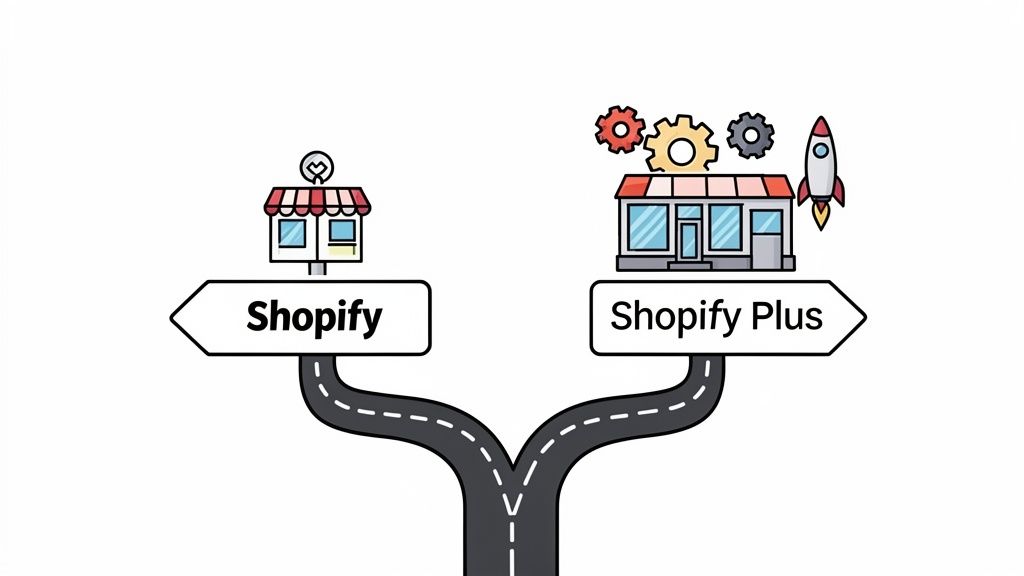
Deciding when to make the leap isn't just about hitting a specific revenue target. It's a strategic move you make when the operational cracks in your current setup start to show. The standard Shopify plans give you a powerful foundation—a great online store, secure payments, and access to a massive app ecosystem. For most businesses, this is more than enough.
But as you scale, you start to feel the friction. These limitations usually pop up in critical areas like customizing your checkout, automating internal workflows, or efficiently managing multiple international storefronts. That’s where the conversation shifts to Shopify Plus, which is built specifically to remove those roadblocks.
The right time to consider Shopify Plus is when the operational headaches of a standard plan start to cost more in lost time, missed opportunities, and manual work than the Plus subscription fee itself.
This guide will give you a clear framework for making that decision. We're going to look past a basic feature list and dig into what these differences actually mean for your day-to-day operations, starting with a high-level overview.
Shopify Advanced vs Shopify Plus At a Glance
Before we dive deep, this table offers a quick snapshot of the core differences between Shopify’s highest standard plan and its enterprise solution. It’s a great starting point for understanding where the two platforms really diverge.
As you can see, the jump to Plus isn't just about getting a few extra features; it's about unlocking a new level of control, automation, and scale. Now, let’s explore what these differences mean in practice.
Core Platform Features and Customization Limits
When you're comparing Shopify and Shopify Plus, the conversation isn't really about what you can do, but rather how much control you have while doing it. Both give you a solid foundation with a great theme editor and access to thousands of apps. But where standard Shopify plans offer a more guided experience, Shopify Plus essentially hands you the keys to the engine room.
On a standard Shopify plan, you’ll spend most of your time in the theme editor and the App Store. You can dial in your brand's colors, fonts, and layouts, and there’s an app for almost any feature you can think of. For the vast majority of businesses, this is more than enough to build a professional, high-converting store without ever needing a developer.
But what happens when your business grows and your creative ideas outpace what the standard setup can handle? That's when the two platforms really start to show their differences.
The Power of Exclusive Code Access
The single biggest selling point for Shopify Plus is gaining access to the code that runs the core of your store. This boils down to two game-changing elements: checkout.liquid and Shopify Scripts. These aren't just "extra features"—they fundamentally change what’s possible for your brand.
checkout.liquidAccess: On a standard plan, you can add your logo and change the colors of your checkout. With Plus, you get direct access to thecheckout.liquidfile. This means your developers can completely rebuild the layout and user experience of your checkout pages, creating a pixel-perfect, on-brand journey right up to the final "thank you."Shopify Scripts: Think of these as small, powerful pieces of code that run on Shopify’s servers. They let you create custom rules for pricing, shipping, and payments that go far beyond what a simple discount code can do.
With Shopify Plus, you stop adapting your brand to fit the platform. Instead, you start adapting the platform to fit your brand—especially at the checkout, the most critical stage of the customer journey.
For example, let's say you want to run a complex sale like, "Buy any full-price jacket, get 40% off any pair of pants." On a standard plan, you’d have to rely on a clunky app or confusing discount codes. A Plus merchant, however, can use Shopify Scripts to build this logic directly into the cart. The discount just works, automatically, as soon as a customer meets the criteria. We cover this in more detail in our guide on how to modify the Shopify checkout page.
Staff Accounts and Advanced Permissions
Another practical ceiling you might hit on standard plans is the number of staff accounts. The top-tier Advanced Shopify plan maxes out at 15 staff accounts, and the permission settings are quite broad. For instance, if you give someone access to manage "Blog posts," they automatically get permission to edit "Pages," which isn't always ideal.
Shopify Plus gets rid of this limit entirely, offering unlimited staff accounts. This is a lifesaver for larger teams working with marketing agencies, developers, support agents, and content creators. More importantly, Plus gives you much more granular permissions, so you can lock down who can change what and reduce the risk of someone accidentally breaking a critical part of your store.
Side-by-Side Customization Scenarios
To put the Shopify Plus vs Shopify discussion into a real-world context, here’s how each platform handles a few common business needs.
Ultimately, it all comes down to control. Standard Shopify provides an excellent, well-paved road to success. Shopify Plus gives you the tools to forge your own path, tearing down the platform-imposed walls that might otherwise limit your brand's growth and creativity.
Calculating the Total Cost of Ownership
When you’re weighing Shopify against Shopify Plus, it’s easy to get fixated on the monthly subscription fee. But that’s a rookie mistake. The real number you need to focus on is the Total Cost of Ownership (TCO), which paints a much clearer picture of what you’ll actually spend as your business grows.
A standard plan like Shopify Advanced, at $399/month, seems straightforward. You pay a set fee plus transaction fees if you use a third-party payment gateway. Shopify Plus is different. It starts at a heftier $2,500 per month, but its pricing is designed to grow with you, often shifting to a small percentage of your sales once you cross a certain revenue threshold.
This is where things get interesting. For a new store, the predictable cost of a standard plan makes perfect sense. But as you scale, those seemingly small transaction fees can snowball, quietly taking a bigger and bigger bite out of your margins.
Finding Your Tipping Point for Plus
So, when does it make financial sense to jump to Plus? The question every scaling brand needs to ask is: at what point does the higher base fee of Plus become cheaper than the mounting transaction fees on a standard plan? This is your TCO tipping point.
From what we've seen with high-growth stores, this moment often arrives once revenue climbs past the $1M mark. Most analyses find the break-even point lands somewhere between $800,000 and $1 million in annual sales. You can dig into the numbers yourself with some of the Shopify Plus statistics and TCO models available.
Let's run a quick financial model to see how this plays out in the real world.
TCO Comparison at Different Revenue Milestones
Imagine your store uses a third-party payment gateway, which comes with a 0.5% transaction fee on the Shopify Advanced plan. On Plus, that fee disappears.
At $500k, sticking with the Advanced plan is a no-brainer. But once your revenue starts pushing past $1.5M, the transaction fees alone often make the Advanced plan more expensive than the base subscription for Plus. Keep in mind, this table is a simplified view. A true TCO analysis would also factor in the cost of apps that Plus-exclusive tools like Shopify Flow can replace, making the case for upgrading even stronger.
This isn't just about transaction fees, either. It’s about the level of access and control you get over the platform, which directly impacts your costs for development and extra apps.
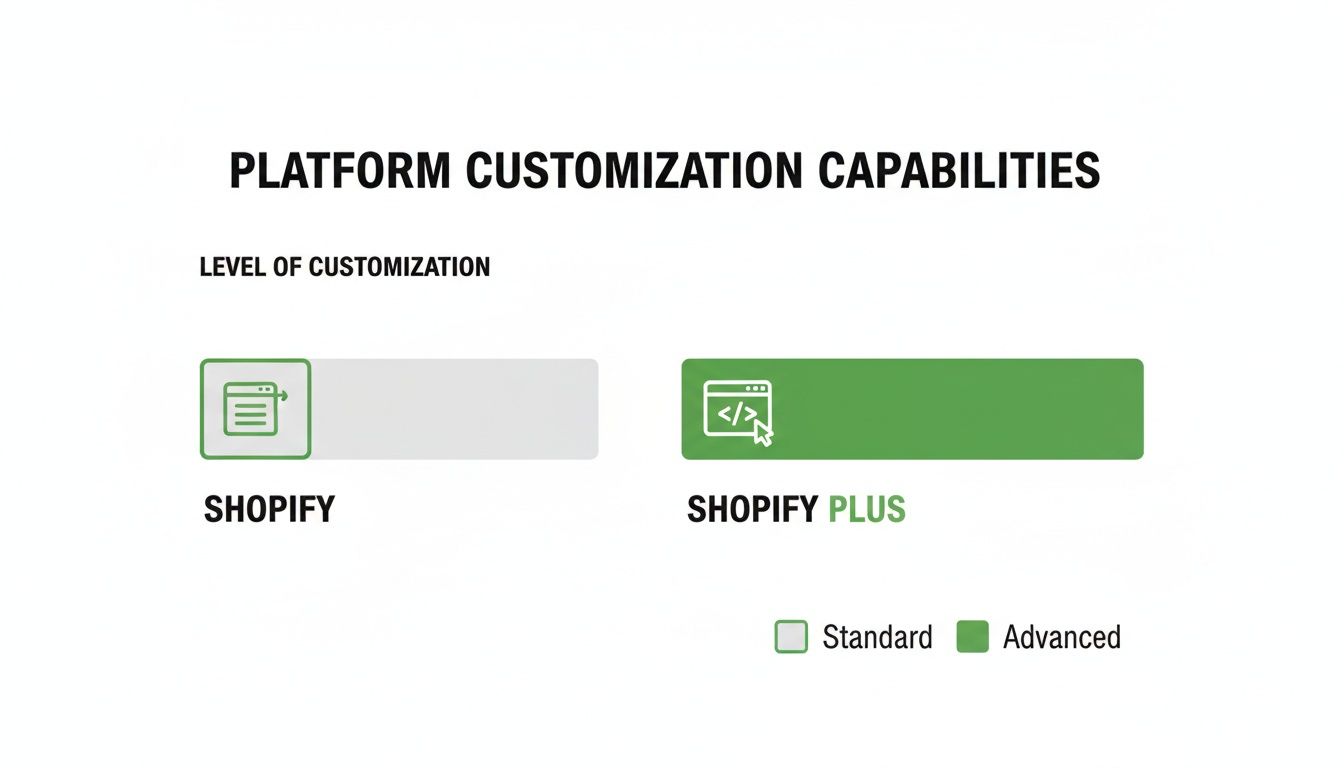
As you can see, Shopify gives you solid customization within its templates. But Plus opens up the hood, giving you deep code-level access that eliminates the need for expensive, clunky workarounds.
The decision to upgrade to Shopify Plus becomes a strategic financial move when the cost of not having it—in transaction fees, manual workflows, and missed conversion opportunities—exceeds the subscription price.
Ultimately, your own TCO calculation will be unique to your business. It depends on your payment processor, how much you lean on apps for automation, and your need for custom features. If you're looking to streamline your operations, you may find our guide on building an effective Shopify order management system helpful. By running the numbers for your specific situation, you can pinpoint the exact moment when upgrading isn't just a growth play, but a fiscally responsible decision.
When you're comparing Shopify and Shopify Plus, the exclusive toolset you unlock with Plus is where the conversation gets really interesting. This isn't just about a few extra bells and whistles. It's a suite of powerful, native apps designed to solve the exact problems that pop up when you're scaling fast—eliminating operational headaches and cutting down on your reliance on a dozen different third-party apps.
As merchants grow on standard Shopify plans, they often find themselves managing a patchwork of apps. One for loyalty, another for flash sales, a third for simple automations. It works, but this "app bloat" can slow your site to a crawl, create messy data silos, and run up your monthly software bill. Shopify Plus brings these critical functions in-house, building them directly into the platform.
Automate Everything With Shopify Flow
At the heart of the Plus toolkit is Shopify Flow, your secret weapon for automating the grunt work. It’s a visual workflow builder that lets you create "if-this-then-that" rules for almost any process you can imagine, all without needing a developer. Think of it as a tireless digital assistant who handles repetitive tasks with perfect accuracy, 24/7.
The potential here is huge, and it directly targets common operational bottlenecks.
- Fraud Prevention: Automatically tag and pause high-risk orders for a human to review before they get fulfilled.
- Inventory Management: Get an alert when a popular SKU is running low, or automatically hide products the moment they sell out.
- Customer Segmentation: Tag customers based on their behavior—like "VIP," "first-time buyer," or "high AOV"—to power your personalized marketing.
For example, a fast-fashion brand could use Flow to automatically tag new products with "Just In" and add them to a specific collection. Then, 14 days later, another workflow could automatically remove that tag. This kind of hands-off merchandising saves hours of manual work every single week.
Shopify Flow transforms your store from a static platform into a responsive, intelligent system. It allows you to automate the small, time-consuming tasks so your team can focus on high-impact growth initiatives.
Master High-Pressure Events With Launchpad
Anyone who’s managed a Black Friday sale or a limited-edition product drop knows the stress. Manually changing themes, updating prices, and managing inventory at a specific moment is a recipe for disaster. This is exactly what Launchpad was built for. It acts as a command center for scheduling and automating every part of a major store event.
With Launchpad, you can set up a whole sequence of events to run on a precise schedule.
- Theme Changes: Automatically switch to a special "sale" theme the second the event begins.
- Product Visibility: Publish an entire collection of new products exactly when your sale goes live.
- Price Adjustments: Apply specific discounts across thousands of products all at once.
- Homepage Lock: Lock your store with a password page and a countdown timer to build hype before a big drop.
Picture a sneaker brand releasing a much-hyped shoe. They can use Launchpad to schedule the product to go live at 9:00 AM sharp, apply a unique theme for the drop, and then automatically switch everything back to normal 24 hours later. It guarantees a flawless execution without forcing someone to be awake at 3 AM clicking buttons.
Streamline B2B Sales With the Wholesale Channel
For brands that serve both direct-to-consumer (DTC) and business-to-business (B2B) customers, managing the two has always been a pain. It usually means running two separate websites or fumbling with clunky spreadsheets. Shopify Plus solves this with its built-in Wholesale Channel.
This tool lets you run a separate, password-protected storefront for your wholesale accounts, all from the same Shopify admin. It pulls from the same product catalog and inventory, but you can set custom pricing and ordering rules just for your B2B clients.
You get key capabilities like:
- Custom Price Lists: Assign different pricing tiers to different groups of wholesale customers.
- Draft Orders: Let wholesale buyers submit purchase orders for you to review and approve before invoicing.
- Net Payment Terms: Offer flexible payment options like Net 30 or Net 60.
In the Shopify Plus vs Shopify debate, this integrated B2B functionality is a massive operational win. It gives your wholesale buyers a clean, modern experience and centralizes all your sales and inventory data in one place, removing the need for expensive third-party wholesale platforms. These tools prove that Plus is far more than just a bigger plan—it’s a complete operating system built for commerce at scale.
Performance and International Market Expansion
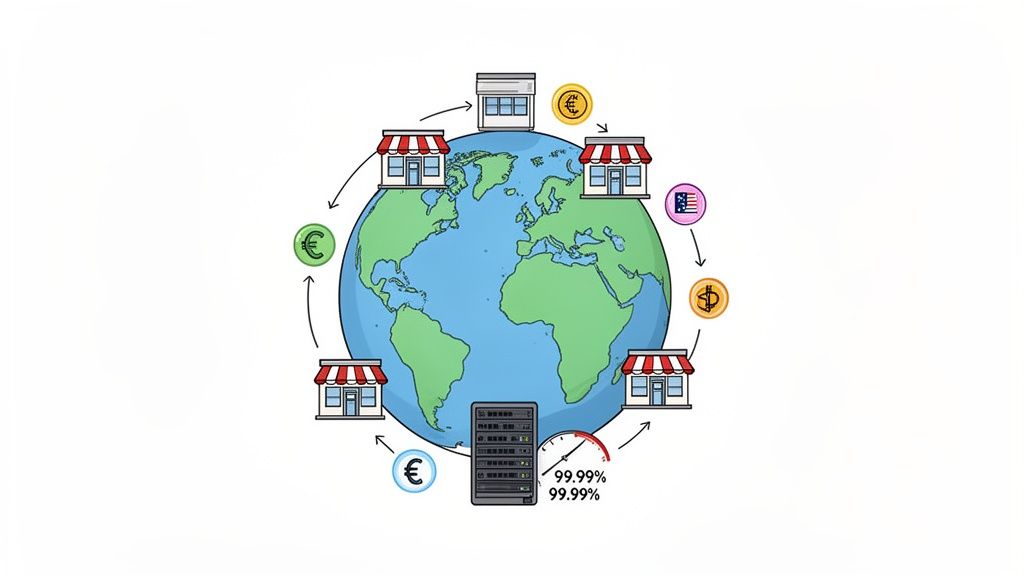
As your brand scales, two things become critical: keeping your site online during massive traffic spikes and expanding your reach into new markets. While any Shopify plan gives you a solid foundation, Shopify Plus is built specifically for the pressures of high-volume sales and complex global commerce.
When you’re facing a flash sale, a viral moment, or just the holiday rush, you can’t afford to have your infrastructure buckle. This is where Shopify Plus really separates itself, moving from a robust platform to an enterprise-grade powerhouse engineered for extreme demand.
The performance metrics tell a compelling story. It’s not uncommon for Shopify Plus merchants to see an average year-over-year revenue bump of 126%. This isn't just luck; it's supported by a platform that can process over 10,000 checkouts per minute with 99.99% uptime. On top of that, Plus sites often see page load times up to 18% faster, a critical edge for both SEO and keeping customers engaged. You can discover more about Shopify Plus performance benchmarks to see just how much it can handle.
Built for Unbreakable Scalability
Picture this: you're about to drop a new collection that's been hyped for weeks. The last thing on your mind should be whether your website can handle the stampede. While all Shopify plans benefit from a fast network, Plus is stress-tested for these make-or-break moments.
- Unlimited Bandwidth: You’ll never have to worry about traffic spikes slowing you down or hitting you with surprise overage fees.
- Peak Performance: The infrastructure is designed to manage thousands of simultaneous transactions without a hiccup, keeping your checkout flowing smoothly.
- Enhanced API Limits: With 200% higher API limits, Plus ensures that even your most complex integrations—like your ERP or 3PL—can keep up during peak hours, preventing data bottlenecks.
Shopify Plus doesn't just give you a faster store; it provides the operational confidence to pursue aggressive growth strategies, knowing your backend can handle whatever you throw at it.
This superior performance isn't just for big sales events. Day in and day out, those faster load times contribute directly to your bottom line by improving the customer experience, which in turn lifts conversion rates and helps your search rankings.
Simplifying Global Commerce and International Expansion
While a standard Shopify plan gives you the tools to sell abroad with Shopify Markets, Plus takes your global strategy to an entirely different level. It’s designed for creating deeply localized shopping experiences that feel completely native to each customer, wherever they are in the world.
The core of this capability is the ability to manage multiple storefronts from a single Shopify organization. A Plus plan includes your main store plus nine expansion stores. This structure is what unlocks a true multi-store, multi-region strategy.
For any brand serious about building a global footprint, this is a game-changer. For a closer look at the tactics involved, our guide on how to sell internationally on Shopify offers additional strategies.
Creating Truly Localized Shopping Experiences
With expansion stores, you can go far beyond simple content translation. You can build entirely unique shopping journeys designed for the nuances of each market.
This level of control means you can operate like a local brand in every country you enter. A customer in Germany lands on your .de site, sees prices in Euros, reads content in fluent German, and browses products you've specifically curated for their market. It's an infinitely more effective approach for driving international conversions than a one-size-fits-all website.
Optimizing Your Post-Purchase Experience
Let's talk about what happens after a customer clicks "Buy." For most brands on standard Shopify plans, this is where the work really begins—and not in a good way. The post-purchase phase quickly becomes a reactive mess of support tickets for simple things like fixing a typo in a shipping address or changing an order. This is a huge, often invisible, operational drag, and it’s one of the starkest differences you'll see when comparing Shopify vs. Shopify Plus.
With Plus, you get the tools to flip this script entirely. Instead of a cost center that bleeds time and money, the post-purchase experience becomes an opportunity to build your brand and even generate more revenue. It’s not just about a prettier order status page; it’s about giving customers real control while opening up new sales channels, all thanks to more powerful API access and deeper integrations.
Moving Beyond Standard Order Management
On a standard Shopify plan, an order is pretty much set in stone the moment it’s placed. If a customer notices they entered the wrong apartment number, their only option is to fire off an email to your support team. This kicks off a manual, multi-step process for your staff. For a small shop, that’s manageable. But for a growing brand, it's a bottleneck that burns out your team and leads to costly shipping errors.
Shopify Plus is built to break this cycle. The higher API rate limits and increased flexibility mean you can plug in sophisticated apps that create true self-service experiences for your customers.
The real shift is from a model where your team services every customer request to one where customers can service themselves—on their own time, within the rules you set.
How Plus Enables Advanced Self-Service
Imagine a customer just bought a t-shirt but immediately realized they ordered a Medium instead of a Large. On a standard plan, a support agent would likely have to cancel the entire order, issue a refund, and then hope the customer goes back to place a new one. It's clunky and creates friction.
On Shopify Plus, this can be completely automated. Using a specialized post-purchase app like SelfServe, a Plus merchant can embed a powerful self-service portal right on the order status page. Suddenly, your customers can do a lot more on their own:
- Complex Order Edits: They can edit their own shipping address (with real-time validation), update their email, or even swap out product variants, all within a time window you define before the order is fulfilled.
- Custom Upsells: The order status page transforms into a new sales opportunity. You can offer customers a chance to add a related product to their existing, unshipped order with a single click.
- Deeper Integrations: Plus allows these apps to talk directly to your other systems. A change a customer makes can be instantly synced with your ERP or 3PL, ensuring everyone across your entire operation has the right information.
This isn't just about convenience; it has a direct impact on your bottom line. By empowering customers to solve their own problems, you slash the number of "Where is my order?" and "Can I change my address?" tickets. This frees up your support team to focus on high-value interactions while you simultaneously increase customer lifetime value through strategic post-purchase upsells. It's a powerful one-two punch that only Shopify Plus can fully deliver.
Let's Answer Your Key Upgrade Questions
When you're weighing Shopify vs Shopify Plus, the decision usually boils down to a few practical questions. Let's cut through the noise and get straight to the answers we give merchants when they're staring down this exact choice.
These are the most common concerns that come up when a brand feels it's starting to burst at the seams on its current plan.
What’s the Real Revenue Threshold for Upgrading?
There isn't a hard and fast rule, but the financial argument for Plus usually becomes undeniable somewhere between $800,000 and $1 million in annual revenue. This is the range where the savings from Shopify Plus’s reduced transaction fees start to outweigh its higher monthly cost.
But revenue is only part of the story. If your team is buried in manual work and operational headaches, the efficiency gains from Plus might justify the cost much sooner. The best approach is to run a quick Total Cost of Ownership (TCO) analysis to find your own break-even point.
The clearest way to see the value is to calculate when your transaction fees plus the monthly cost of all your third-party apps on a standard plan add up to more than the Shopify Plus subscription. For most, that inflection point happens right around the $1M revenue mark.
Can't I Just Replicate Plus Features With Apps?
You can get close on some things, but you can’t truly replicate the native, integrated power of Shopify Plus. The exclusive features are what make it an enterprise platform, and they're built directly into the core system.
For example, these tools are only available on Plus:
- Full Checkout Customization: The ability to edit the
checkout.liquidfile for a completely on-brand checkout is a Plus-only game-changer. - Shopify Flow: This is your built-in automation engine, capable of replacing a handful of separate, paid apps for everything from fraud detection to customer segmentation.
- Launchpad: A native scheduling tool for managing high-pressure events like flash sales and product drops without a hitch.
- Unlimited Staff Accounts: As your team grows and you bring on agencies, this becomes absolutely essential.
Trying to patch together these functions with a dozen different apps often leads to a slower site, integration conflicts, and a surprisingly high monthly bill.
How Painful Is the Migration Process?
This is the best part: it's incredibly smooth. Because you’re staying within the Shopify ecosystem, this is an account upgrade, not a full-blown replatforming project.
Shopify assigns you a dedicated Launch Engineer to walk you through the entire process. They make sure all your data, apps, and themes carry over perfectly. They'll also help you get the new Plus-exclusive tools up and running, all with zero downtime. It's less of a migration and more of a seamless step up.
By giving customers the power to manage their own orders, you can significantly reduce your support workload and improve satisfaction. SelfServe offers a powerful post-purchase experience with customizable order editing, real-time address validation, and built-in upsells to help you grow. Start your free trial at https://getselfserve.com.