Ups Create a Return Label: Shopify Returns - ups create a return label
If you're running a high-volume store, watching returns pile up can feel like your profits are just walking out the door. It's a huge operational headache. Manually creating a UPS return label for every single package is not just slow—it's a recipe for mistakes. The only way forward is to stop reacting to returns and start building a smart strategy that actually protects your margins and keeps customers coming back.
Why a Smart Returns Process Is No Longer Optional
Returns are just a part of doing business in ecommerce, but it's easy to underestimate how much they really cost. For a lot of Shopify stores, returns aren't a minor inconvenience; they're a massive drain on resources. You don't just lose the sale. You also have to pay for the shipping, the labor to process and restock the item, and the customer service time spent handling the request. This cycle can absolutely crush your profitability if you let it run wild.
The key is to reframe how you think about returns. Stop seeing them as a necessary evil and start seeing them as a chance to build trust. When you make it simple for a customer to send something back, you’re doing more than just providing a service—you're proving your brand is reliable. This is where a carrier like UPS can become a real partner.
The Staggering Scale of Ecommerce Returns
The financial hit from returns is huge, and it's only getting bigger. Retailers are facing a tidal wave of returned goods. Projections show that by 2025, a staggering 15.8% of all annual sales will come right back to the warehouse, which adds up to nearly $850 billion. That puts an incredible amount of pressure on logistics.
As a carrier that handled 4.6 billion packages in 2023, UPS is at the center of managing this volume. Its "Better Not Bigger" strategy, which focuses on higher-value shipments, makes it a go-to for many online merchants. This trend makes it crystal clear why you need to be able to create a UPS return label quickly and without friction. A clunky, manual process just won't cut it anymore.
By treating your returns process as a core part of the customer journey, you transform a potential negative experience into a positive one. An effortless return can be the very thing that convinces a shopper to buy from you again.
Turning a Pain Point into a Strategic Advantage
Getting your returns process right does more than save you a few headaches. It's a direct investment in your brand's reputation and your ability to keep customers for the long haul. When someone knows they can easily send back a product that wasn't a perfect fit, they feel more confident hitting that "buy" button in the first place. This is especially true for businesses selling apparel or electronics, where fit and compatibility issues are common.
Here’s how a well-oiled returns system really helps:
- Builds Customer Loyalty: A simple, no-fuss return is a positive brand interaction that people remember. It encourages them to shop with you again.
- Reduces Support Tickets: When customers can generate their own labels, your support team is freed up from repetitive tasks and can focus on more complex problems.
- Protects Your Bottom Line: Automating the process cuts down on expensive human errors, helps you get a better handle on shipping costs, and gives you a clearer picture of your inventory.
By automating how you create a UPS return label, you aren't just fixing a logistics issue—you're making the entire post-purchase experience better. For a deeper dive on this, check out our guide on how to manage returns and refunds smoothly on Shopify.
The Different Ways to Create a UPS Return Label
When a customer needs to send something back, how you get a return label into their hands can make or break their entire experience with your brand. Deciding how to create a UPS return label isn’t a one-size-fits-all call; the right approach really depends on your business, your products, and what your customers have come to expect.
For instance, a clothing store that knows customers will bracket sizes might pop a pre-printed label in every single box. It’s a smart move for convenience. But if you're selling high-end electronics, you'll probably want to approve the return first before ever issuing a label.
Getting this process right is about more than just convenience—it’s a core part of your business strategy. Your returns workflow can either build a ton of customer loyalty or become a leaky, expensive funnel that costs you sales and reputation.
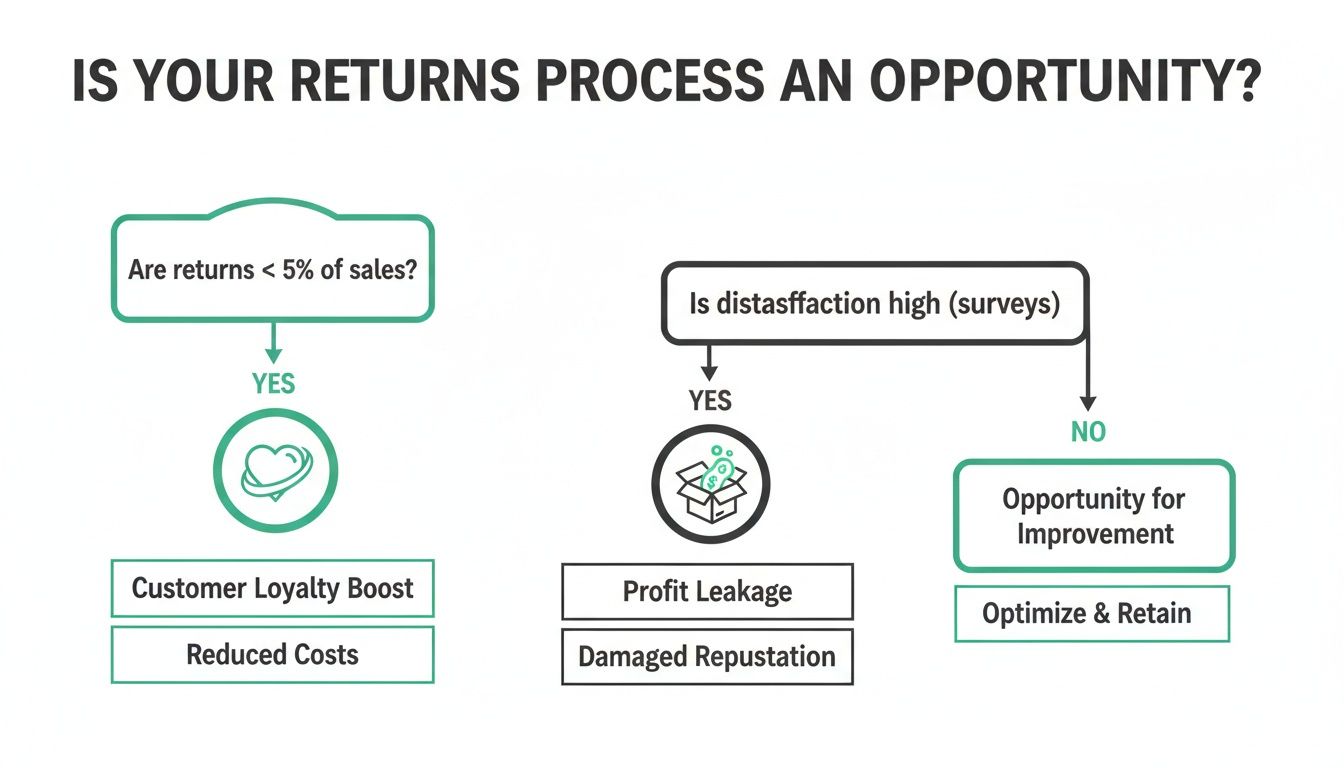
As you can see, a smooth, customer-first returns process directly builds trust and keeps people coming back. A clunky one? It's a fast track to losing customers for good.
The Standard UPS Returns Services
UPS offers a handful of core return services for merchants. Getting familiar with them is the first step to building a return strategy that actually works for your store.
Here are the main options you'll be working with:
UPS Print Return Label: This is the classic "return label in the box." You generate the label on your end and simply include it with the original order. For customers, it’s as easy as it gets—everything they need is right there.
UPS Electronic Return Label: Instead of printing it yourself, you have UPS email the label directly to the customer. This is a great paperless option that gives you more control, since the label only goes out once you’ve approved the return request.
UPS Print and Mail Return Label: Think of this as the traditional, analog method. You request it, and UPS physically prints and mails the label to your customer. It’s a solid fallback if a customer doesn’t have a printer or reliable email, but it's definitely the slowest of the bunch.
The choice here really boils down to convenience versus control. Tucking a label into every package is beautifully simple for the customer, but it can be wasteful and costly if you have a low return rate. Emailing labels on demand adds a step but gives you full oversight and cuts down on unused labels.
How Customers Actually Use These Labels
From your customer’s perspective, the experience is completely different depending on the path you choose. That pre-printed label is frictionless. They just have to repack the item, slap the label on the box, and drop it off. No fuss.
An electronic label adds a couple of small hurdles—they have to find the email, download the PDF, and print it out. It's still pretty easy, but let's be honest, not everyone has a printer handy these days.
This is where the QR code option has become a game-changer. Modern electronic labels from UPS often include a QR code. Your customer can just take the unboxed item and their phone to a The UPS Store. An employee scans the code, and a moment later, they handle all the packing and labeling. This "no box, no label" approach is a huge win for convenience and is quickly becoming what customers expect.
While UPS has a robust system, it's always good to know what other carriers offer. If you're curious, we have a similar guide on creating a FedEx return label that breaks down their process.
Taking Shopify Returns Automation Beyond the Basics
Let's be honest: manually creating return labels is a nightmare for a growing business. When you're only handling a few returns a week, copying and pasting addresses into the UPS website is manageable. But once that number climbs, it quickly becomes a huge time-suck that pulls you away from more important work.
For Shopify merchants, connecting your store directly to your UPS account seems like the logical next step. And while the native integration is a good starting point, many ambitious brands find they hit its limits pretty quickly. That's when it's time to look at more powerful tools built to handle the realities of a modern returns process.
Give Customers Control with a Branded Returns Portal
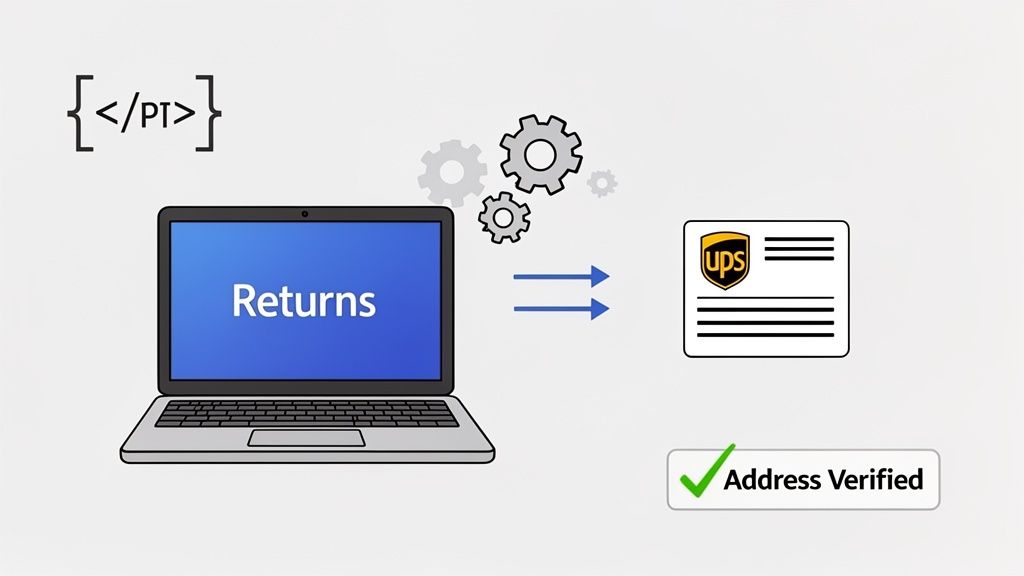
The most effective way to get returns off your plate is to let customers handle them on their own—within a system you’ve designed. This is the whole idea behind a self-service returns portal. Instead of emailing your support team and waiting, a customer just goes to a branded page on your site, plugs in their order number, and gets a label instantly.
This is exactly what returns apps like SelfServe are built for. You define the rules of your returns policy, and the software does the heavy lifting. Think about it:
- Set Custom Return Windows: The system can automatically enforce your 30 or 45-day policy, preventing customers from starting a return for an old order.
- Get the Address Right: Live address validation catches typos as the customer types, which drastically cuts down on costly errors and undeliverable return shipments.
- Instant Label Generation: The moment a return is approved, the customer gets a UPS label or QR code. No one on your team has to lift a finger.
For a merchant, this approach completely changes the game. It flips returns from a reactive, manual chore into a smooth, automated workflow. When customers can create a UPS return label themselves, it not only gives them the fast, easy experience they want but also frees up your team to focus on growing the business. If you're exploring options, you might find our guide on the best Shopify shipping apps helpful.
Build Your Own Solution with the UPS Developer Kit
For businesses with highly specific needs or those who want total control over the experience, the UPS Developer Kit offers a different route. This is a collection of APIs that lets your developers build the label generation process right into your own website or backend systems.
It’s definitely a more technical path, but the flexibility is unmatched. For instance, if you work with a third-party logistics (3PL) partner, you could use the UPS APIs to create a direct link between your Shopify store and your warehouse's software. A customer initiates a return on your site, and the system automatically tells the 3PL to generate and send the label. It’s a completely hands-off process.
With APIs, you’re not just automating a single task; you’re designing an entire, integrated system. You can build a returns flow that perfectly mirrors your business rules, whether that means adding approval steps for certain products, syncing with your inventory software, or even sending returns to different warehouses based on product type.
So, how do you choose? A dedicated returns app gives you a powerful, proven solution you can set up in an afternoon. An API integration, on the other hand, is a bigger project but delivers endless customization for those with the developer resources to build and maintain it. Ultimately, both paths lead to the same destination: a smarter, more efficient returns process.
Managing Return Costs and Preventing Fraud
Every time a customer prints a return label, it feels like a small hit. But the real cost goes way beyond that single shipping fee. Think about what happens on your end: your team has to process the return, inspect the item, and restock it. That’s all labor. And what if the item comes back damaged or needs to be completely repackaged? Those costs add up quickly, eating into your margins on every single return.
And just when you think you have it all budgeted, the carriers throw you a curveball. UPS rolls out its annual General Rate Increase (GRI) and tweaks its surcharges. So when you create a UPS return label, you’re not just paying a predictable rate. You could get blindsided by fees for oversized packages, address corrections, or fuel surcharges that make each return far more expensive than you anticipated.
The Growing Threat of Return Fraud
On top of those operational costs, merchants are grappling with a much more deliberate problem: return fraud. This isn't just a few isolated incidents anymore; it's a systematic drain on your revenue. We’ve all heard the stories—the customer who buys an outfit for a single event and sends it back the next day ("wardrobing"), or the outright scammer who returns an empty box or a cheap knockoff.
If your returns policy is too generous and lacks any real checks, you're essentially putting out a welcome mat for this kind of abuse. The financial hit is twofold: you lose the value of the original product, and you’re stuck paying the return shipping costs for a fraudulent item.
Return fraud is exploding in 2025, hitting 15% of all returns—including sneaky tactics like buying formal wear for a party and sending it back empty—making secure UPS return label creation a frontline defense for high-volume Shopify stores. UPS's 5.9% General Rate Increase (GRI) for 2025, plus surcharges like Large Package fees up 27% to $260, amplify costs if labels are misused. Discover more insights about 2025 shipping and fraud trends on intelligentaudit.com.
Using Automation to Protect Your Business
The best way to get a handle on fraud—without punishing your honest customers—is to put a smart, automated returns system in place. Instead of letting anyone generate a return label on demand, you can use a returns management app to set clear rules that the system enforces for you. This creates a secure checkpoint that naturally discourages scammers.
Here’s how automation helps you regain control:
- Manual Approval Queues: You can automatically flag certain orders to be reviewed by a human before a label is sent. This is incredibly useful for high-value products or for customers who have a pattern of frequent returns.
- Customizable Rules: Your system can enforce firm return windows automatically. You can also require customers to upload a photo of a damaged item, giving you proof before you approve the return and pay for shipping.
- Order-Specific Labels: When a customer initiates a return through a self-service portal, the system generates a label that is uniquely tied to their specific order. This simple step makes it impossible for someone to return an item they never bought from your store in the first place.
With an automated system, you stop playing defense and start actively protecting your business. You get to stop fraud before it costs you money, ensuring that every return you process is a legitimate one. It’s all about protecting your bottom line.
Here’s a common mistake I see merchants make: they treat a return as the end of the road. But what if it’s not an ending at all? A well-handled return can actually be the beginning of a much stronger, more loyal customer relationship. The focus has to shift from just managing logistics to actively building loyalty.
Today’s customers have come to expect free returns. The real differentiator is making the entire process completely effortless.
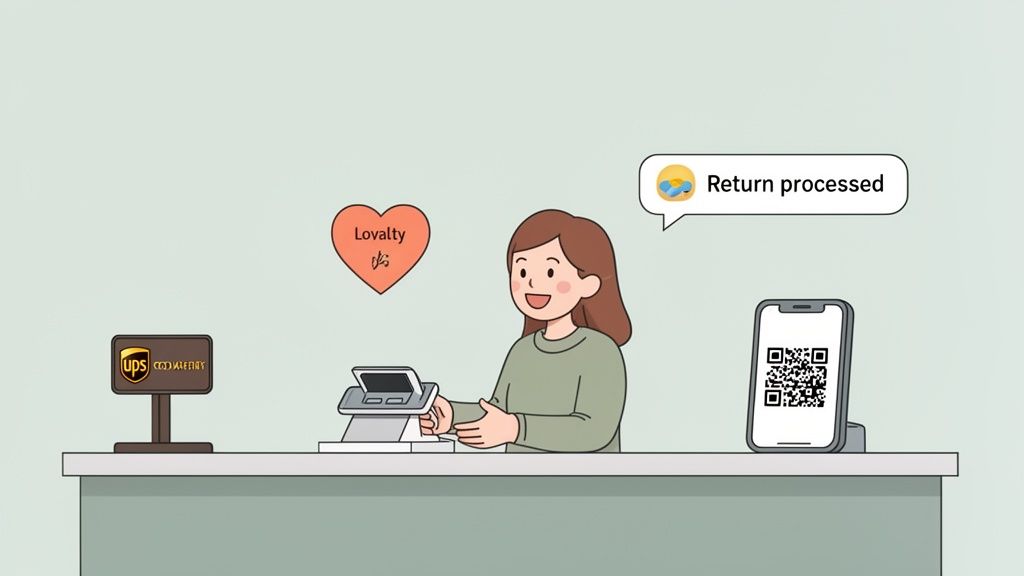
The secret is delivering a five-star experience that feels genuinely convenient. This means looking beyond just emailing a PDF label and offering options that actually fit how people live their lives.
Forget the Printer: Embrace Modern Convenience
Let's be honest, the days of assuming every customer has a printer readily available are long over. The new gold standard is a "box-free, label-free" return, and this is where options like UPS QR code returns really shine.
Imagine this scenario: a customer wants to return an item. Instead of dealing with printing, taping, and finding a box, they just get a QR code on their phone. They can walk into a The UPS Store, show the code to an associate, and hand over the unboxed item. That's it. The associate handles the packing and labeling, and the customer is out the door in minutes.
The goal is to remove every single point of friction. When you make it painless to create a UPS return label—or its QR code equivalent—you're telling your customers that you respect their time.
This small touch makes a huge impression. You've just turned a potential headache into a surprisingly positive brand interaction.
Keep Customers in the Loop, Always
A simple return process is just one piece of the puzzle. The other, equally important piece, is communication. Nothing creates more anxiety for a customer than feeling like their return has vanished into a black hole. Proactive updates are non-negotiable for building trust.
Your returns platform should be sending out automatic notifications at every key milestone:
- As soon as the return is initiated and the label or code is created.
- The moment the package gets its first scan by UPS.
- When the item arrives back at your warehouse.
- Once the refund has been officially processed.
This kind of transparency completely eliminates those "Where's my refund?" support tickets. It gives customers peace of mind and shows them your brand is organized and reliable. It’s a powerful, and often overlooked, way to cement loyalty.
The Clear Link Between Easy Returns and Repeat Business
At the end of the day, a great returns policy is one of your best sales tools. It directly impacts whether a first-time buyer becomes a repeat customer, significantly boosting their lifetime value. The numbers don't lie: 84% of shoppers are more likely to buy again from a retailer that offers a seamless, box-free UPS return and a quick refund. As we look toward 2025, this is reshaping how top Shopify Plus brands approach their post-purchase experience. You can read more about what's coming in the future of retail returns on about.ups.com.
By investing in a smooth, modern returns process, you aren't just managing a cost. You're building a powerful loyalty engine that keeps your best customers coming back again and again.
Your UPS Return Label Questions, Answered
When you're running a business, returns can feel like a headache waiting to happen. A few key questions always pop up, and getting the answers right is the difference between a frustrating experience and one that actually builds customer loyalty.
Let's walk through the most common questions I hear from merchants just like you.
Can a Customer Create Their Own UPS Return Label?
Technically, yes, a customer could go to the UPS website and create a shipping label addressed to your warehouse. But you really don't want them to.
When a customer has to do this on their own, they're paying out of pocket and guessing at the right address and service. It's confusing, creates a ton of friction, and leaves a bad taste in their mouth. It's so much better to provide them with a pre-approved, prepaid label through a returns portal. This removes all the guesswork and shows you’re a professional brand that cares about their experience.
What’s the Difference Between Electronic and Print Return Labels?
Both have their place, and the best strategy often involves using a mix of the two.
UPS Print Return Label: This is the old-school approach. You print a label and stick it in the box with the original order. It's incredibly convenient for the customer since everything they need is right there, but it can feel a bit wasteful if the customer keeps the item.
UPS Electronic Return Label: This is the modern, digital method. When a return is approved, UPS emails a label directly to your customer. It’s a great way to reduce paper waste and gives you a chance to approve returns before a label is ever sent.
The real game-changer with electronic labels is the QR code. This allows for a completely printer-free return—all the customer has to do is show the code at a UPS location. With 72% of online shoppers preferring this option, it's a must-have for a modern returns process.
Offering both physical print labels and digital QR codes shows you value your customer's time and convenience. It’s a small detail that goes a long way in building brand loyalty.
How Do I Stop Customers From Abusing My Return Policy?
Return fraud is a legitimate concern, but there are smart ways to prevent it without punishing your honest customers. The best defense is a good offense: an automated returns management system.
A dedicated returns app for a platform like Shopify lets you set clear, firm rules that are enforced automatically.
For example, you can lock down your return window, require photo proof for damaged items, or even flag specific orders for a manual review before a label is issued. Since the customer has to start the return through a portal linked to their specific order, it’s much harder for someone to return the wrong item or use a fake label. You get the security you need without making legitimate returns a hassle.
Managing returns shouldn't slow down your business. With SelfServe, you can empower your customers with a branded, self-service portal to generate their own UPS return labels, all within rules you control. Reduce your support workload, prevent fraud, and turn your returns process into a loyalty-building experience. Learn how SelfServe can automate your Shopify returns today.