What Is Shopify Plus? Features, Pricing, & Benefits

A lot of brands start asking what is Shopify Plus at the same moment they stop trusting their current setup during peak demand.
The symptoms are familiar. A campaign hits harder than expected, operations starts chasing delayed data between Shopify and the ERP, customer support gets flooded with address-change requests, and the team realizes they’re running a growth business on workflows built for a smaller store. At that point, the question usually isn’t whether the brand can keep selling on Shopify. It’s whether the current plan still fits the complexity of the business.
Shopify Plus sits in that gap. It’s not just “Shopify, but more expensive.” It’s a different operating tier for merchants that need more headroom, more control, and fewer bottlenecks across checkout, integrations, and automation.
Introduction What Is Shopify Plus and Why Do Brands Upgrade
A common scenario looks like this. The brand is doing well, paid media is working, repeat purchase is healthy, and the storefront itself still feels manageable. But behind the scenes, the cracks start showing up in operations long before the customer sees them.
The ops team notices inventory sync delays during busy periods. Finance wants cleaner system connections. Support spends too much time fixing orders after checkout. International expansion adds more complexity because the storefront is only one part of the problem. Fulfillment rules, localization, customer service, and back-office automations all have to keep pace.
That’s usually when Shopify Plus becomes a serious conversation.
Shopify Plus launched in 2014 and powers over 60,268 websites globally as of 2026, up from 4,363 stores in December 2021, according to Uptek’s Shopify Plus statistics roundup. That growth matters because it reflects how many scaling brands have reached the same conclusion: standard Shopify can be excellent, but eventually some merchants need a more capable version of the platform.
The real reason brands move up
Most upgrades aren’t driven by status. They’re driven by friction.
A high-volume merchant doesn’t upgrade because “enterprise” sounds better in a board deck. They upgrade because checkout pressure, API constraints, wholesale needs, systems integration, and workflow automation start affecting margin and team efficiency.
Here’s the practical way I frame it for merchants:
- If your team is adding manual workarounds every month, you’re already paying for platform limitations.
- If launches create operational anxiety, you need more than a nice storefront.
- If post-purchase support is eating your team alive, the cost isn’t just support payroll. It’s slower fulfillment, worse customer experience, and less time spent on growth.
Shopify Plus makes sense when complexity becomes a daily operating issue, not just an occasional annoyance.
For brands actively evaluating whether to upgrade to Shopify Plus, the best decision usually comes from mapping the operational pain first, then checking whether Plus solves it.
What changes with Plus
The shift is simple to describe. Standard Shopify is built to help merchants run and grow. Shopify Plus is built to help larger merchants scale without relying on fragile manual processes.
That difference affects how your team handles sales spikes, system integrations, B2B workflows, automation, and governance across multiple stores. For the right brand, Plus isn’t an upgrade in the cosmetic sense. It’s infrastructure.
Shopify vs Shopify Plus A Detailed Feature Comparison
A brand on Shopify Advanced can look healthy on the surface, then hit friction the moment operations get busy. The pattern is familiar. A launch drives a spike in orders, the ERP sync falls behind, customer edits pile up, support starts triaging avoidable issues, and finance loses confidence in the numbers until systems catch up. That is usually the point where the Shopify versus Shopify Plus conversation becomes practical.
The useful comparison is not company size. It is operational tolerance. How much complexity can the business carry before the platform tier starts creating manual work, delay, or revenue risk?
Shopify Advanced vs. Shopify Plus Comparison
| Feature | Shopify Advanced | Shopify Plus |
|---|---|---|
| API rate limits | Standard API limits that are usually fine for lighter integration loads | Higher API headroom, which matters once ERP, WMS, CRM, subscriptions, and other systems are syncing heavily |
| Checkout control | Standard checkout configuration | More checkout customization options and extensibility. Teams evaluating ways to modify the Shopify checkout page usually end up here |
| Enterprise APIs | Standard API access | Access to additional platform capabilities that support more complex account, login, and enterprise workflows |
| Integration headroom | More likely to face throttling or queue delays during busy periods | Better suited to heavier system traffic and faster data exchange across core operations |
| Automation tools | Can automate with apps, but with more limits at scale | Includes tools such as Flow and Launchpad for more controlled operations and launch management |
| B2B and expansion use cases | Can support some advanced setups with apps and custom work | Better aligned to multi-store, wholesale, international, and governance-heavy operating models |
| Support model | Standard support structure | More hands-on support for larger merchants, though response quality still depends on the issue and implementation |
| Operational fit | Good fit for many growing brands | Better fit when launch frequency, integration volume, and process complexity start affecting margin |
Note: Feature distinctions above consolidate information commonly cited in Shopify Plus feature roundups, including Ringly’s breakdown, without repeating that source URL throughout the article.
Where the difference shows up in practice
The gap usually appears in the boring parts of ecommerce. Data movement, exception handling, permissions, launch control, and checkout flexibility. Those are the areas that decide whether growth adds margin or just adds work.
Integration pressure is a common example. On Advanced, a merchant can still run a serious stack. I have seen brands do a lot with it. But as order volume rises and more systems need near real-time updates, delays start showing up in places the customer never sees directly. Inventory syncs lag. Order edits get messier. Ops teams build manual checks to compensate. Plus gives those teams more room before that strain turns into a daily problem.
Checkout is the other major separator. If the business needs more than basic conversion optimization, plan tier starts to matter quickly. The question is rarely "can checkout be edited at all?" The actual question is whether the team can implement the logic, branding, validation, and app behavior they need without creating a brittle setup.
That does not mean every fast-growing brand needs Plus.
Some stores are better served by cleaning up process design, reducing app sprawl, or fixing bad systems architecture before paying for a higher platform tier. A broader e-commerce platform comparison can help frame that decision. The right move depends on whether the main constraint is the platform, the implementation, or the operating model.
What Plus does not solve by itself
Plus gives a business more control and capacity. It does not fix weak operations.
If the catalog is inconsistent, fulfillment rules are unclear, and post-purchase workflows still depend on people checking inboxes and spreadsheets, the monthly fee will not remove that friction. It may expose it faster. That is why total cost of ownership matters more than subscription price alone. The platform upgrade can reduce failure risk and manual work, but brands still need the right apps, process design, and ownership across teams for Plus to pay off.
The Enterprise Toolkit A Deep Dive into Exclusive Features
A lot of brands upgrade to Plus after a painful week. A product drop overruns inventory, support is tagging edge-case orders by hand, finance wants cleaner controls, and the ecommerce team is still making midnight changes during promotions. Plus matters in that environment because it gives teams better operating tools, not because it adds prestige.
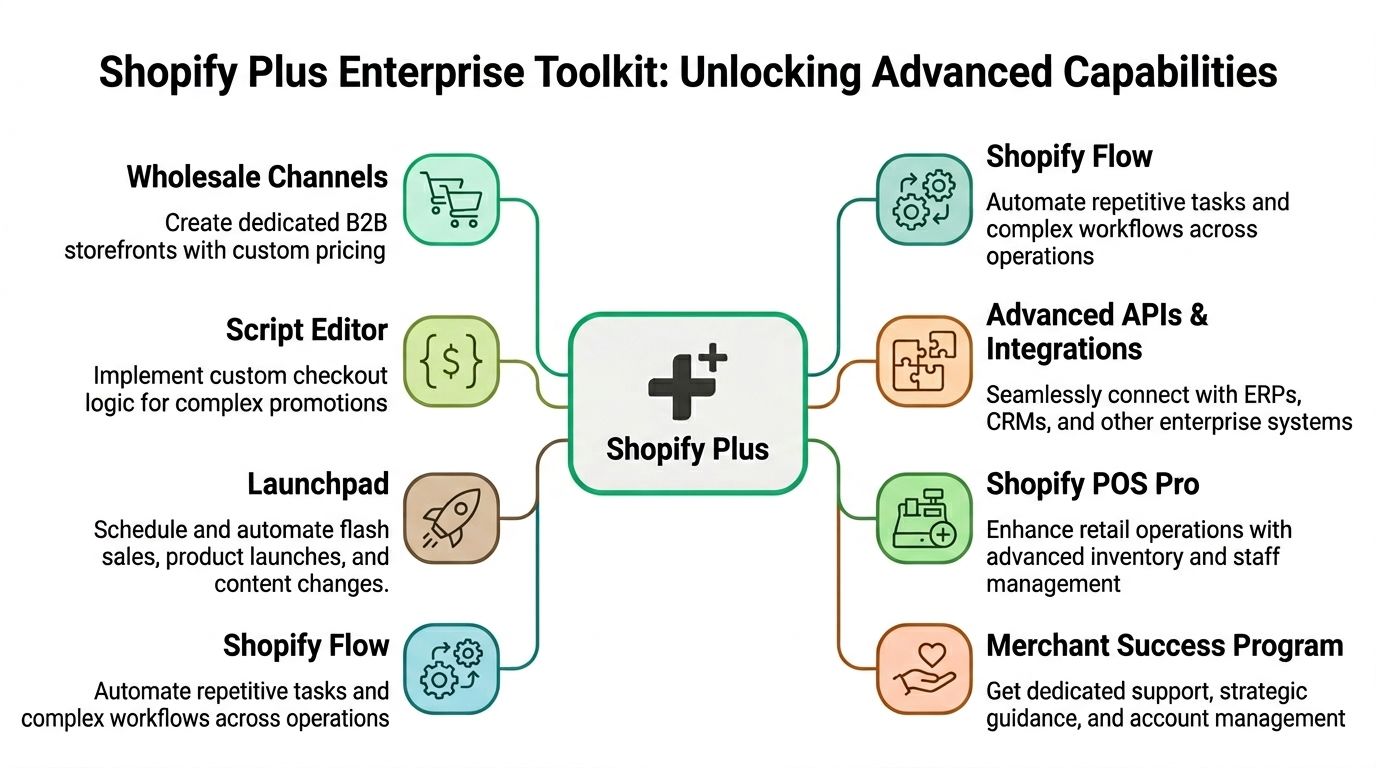
Shopify Flow and Launchpad
Shopify Flow usually delivers value fastest.
It handles rule-based work that otherwise sits with ops or support. Common examples include tagging high-risk orders, routing VIP customers to a different service path, flagging wholesale accounts, or notifying the right team when an exception appears. None of that is glamorous. It does reduce handoffs, missed steps, and the steady drain of manual review.
Launchpad helps with planned selling events. Teams can schedule product releases, discounts, theme changes, and campaign timing in advance, then roll those changes back in a controlled way. For brands that run frequent launches, this lowers execution risk. It also reduces dependence on one person being online at the exact moment a sale starts.
The trade-off is straightforward. Automation is only as good as the rules behind it. If discount logic, fulfillment priorities, or approval paths are messy, Flow and Launchpad can scale the mess faster.
Checkout extensibility and custom logic
Checkout is where Plus gets examined most closely by serious operators.
The value is not unlimited freedom. The value is structured control in the part of the journey where small changes affect conversion, fraud handling, compliance, and downstream support workload. Teams can add logic for B2B buyers, delivery options, validation rules, loyalty experiences, and other use cases that standard plans handle less flexibly. For merchants evaluating the boundaries, this guide on how to modify Shopify checkout page is a useful reference.
The important question is whether a checkout change removes friction or just adds complexity. I have seen brands spend heavily on custom behavior that looked impressive in demos and created extra testing, app conflicts, and maintenance work later. Good checkout customization earns its keep by improving conversion or reducing operational failure. Ideally both.
Advanced APIs and system integrations
Plus is also better suited to stores that depend on multiple systems talking to each other reliably.
That matters when ERP syncs, warehouse events, customer data flows, and account logic all need to run without creating bottlenecks for the storefront team. As noted earlier, Plus supports heavier integration demands than standard Shopify plans. In practice, that gives technical teams more room to connect ERP, CRM, 3PL, subscription, and customer support systems without running into the same limits as quickly.
A few Plus capabilities tend to matter more than the feature list suggests:
- Multipass supports controlled login experiences across connected systems and branded customer environments.
- Gift card and user-level API access helps when gifting, account management, or custom service workflows are central to the business model.
- Higher-capacity event handling makes webhook-driven automations and backend processes more dependable during busy periods.
None of this makes integrations simple by default. Bad middleware, unclear ownership, and weak error handling still cause the same problems. Plus just removes some platform-level friction, which is useful when the rest of the stack is already well designed.
Wholesale, POS, and the operational stack
Plus starts to make more sense when online sales are only one part of the business.
Brands selling to retailers, field reps, or corporate buyers often need different pricing structures, account permissions, and ordering workflows than a direct-to-consumer storefront. Retail-heavy brands have a different challenge. They need ecommerce, store inventory, staff actions, and customer history to stay aligned closely enough that one channel does not create cleanup work for another.
That is why architecture decisions matter more at this level. The right platform is not always the one with the longest feature list. It is the one your team can operate cleanly across channels, integrations, and growth plans. If your team is weighing those trade-offs, this a detailed comparison of enterprise platforms like Shopify Plus and Magento is worth reviewing.
The bigger point is simple. Plus gives brands stronger tools for control, automation, and systems integration. It does not close every operational gap on its own, especially after the order is placed.
Understanding the True Price Shopify Plus Costs and TCO
The biggest pricing mistake merchants make with Shopify Plus is treating the base fee like the full investment.
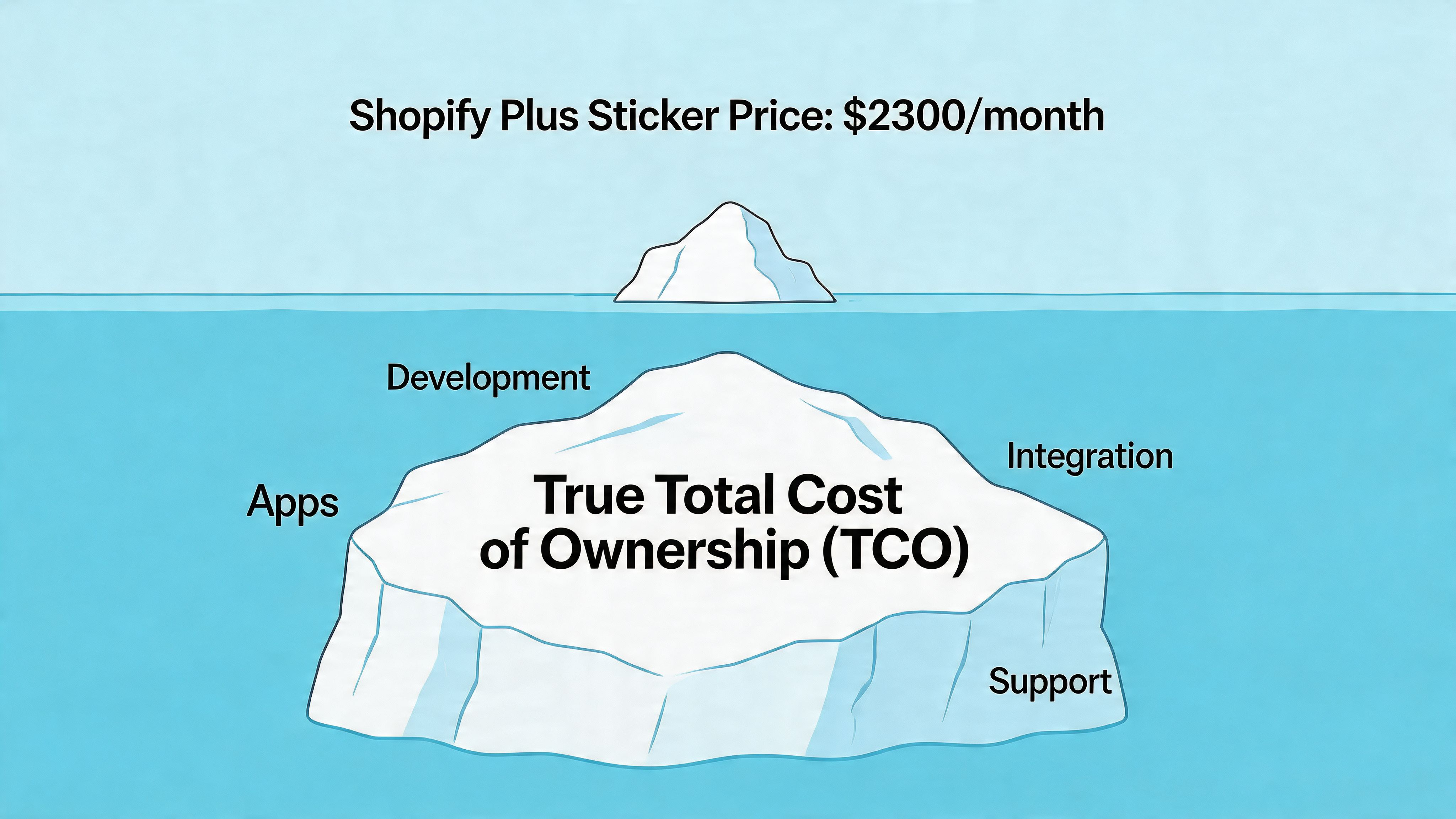
A lot of sales conversations start and end with the headline number. That’s useful, but incomplete. The actual budget question isn’t “Can we afford the platform fee?” It’s “What will it cost to operate Plus properly once we rely on it?”
According to What Digital’s overview of Shopify Plus, pricing starts at $2,300 per month, and the true total cost of ownership can be 1.5 to 2x the base fee. The same source notes that high-volume brands should budget for an additional 15% to 20% in development costs to fully use features like Script Editor and checkout extensibility.
Where the hidden cost shows up
The first hidden line item is usually development.
Plus gives merchants more room to customize. That’s valuable, but someone still has to scope, build, test, and maintain those changes. Checkout logic, automation flows, integration middleware, custom apps, and storefront enhancements all carry implementation cost. If the internal team is lean, agency or contractor spend fills the gap.
The second hidden cost is operational ownership. Enterprise features need governance. Someone has to decide what gets automated, what remains manual, which apps stay in the stack, and how exceptions are handled when something breaks.
A realistic budget lens
I usually tell merchants to budget in layers, not as a single subscription decision:
- Platform fee. The starting point, not the whole answer.
- Implementation work. Migration, theme work, systems integration, QA, and launch support.
- Ongoing development. Checkout changes, automation updates, and feature maintenance.
- App ecosystem. The apps that close native gaps or extend workflows.
- Internal time. Operations, support, merchandising, and finance all spend time adapting to the new setup.
That’s why TCO matters. Two brands can both “afford” Shopify Plus, but only one has the internal structure to get value from it.
A short explainer can help frame the issue before you model your own costs:
What works and what doesn’t
What works is moving to Plus with a defined operating thesis. You know which bottlenecks you’re fixing, which systems matter most, and which workflows need to be rebuilt first.
What doesn’t work is upgrading because the brand wants “enterprise credibility” while leaving the same manual process architecture in place.
If you can’t name the workflows that Plus will improve, you’re not budgeting for a platform investment. You’re buying a more expensive plan and hoping it creates leverage by itself.
Solving Post-Purchase Challenges on Shopify Plus
One of the biggest misconceptions about Shopify Plus is that once you upgrade, post-purchase operations become smooth by default.
They don’t.
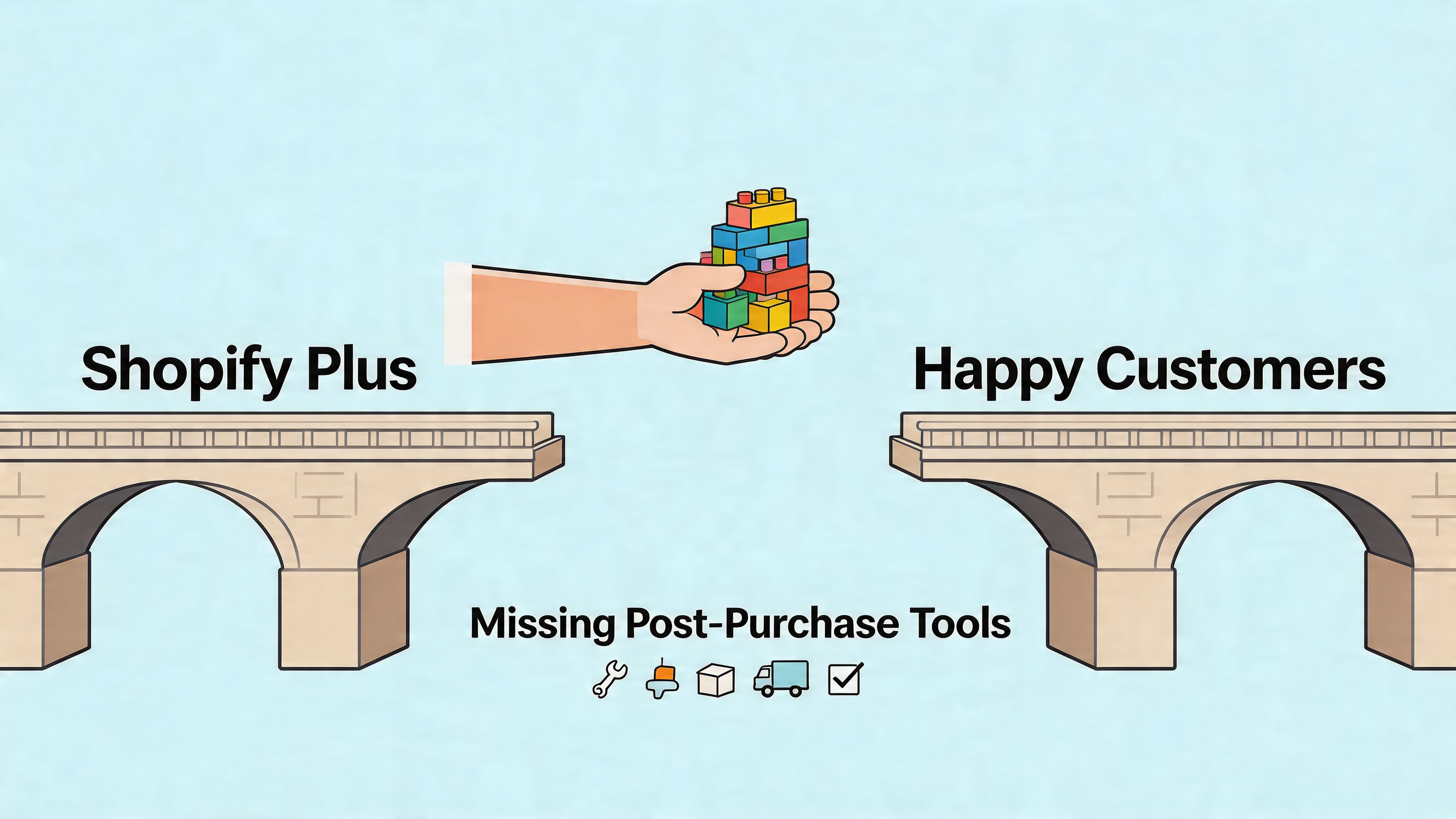
The storefront, checkout, and integration layer all get stronger. But many support-heavy problems happen after the order is placed. That’s where teams often discover the limits of the native toolset.
According to GoKickflip’s overview of Shopify Plus, 60% of Plus brands use apps to handle post-purchase changes, and 45% of support ticket volume comes from address and shipping modification requests. That lines up with what operations teams already know from the ground floor. Customers place orders quickly, then immediately want to fix something.
The native gap
The friction usually shows up in a few places:
- Address changes after checkout. Customers catch an error only after the confirmation email arrives.
- Shipping detail corrections. Apartment numbers, contact info, and delivery notes are often incomplete.
- Order edits within a short window. Buyers want to change a variant, remove an item, or correct a mistake.
- International customer service complexity. Language and formatting issues make post-purchase support harder to standardize.
On Shopify Plus, you can build around some of this. You can also route requests better, automate tagging, and improve internal handling. But native self-serve post-purchase editing is still not the strong point many merchants expect.
Why this matters more on larger stores
At lower volume, support can absorb these requests manually.
At higher volume, those tickets create operational drag across the whole business. Support slows down. Fulfillment gets held up. Warehouse teams work from stale order details. Customer frustration rises because a simple fix turns into an email thread.
That’s why post-purchase tooling matters. It’s not a cosmetic CX layer. It’s part of order operations.
A strong post-purchase setup should do three things well:
- Give customers a controlled way to fix simple mistakes
- Protect the merchant from risky or unsupported changes
- Create opportunities to improve the order instead of just repairing it
For merchants thinking through the broader strategy, this guide to post-purchase customer experience is useful because it treats post-purchase as an operational system, not just a retention idea.
The brands that handle post-purchase well usually have fewer preventable tickets, cleaner fulfillment, and less tension between support and ops.
What actually works
The best setups combine platform capability with a purpose-built post-purchase layer.
That usually means customers can make approved changes within a defined window, address validation is handled more cleanly, and the business sets rules for what can and can’t be touched. This is especially important for international merchants, where shipping accuracy and multilingual clarity matter more.
It also creates room for post-purchase upsells on the Thank You or order status experience. That’s one of the more practical advantages of fixing this part of the journey. You’re not only reducing support effort. You’re also turning a previously reactive moment into a revenue and service opportunity.
What doesn’t work is forcing support agents to remain the middleware between customer intent and order management.
Migrating to Shopify Plus A Practical Readiness Checklist
A Shopify Plus migration goes well when the brand is ready operationally before the technical work starts.
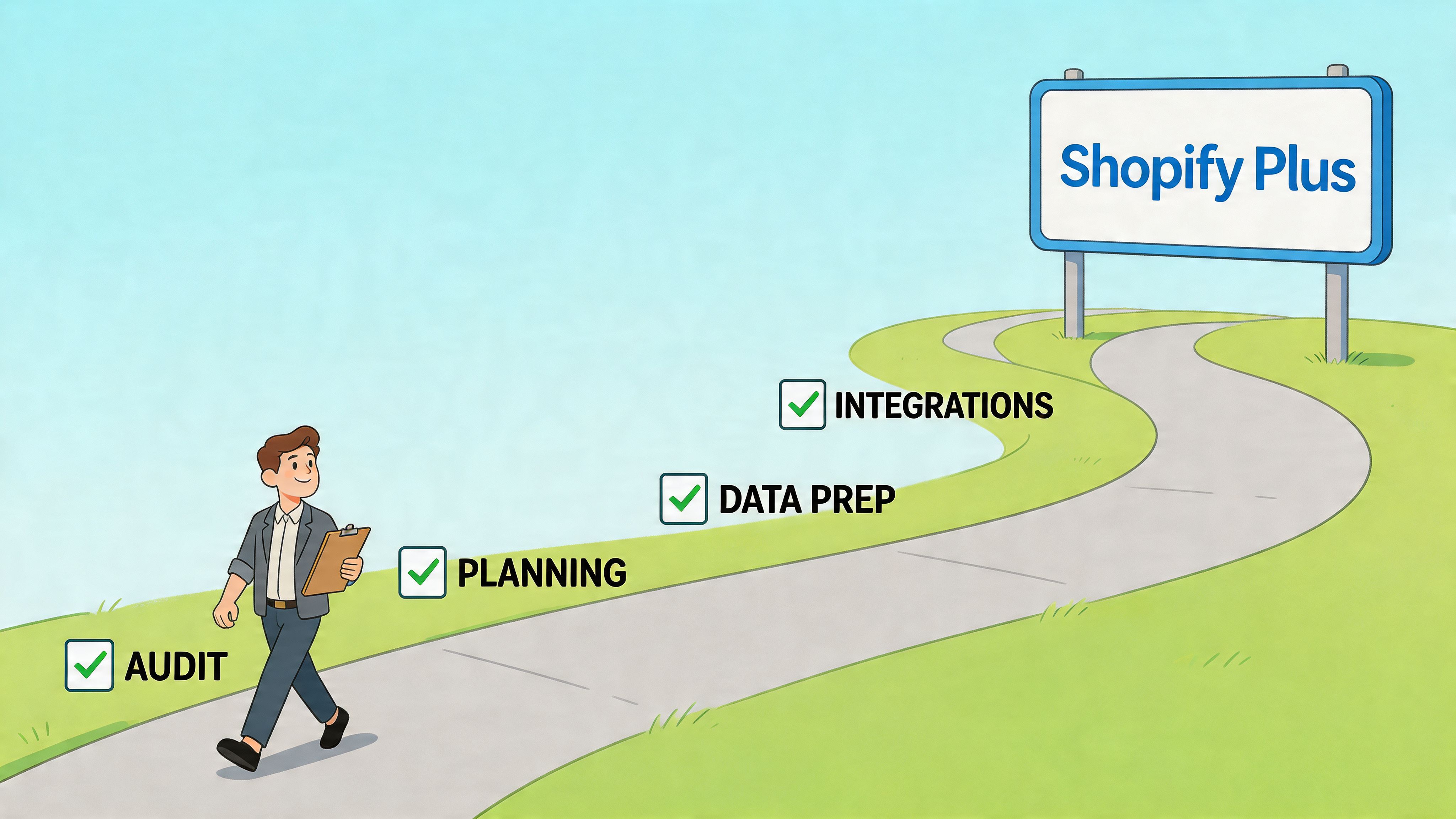
The migration itself is rarely the hardest part. The harder part is deciding what should change during the move and what should stay stable until after launch. Brands that try to redesign everything at once usually create unnecessary risk.
Readiness questions to answer first
Before signing the contract, the team should be able to answer these questions clearly:
- Where is the current plan failing us operationally? If nobody can point to concrete pain points, the case for Plus is weak.
- Which systems need deeper integration? ERP, CRM, 3PL, subscription tools, B2B workflows, and reporting should all be in scope early.
- What must be preserved at launch? Core revenue paths, existing customer experience, and fulfillment continuity usually matter more than extra features.
- Who owns the migration internally? Someone needs decision authority across ecommerce, support, operations, and development.
- What post-purchase processes need to improve? If order editing and support workflows are still messy, fix that in the plan, not after the complaints arrive.
For teams reviewing broader operational dependencies, it also helps to look at the role of a Shopify order management system before migration work begins.
A practical migration sequence
In most successful projects, the order looks something like this:
Audit the current stack
Review apps, integrations, custom code, theme dependencies, and process workarounds.Separate must-haves from nice-to-haves
Launch requirements should be lean. Save noncritical experiments for a later phase.Map data and workflow dependencies
Products, customers, orders, fulfillment logic, notifications, and reporting all need clear ownership.Rebuild and test around business risk
Test checkout, tax, payment methods, shipping logic, customer accounts, and support scenarios first.Run launch with rollback thinking
Teams should know what to monitor, who responds to incidents, and how to handle edge cases fast.
Common mistakes
Some migration errors are predictable:
- Treating app compatibility as a minor detail
- Ignoring support-team workflow changes
- Overcustomizing before baseline stability
- Leaving QA until the end
- Launching without a clear issue triage plan
A good migration isn’t the one with the most features on day one. It’s the one that protects revenue, reduces operational strain, and gives the team a cleaner foundation to build on.
Conclusion Is Shopify Plus the Right Move for Your Brand
Shopify Plus is the right move when your business has outgrown the operating limits of standard Shopify, not when the desire for a more premium plan is the sole reason.
For the right merchant, Plus solves real problems. It gives your team more room at checkout, more headroom for integrations, and better tools for automation and customization. That matters when order volume is rising, internal systems are multiplying, and launch pressure is no longer occasional.
But the trade-off is just as real. Plus costs more than the sticker price suggests, and it doesn’t remove every operational gap. Post-purchase workflows still need attention. Customization still needs budget. Migration still needs discipline.
The cleanest decision framework is simple:
- Are platform limitations creating recurring operational friction?
- Will Plus remove bottlenecks that affect revenue, support, or fulfillment?
- Can your team support the actual total cost of ownership?
- Do you have a plan for the gaps Plus won’t solve natively?
If the answer is yes, Shopify Plus can be a strong strategic investment. If the answer is not yet, that’s fine too. In that case, the better move is to define the milestones that will make the upgrade worthwhile, then migrate when the business can use the platform properly.
Frequently Asked Questions About Shopify Plus
Is Shopify Plus only for very large brands
No. It’s for brands with complexity, not just size.
A merchant can justify Plus because of integration demands, multi-store needs, wholesale requirements, or operational strain during launches. Another brand can have healthy revenue and still not need it yet if the business is simple and the current setup is stable.
Does Shopify Plus include everything an enterprise brand needs
No. It includes a much stronger core platform, but not a complete operating stack.
Most Plus merchants still rely on apps, integration partners, internal process design, and custom implementation choices. That’s especially true for post-purchase operations, support workflows, and specialized B2B or international requirements.
Is Shopify Plus good for B2B
Yes, especially when the merchant wants wholesale and direct-to-consumer operations closer together.
That said, “good for B2B” doesn’t mean every business model fits perfectly out of the box. Complex approval flows, account structures, or specialized quoting processes may still require custom work or additional tools.
Will my existing apps still work after migrating
Some will. Some won’t fit the new architecture cleanly.
A migration is the right time to audit the whole stack. Many brands discover they’re carrying overlapping apps, outdated theme dependencies, or tools that made sense on standard Shopify but need to be replaced on Plus.
Does Shopify Plus reduce support workload automatically
Not automatically.
It can help by enabling better automation, stronger integrations, and cleaner operations. But support volume only drops when the business redesigns the workflows causing tickets in the first place. If order-change requests, shipping edits, and customer-service handoffs stay manual, the burden stays high.
How should a merchant decide whether the cost is worth it
Start with operational pain, not platform prestige.
If Plus will prevent bottlenecks, reduce failure risk during high-demand periods, and support better systems coordination, the investment can be justified. If the business mainly wants a new badge without a clear operational reason, the ROI will be much harder to prove.
If your team is already on Shopify and struggling with address changes, order edits, and post-purchase support volume, SelfServe is worth a look. It helps merchants give customers controlled self-service options after checkout, reduce repetitive support work, and add post-purchase upsell opportunities without forcing everything through the support inbox.