Best apps Shopify: Post-Purchase Guide (2026)

Your team sees the same queue every day. A customer entered the wrong apartment number. Someone wants to swap a size before fulfillment starts. Another buyer used a work email instead of a personal one and now can't find updates. None of these are hard problems. They become expensive because they land in support, wait for an agent, and then collide with warehouse timing.
That’s why most best apps shopify lists miss the true operational bottleneck. They spend pages on review widgets, landing pages, and upsells before checkout, then barely touch what happens after payment. For high-volume brands, that’s backwards. The order is already won. The next job is protecting margin, reducing avoidable support work, and giving customers enough control to fix simple mistakes without creating downstream mess.
Beyond the Buy Button Why Post-Purchase Is Your Next Growth Lever
Most merchants still evaluate apps as if the store ends at checkout. It doesn't. The order confirmation page, order status page, and support inbox are where operational quality shows up fast.
Williams Commerce points out that current Shopify app coverage focuses heavily on pre-purchase optimization while offering almost no guidance on enabling post-purchase customer self-service or order modification workflows, despite the support burden tied to address changes, shipping updates, and order modifications (Williams Commerce). That gap matters more for large catalogs, fast fulfillment, and international shipping, where a small mistake turns into a support ticket, a warehouse exception, or a failed delivery.
The hidden cost of simple changes
A typo in an address looks minor. In operations, it creates a chain reaction.
Support has to verify identity, check fulfillment status, make the change in Shopify or through another system, notify the warehouse if needed, and document what happened. If the customer asked late, the team may also need to cancel and recreate the order, deal with payment edge cases, or manage expectations when the package is already moving.
That’s why post-purchase shouldn't be treated as cleanup. It’s a control layer.
The stores with the cleanest operations aren't the ones with the fewest customer mistakes. They're the ones that designed a process for handling those mistakes early.
A stronger post-purchase workflow also improves retention. Teams that already think about lifecycle programs often pair self-service operations with broader AI-powered customer retention management, because the handoff from transaction to relationship starts immediately after the sale.
Why this matters more than another conversion app
Pre-purchase apps are easier to justify because they sit closer to acquisition and conversion. Post-purchase apps often get ignored because their wins are spread across support, fulfillment, and customer experience.
That’s a mistake. A customer who can fix an address, add an item, or manage a change without contacting support has a smoother experience and your team keeps its attention on higher-value work. If you want a useful frame for this part of the journey, this breakdown of the post-purchase customer experience is a good reference point.
A practical rule helps here:
- If an issue is common and low-risk: customers should usually be able to handle it themselves.
- If an issue affects fraud risk, inventory risk, or warehouse timing: the app should route it into controlled approval.
- If an issue creates a natural add-on moment: the workflow should present a relevant offer instead of forcing the customer back into the storefront.
That's the difference between a reactive support process and a true post-purchase system.
The Anatomy of a World-Class Post-Purchase Solution
The Shopify App Store is huge. It hosts over 11,905 apps as of 2026, and 87% of Shopify merchants rely on apps to optimize operations, which is why merchants need a clear framework before picking tools for post-purchase management (Uptek). Without that framework, teams buy isolated features instead of building a working system.
Think of post-purchase as a customer command center. Not a single widget. A command center.
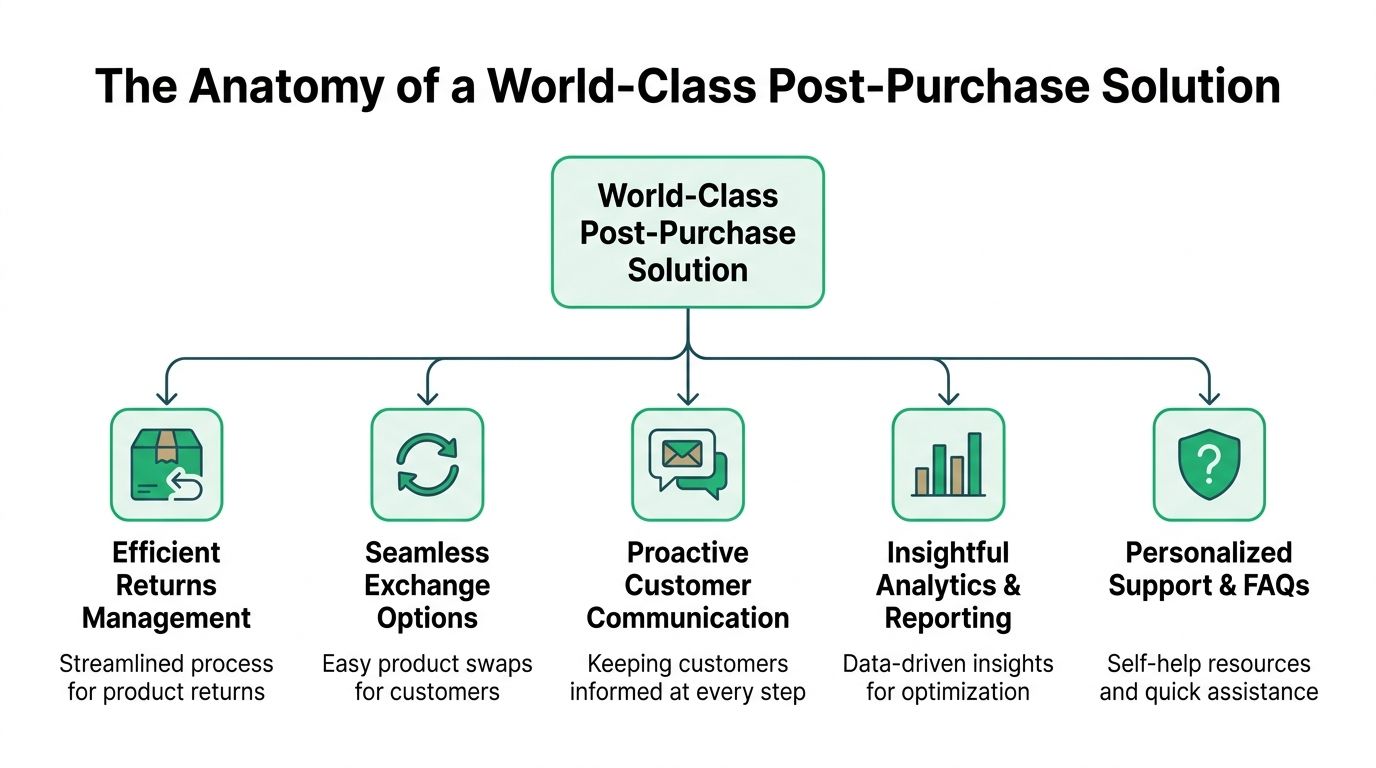
Pillar one customer self-service
This is the foundation. Customers need a controlled way to edit the details they most commonly get wrong.
That usually includes shipping address, contact information, and in some cases product changes. The keyword is controlled. Good apps don't open the whole order indefinitely. They let merchants define what can be changed, by whom, and during what window.
A self-service layer works best when it sits where the customer already goes after purchase. The order status page is the obvious home for it. If you’re mapping this out, a self-service customer portal is the right mental model. It puts routine actions in front of the buyer instead of burying them inside support.
Pillar two proactive communication
Even strong self-service won't help if customers don't know what's happening.
A world-class setup sends clear updates at each meaningful moment. Order placed. Change accepted. Change blocked because fulfillment already started. Exchange initiated. Return in progress. These messages reduce duplicate contacts because the customer sees the status without asking.
This doesn't need to be flashy. It needs to be unambiguous.
Practical rule: every message should answer one of three questions. What changed, what happens next, and does the customer need to do anything?
Pillar three revenue after checkout
Post-purchase is also a selling moment, but it works differently from pre-purchase merchandising.
The best offers here are narrow, contextual, and friction-light. A matching accessory, a refill, or a low-complexity add-on makes sense. A random product dump doesn't. If the offer feels disconnected from the order, customers ignore it and teams start distrusting the channel.
Many best apps shopify roundups stop too early at this point. They discuss upsell mechanics before checkout, but not after the customer has already committed and is still engaged.
Pillar four operational control
Operations teams need rules, not just features.
An app has to support permissions, tagging, approval flows, and internal visibility. If a customer changes an address, the system should tell fulfillment exactly what changed. If a cancellation request comes in late, it should route to a manual queue. If a premium product has special handling, the app should respect that rule instead of treating every SKU the same way.
Pillar five reporting and support alignment
The last piece is feedback. Which requests happen most often. Which actions customers complete without agent help. Which offers are accepted. Where customers hit friction.
A useful post-purchase app doesn't just reduce work. It makes that work visible enough to improve. Support, operations, and ecommerce teams should all be able to see the same story from different angles.
A simple way to evaluate any app is this table:
| Area | What good looks like | Warning sign |
|---|---|---|
| Self-service | Customers can handle routine edits safely | Everything still routes to support |
| Communication | Clear status updates tied to actions | Customers ask for updates after each change |
| Revenue | Offers feel relevant to the original order | Generic offers crowd the page |
| Control | Rules, restrictions, and approvals are configurable | One-size-fits-all settings |
| Reporting | Teams can see request patterns and outcomes | No useful operational visibility |
If an app only checks one box, it isn't a post-purchase system. It's a point feature.
Evaluating Key Features in Shopify Post-Purchase Apps
A polished demo can hide weak operations. Merchants need a hard checklist for this.
Shopify’s Built for Shopify badge is awarded to apps that meet performance, speed, and design benchmarks, and choosing apps with that certification can reduce page load times and help them meet Shopify’s 500ms API response SLA, which matters for smooth post-purchase editing workflows (Mushdesk). For best apps shopify decisions in post-purchase, that badge is more than a trust symbol. It’s a filter for app quality under real usage.
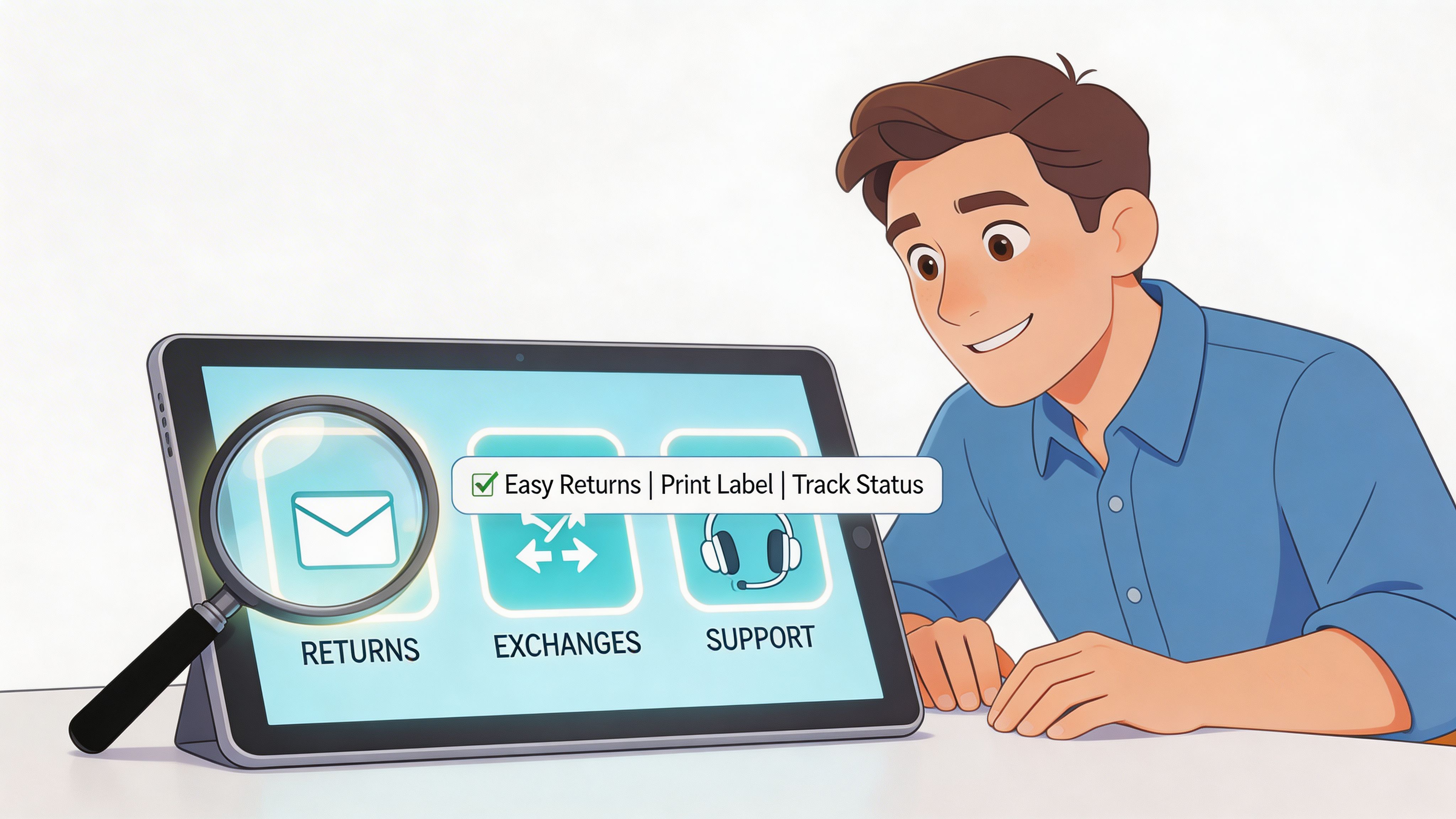
Real-time address validation
Address editing without validation is only half a solution.
If customers can overwrite delivery details but the app doesn't guide them toward a valid, deliverable format, you can still end up with fulfillment problems. For international merchants, this gets more important because formatting rules vary and customers often enter partial or inconsistent data.
Ask these questions in a demo:
- Does the app validate in real time: Not after the customer clicks through several steps.
- Does it support auto-complete: A smoother form prevents fresh errors during the fix.
- What happens when the address looks invalid: The app should block, warn, or route based on your rules.
Granular permissions and timing controls
At this stage, many tools fall apart. They offer editing, but not enough control.
You need to define which fields customers can change, which products or orders are excluded, and when editing closes. High-volume teams often have different windows depending on product type, warehouse process, or shipping method. A subscription order, a personalized item, and a standard in-stock SKU shouldn't all behave the same way.
Use this review framework:
| Feature area | What to ask |
|---|---|
| Edit windows | Can we define different windows by workflow or order type? |
| Product rules | Can we block edits for selected SKUs or collections? |
| Approval flow | Can risky actions route to staff review instead of auto-approval? |
| Audit trail | Can support and ops see what changed and when? |
Multilingual customer experience
Global brands shouldn't force post-purchase actions through an English-only interface.
Customers are more likely to complete a fix correctly when the widget, labels, prompts, and validation messages match their language. This is especially important on order status pages, where the customer expects clarity and speed rather than exploration.
A multilingual UX isn't only about translation coverage. Check whether the app adapts naturally to the storefront language and whether support teams can still interpret the resulting changes in admin.
Upsell modules on post-purchase pages
This feature needs discipline. The best post-purchase upsell setups feel like service, not interruption.
Look for offer placement on the Thank You page and order status page. Look for the ability to curate by collection, product relationship, or order context. And avoid tools that treat every order the same. If you want to compare what strong offer logic looks like, this overview of best Shopify upsell apps is useful because it separates broad upsell tactics from the narrower post-purchase use case.
A good post-purchase offer solves the question the customer is already asking: "Do I need anything else with this order?"
Integration depth
A post-purchase app doesn't live alone. It sits in the middle of support, fulfillment, and ecommerce operations.
The app should pass updates cleanly to your helpdesk, warehouse workflows, and internal reporting stack. For some merchants that means a 3PL. For others it means ERP alignment, order tagging, or internal queues for exception handling.
During evaluation, watch for these trade-offs:
- Deep integrations usually take more setup: That's worth it when order volume is high.
- Simple installs are attractive: But they can create manual cleanup later if data doesn't move where your team needs it.
- Custom rules matter more than long feature lists: A narrow feature set with strong control often outperforms a bloated app.
What usually doesn't work
A few patterns show up repeatedly in failed rollouts:
- Too much freedom: Customers can change orders after the warehouse has already committed.
- Too little freedom: The app exists, but almost everything still requires a ticket.
- Slow interfaces: Customers abandon the workflow and contact support anyway.
- Weak internal visibility: Support sees one version of the order, ops sees another.
The best apps shopify merchants choose for post-purchase aren't the ones with the most marketing copy. They're the ones that let customers do the obvious things quickly while keeping the business in control.
A Workflow in Action How SelfServe Streamlines Operations
A common post-purchase failure starts with an ordinary customer.
She places an order on her phone during a commute. Ten minutes later she notices the shipping address is missing a unit number. In a traditional workflow, she emails support, then maybe opens chat because she’s anxious the order will ship before anyone sees it. Support has a preventable ticket in the queue.
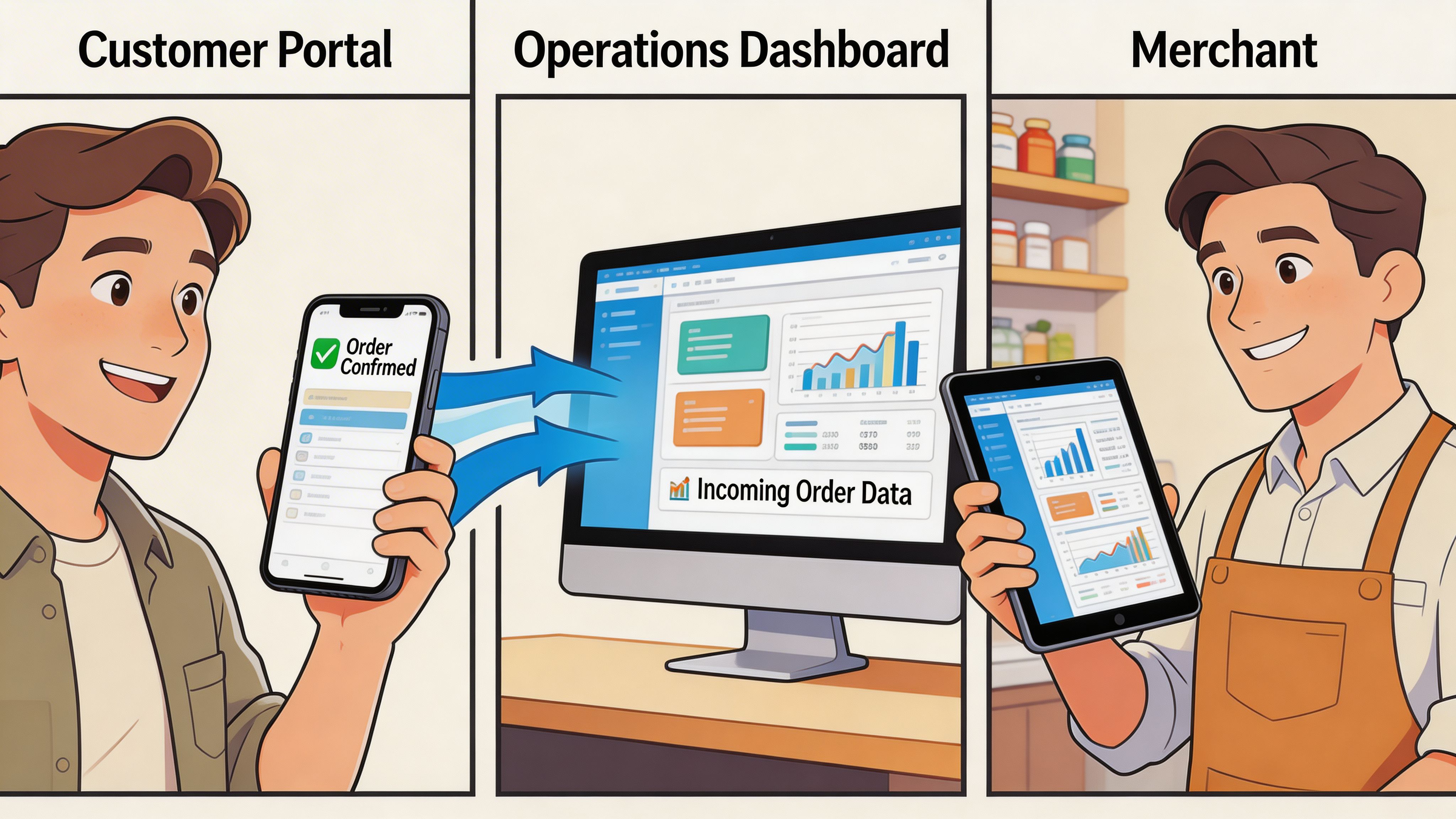
The customer side of the flow
Instead of hunting for contact details, she goes to the order status page. The edit option is already there.
The interface appears in her language. She doesn't need to translate labels in her head or guess what each field means. She updates the address, and the form guides her with Google Maps powered validation so the correction doesn't introduce a new delivery issue.
A well-built post-purchase flow removes support from this interaction because support doesn't add value to a simple, valid address correction. The customer wants speed and certainty, not a conversation.
The operational side of the flow
From the merchant side, the order doesn't become a mystery object.
The change follows predefined rules. If the order is still inside the allowed edit window, the update is accepted. If the merchant has restricted certain products or workflows, the app respects those restrictions. If the team needs internal handling, the order can be tagged so fulfillment or operations knows what changed.
That matters because automation without visibility creates a different kind of chaos. Teams need the system to act and to leave a clear trail.
Here’s what a strong workflow looks like in practice:
- Customer sees the action where they expect it: on the order status or post-purchase page.
- The app checks business rules first: not after the customer has completed several steps.
- Validation prevents obvious errors: especially for delivery details.
- Internal tags or routing update the team: so fulfillment isn't surprised.
- Support stays out unless the request is exceptional: not routine.
Where the revenue layer fits
A strong workflow can also present a relevant add-on after the fix.
This works best when the offer connects to the original purchase. If the customer just corrected shipping details for a skincare order, a compatible refill or accessory is reasonable. If the app throws unrelated products into the flow, it weakens trust and distracts from the task.
The timing matters too. The offer should appear after the important action feels complete, not before. Customers need to feel that the app solved their problem first.
This walkthrough shows the motion clearly:
Before and after in plain terms
Before this kind of setup, the merchant gets a ticket, support checks order status, operations gets pinged, and everyone waits on timing.
After it, the customer fixes the issue directly, the order stays inside the rules the merchant defined, and the team only touches exceptions. That demonstrates the value of a post-purchase app. It doesn't just add a feature to Shopify. It removes routine friction from both sides of the order.
Your Implementation and Integration Checklist
The installation is the easy part. The rollout is where teams either gain control or create a new layer of confusion.
When merchants connect a post-purchase app with a helpdesk like Gorgias, ticket first response time can drop by 50%, agents can resolve issues in 3-5 minutes instead of 10-15, and top Shopify Plus brands have seen a 25-35% drop in support volume for post-purchase inquiries by pulling real-time Shopify order data into the support workflow (Extensiv). That only happens when the app is implemented as part of operations, not treated as a standalone widget.
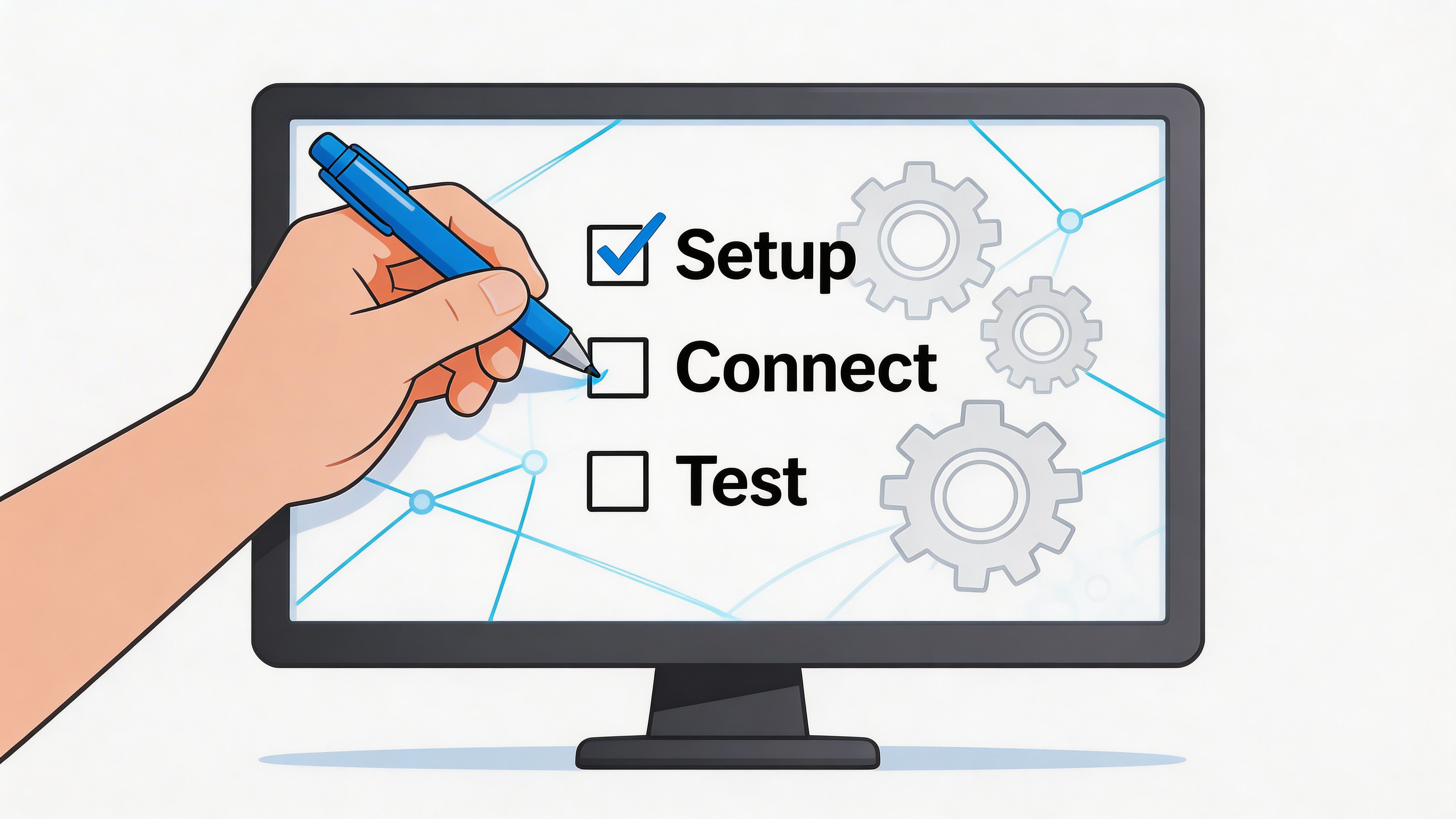
Define the rules before launch
Don't start with app settings. Start with policy.
Write down which order changes customers should be allowed to make without human review. Then identify which requests must remain controlled because they affect inventory, fraud risk, or fulfillment timing.
A practical setup usually includes:
- Editable fields: shipping address, email, phone number, or selected product changes.
- Restricted actions: anything involving custom products, complex bundles, or late-stage fulfillment.
- Clear windows: how long each action remains available after purchase.
- Exception routes: what happens when a request falls outside the rules.
If your team can't explain the rule in one sentence, customers won't understand it in the interface either.
Configure internal operations paths
Post-purchase changes need to reach the right team automatically.
That means setting up order tagging, approval queues, and any warehouse or fulfillment notifications required by your process. Support should know when a customer completed a self-service action. Operations should know which changes require review. Fulfillment should know when to hold or proceed.
Use this checklist as a baseline:
- Map fulfillment timing: identify the point at which edits must close.
- Create tag logic: make changes visible in admin and downstream systems.
- Set approval ownership: decide who reviews exceptions.
- Document fallback steps: define what support does when self-service isn't possible.
Test the customer experience like a buyer would
Many launches fail because merchants test only in admin.
Run through the workflow from the buyer side on mobile and desktop. Check different languages if you sell internationally. Place test orders that should be editable and others that should be blocked. Review whether the copy is clear when a customer can act, and equally clear when they can't.
Focus on these questions:
- Can a first-time buyer complete the action without contacting support
- Do blocked actions explain why
- Does the flow feel consistent with your storefront
- Are upsell placements helpful or distracting
Connect support and fulfillment systems
If your helpdesk sits outside the post-purchase app, agents will still waste time switching tabs and reconciling data.
The best implementations connect the app to support tools, then align with whatever sits downstream in fulfillment or ERP. That doesn't need to be complicated on day one, but it should be intentional. A high-volume store can't afford a workflow where customers self-serve on one side while internal teams manually decode what happened on the other.
Train the team on the new process
Support teams need to know when to direct customers into self-service and when to intervene.
Operations teams need to trust the app's rules. If warehouse staff doesn't believe post-purchase changes are accurate or visible, they'll create manual side processes that defeat the whole point.
A short internal playbook usually covers:
- What customers can change
- When agents should step in
- How exceptions are reviewed
- Where to see change history and tags
Good implementation is boring in the best way. Orders move cleanly, support touches fewer routine requests, and no one has to guess which version of the order is accurate.
Measuring ROI and Avoiding Common Post-Purchase Pitfalls
A post-purchase app earns its keep when it removes work, protects the order, and creates sensible opportunities for added revenue. If you can't measure those three outcomes, the rollout will drift into opinion.
Start with operational metrics your team already understands. Track how many tickets relate to address edits, contact changes, item swaps, or cancellation requests. Then look at what happens after launch. Are those requests moving into self-service. Are agents spending less time on repetitive changes. Are fulfillment exceptions becoming easier to spot and manage.
The KPIs that matter
Not every metric needs a dashboard obsession. A few are enough.
- Support ticket mix: watch whether routine post-purchase requests shrink as customers use self-service.
- Average handle time: if agents still get the ticket, the context should already be visible and easier to resolve.
- Post-purchase offer performance: judge this by relevance and acceptance, not by stuffing every page with products.
- Shipping error patterns: qualitative reduction matters even if your team tracks it through operations logs rather than a formal report.
A simple before-and-after review often tells the story better than a crowded analytics board. Pull a support sample, check order-change volume, and ask operations where manual work decreased.
Ratings are a useful filter, not the whole answer
Wisepops notes that top Shopify apps commonly hold strong ratings such as 4.7/5 or higher because they solve meaningful pain points, and using ratings as a selection criterion helps merchants avoid unreliable tools that can damage operations or customer satisfaction (Wisepops). For best apps shopify research, that’s a practical screen.
Still, a high rating doesn't automatically mean the app fits your workflow. A beautifully reviewed tool can still be wrong for a merchant with strict warehouse timing, multilingual requirements, or complex product restrictions.
The mistakes that create new chaos
The most common rollout failures are predictable:
- Permission windows that are too generous: customers can edit too late and fulfillment gets caught in the middle.
- Upsells with no merchandising logic: the page becomes cluttered and trust drops.
- No support retraining: customers keep opening tickets because agents still send them down the old path.
- Choosing on aesthetics alone: a nice demo can't compensate for weak controls or unreliable behavior.
Better post-purchase operations come from narrower, clearer rules. Not from giving every customer every option.
A final trade-off is worth stating plainly. The app that offers the most visible features isn't always the one that delivers the best ROI. In this category, control and consistency usually beat novelty.
Taking Control of Your Post-Purchase Journey
The strongest Shopify operations teams don't treat post-purchase as an afterthought. They treat it as part of the product experience.
That shift changes how you evaluate software. You're no longer asking only which app can boost conversion before checkout. You're asking which tools reduce support drag, protect fulfillment, and give customers a cleaner path after they've already bought. Much best apps shopify advice still falls short here.
What the best teams build
The pattern is straightforward.
They give customers self-service for routine, low-risk changes. They keep merchant control over timing, permissions, and exceptions. They use the post-purchase moment to present relevant additions instead of generic noise. And they align support, ecommerce, and operations around the same workflow.
For teams formalizing this across service and ops, a structured customer success playbook can help define ownership, escalation paths, and customer-facing standards beyond the app itself.
The practical next step
Audit your current post-purchase journey with fresh eyes.
Look at the last set of support conversations tied to order edits, delivery corrections, and similar requests. Ask which of those should never have reached an agent in the first place. Then check whether your current app stack gives customers a safe way to handle them.
If the answer is no, the opportunity is clear. Post-purchase doesn't need to stay a cost center. With the right workflow, it becomes a cleaner operation, a better customer experience, and a revenue surface that doesn't depend on adding more pre-checkout friction.
If you want to turn routine order changes into self-service and reduce support load without losing operational control, take a look at SelfServe. It’s built for Shopify merchants that need multilingual post-purchase editing, address validation, configurable permissions, and post-purchase upsells in one workflow.