Finding the Best Shopify Upsell Apps for High-Volume Brands
When you're running a high-volume Shopify Plus store, upsell apps stop being a nice-to-have sales gimmick and become a critical piece of your operational toolkit. While basic apps can give you a small revenue bump, the specialized tools built for scale are what really move the needle, helping you cut down on support tickets and simplify your fulfillment process.
Why High-Volume Stores Need Specialized Upsell Apps
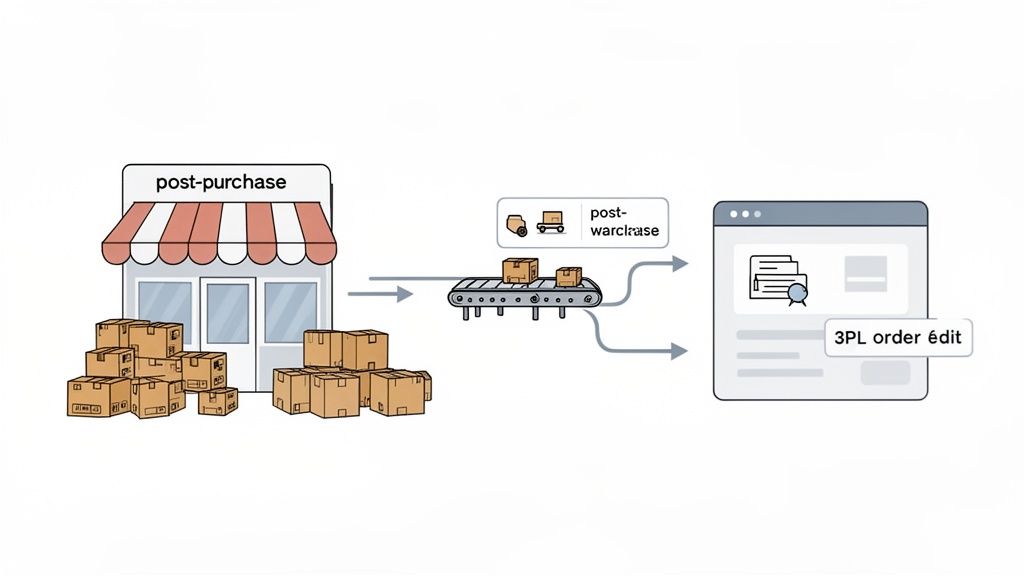
As your brand scales, so does the chaos. That simple pre-purchase popup that worked when you were smaller quickly becomes a headache when you're processing thousands of orders every day. At this level, you need tools that do more than just nudge the average order value (AOV) upwards; you need them to bring order to your operations.
This is where the line between a standard Shopify store and a Shopify Plus merchant becomes crystal clear. We've seen it time and again: the needs of these two groups are worlds apart. If you're curious about the specifics, our deep dive into Shopify vs Shopify Plus breaks down why their requirements diverge so sharply.
The Shopify Plus Advantage
The data doesn't lie. A massive analysis of 143,239 stores revealed that a staggering 98.7% of all merchants using upsell apps are on Shopify Plus. In stark contrast, only 0.1% of standard Shopify stores use them. This isn't just a coincidence—it's a reflection of how sophisticated brands treat the post-purchase experience as a vital operational touchpoint, not just an afterthought. You can dig into these findings over at storeinspect.com.
For a high-volume brand, the best Shopify upsell app isn't just a sales tool—it's an operational backbone. The focus shifts from simply adding more revenue to creating a seamless, self-service post-purchase experience that reduces friction for both the customer and the support team.
Instead of just showing customers another popup, enterprise-level brands are solving high-stakes problems. They're looking for genuine post-purchase order editing that lets customers make changes on their own, without having to cancel an entire order and create a support nightmare.
We see top-tier stores consistently prioritize a few key capabilities:
- True Post-Purchase Order Editing: This is the big one. It's the ability for a customer to add items to an already-confirmed order without having to pull their credit card back out or accidentally create a duplicate order.
- Deep Integrations: The app has to talk to everything else in your tech stack. We're talking seamless connections to your ERP, 3PL providers, and helpdesk to keep data flowing accurately and avoid fulfillment errors.
- Operational Controls: You need the power to manage the complexity. This means granular user permissions, automated order tagging, and approval workflows that match your real-world fulfillment process.
- Global Commerce Features: If you sell internationally, your upsell experience can't be one-size-fits-all. It needs to support multiple languages and currencies to feel native to every customer.
For any brand trying to scale, an upsell app becomes as much about protecting profit margins and finding efficiencies as it is about increasing AOV. It’s about transforming the "thank you" page from a dead end into a powerful, interactive hub where customers can help themselves and you can drive real, incremental growth.
Our Framework for Evaluating the Top Upsell Apps

When you're running a high-volume store, a simple feature-to-feature comparison of upsell apps just doesn't cut it. You're not just looking for a sales widget; you need a serious operational tool. The wrong app can create more problems than it solves, from fulfillment headaches to customer service nightmares.
That's why our evaluation is built around six core criteria that matter most to scaling brands. This isn't just a checklist—it's a scorecard based on the real-world pressures that operations managers and support teams face every single day. Let's walk through the exact framework we use to separate the contenders from the pretenders.
True Post-Purchase Functionality
This is our first and most important test. We're looking for genuine post-purchase upsells that appear on the thank you page and order status page—not just another in-cart popup that risks distracting customers and increasing cart abandonment.
A true post-purchase offer happens after the initial payment has been processed. It allows a customer to add another item with a single click, no re-entering credit card details needed. This is the magic moment. You capture more revenue when buying intent is at its absolute peak, all without putting the original sale at risk.
Advanced Order Editing and Management
For any growing brand, order editing quickly becomes a non-negotiable. The best upsell apps either integrate seamlessly with Shopify's native order editing or, even better, provide their own powerful system. This is what lets customers add that upsold item without creating a confusing duplicate order.
But it’s about more than just adding an item. The app has to properly account for inventory adjustments and give your team the power to place fulfillment holds. Your ops team needs full control over what happens after an order gets modified.
The real test of an upsell app for a Shopify Plus store is whether it simplifies or complicates your order fulfillment workflow. If an upsell creates manual reconciliation work for your operations team, it's a liability, not an asset.
Global Commerce Capabilities
If you’re selling internationally, your upsell strategy needs to speak your customers' language—literally. A top-tier app must have robust multilingual and multi-currency support that automatically adapts to each shopper's location.
Showing offers in a customer's native language and local currency isn't a "nice-to-have" feature; it's fundamental to building trust and actually converting those global upsells.
Essential Operational Features
Finally, we look beyond the upsell itself to the operational tools that keep your business running smoothly. There are three features we see as absolutely vital:
- Integrated Address Validation: This is a must. It catches and corrects shipping addresses in real-time, drastically cutting down on failed deliveries and the support tickets that come with them.
- Granular Operational Controls: You need to be in the driver's seat. This means setting specific user permissions, automatically tagging orders based on accepted upsells, and creating manual approval queues for complex order edits.
- Deep Integration and Scalability: The app has to play nice with your entire tech stack. It needs to communicate flawlessly with your 3PL, ERP, and helpdesk (like Gorgias or Zendesk) to ensure data flows accurately and reliably as you scale.
Comparing the Leading Shopify Upsell Apps
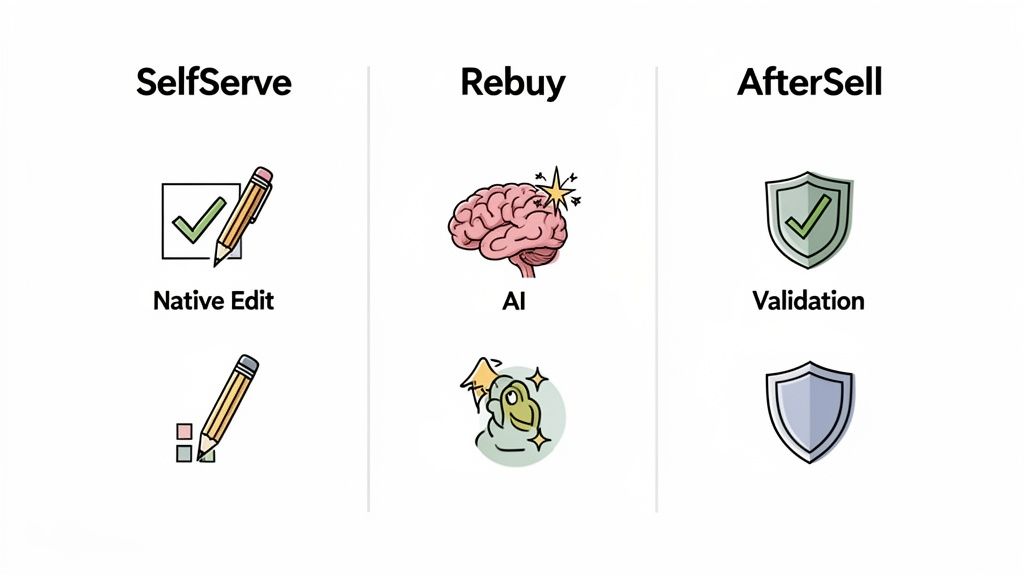
With our evaluation framework in place, let's put it to work on the big three apps for high-volume stores: SelfServe, Rebuy, and AfterSell. We're going to dig much deeper than a simple feature checklist. The real test is how these tools perform against the criteria that actually impact your operations and keep customers happy.
This isn't about generic pros and cons. We'll look at this from the perspective of an operations manager or support lead dealing with the day-to-day realities of a busy store. This side-by-side analysis will give you an honest look at where each app truly shines.
Post-Purchase Upsell Functionality
At their core, a good upsell app needs to nail the post-purchase offer. The great news is that all three—SelfServe, Rebuy, and AfterSell—master the one-click offer on the Thank You and Order Status pages. This is a huge win, letting you bump up your average order value (AOV) after the initial sale is already secured.
The differences start to show up in how those offers are generated and presented. Rebuy is famous for its powerful AI recommendation engine, which automatically surfaces products it thinks a customer will love. AfterSell also delivers solid post-purchase funnels, but with a strong emphasis on simplicity and getting you up and running fast.
SelfServe takes a different path by integrating its upsell module into a complete customer portal. The offer doesn't feel like an isolated sales pitch; it's presented alongside order tracking and editing tools. This makes the experience feel more cohesive and helpful, which can go a long way in building customer trust.
Advanced Order Editing and Management
This is where the apps really diverge, and it’s a critical point for any operations team. What happens after a customer accepts an upsell can either be seamless or create a logistical headache.
Both Rebuy and AfterSell typically handle this by creating a new, separate order for the added item or by using Shopify's APIs to modify the order. While this works, it can often result in split shipments or require your fulfillment team to manually merge orders. For a team already processing hundreds of orders a day, this extra work adds up.
SelfServe’s Key Differentiator: SelfServe was built to solve this exact problem. Its native order editing is fully integrated into the customer portal. When a customer adds an item post-purchase, the system edits the original order directly. Everything is consolidated into a single, updated transaction.
This is a game-changer for operations. It means clean, accurate order data flows directly to your 3PL or ERP without any manual cleanup. For high-volume merchants, this simple difference prevents countless shipping errors, customer questions, and wasted hours.
To help you see the differences at a glance, here’s a breakdown of how the apps stack up on the most important features for scaling merchants.
Feature Comparison for High-Volume Shopify Upsell Apps
As the table shows, while all three are powerful, their core philosophies differ. SelfServe is built around operational efficiency, whereas Rebuy and AfterSell are more squarely focused on the marketing and conversion aspects of upselling.
Integrated Address Validation
Nothing tanks your margins and customer satisfaction faster than shipping errors. An app’s ability to catch bad addresses before they become a problem is a massive operational win.
Here, SelfServe has a clear, built-in advantage. It includes real-time address validation from Google Maps right inside its customer portal. As customers review their order, they can instantly see and fix any typos in their shipping details, with auto-complete suggestions guiding them.
Rebuy and AfterSell, while great at their primary function, don't offer address validation as a native feature. If you're using one of them, you'll need to add another app—and another monthly fee—to your tech stack to get the same protection. For an operations leader trying to reduce failed deliveries, SelfServe's all-in-one approach is far more streamlined and cost-effective.
Multilingual and Multi-Currency Support
For brands selling internationally, a localized experience isn't a "nice-to-have," it's essential. All three apps handle currency conversion well, displaying upsell offers in the customer's local currency.
The real difference is in the language. Rebuy and AfterSell's multi-currency support is a must-have, but SelfServe pushes localization further with a fully multilingual customer portal. The widget automatically detects the shopper's browser language and translates the entire interface—from order details to upsell offers.
This creates a seamless and trustworthy experience for international customers, making them much more comfortable interacting with post-purchase options. If you're scaling globally, this is a huge plus.
Operational Controls and Scalability
Finally, a great app needs to grow with you, giving your team the controls to manage increasing complexity.
- SelfServe is designed from the ground up for operational control. You get granular permissions to control what customers can edit, automated order tagging for easy filtering, and even manual cancellation queues that require team approval.
- Rebuy stands out with its incredibly deep rule-based engine. This allows for highly sophisticated upsell logic and A/B testing, perfect for teams that want to fine-tune every detail of their funnels to maximize revenue.
- AfterSell prioritizes speed and simplicity. Its interface is straightforward, allowing teams to launch effective upsell campaigns quickly without a major learning curve.
So, how do you choose? If your number one goal is maximizing AOV with complex AI recommendations and constant testing, Rebuy is an excellent choice. If you just need a simple, effective post-purchase funnel that you can set up in minutes, AfterSell is a fantastic option.
But for high-volume brands where operational efficiency is paramount, SelfServe's unique combination of native order editing, integrated address validation, and deep operational controls makes it a standout solution. It's built not just to increase revenue, but to do so in a way that saves your team time and prevents costly mistakes.
How Real Merchants Use Upsell Apps to Scale
High-volume brands don't choose an upsell app by simply ticking off features on a list. They choose an app to solve a specific, costly operational problem. The glossy marketing is nice, but the real value is in how these tools handle the messy reality of running a growing business.
By looking at a few common scenarios, we can move past the abstract features and see how this actually works. This helps you connect your own operational pain points directly to the right solution. Let's dig into three different types of merchants and see how they use upsell apps to scale their business without scaling their headaches.
The International Retailer Expanding Its Global Footprint
Picture a fashion brand that's now shipping to dozens of countries. While the growth is exciting, it's also creating a logistical nightmare. They're getting flooded with requests for order changes, but language barriers and different currencies are turning customer support into a massive bottleneck.
The goal here isn't just to flash an upsell offer. It's about giving international customers the power to manage their own orders in their own language, making them feel right at home.
The Challenge:
- A constant stream of support tickets from international customers trying to edit their orders.
- Confusion and friction during post-purchase interactions because of language barriers.
- Lost revenue from upsell offers that are only shown in English.
The Solution: For this brand, a tool with a strong global focus is non-negotiable. SelfServe is the clear winner here. Its customer portal is fully multilingual and automatically translates everything—from order details to upsell offers—based on the shopper's browser language. This immediately smooths out the experience.
Now, a customer in Italy can see an offer for a matching accessory in Italian and Euros, add it to her order, and correct her shipping address all within a single, localized portal. This not only drives up AOV but also frees the support team from being multilingual order takers, allowing the brand to expand globally without hiring an army of support agents.
The Operations-Focused Brand Drowning in Support Tickets
Next, let's look at a high-volume DTC supplement brand. Their average order value is decent, but operational friction is quietly eating away their profit margins. Failed deliveries from mistyped addresses are a daily occurrence, and every time a customer accepts an upsell, it creates manual work for the fulfillment team.
For this merchant, the priority is pure operational efficiency. They need an app that automates grunt work and prevents errors, not one that just offers flashy marketing features.
For an operations-focused brand, every manual touchpoint is a potential point of failure and a drain on resources. The right upsell app must actively reduce this burden by automating routine tasks like order tagging and address correction.
The Challenge:
- A high rate of failed deliveries due to customer address typos.
- The fulfillment team wastes hours manually merging or editing orders when upsells are accepted.
- No clean system for flagging complex order changes, which leads to shipping mistakes.
The Solution: This brand needs an operational workhorse. Once again, SelfServe is a perfect fit because of its built-in, non-negotiable operational controls. The integrated address validation, powered by the Google Maps API, catches typos as they happen, stopping failed deliveries before they even leave the warehouse.
More importantly, its native order editing means that when a customer adds a bottle of protein powder after the initial purchase, the original order is simply updated. There’s no duplicate order to cancel or merge. The operations team can also set up automatic order tagging to flag any edited orders for a quick final review, creating a smooth workflow that protects their bottom line. If your brand is struggling with similar issues, our guide on the Shopify post-purchase upsell process offers more in-depth strategies.
The Subscription Business Boosting Lifetime Value
Finally, think about a coffee subscription company. Their recurring revenue is solid, but the name of their game is lifetime value (LTV). They need to find an easy way for subscribers to add one-time purchases, like a new travel mug or a bag of a limited-edition blend, to their next scheduled shipment.
The key is to make this process completely frictionless. They need an app that’s brilliant at showing smart, personalized recommendations and making the "add-on" experience feel like a natural part of being a subscriber.
The Challenge:
- It's too difficult for subscribers to add one-time items to their upcoming recurring orders.
- Missed chances to introduce loyal customers to new or complementary products.
- A generic upsell experience that doesn't feel personalized to a subscriber's specific tastes.
The Solution: In this scenario, Rebuy is an excellent choice. Its core strength is its sophisticated AI-powered recommendation engine. It can look at a subscriber's purchase history and intelligently suggest a one-time product that they're almost guaranteed to love.
By placing a Rebuy widget on the customer account page, the coffee company can greet subscribers with highly targeted offers. For example: "Since you love our dark roast, why not try our new single-origin espresso blend with your next shipment?" The powerful rules engine behind it allows for incredibly precise targeting, ensuring the offers always feel relevant and valuable—which is exactly what you need to increase LTV and build a stronger relationship with your subscribers.
Your Guide to Choosing the Right Upsell App
Picking the right upsell app isn't just about finding the one with the flashiest features. It's about finding a solution that solves your real-world operational headaches and supports your growth. To get this right, you need a clear, practical way to evaluate your options.
This guide walks you through a step-by-step process for making that choice. We’ll boil down everything we've covered into a simple checklist, so you can confidently select an app that doesn't just bump up your AOV, but actually makes your entire post-purchase operation run smoother.
Start with an Internal Audit
Before you even think about scheduling a demo, take a hard look at your own business. The best app for you will become crystal clear once you know exactly what problems you're trying to solve. An honest internal audit will pinpoint your biggest post-purchase weaknesses and give you a non-negotiable list of "must-have" features.
Start by mapping out what happens after a customer hits "Pay now." Trace every step and identify every manual task, common customer complaint, and recurring bottleneck that slows you down.
Ask yourself these questions to get started:
- Where do our post-purchase support tickets pile up? Are people constantly asking to change their shipping address, add a forgotten item, or just check their order status?
- How much time is our fulfillment team wasting on manual order changes? Try to put a number on the hours spent merging duplicate orders or fixing mistakes before they reach your 3PL.
- What’s our failure rate for deliveries due to bad addresses? Work out the true cost of these errors, from reshipping fees to the time your support team spends cleaning up the mess.
- Where are we planning to grow globally in the next year? Is your current post-purchase experience good enough for customers in different countries using different languages and currencies?
Define Your Integration and Customization Needs
Once you have a solid grasp of your problems, it’s time to get technical. An upsell app doesn’t work in a silo; it needs to play nicely with the tools you already use every day.
Think about your core systems:
- 3PL and ERP: Does the app need to talk directly to your warehouse or enterprise resource planning software? How will it handle syncing order edits to prevent shipping the wrong thing?
- Helpdesk: How will it connect with your support platform, like Gorgias or Zendesk? Can it give your agents the context they need without them having to switch between ten different tabs?
- Subscription Platform: If you’re running on a platform like Recharge or Skio, you absolutely need an app that integrates seamlessly.
This decision tree can help you see how your main goal—whether it's international expansion, operational efficiency, or boosting subscription LTV—points you toward a specific app.
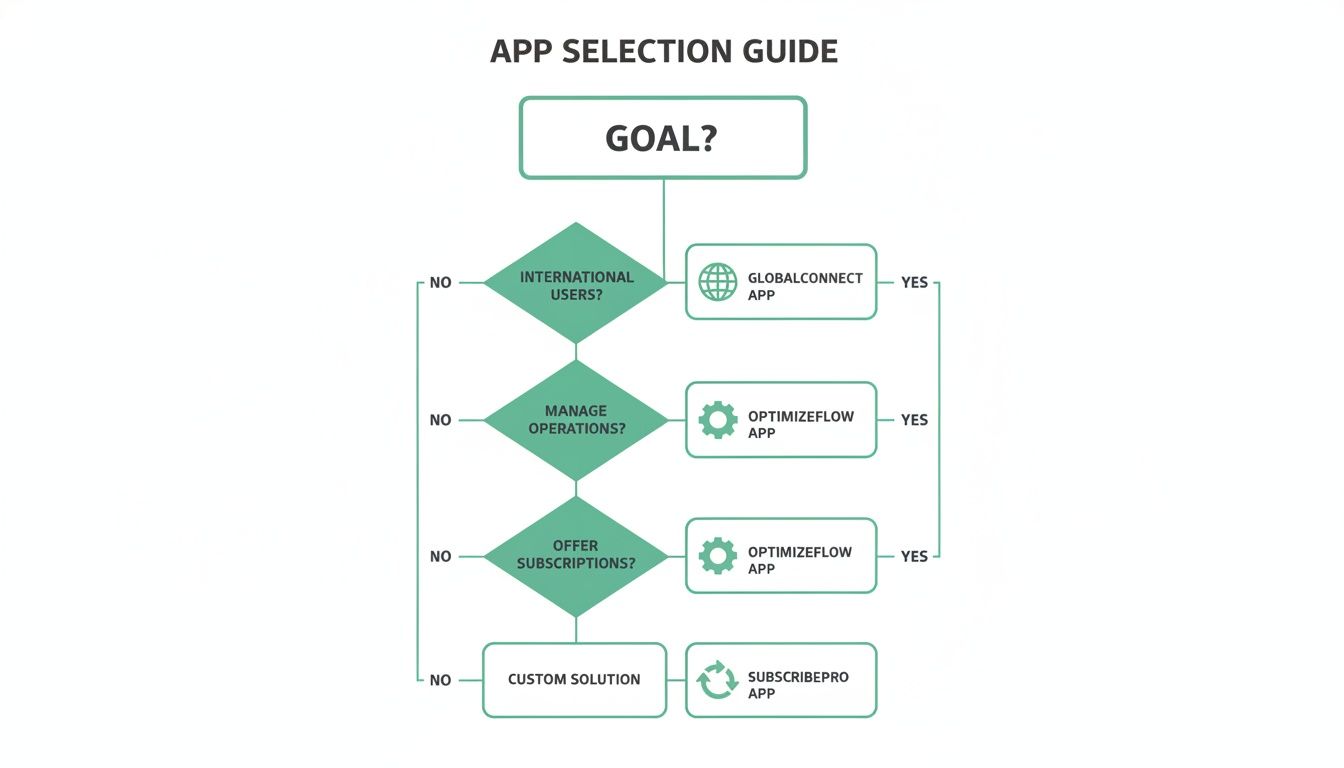
The real takeaway here is that your biggest business priority should be the first filter you apply when looking at any upsell app.
Key Questions to Ask During Demos
Okay, now you’re finally ready to start talking to vendors. With your audit and tech requirements in hand, you can drive the conversation and get the answers that matter. Don’t get sidetracked by a polished sales pitch—stay focused on your specific use cases.
A demo isn't about watching a feature tour; it's about seeing if the app can actually solve your problems. Go in with real-world scenarios from your business and make them show you, step-by-step, how their tool handles it.
Here are the critical questions every high-volume brand should be asking:
- Order Editing: Our customer just added an item to their order, but the original order has already been sent to our warehouse. Show me exactly how your app prevents a shipping error. What does my team see?
- Implementation: What does the full onboarding process look like? How much of my developer's time and my project manager's time will this take? Be specific.
- Support and Scalability: We're a brand doing $XXM per year. What level of support can we expect? What’s the plan if we have a critical failure during Black Friday weekend?
- Global Functionality: Can you show me the entire post-purchase flow for a customer in Germany? I want to see everything—from the upsell offers to the order editing page—in German, with prices in Euros.
Following this process will give your team the confidence to pick a solution that truly fits your business. For a deeper dive into crafting your offers, check out our guide on how to create a Shopify upsell and cross-sell strategy that works.
Everyone talks about boosting average order value (AOV), and sure, that's a great headline number. But for high-volume Shopify Plus stores, the real magic of a smart upsell app happens long after that first click. The best tools don't just tack on another product; they transform your entire post-purchase experience, making your business more efficient and, ultimately, more profitable.
This is a game-changer for any brand that's scaling up. The biggest win? Giving customers the power to manage their own orders. Think about it: when a shopper can fix a typo in their shipping address, add that one item they forgot, or check their order status without ever contacting your support team, everyone benefits. This is exactly what a tool like SelfServe does by turning the standard order status page into a powerful, interactive hub for your customers.
Cut Down on Friction and Costs
The savings that come from this self-service approach are huge. When you head off common support questions at the pass, your operations team can finally stop fighting fires and start focusing on growth. Your customer support volume plummets, which means your agents can dedicate their time to the complex issues that actually need a human touch.
For a brand scaling on Shopify Plus, the right app isn't just about revenue. It's about streamlining your entire post-purchase world. You're not just buying a feature; you're investing in operational excellence.
On top of that, features like automated fulfillment workflows and cancellation queues act as your first line of defense against expensive mistakes. When an order edit automatically pauses fulfillment for a quick review, or a potential cancellation gets flagged for approval, you're actively preventing wrong items from going out the door. This builds real resilience into your operations, keeping your fulfillment process running smoothly, even when order volume is through the roof.
Building a More Profitable Business
At the end of the day, the top Shopify upsell apps do more than just sell—they solve problems. They smooth over the hidden friction points in your post-purchase journey, turning what could have been a customer's frustration into a moment of satisfaction and loyalty. By cutting down your support load, minimizing fulfillment errors, and putting customers in control, you’re doing so much more than just increasing AOV on a single order.
You’re building a leaner, more profitable business from the ground up. This approach ensures that as your revenue climbs, your operational costs don’t have to climb with it. That’s how you build a scalable foundation for genuine, long-term success.
Your Top Upsell App Questions, Answered
When you're running a high-volume store, a few critical questions always come up before you commit to an upsell app. I get it—you need to know how it will impact your operations and customer experience. Let's tackle the top three questions we hear from merchants just like you.
Will a Post-Purchase Upsell App Slow Down My Site?
This is the big one, and the answer is a clear no. A true post-purchase upsell app will have zero impact on your site speed and, most importantly, your initial conversion rate.
It’s not magic; it’s just timing. These apps only spring into action after a customer completes their purchase and their payment has been processed. The entire upsell experience happens on the Thank You page or Order Status page, completely separate from your main sales funnel. Your site stays fast, and your core checkout flow remains untouched.
How Do We Handle Returns for Upsold Items?
You’re right to worry about this—it can get messy fast if not handled properly. Thankfully, the best apps are built to avoid this headache by editing the original Shopify order.
When a customer accepts a post-purchase offer, the app simply adds that product as a new line item to their existing order. It doesn't create a second, separate transaction. For your team, this means returns are a breeze. Whether the customer wants to return the main product or the upsell, it’s all managed within one order record in Shopify.
The non-negotiable feature here is native order editing. It's what prevents the operational chaos of juggling multiple order numbers for a single customer, making life much simpler for your fulfillment and support teams.
Can I Show Different Upsells Based on the Initial Purchase?
Absolutely. This is where a good upsell strategy really shines. You can, and should, set up specific rules to make sure every offer you show is genuinely relevant to what the customer just bought.
The top-tier apps give you granular control. You can create different upsell funnels based on triggers like:
- Cart Contents: Just sold a specific camera? Offer the perfectly matched lens.
- Order Value: If an order hits a certain dollar amount, you can trigger a premium offer or a discount.
- Customer Tags: Roll out the red carpet for your VIPs with exclusive deals or welcome new buyers with a special first-time offer.
This level of targeting is what turns a simple upsell into a powerful merchandising tool, making customers feel understood and significantly increasing your average order value.