A Strategic Guide to Customer Accounts Shopify Can Trust
Your Shopify customer account is much more than just a login page. Think of it as your brand's digital headquarters for everything that happens after a customer clicks "buy." It's where they can track orders, check their purchase history, and manage their details.
For any brand that’s serious about growth, this customer account area is a massive, often-overlooked opportunity. It's the starting point for building real, long-term customer relationships and encouraging repeat business.
From Support Burden to Strategic Advantage
As your store scales, so does the mountain of support tickets. Every "Where is my order?" email or "I need to change my address" request is a drain on your team's time and your bottom line. But what if you saw this not as a problem, but as a clear signal? Your customers are literally telling you what they need.
When you empower customers to find their own answers and manage their own orders, the entire dynamic shifts. You’re not just cutting down on support tickets; you're building a more resilient, efficient business. This self-service approach directly tackles the most common points of friction a customer experiences after they've paid.
A well-designed customer account portal stops being a cost center and becomes a loyalty-building machine. It's where you prove that your commitment to the customer experience extends far beyond the checkout button.
The sheer scale of this is hard to ignore. In 2023, over 675 million unique shoppers bought from Shopify merchants. In the U.S. alone, the average spend was $81.26 per transaction. That’s a staggering number of post-purchase interactions just waiting to be improved.
The Foundation of Customer Empowerment
The goal is to create an intuitive hub where your customers can easily handle the basics themselves. This includes giving them the power to:
- Track shipments in real-time without ever leaving your site.
- View their complete order history to easily reorder favorites.
- Manage personal information like shipping and billing addresses.
- Initiate returns or exchanges according to your store policies.
Getting this foundation right is the first step toward building an effective post-purchase customer experience. By providing these tools, you give customers the control they’ve come to expect, which builds confidence and keeps them coming back.
Laying the Foundation for Your Shopify Customer Accounts
Let's get practical. Setting up customer accounts on Shopify is the very first step in crafting a post-purchase experience that feels intentional. Think of this as more than just flipping a switch in your settings—it's about laying the groundwork for how customers will connect with your brand long after they’ve clicked "buy."
Your first big decision is what kind of customer account you want to offer. This choice, made right inside your Shopify admin, defines the entire login process for your customers.
Classic vs. New Customer Accounts: What’s the Difference?
Shopify gives you two paths to choose from, and each one comes with its own login style and set of technical quirks.
Classic Customer Accounts: This is the old-school, tried-and-true method. A customer signs up with an email and creates a password. It's what everyone is used to, which means it’s compatible with a huge range of third-party apps that have been around for years.
New Customer Accounts: This is Shopify's sleek, passwordless future. Instead of a password, customers get a one-time, six-digit code sent to their email every time they want to log in. It's built for a tighter, more modern experience that plays nicely with tools like Shop Pay.
This isn't a trivial choice. While passwordless logins are slick and can feel more secure, the classic password system is still the standard. Many customers—and the apps in your tech stack—are built around it. Really think about your audience and your existing tools before you lock one in.
If you're wondering whether empowering customers with an account portal is even the right move for your support strategy, this decision tree can clarify things.
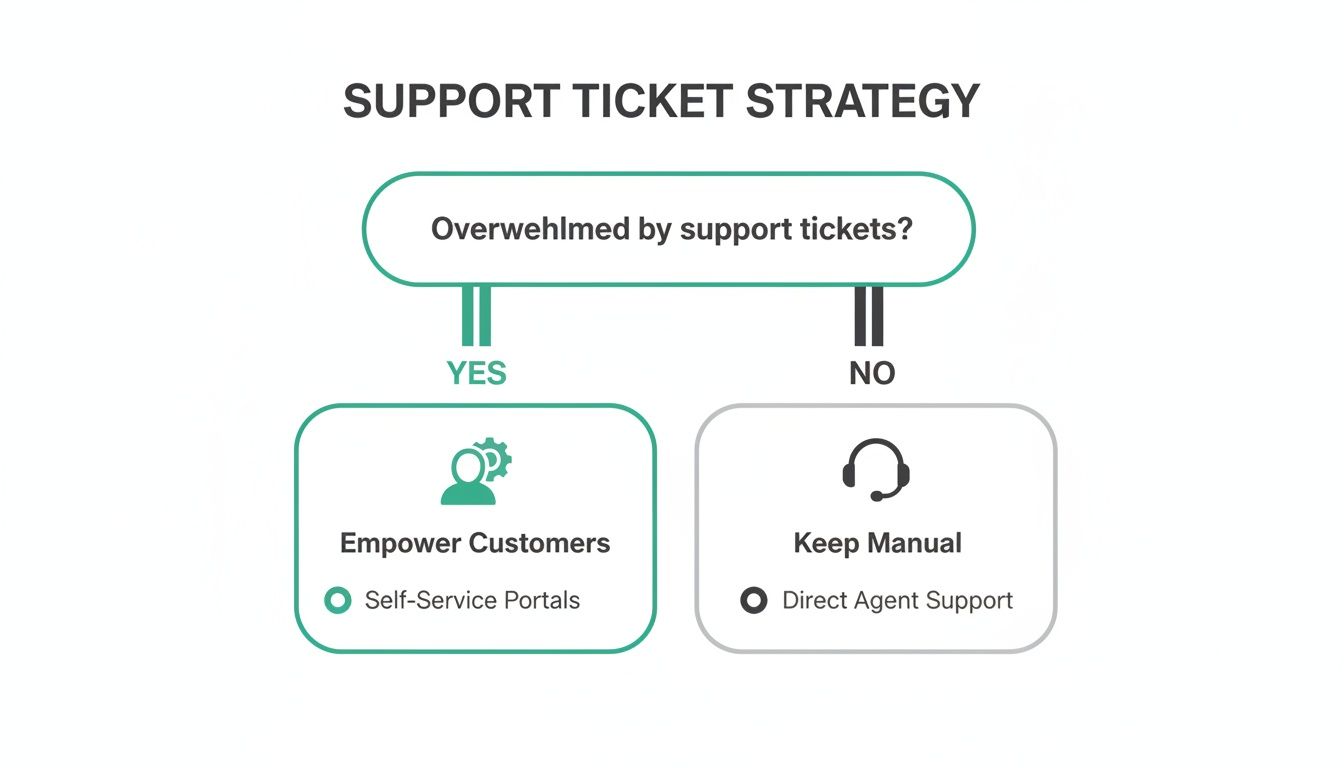
As you can see, if your support team is buried in tickets, giving customers the power to help themselves is a proven way to scale your operations without burning out your team.
How to Turn on Customer Accounts in Your Admin
Once you've picked a side, actually enabling the accounts is a piece of cake. It only takes a few clicks, but the impact on your customer journey is huge.
Here's the quick and dirty guide:
- From your Shopify admin, head over to Settings.
- Find and click on Customer accounts.
- Look for the "Accounts in online store and checkout" panel and hit Edit.
- Choose your champion: the "Classic" or "New" login experience.
- Click Save, and you're live.
By turning on customer accounts, you’re making a fundamental shift. You’re moving away from a purely transactional relationship and inviting customers into a more relational one. You're giving them a home base on your site for reasons beyond just placing another order.
Don't Forget to Brand Your Email Notifications
With accounts active, your next job is to make sure every automated email feels like it came from you. Shopify gives you full control over the email templates for all the key account actions.
At a minimum, you’ll want to put your stamp on these three emails:
- Customer account invite: This is the first handshake. Make it a good one.
- Customer account password reset: A moment of potential frustration for a customer. Make it clear, helpful, and trustworthy.
- Customer account welcome: This confirms they're in and sets the tone for what they can do next.
Sprinkle in your brand’s voice, add your logo, and use your color palette. It’s a small detail, but it transforms a generic system notification into a genuine brand moment. This builds trust and actually encourages people to log in and use the portal you just created for them.
Turning Accounts into Self-Service Powerhouses
Alright, so you've got customer accounts switched on. That's a great first step, but the real magic happens when you transform that simple login page into a genuine self-service command center for your customers. This is where you go from providing decent customer service to creating a truly standout post-purchase experience.
Think about the little things that drive customers crazy after they click "buy." It's almost never a huge catastrophe. It's the small, nagging issues: spotting a typo in their shipping address a minute too late, wanting to add just one more thing to their cart, or just wondering where their package is.
These seemingly tiny problems are the things that clog up your support inbox. Every single one is a ticket that pulls your team away from bigger issues, costing you time and money while slowly frustrating your customers.
Where Native Shopify Functionality Hits a Wall
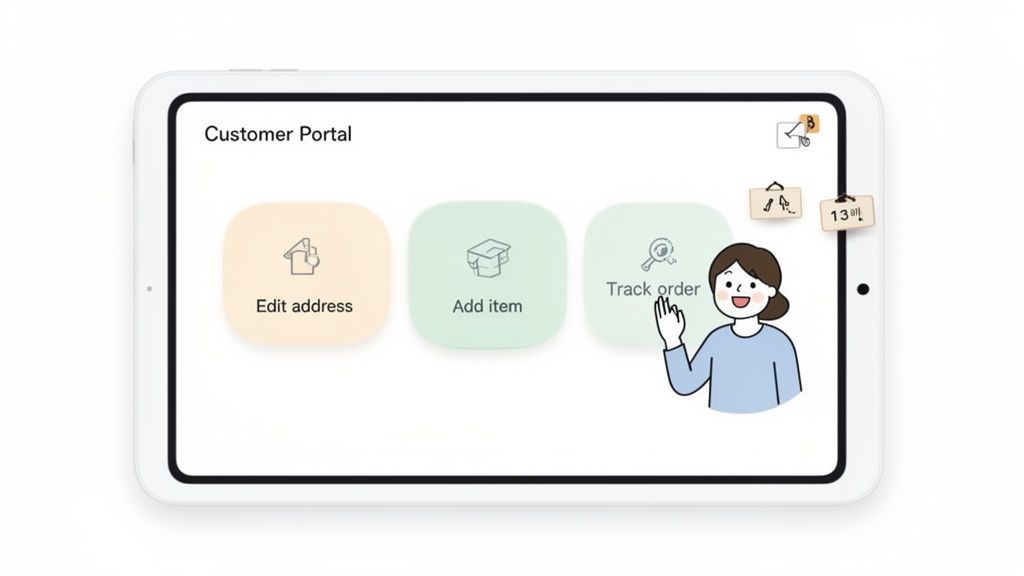
Here's the tough part: native Shopify customer accounts do not allow customers to make post-purchase changes themselves. Once that order is placed, it's locked. They can't fix their own shipping address, update their contact info, or add another product. Their only move is to email your support team and hope for a quick, manual fix.
For a brand new store, that might be okay. But if you're handling any kind of volume, this becomes a massive operational headache. Every typo, every last-minute change, is another ticket in the queue. This is exactly where a smart app strategy can completely change the game.
By closing this functionality gap, you’re doing more than just fixing a technical problem. You’re fundamentally changing the customer relationship from one where they have to ask for help to one where they're empowered to help themselves, instantly.
This shift pays off, big time. Research shows that 73% of customers would rather solve product or service issues on their own. Giving them the tools to do so shows you respect their time, and that builds some serious brand loyalty.
Building Your Self-Service Toolkit
Empowering customers really boils down to giving them control over the most common post-purchase requests. A well-built self-service portal, usually powered by a specialized app, lets a customer handle key tasks without ever having to send an email.
These are the absolute must-have functions that turn a basic account page into a revenue-driving asset:
- Edit Shipping Address: This is the big one. Letting customers fix their own address before an order ships prevents costly mis-deliveries and saves you from paying for reshipments.
- Update Contact Information: Simple things like a phone number or email shouldn't require a support ticket. Let customers manage this themselves.
- Add Items to an Existing Order: This is a game-changer. You turn a potential support request into an easy upsell, bumping up your Average Order Value (AOV) with zero extra marketing effort.
- Cancel an Order: Giving customers a clear cancellation window (before fulfillment, of course) builds trust and cuts down on the manual work your team has to do processing refunds.
By zeroing in on these common pain points and offering automated solutions, you create a scenario where everyone wins. To get a better sense of how this works behind the scenes, you can learn more about building a self-service customer portal that fits your store's needs.
The Immediate Impact on Your Business
Adding self-service features to your Shopify customer accounts isn't just a "nice-to-have" for customers—it's a powerful move for building a leaner, more profitable business. The operational benefits show up almost immediately.
First off, you’ll see a huge drop in support ticket volume. By automating the most repetitive requests, you free up your support agents to focus on the complex, high-value conversations that actually require a human touch.
Second, you cut down on operational costs. Fewer tickets mean less time spent on manual data entry and fewer costly errors from mistyped addresses. This translates to lower shipping costs, fewer returned packages, and a much smoother fulfillment workflow. In the end, empowering your customers is one of the smartest investments you can make to scale your brand.
Using Tags and Automation to Manage Customers at Scale
Once you're managing hundreds or thousands of Shopify customer accounts, you'll quickly realize that manual effort just doesn't cut it. As your brand scales, you need a smarter way to organize and act on customer data without getting buried. This is where Shopify’s tagging feature becomes your secret weapon.
Think of tags as digital sticky notes you can attach to any customer profile. They let you move beyond a generic list of names and emails to segment your audience based on who they are and how they shop. This deceptively simple tool is the bedrock for building personalized experiences and efficient internal workflows.
Building Your Customer Segmentation Engine with Tags
The real magic of tagging is its flexibility. You can build a system that reflects what actually matters to your business. Instead of lumping everyone together, you can slice your customer base into meaningful groups to inform everything from marketing campaigns to your support and fulfillment strategies.
So, where do you start? Here are a few essential tags that high-volume stores rely on:
- VIP: Pinpoint your most loyal, high-value customers who deserve white-glove treatment.
- First-Time Buyer: Flag new shoppers so you can roll out the red carpet with a special welcome sequence.
- High AOV: Segment customers who consistently spend more, giving you an audience for premium offers.
- Order Edited: Automatically mark anyone who has used a self-service portal to change their order.
- Return Initiated: Keep track of customers in the returns process for proactive support.
These tags aren't just for organization—they're triggers for powerful, automated actions that can save your team an incredible amount of time.
Connecting Tags to Powerful Automation Workflows
Once you have a solid tagging system, the next move is to make those tags do something. For merchants on Shopify Plus, this is where Shopify Flow shines. Flow is an automation builder that acts like your store’s command center, letting you create "if this, then that" workflows based on just about any trigger you can imagine.
Let's say a customer uses an app to add another item to their existing order. The app applies an "Order Edited" tag to their profile. That tag can instantly kick off a Shopify Flow that pings your fulfillment team on Slack, making sure the change is caught before the box is sealed and shipped. No manual check-ins needed.
Automation transforms your customer account data from a passive record into an active asset. It connects what a customer does directly to your business operations, wiping out manual steps and minimizing human error.
Here are a couple more real-world examples of tag-driven automation:
Trigger: A customer gets the "High AOV" tag after a big purchase.
Action: Flow automatically sends them an exclusive discount code to encourage a repeat visit.
Trigger: A customer is tagged as a "First-Time Buyer."
Action: They're automatically added to a specific "New Customer" email list in Klaviyo for a tailored onboarding journey.
This kind of automation ensures every customer gets an experience that feels relevant to their journey with your brand.
Protecting Your Automated Systems with Smart Security
As you start automating more of your business based on customer accounts on Shopify, security becomes a top priority. Automation is fueled by data, and protecting that data is non-negotiable. One of the most effective and straightforward security measures you can put in place is reCAPTCHA.
Enabling reCAPTCHA on your account creation and login forms is your first line of defense against bots and fraudulent sign-ups. It’s a simple step that helps ensure the data feeding your automated workflows is from real, legitimate customers, protecting both your business and your shoppers. You can flip this switch on in your Shopify admin under Online Store > Preferences.
By combining smart segmentation with secure automation, you can manage a massive customer base with the precision and personal touch of a small, focused shop.
Advanced Workflows for High-Volume and Global Brands
Once your brand starts scaling—whether that means processing thousands of orders a day or shipping to customers across the globe—you’ll quickly find the out-of-the-box customer accounts on Shopify just don't cut it. The game changes. You're suddenly dealing with multiple languages, intricate fulfillment rules, and a customer base that expects a seamless, self-serve experience.
This is where you need to move beyond the basics and start building advanced workflows. Think of these as intelligent, automated processes that solve the very specific growing pains of enterprise-level merchants. They turn potential friction points—like a language barrier or a post-purchase edit request—into moments that actually build customer loyalty and drive more revenue. For big brands, the customer portal needs to be more than a static order history page; it has to be a smart, responsive, and global-ready command center.
Building a Truly Global Customer Experience
Selling internationally is so much more than just putting new countries on your shipping list. A truly global brand speaks its customer's language. Imagine a shopper from Germany logging into their account to track an order, only to be hit with a wall of English text. It’s confusing, it feels impersonal, and it almost guarantees a support ticket. The experience needs to be seamless, with everything from order status to return instructions presented in their native language.
This is a critical blind spot in native Shopify accounts. To do it right, you really need to bring in a third-party solution. For example, an app like SelfServe can automatically detect a customer's browser language and translate the entire portal in real time. It seems like a small detail, but it has a massive impact on trust and usability, making your brand feel local, no matter where your customers are.
For global merchants, a multilingual customer portal isn't a "nice-to-have"—it's a fundamental requirement. It shows respect for your international customers and removes a huge barrier to self-service.
Turning Order Status Pages into Profit Centers
Let’s be honest: the order status and "thank you" pages are probably two of the most-visited, yet most overlooked, pages on your entire store. Customers come back to them again and again to check on their delivery. So why are we still treating them like simple confirmation screens? High-volume brands can, and should, transform this dead-end space into a powerful revenue driver with post-purchase upsell offers.
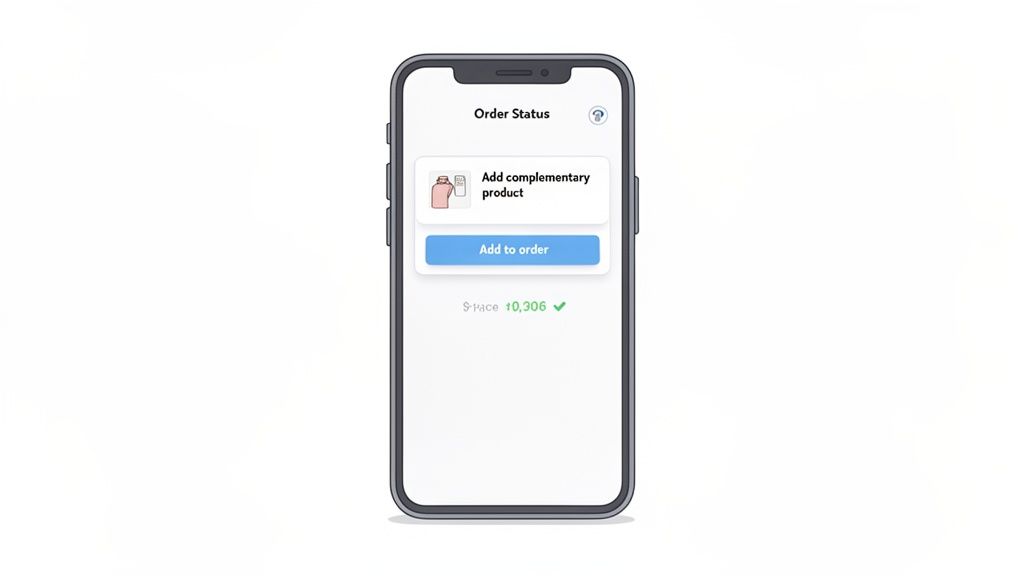
Picture this: a customer completes their purchase and, right on the confirmation page, they see a perfectly timed offer to add a complementary product with a single click. No friction, no re-entering payment details, just a simple "yes." This is your golden opportunity to boost Average Order Value (AOV) when purchase intent is at its absolute peak.
Here’s a breakdown of how it works:
- Curated Offers: You can show specific products or collections that make perfect sense with what the customer just bought.
- One-Click Add: With one click, they add the item directly to their existing, unshipped order.
- Seamless Payment: The system automatically processes the extra charge without making the customer jump through the hoops of a full checkout again.
This simple workflow turns a boring "Thank you for your order" page into a final, high-converting touchpoint. You’re meeting the customer exactly where they are and offering them more value without ever interrupting their original shopping journey.
Implementing Complex Operational Guardrails
When you're shipping thousands of orders a day, operational precision is everything. Giving customers the power to edit their own orders is a game-changer for reducing support tickets, but you can’t let it be a free-for-all. That’s where advanced workflows come in, allowing you to set firm, automated rules that keep your fulfillment process from spiraling into chaos.
For instance, you absolutely need to prevent customers from changing their shipping address after the order has been sent to your warehouse. The fix? You can set a strict time window—say, two hours post-purchase—where edits are allowed. Once that window closes, the option simply vanishes from their account portal. Problem solved.
Beyond timing, you can set even more granular rules to control what can be changed or even create manual approval steps for sensitive actions.
- Product Restrictions: Block customers from swapping certain items that might have tricky inventory or shipping rules.
- Cancellation Queues: Instead of letting cancellations happen instantly, you can route the request to a queue for your team to approve or deny. This gives you a final chance to save the sale.
- Automated Tagging: Automatically apply tags like "Edit Request - High Priority" to any order that needs a human touch, making sure your team sees it immediately.
These operational guardrails are the secret to scaling self-service without sacrificing control. They give customers the flexibility they want while keeping your backend operations airtight and efficient, no matter how fast you grow.
Turning Post-Purchase Actions into New Revenue
So far, we've focused on how a smart customer accounts Shopify setup can tighten up operations and cut costs. But what about making more money? Let’s talk about one of the most overlooked goldmines on your entire site: the Thank You and Order Status pages.
Think about it. Customers land on these pages with peak buying excitement and trust, and they often come back again and again to check their order status. This isn't just a transactional dead end; it's the perfect moment to start the next conversation and, more importantly, the next sale. By embedding the right offers here, you can turn a simple order update into a powerful conversion point.
The Mechanics of a Post-Purchase Upsell
The idea is brilliantly simple. Instead of making a customer go through the whole checkout process again, you let them add more items to the order they just placed—with a single click. It’s a completely frictionless way to increase their total spend.
Imagine someone buys a new camera from your store. On the confirmation page, they see a perfectly timed offer for a high-speed memory card or a protective case. One click, and it’s added. The payment is processed instantly, and the new item gets tacked onto their original shipment. No re-entering credit card numbers. No extra shipping fees.
This strategy is so effective because it catches customers in a moment of maximum excitement. They've already said "yes" to your brand, and you're simply offering a helpful suggestion that enhances their purchase, not a pushy sales pitch.
When you nail this, you directly boost your Average Order Value (AOV) and customer lifetime value (LTV). You can dive deeper into building a winning Shopify post-purchase upsell strategy to really capitalize on this moment.
Curating Offers That Convert
A post-purchase upsell is only as good as the offer itself. Throwing random products at customers won't work; you’ll just create noise. The key is relevance. You have to present items that genuinely add value to what they just bought.
Here are a few ways to curate offers that people actually want:
- Complementary Pairings: This is the classic approach. If they bought a coffee maker, offer a bag of your best-selling beans. Sold a pair of leather boots? Suggest a weatherproofing spray.
- "Forgot Something?" Items: Think of small, essential add-ons. Batteries for an electronic gadget, a charging block for a new phone, or a spare filter for an appliance.
- Starter Kits: Bundle a few related accessories into an easy-to-buy kit. For someone who just bought a single skincare serum, you could offer a "Complete Morning Routine" bundle.
- Best-Sellers: Showcase your most popular, low-cost products. These often have a broad appeal and are perfect for a quick, low-stakes impulse buy.
By building smart, data-informed offers, you’re not just chasing another sale—you’re improving the customer experience. You're turning a routine order check into a dynamic, profitable part of the customer journey, making your customer accounts work that much harder for your bottom line.
Common Questions About Shopify Customer Accounts
Let's cut through the noise and get straight to the answers you need for managing and getting the most out of your Shopify customer accounts.
What’s the Real Difference Between Classic and New Customer Accounts?
The biggest distinction boils down to how customers log in.
Classic accounts are what we're all used to: a simple email and password. This traditional setup is straightforward and plays nicely with just about every third-party app out there.
New Customer Accounts, on the other hand, ditch the password entirely. Instead, customers get a one-time, six-digit code sent to their email every time they want to log in. It’s a more modern, secure approach that ties in perfectly with Shopify’s own ecosystem, like Shop Pay, but can sometimes cause headaches with older apps that were built for the classic password system.
Can Customers Actually Edit Their Own Orders in Shopify?
Natively? No. Once a customer hits that "confirm order" button, it's locked in Shopify's system. They can't change the shipping address, swap a size, or add another item on their own.
If they need to make a change, their only option is to contact your support team. This is precisely why fast-growing stores rely on specialized apps to add self-service order editing. It's a game-changer for cutting down on support tickets and keeping customers happy.
This native limitation creates a huge operational bottleneck for scaling brands. Giving customers the power to make their own edits isn't just a nice-to-have; it's essential for efficiency and satisfaction.
How Do I Make My Shopify Customer Accounts More Secure?
A great first step is to enable reCAPTCHA in your Shopify settings for both the login and account creation pages. This simple check is surprisingly effective at stopping bots in their tracks.
The passwordless system of New Customer Accounts inherently adds security because there are no passwords to steal in a data breach. For those using Classic accounts, reminding customers to create strong, unique passwords is key.
And finally, always be careful about the third-party apps you install. Make sure they follow Shopify's strict data and security standards to keep your customer data safe.
Ready to stop drowning in support tickets and start increasing your AOV? SelfServe empowers your customers to manage their own orders, from editing shipping details to adding post-purchase upsells. Install our Shopify app in minutes and see the difference.
Start your free 30-day trial at https://getselfserve.com.