Customer Retention Automation: Boost Shopify LTV
Most advice about customer retention automation starts in the inbox. Build a welcome flow. Add a winback series. Send better replenishment emails. That advice isn't wrong, but it's incomplete.
For Shopify Plus merchants, the retention fight often turns on what happens after the order is placed. Customers want to fix an address, update contact details, understand when an order ships, or make a clean add-on purchase without creating confusion. If that experience breaks, support volume rises, fulfillment errors follow, and the customer remembers friction instead of convenience.
That's why simple automation isn't enough. E-commerce already operates with weak retention economics. The sector averages only 38% retention in one benchmark, which is why automation has shifted from nice-to-have to operating requirement, and companies using AI-powered retention automation have an 83% higher likelihood of revenue growth than non-AI users according to Envive's e-commerce retention analysis. But more workflows alone won't save a store. The merchants that keep customers longest usually automate the moments where customers feel uncertainty, especially post-purchase.
Laying the Foundation for Retention Automation
Retention programs fail for a boring reason. Teams automate messy operations.
The strongest customer retention automation systems follow a simple order. Processes first, then data, then technology. That three-pillar framework matters because workflows can only scale what already exists. If your support team handles order edits one way on Monday and a different way on Friday, automation won't create consistency. It will multiply confusion.
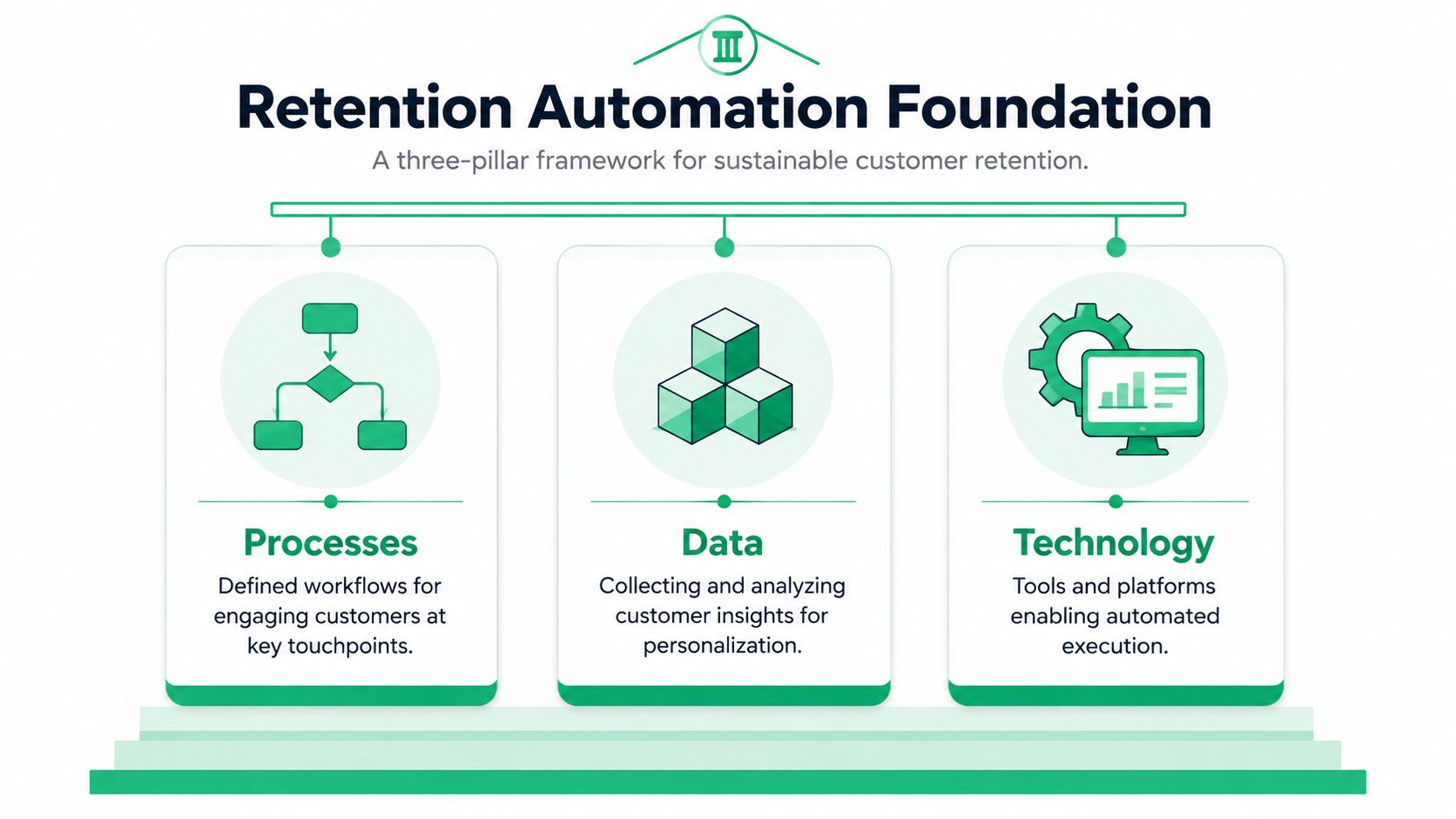
A practical target helps. Valuize's retention framework notes that a successful strategy starts with standardizing processes, then integrating data, then selecting technology, and that 85–90% retention is considered strong for most business models.
Standardize the operation before you buy another app
Start with the operational map, not the tool demo. Write down how your team currently handles:
- New customer onboarding: What happens from first order to delivered package to second purchase prompt.
- Post-purchase changes: Who approves address edits, contact detail corrections, and order modification requests.
- Support escalations: Which issues can be solved automatically, which require an agent, and which require ops review.
- Churn signals: What customer behavior tells you someone is drifting away.
Many brands discover they don't have one workflow. They have tribal knowledge.
If your brand needs a better structure for that early customer journey, Strategies for client onboarding success is useful because it shows how to turn handoffs and milestone-based communication into repeatable processes. The same discipline applies in Shopify retention. Customers stay longer when the first few interactions feel deliberate.
Practical rule: Never automate an exception-heavy process until you've reduced the exceptions.
Clean up the data behind your triggers
Bad inputs create bad automations. This is especially dangerous when teams build “health scores” that look complex but don't reflect actual churn risk. Nextiva's guide to retention improvement makes the point clearly. If health scores are based on inaccurate inputs, the automations built on top of them become ineffective and waste resources.
Audit the systems that feed your retention logic:
- Shopify data for order status, product history, shipping events, and customer tags.
- ESP data for engagement, campaign enrollment, and suppression rules.
- Support desk data for ticket reasons, repeat issue types, and escalation categories.
Look for trigger quality, not just data volume. “Customer placed second order” is usually reliable. “Customer is at-risk” may be meaningless if nobody defined the criteria.
Pick technology last
Once the workflow and data rules are clear, tool selection gets easier. You can ask better questions. Can the platform trigger from fulfillment events? Can it branch by language? Can it suppress messages when a support ticket is open? Can it support post-purchase editing without exposing the wrong orders?
That order of operations is what turns customer retention automation into an operating system instead of a pile of disconnected flows.
Mapping Key Customer Lifecycle Automations
A Shopify store doesn't need dozens of flows to start. It needs the few that match real customer behavior and real points of failure.
E-commerce is unusually exposed here. Retention pressure is higher, churn is constant, and timing matters. The stores that get value from automation usually begin with four lifecycle flows that cover the customer journey from first order to reactivation.
The four automations that matter first
The welcome series should do more than introduce the brand. It should confirm the customer made a good choice, teach them how to get value from the product, and reduce the chance of buyer's remorse. For consumables, that might mean usage guidance. For apparel, it might mean fit and care education. For complex products, it might mean setup help and support expectations.
The post-purchase flow is where most merchants underinvest. This flow should reassure, answer the questions customers ask before they open a ticket, and create a controlled path to the next action. That next action might be tracking the order, learning product tips, or making a complementary purchase when it's operationally safe.
The winback campaign belongs to customers who once bought, then went quiet long enough to suggest lapse. The trigger should come from your purchase cadence, not generic templates. A consumables brand may react much faster than a furniture brand. The point is to intervene before the customer forgets you completely.
The re-engagement flow targets weaker signals than a full winback. These customers haven't churned yet, but they're drifting. Engagement drops. Site visits slow. Product interest narrows. At this stage, content, education, and service messaging usually outperform blunt discounting.
The best lifecycle map doesn't ask, “What emails should we send?” It asks, “What customer state are we responding to?”
Core Customer Retention Automations for Shopify
| Automation Flow | Primary Goal | Example Triggers | Key Channels |
|---|---|---|---|
| Welcome Series | Build trust after first purchase and guide early value | First order placed, first account created, subscription started | Email, SMS, on-site account prompts |
| Post-Purchase Flow | Reduce anxiety, prevent support contacts, create safe next actions | Order confirmed, order fulfilled, delivery event, order delayed | Email, SMS, order status page modules |
| Winback Campaign | Recover customers who have stopped buying | Long gap since last purchase, repeat buyer goes inactive, no reorder within expected cycle | Email, SMS for high-intent segments |
| Re-Engagement Flow | Catch early signs of churn before a full lapse | Lower email engagement, fewer store visits, reduced product browsing, loyalty inactivity | Email, on-site personalization, occasional SMS |
A lot of Shopify teams build these flows inside Klaviyo or similar systems, then leave post-purchase functionality to default Shopify pages. That split creates blind spots. If you're planning your lifecycle stack, this overview of Shopify marketing automations is a useful reference point because it connects flow strategy to actual storefront behavior rather than treating retention as email-only work.
What good triggering looks like
Good triggers are specific enough to reflect intent and broad enough to scale. A few examples:
- Welcome automation: Trigger on first order, then branch by product category.
- Post-purchase reassurance: Trigger on fulfillment delay, address issue, or delivery completion.
- Winback: Trigger when a known reorder cycle passes with no new purchase.
- Re-engagement: Trigger when engagement drops across more than one signal.
Avoid building every flow around discounts. Discounts can wake up a dormant buyer, but they also train healthy customers to wait. In many stores, service-led automation works better earlier in the lifecycle, while incentive-based automation works later and more selectively.
Perfecting the Post-Purchase Experience
Most retention content still assumes support reduction comes from chatbots, FAQ links, and more outbound messages. That's not where many Shopify merchants lose margin.
The operational pain sits in the post-purchase window. Customers realize they entered the wrong apartment number. They want to update a phone number. They need to fix a shipping detail before fulfillment locks. If your automation can't help them complete that task accurately, they open a ticket. If the ticket misses the warehouse cutoff, the order ships wrong. Then retention becomes a service recovery problem.
Why generic self-service often fails
The myth is simple. Add self-service and ticket volume drops.
That only works when the self-service tool is built around the customer's real task. The hidden cost of poor automation is clear: 68% of high-volume Shopify merchants report that self-service tools without real-time address validation and multilingual editing fail to reduce support tickets, and that gap increases ticket volume by an average of 22% as customers struggle to correct orders post-purchase.
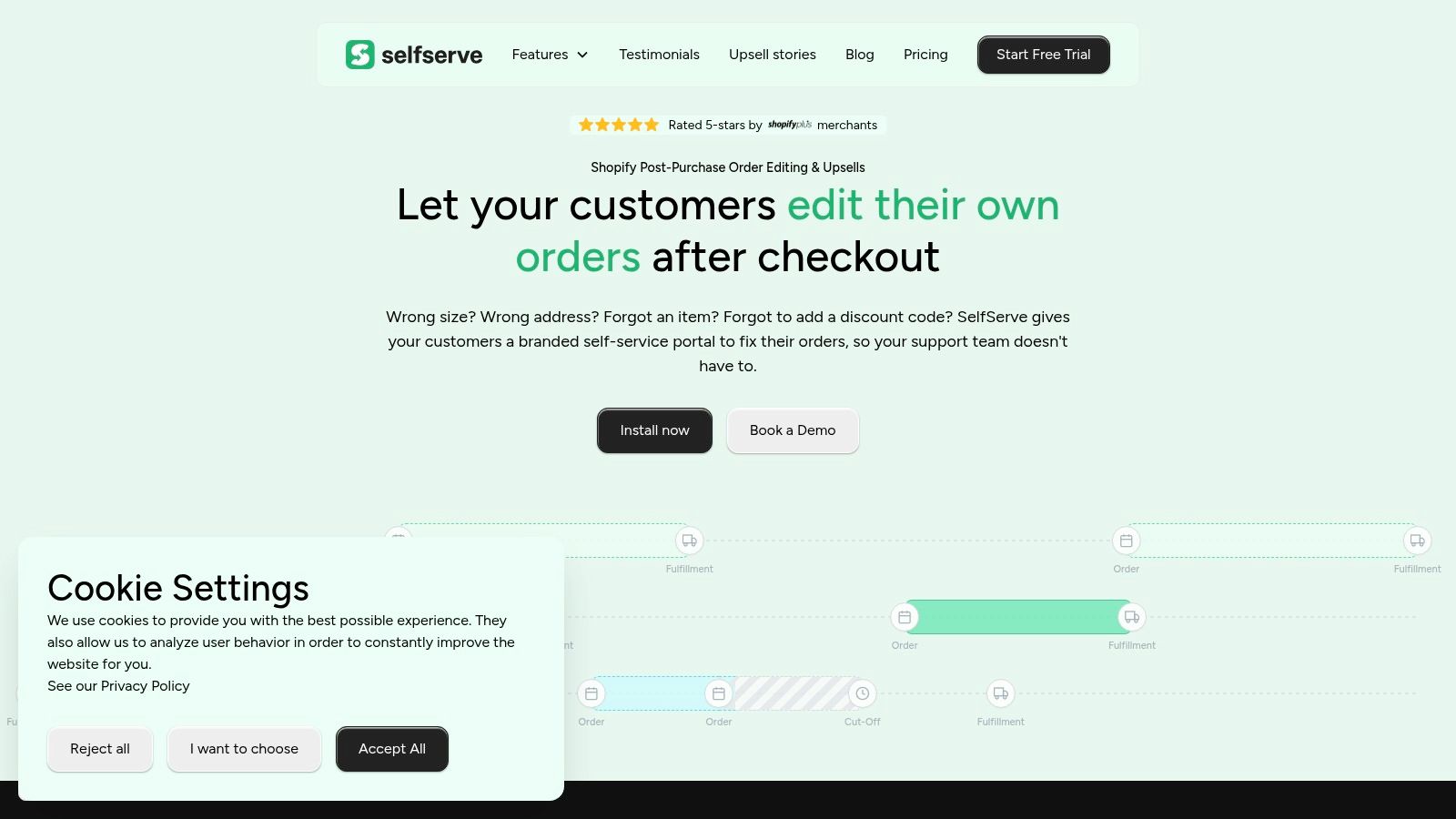
That result makes sense operationally. A customer who can't confidently edit an address doesn't trust the workflow. A customer dealing with a language mismatch abandons the attempt. A customer who submits bad address data through a weak form creates a second problem for support or fulfillment.
For merchants thinking seriously about this layer, this breakdown of the post-purchase customer experience is worth reviewing because it centers the workflows customers use after checkout rather than treating post-purchase as a generic notification stream.
Bad automation doesn't remove work. It moves work from the customer to support, then from support to operations.
What smart post-purchase automation looks like
The useful version of post-purchase automation has guardrails. It gives customers autonomy within a controlled window and validates what they enter before it reaches your team.
In practice, merchants should look for workflows that include:
- Real-time address validation: Customers need to know the edit they entered is deliverable.
- Multilingual editing interfaces: Global brands can't expect every post-purchase action to happen in one language.
- Permission-based order editing: Not every field should remain editable forever.
- Operational visibility: Support and ops teams need to see what changed, when, and whether approval is required.
Retention and support quality notably overlap. A customer who solves a problem in seconds is more likely to buy again than a customer who waits for an agent response while wondering whether the package will go to the wrong address.
The upsell trap on the Thank You page
Post-purchase upsells deserve the same discipline. Too many brands bolt on generic offer widgets and assume every add-on is incremental revenue.
That's risky. The underserved question is not “Can we automate upsells?” It's “Can we automate them without creating confusion, cancellations, and refund work?” Generic Thank You page upsells can create friction when customers don't understand what was added or when inventory and product restrictions aren't checked cleanly.
A safer model is curated, permission-based upsell automation with explicit confirmation, inventory validation, and manual review paths when needed. In operations terms, the best upsell is the one fulfillment can execute cleanly and support doesn't have to explain afterward.
Choosing Your Automation Triggers and Channels
Trigger design is where customer retention automation becomes either useful or noisy. Most poor-performing flows fail for one of two reasons. The trigger is too broad, or the channel doesn't match the urgency of the moment.
The fix is simple in theory. Match the signal to the action. In practice, that means separating trigger types and deciding what each one should do.
Use three trigger families
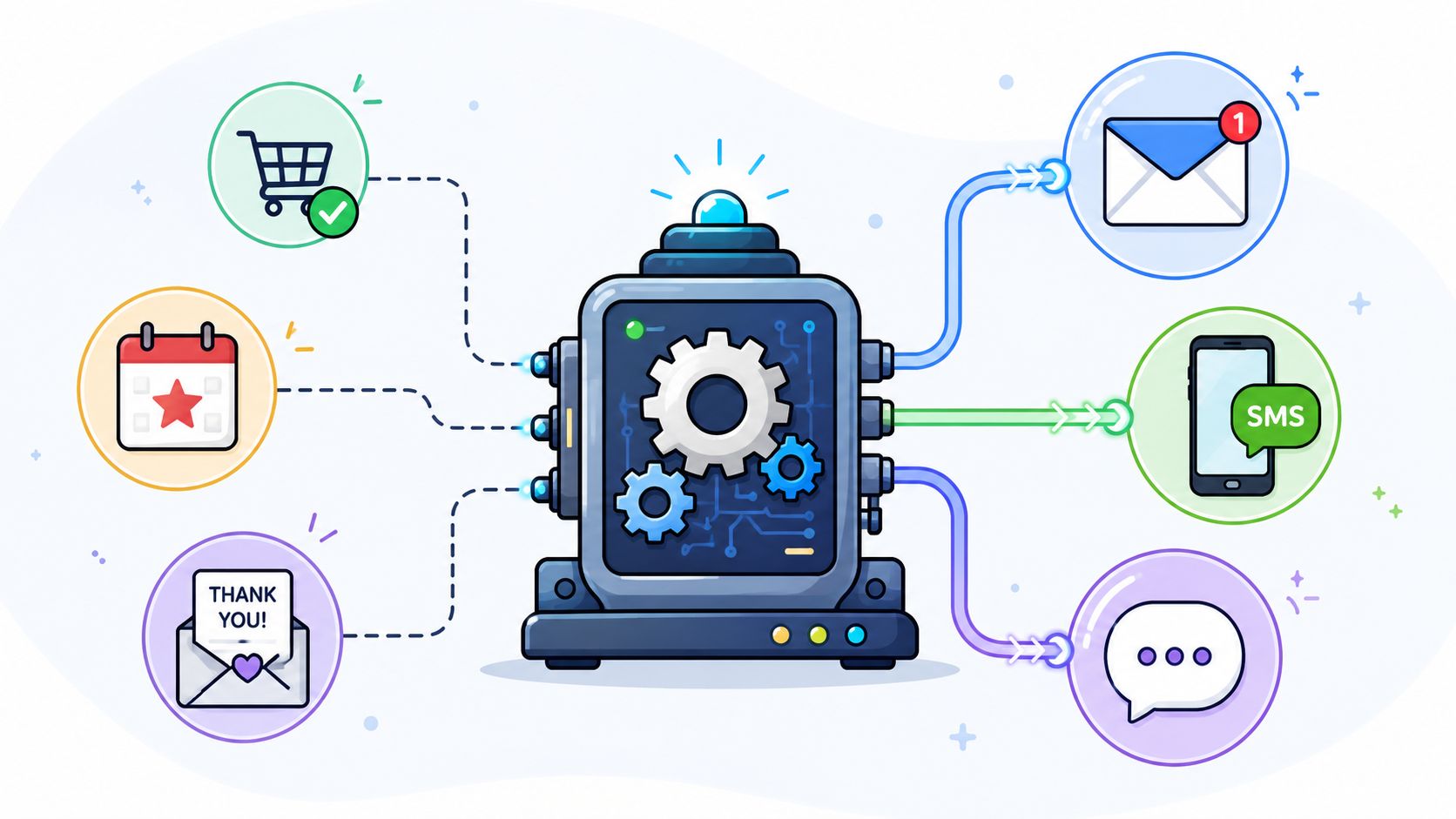
Behavior-based triggers come from what the customer does. They browse a category repeatedly, stop visiting product pages, or engage with help content after purchase. These triggers are useful for re-engagement because they show changing interest before revenue loss becomes obvious.
Transactional triggers come from order events. An order is confirmed, fulfilled, delayed, refunded, or edited. These are usually the highest-value triggers for post-purchase communication because they map directly to customer questions.
Time-based triggers add rhythm. A customer hasn't purchased again within the expected buying window. A delivered order has had enough time for product feedback. A loyalty member has been inactive long enough to justify outreach. Time-based logic works best when it supports behavioral or transactional context rather than replacing it.
A good workflow often combines them. For example, “order delivered” on its own may justify a simple follow-up. “Order delivered” plus “no product engagement” plus “no repeat visit” creates a stronger case for education or support-focused messaging.
Match channels to the job
Not every message belongs in email.
- Email: Best for rich explanations, onboarding education, replenishment reminders, and content-led re-engagement.
- SMS: Best for urgency, short reminders, delivery changes, and high-intent winback prompts.
- Order status page modules: Best for contextual support, safe post-purchase actions, and tightly controlled upsells.
- On-site widgets: Useful when a returning customer is already browsing and the goal is guidance, not interruption.
Field note: If a customer must take action before fulfillment or delivery, prioritize the fastest channel your team can support consistently.
Deliverability matters here too. If email is a major retention channel, warming and protecting sending reputation is part of the operating model. Teams that need help on that front can review Best email warmup tools, especially before expanding flow volume or introducing more segmented sends.
This walkthrough is a useful visual reminder that triggers only work when the orchestration logic is clear:
A simple selection rule
Use the least intrusive channel that still fits the moment.
A refund update through SMS may be appropriate. A long product education series through SMS usually isn't. A post-purchase cross-sell on the order status page can feel natural because it appears inside the customer's current task. The same offer via repetitive text messages can feel pushy fast.
When teams get this right, each channel has a purpose. Email teaches. SMS alerts. On-site modules assist. Post-purchase surfaces solve.
Measuring Success and Scaling Your Program
Retention automation isn't a campaign. It's an operating system that needs tuning.
That's one reason the economics are so attractive when the program is built well. AI-driven customer retention automation delivers an average return of $5.44 for every dollar invested over three years, and retaining a customer costs 5 to 25 times less than acquiring a new one. On top of that, improving retention by just 5% can increase profits by 25% to 95%, according to Ringly's retention statistics roundup.
Those numbers justify investment, but only if you measure the right outcomes.
Track business metrics, not vanity metrics
Open rates and click rates are diagnostic metrics. They are not the score.
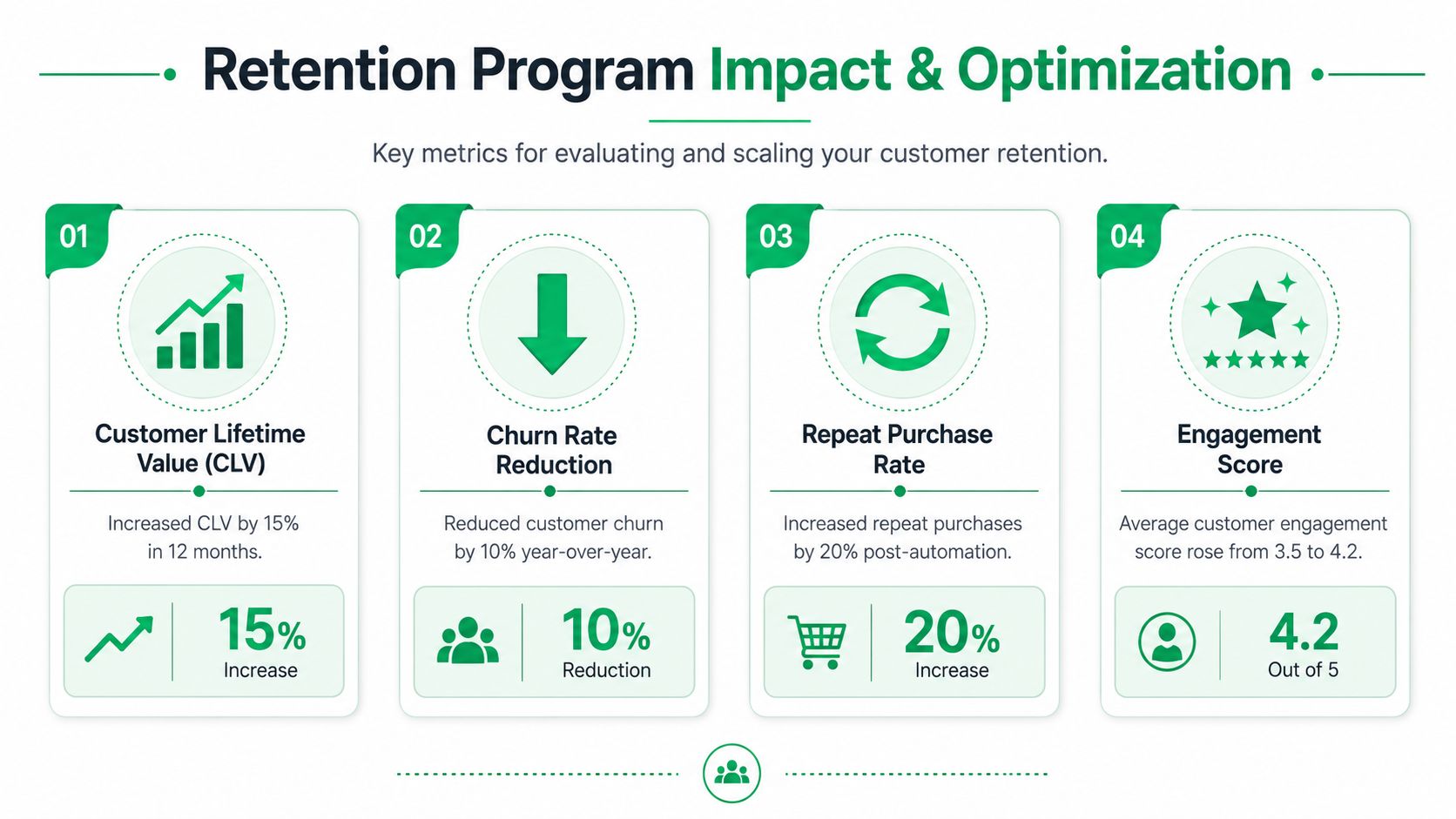
The score lives in outcomes such as:
- Customer lifetime value: Are retained customers spending more across a longer relationship?
- Repeat purchase rate: Are first-time buyers becoming second- and third-time buyers?
- Churn rate: Are fewer customers disappearing after their early orders?
- Time between purchases: Are customers returning sooner and more predictably?
If your retention program includes post-purchase automation, add support metrics too. Look at ticket themes, contact rate after order placement, and whether order issue categories are changing over time. That's often where the biggest operational gain appears first.
For merchants trying to connect retention efforts to revenue quality, this guide on how to increase customer lifetime value is a practical companion because it ties repeat purchase behavior and post-purchase execution back to LTV instead of isolating marketing from operations.
Test one variable at a time
A/B testing works best when the team stays disciplined. Don't change the message, offer, timing, and channel all at once. If performance moves, you won't know why.
A cleaner testing sequence looks like this:
- Start with timing: Send earlier versus later in the customer journey.
- Then test message framing: Service-led copy versus promotional copy.
- Then test offer logic: No offer, curated offer, or stronger incentive for a narrower segment.
- Finally test channel mix: Email only versus email plus SMS for the same audience.
A retention test should answer one operational question at a time. Otherwise you learn nothing you can scale.
Build for maintenance, not just launch
Scaling a retention program means documenting it well enough that someone else can manage it without guessing.
Use naming conventions for flows, templates, and triggers. Keep a short owner's note on each automation that explains why it exists, which systems feed it, and what must happen before it's edited. Record known dependencies, especially around fulfillment, helpdesk logic, and any post-purchase permissions.
Flexibility matters too. Your stack will change. You may add a new 3PL, helpdesk, loyalty platform, or ERP connection. The retention program should survive those changes without forcing a rebuild every quarter.
The best teams don't “finish” customer retention automation. They keep tightening it. They remove noisy branches, refine trigger logic, and update workflows whenever customer behavior or operations shift.
Your Blueprint for Lasting Customer Loyalty
Customer retention automation works when it reflects how your store runs. That starts with standardized processes, clean inputs, and tools chosen to support the operation instead of defining it.
The common playbook still overweights email flows. Those matter, but they aren't enough for Shopify Plus brands handling high order volume, complex fulfillment, and global customers. The post-purchase experience is where retention becomes real. If customers can fix problems quickly, trust the process, and make clean follow-up purchases without confusion, they're far more likely to come back.
That's the bigger lesson. Automation should remove friction, not just send more messages. It should reduce support burden where customers feel the most urgency. It should protect operations from messy edits and messy upsells. And it should leave space for human intervention when the situation needs judgment.
Teams that approach retention this way build something stronger than a campaign calendar. They build a repeatable service layer around the order itself. That's what increases loyalty over time. Not louder automation, but smarter automation at the moments customers remember.
If your team wants to improve retention by reducing post-purchase friction, SelfServe is built for that exact job. It helps Shopify merchants give customers controlled self-service order editing, multilingual experiences, real-time address validation, and curated post-purchase upsells without creating more support work.