Customer Self Service Benefits: Boost AOV & Reduce Tickets
Most ecommerce advice treats customer self service as a support-cost exercise. Publish a help center, deflect a few tickets, and call the project successful. That framing misses where the operational and commercial value often sits: after checkout, when a shopper needs to correct an address, edit an order, or add a relevant product before fulfillment starts.
A passive FAQ can answer a question. A useful post-purchase experience lets the customer complete the task. That distinction affects ticket volume, order accuracy, customer effort, and potentially average order value. IBM, summarizing recent Salesforce research, reports that self-service resources resolve an estimated 54% of customer issues, while 61% of consumers prefer self-service for simple requests (the summarized customer support research). Demand and operational impact are pointing in the same direction.
For Shopify Plus teams, the practical question isn't whether self service sounds modern. It's whether the experience gives shoppers safe control without creating fulfillment exceptions, policy errors, or unwanted friction. The strongest customer self service benefits appear when support, order management, and revenue operations share the same workflow.
Why Self-Service Is More Than a Cost-Cutting Tool
The popular pitch says self service saves money by keeping customers away from agents. That's true, but it's an incomplete operating model. If a shopper contacts support to fix a shipping address, the brand has already paid for a preventable interaction. If the shopper also abandons an intended add-on because there's no way to attach it to the existing order, the brand has lost more than support efficiency.
Post-purchase self service changes both outcomes. It can let a customer correct an order while the merchant still has control over the permitted action, and it can create a relevant opportunity to expand the basket. The first result protects margin. The second can create revenue from an existing purchase journey.
Passive content versus active control
A knowledge base is useful for policies, delivery explanations, and product guidance. It doesn't change an address, alter an order line, or place a request into an approval queue. Customers still need to leave the article, find a contact form, explain the issue, and wait.
Active self service places the action in the customer's order context. The shopper sees the order, the available options, and the rules that apply to that order. That reduces translation between customer and agent, which is where mistakes often enter the process.
Operational rule: If a customer can safely complete the task themselves, don't make an agent re-key the request.
The distinction matters because customer effort remains a serious weakness in digital support. Coveo's 2025 customer experience report describes customer effort as being at an all-time high, with people needing moderate or substantial effort to find information or get help (Coveo's customer experience report). A large content library won't solve a findability problem if the shopper needs an action rather than an explanation.
The Shopify Plus operating model
For high-volume stores, embedded support is more useful than a disconnected help center. Thank You and Order Status pages already sit inside the customer's purchase journey, so they can present order actions, validation, and carefully selected offers without forcing another support channel.
This is why I view self service as a shared capability across CX, operations, and revenue. The support team gets fewer routine requests. Fulfillment receives cleaner instructions. Merchandising gets a controlled surface for post-purchase offers. A broader overview of this shift appears in customer empowerment and self-service design, but the implementation standard is simple: help the shopper complete the next useful action.
How Post-Purchase Self-Service Actually Works
Post-purchase self service starts with permissions, not a blank editing screen. The merchant defines which details a shopper can change, the time window for those changes, and what happens when an action needs review. That structure separates a controlled workflow from an open-ended promise that every order can be modified at any time.
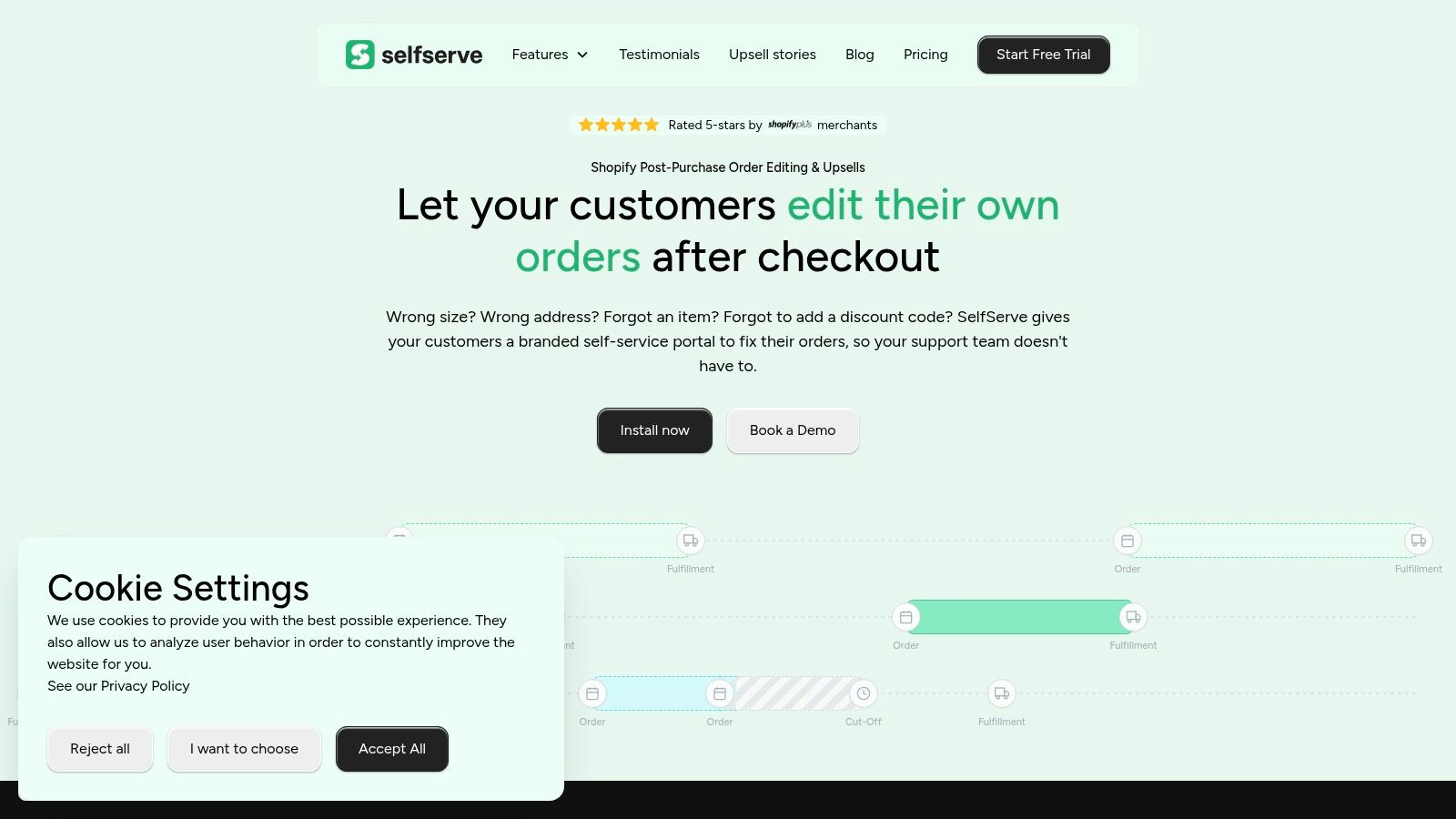
A typical customer might open an Order Status page and see options to update a shipping address, change contact details, adjust eligible order contents, or request cancellation. The available controls depend on the merchant's rules and the order's fulfillment state. An address edit might be allowed before a warehouse handoff, while a sensitive cancellation could enter a manual approval queue.
What the shopper experiences
Consider a customer who notices an apartment number is missing immediately after checkout. In a passive model, they email support and hope someone sees the request before the order ships. In an active model, they open the order portal, edit the address during the permitted window, and receive a confirmation that records the change.
The same pattern applies when a shopper wants to add a complementary product. Instead of starting a separate transaction, the store can show eligible products that can be attached to the existing order. Product restrictions protect the fulfillment process, while order tagging can tell warehouse or 3PL teams how to treat the updated order.
For subscription-heavy merchants, post-purchase context can also sit alongside a broader app that tracks subscriptions, particularly when teams need to understand recurring order relationships before permitting changes. The point isn't to expose every backend option. It's to present the few actions customers can complete confidently.
A customer portal should preserve context rather than make shoppers repeat order numbers, product names, and delivery details. The self-service customer portal approach describes that shift from finding information to managing an order.
The workflow should also provide a clear escalation path. If the order is outside its edit window, the request is sensitive, or the customer reports a problem that automation can't resolve, the interface should route the case to a human with the existing context attached.
The following video illustrates the kind of post-purchase interaction merchants can evaluate when planning an order-editing experience.
Measurable Gains in Support Efficiency and Customer Satisfaction
Self service earns budget approval when the team connects it to operating economics. Independent industry research summarized in 2026 estimates that mature programs can deflect 25% to 40% of inbound tickets, while a self-service resolution may cost $0.10 to $0.25, compared with $8 to $15 for a live-agent interaction (the summarized knowledge-base research). Those figures aren't a guarantee for every store, but they provide a useful planning range for finance and support leaders.
The savings become meaningful when the workflow handles repetitive post-purchase requests. An address correction, order edit, or cancellation question often requires an agent to authenticate the customer, inspect the order, confirm policy, make the change, and document the outcome. A well-designed portal moves much of that work to the customer while preserving merchant controls.
A planning comparison
The cost figures below use the research ranges above. Resolution time is shown qualitatively because it depends on the store's systems, warehouse cutoff, authentication flow, and approval rules.
| Issue Type | Self-Service Cost | Agent Cost | Resolution Time |
|---|---|---|---|
| Shipping address correction | $0.10 to $0.25 | $8 to $15 | Immediate when within the edit window |
| Eligible order modification | $0.10 to $0.25 | $8 to $15 | Immediate or subject to merchant rules |
| Cancellation request | $0.10 to $0.25 | $8 to $15 | Immediate when automated, otherwise approval-based |
The customer experience benefit isn't just speed. Customers can act outside staffed hours, avoid explaining the same issue through email, and see whether the request succeeded. Salesforce's portal guidance emphasizes that modern self service should help customers complete workflows, not merely search articles (Salesforce's guide to self-service portals).
Measure effort, not just containment
A high containment number can hide a poor experience if customers abandon the flow or contact support again. Track repeat contacts, failed edits, escalations, and customer effort alongside ticket deflection. The customer satisfaction metrics framework is useful for building that broader view.
Support teams should also inspect the quality of the tickets that remain. If self service removes routine requests, agents should spend more time on delivery failures, product concerns, exceptions, and recovery conversations. For merchants managing chargeback risk, post-purchase clarity can sit alongside dedicated support for dispute prevention, since accurate order records and visible customer actions create a cleaner operational trail.
Knowledge-base programs have also been reported to return $3 to $5 in savings for every $1 invested, according to the summarized industry research linked above. That return depends on adoption, accuracy, and workflow coverage. A portal that answers questions but cannot execute common tasks won't capture the same value as one connected to order operations.
Address Validation and Multilingual Support as Hidden Advantages
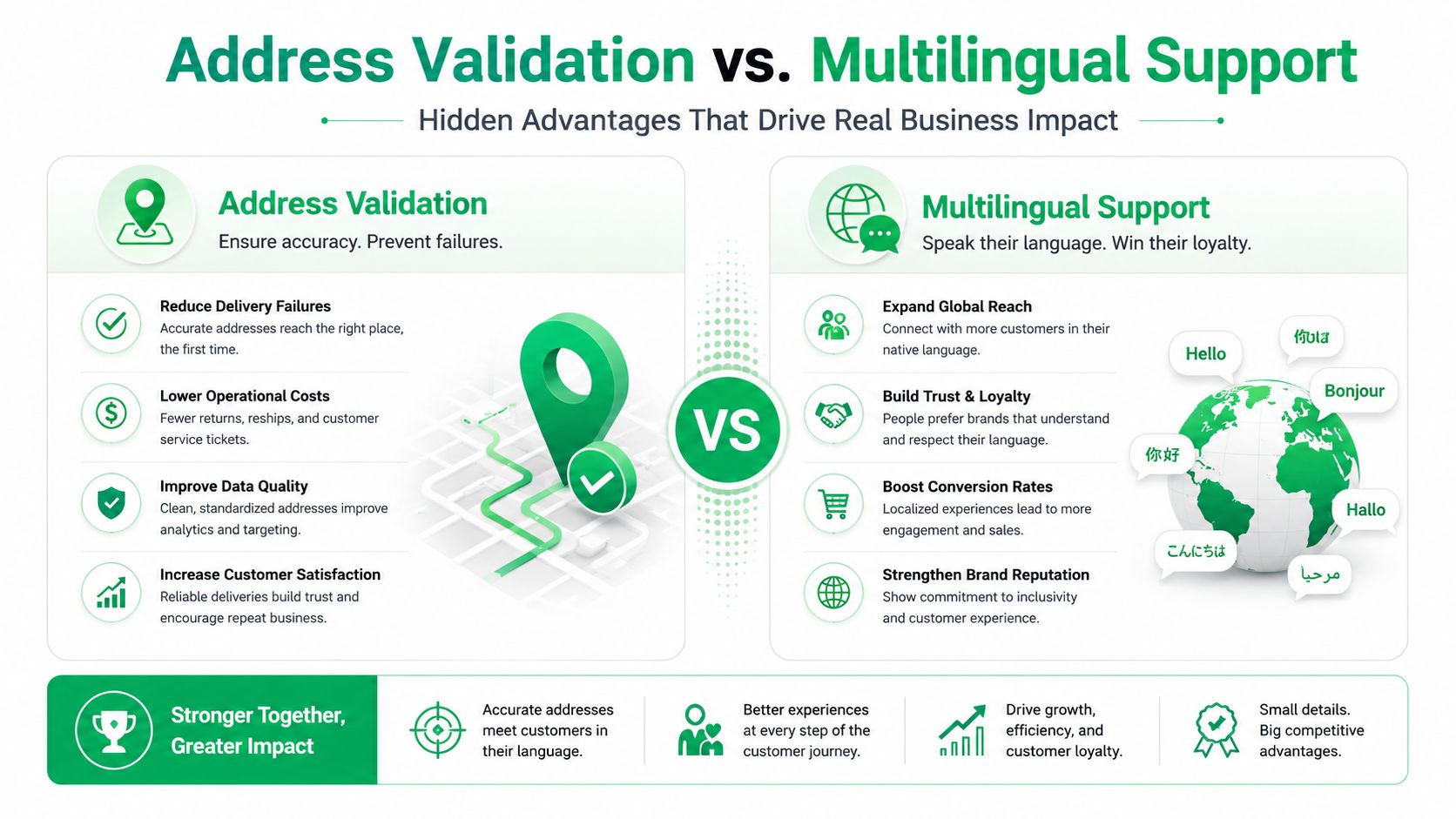
Address validation is one of the least glamorous customer self service benefits, yet it prevents problems before they become support cases. A customer may type a partial address, omit a unit number, or use a format that creates ambiguity for the carrier. If the store waits for an agent to catch the issue, the order may already be moving through fulfillment.
Real-time validation with Google Maps autocomplete gives the shopper feedback while they're making the change. The interface can suggest a recognized address, prompt for missing details, and reduce manual entry. That doesn't eliminate every delivery exception, but it moves error prevention to the earliest practical point.
Global support needs more than translated FAQs
Multilingual self service is equally important for international Shopify Plus brands. A translated help article may explain a policy, but an order-editing widget must also present labels, instructions, confirmations, and restrictions consistently. If one market receives a different interpretation of an edit rule, the merchant creates an accuracy problem instead of solving a language problem.
Gartner coverage reported in 2025 that self service and live chat were expected to overtake phone and email as the most important support technologies within two years, while nearly three-quarters of support organizations were expected to implement agent-assist solutions by the end of 2025 (the Gartner coverage summarized by Customer Experience Dive). For global merchants, that channel shift makes language accessibility part of the operating model.
A widget that adapts to the shopper's language can reduce the need for regional support coverage, but localization still needs governance. Review product names, delivery promises, cancellation language, and market-specific policies with native or highly proficient reviewers. A useful complement is this practical guide to multilingual surveys, which reinforces the importance of collecting feedback in the language customers use.
Accuracy beats breadth: A smaller multilingual workflow with clear rules is safer than a large translated library that gives inconsistent instructions.
Address validation and language adaptation work together. The shopper understands the action, enters a deliverable address, and receives a confirmation they can trust. That combination protects the customer experience and reduces downstream work that no amount of agent training can fully prevent.
Turning Post-Purchase Pages into Revenue Drivers with Self-Serve Upsells
The Thank You page confirms a purchase, but it can also serve a customer who is still engaged with the order. The Order Status page has the same advantage. Both pages provide a natural context for a relevant add-on, yet many stores use them only for confirmation and tracking.
A post-purchase upsell should feel like an extension of the order, not a second checkout forced into the customer's path. The strongest offers are connected to what the shopper already bought, compatible with the fulfillment process, and easy to decline.
Build the offer around order context
Start with products that solve an obvious adjacent need. A replenishment item, accessory, care product, or complementary consumable usually makes more sense than an unrelated bestseller. Merchandising should provide a reason for the offer, such as completing a routine or avoiding a separate delivery.
Then apply operational restrictions before publishing the module:
- Choose compatible products: Recommend items that can travel with the existing order and don't create special handling conflicts.
- Set quantity and timing rules: Limit what can be added during the permitted post-purchase window.
- Protect inventory logic: Avoid promoting products that frequently become unavailable or require a different fulfillment location.
- Tag updated orders: Give warehouse, 3PL, and ERP systems a clear signal that the order changed after checkout.
- Keep the decline path obvious: Customers should never need to move through an offer to reach their order details.
The revenue metric isn't whether someone clicked. Track the value of additions, the rate of accepted offers, the effect on average order value, and any increase in fulfillment exceptions. An offer that lifts basket value but creates manual handling can underperform after labor and service costs.
Use permission as the conversion advantage
Customers respond better when they understand what will happen next. Tell them that the product will be added to the existing order, show the updated total where appropriate, and provide confirmation. Don't imply that the offer is required for the order to ship.
The same control model that protects address edits should protect upsells. Merchants decide which collections are eligible, when the offer disappears, and how the updated order reaches fulfillment. This is how a support-oriented workflow becomes a commercial surface without turning the post-purchase experience into a noisy promotion.
Common Merchant Objections and How to Address Them
Operations teams are right to be cautious. Uncontrolled edits can create split shipments, inventory mismatches, payment complications, and warehouse confusion. The answer isn't to reject self service. It's to compare an unmanaged workflow with one that uses explicit permissions.
| Merchant concern | Uncontrolled approach | Controlled mitigation |
|---|---|---|
| Customers abuse edit windows | Any order can change at any time | Define merchant-owned windows tied to operational cutoffs |
| Fulfillment becomes confusing | Changes arrive through scattered messages | Use order tagging and connected workflows |
| Sensitive actions create risk | Cancellation or major edits happen automatically | Route selected actions into manual approval queues |
| Customers alter unsuitable products | Every product is eligible | Apply product and collection restrictions |
| Human support disappears | Customers have no escalation path | Preserve context and route exceptions to agents |
The edit window should reflect the warehouse process, not an arbitrary customer promise. If a 3PL begins picking at a known operational point, edits should close before that handoff or move into a review state. Address changes may have different rules from product additions, so permissions should be granular rather than all-or-nothing.
Control is part of the customer experience. Clear limits are better than accepting a request that the operation can't fulfill reliably.
The human-touch objection also deserves a practical answer. Agents shouldn't spend their best hours copying an address from an email into an order record. They should handle exceptions, recovery, and conversations where judgment matters. A good self-service flow doesn't remove human support. It protects human attention for work that benefits from it.
KPIs to Track Before and After Implementation
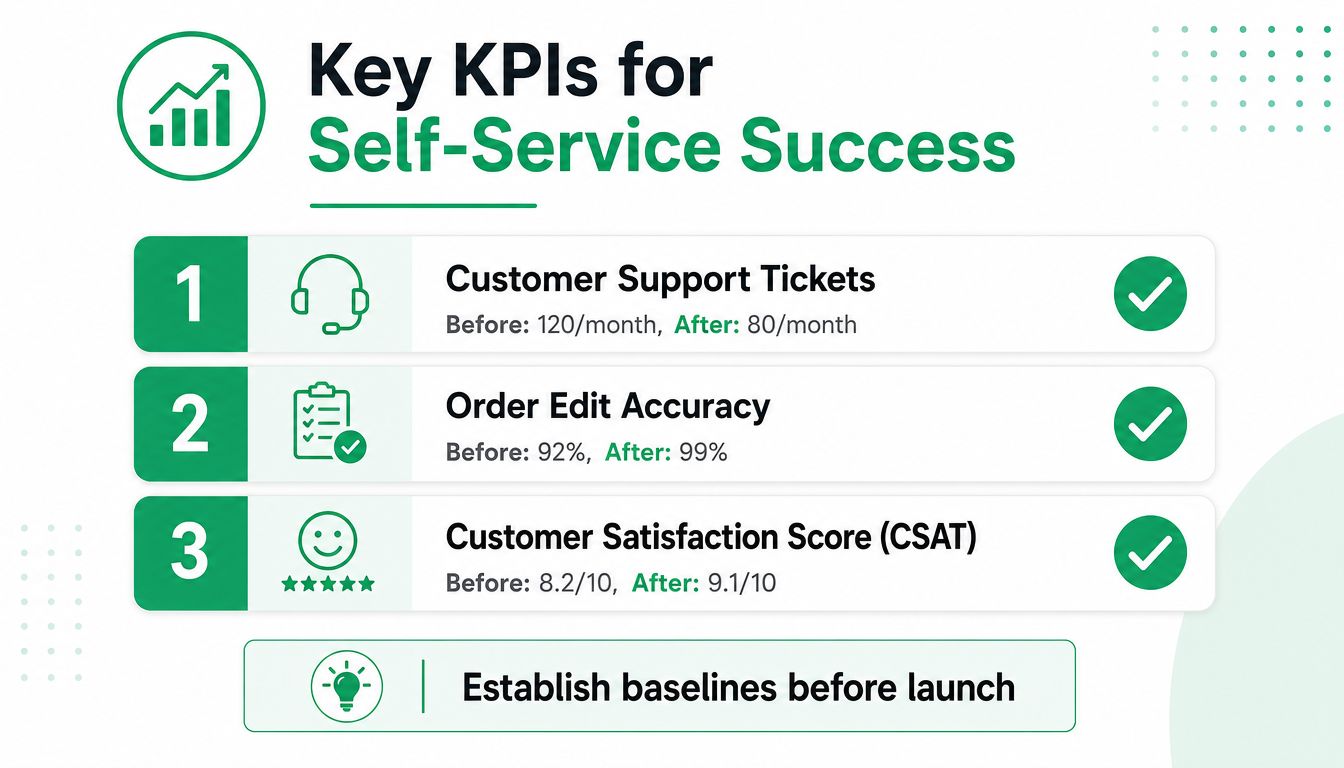
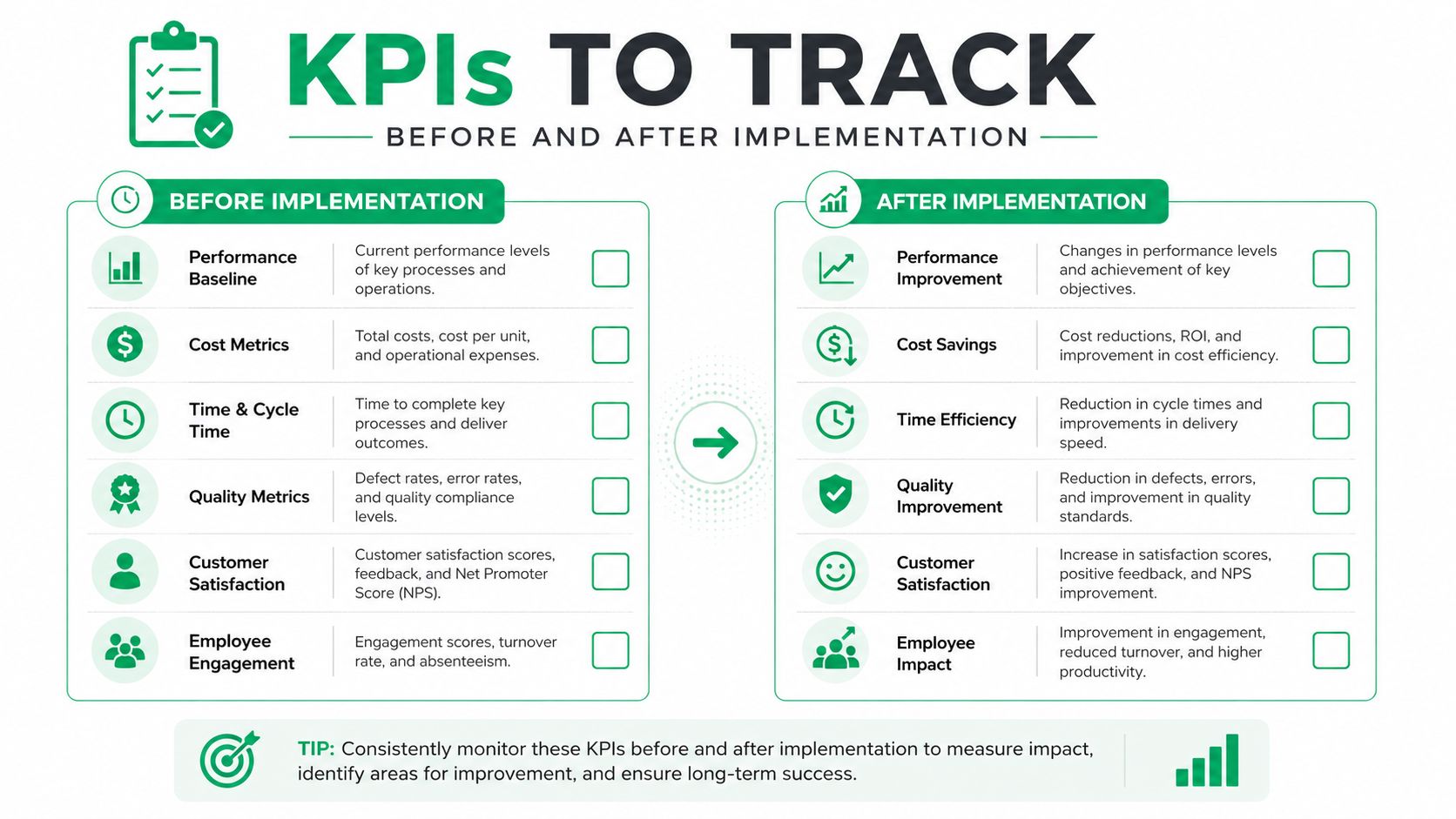
Start measurement before launch. Without a baseline, teams often confuse seasonal demand, staffing changes, campaign activity, or policy changes with the effect of self service.
Create a simple dashboard across three categories. Keep the definitions stable before and after implementation so leadership can compare like with like.
Support and effort metrics
Track total post-purchase tickets, the share of eligible requests completed through self service, average handling time, cost per resolution, repeat contacts, and escalation reasons. Ticket deflection is useful, but it shouldn't stand alone. A customer who fails an edit and opens a ticket still counts as demand, even if the portal recorded an interaction.
Customer experience metrics should include CSAT, customer effort score, time to resolution, abandoned self-service sessions, and successful completion by task type. Segment these results by issue, device, market, language, and order state. A global average can hide a broken address flow in one region.
Revenue and accuracy metrics
For the commercial side, measure post-purchase upsell impressions, accepted offers, added revenue, average order value, and revenue per order. Pair every revenue metric with operational checks, including order-edit accuracy, fulfillment exceptions, cancellation approval volume, and address-related delivery problems.
Use a consistent reporting window and compare eligible orders with similar orders that didn't receive the workflow when your analytics setup allows it. Don't claim causation from a simple before-and-after view if merchandising, shipping policy, or traffic mix changed at the same time.
The most useful leadership report is compact:
- Demand: Which request types entered self service?
- Outcome: Which tasks completed without an agent?
- Effort: Where did customers abandon or escalate?
- Accuracy: Which edits reached fulfillment correctly?
- Revenue: Which offers increased order value without creating operational cost?
Review the dashboard with support, fulfillment, finance, and merchandising together. Each team sees a different part of the result, and the hidden gains often appear in the handoff between departments.
SelfServe provides a Shopify post-purchase portal where merchants can define edit permissions, support multilingual customer interactions, validate addresses with Google Maps autocomplete, and present controlled upsell modules on Thank You and Order Status pages. Visit SelfServe to evaluate whether its order editing, approval controls, tagging, and upsell workflows fit your store, then establish your baseline metrics before starting a trial.