Ecommerce Order Management Software: Boost AOV & Cut Tickets
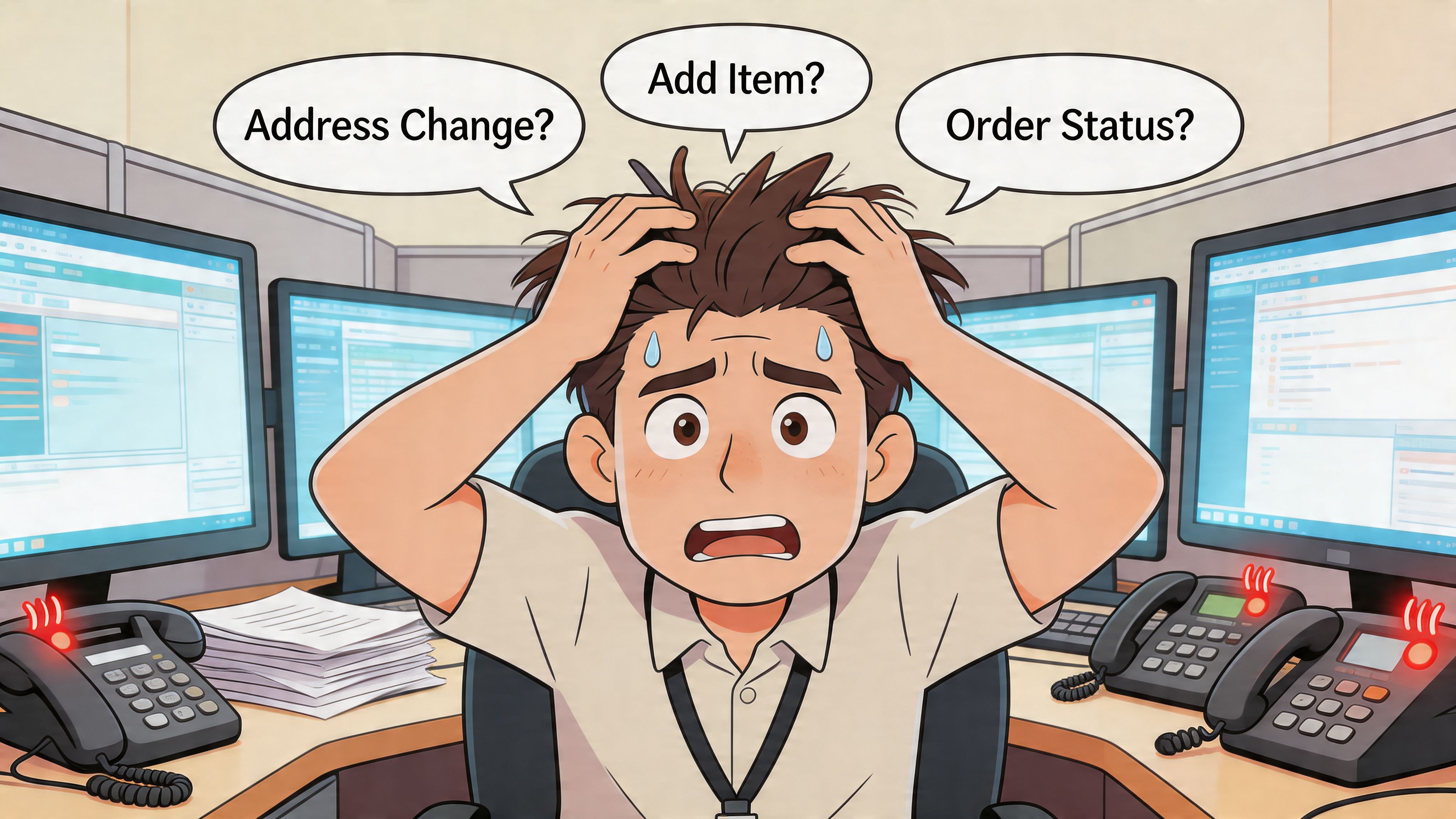
You know the pattern. A customer places an order, then notices the apartment number is missing. Another wants to add one more item before the package ships. Someone else used the wrong email, so they can’t see tracking updates. Your support queue fills with requests that aren’t hard, but they’re constant. Every one of them interrupts fulfillment, forces manual checks, and creates another chance for a team member to make a mistake.
That’s where most Shopify brands feel the strain first. Not in checkout. Not even in inventory planning. It shows up after payment, when the customer expects flexibility and your internal process is still too manual to give it safely.
This is why ecommerce order management software matters. Done well, it doesn’t just route orders to a warehouse. It gives your team a controlled system for what happens after purchase, when edits, exceptions, shipping changes, and add-ons can either create chaos or become a better customer experience.
The market tells the same story. The global order management software market is estimated to reach $5,679.91 million in 2025 and grow to $11,016.52 million by 2032 at a CAGR of 10.3%, driven by ecommerce growth and demand for real-time tracking, according to MetaStat Insight’s order management software market report. Brands aren’t investing in OMS tools because they’re fashionable. They’re doing it because manual post-purchase operations stop scaling long before demand does.
Why Your Post-Purchase Experience Is Often Broken
The breakdown usually starts with good sales.
You launch a campaign, orders spike, and the team feels great for about an hour. Then the inbox starts filling. Customers want address changes. They forgot a gate code. They entered a work address instead of home. They want to add the item they almost bought at checkout. Support opens Shopify admin, fulfillment checks whether the order has synced, someone messages the 3PL, and now one simple request touches three systems and two people.
The problem isn’t your team
Most operations teams don’t have a people problem. They have a workflow problem.
Shopify’s native order list is useful, but it isn’t built to act as a controlled post-purchase engine for a high-volume DTC brand. Once orders are flowing across apps, 3PLs, fraud checks, shipping tools, and customer support platforms, “just update the order” stops being simple.
A few common failure points show up fast:
- Manual edits create risk: A support rep changes an address, but nobody confirms whether the fulfillment partner already printed the label.
- Add-on requests get ignored: The customer is willing to spend more, but the process to merge items is clunky, so the team says no.
- Ownership gets blurred: Support thinks ops owns it. Ops thinks the warehouse owns it. The customer just sees delay.
- International complexity multiplies mistakes: Different address formats, language issues, and local delivery rules make even small edits harder to process cleanly.
Why this gets worse as you grow
Growth adds complexity faster than most brands expect.
A small team can survive a few manual interventions per day. It can’t absorb them at scale without either slowing fulfillment or hiring more people just to push tickets around. That’s why post-purchase friction becomes one of the first operational bottlenecks for successful brands.
The strongest post-purchase systems don’t remove control. They move routine control to the customer and keep exception control with the merchant.
That distinction matters. Customers should be able to fix simple issues within rules you set. They should not be able to create inventory conflicts, shipping fraud exposure, or last-minute fulfillment surprises.
Where an OMS changes the equation
A real OMS approach turns post-purchase from reactive support work into governed operations.
Instead of forwarding requests by hand, you define what can be changed, when it can be changed, and what happens in the background when a change is made. That’s the shift. The goal isn’t to give customers unlimited freedom. The goal is to let them solve common problems without creating new ones for your team.
For Shopify brands, that post-purchase layer is usually the missing piece. Most stores don’t need more dashboards. They need fewer preventable tickets and cleaner order edits.
Understanding the Core of Order Management Systems
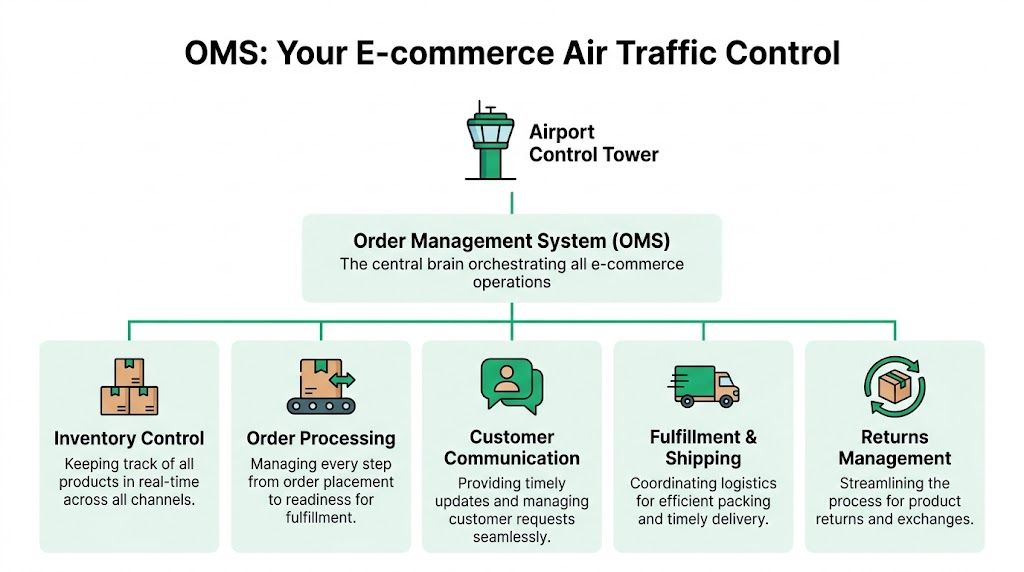
An order management system is the air traffic control tower for your orders.
Every aircraft has a destination, timing constraints, routing dependencies, and safety rules. Orders work the same way. They come from different channels, move through different checkpoints, and depend on accurate coordination between inventory, customer communication, fulfillment, and shipping. The control tower doesn’t fly the plane. It makes sure everything moves in the right sequence.
Shopify admin is not a full OMS
At this stage, many merchants become confused.
Shopify gives you order records, status visibility, and app connectivity. That’s valuable. But a true OMS sits above individual order screens and coordinates the full lifecycle across systems, rules, and teams.
That usually includes:
- Order intake across channels: Website, marketplaces, social commerce, or other storefronts feed into one operating view.
- Routing logic: Orders move to the right warehouse, 3PL, or manual review queue based on business rules.
- Inventory coordination: The system knows what stock is available and where.
- Customer-facing updates: Customers get accurate communication tied to real order status.
- Exception handling: Holds, edits, cancellations, and edge cases don’t rely on Slack messages and memory.
Why centralization matters now
The omnichannel side of the market shows how much this has moved beyond “nice to have.” In the omnichannel order management market, software components held a 67.9% share in 2024, and the market is projected to reach $7.1 billion by 2034, with retail and ecommerce accounting for 51.2% of applications, according to Market.us coverage of the omnichannel order management market.
That tracks with what operations teams see every day. Orders no longer live in one clean stream. They come through multiple channels, touch multiple tools, and create multiple handoff points. Without a central operating layer, teams start reconciling reality manually.
What a good OMS actually does
A practical OMS gives each team a shared source of truth.
Support needs to know whether a customer can still change an order. Ops needs confidence that inventory and routing rules still hold after a change. Fulfillment needs clean instructions, not last-minute side notes.
If you’re also reworking larger workflows, this guide on optimizing modern e-commerce processes is useful because it frames OMS selection inside broader operational design, not just software shopping.
Practical rule: If your team relies on spreadsheets, tagged inboxes, and tribal knowledge to manage order exceptions, you already have an OMS problem. You just haven’t named it yet.
The post-purchase gap most systems leave open
Traditional OMS conversations usually focus on the backend. Inventory syncing. Channel consolidation. Warehouse routing. Those are foundational.
But for Shopify brands, the missing capability is often what customers can do after they buy. That’s where many stores still operate with old assumptions. The customer submits a request. Support translates it. Ops verifies it. Fulfillment reacts to it.
That isn’t modern order management. It’s a queue.
The strongest systems combine backend control with a customer-safe layer on top. That’s what turns an OMS from a logistics tool into a post-purchase operating system.
Essential Capabilities of Modern Order Management Software
A modern OMS has to do more than keep orders organized. It has to protect operational accuracy while giving customers and internal teams enough flexibility to move quickly.
The best way to evaluate ecommerce order management software is to ask one question repeatedly: What happens when a normal customer request arrives five minutes after checkout? If the answer involves a support ticket, a manual Slack message, and someone double-checking inventory in another tab, the system is still too fragile.
Self-service order edits with guardrails
Post-purchase editing is the capability most brands underestimate.
Customers often need to fix basic details right after buying. Address corrections, phone number updates, contact email changes, and shipping detail edits are common. When brands force every one of those into support, they create avoidable workload and slow down fulfillment.
What matters is the guardrail structure:
- Defined edit windows: Customers can make changes only before the order reaches a fulfillment point you set.
- Permission-based fields: You decide whether they can edit address data, contact details, or selected line items.
- Operational visibility: Changes should trigger the right internal updates without forcing reps to rekey information.
A system without guardrails invites mistakes. A system without self-service invites ticket volume.
Real-time inventory synchronization
This is the technical backbone. Without it, self-service breaks the moment customers change real items in real orders.
Modern OMS platforms need real-time inventory synchronization across all sales channels and warehouses to prevent overselling, and that becomes even more critical when customers edit orders post-purchase because the system must reallocate inventory instantly to preserve data integrity, as explained in Megaventory’s guide to ecommerce order management software.
That requirement gets more complicated in these situations:
- Multi-warehouse fulfillment: The order may need to be rerouted after an edit.
- Reserved versus available stock: The system has to distinguish what’s sellable from what’s already committed.
- Post-purchase add-ons: If a customer adds another item, inventory can’t just be “updated later.”
If you’re building post-purchase revenue flows, this article on Shopify post-purchase upsell is a useful reference point because it ties upsell logic directly to existing orders instead of treating it like a separate marketing event.
Address validation that catches problems early
Address editing only helps if the final address is deliverable.
A strong OMS layer should validate address data in real time, ideally with autocomplete and structured verification. This matters even more for international brands, where formatting standards vary and customer-entered text is often inconsistent.
Good address validation does three things well:
- Prevents bad data from moving downstream
- Reduces manual review for support and ops
- Improves handoff quality to shipping tools and 3PLs
When this capability is missing, the burden shifts to humans. They’re left guessing whether an address is valid, complete, or likely to fail.
Order tagging and workflow automation
Order management gets stronger when the system can classify work automatically.
A customer adds an item after purchase. The order now needs a different fulfillment note. Another customer changes the shipping address, which should trigger review before release. A gifting order needs a special internal tag because the recipient changed.
Automation matters here because teams don’t scale by remembering edge cases. They scale by encoding them.
Useful tagging and workflow logic often includes:
- Fulfillment tags: Route orders by warehouse, shipping method, or exception type
- Review triggers: Hold risky or unusual changes for manual approval
- Customer service context: Give support a clean record of what changed and when
A reliable OMS doesn’t just record order history. It translates order changes into operational instructions.
3PL and ERP connectivity that fits Shopify reality
Integration quality separates tools that look good in demos from tools that survive a busy week.
Many Shopify Plus brands don’t struggle because they lack software. They struggle because their software stack doesn’t share state cleanly. The storefront says one thing, the ERP says another, and the 3PL has already acted on stale data.
The right OMS should connect directly into the systems that move the business:
- 3PLs for fulfillment execution
- ERPs for financial and operational consistency
- Shipping platforms for label generation and tracking
- Support systems for customer context
Weak integrations create duplicate work. Strong integrations reduce the need for people to reconcile the same order in multiple places.
Multilingual post-purchase support
International growth exposes a problem many domestic-first brands miss. Post-purchase communication often remains English-only and operations-first.
That creates avoidable friction. A customer who can shop in their own language should also be able to correct an order in that language. If they can’t, support volume rises and mistakes follow.
For brands selling globally, multilingual post-purchase tooling isn’t a cosmetic feature. It’s part of order accuracy.
Manual queues for the exceptions that shouldn’t auto-process
Not every order change should happen instantly.
Some edits affect fraud risk, shipping cost, or fulfillment feasibility. In those cases, a manual approval queue is healthier than full automation. Operations teams need the ability to pause, review, and decide.
That’s the pattern I trust most in practice. Automate the common requests. Review the consequential ones. Don’t force your team to manually handle everything, but don’t hand over every edge case without controls.
Tangible Business Benefits Beyond Basic Order Processing
The strongest OMS investments pay off in places finance teams can feel and customers can notice.
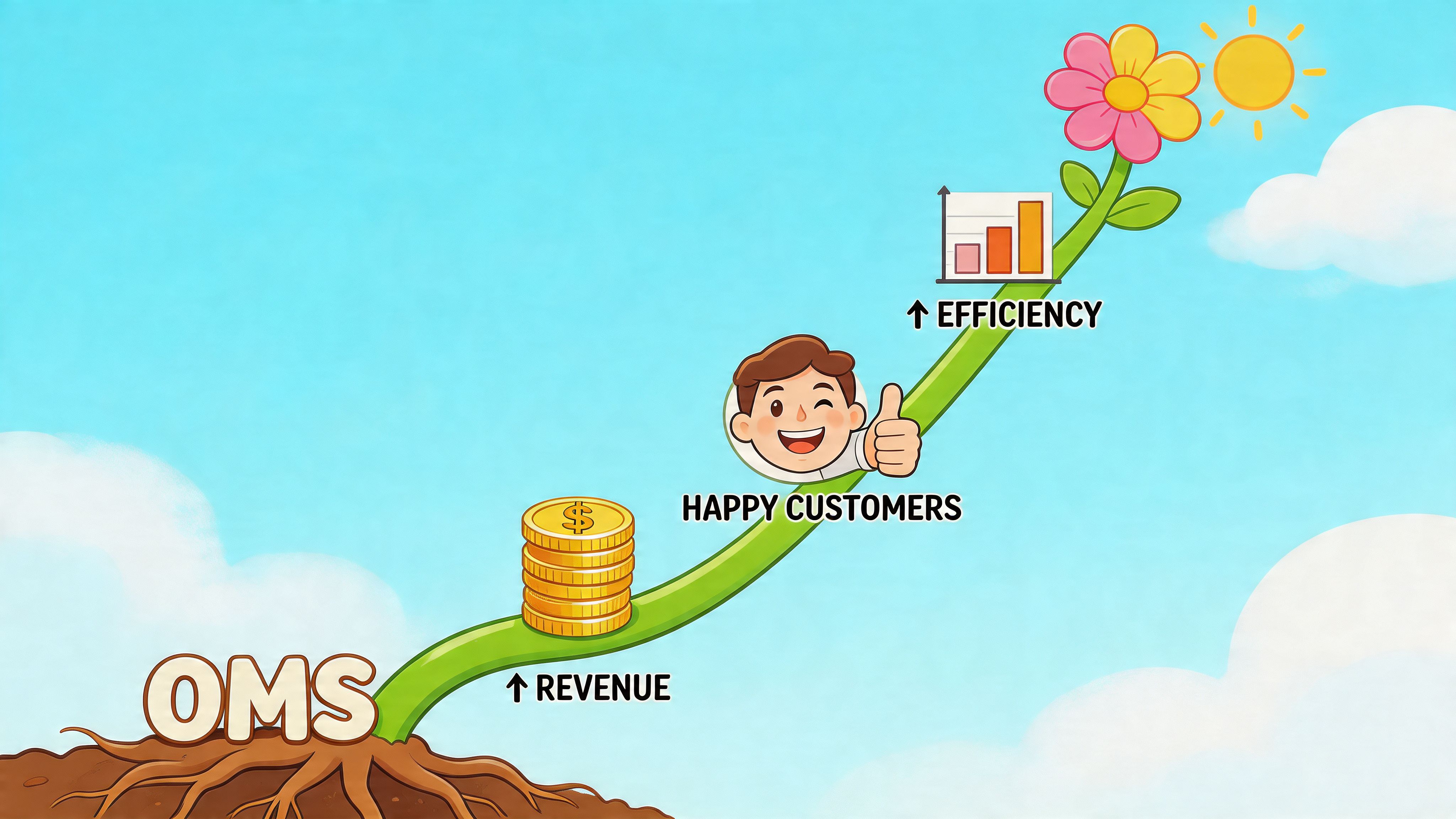
That matters because order management tools often get pitched as infrastructure. Necessary, but hard to tie to outcomes. In practice, the payoff is clearer than that. When post-purchase work is designed well, it lowers support load, improves order quality, and creates another chance to grow revenue from customers who already bought.
Support stops drowning in simple requests
This is usually the first visible win.
Most OMS guides miss post-purchase self-service, yet DTC brands report 20-30% of support tickets come from simple order change requests, and self-service tools can reduce that workload by 40-50% for high-volume stores while also boosting AOV through integrated upsells, according to Deck Commerce’s discussion of the OMS role in ecommerce.
That doesn’t mean support becomes less important. It means support gets to work on problems that need judgment.
A team that no longer spends the day fixing apartment numbers can focus on:
- Recovery cases: Lost packages, damaged shipments, or carrier issues
- Retention work: Saving at-risk subscribers or unhappy first-time buyers
- High-value service: Helping VIP customers with more complex needs
If you want a deeper look at how this model changes the service burden, this overview of self-service portal benefits is worth reviewing.
AOV grows in the moment customers are most engaged
The thank you page and order status page are underused revenue surfaces.
The customer has already committed. Trust is high. Intent is still warm. If your system lets customers add a relevant item into the existing shipment, you avoid the friction of sending them back through a separate purchase flow.
That’s different from generic upselling. It’s operationally aware upselling. The offer only works if the backend can update the live order cleanly.
The best post-purchase upsell doesn’t feel like another funnel. It feels like finishing the order correctly.
That’s why backend-only systems miss value. They may keep inventory tidy, but they don’t help the brand monetize the post-purchase moment.
A short walkthrough is useful here:
Fulfillment gets faster because the data is cleaner
Operations teams usually feel this before they formally measure it.
When customers can correct details themselves, and when the system validates those updates before fulfillment acts, warehouses receive cleaner orders. That means fewer intervention messages, fewer holds caused by missing details, and fewer late catches after a label has already been created.
The value is cumulative:
- Fewer preventable shipping errors
- Less manual rework between support and ops
- Cleaner inputs for 3PLs and warehouse teams
- More confidence in same-day processing windows
The ROI is operational, financial, and brand-level
A modern OMS isn’t just a cost-control tool.
It protects margin by reducing labor-heavy ticket handling. It supports growth by making it easier to accept post-purchase additions. It improves customer confidence because the buyer feels they still have agency after checkout.
That combination matters. Customers remember whether a brand helped them fix a small mistake quickly. They also remember when a simple request turned into three emails and a refund.
How to Select Order Management Software for Your Shopify Store
Choosing an OMS for Shopify isn’t about finding the platform with the longest feature list. It’s about finding the one that matches how your store operates after payment.
A lot of software demos look polished because they focus on ideal flows. Real selection work starts with exception handling. Address edits. Split fulfillment. International orders. Last-minute add-ons. 3PL sync delays. That’s where weak tools expose themselves.
Start with your actual operational pain
Before comparing vendors, write down the requests your team handles repeatedly.
Not broad categories. Specific requests.
- Address corrections before fulfillment
- Post-purchase item additions
- Order cancellation review
- Cross-border shipping detail fixes
- 3PL handoff exceptions
- ERP mismatch cleanup
This list tells you more than a generic requirements sheet. If your support team is flooded with order-change tickets, a backend-heavy OMS that ignores customer self-service won’t address the underlying issue.
Evaluate Shopify depth, not just compatibility
“Works with Shopify” is a low bar.
For Shopify and Shopify Plus, I’d look for systems that handle native order state changes cleanly, respect fulfillment timing, and don’t force brittle middleware just to support basic post-purchase workflows. This matters even more when you’re coordinating with 3PLs and ERPs.
OMS integration with 3PLs and ERPs is a major challenge for Shopify Plus merchants, with data silos leading to 15-25% fulfillment errors in cross-border operations, while modern apps with direct Shopify hooks and manual approval queues can speed up operations by 30% compared to rigid traditional OMS, according to Anchanto’s overview of essential OMS features.
That’s why implementation fit matters as much as raw capability.
Compare the two main approaches
Most Shopify brands end up choosing between a traditional backend-focused OMS and a lighter, self-service-oriented app layer that solves post-purchase pain directly.
| Evaluation Criterion | Traditional Backend OMS | Modern Self-Service App |
|---|---|---|
| Primary focus | Centralized operational control across systems | Customer-safe post-purchase actions inside Shopify |
| Best for | Complex enterprise environments with broader orchestration needs | DTC teams that need to reduce ticket load and unlock post-purchase revenue |
| Implementation shape | Often heavier, with more process redesign and integration planning | Usually faster to test in live Shopify workflows |
| Support ticket impact | Helps indirectly through better internal control | Helps directly by shifting simple requests to customer self-service |
| AOV opportunity | Often limited unless paired with post-purchase tooling | Better suited for thank you page and order status add-ons |
| Operational flexibility | Strong on backend governance, sometimes rigid for customer edits | Strong on controlled edits, approvals, and workflow-specific automation |
| Primary user | Ops manager, fulfillment lead, systems team | Ops manager, support team, and customer |
Ask the vendor uncomfortable questions
The fastest way to evaluate ecommerce order management software is to push into edge cases.
Ask things like:
- What happens if a customer edits an address after the order is reserved but before the label is created?
- Can the system support manual approval for certain change types?
- How does it handle multilingual post-purchase experiences?
- What breaks when a 3PL has stale sync data?
- Can support see exactly what changed without asking ops?
If the answers are vague, the product probably isn’t mature enough for a high-volume store.
Don’t buy an OMS based on how it handles clean orders. Buy it based on how it handles messy ones without creating more manual work.
Think about implementation resources early
Some brands underestimate the internal work needed to get this right.
Even with a strong app, you may still need workflow setup, Shopify customization, or integration help. If your team is thin, outside technical support can speed up the rollout. In those cases, a vetted team that can hire Shopify developers may help bridge the gap between app install and operationally sound implementation.
The best choice depends on the bottleneck
If your biggest issue is multi-system orchestration, a broad OMS may be justified.
If your biggest issue is post-purchase support volume, address errors, and missed add-on revenue, a customer-facing self-service layer will likely create faster wins. Many Shopify brands don’t need to replace everything. They need to fix the part customers and support teams touch every day.
Implementing Your OMS and Designing Winning Workflows
Implementation fails when teams treat it like a software install instead of an operations project.
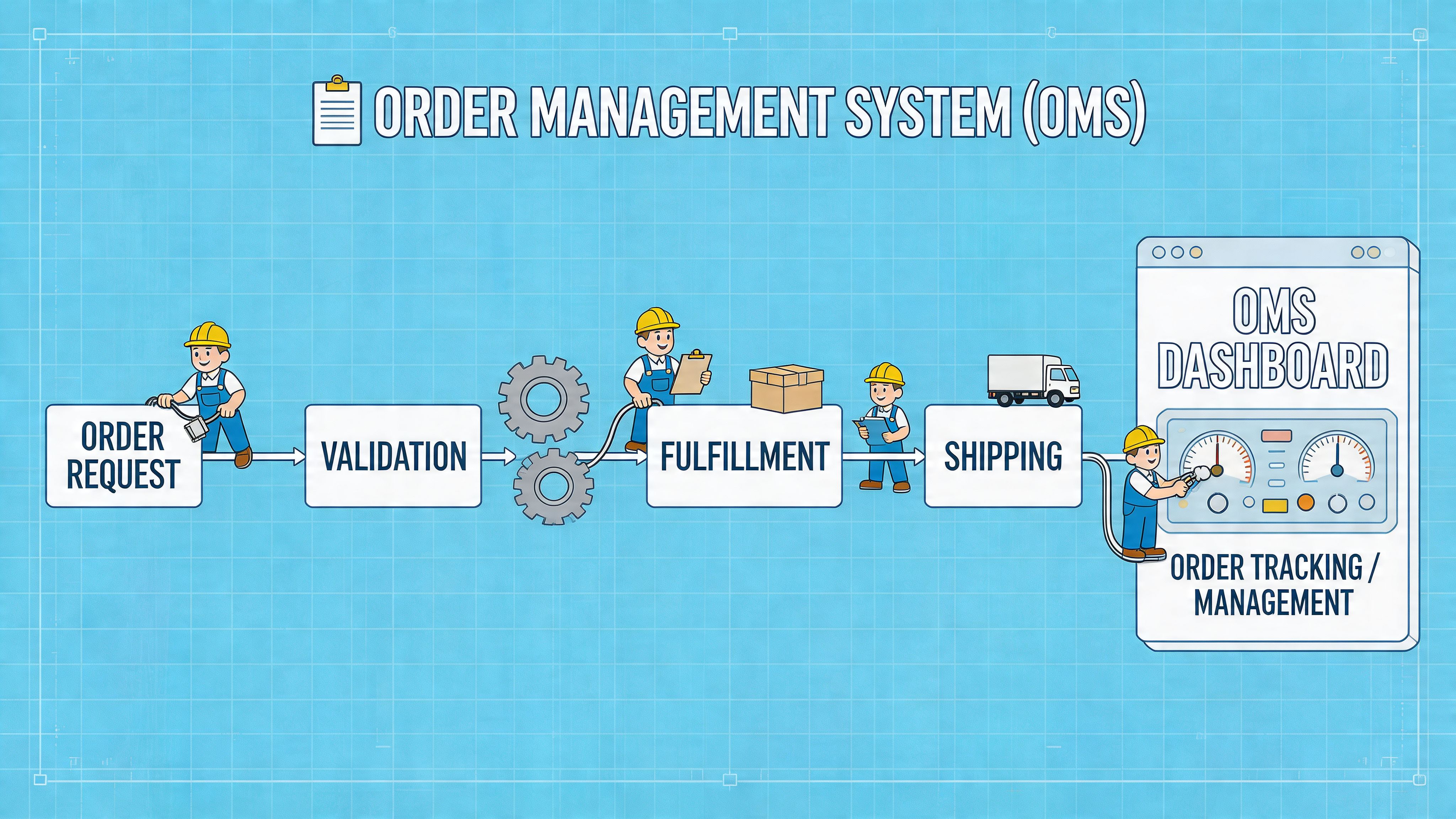
The app can be live in a day and still create confusion if nobody defines the edit window, the approval logic, or the ownership model. Good OMS rollout starts with policy. Then it moves into workflow design.
Set the rules before you launch
A practical rollout usually includes a short list of essential requirements.
- Define the edit window: Decide how long customers can make changes before fulfillment lock.
- Choose editable fields carefully: Start with low-risk changes like address details or contact info before enabling more complex order modifications.
- Document approval cases: Identify which requests should route to manual review instead of processing automatically.
- Train support on the new path: Reps should know when to direct customers to self-service and when to intervene.
- Tell customers clearly: If the capability exists, show it in confirmation emails, order status pages, or account views.
Small policy decisions make a big difference. If you leave the rules fuzzy, the team starts making exceptions by instinct, and the process degrades fast.
Workflow one, address correction
This is the most common and the most valuable starting point.
A customer places an order and notices the street number is wrong. They open the post-purchase portal, update the address within the allowed window, and the system validates the new destination before fulfillment proceeds. If the change meets the rules, the order updates cleanly. If not, it moves to review.
That’s what a healthy flow should feel like. Fast for the customer. Controlled for the merchant.
Workflow two, impulse add-on
Post-purchase revenue becomes a practical reality.
The customer lands on the thank you page and sees a curated add-on that fits the original purchase. They accept it, and the system appends the item to the existing order if the timing and inventory rules allow it. No separate checkout detour. No support ticket asking whether the team can “just add one more thing.”
For brands trying to tighten both CX and operations, strong track package software often pairs well with this flow because order visibility and post-purchase action tend to work best together.
If a customer is willing to spend more after checkout, your system should make that easy without creating fulfillment confusion.
Workflow three, gifting and recipient updates
Gifting exposes weaknesses quickly.
The purchaser may realize they entered the wrong recipient phone number or forgot part of the shipping information. In a manual setup, support becomes the translator between buyer intent and warehouse execution.
In a better workflow, the sender updates the recipient details inside a controlled post-purchase experience. The system logs the change, validates what it can, and flags anything that needs review. The customer gets clarity, and the ops team gets a clean audit trail instead of a buried email thread.
Keep tuning after go-live
No workflow is perfect on day one.
Watch which requests still hit support. Watch which edits create review bottlenecks. Watch where fulfillment still needs side-channel communication. Those are signals that your rules, permissions, or automation need another pass.
The stores that get the most value from ecommerce order management software are the ones that treat it as an evolving operations layer, not a one-time install.
Common Questions About Ecommerce Order Management
What’s the difference between an OMS and an ERP
An OMS focuses on the order lifecycle. It manages what happens from purchase through fulfillment, shipping, edits, and related exceptions.
An ERP handles broader business functions like finance, procurement, and other company-wide operational records. In practice, many Shopify brands need both. The OMS keeps order execution clean. The ERP keeps the business ledger and planning structure consistent.
Do smaller Shopify stores need an OMS
Not every smaller store needs a large, enterprise-style OMS.
But smaller brands absolutely benefit from order management when manual work starts eating time or creating mistakes. The trigger isn’t company size. It’s operational friction. If support keeps handling the same order-change requests by hand, or if fulfillment keeps getting interrupted by avoidable exceptions, some form of OMS capability is already warranted.
How does a modern OMS handle returns and exchanges
A good OMS supports reverse logistics by keeping return and exchange actions tied to the original order record.
That means the team can track what was purchased, what shipped, what was changed, and what needs to happen next. For customer experience, the goal is the same as with order edits. Reduce confusion, preserve visibility, and avoid forcing support to reconstruct the order story manually.
Is post-purchase self-service safe to offer customers
Yes, if it’s configured with limits.
The key is controlled access. Customers should be able to fix routine issues inside defined windows and permissions. High-risk changes should still route to approval. That balance is what makes self-service operationally useful instead of operationally dangerous.
If your Shopify team is buried in address-change tickets, last-minute add-on requests, and manual post-purchase fixes, SelfServe is built for that exact gap. It gives customers a controlled way to edit orders after purchase, helps support teams cut repetitive workload, and opens up post-purchase upsell revenue without forcing a full OMS overhaul.