Increase Average Order Value Shopify
The average Shopify store sits near $85 in AOV, while top stores exceed $192, so the clearest path to growth is often increasing the value of existing orders rather than buying more traffic. Shopify AOV benchmark data shows the gap, and this playbook explains how to close it without sacrificing margin or creating operational chaos.
AOV means total revenue divided by the number of orders. That formula is simple, but improving it isn't just a merchandising exercise. A bundle, threshold, or post-purchase offer changes fulfillment, inventory allocation, customer support, payment capture, refunds, and reporting.
The strongest Shopify programs treat order value and order integrity as one system. You want customers to add relevant products, but you also need address validation, controlled edits, approval queues, and clean cancellation logic. Otherwise, the extra revenue can disappear into shipping corrections, duplicate labels, refunds, or avoidable support work.
What Average Order Value Looks Like on Shopify Today
Average Shopify AOV is about $85. The top 20% of stores reach $192 or more, and the top 10% reach $311 or more, according to Shopify merchant AOV benchmarks. These figures show the available range, not a target every store should copy. Product mix, merchandising, offer design, repeat purchasing, and post-purchase capture all shape a store's baseline.
Broader ecommerce AOV was around $150 in late 2025 and approximately $172 in April 2026, according to the same benchmark source. Use that comparison as directional context. A beauty store and a furniture catalog face different basket sizes, margins, shipping constraints, and repurchase patterns, so a cross-industry average cannot set the right goal by itself.
Benchmark context by vertical
Verified vertical ranges are not available here, so they should not be presented as measured Shopify benchmarks. Use category reporting from your own store to establish a baseline, then compare its trend with the broader Shopify reference points.
| Vertical | Median AOV | Top Quartile AOV | Notes |
|---|---|---|---|
| Beauty and skincare | Use store data | Use store data | Separate replenishment orders from discovery purchases |
| Apparel and accessories | Use store data | Use store data | Size, variant, and return behavior can distort averages |
| Supplements and consumables | Use store data | Use store data | Repeat ordering makes contribution margin especially important |
| Home goods | Use store data | Use store data | Shipping weight and multi-pack merchandising matter |
| Shopify benchmark | About $85 | $192+ for the top 20% | Use the benchmark above as a reference |
AOV can hide weak economics. Refunds, gift card purchases, and shipping fees included in order totals can make the metric look stronger. Heavy discounts can produce a larger order that contributes less profit than a smaller full-price order. Track gross merchandise value, paid orders, refunds, shipping revenue, and contribution margin together.
Operations also determine whether an AOV lift reaches the bottom line. Post-purchase edits need clear cutoff rules. Address validation should happen before fulfillment creates a costly correction. Approval flows can hold unusual high-value orders for review, while clean cancellation and refund logic prevents an upsell from turning into duplicate labels, manual support work, or margin loss.
Practical rule: A higher AOV matters only when the added value survives discounts, product cost, shipping, payment fees, refunds, and support handling.
The commercial case is direct. If acquisition cost stays stable while each paid order contributes more gross profit, CAC payback can improve. A promotion that raises AOV while reducing contribution margin does not fix growth. It shifts revenue into a larger, less profitable basket.
Choosing the Right AOV Levers for Your Catalog
The right lever depends on what customers already buy together, how much margin the catalog has available, and where shoppers are dropping out. Shopify's AOV guidance identifies bundles, upsells, cross-sells, incentives, and post-purchase offers as practical ways to increase order value, but the implementation should reflect the catalog rather than follow a generic checklist.
| Lever | Catalog fit | Traffic profile | Margin headroom | Engineering effort |
|---|---|---|---|---|
| Bundles | Low to moderate SKU catalogs with natural combinations | Works across intent levels | Strong when components have healthy margin | Admin to moderate |
| Cross-sells | Complementary products with clear use cases | Strong for browsing and buying traffic | Depends on attach product margin | Low to moderate |
| Upsells | Products with meaningful premium variants | Best when shoppers understand product differences | Strong if premium tier is profitable | Moderate |
| Spend thresholds | Predictable basket sizes and shipping economics | Useful for high-intent cart traffic | Sensitive to shipping and discount cost | Low |
| Post-purchase offers | Consumables, accessories, subscriptions, replenishment items | Strong after checkout conversion | Often attractive because the initial order is complete | Moderate |
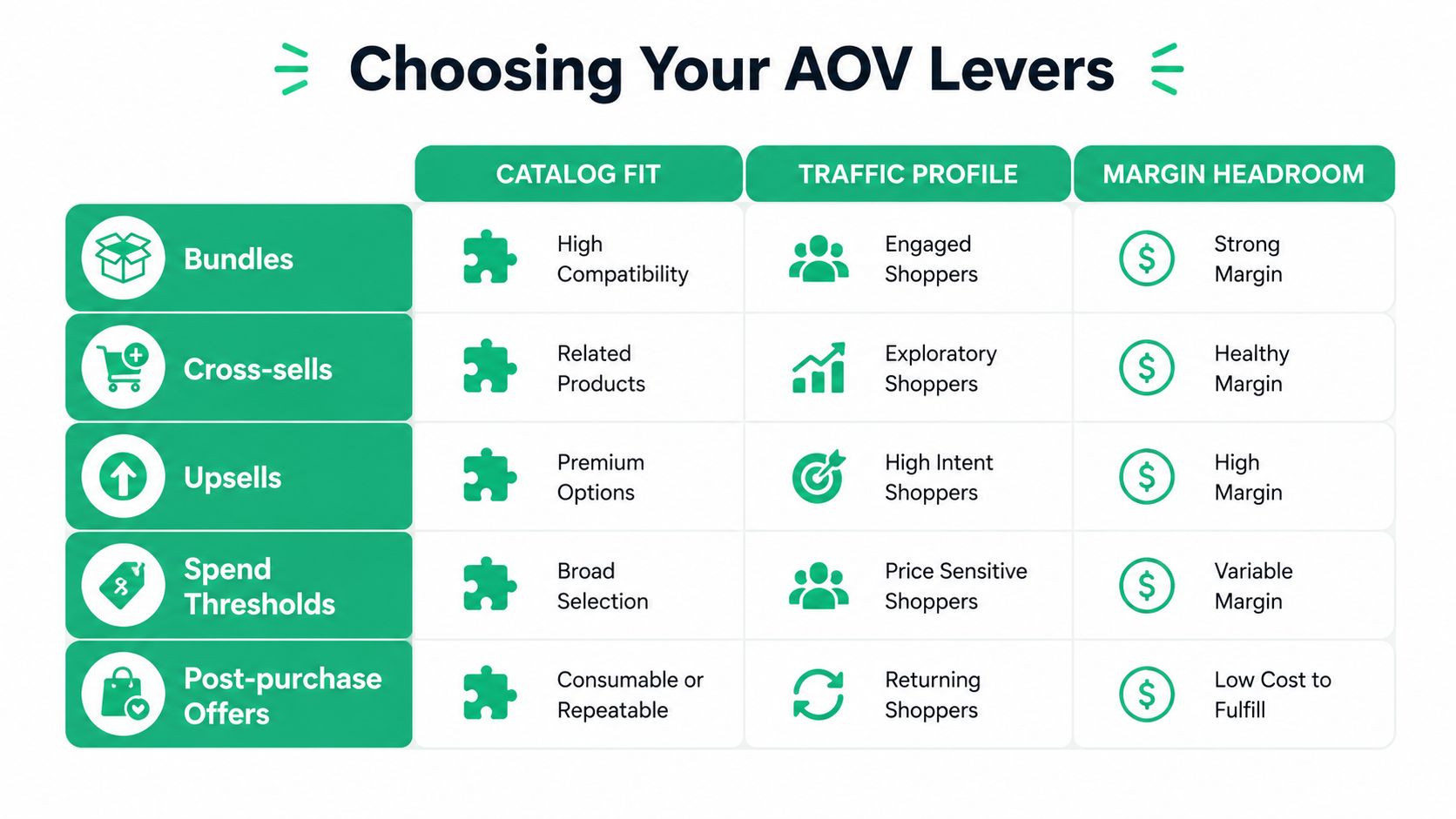
Bundles usually win when the customer needs a complete solution. A low-SKU consumables brand can package a routine, refill set, or multi-pack without asking shoppers to make another product decision. Cross-sells work better when the add-on removes a practical obstacle, such as a case, replacement part, or care product.
Upsells are more useful when the premium option has a clear reason to exist. Electronics, furniture, and equipment catalogs can present capacity, materials, warranty, or performance differences. Don't force an upgrade where the customer can't understand the benefit.
A simple selection sequence
Start with SKU structure. If the catalog has a few products with obvious combinations, test bundles first. If it has several variants of the same core product, test a premium variant upsell. If the catalog has replenishment behavior, post-purchase offers can capture the next relevant product without interrupting the original checkout.
Then examine repeat rate and current conversion behavior. A store with frequent repeat purchases may use thresholds to increase the first basket while preserving replenishment convenience. A store with high-intent traffic but limited product depth may get more from a tightly targeted post-purchase offer than from adding more recommendation modules.
Pick two or three levers maximum for the first sprint. More than that makes merchandising QA, attribution, inventory review, and customer support diagnosis unnecessarily difficult. A clean test with a narrow hypothesis beats a sprawling AOV redesign that no one can interpret.
Building Bundles, Cross-Sells, and Upsells in Shopify
Shopify-native merchandising can take you a long way before a paid app or custom checkout work becomes necessary. The important distinction is between creating the offer and controlling the inventory and pricing logic behind it.
Start with bundles that solve a complete job
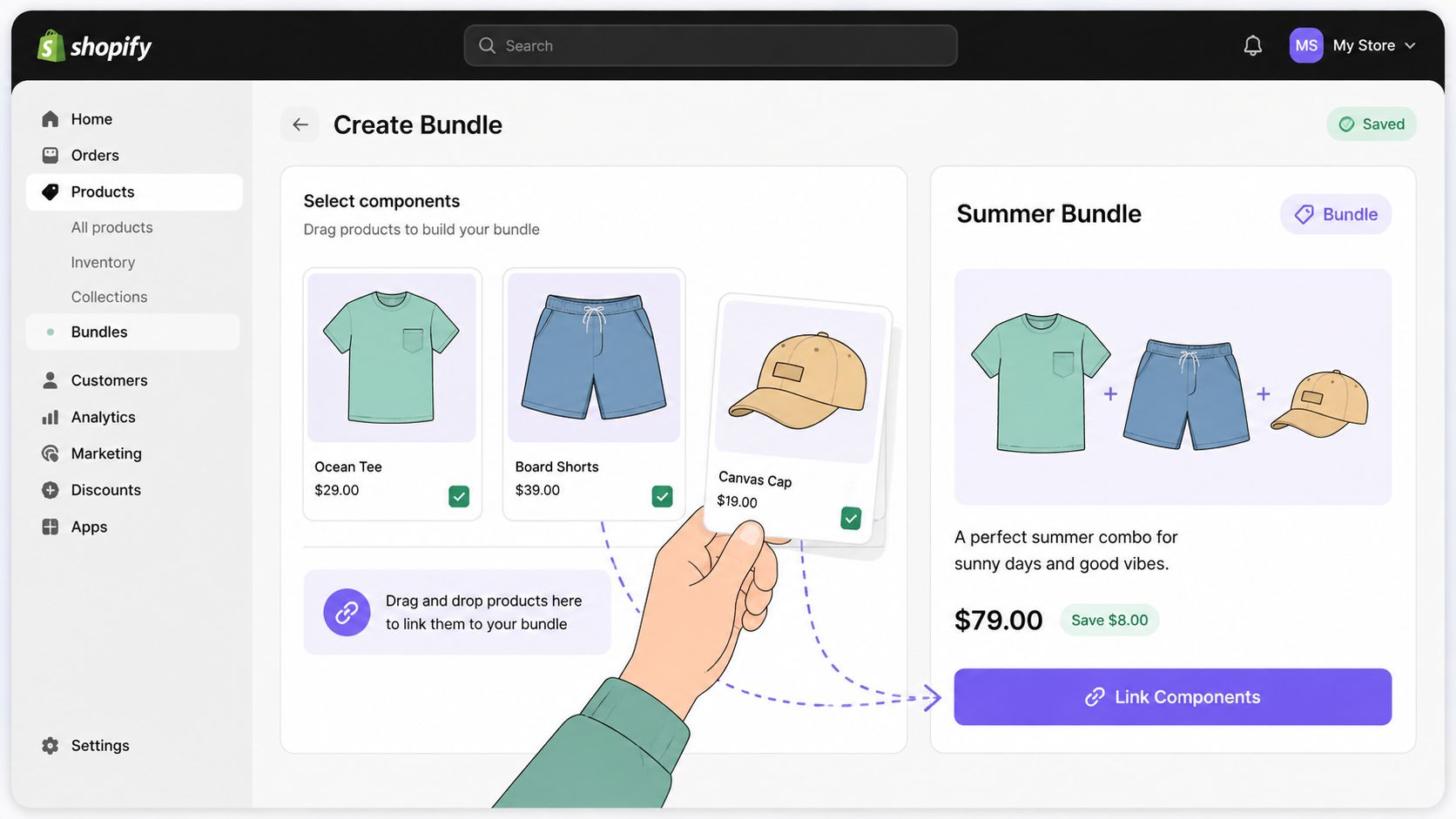
Create a bundle product with linked components and keep inventory tracking connected to the underlying SKUs. The bundle should have a fixed price below the combined component price so customers can understand the value without calculating it themselves. Compare-at pricing can make the saving visible, but don't use it to disguise an offer that isn't better than buying the components separately.
Shared inventory creates the main risk. If the same bottle, cable, or accessory appears in an individual product and several bundles, the store needs to decrement the component inventory correctly. Test the bundle, individual SKU, refund, partial cancellation, and fulfillment paths before promoting it. For B2B or phone orders, draft orders can apply a negotiated bundle price without changing the public storefront.
For a practical overview of related merchandising mechanics, use these cross-sell strategies for Shopify.
Place cross-sells where the decision is easiest
Use the theme editor's product recommendation section, but manually curate the first collection of recommendations. Algorithmic defaults can pair products that sell together but don't produce enough margin, or recommend items that compete with the main purchase.
The cart drawer is often the cleaner location when the objective is attachment. The shopper has already selected a product, so the recommendation can reference the actual cart rather than interrupt product discovery. Keep the message specific: explain what the add-on does, why it belongs with the selected item, and what happens if the customer skips it.
Use upsells for meaningful upgrades
Variant option pickers work well when the premium choice has a concrete benefit. A cart upsell modal or theme block can offer a higher tier only when the base variant qualifies. Avoid showing the premium option to customers whose selected product cannot use it, or when the upgrade creates a fulfillment complication.
Keep bundle discounts in a controlled range. The verified benchmark guidance identifies 8% to 15% as a practical bundle discount range, with the supporting discussion available in ecommerce upsell and cross-sell benchmarks. For upsells, compare the price jump with the catalog's acquisition economics and contribution margin rather than choosing a percentage in isolation.
Setting Free Shipping and Spend Thresholds That Lift Order Size
A free-shipping threshold is a margin decision before it's a conversion feature. Start with the store's blended shipping cost per order, including the orders that are cheap to ship and the orders that require oversized packaging, remote-zone delivery, or special handling.
Shopify's native controls are under Settings, Shipping and Delivery. Configure zone-based rates, then add minimum-order price rules where the shipping profile supports them. Heavy or oversized SKUs may need separate profiles or exclusions. If a threshold applies equally to a lightweight accessory and a bulky product, the offer can create a loss on the latter.
Build the threshold around real baskets
Use your order distribution, not only the store-wide mean. Identify the common basket values, then choose a threshold that feels reachable while leaving room to recover shipping cost and preserve the margin floor. A progress bar in the cart drawer can show the remaining amount, while a theme app block or lightweight app can display the same message consistently.
“You're $9 away” gives the shopper a concrete action. A vague banner such as “Spend more to save” makes the incentive harder to use. Don't set the threshold so high that customers abandon the cart or so low that nearly every order receives free shipping without adding meaningful value.
| Scenario | Blended ship cost | Threshold set at | Target margin floor | Net AOV impact |
|---|---|---|---|---|
| Free-shipping unlock | Calculate from store data | Above common basket value | Shipping cost covered | Added product value minus shipping subsidy |
| Discount unlock | Calculate discount cost per order | Above common basket value | Product and discount costs covered | Added product value minus redeemed discount |
| Tiered shipping | Calculate by zone and weight | Set by shipping profile | Each tier remains contribution-positive | Basket mix shifts toward higher tiers |
A discount threshold can replace free shipping when shipping costs vary too widely. The contribution-margin test is simple: the additional revenue from shoppers who cross the threshold must exceed the average discount redeemed per order, after product and logistics costs. Treat shipping revenue, discounts, returns, and cancellations as separate fields in the analysis.
Running Post-Purchase Upsells and One-Click Offers
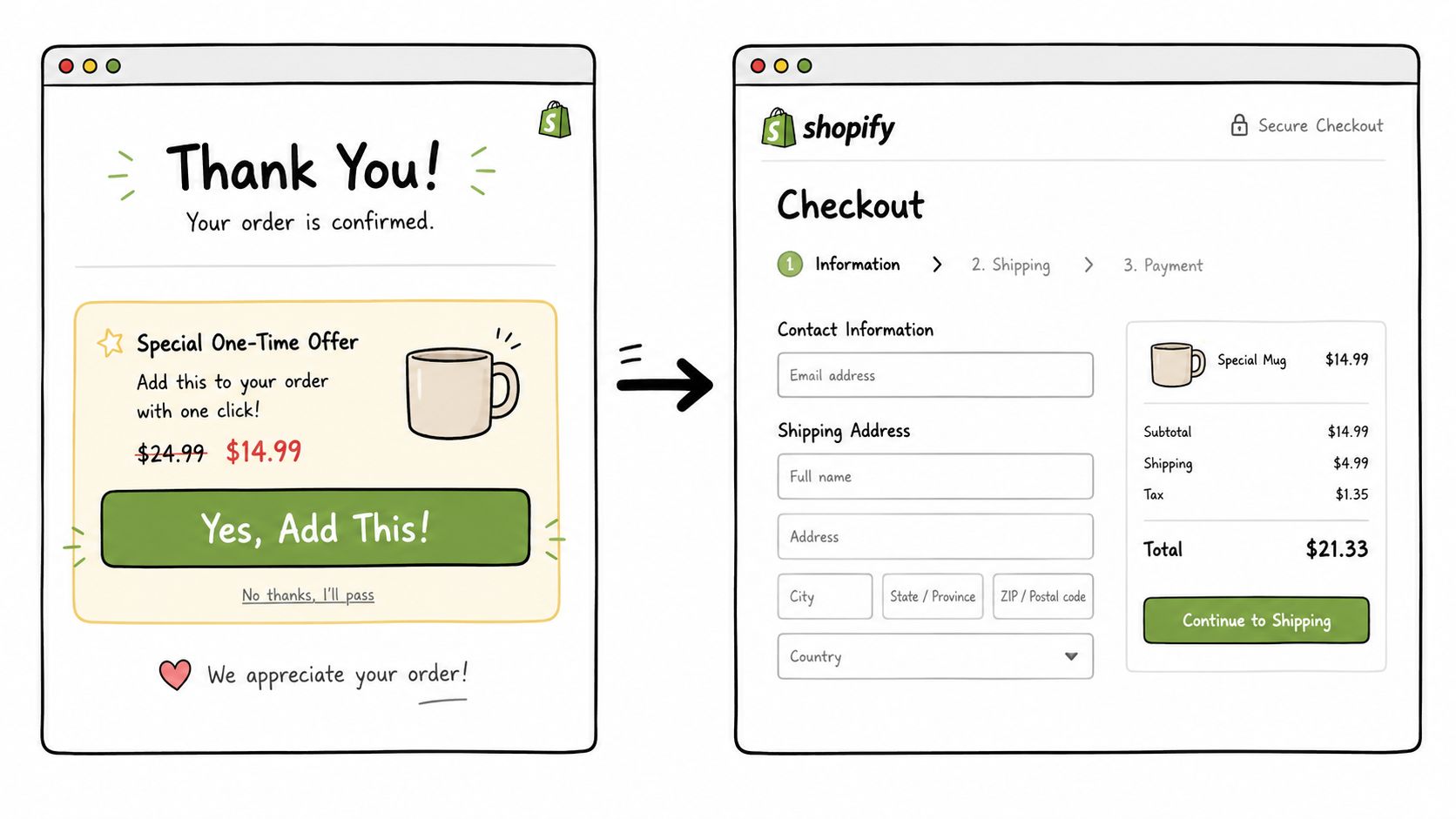
Post-purchase offers can raise order value after the customer completes the main purchase, without interrupting the initial checkout. The trade-off is operational: relevance, approval timing, inventory, and order edits determine whether the added revenue survives refunds and fulfillment costs.
Independent benchmarks place average post-purchase conversion around 3% to 8%, with better-optimized implementations reaching 10% to 15% or higher in some cases. A separate July 2025 benchmark covering 1,847 businesses reported a 14.6% conversion rate for physical-goods stores. These figures come from post-purchase upsell benchmark summaries. Treat them as directional, not as a forecast for your catalog.
Design the offer around eligibility
Shopify Plus stores can use Checkout Extensibility's post-purchase page for supported flows. Standard-plan merchants generally need an app-based one-click upsell flow. In either setup, eligibility rules matter more than stacking multiple offers.
Exclude gift orders when the recipient or buyer is unlikely to choose the added item. Skip subscription replenishment SKUs if the offer would shift demand from a future order. Suppress offers for first-time buyers below the store's margin threshold, especially when acquisition or fulfillment costs are high.
Make the product complementary. A skincare buyer might see a compatible serum or travel product. A hardware buyer might see an accessory that fits the purchased model. Post-purchase upsell conversion research recommends keeping the upsell around 25% to 40% of the original cart value in many cases, while stressing relevance and simple acceptance.
Customer-facing simplicity creates an operations requirement. Place the original order on a fulfillment hold while the post-purchase decision remains open. If the customer cancels or edits that order, the system should void the upsell before payment capture or fulfillment continues. Address validation belongs in the same control path. A changed address, split shipment, or failed approval can otherwise create a second request against an order that no longer matches the customer's purchase.
For implementation details, review these Shopify post-purchase upsell workflows.
Make operations part of the launch
Create support macros for upsell refunds and state whether the added item ships with the original order. Tag the upsell line item for finance reconciliation, then use Shopify Flow to separate its revenue in reporting. Finance should distinguish original product revenue, post-purchase revenue, discounts, refunds, shipping adjustments, and cancellations without opening orders one by one.
Shopify Scripts should remain in the plan only where a Plus merchant still depends on them. Set a migration path toward Checkout Extensibility instead of adding new logic to a legacy layer.
Set three controls before launch: maximum offer price, refund window, and inventory hold behavior. Define who can approve an edited order and when the hold releases. A one-click flow fails its margin test when it creates unfillable orders, duplicate shipments, or support work that consumes the incremental profit.
Measuring AOV Lifts Without Fooling Yourself
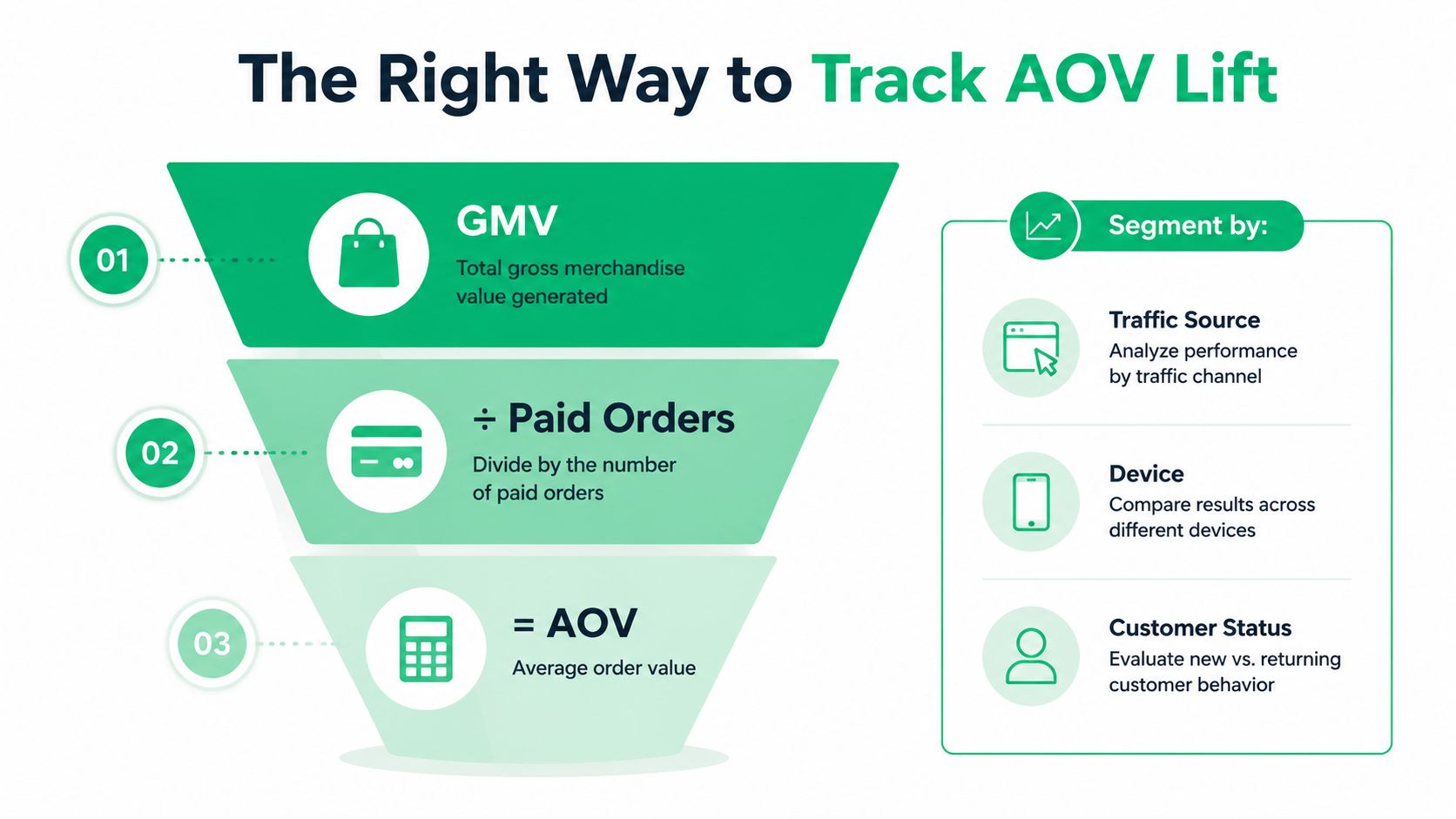
Track AOV as GMV divided by paid orders, then segment the result by traffic source, device, and customer status. A store-wide average can conceal the fact that an offer works for returning mobile buyers but fails for first-time paid traffic.
Before launching an A/B test, write down the offer, audience, primary metric, refund treatment, and observation window. Use a conversion-optimization app or a Shopify Plus testing setup for the cart, threshold bar, or post-purchase page. Don't change the offer while the test is running, because pricing, creative, eligibility, and placement changes make the result impossible to interpret.
Three sources of false confidence
- Cannibalization: A post-purchase offer may pull a product forward from a later order rather than create new demand. Review customer cohorts and repeat behavior.
- Refund timing: Revenue can look strong before refunds and cancellations are fully processed. Analyze net revenue, not only the initial order total.
- Selection bias: Showing the offer only to high-intent visitors can make the offer look stronger than it would across the eligible audience.
Use Shopify Analytics cohorts alongside a spreadsheet that reconciles original order value, added product value, discounts, refunds, shipping cost, and support handling. The useful question isn't “Did AOV rise?” It's “Did incremental contribution rise for the eligible population?”
In apparel, fit uncertainty can also change refund and repeat behavior. A practical AI sizing accuracy guide can help teams evaluate sizing tools before treating a larger apparel basket as a genuine commercial improvement.
For deeper reporting structure, use revenue analytics guidance for Shopify teams. Keep the test readout focused on paid orders and contribution outcomes, with AOV as one diagnostic rather than the only success measure.
Troubleshooting and Your 30-Day AOV Rollout Plan
AOV programs usually fail in the gaps between merchandising and operations. Discount stacking can leak margin, a post-purchase offer can trigger a fulfillment rerun, an address edit can create duplicate shipping labels, and a threshold above realistic basket size can increase abandonment instead of order value.
Diagnose before adding more offers
Check discount combinations first. Confirm whether bundle, automatic, customer, and shipping discounts can apply together, then inspect refunded orders rather than relying on the original checkout totals.
Next, review fulfillment events. An edited address should update the order cleanly, not generate a second label without voiding the first. A canceled original order should also cancel or suppress its attached upsell. Finally, compare each threshold with actual basket distribution. If customers rarely approach it, the threshold is a branding element, not a growth lever.
A practical 30-day sequence
- Week one, audit and build: Establish the AOV calculation, refund treatment, margin floor, and common basket patterns. Build one bundle with shared-inventory testing. Admin users can handle much of this, while complex component logic may need a developer.
- Week two, improve the basket: Add the shipping or discount threshold, cart progress messaging, and manually curated product-page or cart cross-sells. Keep heavy-SKU shipping rules separate.
- Week three, add post-purchase capture: Launch one relevant one-click offer with eligibility rules, inventory holds, cancellation handling, support macros, and finance tags. Standard-plan stores may need an app, while Plus teams can use Checkout Extensibility where supported.
- Week four, read the test: Run the controlled comparison, include refunds and cancellations, and review results by traffic source, device, and customer status. Don't scale a winning AOV number until contribution margin and fulfillment accuracy also hold.
Operational test: Every offer should answer three questions before launch. Can the warehouse fulfill it, can support reverse it, and can finance reconcile it?
The first sprint should produce a smaller number of reliable offers, not a crowded storefront. Once the controls work, expand the catalog logic gradually and keep each change attributable.
SelfServe helps Shopify teams manage post-purchase order edits, validate addresses, control permitted changes, and add curated upsells on Thank You and Order Status pages. Visit SelfServe to see how approval flows, tagging, cancellation queues, and post-purchase offers can support a higher AOV without handing operational control to the customer.