Boost Customer Service Efficiency: A Shopify Playbook
Your support queue usually doesn't explode because customers suddenly got more demanding. It spikes because the same post-purchase questions keep hitting the team at scale. Where's my order. Can I change my address. I entered the wrong apartment number. Can I cancel before it ships. For a high-volume Shopify merchant, those tickets pile up fast, especially during promos, product drops, and peak season.
The usual response is to add coverage, extend shifts, and push agents to work faster. That treats the symptom, not the system. The critical lever is customer service efficiency. Not as a narrow support metric, but as an operating discipline that protects margin, keeps customers buying, and stops your team from burning time on preventable work.
For Shopify Plus brands, the biggest opportunity sits after checkout. If customers can solve common post-purchase issues on their own, many tickets never enter the queue in the first place. That changes staffing, tooling, and response expectations across the whole support function.
The True Cost of Inefficient Customer Service
At 9:15 a.m. the morning after a big campaign, the queue is full of the same post-purchase questions. Order status. Address changes. Cancel before shipment. The team looks busy, but a large share of that effort is preventable work that showed up because the post-purchase experience did not give customers enough clarity or control.
That has a direct margin cost.
Every avoidable ticket pulls payroll into work that does not create new revenue, and it usually hits at the same time operations is already under pressure from fulfillment spikes, promo traffic, and WISMO demand. If the queue keeps growing, leaders usually respond by adding coverage, paying overtime, or accepting slower replies. All three choices are expensive. None fixes the root cause.
The revenue cost is often bigger than the support cost. A slow, messy support experience lands right after checkout, when the customer is deciding whether your brand feels reliable enough to buy from again. If order edits are hard, tracking is unclear, and simple requests need an agent, repeat purchase intent drops. So does trust. That is why support efficiency belongs in the same conversation as retention, contribution margin, and ecommerce metrics for profitability.
I have seen this pattern in high-volume Shopify environments. Teams chase service levels while the underlying issue sits upstream. Customers are contacting support because the post-purchase journey is forcing them to. The queue becomes a reporting symptom of weak operational design.
There is also an execution penalty inside the team. Agents who spend all day on repetitive order management work have less time for damaged shipments, subscription issues, fraud flags, and high-value save opportunities. Quality slips because skilled people are tied up on tasks customers should be able to complete themselves in a well-designed ecommerce contact center operating model.
For Shopify Plus merchants, inefficient customer service is rarely a staffing problem first. It is a demand-shaping problem. If customers can track orders, update details, and resolve common post-purchase issues on their own, ticket volume falls before you hire, before you reorganize shifts, and before you ask agents to work faster.
Define What Matters with Key Efficiency KPIs
A Shopify Plus support team can hit response targets and still waste money all day. The problem is measurement. If the dashboard rewards speed more than resolution, agents rush through tickets, customers come back with the same issue, and labor cost rises without improving retention.
Track KPIs that show whether work is getting finished, how much effort it takes, and which requests should be removed from the queue altogether. For high-volume merchants, that matters more than chasing a single service-level number.
Build a KPI set around resolution quality and ticket prevention
Use a small set of metrics with clear definitions:
| KPI | What It Measures | How to Use It |
|---|---|---|
| First Contact Resolution (FCR) | The share of issues resolved in the first interaction | Best used by ticket type. Low FCR on order edits usually points to missing permissions, missing data, or too many handoffs. |
| Average Handle Time (AHT) | Time spent resolving each handled conversation or call | Useful for spotting process drag, especially when agents switch between Shopify admin, shipping tools, and warehouse systems. |
| Resolution Rate | Share of tickets marked resolved | Watch this alongside reopen rate or repeat contact rate so “resolved” does not just mean “closed fast.” |
| First Reply Time | How quickly the customer gets an initial response | Important for customer confidence, but less valuable than actual resolution on simple post-purchase requests. |
| Customer Effort Score (CES) | How easy it was for the customer to solve the issue | A good check on whether the process felt easy or forced the customer to chase your team. |
| Agent Utilization | How much available time agents spend in active support work | Use it to spot overstaffing, understaffing, and burnout risk. High utilization with poor FCR usually means the queue is full of avoidable work. |
| Self-service deflection rate | The share of post-purchase issues solved without an agent | For Shopify merchants, this should sit next to every traditional support KPI because it shows whether the operation is reducing demand, not just processing it. |
The formulas should be simple and fixed across the team.
- FCR formula: (Total tickets resolved at first contact / Total tickets received) × 100
- AHT formula: (Talk time + Hold time + After-call work) / Total calls handled
- First Reply Time formula: Total first response time / Total resolved tickets
- Resolution Rate formula: (Resolved tickets / Total tickets) × 100
- Self-service deflection rate formula: (Post-purchase issues completed through self-service / Total post-purchase issue attempts) × 100
Segment the numbers before anyone acts on them
A blended average hides the actual problem. “Where is my order?” should not live in the same bucket as damaged shipment claims, subscription disputes, or fraud reviews.
Split the dashboard by ticket type first. Then split again by channel and order stage. For example, address changes before fulfillment, address changes after label creation, and address changes after carrier handoff are three different operational problems with three different cost profiles.
That level of segmentation turns metrics into action. If AHT is high only on pre-fulfillment order edits, the fix may be a customer-facing edit window in the order status page. If FCR is low on delivery issues, the fix may be better carrier event visibility and clearer policy macros. If first reply time looks fine but repeat contact is climbing, customers are getting fast answers that do not solve the issue.
Use KPIs to decide what leaves the queue
This is the part many support dashboards miss. Efficiency for a high-volume Shopify brand does not come from asking agents to clear tickets faster. It comes from reducing the number of tickets that require an agent in the first place.
Start with the top five post-purchase contact reasons and ask three questions:
- Can the customer complete this themselves without creating risk?
- If not, can rules or automation handle it without agent review?
- If an agent still needs to touch it, what system or approval step is slowing resolution?
That is why support leaders should review service KPIs next to broader ecommerce metrics for profitability. A queue full of order status and edit requests is not just a support issue. It affects repeat purchase behavior, labor cost, and contribution margin.
I also prefer to align KPI ownership with the actual post-purchase operating model, not just the helpdesk manager. In many brands, support, operations, and fulfillment all shape the same customer outcome. A stronger ecommerce contact center operating model for Shopify brands makes those responsibilities visible.
What to stop measuring in isolation
Tickets solved is a weak standalone metric. It rewards output, not outcome.
Agent productivity can look strong on paper while customers reopen conversations, ask the same question on another channel, or churn after a frustrating post-purchase experience. The same caution applies to first reply time. Fast acknowledgment matters, but it should never be mistaken for efficient service.
A better operating question is simple. Which post-purchase requests are consuming agent time today that customers should be able to handle on their own? That is the KPI lens that leads to real efficiency gains.
Audit Your Workflows to Uncover Bottlenecks
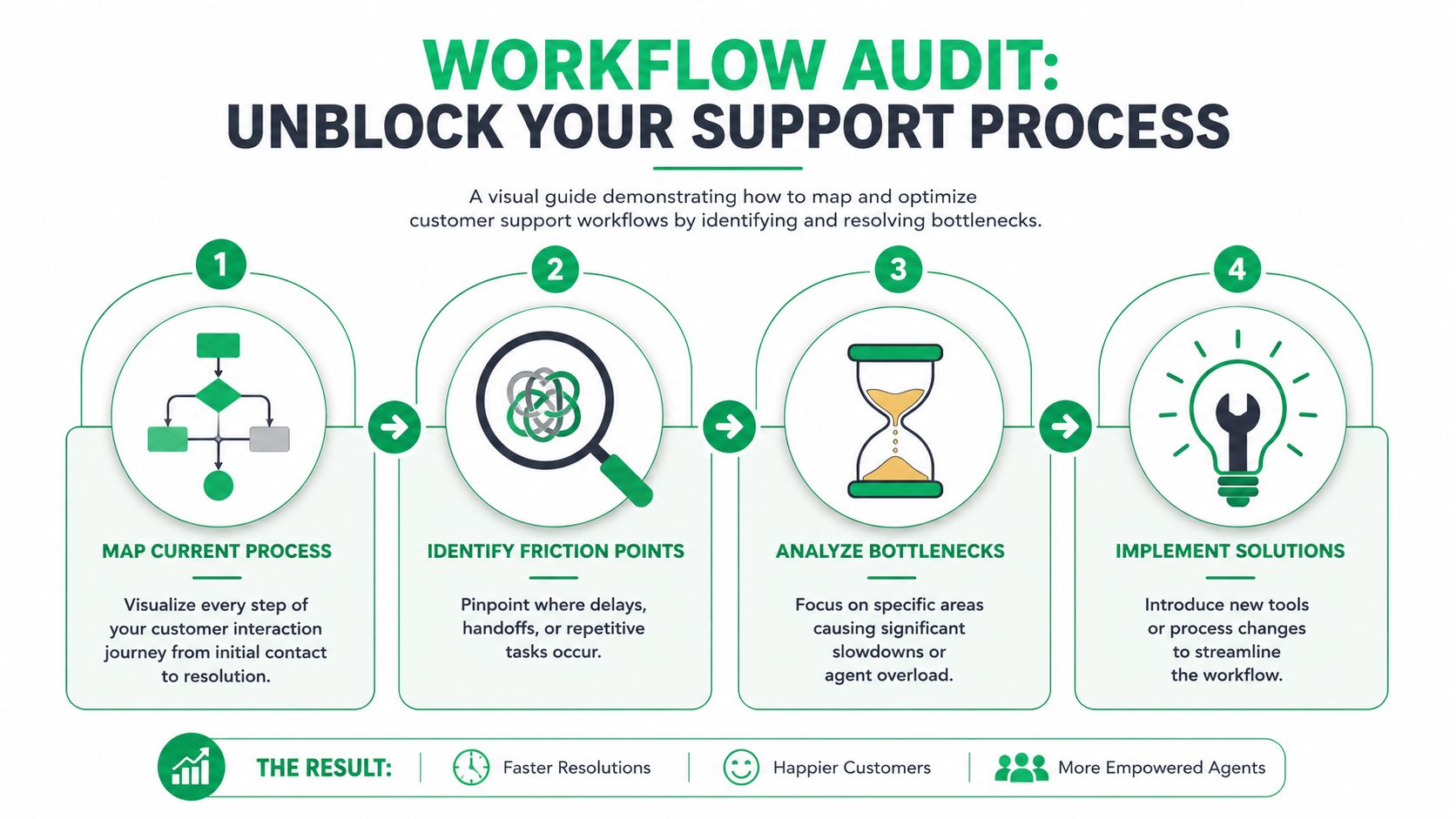
Once the metrics are in place, stop staring at dashboards and trace the work. Most customer service inefficiency comes from process design, not agent effort. A good workflow audit makes that visible fast.
Map the actual path, not the intended one
Pick your top post-purchase ticket categories first. For most Shopify brands, that's usually order status, address edits, cancellations, item swaps, and delivery problems. Then document the actual path from customer message to final resolution.
Don't write the process at the policy level. Write it at the click level.
A useful audit looks like this:
- Capture the trigger. What exactly makes the customer contact support?
- List every system touched. Helpdesk, Shopify admin, shipping software, warehouse portal, returns platform, fraud tool.
- Record every handoff. Agent to team lead, support to warehouse, support to finance.
- Mark all waiting points. Queue wait, internal Slack message, warehouse confirmation, manual approval.
- Log repeat actions. Copy-pasting tracking links, rewriting the same address instructions, manually tagging orders.
Turn the audit into a bottleneck heat map
Once you've mapped a few common flows, patterns show up quickly. Some issues take too long because the policy is too restrictive. Others take too long because the data is fragmented. In many Shopify teams, the biggest hidden drag is manual verification. The customer asks to change an address, and the agent has to confirm order status, check fulfillment timing, verify whether a label exists, edit fields, add a note, and message another team.
That's not a support problem. That's a workflow design problem.
Use tags and dispositions aggressively during the audit period. If your helpdesk taxonomy is messy, simplify it. You need enough detail to isolate demand drivers, but not so many tags that agents stop using them accurately.
If you can't sort tickets by intent, you can't decide what to automate, what to deflect, and what still needs a human.
What to look for in high-volume Shopify operations
Bottlenecks usually sit in one of these buckets:
- Order data access gaps because agents can't see the latest fulfillment state without opening another tool
- Approval loops for routine requests that should be policy-based
- Duplicate customer contact when status updates aren't proactive enough
- Repetitive manual edits inside Shopify admin for address and contact changes
- Knowledge drift when policies live in scattered docs or Slack messages
A useful test is simple. Ask one experienced agent to screen-record three common ticket types from start to finish. Then watch the recording with an operations lens. You're not evaluating the agent. You're looking for delays, repeated clicks, and moments where the agent has to stop and think because the system isn't helping.
The merchants that improve customer service efficiency fastest usually don't start with a massive transformation project. They start by finding the handful of post-purchase interactions that generate the most repetitive work, then redesign those flows so the work disappears.
Slash Ticket Volume with Customer Self-Service
An order is placed at 8:14 p.m. At 8:17, the customer notices the apartment number is wrong. If the only option is "contact support," that simple fix turns into a ticket, a queue delay, an order review, and sometimes a warehouse exception. High-volume Shopify teams feel that waste every day.
For Shopify merchants, the fastest efficiency gain usually comes from removing post-purchase contacts before they hit the inbox. The target is not every support interaction. The target is the repeatable, policy-based work that customers can complete on their own if the workflow is available at the right moment.
That usually means four flows first:
- order tracking
- shipping address edits
- contact detail corrections
- cancellation requests inside a defined window
These requests share the same traits. They show up in high volume, they follow clear rules, and customers want an immediate answer. That makes them ideal for self-service.
Start where ticket demand is highest
A lot of merchants begin with a broad help center. That can help with product and policy questions, but it rarely cuts queue volume as fast as post-purchase self-service built into the order experience.
Customers after checkout are not browsing for information. They are trying to complete a task. If the task is allowed under your policy, the workflow should exist inside the customer account, order status page, or portal. If the task is not allowed, the customer should get a clear explanation before they open a ticket.
That distinction matters. Good self-service does not just deflect traffic. It resolves intent.
A rollout that works in Shopify Plus operations usually looks like this:
- Fix WISMO first with real-time tracking and shipment visibility.
- Add controlled edits for address and contact fields before fulfillment reaches a locked state.
- Add cancellation handling only if finance, fraud, and ops rules are already clear.
- Escalate exceptions like split shipments, subscription edge cases, or high-risk orders to an agent.
Build guardrails into the workflow
Operators are right to worry about customers making changes that create downstream messes. The answer is not to avoid self-service. The answer is to set rules that match how the business is run.
Useful controls include:
- Time windows tied to fulfillment status
- Field-level permissions so customers can change specific details, not the full order
- Validation checks for address formatting and deliverability
- Approval logic for cancellations or higher-risk requests
- Order notes and tags written automatically for warehouse and support visibility
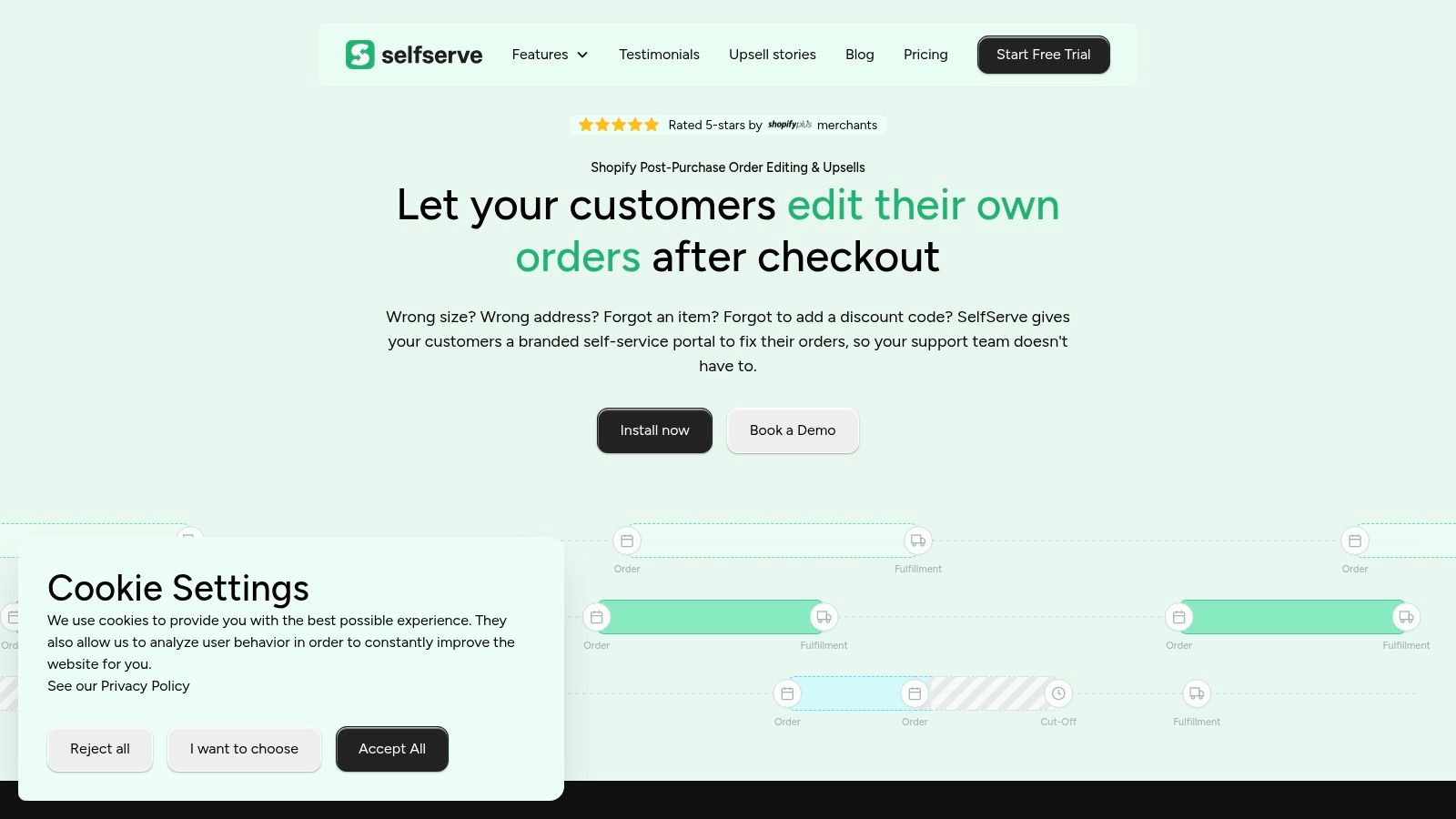
A purpose-built self-service customer portal for Shopify matters because the action has to update the live order workflow. If customers submit a form and your team still has to process it manually, ticket volume does not really drop. You just moved the work around.
For a broader view of where AI and self-service fit inside a modern support stack, Yassine Malti's guide for Shopify merchants is a useful reference.
The best ticket is the one the customer resolves in seconds, without waiting and without creating cleanup work later.
A practical post-purchase example
Take address changes.
In a typical support flow, the customer writes in, an agent checks the fulfillment state, edits the order if policy allows it, adds an internal note, and sends a confirmation. If the warehouse has already picked the order, the agent may need to involve operations or deny the request. Even when it goes well, the team spent time on a low-judgment task.
A better setup gives the customer a narrow edit option for a short period after purchase. The system checks whether the order is still editable, validates the updated address, records the change, and confirms it instantly. If the order no longer qualifies, the customer gets a precise message instead of a vague dead end.
Here's a short walkthrough of the post-purchase model in action:
That is what efficient support looks like in a high-volume ecommerce operation. Routine demand disappears from the queue, and agents spend their time on exceptions that need judgment.
What breaks self-service projects
Self-service fails when merchants treat it like a chatbot layer on top of the same manual process. Customers click through prompts, cannot finish the task, and contact support anyway. Now the team has both the ticket and the frustration.
It also fails when policies are vague. If customers can request a change but every request still needs an agent to interpret the rule, the workflow is not self-service. It is intake.
Keep the standard simple:
- Complete the allowed action automatically
- Send only true exceptions to a human
Anything between those two states usually adds friction and does little for efficiency.
Automate Repetitive Tasks to Optimize Agent Focus
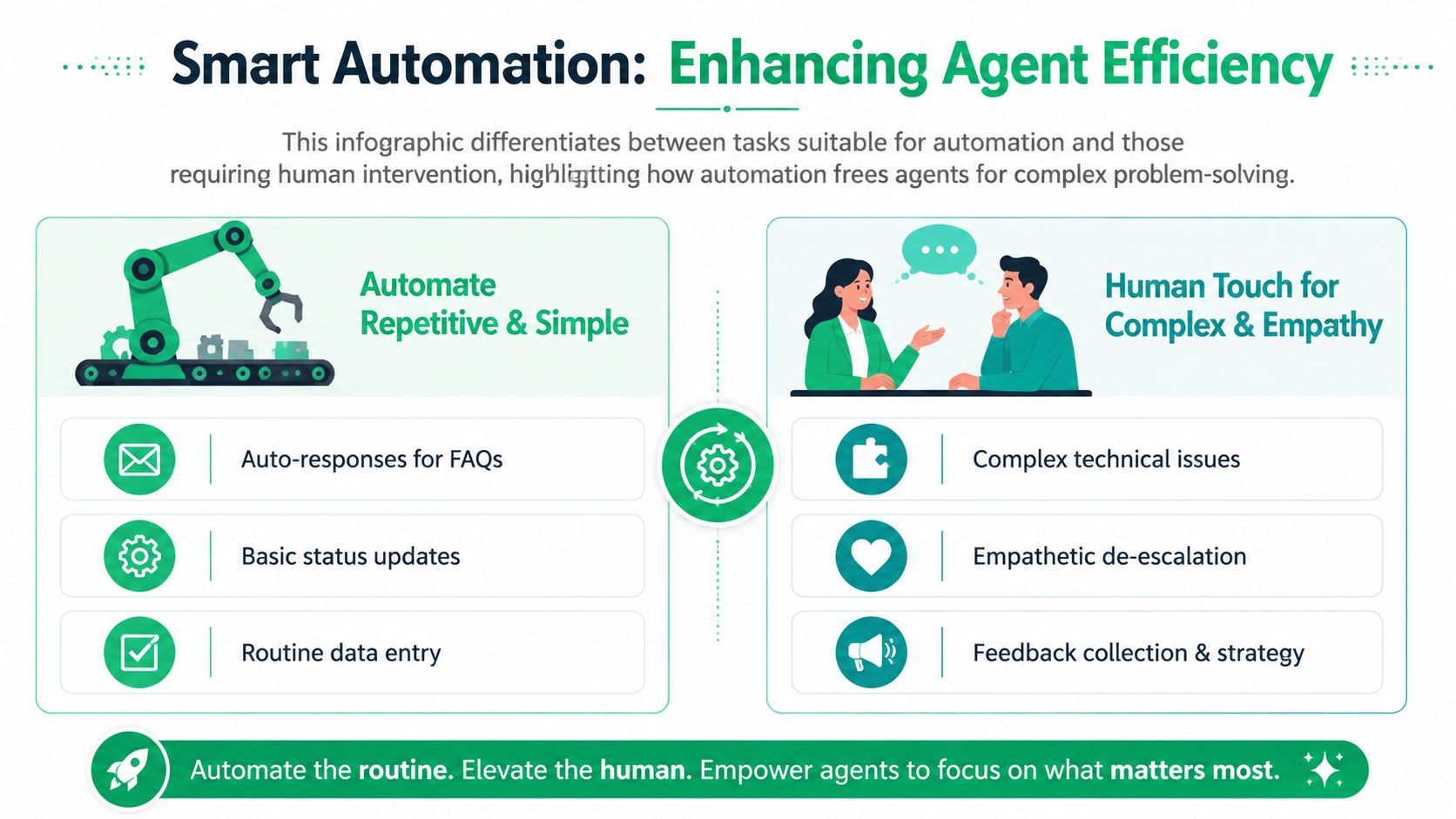
After you remove the easy post-purchase tickets through self-service, support work gets more expensive per conversation. The queue now contains failed deliveries, partial refunds, chargeback threats, warranty questions, and customers who are already frustrated. That is the point where automation needs to reduce agent handling time without lowering resolution quality.
Remove repetitive work inside the helpdesk
In high-volume Shopify support, agents lose hours to the same internal steps over and over. They triage by hand, chase missing order details, paste the same policy language, add tags for reporting, and update notes that should have been written automatically.
Fix that first.
Start with the work that is repetitive, rules-based, and easy to audit:
- Routing rules should send delivery exceptions, subscription questions, refund requests, and VIP contacts into the right queue as soon as the ticket arrives.
- Auto-tagging should classify intent from message content so your reporting stays usable and your specialists are not sorting tickets manually.
- Required input prompts should collect order number, delivery ZIP, subscription email, or photo evidence before an agent opens the thread.
- Macros should complete repeatable actions with the reply, internal note, and policy language pre-built for the agent.
For a practical breakdown of how to set these flows up, use this guide on how to automate customer service in Shopify workflows.
Use automation where mistakes are cheap
The safest automation targets are the ones with clear rules and low downside. Routing a late-delivery ticket to the shipping queue is low risk. Asking for a missing order number before the ticket reaches an agent is low risk. Pre-filling a refund response based on order status is usually low risk if the policy logic is already settled.
Policy exceptions are different. A damaged order for a first-time customer, a replacement request on a high-AOV bundle, or a repeat claimant with fraud signals should not be forced through the same rigid flow. The trade-off is simple. Every automation saves labor, but some automations create rework if they flatten cases that need judgment.
A good operating rule is to automate classification, data collection, and standard responses first. Keep financial judgment, policy interpretation, and emotionally sensitive conversations with the team.
Protect quality while you push speed
Faster handle time can hide bad support operations. If agents close tickets quickly but customers come back because the issue was only half-solved, efficiency went backward.
Watch a small set of checks tied directly to automation performance:
- Reopen rate by macro, queue, or issue type
- Escalation rate after automated triage
- One-touch resolution rate for standard post-purchase issues
- Time to first meaningful reply, not just first touch
- Manual correction volume after an automated action fires
Teams usually uncover the core issue. The macro was fine. The routing rule was wrong. Or the intake form missed one required field, so agents still had to send a follow-up and wait six hours for the customer to respond.
Give agents context inside the ticket
The highest-ROI automation is often invisible to the customer. It gives the agent the facts they need without making them open five tabs.
For Shopify Plus teams, that usually means surfacing order status, fulfillment events, tracking history, subscription status, prior concessions, risk indicators, and recent self-service actions in one view. An agent handling a "where is my order" complaint should immediately see whether the shipment is delayed, whether the customer already used the order lookup flow, and whether support already issued a credit on a previous order.
That cuts handle time. It also improves consistency across shifts and outsourced teams.
For merchants evaluating AI-assisted workflows specifically for Shopify support teams, Yassine Malti's guide for Shopify merchants is a useful read because it stays grounded in ecommerce use cases rather than generic AI promises.
The standard is straightforward. Automate pattern work. Send exceptions to people who can make a sound call.
Build a Culture of Continuous Improvement
The week after a big promotion tells you whether support efficiency is real or cosmetic. If ticket volume drops but reopened tickets rise, agents are still fixing preventable problems by hand. If handle time improves but concession costs climb, the team is resolving issues faster and less profitably. High-volume Shopify support needs a review process that catches those trade-offs early.
Run support like an operations loop
For Shopify Plus merchants, continuous improvement works best as a standing operating cadence. The goal is simple: keep pushing routine post-purchase work out of the queue, then tighten the systems that still create avoidable tickets.
A practical weekly review usually covers five areas:
- KPI movement by ticket type, especially WISMO, address changes, order edits, subscription skips, and return status
- Reopened conversations and exception cases, which expose bad automations, unclear policy, or broken self-service flows
- Self-service containment rate, so you can see whether customers are resolving issues without an agent
- Manual work created by automation, such as failed tags, incorrect routing, or order actions that still need cleanup
- Staffing mix for high-judgment work, including damaged orders, fraud disputes, and emotionally charged complaints
That last point matters more than many teams expect. Once self-service handles the routine post-purchase requests, labor planning changes. The question stops being "How many tickets came in?" and becomes "How many cases needed judgment, empathy, or a policy exception?" That is a better basis for scheduling senior agents, QA coverage, and BPO support.
Use a closed-loop process
Frontline feedback needs an owner. Otherwise the same avoidable issue appears for six straight weeks.
Use a simple loop. Agents flag friction inside the ticket. A support lead reviews patterns each week. Operations or CX updates the workflow, policy, help content, or self-service rule. Then the team checks whether the fix reduced contacts, reopens, or manual corrections.
For example, if agents keep handling "I entered the wrong address" requests after orders are placed, do not just coach faster replies. Check whether customers can edit the shipping address themselves within a defined window. If the answer is no, that is the first fix. If the answer is yes but tickets are still coming in, the problem is probably visibility, timing, or confusing copy in the post-purchase flow.
Tie efficiency back to margin and retention
A strong support operation protects revenue by removing friction after checkout. That is especially true for brands with high repeat purchase rates, subscriptions, or large seasonal spikes. Faster service matters, but the bigger win usually comes from preventing low-value contact while preserving human attention for moments that affect trust.
That is why I track support changes against outcomes the finance team cares about: refund leakage, concession volume, repeat purchase behavior, and cost per resolved ticket type. A self-service order edit flow that cuts tickets by 20% is good. A self-service flow that cuts tickets, reduces cancellations, and lowers agent handling time is the version worth scaling.
For teams expanding this work beyond the support queue, these ecommerce customer experience strategies are a useful companion because they connect service design to the broader buying and post-purchase experience.
Efficient support removes avoidable work so agents can spend time where judgment actually changes the outcome.
The merchants that improve year after year run this as an operating system. They review failure points every week, ship small fixes fast, and put self-service at the center of post-purchase efficiency. That is how support stays controlled before peak season exposes every weak process at once.
If your Shopify team is still buried in preventable post-purchase tickets, SelfServe is worth a look. It helps merchants give customers controlled self-service for order changes, reduce support workload, and keep agents focused on the exceptions that need human judgment.