How to Automate Customer Service on Shopify in 2026
When we talk about customer service automation, we're not just talking about chatbots. We’re talking about a complete rethinking of how you handle customer interactions, using smart, rule-based systems to instantly resolve common issues so your human agents don't have to. The idea is simple: let technology handle the routine stuff—like order tracking and address changes—through self-service tools, freeing up your team for the conversations that truly matter.
Why Smart Automation Is Your New Competitive Edge
For any high-volume Shopify merchant, the question isn’t if you should automate. It's how you can do it smartly, without turning your brand into a robotic, frustrating experience for customers. The market is drowning in AI tools, but so many ecommerce brands I've worked with are struggling to see any real payback. The real battle is won or lost in the gap between simply buying automation and actually making it work for you.
This isn't just a missed opportunity; it’s a massive financial drain. Despite all the hype and investment in AI, U.S. companies are still on track to lose a staggering $75 billion each year from bad service. A huge part of the problem? Most brands are better at buying software than integrating it. In fact, only about 25% of contact centers have truly woven automation into their day-to-day, leaving a 75% implementation gap where expensive tools just gather dust. You can dive deeper into this issue in this detailed customer service analysis.
The Real Pain Points for DTC Brands
If you’ve run a DTC brand through a holiday season, you know the feeling. A killer Black Friday sale can quickly devolve into a support catastrophe, burying your team in an avalanche of tickets.
We see the same resource-draining scenarios play out time and time again:
- Ticket Tsunamis: A wave of "Where Is My Order?" (WISMO) tickets hits the moment a promotion ends, overwhelming even the most prepared teams.
- Costly Typos: A customer mistypes a single digit in their zip code, leading to a failed delivery, an angry customer, and a potential chargeback you have to deal with.
- Mind-Numbing Repetition: Your best agents spend hours on autopilot, processing simple cancellation requests or updating shipping addresses—work that adds zero value but eats up the clock.
These aren't just operational headaches. They directly chip away at customer satisfaction and loyalty. When a customer can’t get a fast, simple answer to a fast, simple question, their confidence in your brand evaporates.
The goal of automation isn’t to replace your support team. It’s to supercharge them. By taking the repetitive, low-value work off their plates, you empower them to focus on the complex, high-touch issues where human empathy makes all the difference.
From a Cost Center to a Growth Engine
Smart automation completely flips the script on customer service, turning it from a necessary evil into a powerful driver of growth. The key is to start with the low-hanging fruit: high-impact, low-complexity tasks, especially those that happen right after a customer clicks "buy." This is where you can get immediate wins and deliver an experience customers actually prefer.
Think about it. Instead of waiting hours for an agent, a customer can now fix their own shipping address typo seconds after placing an order. They can track their package in real-time or even initiate an exchange without ever opening a support ticket. This doesn’t just slash your ticket volume; it gives your customers control, reduces friction, and builds genuine trust in your brand.
Getting this right is the first crucial step as you figure out how to automate customer service the right way.
The opportunity in the post-purchase window is massive. By shifting common manual tasks to a self-service model, you can unlock significant business value almost overnight.
Here’s a quick look at what that transition looks like in practice:
The Post-Purchase Automation Opportunity
By automating these post-purchase interactions, you not only cut operational costs but also create a smoother, more empowering experience that encourages customers to come back.
Mapping Your Customer Service Automation Strategy
Before you buy a single piece of software, you need a plan. So many brands make the mistake of jumping straight to the tech without first mapping out what they should automate, why, and how it all fits together. A smart automation strategy always starts with a simple triage of your existing support tickets.
The first step is a deep dive into your help desk data. Get comfortable in there. Look for the patterns in ticket volume, when your peaks hit, and how long it takes your team to resolve different types of requests. Your mission is to find the low-hanging fruit: the high-frequency, low-complexity questions that are eating up your team's time but don't require any real detective work.
These are your prime candidates for automation.
Identify Your Top Automation Candidates
Think about the questions that flood your support queue every single day. For most Shopify stores, the same culprits pop up again and again.
- "Where is my order?" (WISMO): This is the undisputed king of repetitive tickets, especially after a big sale. It’s a simple question with a simple answer, yet it can drain hundreds of agent hours a month.
- Address Changes: The classic "oops" ticket. A customer mistypes a zip code or forgets their apartment number. It's a small error that creates huge shipping headaches if you don't catch it fast.
- Order Cancellations: A customer has a change of heart moments after clicking "buy." Handling this manually means an agent has to drop everything, find the order, confirm it hasn't shipped, and process the cancellation and refund.
- Basic Product Questions: Simple inquiries about sizing, materials, or care instructions that could easily be answered in a self-service flow or a good FAQ.
Once you quantify these ticket types, you can build a rock-solid business case for automation. For example, if WISMO tickets make up 40% of your weekly volume and your team spends five minutes on each one, you can calculate exactly how many hours you'll get back. This turns a fuzzy idea about "being more efficient" into a clear ROI.
The best automation strategies don't try to boil the ocean. They focus on the 80/20 rule—automating the 20% of issues that create 80% of the ticket volume. This frees up your agents to handle the complex, high-value conversations where they can really shine.
This flowchart shows the basic logic we use when triaging tickets for automation. It’s a simple but powerful way to think.
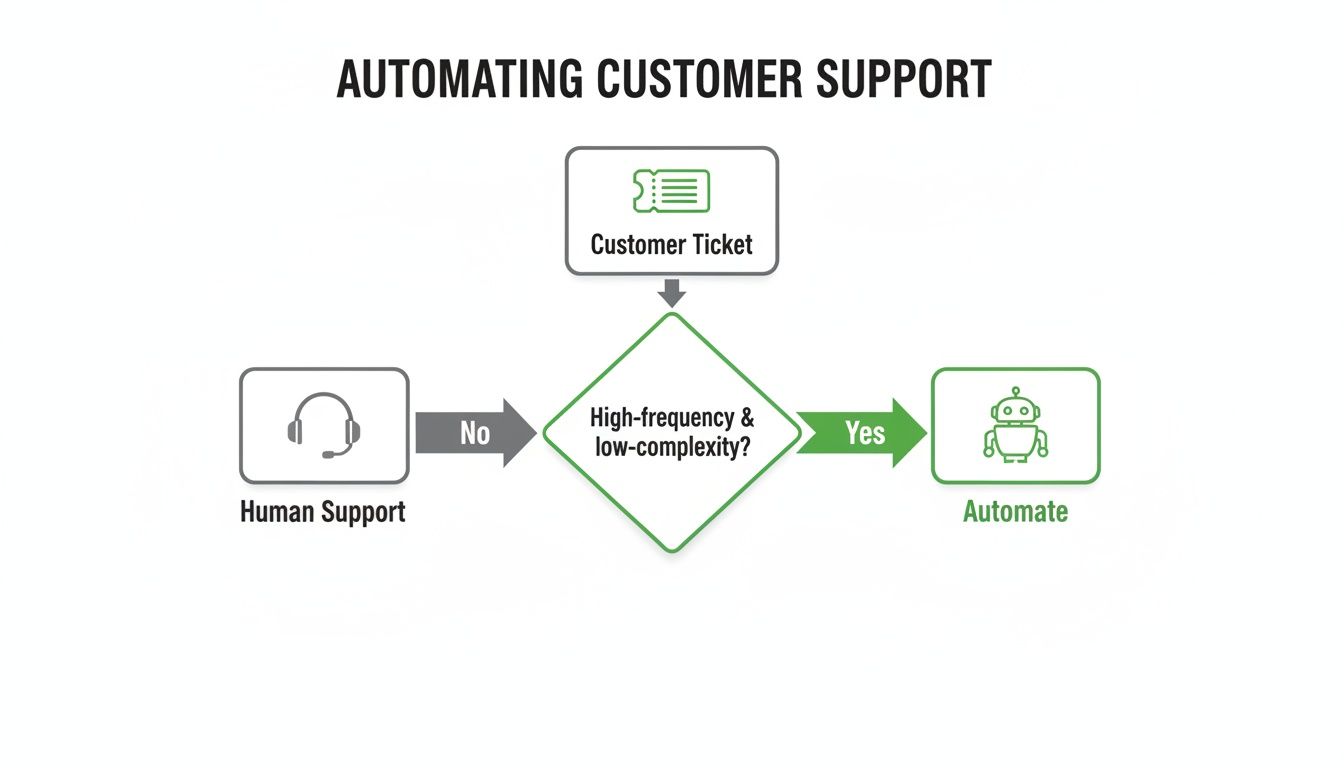
If a request is high-frequency and low-complexity, it’s a perfect target for an automated workflow. If not, it should go straight to a human.
Balance Automation with the Human Touch
While data gives us a clear path, we can't forget the human element. The numbers back this up. By the end of 2025, over 80% of businesses had already implemented chatbot automation. Looking ahead, 84% of leaders see automation as critical for a winning customer experience.
But here’s the key insight: 89% of those same professionals insist on blending AI with a human touch. That's because smart automation can scale infinitely during a sales rush, with generative AI driving up to 47% more self-service resolutions, but it can't replace empathy.
The goal isn't to get rid of your support team; it's to make them more powerful. When you automate the transactional, post-purchase busywork, you give customers instant answers and empower your agents. They're no longer stuck in a loop of WISMO and address changes. Instead, they’re free to build relationships, solve thorny issues, and turn frustrated customers into your biggest fans.
Documenting these new workflows is the final piece of the puzzle. Creating clear customer service standard operating procedures ensures everyone on your team knows exactly when to let the automation run and when to step in. Your strategy map should define these escalation paths, creating a seamless handoff between your self-service tools and your human experts.
Building Your Automated Post-Purchase Powerhouse
Alright, you’ve got your strategy mapped out. Now for the fun part: building the actual automation engine that will bring it to life. This is where we move from planning on a whiteboard to configuring the tools that will empower your customers and free up your support team.
The goal here is to create a self-service portal that feels like a seamless part of your brand, not some clunky, third-party afterthought. It should be a place where customers can quickly solve their own problems, feeling capable and in control. This is the hands-on playbook for building a system that actually deflects tickets, stops errors before they happen, and can even generate new revenue.
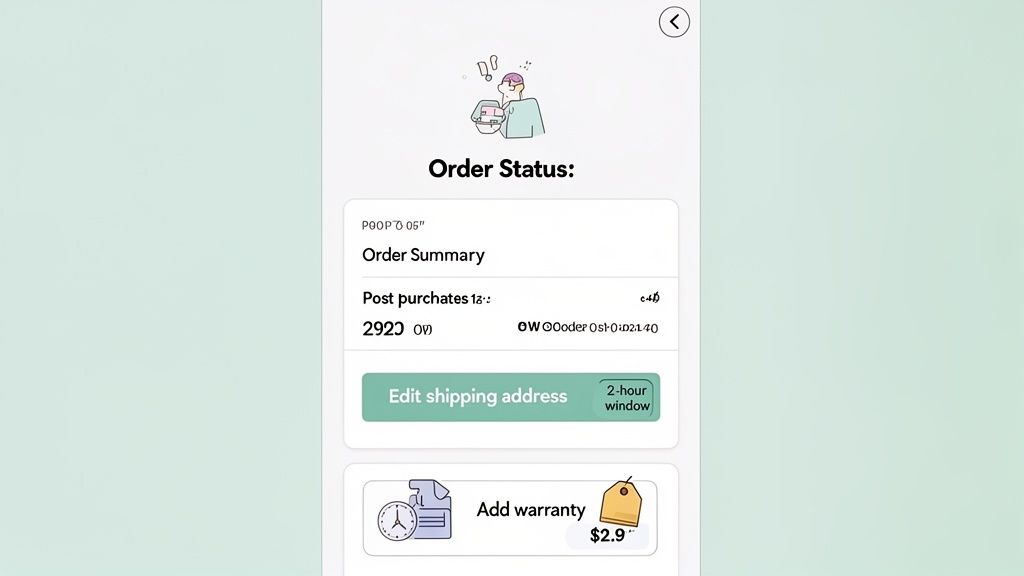
Set Up Customizable Edit Permissions
We’ve all seen it: the frantic “I typed my address wrong!” ticket that comes in minutes after an order. These little customer slip-ups can create huge operational headaches, leading to manual work and costly shipping errors. A self-service portal gives customers the power to fix these themselves, but you need guardrails.
You can't have customers changing orders that your fulfillment team has already packed. The key is setting smart, time-based rules for what they can and can't edit.
- For address edits: A common and effective window is 2-4 hours after the purchase. This gives customers plenty of time to catch a typo without throwing a wrench in your fulfillment process.
- For order cancellations: This window needs to be much tighter, usually 30-60 minutes. This prevents cancellations on orders that have already been sent to your 3PL for picking.
Using a tool like SelfServe, you can dial in these permissions easily. For instance, you could go into your Permissions settings, choose "Order Edits," and set a two-hour time limit specifically for shipping address changes while disabling item changes entirely. This one rule can virtually wipe out your entire queue of address correction tickets.
Enable Real-Time Address Validation
Let's be honest, fixing a bad address after the fact is a reactive, costly mess involving failed deliveries, reshipment fees, and unhappy customers. A much smarter approach is to prevent the error from ever happening in the first place.
This is where real-time address validation becomes an absolute must-have for any serious DTC brand. By integrating a service like the Google Maps API directly into your portal, you can verify addresses as customers are typing.
As a customer enters their shipping info, an auto-complete function suggests verified addresses. If they try to submit an address that’s invalid or formatted incorrectly, the system instantly flags it and asks for a correction before the order is submitted. This single check prevents countless delivery failures down the line.
This is proactive automation at its best. It solves a problem before it even becomes one, saving you money and protecting the customer from a frustrating experience. For a deeper dive on building out these features, you can check out our guide on creating a self-service customer portal.
Create Built-In Upsell Opportunities
Don’t think of your self-service portal as just a cost-cutting tool. It's prime real estate for generating more revenue. The moments immediately following a purchase are golden—the customer has already committed, and their excitement is at its peak.
This is the perfect time to make a relevant, high-value offer that enhances their original purchase.
Modern self-service platforms let you place one-click upsell offers directly on the order status and thank-you pages. These aren't just random product suggestions; they are strategic offers designed to feel helpful, not salesy.
Actionable Upsell Examples:
- Complementary Products: Someone just bought a new tent? Offer them a discounted sleeping bag on the order confirmation page.
- Product Bundles: A customer bought a single bottle of your best-selling serum? Offer them the complete "Glow Up Kit" at a special bundle price.
- Extended Warranties: For any high-ticket electronic or appliance, a one-click option to add an extended warranty is a no-brainer.
These offers convert so well because they are contextual and incredibly easy to accept. The customer can add the item to their existing order with a single click, without having to re-enter any payment or shipping information. This simple addition to your post-purchase flow can give your Average Order Value (AOV) a serious boost, turning customer service into a true revenue center.
Taking Automation to the Next Level: Integrating Your Tech Stack
Once you have your basic self-service flows running, it's time to get into the really powerful stuff. For high-volume brands, this is where the true value of automation clicks into place. We're talking about connecting your customer service automation with the rest of your operational backbone—creating a unified ecosystem where data moves effortlessly between your self-service portal, your 3PL, and your ERP.
This is what separates a decent automation setup from a game-changing one. It's not just about deflecting tickets; it's about preventing a domino effect of expensive operational mistakes down the line.
Build Approval Queues for High-Stakes Actions
Going all-in on automation is great, but some customer actions just carry too much risk to leave entirely to a bot. Think about it: letting a customer automatically cancel an order that your warehouse team has already picked and packed is a recipe for chaos. You're looking at lost inventory, wasted labor, and shipping costs for an item that’s not even going out the door.
This is where a manual approval queue becomes your best friend.
With a tool like SelfServe, you can set up what I call a "soft" cancellation flow. If a customer tries to cancel an order after your instant-cancellation window has passed (say, 30 minutes), the request doesn't just fail. Instead, it gets routed to a dedicated approval queue.
- Your operations manager gets a ping.
- They can take a quick look at the order status in your warehouse management system (WMS).
- If the order hasn't been touched, they approve the cancellation with a single click. If it's too late, they deny it, which can automatically trigger a pre-written message to the customer explaining why.
This hybrid approach gives you the perfect blend of customer empowerment and operational sanity. You've still avoided the initial support ticket, but a human gets the final say on a decision that has real financial implications.
Connect Your Self-Service Portal to Your Entire Tech Stack
True post-purchase excellence happens when your systems talk to each other. Your self-service portal can't be an island; it needs to be the central hub that communicates with every other platform running your business. The goal is to build automated, event-driven workflows that kill manual data entry and sync information in real time.
This is especially crucial when connecting to your 3PL (Third-Party Logistics) provider and your ERP (Enterprise Resource Planning) system. For example, when a customer updates their shipping address in your portal, that change must be instantly pushed to your 3PL's system. If it isn't, you're guaranteeing a mis-shipment. You can dive deeper into how these systems sync up in our guide to building a Shopify order management system.
Expert Tip: I've seen brands have massive success using automated order tagging as a trigger. When a customer uses the portal to request an exchange, an "exchange-request" tag can be automatically added to the Shopify order. Your ERP or WMS can then see this tag and immediately place a hold on the original order, stopping it from being fulfilled until the exchange is sorted out.
Getting these integrations right is critical. It ensures that an action taken in your self-service portal accurately cascades through your entire operational workflow without anyone having to lift a finger.
Here's a quick checklist to help you map out these connections.
Tech Stack Integration Checklist
By methodically connecting these systems, you create a cohesive post-purchase machine that not only serves customers better but also makes your internal operations vastly more efficient.
Optimize for a Global Customer Base
If you sell internationally, automation offers another huge advantage: effortless language adaptation. A world-class experience should feel native to every customer, no matter where they are. A self-service portal that automatically detects a customer's browser language and displays all content accordingly is a simple way to remove friction and build instant trust.
This isn't just about translating a few buttons. It means your order status updates, edit confirmations, and even post-purchase upsell offers all appear in the local language without the customer having to hunt for a dropdown menu. It’s a small detail that has a massive impact on customer perception and conversion.
The data backs this up—customers are ready for immediate, automated help. Recent reports show that 51% of customers actually prefer bots for instant service, and 62% will pick an AI-powered tool over waiting 15 minutes for a human agent. It's no wonder 78% of support pros feel AI makes their jobs more efficient. This is especially true during peak shopping seasons, where AI can absorb huge ticket volumes, like when AFS Foil automated 60% of their inquiries during Black Friday. You can see more data on these automated customer service advantages in the full report.
Measuring and Optimizing Your Automation Engine
Getting your automation engine built is a major milestone, but it’s just the beginning. The real work starts now. Your new system isn’t something you can just "set and forget." It's a living part of your business that demands attention, measurement, and constant refinement to truly pay off.
To get the most out of your automation, you have to treat it like any other growth channel: set clear goals and use data to guide your every move. This means tracking the right Key Performance Indicators (KPIs) to see what’s hitting the mark, what’s falling flat, and where you can find your next big win.
The Core KPIs for Automation Success
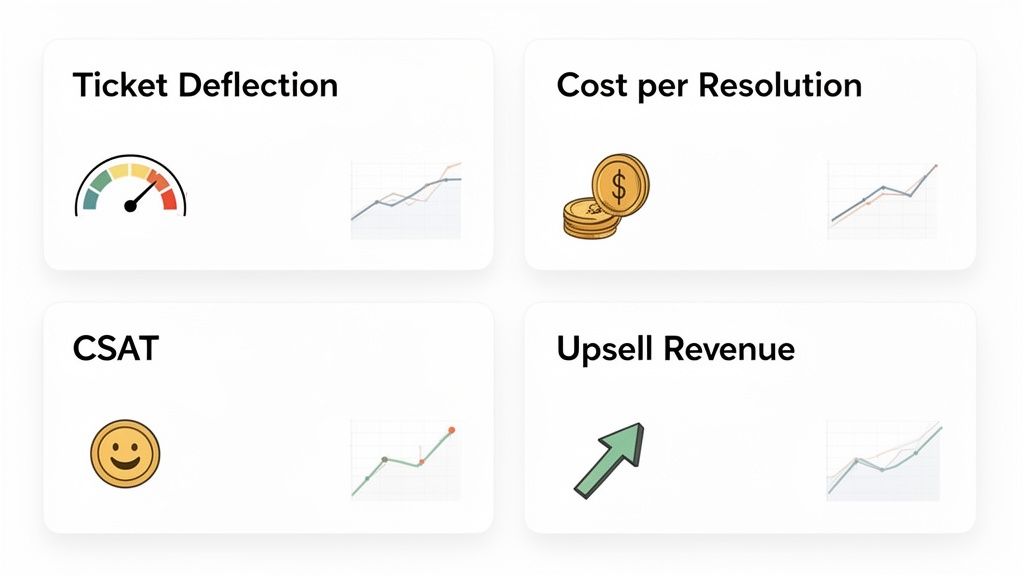
Forget about vanity metrics. You need to focus on the numbers that have a real impact on your efficiency, customer happiness, and bottom line. From my experience, these are the four non-negotiable KPIs every DTC brand should be watching.
Ticket Deflection Rate: This is your north star. It’s the percentage of customer questions that your self-service portal resolves without an agent ever getting involved. A high deflection rate is the clearest sign that your automation is doing its job.
Cost Per Resolution: This is where you prove the ROI. By handling common requests automatically, you slash the cost of each resolution. Just compare the pennies it costs for an automated fix to the fully-loaded cost of an agent’s time (salary, benefits, software). The difference is staggering.
Customer Satisfaction (CSAT): Are your customers actually happy with the self-service experience? The only way to know is to ask. Short, automated surveys right after a customer uses the portal give you immediate, actionable feedback. High CSAT scores tell you that your automation isn't just efficient—it's genuinely helpful.
Revenue from Post-Purchase Upsells: This is how your support team stops being a cost center and starts driving growth. Track the revenue coming directly from one-click upsells on your thank-you and order status pages. This metric proves the AOV lift and shows that great service can also be a powerful sales tool.
Tracking these metrics is non-negotiable. They provide a clear, unbiased view of your automation's performance and give you the data needed to justify future investments in your customer experience.
Hunt for Gaps and Optimization Opportunities
Your help desk is a treasure trove of insights. If you see customers still emailing to ask about something you’ve automated—like canceling an order—that’s a huge red flag. It points to a clear gap in your self-service flow. Maybe the cancellation window is too restrictive, or the button is buried where no one can find it.
Think of these tickets as leaks in your automation bucket. Your job is to find them and patch them. A common mistake is building a self-service option that's confusing or hard to find. The data is clear: 77% of consumers say a bad self-service portal is even more frustrating than having no portal at all. Your goal is to relentlessly hunt down and eliminate that friction.
If CSAT scores for a specific workflow are dropping, dive into the comments. Are people getting stuck trying to validate their address? Are the upsell offers completely missing the mark? Use that qualitative feedback to tweak your flows and perfect the experience.
Your Pre-Launch Automation Checklist
A buggy rollout can destroy customer trust before you even get started. Before you go live, you need to put your new automation engine through its paces. The last thing you want is a customer's first experience with your portal to be a broken one.
Run through this checklist and test every single workflow from your customer's point of view.
- Test Every Self-Service Action: Go through the entire process. Edit a shipping address. Try to cancel an order (both inside and outside the allowed time window). Add an upsell to an existing order.
- Verify Rule Enforcement: Make sure your rules are firing correctly. Can someone edit their address after your 2-hour cutoff has passed? They shouldn't be able to.
- Check All Communication Triggers: Do the automated confirmation emails and internal Slack notifications actually send? Check that they land in the right inboxes.
- Review on Multiple Devices: Test the full experience on a desktop, a tablet, and a phone. It needs to be flawless and intuitive on every screen size.
- Confirm 3PL and ERP Integrations: Place a real test order. Make an edit. Then, go into your backend systems to confirm that the data was passed correctly to your fulfillment partner and ERP.
Being thorough here prevents a world of launch-day headaches. This is the kind of meticulous prep work that separates brands that just have automation from brands that truly master it.
Common Questions We Hear All the Time
Even with a solid plan, jumping into customer service automation can feel like a big leap. You're right to be cautious—you want to improve your customer experience, not replace it with a robot. Let's tackle some of the most common questions and concerns we see from Shopify merchants every day.
Will Automation Make My Brand Feel Impersonal?
This is probably the number one concern, and it's a valid one. But the short answer is no, not if you're smart about it. The goal isn't to automate every single interaction. It’s to automate the simple, transactional stuff that customers actually prefer to do themselves.
Think about it: when you need to track an order or fix a typo in your shipping address, do you want to wait for an agent? Or would you rather just fix it yourself in 30 seconds? A recent study confirmed this, showing that 62% of customers would rather use a self-service option for a simple request than wait 15 minutes for a human.
Good automation isn't about avoiding customers. It’s about giving them instant solutions and a sense of control. This builds trust and frees up your support team to handle the complex, high-touch issues where a human connection really matters.
How Much Control Do I Really Have Over Order Edits?
You have total control. This isn't a free-for-all. Modern self-service tools for Shopify are built around merchant-defined rules, so you can empower customers without creating a mess for your fulfillment team.
You get to set the guardrails. For instance, you can decide:
- Time Windows: Only allow address changes within the first two hours after a purchase before it hits your fulfillment process.
- Field-Specific Permissions: Let customers edit their shipping address but block them from changing product variants or quantities.
- Approval Queues: For bigger actions like an order cancellation, you can have the request sent to your team for a manual thumbs-up or thumbs-down before anything happens.
This approach gives customers the quick-fix capability they want while protecting your operational workflow.
Can This Actually Increase Revenue?
Absolutely. This is one of the most powerful—and often missed—benefits of smart post-purchase automation. By placing one-click upsell offers right on your order confirmation and status pages, you're catching customers at their peak buying intent.
At that moment, they've already trusted you with their money and are excited for their package to arrive. Showing them a relevant, complementary product right then and there is far more effective than a marketing email a few days later. It's a direct path to a higher average order value (AOV) with zero extra ad spend.
How Hard Is It to Set This Up?
Honestly, it’s surprisingly easy. Most modern self-service apps, like SelfServe, are found on the Shopify App Store and install in just a few clicks. They're designed to work with popular themes right out of the box.
From there, you configure everything in a simple dashboard—no coding needed. Most brands can get their rules set, customize the look to match their branding, and have a fully functional portal deflecting tickets the same day they install it.
Ready to get out from under the mountain of support tickets and actually increase your AOV? With SelfServe, you can give your customers the self-service options they want, cut down your support workload, and turn your post-purchase experience into a new revenue stream. Start your free 30-day trial and see the difference today.