5 Powerful Self Service Portal Benefits for Ecommerce Growth
Imagine giving every customer their own personal concierge for every order they place. That's the power of a modern self-service portal. It’s an interactive dashboard where your shoppers can manage all their post-purchase needs themselves, without ever having to wait in a support queue. In a world where instant answers are the new standard, this level of control isn't just a bonus—it's what customers have come to expect.
What Is a Self Service Portal Anyway?
Let's be clear: a self-service portal is much more than a simple FAQ page or a static order confirmation email. Think of it as a dynamic, personal command center for your customers. After they hit "buy," they can log into a branded space and handle all the common tasks that used to clog up your inbox, whenever they want.
This shift empowers shoppers to solve their own problems, which is exactly what most people prefer to do anyway. This concept map gives you a great visual breakdown of how a portal becomes the central hub connecting what your customers need, what your support team does, and how efficiently your business runs.
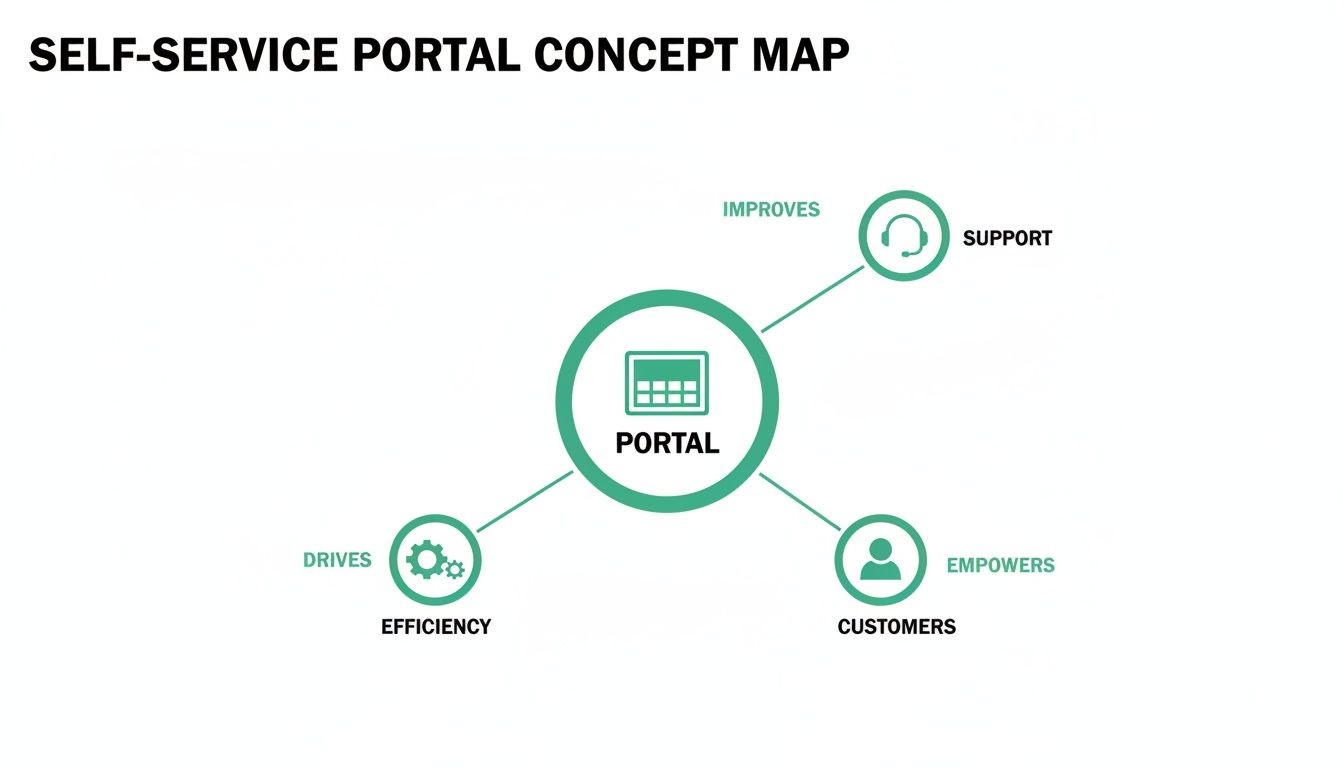
As you can see, the portal directly enhances the customer experience while simultaneously streamlining your internal support workload. It’s not just a cost-cutting tool; it's a strategic asset for building genuine customer loyalty and scaling your operations smoothly. This is especially true for high-volume Shopify stores facing a constant stream of customer inquiries.
The Core Idea Behind Self Service
The principle behind it all is beautifully simple: give customers the tools to help themselves. Instead of them having to email you to fix a minor typo in their shipping address, they can log in and correct it themselves in seconds. This kind of autonomy is no longer a "nice-to-have" feature; it's a core expectation.
The demand for self-service options is surging. Recent industry data shows that a staggering 95% of businesses have seen an increase in customer requests for these exact tools. The impact on your support team is immediate and profound, with portals delivering a proven 63% reduction in service workload. This frees up your agents to focus on the complex, high-value conversations that truly require a human touch. You can dive deeper into these trends by checking out the full report on customer portals from Orases.
To give you a clearer picture, here’s a quick summary of the main advantages.
Key Self Service Portal Benefits at a Glance
This table breaks down the primary benefits a self-service portal offers and how they directly translate into better business metrics.
Ultimately, a well-implemented portal turns a potentially frustrating post-purchase experience into one that reinforces a customer’s decision to buy from you.
By providing a "single pane of glass," a self service portal unifies the entire post-purchase experience. Customers don't have to hunt through old emails or search for contact forms; everything they need to manage their order is right there in one convenient, accessible place.
This approach transforms the journey after the sale from a series of potential friction points into a seamless, positive interaction. The benefits are crystal clear: fewer support headaches, smoother operations, and happier customers who feel valued and are far more likely to come back for more.
Dramatically Reduce Your Support Ticket Volume
One of the most immediate and satisfying benefits of a great self-service portal is watching your support queue shrink. That endless stream of repetitive questions and minor fixes that once ate up your team’s day can be cut down significantly, freeing them up to focus on what truly matters.

Think about this common scenario: a customer realizes they made a typo in their shipping address just minutes after hitting "buy." Without a portal, this kicks off a familiar, time-consuming process: a panicked email, a new support ticket, and an agent manually digging into your backend system to make the change. With a portal, that same customer fixes it themselves in under a minute. No panic, no ticket, no problem.
This instant deflection is where the magic really happens. Now, multiply that one scenario by the hundreds or thousands of similar issues that high-volume stores deal with every day. The impact becomes crystal clear. Your team is no longer bogged down by low-value, repetitive tasks.
Empowering Customers to Solve Common Problems
Think of all the routine post-purchase requests that constantly flood your inbox. A well-designed portal gives customers the power to handle these issues instantly on their own, turning potential support tickets into complete non-events.
Here are a few common problems a portal can solve right away:
- Address Corrections: Fixing typos in street names, zip codes, or city names.
- Missing Information: Adding a forgotten apartment or unit number.
- Contact Detail Updates: Correcting a misspelled email or updating a phone number.
- Order Cancellation Requests: Submitting a request to cancel an order within a specific timeframe you define.
By offloading these tasks, you're not just making your own operations more efficient. You're also meeting modern customer expectations for speed and control. In fact, research shows that 73% of users would rather use a company's website to find answers themselves.
Calculating the ROI of Fewer Tickets
The return on investment here is about more than just clawing back some time. Let's break down the tangible value. If a support agent spends 10 minutes handling a single address correction ticket, and your store gets 50 of those requests per day, that's over eight hours of work. You're paying for a full-time employee just to fix typos—a problem that automation can completely eliminate.
Even at massive organizations like Microsoft, the goal for internal self-service tools is to cut down support tickets by at least 40%. The logic is simple: every ticket deflected represents a direct cost saving and a boost in productivity. This principle applies perfectly to ecommerce customer support.
This is precisely where a solution like SelfServe delivers immense value. Its address validation feature, powered by Google Maps, helps prevent many of these errors from ever happening. And when they do slip through, customers can easily fix them within the rules you set—for instance, before the order is sent to your fulfillment partner.
This shifts your support agents from being reactive problem-solvers into proactive customer success drivers. They can finally focus on the complex, high-value issues that genuinely require a human touch.
Boost Customer Loyalty and Lifetime Value
Great customer service today isn't just about being there when things go wrong; it's about giving customers the power to manage their own experience. This is where a self-service portal shines, building a huge amount of trust by putting your customers in the driver's seat. That trust is the foundation for real loyalty and a higher customer lifetime value (CLV).
Put yourself in your customer’s shoes for a moment. It's 2 AM, and they've just realized they typed their address incorrectly. Instead of a sinking feeling and the prospect of waiting for your support team to open, they can log into a portal and fix it themselves in seconds. This turns a moment of panic into a seamless, positive experience, making them feel great about their decision to shop with you.
Building Trust Through 24/7 Empowerment
This feeling of control is precisely what today’s shoppers expect. The data doesn't lie: a staggering 73% of customers would rather use a company's website to find answers than call or start a live chat. That preference is a perfect match for what a self-service portal offers, whether it's letting a customer quickly edit shipping details or even add a last-minute item to their order. The latest self-service stats from Document360 really drive home this shift in consumer behavior.
But just having a portal isn't the whole story. While research shows 70% of consumers try self-service first, a much smaller number actually solve their problem without needing to talk to a person. This reveals the most important part of the equation: your portal has to work.
The goal isn't just to deflect tickets with a tool; it's to make sure that tool actually resolves the customer's issue on the first try. A truly effective portal is designed for success.
For example, SelfServe's Google Maps address validation doesn't just let customers edit their address—it helps them get it right, preventing delivery failures before they happen. This is how you build a relationship, not just process a transaction. When customers feel empowered, they don't just buy again; they become your biggest fans, boosting repeat purchase rates and your overall CLV.
Creating a Personalized Global Experience
If you're selling to customers around the world, a self-service portal has another trick up its sleeve: localization. Imagine a portal that automatically switches to your customer's native language. It creates a smooth, familiar journey that makes them feel understood and right at home, no matter where they are.
This kind of multilingual support tears down the communication walls that often lead to confusion and support tickets. When a shopper in Italy can manage her order in Italian, or a customer in Germany can request a change in German, the experience feels tailored just for them. It’s a small detail that makes a world of difference in building global loyalty.
When you combine 24/7 empowerment with a personalized, global touch, your self-service portal becomes more than just a problem-solver. It becomes a loyalty-building machine that turns first-time buyers into lifelong customers. For more strategies on building that kind of connection, check out our guide on how to increase customer lifetime value.
Increase Average Order Value After the Sale
A self-service portal does more than just cut costs and boost efficiency. One of its most powerful benefits is actually its ability to create brand new revenue, turning the humble order status page into a surprisingly effective profit center. This transforms what's usually a simple customer touchpoint into a strategic moment to grow your Average Order Value (AOV).
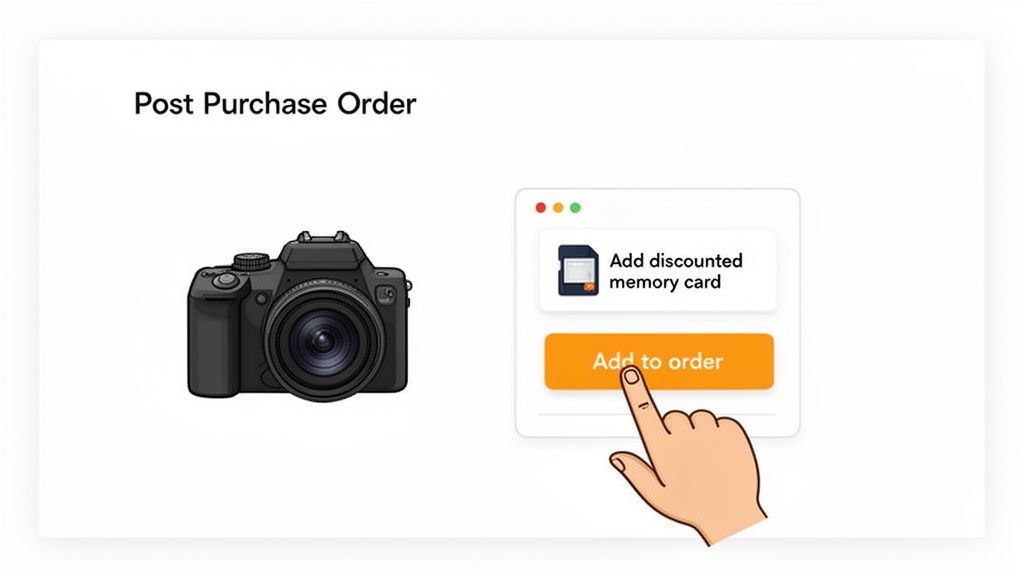
The secret lies in timing. You're catching customers right at the peak of their excitement—immediately after they’ve clicked "buy." They're already engaged and confident in their decision, making it the perfect time to show them a relevant, high-value offer that complements what they just bought. It feels less like an aggressive sales pitch and more like a genuinely helpful suggestion.
Think about it: someone just purchased a new digital camera. What if their order confirmation page presented a one-time offer on a compatible memory card or a protective case? This isn't just some random promotion; it's a smart suggestion that makes their main purchase even better, turning an extra sale into an easy "yes."
Making Impulse Buys Seamless
This is where a self-service portal truly shines. It makes these post-purchase upsells completely frictionless. Thanks to "add to order" functionality, a customer can accept an offer with a single click. The portal automatically adds the new item to their existing, unshipped order—they don't have to go through checkout again or re-enter any payment or shipping details.
That simplicity is the key to converting an impulse buy. By removing every bit of friction, you make it almost effortless for a happy customer to spend a little more. That’s how you boost AOV without spending a dime on new marketing or customer acquisition. You can dive deeper into this powerful tactic in our dedicated guide to the Shopify post purchase upsell.
The financial impact here can be huge. The global market for self-service tech is already booming and is projected to hit $44.04 billion by 2025. For merchants, this translates into direct revenue growth. Tools like SelfServe embed these upsell opportunities right onto the thank-you page, driving higher order values from the traffic you already have. For a full breakdown, check out the analysis on the economic clout of self-service portals from Archive Market Research.
By presenting curated offers when buyer intent is highest, you transform the order status page from a functional checkpoint into a revenue-generating asset. It’s about being helpful at the perfect moment.
With this approach, a standard part of your post-purchase experience becomes a consistent source of extra income. It’s a smart, customer-friendly way to lift your bottom line while making the shopping experience even better.
5. Gain Smarter Operational Control and Accuracy
Giving customers more control might seem like a recipe for chaos. But a well-designed self-service portal actually does the opposite: it gives you smarter control by letting you define the rules of the game.
Think of it as setting up guardrails. You’re empowering customers to solve their own problems, but only within a secure framework that you’ve built. This isn't about losing oversight; it's about gaining precision and making your operations run like a well-oiled machine.
Establish Guardrails for Customer Actions
One of the biggest wins here is the ability to set firm, automated rules for what customers can and can’t do. For example, you can give customers a specific time window to edit their shipping address—say, up until the order is processed for fulfillment. Once that window closes, the option simply vanishes from their portal. No last-minute changes throwing a wrench in your shipping process.
This is where you can get really specific to protect your margins and streamline workflows. You can build rules like:
- No Edits on Final Sale Items: Automatically block any changes or cancellations for orders that include final sale products.
- Automated Order Tagging: Instantly flag any order edited by a customer in Shopify (e.g., with an "address_changed" tag) so your team can spot it immediately.
- Cancellation Approval Queues: Let customers request a cancellation, but hold it in a queue for your team to approve or deny based on your fulfillment status.
These aren't just abstract ideas; they're the core of how a tool like SelfServe gives you a command center for your post-purchase experience. You get a powerful dashboard to manage permissions with simple toggles and settings.
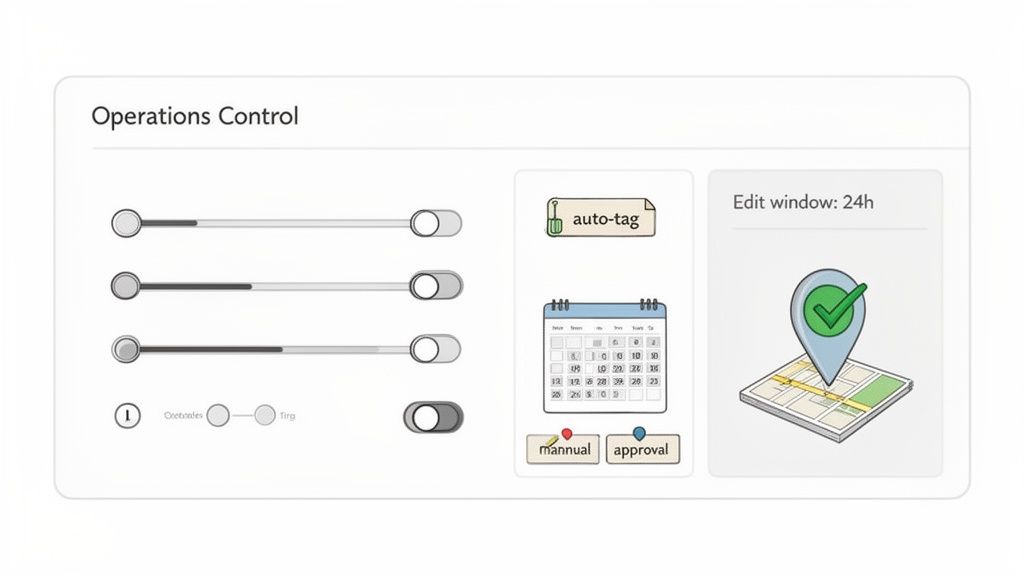
As you can see, these settings give you precise command over the entire journey, ensuring customer freedom never gets in the way of your operational integrity.
Boost Accuracy and Prevent Costly Errors
We’ve all seen it happen. A simple typo in a shipping address snowballs into a failed delivery, a returned package, a frustrated customer, and the hit you take on reshipment costs. This is where a self-service portal can step in to prevent mistakes before they become expensive problems.
The goal is to provide a "single pane of glass" for your operations team, where automated rules and validation work together to maintain order accuracy without anyone needing to lift a finger. It's about building a system that self-corrects.
By integrating address validation tools like Google Maps directly into the portal, you can guide customers toward accuracy. As they type, the system auto-suggests verified addresses and flags potential errors in real time. This one feature drastically cuts down on undeliverable shipments, saving you money and protecting your brand’s reputation.
It's one of the key ways that smarter order management apps deliver a clear and immediate return on investment. You’re not just adding a customer-facing tool; you're deploying a sophisticated operational asset that empowers shoppers while tightening your grip on accuracy and efficiency.
So, you're ready to bring all these self-service benefits to your own store? Good news—getting started on Shopify is probably a lot easier than you imagine. With the right app, you can launch a powerful customer portal in just a few minutes, no coding required.
Apps like SelfServe are designed to be plug-and-play. After installing it from the Shopify App Store, it automatically hooks into your store’s order status page. Just like that, your customers have a central hub to manage their purchases. Your first job is to tweak the settings to fit your business like a glove.
Setting Up Your Core Rules
Think of this first step as setting up the "guardrails" for your customer experience. You’re giving customers control, but within a framework that protects your operations and profitability. It's all about defining what they can do and when.
Start by dialing in these key configurations:
- Define Editing Windows: Decide how long customers have to make changes. For instance, you could give them two hours after purchase to edit their shipping address or allow edits right up until the order is marked as "fulfilled."
- Customize Your Branding: Make the portal feel like a natural extension of your store. Adjust the colors, fonts, and upload your logo to create a seamless, on-brand experience.
- Configure Upsell Offers: Now for the fun part. Build your first post-purchase upsell. Pick a product that pairs well with a bestseller, add a small discount, and give customers a one-click way to add it to their order.
Driving Adoption and Measuring Success
Your portal is live—now what? It’s time to let your customers know it exists. You don't need a massive marketing campaign; a simple heads-up is often enough to drive adoption and show shoppers you're making their lives easier. Try adding a quick note to your order confirmation emails or a banner on your homepage announcing the new, easy way to manage orders.
The real power of a portal is seeing its impact in real time. By tracking the right metrics, you can directly measure your ROI and see how automation is improving both your customer experience and your bottom line.
To truly understand the portal's impact, you need to focus on a few key performance indicators (KPIs). The data doesn't lie, and tracking these numbers will give you a clear picture of what's working.
Here’s a breakdown of the most important metrics to keep an eye on.
KPIs for Measuring Self-Service Portal Success
Paying close attention to the reduction in support tickets and the revenue from post-purchase upsells will give you an immediate and powerful snapshot of your return on investment. These two numbers alone often justify the entire setup.
Common Questions About Self-Service Portals
Even with all the obvious upsides, it’s smart to have a few questions before you jump in. A lot of merchants I talk to are initially concerned about losing control or, ironically, creating more work for their teams.
But in reality, a well-designed portal does the exact opposite. Let's tackle some of the most common questions head-on.
Will This Create More Work for My Team?
Nope. In fact, it’s designed to do the opposite. A portal’s entire job is to automate those repetitive, low-impact requests—like fixing a typo in a shipping address or answering "Where is my order?". By handling these automatically, it drastically reduces the number of manual tickets your support team has to touch.
The initial setup is usually quick, and you define the rules of engagement from the start. This frees up your team to focus on the complex issues that genuinely need a human brain to solve.
How Do I Stop Customers from Messing Up My Fulfillment?
This is a big one, but modern portals give you all the control you need. You can set very specific rules to protect your operations.
For example, you can create rules like:
- No changes allowed 2 hours after the order is placed.
- Editing is automatically disabled once the order status changes to "Processing" or "Fulfilled".
- Certain items, like personalized products, can be locked from any changes at all.
The goal is to let customers make changes only within a safe window—long before the order hits your warehouse or 3PL. This prevents any chaos in your fulfillment line while still giving customers a sense of control.
Is It Hard to Install on My Shopify Store?
Not at all. Most leading self-service solutions are built as Shopify Apps specifically for a simple, no-code installation. It’s usually a process that takes just a few minutes.
These apps are made to blend right into your existing store theme and checkout, so you can get it live almost instantly. No developers or custom coding required.
Ready to see these benefits in action? SelfServe empowers your customers and streamlines your operations in minutes. Start your free trial on getselfserve.com and transform your post-purchase experience today.