Language Support: A 2026 Guide for Global Ecommerce
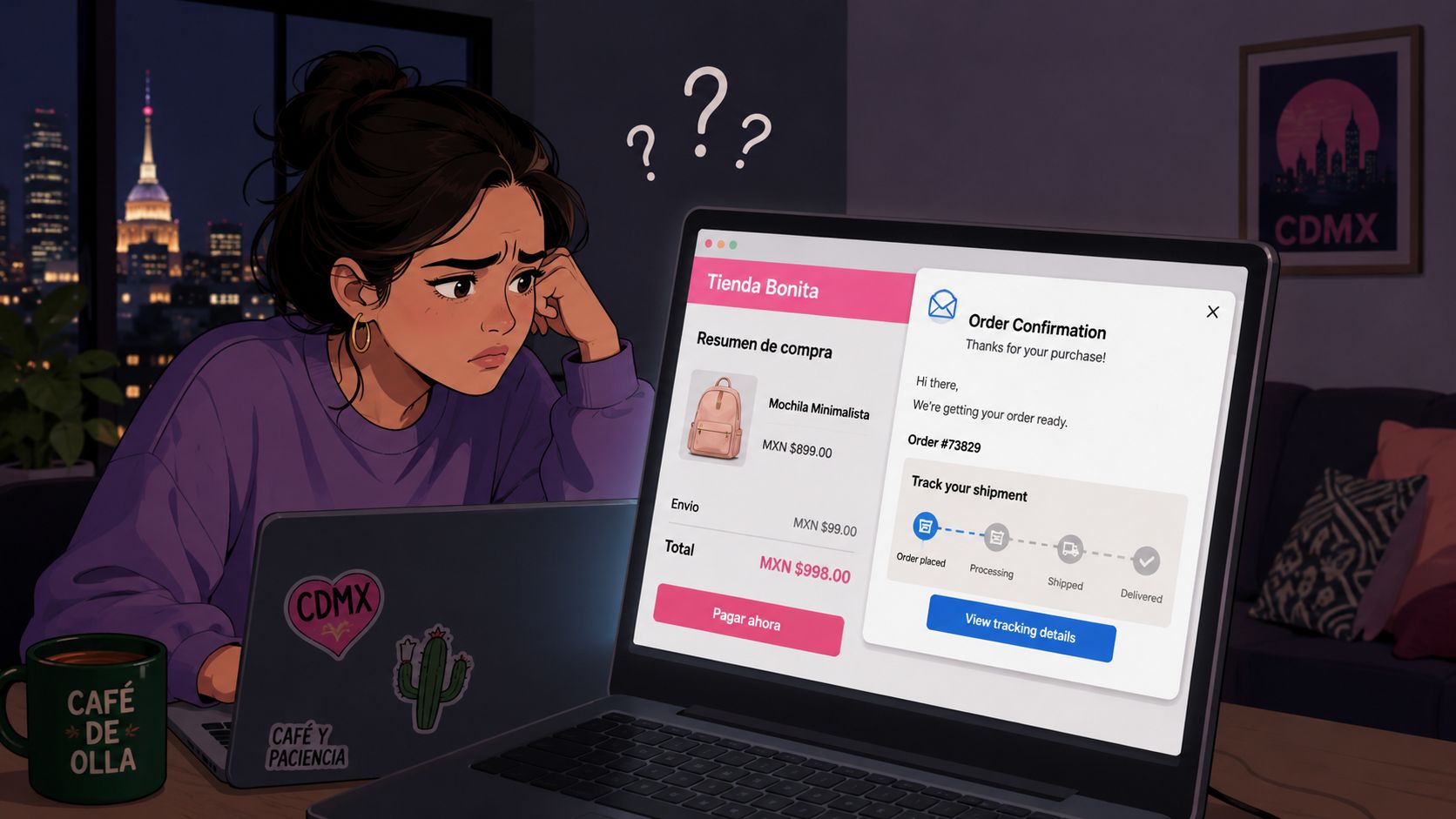
At 11 p.m., Daniela in Mexico City adds a serum to her cart, pays in MXN, and gets an English confirmation email before she's even put her phone down. The shipment-tracking widget uses U.S. address conventions, the carrier names aren't familiar, and the upsell promotes a winter coat. She needs to add an apartment reference to the shipping address, but the form rejects the postal format. Support in Spanish is unavailable after hours, so she abandons the edit and sends an email that will wait in a queue.
That's not a translation problem. It's a lost order edit, a missed upsell, and a trust failure in the most sensitive part of the customer journey. Language support has to follow shoppers after checkout, into order editing, tracking, returns, validation, and recommendations. For Shopify Plus brands, the post-purchase widget is an operational surface, not decoration.
The Shopper Who Hit the Wrong Language
Daniela didn't need a translated slogan. She needed to complete a practical task quickly: correct an address before the warehouse processed her order. The widget gave her an English action label, an unfamiliar postal validation rule, and product recommendations that ignored her market. Each individual issue was small. Together, they made the store feel unreliable.
The failure happened after the sale
Post-purchase intent is often urgent. A customer notices a missing apartment number, changes a delivery instruction, checks whether a parcel has shipped, or considers adding a complementary product. The shopper has already trusted the brand with payment. If the next interaction suddenly switches to an English-first interface, that trust becomes conditional.
The operational consequences are straightforward:
- The edit disappears: A customer who can't update an address may contact support or abandon the request.
- The queue gets harder to manage: A Spanish-language modification request routed to an English-only queue takes longer to resolve.
- The upsell loses relevance: A generic recommendation can look careless when it ignores local seasonality, product availability, or cultural context.
- The confirmation feels inconsistent: MXN pricing paired with U.S. defaults signals that the storefront and the fulfillment operation aren't connected.
Practical rule: If a shopper completes checkout in one locale, every high-intent post-purchase action should begin in that same locale.
Language support fixes the whole interaction. The order-edit widget should preserve the shopper's language, display local address guidance, validate the relevant format, show understandable carrier and delivery information, and present an offer that can be purchased in that market. Daniela shouldn't have to open a language menu to make a basic correction.
The right question for operations leaders isn't, “Have we translated the confirmation page?” It's, “Can a customer in every priority market complete the next task without switching context or contacting support?”
What Language Support Means in Ecommerce
Translation changes words. Language support changes behavior. For a global ecommerce operation, the shopper's locale must carry through the storefront, checkout, customer account, and post-purchase tools. That context includes language, currency, payment expectations, address structure, dates, phone numbers, units, delivery windows, and legal presentation.
A translation-only setup can turn “Update shipping address” into another language while leaving the form configured for a different country. The result looks polished but fails operationally. The customer understands the instruction and still cannot complete the task.
Treat the locale as an operating context
A language-support layer should coordinate:
- Interface strings: Buttons, labels, confirmation messages, errors, escalation instructions, and help content.
- Regional formats: Currency display, date and time conventions, phone fields, measurements, and postal codes.
- Transaction behavior: Local payment methods, tax presentation, return language, and checkout expectations for the region.
- Layout and accessibility: Right-to-left rendering where required, plus accurate language signaling for assistive technology.
- Merchandising: Images, recommendations, availability, and promotional copy that fit the market.
- Fulfillment details: Carrier names, delivery estimates, cutoff times, and timezones tied to the order context.
The scope matters because shoppers judge trust across the full journey, not one translated paragraph. International ecommerce UX research from Nielsen Norman Group recommends evaluating localized interface elements, checkout flows, and error handling through task completion, errors, time on task, and satisfaction. Test the workflow, not just the translated copy.
Post-purchase widgets expose gaps quickly. An order-edit flow must preserve the checkout locale, insert order data without breaking grammar, validate addresses using the right regional rules, and keep price and fulfillment logic consistent. SelfServe's multilingual widget should be reviewed at each locale for editing labels, validation errors, confirmation states, and upsell behavior. A translated button is insufficient if the widget still accepts the wrong address format or shows an offer unavailable in that market.
Localization owns wording. Engineering and operations own behavior, data, and rules. Use this guide to understand what language localization means in ecommerce, then apply that broader standard to the post-purchase widgets customers use after payment.
Why Native-Language Experiences Drive Real Revenue
Native-language support earns its place in the operating plan because customers use language to decide whether a store feels safe enough to buy from again. One consumer survey reports that 76% of shoppers prefer to buy in their native language, while 75% are more likely to repurchase when support is available in that language. The customer-service translation statistics from WhosOn provide those survey signals.
Those figures don't tell you which locale to launch first. They do tell you that post-sale language is tied to retention, not just acquisition. A shopper who can correct an address, understand a delivery update, and resolve a return without translation friction has fewer reasons to reconsider the brand.
Measure the task, not just the copy
The meaningful comparison is between completed customer actions:
| Metric | Native-Language Flow | English-Default Flow |
|---|---|---|
| Address correction | The customer sees familiar fields, local guidance, and relevant validation | The customer must interpret unfamiliar instructions and may submit an invalid format |
| Order editing | The action labels and error states match the checkout language | The customer can hesitate, misread, or abandon the flow |
| Support demand | Clear self-service steps can prevent avoidable contacts | Basic modifications are more likely to become tickets |
| Upsell engagement | Product copy and instructions feel relevant to the market | Generic offers are easier to ignore |
| Retention experience | The brand remains consistent after payment | The language switch can weaken confidence |
Avoid blended averages. A strong English result can hide a weak Spanish, German, or Arabic experience. Track self-service edit completion, validation failures, support contacts, and repeat purchase behavior by locale, then compare each market with its own baseline.
The revenue math also has to stay honest. You can model the commercial value of retention improvements without pretending the lift is guaranteed. For example, a 5% increase in repeat purchase rate on a cohort spending $1.2 million annually would represent $60,000 in retained revenue, but that scenario is arithmetic, not proof that language support will produce that result. Your test should establish the actual impact.
A native-language widget can improve the conditions around revenue. It can shorten the time needed to edit an order, reduce uncertainty around address validation, and make an add-on feel appropriate. Those are operational outcomes worth measuring. Don't reduce the business case to translation coverage.
Building Multilingual Order Editing and Widgets
A multilingual widget needs a locale-aware routing layer, not a collection of duplicated pages. The system should identify language context through checkout data, browser settings, cookies, geolocation where appropriate, or an explicit customer choice. Manual selection still matters because location doesn't always equal language.
Keep the backend logic shared. Route the interface to the correct locale, then load localized resources for strings, formatting, validation, and recommendations. That prevents every market from becoming a separate implementation that drifts over time.
Make dynamic content safe
Hard-coded strings fail as soon as the widget includes order IDs, dates, product names, amounts, or carrier events. Use a centralized translation-key system with structured JSON resources loaded per locale. Placeholders should remain data fields, not fragments of translated sentences.
Locale codes need regional precision. es-MX carries more useful context than es when the experience includes Mexican currency, address conventions, or tone. The same principle applies to Canadian French, Brazilian Portuguese, and other markets where regional usage affects customer comprehension.
Accessibility belongs in the implementation checklist. WCAG guidance explains that multilingual pages need valid language signaling, and HTML lang values should use valid BCP 47 tags such as en, fr-CA, or sv-SE so assistive technologies can apply the correct pronunciation. The HTML language attribute guidance for WCAG is particularly relevant when a widget mixes interface language with product or carrier content.
Adapt the fields behind the words
Address validation is where translation-only projects expose themselves. A Brazilian CEP, a German postal code, and a U.S. ZIP code don't share the same structure or guidance. The error message must explain the local requirement, and the validation service must accept the format that the fulfillment operation expects.
Use a requirements matrix before development:
| Locale | Date Format | Address Validation | Language Variant |
|---|---|---|---|
| Mexico | Local market convention | Mexican postal-code rules and address fields | Mexican Spanish, es-MX |
| Brazil | Local market convention | CEP structure and Brazilian address fields | Brazilian Portuguese, pt-BR |
| Germany | Local market convention | German postal-code and address conventions | German, de-DE |
| Canada | Local market convention | Canadian postal-code and address conventions | Canadian English or French, en-CA or fr-CA |
Test right-to-left layouts, long translated strings, missing translations, and fallback behavior before release. A fallback should be deliberate and visible in internal monitoring. It shouldn't automatically turn a Spanish order-edit flow into an English one.
For the operational setup around post-purchase changes, review how to get started with SelfServe, then map its configuration to your own permissions, fulfillment windows, and support queues. The important design decision is to keep customer-facing language and backend order rules aligned.
How a Multilingual Widget Behaves Across Locales
Daniela returns to the order-status page from a Mexican browser. The widget recognizes her language context and opens in Mexican Spanish. Instead of an English “Update Shipping” button, she sees “Actualizar envío,” followed by address fields and guidance appropriate to the order's destination.
She adds the apartment reference. The widget validates the entry against the expected regional format, explains any correction in Spanish, and confirms whether the change is still allowed under the merchant's edit window. The backend receives the same structured update that an English-speaking shopper would submit. The interface changes, not the order-control rules.
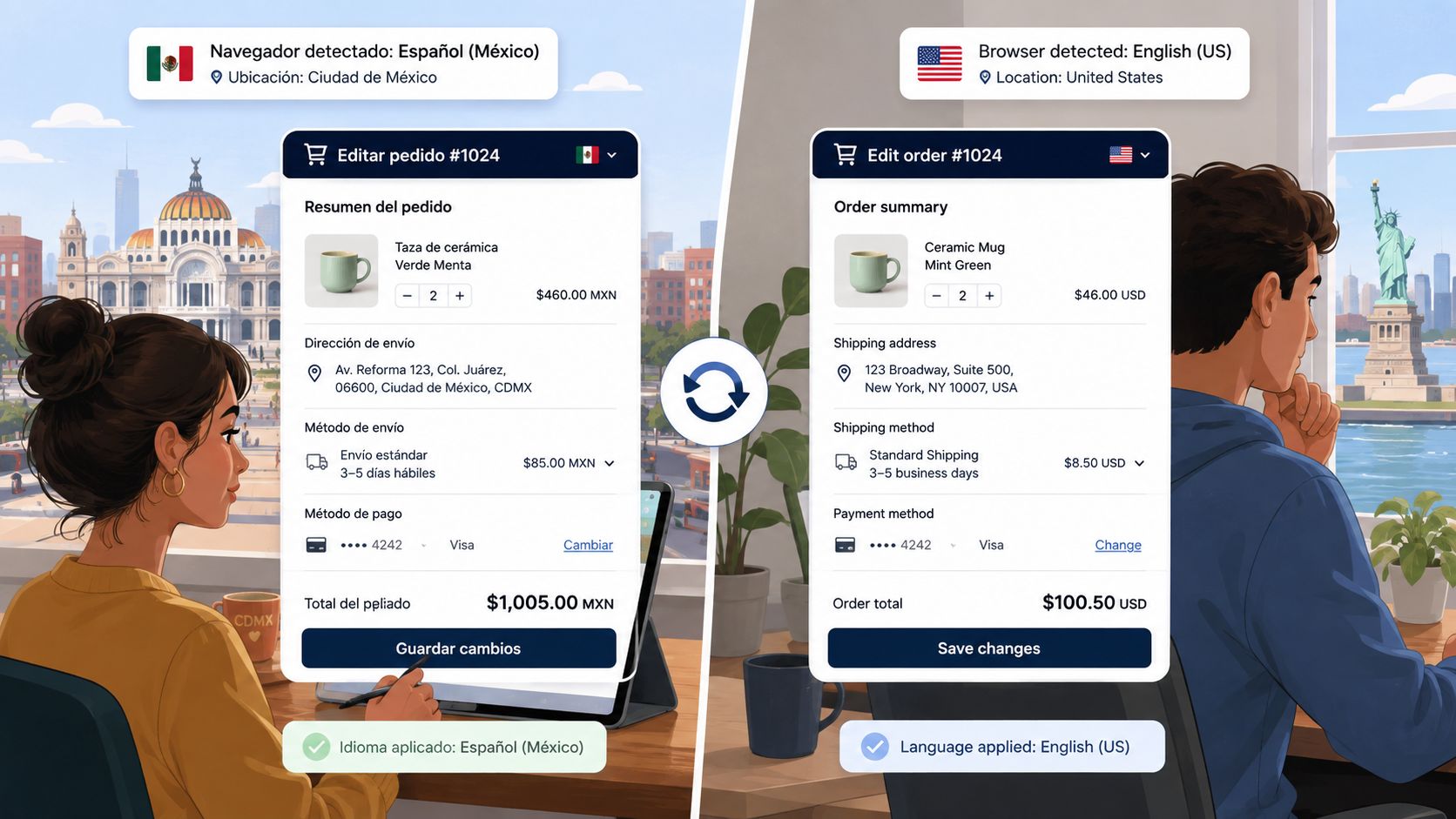
Validation should respond to the customer's actual input
Now consider a shopper in Brazil who enters a postal code into a field configured with U.S. assumptions. A resilient widget doesn't wait for a failed submission or send the customer to support. It identifies the market context, applies the relevant format, and provides a localized correction message while the shopper is still completing the task.
That behavior builds confidence because the system explains what went wrong in a familiar language and gives the customer a path forward. It also protects operations from undeliverable addresses, manual corrections, and preventable fulfillment delays.
Upsells need local relevance and operational permission
The upsell block follows the same rules. It should use localized product names, prices, availability, and instructions. The recommendation can also reflect market fit, such as a regionally relevant product or an item that meets local requirements. A dietary preference or certification may matter more than a generic “customers also bought” rule in a particular market.
Don't translate an offer that the customer can't add. Inventory, shipping eligibility, payment handling, and order-edit permissions must agree with the recommendation. A translated upsell that fails at the final action is worse than no upsell because it confirms that the store's systems aren't coordinated.
SEO has a related dependency. If your localized storefront routes shoppers to inconsistent language versions, review Shopify hreflang fixes with RankEngine alongside widget behavior. Search discovery and post-purchase continuity are separate systems, but both depend on accurate locale signals.
The customer shouldn't need to open settings, switch languages, or explain the market to support. Detection, formatting, validation, and recommendations should respond automatically, with a visible language picker available when detection gets it wrong.
Operational Best Practices for a Global Rollout
Don't launch every locale at once. Start with the markets where order volume, support demand, delivery complexity, and repeat purchase opportunity justify the operational work. A sales report can identify demand, but support tickets and failed address edits reveal where language friction is costing the team time.
Assign ownership before translation begins. Marketing should protect brand voice, localization should manage linguistic quality, engineering should own resource loading and fallback behavior, and operations should define which edits, returns, and fulfillment messages each market can use. A shared CMS or translation management system keeps those decisions visible.
Govern language like production content
Create locale-specific style guides. Define terminology for shipping, refunds, delivery windows, product attributes, and customer-service escalation. Record decisions in a place engineers and support agents can find, rather than burying them in chat threads.
A working governance loop looks like this:
- Set the source of truth: Store widget strings, legal text, error messages, and recommendation copy in managed resources.
- Review with native speakers: Have reviewers test meaning, tone, layout, and context inside the actual widget.
- Return issues to the owner: Let support agents report awkward phrasing and incorrect instructions through a tracked workflow.
- Audit market rules: Recheck address formats, tax presentation, returns language, advertising constraints, and product eligibility.
- Train the frontline: Teach agents how locale settings affect order processing, communication templates, and escalation routing.
Keep per-locale results separate. Multilingual UX guidance warns that a feature marked “supported” may still perform unevenly, and benchmarks cited by Developer UX report a performance gap of up to 24.3% between high-resource and low-resource languages. The multilingual UX guidance from Developer UX reinforces the need to test each locale independently and expose uncertainty through editable outputs or human escalation.
For broader discovery and regional search planning, use this practical resource on global SEO best practices 2026. Then connect the SEO plan to the customer-service and fulfillment workflows documented in global ecommerce solutions, rather than treating visibility and operations as separate programs.
Measurement Framework and Implementation Checklist
Your QBR scorecard should show whether customers can complete post-purchase tasks in the intended locale. Start with instrumentation before launch, because missing events can make a working experience look commercially neutral.
Track readiness before traffic arrives
Monitor:
- Locale routing accuracy: Did the widget select the expected language, or did the customer manually switch?
- String parity: Are all customer-visible states translated, including empty states, errors, loading messages, and escalation instructions?
- Address-format coverage: Can each target market validate the fields customers use?
- Fallback rate: How often does the experience serve a default language or untranslated key?
- Task coverage: Can QA complete editing, tracking, cancellation, returns, and upsell actions in every target locale?
After launch, separate results by market. Track self-service edit completion, address-validation failures, support contacts about order changes, delivery-status contacts, upsell engagement, conversion, and repeat purchase behavior. The exact metric definitions matter. “Widget opened” doesn't equal “customer completed the task.”
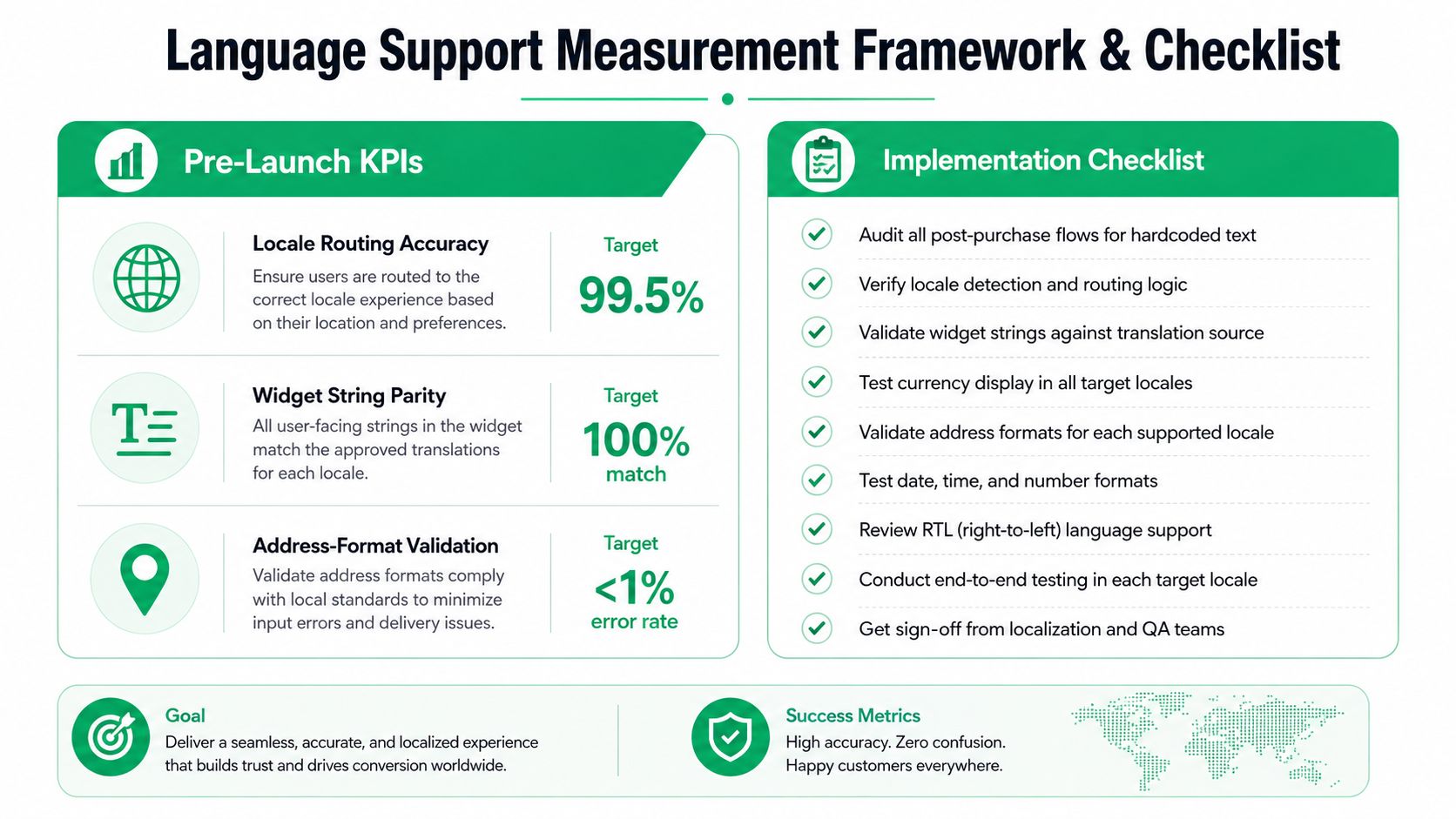
Use a staged implementation checklist
- Inventory every flow: Include confirmation emails, order status, editing, returns, cancellations, support escalation, and upsells.
- Define locale routing: Document detection signals, manual overrides, persistence rules, and fallback behavior.
- Centralize strings: Remove hard-coded widget copy and assign owners to translation keys.
- Map regional rules: Test currency, dates, phone numbers, measurements, address fields, taxes, and delivery windows.
- Test with native speakers: Ask reviewers to complete real tasks, not just approve isolated sentences.
- Instrument the funnel: Capture locale, action, error, completion, fallback, and support-contact events.
- Prepare rollback paths: Keep the prior stable experience available if a market-specific release creates fulfillment or payment risk.
Use market-level baselines and, where practical, holdouts. Don't compare a newly localized market with a blended global average. A clean read requires the same task definitions, the same measurement window, and visibility into customers who switched language manually.
Putting It All Together
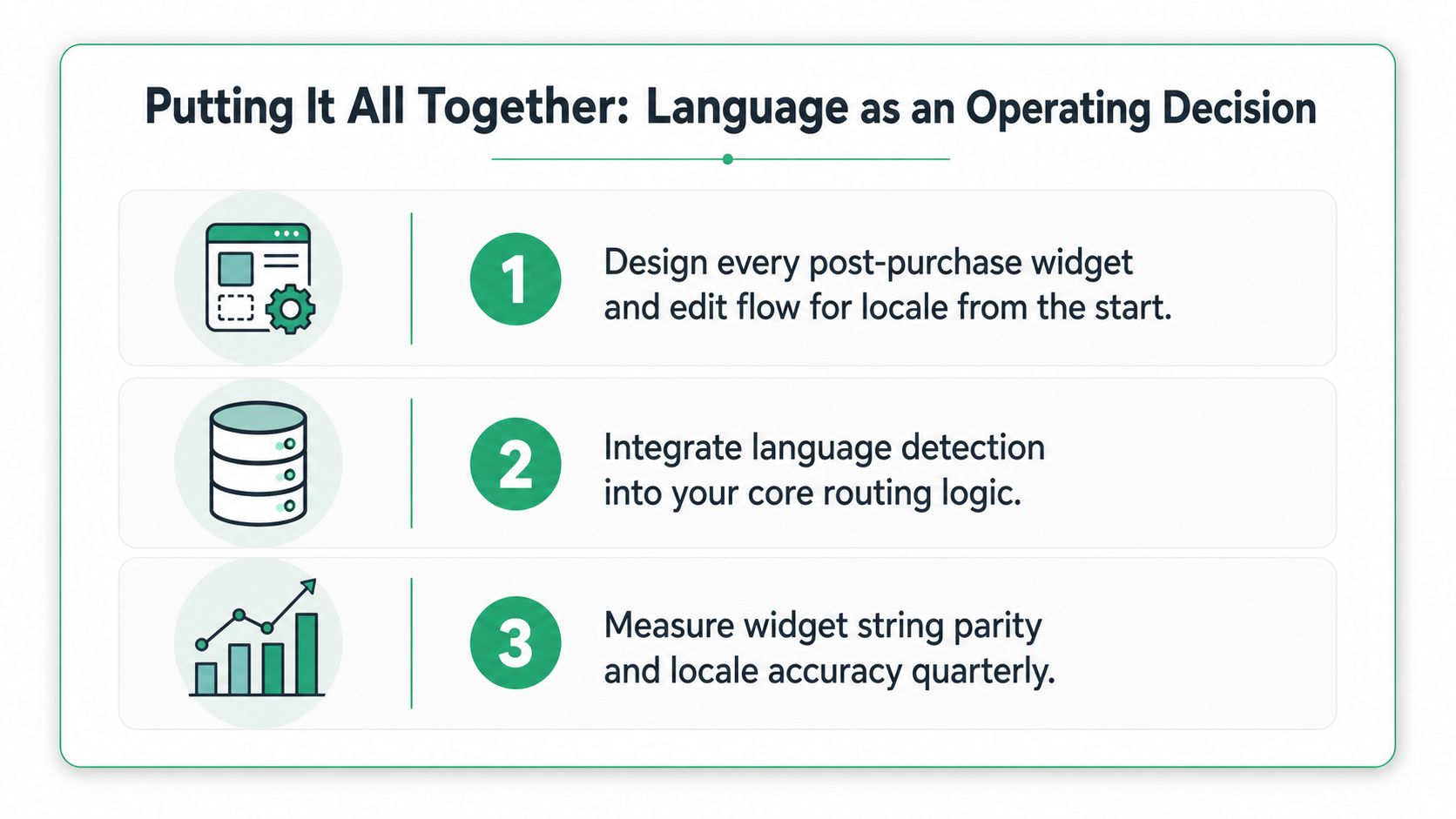
Language support is an operating decision, not a translation project. Build every post-purchase widget and order-edit flow around the shopper's locale, govern customer-facing strings with the discipline you apply to code, and measure performance by market instead of hiding weak locales inside blended averages.
Per-locale quality matters more than the number of languages listed on a feature page. As your store expands, the advantage will come from making each market's workflows dependable, from address correction through returns and relevant add-ons.
SelfServe gives Shopify and Shopify Plus teams a multilingual post-purchase widget for controlled order edits, address prompts, validation, support escalation, and relevant upsells. Visit SelfServe to see how your team can keep post-purchase operations native to each priority market while reducing avoidable support work.