Boost Sales: Top Marketing Apps Shopify for 2026

You open the Shopify App Store to fix one problem, then leave with five tabs open and a bigger one. You wanted better email automation. Now you’re comparing pop-up tools, review widgets, upsell apps, attribution platforms, and loyalty programs that all claim they integrate cleanly.
That’s the trap.
Most advice around marketing apps shopify treats each app like an isolated win. Install an email platform. Add reviews. Layer on upsells. Turn on loyalty. But stores don’t run in silos. Customers move from ad click to product page to checkout to order status page to support inbox. If your apps don’t follow that same journey, the stack becomes expensive friction.
That’s why I don’t look at apps by feature list first. I look at workflow impact. What customer behavior does the app influence? What team touches the outcome? What happens after the click? If an app drives more orders but creates more support tickets, broken tagging, conflicting messages, or messy fulfillment exceptions, it’s not helping enough.
The scale of the problem is obvious. The Shopify App Store has over 12,320 apps, and over 87% of merchants use apps from that ecosystem, which tells you how central apps are to store performance (Shopify app store usage data). The hard part isn’t finding an app. It’s building a system that still works after you install the fifth one.
I’ve found it’s useful to think less about “top apps” and more about how different tools cater to e-commerce brands across distinct jobs such as acquisition, retention, and customer experience. This breakdown of how different tools cater to e-commerce brands is a good reminder that the right stack depends on operating model, not hype.
Your Guide to the Shopify Marketing App Maze
Why the app store feels harder at scale
A smaller store can get away with a few disconnected tools for a while. A Shopify Plus brand usually can’t.
Once order volume rises, every app decision starts touching more than marketing. A review tool affects post-purchase email timing. A pop-up app affects page speed. An upsell app affects fulfillment logic. A loyalty app affects customer service because someone has to answer point-balance questions when sync breaks.
That’s where merchants get stuck. They aren’t choosing between “good app” and “bad app.” They’re choosing between compatible systems and future cleanup.
The stores that struggle with apps usually don’t have too few tools. They have too many tools solving the same moment in different ways.
Think in workflows, not features
Features are easy to compare. Workflows are what make money.
A workflow view asks better questions:
- Acquisition flow: Does paid traffic feed into email capture, segmentation, and remarketing cleanly?
- Conversion flow: Do reviews, offers, and on-site messaging support checkout without cluttering it?
- Post-purchase flow: Does the experience reduce support demand while opening room for add-ons and retention?
- Reporting flow: Can your team tell which combination of touchpoints influenced the sale?
If you map apps this way, the stack gets simpler fast. You stop buying duplicate tools. You spot dead zones. You notice where a “marketing” app is really creating an operations problem.
That’s the lens that matters for high-volume brands. Not which app has the flashiest demo, but which one fits the rest of the machine.
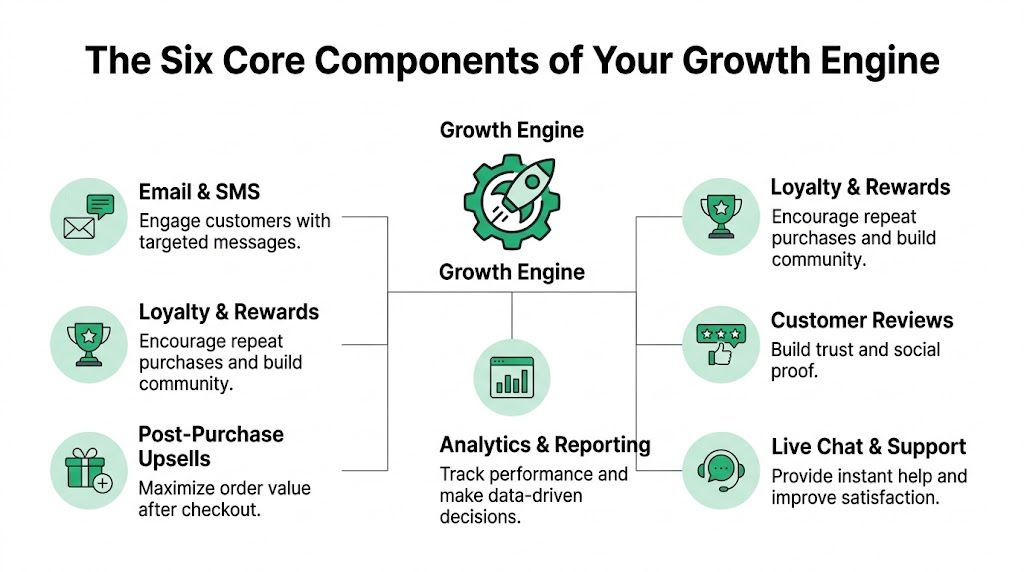
The Six Core Components of Your Growth Engine
A healthy Shopify stack behaves like a growth engine. Each component has a job. When one is missing, another team ends up compensating manually.
The six categories that matter
Some brands split these categories differently, but in practice these are the six I keep seeing do the heavy lifting.
Email and SMS
This is your lifecycle communication layer. It handles welcome flows, abandoned cart, browse abandonment, replenishment, win-back, and transactional-adjacent messaging when native notifications aren’t enough.Loyalty and rewards
This category supports retention. Done well, it gives repeat buyers a reason to come back without defaulting to discounts every time.Post-purchase upsells
Many brands leave money on the table by neglecting this opportunity. A customer who has already committed is still in a high-intent state on the thank-you and order-status journey.Customer reviews
Reviews shape conversion before purchase, but they also influence retention because they change confidence in the first order experience.Analytics and reporting
This is the layer that tells you whether your stack is working or whether one app is taking credit for another app’s influence.Live chat and support
Support tools belong in the marketing conversation because speed, clarity, and self-service shape conversion and repeat purchase behavior.
Shopify marketing app categories at a glance
| Category | Primary Goal | Key Metrics | Example Use Case |
|---|---|---|---|
| Email & SMS | Re-engage and convert known audiences | Flow performance, repeat purchase behavior, campaign response | Sending segmented replenishment messages after first purchase |
| Loyalty & Rewards | Improve retention and brand affinity | Repeat order behavior, reward redemption trends | Offering points for purchases and referrals |
| Post-Purchase Upsells | Increase order value after checkout | AOV movement, add-on acceptance, order editing activity | Offering curated add-ons on thank-you or order-status pages |
| Customer Reviews | Build trust and reduce hesitation | Review volume, review quality, conversion behavior | Requesting feedback after delivery and surfacing product ratings |
| Analytics & Reporting | Understand contribution across channels | Attribution views, cohort analysis, order tagging accuracy | Comparing lifecycle channel impact against paid media |
| Live Chat & Support | Remove buying friction and reduce ticket load | Response quality, resolution speed, self-service adoption | Answering pre-sale questions and deflecting simple order-change requests |
How the components interact
The mistake is treating these as separate purchases. They’re connected.
Your review tool should feed customer segments. Your loyalty app should influence email timing. Your support layer should know whether a customer just accepted an upsell. Your reporting should pull behavior from all of them.
A simple example is post-purchase merchandising. If you’re evaluating apps in that category, this roundup of Shopify upsell apps is useful because it shows how placement and workflow matter more than just offer design.
Practical rule: If a new app can’t either send data to your core systems or act on data from them, it’s probably a widget, not a real growth component.
How to Evaluate and Select the Right Marketing Apps
Most merchants overweight features and underweight operating cost. That’s how they end up with apps that look strong in demos and become painful in production.
Start with failure points, not wish lists
Before installing anything, list what can go wrong if the app underperforms.
For example:
- Speed impact: Will it inject front-end scripts that compete with other widgets?
- Theme complexity: Does it require manual Liquid edits or deep theme app extensions?
- Data ownership: Can you export key data, or are you locked into the app’s dashboard?
- Support dependency: Will your team need the vendor every time you want to change logic?
- Uninstall residue: Does it leave snippets, CSS, or stale event triggers behind?
That exercise changes the buying conversation. You stop asking “Does it have feature X?” and start asking “What operational debt does this create?”
What strong app vetting looks like
I prefer a simple scorecard. Not because every app needs a formal procurement process, but because opinions get messy fast when three teams are involved.
Use a checklist like this:
- Integration fit: Does it connect with your email platform, support stack, analytics setup, and any post-purchase tools already in place?
- Merchant control: Can your team change rules, timing, product exclusions, and permissions without developer help?
- Support quality: Does the vendor answer implementation questions clearly, or only send docs?
- Update pattern: Are they maintaining the app as Shopify evolves?
- Shopify Plus compatibility: Does it respect the workflows and complexity of higher-volume stores?
- Pricing clarity: Is billing easy to forecast, or does usage-based logic create surprise costs?
- Fallback behavior: If the app fails, does checkout or the customer journey break awkwardly?
Questions worth asking before install
The best app evaluations usually happen before the free trial starts.
Ask the vendor:
- What happens if this conflicts with another app on the same page?
- How does your app handle multilingual storefronts or order-status experiences?
- Can we control trigger timing to prevent message collisions?
- What data can be passed into our reporting stack?
- What does uninstall involve?
- Who on your side helps with advanced implementation issues?
A polished onboarding call doesn’t tell you much. A direct answer about limitations tells you a lot.
Don’t confuse popularity with fit
A widely installed app can still be wrong for your store.
A fashion brand with international traffic, bundled offers, and a 3PL has different constraints than a simple domestic catalog brand. The more operational branches you have, the more important compatibility becomes.
That’s why I’d rather run a smaller, tighter stack than a famous one with overlapping logic. The best marketing apps shopify merchants choose usually aren’t the ones with the longest feature page. They’re the ones that reduce manual work while fitting the current operating model.
Building a Cohesive Workflow Instead of an App Graveyard
The difference between a productive stack and an app graveyard usually comes down to one thing. Data has to move in the same direction as the customer journey.
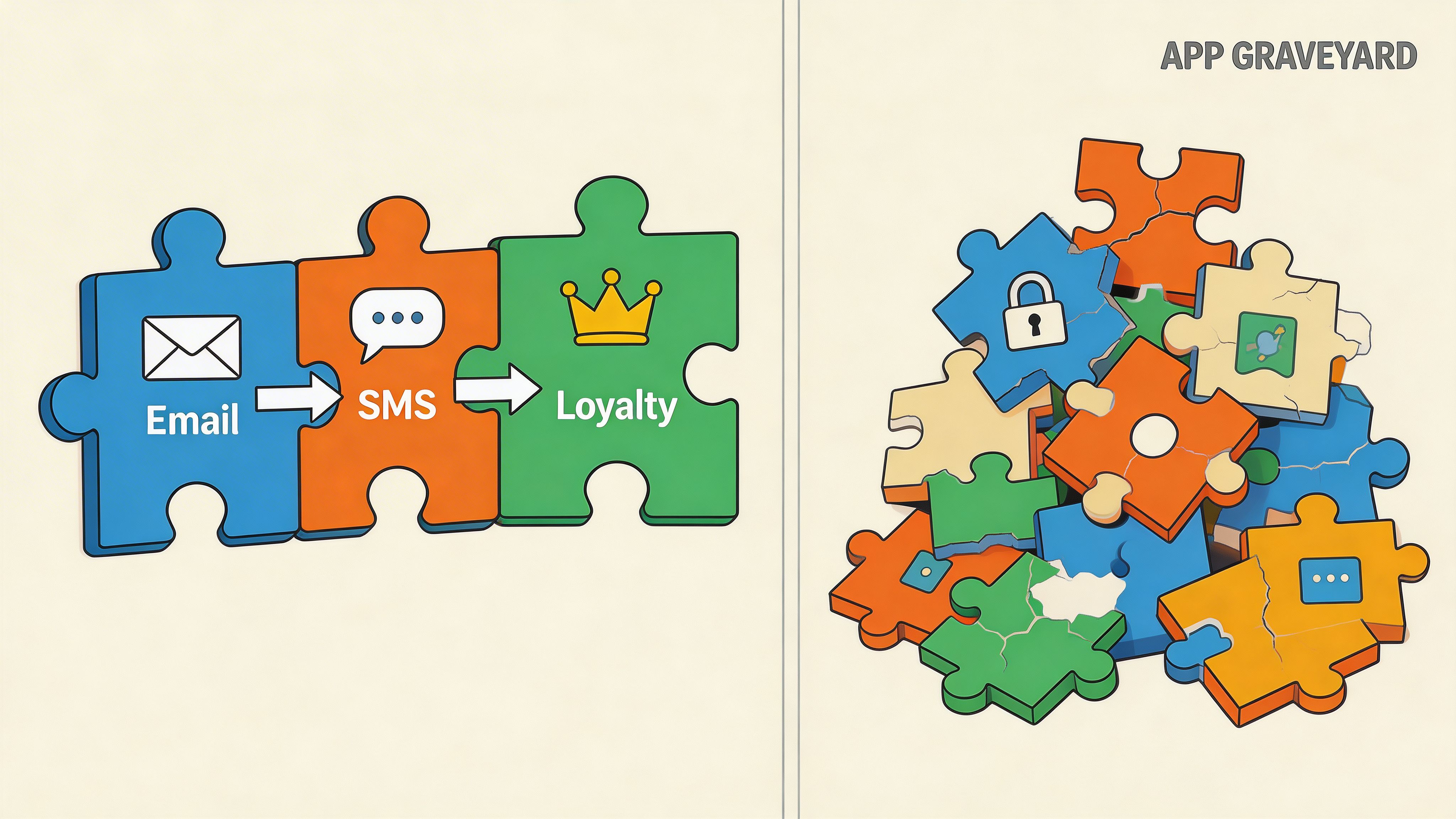
A fragmented stack looks fine in screenshots. Each app does its own job. But customers don’t experience your app list. They experience the seams between tools.
That’s where things break. Guidance on these overlaps is still thin, especially for Shopify Plus stores. Integration challenges between marketing apps and post-purchase workflows remain poorly addressed, and generic upsell modules can conflict with multilingual order-status pages or with 3PL and ERP systems in international setups (integration issues in Shopify app stacks).
Map the journey by event, not by app
When I audit a stack, I don’t begin with the app admin. I begin with customer events.
A cleaner map looks like this:
- Visit: Capture source, product interest, and intent signals
- Browse: Trigger onsite personalization without overloading the page
- Add to cart: Suppress competing messages
- Checkout: Keep distractions low
- Post-purchase: Offer useful edits, relevant add-ons, and clear order information
- Delivery and beyond: Time review requests, loyalty nudges, and replenishment flows around real customer state
That event map exposes conflicts quickly. Two tools may both be “working” while creating a bad combined experience.
Common collisions to fix
These are the collisions I see most often:
- Competing outreach: Review requests firing while a win-back flow is already active
- Redundant widgets: Two apps placing promotional boxes on the same page
- Segment drift: Loyalty status not syncing to email, so VIPs get generic offers
- Fulfillment confusion: Upsell add-ons that don’t tag correctly for warehouse or ERP handling
- Language mismatch: Post-purchase content showing in the wrong language for international customers
A stack doesn’t need more automation if the automations aren’t aware of each other.
Use one source of truth for key states
You need a small set of business states that every relevant tool can understand. Think in terms like first-time customer, repeat customer, high-value customer, order editable, post-purchase offer accepted, review requested, or support intervention required.
Once those states are defined, workflows become easier to orchestrate.
Stores get cleaner fast when they stop asking “Which app should own this?” and start asking “Which system should know this happened?”
This walkthrough is useful if you want a visual example of how post-purchase flow decisions affect the rest of the stack.
The Post-Purchase Blind Spot Where Revenue Hides
Most stacks are heavily optimized before checkout and oddly thin after it. That’s a mistake because the post-purchase window contains both operational risk and monetization opportunity.
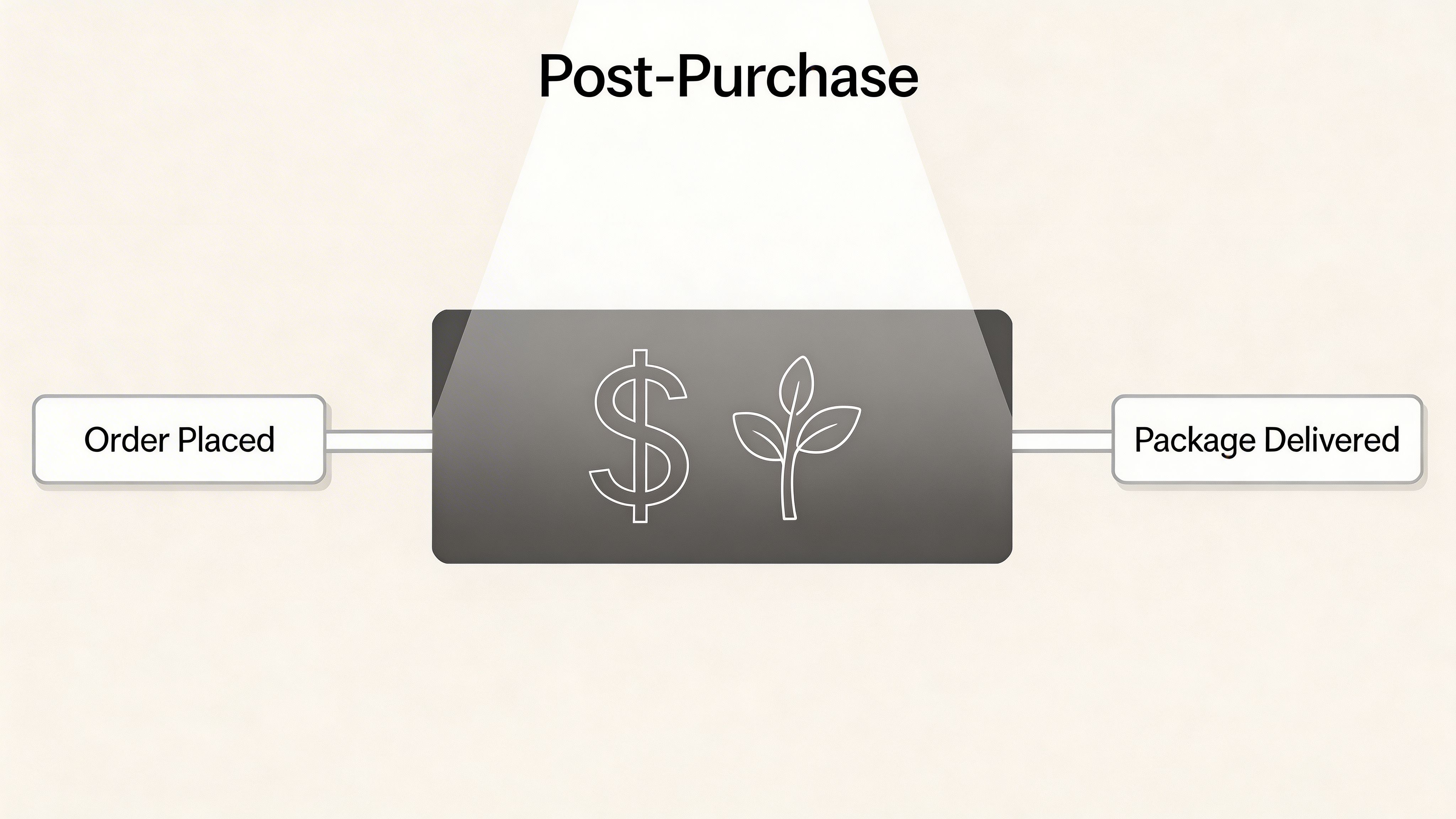
Standard reporting often won’t show the damage clearly. Post-purchase UX friction can drive 20 to 30% revenue loss from order-status-page drop-offs, and session replay tools can reveal issues like ignored upsell buttons or unvalidated address fields that create abandonment (post-purchase UX findings).
Why this stage gets neglected
Teams usually split responsibility at the wrong line.
Marketing owns acquisition. Ecommerce owns conversion. Support owns order changes. Fulfillment owns exceptions. No one owns the full post-purchase experience as a revenue workflow, so it becomes a patchwork of notification emails, manual support macros, and a generic order-status page.
That creates two expensive outcomes:
- Customers open tickets for changes they should be able to make themselves
- Brands miss add-on revenue when customer attention is still high
What strong post-purchase design looks like
A better setup does three things well.
Reduce avoidable support demand
Address changes, contact detail corrections, and similar edits shouldn’t always require a human queue if the merchant can define permissions and time windows safely.
That matters because support teams spend too much time on requests that are operational, repetitive, and have limited impact.
Use intent while it still exists
The order-status page isn’t dead space. It’s one of the few places where a buyer is actively looking for order information after committing. If the merchandising is relevant and fulfillment-aware, that’s a practical place to increase AOV.
Validate before the warehouse pays for the mistake
If an edit flow allows a customer to change data, the experience has to protect operations too. That means validation, restrictions, and tagging so downstream systems know what changed.
Where a post-purchase tool fits
One option in this layer is SelfServe. It lets customers manage defined post-purchase changes, supports multilingual order experiences, validates addresses with Google Maps, and can place upsell modules on the Thank You and Order Status pages. For operators comparing tools in this space, this overview of apps for Shopify stores is a useful reference point because it puts post-purchase functionality alongside the broader stack instead of treating it as an afterthought.
How to audit this part of your funnel
Use a practical review:
- Check customer actions: What changes are customers asking support to make after purchase?
- Check page behavior: Are customers engaging with post-purchase widgets, or skipping them?
- Check operational handoff: Do edits and add-ons tag cleanly for fulfillment and reporting?
- Check message timing: Are post-purchase emails helping the experience or competing with it?
Post-purchase isn’t just a service layer. It’s where marketing, support, and operations either start cooperating or start creating hidden cost for each other.
Measuring True ROI and Avoiding Common Pitfalls
A lot of brands think they have a measurement problem when they have an attribution problem.
Shopify’s native analytics uses a last-click attribution model, which means the final touchpoint gets credit for the conversion. That can distort budget decisions, and integrated tools can show up to 40% higher true ROI for channels like email and SMS than last-click reporting suggests (Shopify attribution limitations).
Why last click keeps misleading teams
Last click is simple, which is why people default to it. But simple attribution often rewards the channel that closed the session, not the channel that built intent.
That leads to familiar mistakes:
- Paid social gets too much credit for customers nurtured by lifecycle messaging
- Branded search looks stronger than it really is
- Post-purchase flows get ignored because they appear as direct or unattributed behavior
- Teams cut retention programs because they don’t look efficient in default reports
If your stack includes Meta campaigns, clean event and pixel setup matters too. This guide on mastering your Shopify Facebook Pixels setup is worth reviewing because weak tracking compounds attribution problems fast.
What to measure instead
I care less about whether one app “generated” a sale and more about whether it changed customer behavior in a profitable direction.
Use a broader scorecard:
| Measurement area | What to look for |
|---|---|
| Incremental value | Did the app influence larger baskets, more retained customers, or fewer service interruptions? |
| Workflow efficiency | Did it remove manual work for support, merchandising, or operations teams? |
| Data quality | Can your team trust the events, tags, and segments it produces? |
| Stack fit | Does the app make other tools smarter, or does it create another silo? |
The three recurring pitfalls
App bloat
This happens when every team adds one more solution without removing old logic. Performance suffers, admin sprawl grows, and nobody knows which widget owns the customer moment.
Data silos
An app can appear successful inside its own dashboard while starving the rest of the stack of useful data.
Subscription fatigue
Monthly software spend becomes hard to challenge because each tool sounds necessary in isolation. The fix is a recurring audit.
A useful benchmark for that discipline is to review each app against one core question: would removing it clearly hurt either revenue quality or operational efficiency? If the answer is vague, it’s a candidate for replacement or removal.
For teams trying to improve reporting discipline around the stack, this guide to tracking and understanding Shopify analytics for smarter decisions is a practical companion.
Frequently Asked Questions about Shopify Marketing Apps
How many marketing apps should a Shopify Plus store run
There isn’t a useful universal number.
A better question is whether each app owns a clear job and shares data well enough with the rest of the stack. I’d rather see a store run a compact set of tightly integrated tools than a long list with overlapping functions, duplicate scripts, and conflicting triggers.
Should I use all-in-one marketing platforms or specialized apps
It depends on your operating complexity.
All-in-one tools can reduce admin overhead and simplify reporting. Specialized apps usually win when you need deeper control in one area such as reviews, attribution, loyalty, or post-purchase workflows. The wrong move is mixing both approaches without defining which system is primary.
What’s the first sign an app stack is unhealthy
Usually it’s not revenue. It’s coordination.
You’ll see support asking why customers got duplicate messages. Merchandising won’t know which promo box is live. Paid media and lifecycle teams will disagree about who drove the sale. If internal teams can’t explain the customer journey consistently, the stack needs work.
How do I know whether two apps will conflict
Look for overlap in page placement, event triggers, and customer state logic.
Two apps can coexist functionally but still create friction if both try to message the same user at the same moment. Check where scripts load, which events they listen for, whether they write tags or metafields, and how they behave on mobile and multilingual experiences.
Is page speed the main risk with Shopify marketing apps
It’s a major risk, but not the only one.
A fast store with broken segmentation, duplicate outreach, or poor post-purchase logic can still underperform. Performance matters, but so do data quality, workflow timing, and operational handoff.
Good app governance isn’t just about loading fewer scripts. It’s about reducing unnecessary complexity across teams.
How often should I audit my app stack
Regularly enough that old logic doesn’t become invisible.
A practical rhythm is to review your stack whenever you launch a major campaign cycle, expand markets, change fulfillment processes, or add a new core tool. The audit should include marketing, ecommerce, support, and operations. One team alone won’t catch the full extent of side effects.
What should I remove first during an app cleanup
Start with anything that is clearly redundant.
That usually means duplicate pop-up tools, old personalization widgets, review or loyalty apps that no longer sync properly, and apps installed for one campaign that never got removed. Then look at apps that require manual work to justify their existence every month.
Are post-purchase tools really marketing apps
In practice, yes.
If a tool increases AOV, improves retention, reduces friction, or changes how customers experience the brand after checkout, it belongs in the growth stack conversation. The mistake is forcing a wall between “marketing software” and “operations software” when the customer sees one journey.
What should a mature Shopify app stack feel like
Calm.
Customers should get relevant messages without overlap. Support should handle fewer repetitive requests. Merchandising should know where offers appear. Operations should trust the tags and order states. Leadership should be able to see contribution without endless channel arguments.
That’s usually the strongest sign you’ve moved beyond random app accumulation and built a real system.
If your team wants to reduce post-purchase support work while giving customers controlled order-edit options and creating space for order-status-page upsells, SelfServe is worth evaluating as part of that workflow. It fits best when you’re treating post-purchase as an operational and revenue layer, not just a support inbox.