Online Shopping Experiences: Online Shopping Experiences:

Global eCommerce sales reached $7.5 trillion in 2025, with 2.77 billion people actively shopping online according to Cimulate's digital commerce statistics roundup. That number changes how merchants should think about online shopping experiences. This isn't a design discussion anymore. It's an operations, retention, and margin discussion.
Most brands still treat the online shopping experience as a storefront problem. They obsess over hero banners, collection pages, and paid traffic efficiency. Those matter, but high-growth DTC brands usually lose more goodwill after checkout than before it.
The brands that stand out now do something simpler. They remove friction across the full customer journey, especially after the order is placed. That includes checkout, yes, but also address accuracy, delivery visibility, order edits, accessible account tools, and the ability to solve routine issues without opening a support ticket.
What a Modern Online Shopping Experience Really Means
A modern online shopping experience covers the entire customer journey, from first click to delivery, return, exchange, and reorder. If a shopper reaches checkout easily but has to email support to fix a wrong apartment number, chase a tracking link, or guess when duties will be collected, the experience breaks where loyalty is decided.
That gap shows up most clearly for brands selling across borders. The pre-purchase journey gets the budget because it is easy to measure. The post-purchase journey shapes repeat rate, support cost, chargebacks, and word of mouth.
The experience starts before purchase and keeps going after the package arrives
Shoppers do not separate your storefront from your operations. They judge one brand experience. Product discovery, checkout, delivery updates, returns, and account tools all sit in the same mental bucket.
That is why convenience now means more than speed.
A customer can forgive a slightly longer product page if sizing is clear, shipping expectations are honest, and post-order changes are easy. They usually do not forgive preventable friction after payment, because by then the trust decision has already been made. This is one reason the gap between online vs store shopping expectations keeps widening. In physical retail, a staff member can solve a problem on the spot. Online, your systems have to do that work.
For Shopify merchants, that changes what "good" looks like. It is not just polished merchandising. It is an operation that helps customers finish routine tasks without creating a ticket backlog.
What customers actually evaluate
Merchants often over-focus on the session and under-invest in everything that follows. Customers evaluate a chain of moments instead:
- Discovery: Is the offer clear, credible, and easy to compare?
- Selection: Can they choose the right variant, bundle, or size without second-guessing?
- Checkout: Can they pay with confidence, on mobile, without extra steps?
- Post-purchase: Can they track the order, edit details, or handle an issue without waiting on support?
- Re-engagement: Do follow-up emails and SMS messages help them use, reorder, or resolve something?
A weak handoff between any of those stages can erase the value of strong acquisition.
What merchants should audit first
If I'm advising a Shopify brand, I start with operational friction before creative refreshes. A redesigned homepage rarely fixes the problems that hurt retention.
Ask these questions:
- Can a shopper complete the purchase comfortably on mobile?
- Can they trust the delivery promise you show before payment?
- Can they self-serve common post-order requests?
- Can international customers enter valid addresses and understand taxes, duties, and shipping timelines?
- Can your support team avoid spending the day on “Where is my order?” and edit-request tickets?
The brands that improve these systems usually see the payoff in more than conversion rate. They protect margin, reduce support load, and create a buying experience customers want to repeat. The same discipline applies whether you sell apparel, beauty, supplements, or want to improve your mattress store's online performance. The storefront matters. The follow-through matters more than many teams admit.
The Five Pillars of a High-Converting Experience
High-converting online shopping experiences aren't built from one big redesign. They're built like a structure. Each layer supports the next, and weak points show up fast under volume.

Pillar one: Seamless site navigation and UX
If shoppers can't orient themselves in a few seconds, they leave. Navigation has to do three jobs well: expose category structure, shorten the path to product discovery, and reduce dead ends. That means smart search, clean filtering, consistent collection logic, and page layouts that don't bury variant or shipping details.
For merchants trying to improve your mattress store's online performance, the same principle applies across categories. Don't decorate the path to purchase. Shorten it.
Pillar two: Frictionless checkout and payment
Checkout should ask only for what's necessary, present payment options shoppers recognize, and avoid surprises. Guest checkout still matters. Autofill matters. Clear shipping cost presentation matters.
A lot of teams blame abandonment on price when the problem is effort.
Pillar three: Proactive personalization and communication
Personalization works when it reduces decision load. It fails when it feels decorative or creepy. The best version is practical: relevant recommendations, sensible reorder prompts, and communication that reflects what the customer just did.
If you're tightening your funnel, these Shopify CRO tips that actually work are a useful complement to on-site experience work.
Pillar four: Transparent shipping and delivery
Shipping is part of the product experience. Customers need realistic timelines, accurate tracking, and proactive updates when exceptions happen. Silence after checkout creates anxiety. Vague promises create refund requests.
Practical rule: If support keeps answering “Where is my order?” the problem usually isn't your agents. It's your visibility layer.
Pillar five: Empowering post-purchase flexibility
Many brands still underinvest in this area. Customers want to fix a typo, update an address, add an item, or cancel within a controlled window. Merchants often force those requests into inboxes and call it customer service.
That approach doesn't scale. It also wastes high-intent traffic you've already paid for.
A strong post-purchase system protects operations and improves loyalty at the same time. That's why it belongs in the same framework as UX and checkout, not in a separate support conversation.
Optimizing the Critical Path to Purchase
The fastest way to lose revenue is to make buying harder than it should be. That sounds obvious, but many Shopify stores still put too much cognitive load on the path from landing page to payment.

During the 2025 holiday season, 56.4% of all online transactions in the U.S. occurred on mobile devices according to Digital Commerce 360's U.S. ecommerce sales coverage. If your mobile flow feels like a condensed desktop site, you're forcing the majority of shoppers through the wrong interface.
What to fix on mobile first
Mobile optimization isn't about shrinking the desktop experience. It's about removing decisions and reducing thumb friction.
Audit these areas first:
- Navigation clarity: Menus should expose popular paths quickly, not hide them under layered categories.
- Collection usability: Filters need to be obvious, reversible, and easy to apply on small screens.
- Product page hierarchy: Variant selection, price, delivery promise, and add-to-cart should appear before distractions.
- Form effort: Autofill, wallet support, and address prediction reduce abandonment.
For apparel and other visual categories, product imagery often does heavy lifting in the buying decision. Teams evaluating creative workflows may find WearView's guide for fashion brands useful when tightening visual consistency across PDPs and collection pages.
Checkout should remove uncertainty
A strong checkout doesn't just process payment. It reassures the buyer at every step.
What works:
- Guest checkout: Don't force account creation before payment.
- Visible total cost: Show shipping and taxes before the last click whenever possible.
- Fast payment methods: Shop Pay, Apple Pay, and Google Pay reduce typing.
- Error prevention: Use field validation before the shopper submits the form.
What doesn't work:
- Surprise fees late in checkout
- Coupon boxes that distract shoppers who were ready to buy
- Long forms with weak mobile spacing
- Policies hidden behind tiny footer links
If your checkout drop-off is stubborn, focus on operational clarity before trying another discount test. This guide on improving your Shopify checkout experience and reducing drop-offs aligns with that approach.
Good checkout design doesn't ask customers to trust you blindly. It gives them enough clarity that they don't have to wonder what happens next.
Using Personalization and Trust Signals to Drive Sales
Personalization lifts conversion when it removes work for the shopper. Trust signals lift conversion when they reduce perceived risk. Brands that win at both tend to be disciplined. They do not add more widgets. They make the right information easier to see at the moment a shopper is deciding whether to buy.
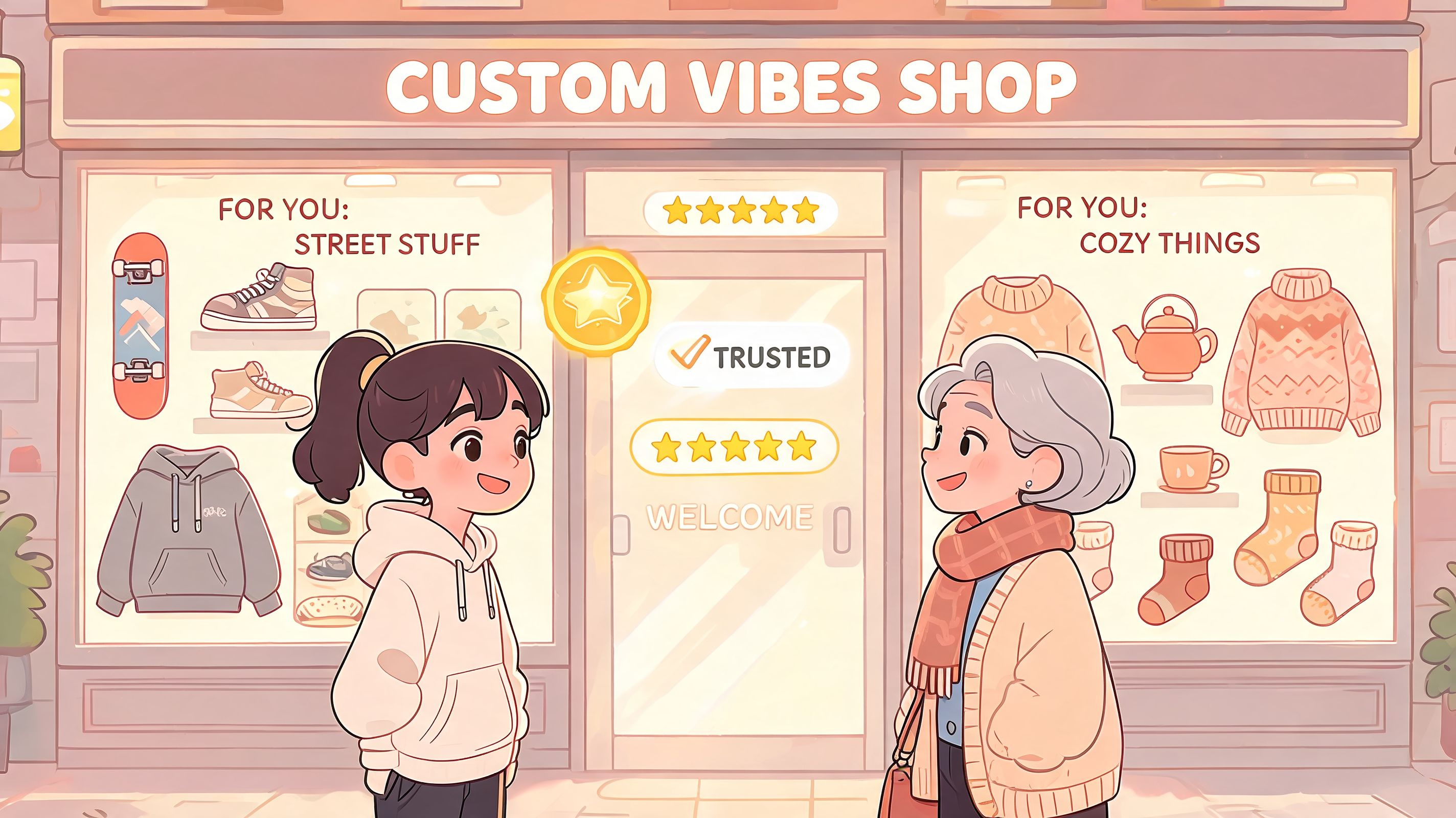
A lot of Shopify teams spend heavily on recommendation apps and dynamic content blocks while leaving basic reassurance underdeveloped. That trade-off rarely pays. A personalized homepage banner will not overcome unclear returns, weak delivery messaging, or missing proof that the product works for someone like the buyer.
The better use of personalization is operational. It should shorten the path to confidence.
Personalization should reduce effort
Useful personalization usually appears in small, practical moments:
- Smarter recommendations: Show compatible or complementary products that fit the current cart, such as matching skincare steps, refill packs, or the right charger for a device.
- Better timing: Present cross-sells and offers when the shopper is comparing options or adding to cart, not the second they land on the site.
- Preference memory: Remember size, region, currency, or replenishment cadence so repeat visitors do less work.
- Relevant communication: Match emails and SMS to the order stage, customer lifecycle, and product category instead of blasting the same campaign to everyone.
There is a measurable upside to getting this right. Analysts at GetThematic found that real-time behavioral analytics can reduce data-entry friction by 20% by capturing customer interaction signals during the session. For merchants, that usually means fewer form errors, fewer support tickets, and cleaner fulfillment data.
International brands have even more to gain here. If a shopper in Germany sees local sizing guidance, duty expectations, and relevant delivery windows before purchase, the experience feels customized in a way that matters. That kind of personalization does more for conversion and post-purchase satisfaction than inserting a first name into a subject line.
Trust is built through plain communication
Trust signals work best when they answer the questions that block checkout.
The signals that usually move the needle are:
- Clear shipping expectations on product pages, cart, and checkout.
- Accessible reviews that cover fit, quality, and use cases, not just star ratings.
- Return and cancellation policies written in plain language.
- Order confirmation and follow-up emails that are easy to scan on mobile.
- Visible cross-border details such as duties, taxes, carrier handoff, and return routing for international orders.
A common mistake is covering the page with badges, payment logos, and generic security claims while the shopper is still wondering whether the item will arrive on time or be easy to return. Trust comes from useful specificity. If delivery dates vary by market, say that. If final sale items have exceptions, state them before checkout. If returns from Canada take longer to process than domestic returns, set that expectation early instead of letting support absorb the frustration later.
Customers trust stores that communicate like operators, not like ad copywriters.
Where merchants overdo it
Personalization starts to hurt performance when every block claims to be curated and every trigger interrupts the session. Shoppers stop noticing the recommendations, or worse, they stop trusting them.
Use customer data to narrow choices and remove uncertainty. Keep the experience focused. The strongest stores make shoppers feel understood, and they back that up with policies, delivery information, and post-purchase communication that hold up after the order is placed.
Winning Loyalty in the Post-Purchase Goldmine
For high-growth DTC brands, the biggest experience gap often starts after payment. Acquisition gets the budget. Checkout gets the testing. Post-purchase gets whatever is left, even though that is where preventable support load, margin leakage, and repeat purchase behavior show up fast.

The pattern is familiar on Shopify. A customer spots a missing apartment number, wants to add one more SKU, or needs to cancel before the order is picked. If every one of those requests goes into a ticket queue, the brand pays twice. Support costs rise, and the customer remembers the store as slow and hard to deal with.
That trade-off gets worse in cross-border operations. A small address error on a domestic order might be fixable. On an international shipment, it can trigger carrier exceptions, customs delays, and a much more expensive recovery path.
Why post-purchase is now a differentiation layer
Post-purchase is one of the few areas where brands can improve retention and revenue without squeezing harder on pre-purchase conversion. Analysts at Hill & Co note that disabled shoppers spend more with better accessibility, and they point to post-purchase touchpoints as a frequent gap. The same stage also creates room for incremental revenue through well-timed upsells and order edits.
For operators, the takeaway is simple. Order management is no longer just a support function. It is part of the shopping experience, and for international merchants, it often determines whether a first order becomes a second.
What customers want after checkout
The highest-impact post-order tools are usually straightforward:
- Edit shipping details within a merchant-defined cutoff
- Update contact information without waiting for an agent
- Add items to an existing order before fulfillment is locked
- Request cancellation through a controlled approval flow
- Check order status on a branded page with clear next steps
These requests are common, especially during promotions, product drops, and holiday peaks.
Here's a useful overview of the post-purchase opportunity in action:
What works and what doesn't
The strongest post-purchase systems give customers some flexibility without creating warehouse chaos. Merchants set the rules. Customers get a limited window to make safe changes. Ops teams avoid manual rework on requests that should never have needed a ticket.
That matters even more for brands shipping across borders, where the cost of a bad handoff is higher and the customer has less patience for vague status updates.
A few patterns hold up consistently:
| Post-purchase scenario | Weak approach | Strong approach |
|---|---|---|
| Address typo | Support email and manual correction | Self-serve edit window with validation |
| Forgot an item | Ask customer to place a new order | Offer add-on flow tied to existing order |
| Wants cancellation | Force chat or ticket | Queue request with merchant approval |
| Tracking question | Carrier link only | Branded status page with clear updates |
The brands customers call “easy to buy from” usually built post-purchase operations that are predictable, fast, and easy to use.
That is the post-purchase opportunity. Better order editing, clearer tracking, and controlled self-service reduce support pressure while giving customers a reason to come back.
Expanding Globally with Inclusive Design
International growth exposes weak process design fast. A store can perform well domestically and still create a poor experience for global customers if address capture, translation, and post-purchase communication aren't built for cross-border reality.
Inclusive design helps here because it forces clarity. Interfaces that work for non-native speakers, screen reader users, and rushed mobile shoppers are usually better for everyone.
Simplicity does more work than merchants expect
Address validation errors cause 15-25% of failed deliveries in cross-border sales, poor post-purchase handling can drop repeat purchases by 25%, and Shopify apps with Google-powered validation can reduce these errors by 30% according to Great Northern InStore's hybrid shopping analysis.
That's why global experience design can't stop at translated marketing copy. Merchants need systems that help customers enter deliverable addresses, understand order actions, and access support flows in their own language.
Inclusive design choices that improve global commerce
The strongest improvements are usually practical rather than flashy:
- Auto-adaptive language support: Order management widgets should match the shopper's language automatically where possible.
- Clear field labels: Short, familiar wording reduces form errors for everyone.
- Address auto-complete and validation: Especially useful in regions with format differences or longer address structures.
- Accessible order pages: Keyboard navigation, readable contrast, and logical form flow matter after checkout as much as before it.
- Permission-based order editing: Customers need flexibility, but operations teams still need control.
There's also a support angle. When forms and post-order interfaces are clearer, support agents spend less time translating vague requests into actionable tasks.
How to prioritize implementation
If a merchant is expanding internationally, I'd prioritize in this order:
- Address capture quality
- Multilingual post-purchase communication
- Accessible account and order-status interfaces
- Localized support content for common order changes
Global online shopping experiences fail when brands assume all friction happens before purchase. In practice, cross-border complexity often shows up after checkout, when the cost of mistakes is higher.
Actionable Fixes for Common Shopping Frustrations
Most e-commerce friction shows up in recurring patterns. Customers make a typo. They forget an item. They can't find tracking. They don't understand whether an order can still be changed. Good operators don't handle those as random events. They design for them.
Common pain points and their solutions
| Common Customer Problem | Impact on Your Business | Effective Solution |
|---|---|---|
| I entered the wrong shipping address | Failed deliveries, delayed fulfillment, support tickets | Add real-time address validation and allow controlled post-order address edits |
| I forgot to add another item | Lost incremental revenue, duplicate orders, manual support work | Enable post-purchase upsells or add-on flows before fulfillment begins |
| I need to change my contact details | Notification failures, support dependency | Let customers update contact information through a self-serve order management flow |
| Where is my order? | Repetitive support contacts, lower trust | Use a branded order status page with clear tracking updates |
| I want to cancel before it ships | Agent workload, inconsistent policy enforcement | Route cancellations through a structured approval workflow |
| I don't understand your return or shipping policy | Conversion hesitation, avoidable support questions | Rewrite policy content in plain language and place it where shoppers actually look |
| Your mobile checkout is annoying | Cart abandonment and lower conversion | Reduce field count, improve spacing, and support autofill and express payments |
| I can't use this page easily with assistive tech | Accessibility complaints and lost loyalty | Audit order pages, forms, and account tools for accessibility and clarity |
How to use this table
Don't turn this into a giant roadmap all at once. Start with the support issues your team handles every day. If your inbox is full of address changes and order edit requests, solve those first. If mobile shoppers keep stalling in checkout, fix form friction before testing another promotional offer.
The best online shopping experiences usually improve because merchants remove one recurring pain point at a time.
If your Shopify team wants to reduce support workload while giving customers more control after checkout, SelfServe is worth a look. It helps merchants manage post-purchase changes, multilingual order editing, real-time address validation, and post-purchase upsells without giving up operational control. For high-volume DTC brands, that's often the fastest way to improve customer experience and clean up support operations at the same time.