A Guide to Shopify Order Management Apps
Think of an order management app as the central command center for your entire Shopify operation. It’s the invisible hand that guides an order from the moment a customer clicks "buy" all the way through to the package landing on their doorstep.
The Role of an Order Management App
Let's use an analogy. Imagine your store is a busy airport. Planes (orders) are constantly landing, passengers (products) need to get to the right gates (warehouses), and baggage (customer data) has to be routed correctly. Without an air traffic control system, you’d have chaos. An order management app is your store's air traffic controller.
It pulls together all the order information from every place you sell—your main Shopify site, social media channels, or even online marketplaces—and organizes it into one clean, easy-to-read dashboard. This is a massive leap from trying to juggle everything with spreadsheets and sticky notes, a method that quickly becomes a recipe for disaster as your business grows.
From Manual Chaos to Automated Control
When you're just starting out, handling a few orders a day by hand feels manageable. But what happens when that number jumps to 50, 100, or even 1,000? The manual approach shatters. You start seeing costly mistakes: shipping the wrong product, selling items you don't have in stock, or sending a delivery to an outdated address.
This is where order management apps really shine. They bring order to the chaos by automating the tedious, repetitive tasks and making sure your data is accurate everywhere.
This automation typically covers a few critical steps:
- Order Capture and Validation: The app instantly grabs new orders, double-checks the customer’s details, and can even flag transactions that look suspicious.
- Inventory Synchronization: It keeps your stock levels updated in real-time across every sales channel, which is crucial for preventing the dreaded oversell.
- Fulfillment Routing: Orders are automatically directed to the right warehouse or fulfillment partner based on rules you set, like which location is closest to the customer.
- Shipping and Tracking: The system connects with your shipping carriers to print labels, update customers with tracking numbers, and keep an eye on the delivery status.
This diagram shows how these pieces fit together to create a seamless flow from purchase to delivery.
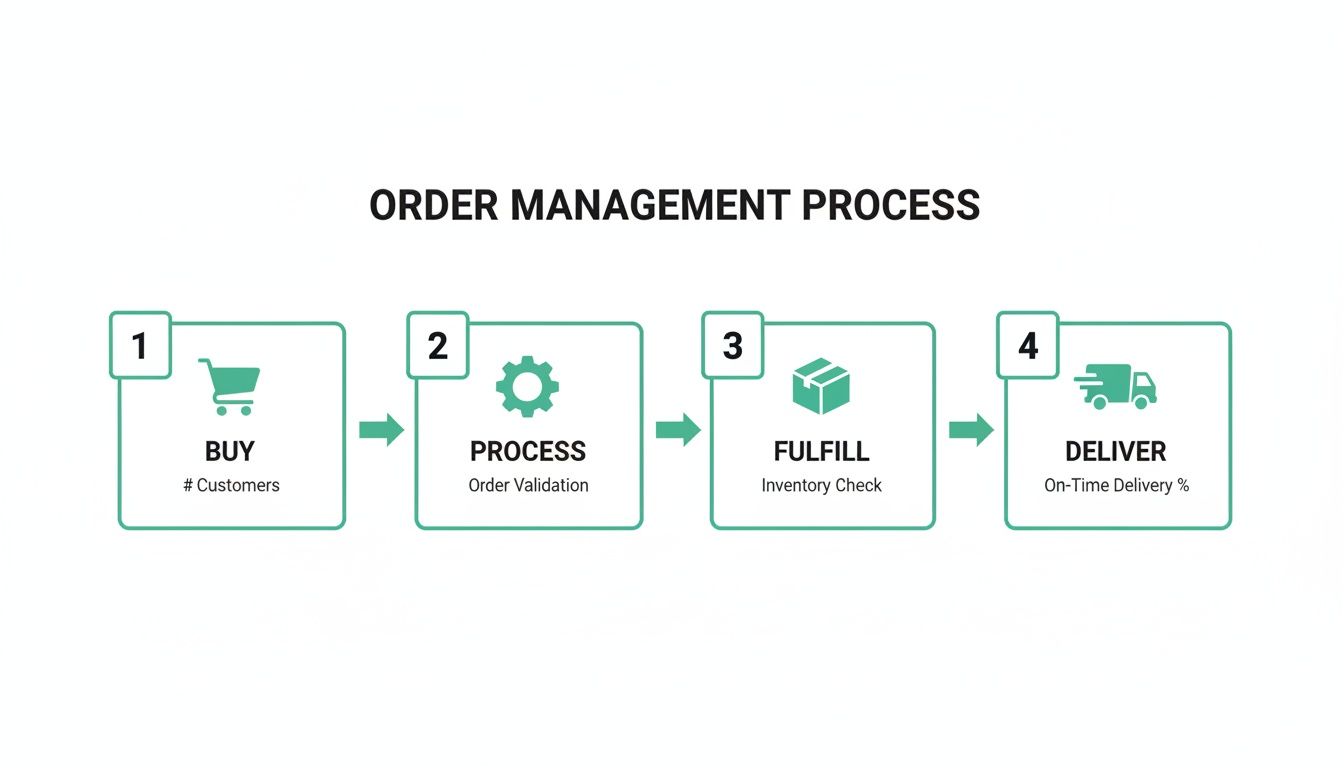
As you can see, a good system connects each stage, turning a complex process into a smooth, efficient journey that keeps delays and mistakes to a minimum.
To give you a clearer picture, let's break down exactly what these apps do and why it matters for your store.
Core Functions of Order Management Apps
Each of these functions is designed to take a manual, error-prone task off your plate so you can focus on growing your business, not just running it.
Why Centralized Management Matters
The demand for these systems is exploding. The global order management system (OMS) market is on track to hit $1.9 billion by 2026, a huge jump from 2021. This isn't just a trend; it's a direct response to customers who now expect fast, transparent, and flawless delivery every single time. A centralized system isn't just a "nice-to-have" anymore—it's essential for competing.
A great order management system doesn't just process orders—it creates a reliable and repeatable experience for your customers. It turns the complex, multi-step fulfillment process into a predictable and scalable operation.
At the end of the day, these apps give you the power to handle a much higher order volume without compromising on quality or customer happiness. By automating your backend logistics, you free up your team to work on what really matters: marketing, product innovation, and building a community around your brand. A smooth post-purchase experience, which can be further enhanced with a self-service customer portal, is built on the foundation of solid order management.
Essential Features Your Store Needs
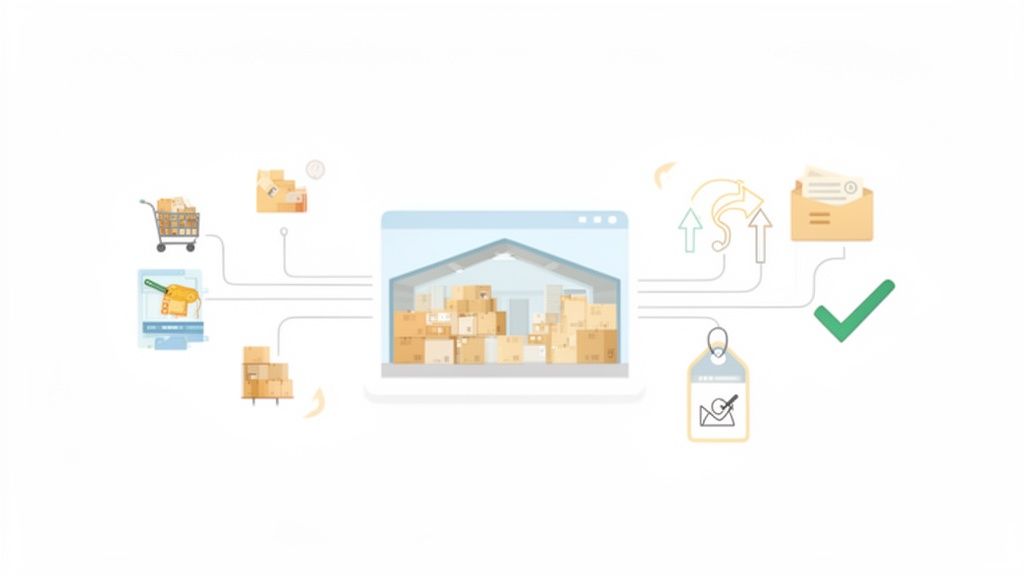
A great order management app is more than just a list of recent sales. It's the central nervous system for a high-volume Shopify store, giving you the control needed to scale up without everything spiraling into chaos.
These tools zero in on six critical areas that have a direct, measurable impact on your revenue and customer happiness. Let's break them down.
Inventory Synchronization and Visibility
Imagine you sell a popular product across your Shopify store, Amazon, and a pop-up shop. When someone buys the last one online, how do you prevent someone else from buying it at the pop-up a minute later? That's where inventory synchronization comes in.
This feature acts as a single source of truth for your stock. A sale on one channel instantly updates your inventory count everywhere else, effectively preventing overselling. This real-time visibility doesn't just stop customer frustration; it also fuels smarter restocking decisions.
A recent study found that 73% of merchants say overselling directly harms customer loyalty and floods their support team with tickets.
Key inventory features to look for:
- A central dashboard showing stock levels across all sales channels.
- Automatic low-stock alerts that ping you when it's time to reorder.
- Rules for "safety stock" to hold back a few items for important orders or to buffer against delays.
This transparency saves an incredible amount of time and helps you dodge the costly, brand-damaging mistake of selling products you don't actually have.
Smart Routing and Fulfillment Workflows
Once an order comes in and the inventory is confirmed, the next question is: where does it get fulfilled from? For growing brands with multiple warehouses or 3PL partners, this can get complicated fast.
Automated order routing takes the guesswork out of the equation. It can instantly send an order to the warehouse closest to the customer, getting it to their door faster and for less money. The system can also generate optimized pick lists and assign packing stations, making your warehouse team’s job much easier.
- Set up routing rules based on customer geography or inventory location.
- Create priority logic to fast-track orders for your VIP customers.
- Automate the pick-and-pack instructions that your warehouse staff receives.
This isn't just about efficiency; it's about the bottom line. Smart routing can:
- Reduce package transit times by up to 30% by shipping from closer locations.
- Lower shipping costs by automatically comparing carrier rates.
- Cut down on your internal order handling time by as much as 40%.
That's time your team can spend on growing the business instead of managing logistics.
Self-Service Order Editing Features
"I put in the wrong address!" "Can I switch the color to blue?" Sound familiar? These support tickets are common, but they don't have to be a time sink.
Giving customers the power to edit their own orders is a game-changer. An app like SelfServe lets shoppers update their shipping details, swap a product, or add an item through a simple portal, all on their own. For example, one DTC beauty brand saw a 25% drop in change-request tickets just by enabling self-service edits.
- Set customizable editing windows, so you stay in control of when changes can be made.
- Add upsell modules to your Thank You and Order Status pages to increase AOV.
- Offer multilingual support to give global customers a seamless experience.
Empowering customers to help themselves isn't just a win for them—it's a huge operational lift and a revenue booster for you.
Think about this: a global sportswear brand cut its customer escalation calls by 30% simply by activating post-purchase upsell and editing features.
Real-Time Address Validation and Tagging
Shipping errors are silent profit killers. They lead to returned packages, reshipment costs, and unhappy customers.
Real-time address validation, often powered by Google Maps, catches typos and standardizes addresses as the customer types. It’s a simple fix that prevents a huge percentage of delivery failures. Combine this with automated tagging, and you have a powerful way to organize your order queue. You can automatically flag orders for express handling, fraud review, or special promotions.
Implementing these safeguards protects your margins and frees your team from tedious, repetitive tasks. It allows you to set up smart workflows like automatically prioritizing "Express Shipping" orders or flagging orders from high-risk regions for a manual check.
Upsell Opportunities and Revenue Growth
The journey doesn't end at checkout. The time between when a customer places an order and when it ships is a golden opportunity.
Built-in upsell modules let customers easily add more items to their existing order. This is one of the easiest ways to boost your average order value (AOV), sometimes by up to 12%, almost overnight.
- Display curated product bundles based on what the customer just bought.
- Offer a limited-time cross-sell on the Order Status page.
- Use conditional logic to promote your highest-margin products.
We saw one fitness brand achieve a 15% increase in AOV within the first week of turning on post-purchase upsells. It's found money.
Reporting and Analytics Insights
Finally, you can't improve what you can't measure. A good order management app provides clear, actionable dashboards. These reports should give you real-time metrics on how many orders are being edited, which tags are being used most, and how your upsells are performing.
These insights quickly reveal bottlenecks in your workflow and highlight what’s working, so you can double down.
When you bring all these pieces together—inventory sync, smart routing, self-service edits, validation, and upsells—you build a much leaner, more profitable operation. A tool like SelfServe is designed to tie all these elements into one cohesive system, helping you cut down on errors, save time, and grow your business.
The right order management app transforms a complex web of manual steps into a single, efficient, and automated flow.
Mastering the Post-Purchase Experience
The sale isn't over when the customer clicks "buy." In fact, that's just the beginning of one of the most important parts of their journey with your brand. That anxious, exciting window between placing an order and receiving it is your golden opportunity to either create a lifelong fan or a one-time buyer.
Think about it. We’ve all been conditioned to see customer support as a last resort—a place to go when things go wrong. But what if you could flip that script? What if you could empower customers to solve their own problems before they become problems? That's the power of post-purchase self-service. When customers can fix minor issues themselves, they feel in control, and your support team can finally stop drowning in repetitive tickets.
Let's get practical. A customer just placed an order and, in their excitement, typed in the wrong zip code. The old way? They'd have to frantically dig for your support email, send a message into the void, and then wait, hoping someone sees it before the package goes out. It's a recipe for stress and a bad brand interaction.
Now, imagine this instead: that same customer lands on their order confirmation page, sees a simple "Edit Address" button, fixes the mistake in 10 seconds, and gets an instant confirmation. That moment of panic just turned into a moment of relief. You didn't just fix an address; you built trust.
Turning Anxiety into Opportunity
That gap between checkout and fulfillment is where you can truly shine. A great order management app gives your customers a dedicated portal to handle the most common requests themselves, turning what would have been a support headache into a genuinely positive experience.
Here’s what that looks like in action:
- Customer-Driven Order Edits: Let shoppers quickly update their shipping address or contact info within a set time frame.
- Product Swaps or Additions: Give them the power to change a T-shirt size or maybe even add that matching accessory they forgot.
- Cancellation Requests: Offer a straightforward way for customers to request a cancellation, which you can then approve or deny.
This self-serve portal, usually living right on the order status page, becomes command central for the customer. A clean, simple interface makes all the difference, showing them exactly what they can do.
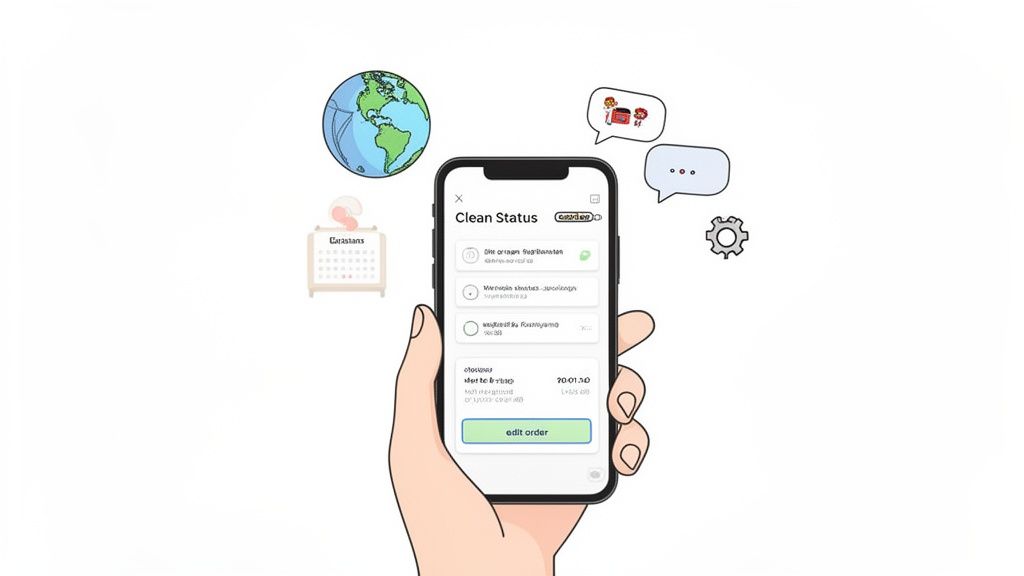
Giving customers this level of control not only makes them happier but also drastically cuts down on simple support tickets. You can dive deeper into building a fantastic post-purchase customer experience with our other guides.
From Cost Reduction to Revenue Growth
While cutting down on support tickets is a huge win, a smart post-purchase strategy can also directly boost your bottom line. This is where features like post-purchase upsells come in. By offering relevant, complementary products on the order status page, you're catching customers when they're already in a buying mindset, which is a fantastic way to increase average order value (AOV).
Big-box retailers have known this for years; it’s why they’re projected to own 66.51% of the multichannel order management market by 2026. But you don't need an enterprise-level budget to get the same results. Shopify apps bring this power to direct-to-consumer brands, and for stores doing serious volume, the impact is undeniable. Brands have seen self-service tools cut support tickets by as much as 40%—a massive win for operational efficiency. For more on this, check out the multichannel order management market report on fortunebusinessinsights.com.
By giving customers the tools to manage their own orders and offering them relevant upsells, you transform the post-purchase phase from a logistical necessity into a strategic asset for growth and retention.
Ultimately, mastering the post-purchase experience is about a change in mindset. It’s not just about getting a box from point A to point B. It’s about continuing the conversation, reassuring the customer they made a great choice, and giving them every reason to come back for more.
How to Choose the Right Order App
Picking the right order management app from a sea of options can feel overwhelming. It's easy to get lost in feature lists and sales pitches. The real secret is to stop looking at what the apps can do and start focusing on what your business needs to grow without hitting a wall. A solid plan here will help you cut through the noise and find a tool that actually solves your most expensive problems.
First things first, take a hard look at how your store actually operates. Are you shipping a dozen orders a day from your garage, or are you coordinating thousands across multiple warehouses? Are you a pure Shopify merchant, or are you also selling on marketplaces like Amazon and eBay? The answer will immediately cut your list of potential apps in half. A small boutique has a completely different set of challenges than a brand using a 3PL for international fulfillment.
Define Your Core Needs
Before you even open the app store, grab a notepad and list your biggest headaches. Is your support team buried under emails from customers wanting to change their shipping address? Are you losing money every month on returned packages because of fulfillment errors? The whole point is to find an app that plugs these specific, costly leaks.
Think about it in these terms:
- Order Volume and Complexity: How many orders are you handling on a slow day versus a busy one? Do you deal with tricky situations like pre-orders, backorders, or custom product bundles? The app needs to keep up with your current pace and not crumble during a flash sale.
- Sales Channels: If you're selling across multiple platforms, you need a central command center. A tool that can pull in orders from all your channels and keep inventory synced is essential to avoid overselling.
- Fulfillment Strategy: Are you shipping everything yourself, juggling inventory between a few locations, or working with a third-party logistics (3PL) partner? Your app has to fit perfectly into that existing workflow.
This quick self-audit is your filter. It lets you instantly say "no" to apps that just aren't built for a business like yours.
Evaluate Key Technical Criteria
Once you’ve got a shortlist of contenders, it’s time to get technical. An app can have all the features in the world, but if it doesn't sync with your other tools or your team hates using it, it's dead in the water. Focus your evaluation on three make-or-break areas: integration, scalability, and usability.
The best order management apps don't force you to rip out everything and start over. They should slide right into your existing setup, automating the grunt work and giving you more control where it counts.
Here's what to look for:
- Seamless Integration: The app absolutely must connect cleanly with Shopify. But don't stop there. Check for pre-built integrations with your other critical tools, like your 3PL, inventory system, or accounting software. This will save you a world of hurt during setup.
- Proven Scalability: Will this app choke during Black Friday? You need a system that can handle huge, sudden spikes in traffic and orders. Look for reviews or case studies from businesses that are bigger than you are—that’s the real test of its performance under pressure.
- Ease of Use: Don't underestimate the importance of a clean, intuitive dashboard. Your team needs to be able to jump in and get to work without weeks of training. Always take advantage of a free trial to see how it feels in a real-world setting.
This move toward flexible, easy-to-use tools is a huge trend. Cloud-based systems now hold a 54.27% revenue share of the order management market, and small to mid-sized businesses are fueling that growth with a 12.18% CAGR. Why? Because they’re affordable, offer powerful features like real-time address validation, and can scale up as a brand grows. You can dig into the numbers in the multichannel order management market report from straitsresearch.com.
Measuring the Success of Your New App
Getting a new order management app up and running is a big step, but it’s really only half the battle. The true test is whether it actually delivers on its promises. To figure that out, you need to look past gut feelings and measure the app's real-world impact with cold, hard data.
Think of your new app like a high-performance engine you just installed in your store. You wouldn't just install it and hope for the best; you'd want a dashboard with gauges showing you exactly how much faster and more efficient you've become. This means you need to define your Key Performance Indicators (KPIs) before you flip the switch, creating a clear "before-and-after" picture.
The whole point is to connect the app's features directly to tangible business results. If the app lets customers edit their own orders, you should see support tickets plummet. If it validates addresses, you should see fewer failed deliveries. It’s that simple.
Key KPIs for Operational Efficiency
The first place you'll see the impact of good order management apps is in your day-to-day operations. These metrics are all about how much time and money you're saving by cutting out manual work and preventing common errors.
Start by getting a baseline for these core efficiency numbers:
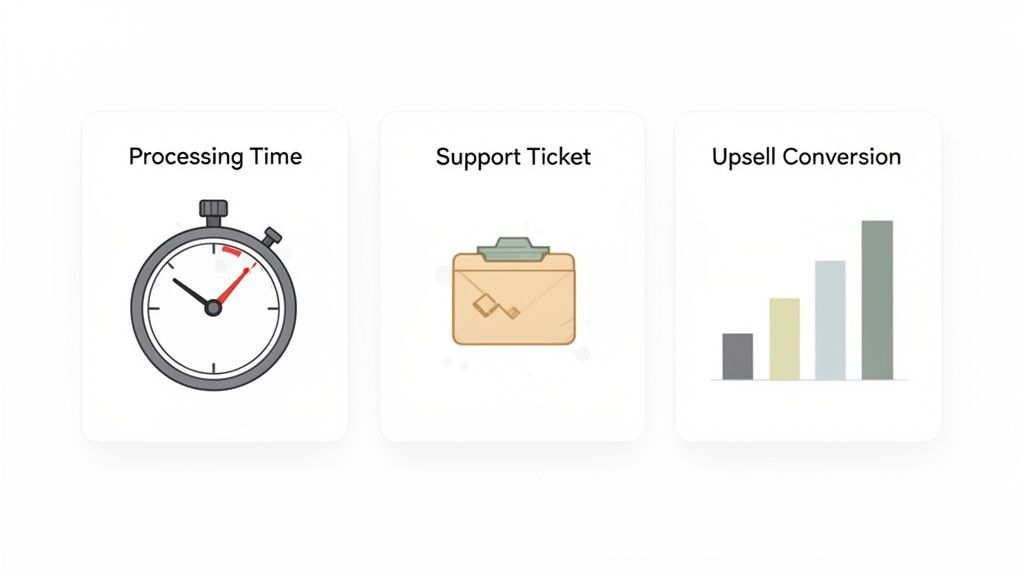
- Order Processing Time: How long does it take from the moment a customer clicks "buy" to the moment the package is ready for the carrier? Good automation should shrink this window dramatically, which means happier customers.
- Customer Support Ticket Volume: Keep an eye on the number of tickets about simple things like order edits, address changes, or cancellations. A successful app empowers customers to fix these things themselves, freeing up your team.
- Rate of Shipping Errors: What percentage of your orders bounce back or get delayed because of a bad address? An app with solid address validation should get this number very close to zero.
By tracking these numbers, you can calculate the direct cost savings in both labor and wasted shipping fees. A 20% reduction in order-related support tickets, for example, can easily translate into hundreds of saved hours for your team over a year.
Metrics That Measure Revenue Growth
Saving money is great, but the right app should also help you make more. Features built into the post-purchase experience are incredibly powerful for generating new revenue, and thankfully, their success is very easy to track.
These KPIs show a direct line from your new app to your bottom line:
- Post-Purchase Upsell Conversion Rate: Of the customers who see an upsell offer after checking out, what percentage actually buys it? This is a pure measure of how well your new upsell feature is working.
- Average Order Value (AOV) Lift: What's the AOV of orders that include a post-purchase upsell compared to those that don't? The difference is the direct financial boost you’re getting from the app.
To really get the most out of your new tool, it's crucial to know which numbers to watch. The table below breaks down the most important KPIs to help you track the ROI of your order management app, covering both operational savings and revenue growth.
Key KPIs to Track for Your Order Management App
By keeping a close eye on these specific data points, you build an undeniable case for the app's ROI. You can dive deeper into how to track and understand Shopify analytics for smarter decisions with our detailed guide. This approach not only justifies the investment but also helps you continuously refine your strategy to get the most value out of your new tool.
Answering Your Top Questions About Order Management Apps
Jumping into a new order management system can feel like a big step, so it’s completely normal to have questions. Let's walk through some of the most common things Shopify merchants ask, so you can get a clear picture of what to expect and move forward with confidence.
We want to clear up any confusion around setup times, how these tools play with your current store, and the real results you'll see in your business.
How Long Does It Take to Get Started?
Downtime is a huge worry for any online store owner. The great news? Modern order management apps built for Shopify are made to be fast. A basic installation isn't a weeks-long project—it can often be done in under an hour.
Typically, you'll install the app from the Shopify App Store and follow a simple setup wizard. This is where you'll configure your rules, like setting permissions for what customers can edit, customizing the look of your order portal, and deciding on your post-purchase upsell offers. If you have a more complex setup that needs to connect to a 3PL or ERP, it might take a little longer, but a good app provider will have clear guides and support to keep it smooth.
Most top-tier apps offer a free trial. This is the perfect time to get everything set up and let your team get used to the new workflow before you make a final decision.
Will This App Work with My Store’s Theme and Other Apps?
Compatibility is another big one, especially if you have a custom theme or a lot of other apps running. The best apps are designed specifically for the Shopify ecosystem, so they're built to work smoothly with most popular themes and tools right away.
Still, it's always smart to double-check. Before you install, take a look at the app’s documentation or just send their support team a quick message. Ask them directly about your theme or any other critical apps you use. A team that gets back to you quickly and is willing to help sort out any minor conflicts is a great sign you've found a solid partner.
What's the Real ROI of an Order App?
The return on investment (ROI) from a good order management app comes from two places: saving money and making money.
Saving Money: The first thing you'll notice is a big drop in customer support tickets about order problems. When customers can fix their own shipping address or swap a product size, you free up your team's time and cut down on labor costs. Plus, features like address validation catch mistakes before they happen, which means fewer expensive shipping errors and re-shipments.
Making Money: On the other side of things, features like post-purchase upsells are a direct boost to your revenue. Offering a relevant product on the order status page is a simple way to increase your Average Order Value (AOV). A frustration-free post-purchase experience also builds trust and loyalty, which leads to a higher customer lifetime value (LTV).
Can I Control What My Customers Are Able to Change?
Absolutely. Giving customers self-service options doesn't mean you lose control. In fact, a key feature of any quality order management app is giving you the power to set specific rules and permissions.
You should have the final say on what customers can edit and when. For example, you might let customers change their shipping address, but only within the first hour of placing the order. You can set rules that prevent edits once an order is sent to fulfillment, decide which products can be swapped, and even create a manual approval step for things like order cancellations. This gives customers the flexibility they want without creating a headache for your operations.
Ready to transform your post-purchase experience, reduce support tickets, and increase your average order value? SelfServe gives your customers the power to manage their orders while keeping you in complete control. Start your 30-day free trial today.