Boost Sales With A Post Purchase Experience Platform

A customer places an order, lands on the thank you page, and then notices the apartment number is wrong. Your warehouse hasn't picked the order yet, but your support team is already opening the ticket queue. Ten minutes later, another shopper asks where their package is, even though the carrier hasn't missed a scan. Then a third wants to swap a just-purchased item for a different variant before fulfillment starts.
That stretch between payment and delivery creates more operational stress than most brands admit. It also shapes whether the customer feels confident in your store or starts bracing for a frustrating support experience. For fast-growing Shopify brands, this isn't a side concern. It's one of the clearest points where margin, workload, and retention all collide.
Your Customer Just Clicked 'Buy' What Happens Next?
The order is confirmed. The card is charged. From the merchant side, it feels like the transaction is done. From the customer side, the anxious part is often just beginning.
They wonder if the address is right. They check whether the order can still be changed. They look for tracking before tracking really exists. If your only answer is "contact support," you've created a manual process at the exact moment customers want speed and clarity.
That gap matters more than many operators expect. The global Post-Purchase Experience Platform market reached USD 3.2 billion in 2024, and 90% of consumers say post-purchase experience is as important as product quality, according to Growth Market Reports on the post-purchase experience platform market. Merchants are investing here because post-purchase friction doesn't stay in the service queue. It affects repeat buying, trust, and how much labor your team burns on avoidable tasks.
For Shopify brands trying to improve retention, this sits alongside broader Shopify store loyalty strategies like segmentation, reorder journeys, and better lifecycle communication. The difference is that post-purchase operations solve a more immediate problem. They remove friction when intent and attention are still high.
A solid setup gives customers a way to help themselves before your team gets dragged in. That includes order visibility, edit permissions, clear communication, and a predictable path when something needs to change. Brands that don't build this layer end up relying on inboxes, tagged tickets, and Slack messages between CX and ops.
If you're still treating tracking and order changes as separate workflows, start with a practical map of how Shopify order tracking should work after checkout. It usually reveals where customers lose confidence and where your team starts doing work software should be handling.
The most expensive support ticket is the one your customer never should've needed to open.
What Is a Post Purchase Experience Platform
A post purchase experience platform is best understood as a digital concierge that takes over after checkout. It sits between the storefront, the customer, and the systems that fulfill the order. Its job isn't just to show tracking. Its job is to manage what happens after payment in a way that reduces friction for shoppers and manual work for your team.

Where it sits in your stack
On a high-growth Shopify store, post-purchase operations usually break across multiple systems. Shopify owns the order record. Your 3PL handles fulfillment. Your helpdesk manages tickets. Klaviyo handles retention messaging. Carriers provide tracking data. Finance and ops may also rely on an ERP.
A post-purchase layer connects these touchpoints so the customer doesn't feel the seams.
Instead of forcing someone to email support to fix an address, request an exchange, or understand shipment status, the platform creates controlled self-service flows. Good platforms don't replace your existing stack. They coordinate it.
What it actually handles
The category is much broader than branded tracking pages. In practice, a strong platform usually covers five jobs:
- Order visibility: Real-time status updates, branded order pages, and proactive notifications that reduce uncertainty.
- Customer-initiated changes: Address edits, contact detail updates, cancellation requests, or order modifications within rules you control.
- Returns and exchanges: Structured workflows that move customers away from messy inbox conversations.
- Revenue capture: Upsells on thank you or order status surfaces while purchase intent is still fresh.
- Feedback loops: Post-purchase data collection that helps operators understand friction, not just count tickets.
Why architecture matters for large stores
For Shopify Plus brands, this isn't only a UX decision. It's a systems decision. Publicis Sapient's architecture guidance on composable commerce patterns describes how microservices architecture decouples customer-facing touchpoints from core commerce systems, letting teams update components independently and scale them without redeploying everything together.
That matters when one part of the experience changes often. Ops may want to adjust order-edit permissions. Growth may want to swap upsell logic. CX may need better tagging rules. In a composable setup, those changes don't have to wait on a much larger storefront release.
Practical rule: If a post-purchase tool can't fit cleanly between Shopify, support, and fulfillment, it usually creates another queue instead of removing one.
Core Capabilities That Drive Efficiency
The most useful post-purchase features are the ones that remove work from three teams at once: support, ops, and fulfillment. For high-volume Shopify brands, that usually starts with the moments that create preventable tickets. Address mistakes. Status anxiety. Returns that begin in the inbox and end in a spreadsheet.
Self-service order changes
Order edits matter because the cost of a small mistake rises fast once an order enters the warehouse queue. UPS explains that incorrect or incomplete address information can lead to delays, additional charges, and returned shipments. For domestic brands, that means extra handling. For international brands, it can also mean customs issues, carrier exceptions, and longer refund cycles.
Email is a poor control layer for this. An agent has to verify the request, check whether the order is still editable, relay the update to the right system, and hope the 3PL receives it before pick and pack. At scale, that process creates avoidable slack between Shopify, your help desk, and the warehouse.
A better setup gives customers a limited set of approved actions inside a defined cutoff window, then pushes clean data into the systems that need it. That is the difference between "we offer order changes" and "we can process order changes without creating a ticket backlog." For a practical model, review this self-service customer portal for Shopify order management.
Proactive shipment communication
WISMO volume usually points to a visibility problem, not a staffing problem. If customers cannot tell whether an order is packed, delayed, handed to a carrier, or stuck in customs, they ask support to investigate.
MetaPack's research on delivery expectations has long shown that delivery communication shapes the customer experience well beyond checkout. The operational implication is straightforward. Clear shipment updates reduce status-checking behavior, especially for brands shipping across borders where line-haul scans, customs events, and final-mile handoffs can confuse customers.
The useful notifications are not complicated:
- Order confirmation: Sets the first expectation clearly.
- Shipment dispatched: Confirms the parcel is out of your hands and with the carrier.
- Delay or exception notice: Gets ahead of the ticket that starts with "where is my order?"
- Delivered notice: Closes the loop and gives support a clean reference point if porch theft or damage is reported later.
For international stores, multilingual notifications matter just as much as timing. If the carrier event is accurate but the message is hard to understand, support still gets the ticket.
Returns and exchanges without inbox chaos
Returns expose operational gaps quickly. A customer asks for a return. Support checks policy manually. Ops checks whether the item is eligible. The warehouse gets incomplete information. Finance waits to reconcile the refund. That is manageable at low volume. It breaks under scale.
Structured returns workflows fix the handoff problem. They apply policy before an agent gets involved, collect the data the warehouse and finance team need, and present exchange options before the customer defaults to a refund. That protects margin and shortens resolution time.
Three capabilities usually matter most:
- Rule-based eligibility: Different products, markets, and risk profiles should not follow the same return path.
- Exchange-first flows: Useful for protecting revenue when the customer still wants the product in a different size, color, or variant.
- System connectivity: Return decisions need to reach Shopify, your 3PL, and any ERP or inventory system without manual re-entry.
Many platforms look good in a demo but create work later. If returns data stays trapped in the portal, support still fields exceptions and ops still cleans up mismatches. Efficiency comes from connected workflows, not prettier forms.
Support volume after purchase often comes from missing visibility and broken handoffs, not complex customer requests.
Advanced Features for Scaling Shopify Brands
The basics keep your queue under control. Advanced features turn the post-purchase layer into a growth engine, especially when you're selling internationally or trying to lift revenue without adding more friction.

Upsells when intent is still high
Most brands overfocus on pre-purchase upsells and underuse the thank you page or order status page. That's a miss. The shopper has already committed, payment is complete, and attention is still on the order.
For global merchants, Adobe's discussion of the post-purchase opportunity notes that auto-complete address validation via tools like Google Maps can reduce errors by 35% in multilingual widgets, and that timed upsells offered post-validation on thank you pages can convert 2x higher in high-volume stores, boosting AOV by 10-20%. The sequence matters. Validate first. Then offer the add-on.
That means the best upsell isn't always the earliest one. It's often the one shown after you've reduced the customer's anxiety about whether the order is correct.
A useful reference point is this walkthrough of a Shopify post purchase upsell flow, especially if you're trying to keep offers operationally realistic instead of handing ops a bundle of edge cases.
Multilingual and geolocalized experiences
International merchants can't treat post-purchase UX as an English-only layer bolted onto a global store. Customers need address formats that make sense locally, language support that matches the storefront, and permissions that respect regional policies and operational constraints.
The difference shows up quickly in real operations:
- A shopper in one market may need apartment, building, and district fields that don't map neatly to a basic US-style form.
- Customers are more likely to complete edits accurately when the interface matches their language.
- Geolocalized validation helps ops catch bad addresses before they hit the carrier network.
Controlled flexibility beats rigid policy
Scaling brands often swing too far in one of two directions. They either allow almost no post-purchase changes, which drives support contacts and avoidable frustration, or they allow too much, which creates fulfillment risk.
The best systems let you tune permissions. You may allow shipping edits but not SKU swaps. You may allow changes only before a fulfillment trigger. You may route cancellation requests into approval queues instead of processing them automatically.
This matters even more when multiple teams touch the same order. Growth wants upsells. CX wants fewer tickets. Ops wants clean handoff to the warehouse. Permissions are where those priorities get reconciled.
A short demo helps make the workflow concrete:
How to Choose the Right Platform for Your Store
The wrong platform usually fails in one of two ways. It looks polished but can't handle operational complexity, or it supports complex workflows but creates enough implementation drag that your team avoids using it fully.
For high-volume Shopify merchants, the biggest decision point is rarely the front-end widget. It's integration depth. Athenic's 2026 post-purchase guide highlights a critical gap for Shopify Plus merchants: weak integration between post-purchase platforms and 3PL or ERP systems can create operational silos, while platforms that address this can reduce support workload by up to 40% through automated order tagging and validation.
The questions that separate good from bad
If you're evaluating vendors, ask questions that expose how the system behaves under real order volume.
| Evaluation Area | Key Questions to Ask | Why It Matters |
|---|---|---|
| Integration depth | Does it sync with Shopify, your helpdesk, and your 3PL or ERP in real time, or does it rely on manual exports and workarounds? | Weak syncing creates duplicate work and stale order states. |
| Permission control | Can you define what customers may edit, and when, by action type or order status? | Overly broad editing creates fulfillment risk. Overly narrow editing sends everyone to support. |
| International readiness | Does the customer-facing experience support multiple languages and global address formats? | International brands need accuracy and clarity after checkout, not just before it. |
| Operational guardrails | Can you tag orders, route approvals, or hold risky requests for review? | Ops teams need control when exceptions appear. |
| Theme fit and storefront impact | How fast does it install, and what storefront elements need custom work? | A feature-rich tool that breaks your theme causes delays and internal resistance. |
| Compliance and governance | How does it handle customer data, permissions, and regional privacy requirements? | Post-purchase tools touch personal data and order records. |
| Reporting usefulness | Will support, ops, and growth each get reporting they can act on? | If only one team can use the data, adoption stalls. |
Look past the demo
A clean demo is easy. What matters is whether the vendor can explain edge cases clearly.
Ask them what happens when:
- An order is partially fulfilled
- A customer edits an address after a warehouse has begun processing
- A multilingual storefront sends an order to a 3PL with strict field formatting
- A post-purchase upsell affects inventory allocation
- Support needs an approval queue instead of a full self-service action
Those answers tell you whether the platform was built for serious operations or for a lighter use case.
If lifecycle messaging is part of your broader retention stack, it also helps to compare your post-purchase workflows with a practical guide to email marketing tools for ecommerce. Not because email replaces a post-purchase platform, but because the two should work together instead of creating duplicate triggers.
A platform isn't operationally useful if CX sees one version of the order, ops sees another, and the customer sees a third.
A 90-Day Implementation Roadmap
Most implementations fail because teams either move too slowly and lose momentum, or roll out too much at once and create confusion in the warehouse. A phased rollout works better. Start with the highest-friction use cases, then layer on revenue and optimization once the operational basics are stable.
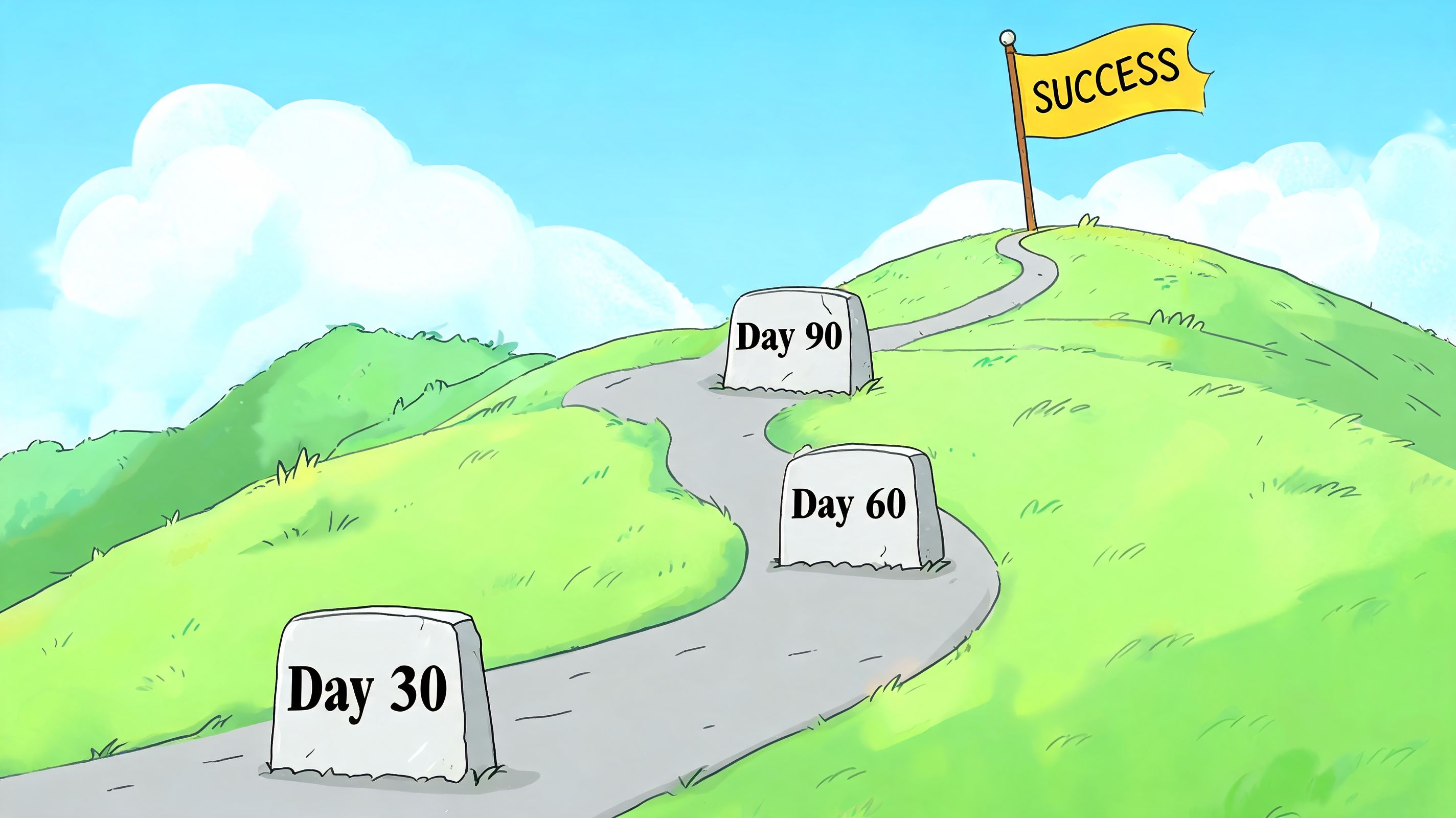
Days 1 through 7
In the first week, install the platform, connect your key systems, and configure only the actions you're confident you can support operationally.
Start with a narrow rollout:
- Enable order visibility first: Customers should be able to find accurate status information without contacting support.
- Turn on one or two edit types: Shipping address and contact detail changes are usually the safest starting point.
- Set clear windows: The customer should know when edits are allowed and when they are not.
- Match your brand: Basic styling matters because customers treat this as part of your storefront, not a back-office tool.
Avoid turning on every feature on day one. That usually creates edge cases your team hasn't planned for yet.
Days 8 through 30
The first month is about training and behavior change. Your support team needs to know when to direct a customer to self-service and when to intervene. Your ops team needs to trust the rules. Your warehouse needs clarity on which changes can still happen before pick and pack.
A simple operating rhythm helps:
- Review common support tickets related to order edits, tracking confusion, and returns.
- Compare those tickets against the self-service options now live.
- Tighten any confusing labels, messages, or permissions.
- Make sure support macros reflect the new workflows.
This is also the time to test the customer journey across devices and languages if you sell internationally. Something that looks clean on desktop in one locale can become clumsy on mobile in another.
Days 31 through 90
Once the basics are stable, add more value. At this stage, upsells, advanced routing, and deeper workflow automation belong.
Focus on three optimization tracks:
- Revenue track: Test post-purchase offers that are easy to add operationally. Accessories, replenishment items, or low-complexity add-ons usually work better than complicated bundles.
- Efficiency track: Refine rules for approvals, tagging, and handoff to fulfillment systems.
- Insight track: Review return reasons, change requests, and support themes to identify where pre-purchase or product detail improvements could remove friction upstream.
A common mistake at this stage is leaving edit windows too open. If a customer can keep changing details deep into fulfillment, your team loses confidence in the system. Another mistake is failing to tell customers that self-service exists. If no one knows the feature is available, support doesn't get the relief you expected.
Roll out the permissions your operation can enforce consistently. Then expand. Customers forgive limits more easily than broken promises.
Measuring Success and Calculating Your ROI
A post purchase experience platform should earn its place in the stack. The cleanest way to prove that is to track support impact, revenue impact, and retention impact separately.

Metrics that actually matter
Start with a compact scorecard:
- Support ticket reduction: Compare post-purchase ticket volume before and after launch.
- Handled without agent intervention: Track how many customer requests move through self-service instead of support.
- Upsell acceptance: Measure order additions from thank you and order status surfaces.
- Return-to-exchange ratio: Watch whether the workflow shifts customers from refunds to exchanges.
- Repeat purchase behavior: Measure whether customers who engage with the post-purchase layer come back more often.
Retention matters because existing customers are much easier to sell to than net-new prospects. KnoCommerce's post-purchase survey data guide notes that the probability of selling to an existing customer is 60-70%, compared with 5-20% for a new prospect. The same source also points out that systematically collecting and acting on post-purchase data helps brands build advanced customer segments for targeted retention sequences.
A simple ROI framework
You don't need a complicated finance model to get started. Use a practical formula:
ROI = support labor saved + margin from added post-purchase revenue + retention value gained - platform cost - implementation cost
The important part is disciplined tracking. If ticket handling time drops but upsells create warehouse complexity, count both. If exchanges improve but approvals slow down support, count both.
For teams trying to connect these improvements back to profitability, this MetricMosaic guide to eCommerce margins is a useful companion to your internal model. It helps frame post-purchase improvements in margin terms, not just vanity metrics.
Post-purchase ROI becomes much easier to defend when support, ops, and growth all agree on the scorecard. That's when the platform stops being "another app" and starts functioning like core operating infrastructure.
If your Shopify team wants to reduce support workload, give customers controlled self-service after checkout, and create new revenue opportunities without adding operational chaos, take a look at SelfServe. It's built for brands that need multilingual order editing, real-time address validation, configurable permissions, and post-purchase upsells that fit how high-volume stores operate.