Best Stock Control Inventory App for Shopify: 2026 Guide

You launch a campaign, orders spike, and the team feels good for about fifteen minutes.
Then the cracks show. One SKU sells out in the warehouse, but it still looks available on Shopify. A marketplace order comes in for the same unit. Support starts handling cancellation emails. Finance wants to know why refunded orders are climbing. Operations starts doing what growing brands always do when systems lag behind reality. They patch the problem manually.
That's the moment a stock control inventory app stops being “ops software” and becomes revenue protection.
For Shopify Plus brands, inventory control isn't just about what happens before checkout. It also has to survive what happens after the order is placed. Address edits, order changes, add-on products, cancellations, and support-approved exceptions all affect real stock. Most inventory setups are built for the clean version of commerce. Real brands operate in the messy version.
The High Stakes of Modern Inventory Management
The failure rarely starts at checkout.
It starts after the order is already in motion. A customer changes an address. Support approves a size swap before fulfillment. An upsell adds one more unit to the order. A cancellation releases stock late, or not at all. If those events do not flow back into inventory in real time, the count in Shopify stops matching operational reality.
That gap is expensive. High-growth brands can forecast well, buy enough stock, and still disappoint customers because inventory is being adjusted in too many places without a single control point. The storefront shows availability. The warehouse sees a different allocation. Support makes a promise based on outdated information. Operations then has to sort out which version is true.
Where the real damage happens
Overselling gets attention because it is visible. The harder problem is the chain reaction that follows across teams:
- Support absorbs avoidable work: Agents spend time checking stock status, reversing edits, and explaining why an order changed after purchase.
- Fulfillment loses speed: Orders with mismatched inventory or post-purchase changes get held for manual review.
- Marketing gets less aggressive: Teams become more cautious with campaigns because they do not trust available-to-sell numbers.
- Finance gets noisier reporting: Refunds, write-offs, and delayed shipments make margin and inventory performance harder to read.
I see the same pattern in scaling brands. Inventory mistakes do not stay inside warehouse operations. They distort customer experience, staffing load, and buying decisions.
Practical rule: If inventory accuracy depends on someone checking Slack, email, or a spreadsheet before they approve an order change, the process does not scale.
Why ambitious brands outgrow basic tools
A basic stock app records units on hand. A scaling operation needs to control reservations, releases, transfers, and post-purchase exceptions with a clear audit trail.
That matters because modern commerce does not end at payment capture. Customers expect self-service edits. Support teams need controlled flexibility. Brands want post-purchase upsells without creating fulfillment errors. Inventory has to stay accurate through all of it. Pre-purchase stock control and post-purchase order management are the same workflow now, even though many teams still treat them as separate systems.
Research from Shopify on inventory management frames effective inventory control around tighter visibility, faster replenishment decisions, and fewer costly stockouts or overstock situations. In practice, the brands that scale cleanly apply that discipline after checkout too. They make sure every order edit, cancellation, and approved add-on updates inventory before the next promise is made to a customer.
The brands that stay in control do not treat inventory as a static count. They run it as a live operational system.
What Is a Stock Control Inventory App
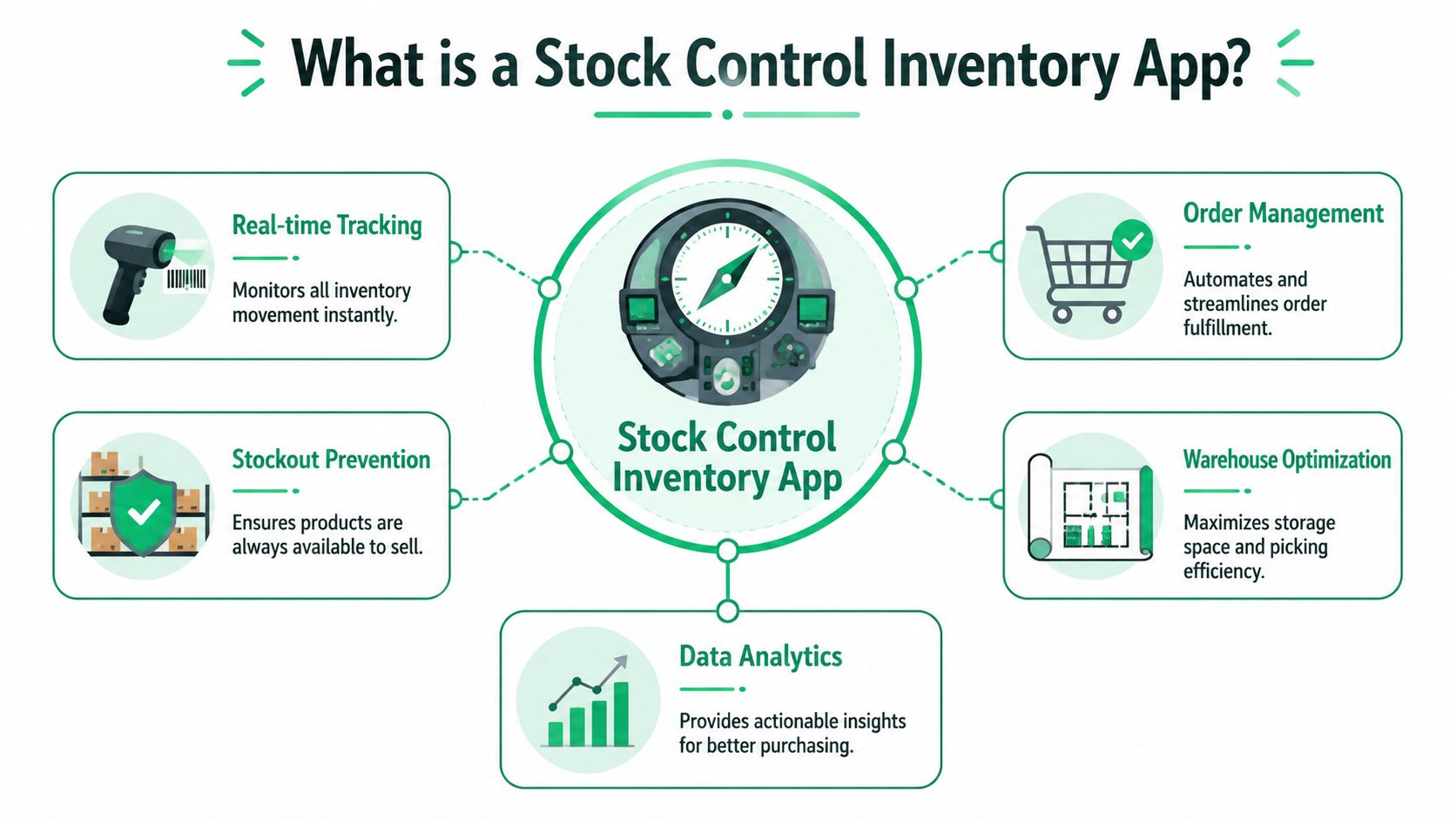
A stock control inventory app is best understood as air traffic control for your products.
It's the system that tracks every movement, every reservation, and every release of inventory across your ecommerce stack. Instead of each channel maintaining its own version of stock, the app acts as the central authority. Shopify, marketplaces, POS, warehouse workflows, and purchasing decisions all connect back to the same operational source of truth.
What it actually controls
A spreadsheet can list on-hand units. That's not the same as controlling inventory.
A proper inventory app handles transactions and status changes such as incoming goods, outgoing goods, inter-store transfers, and stock-taking. Enterprise systems also provide dashboards and reports by item, customer, supplier, and date range, which gives operations teams one place to monitor movement and exceptions rather than rebuilding the story after the fact.
In practical terms, the app should answer questions like:
- What is available to sell right now
- What is already committed to open orders
- What is inbound from suppliers
- What moved between locations
- What needs to be reordered
- What changed after the order was originally placed
Why real-time sync matters
The defining feature is real-time multi-channel synchronization.
Cloud-based sync architecture can automatically update stock levels across Shopify, marketplaces such as Amazon and eBay, POS systems, and fulfillment networks at the same time. According to Shopify inventory app feature guidance, this reduces latency from minutes to sub-second updates, which is what removes the classic overselling gap between channels.
That sounds technical, but the business impact is simple. A unit sold in one place should stop being sellable everywhere else almost immediately.
When inventory data moves slower than customer demand, marketing wins the sale and operations inherits the failure.
What it is not
It isn't just a dashboard. It isn't just a barcode layer. And it isn't just a reorder reminder.
A mature stock control inventory app becomes the system that coordinates purchasing, warehousing, channel sales, and exception handling. For fast-growing Shopify brands, that coordination matters more than the interface polish most app listings emphasize.
Core Features High-Volume Merchants Cannot Ignore
At scale, feature lists become misleading. Every app claims visibility, automation, and reporting. What matters is whether the feature solves a painful operational bottleneck under real order volume.

Barcode scanning and low-stock automation
This is one of the clearest dividing lines between lightweight inventory tools and systems that can support growth.
According to RFgen's inventory management software feature breakdown, integrating barcode scanning with automated low-stock alerts reduces manual data entry errors by 95%, lets warehouse teams process receiving, picking, and packing 3-4x faster, and improves stock accuracy from 85-90% to over 99%.
That matters most in three workflows:
- Receiving: Staff scan goods into the system as they arrive, instead of updating counts later from paper or memory.
- Picking: Pickers confirm the exact SKU and quantity before inventory leaves the shelf.
- Replenishment: Accurate counts trigger purchasing at the right threshold rather than after someone notices a problem.
If you're still relying on manual count adjustments, you don't have a reporting problem. You have an execution problem.
Real purchasing signals, not reactive buying
Low-stock alerts only help if they're tied to sensible reorder logic.
The best setups use stock data to trigger action before support hears about missing items. In high-volume environments, purchasing should follow operational thresholds, not gut feel. Demand forecasting belongs here too, but only if the forecast consumes trustworthy stock data.
For teams evaluating what smarter forecasting can look like, this AI inventory optimization whitepaper is a useful companion read because it frames forecasting as an input to operations, not a separate analytics exercise.
Reporting that operators can use
Most merchants don't need more charts. They need reports that help them decide what to buy, what to transfer, and what to stop carrying.
Useful reporting usually falls into four buckets:
- Movement reporting: What came in, what went out, what transferred, and what was adjusted.
- Accuracy reporting: Where variances keep appearing and which workflows are causing them.
- Sales-linked reporting: Which SKUs turn quickly and which tie up cash.
- Exception reporting: Orders, channels, or locations that keep creating mismatches.
A warehouse management layer often becomes necessary here. If your team is evaluating broader fulfillment architecture, this guide to best WMS systems is worth reviewing alongside inventory apps because the handoff between inventory control and warehouse execution is where many scaling brands start to break.
Multi-location and channel discipline
A stock control inventory app should also manage reality across multiple nodes. One warehouse, one retail location, and one Shopify storefront is manageable with simpler tooling. Add a 3PL, pop-up retail, marketplace sales, and separate replenishment paths, and the system needs to reconcile stock changes without waiting on batch jobs or manual review.
The wrong app often looks fine in the demo. It fails when one SKU is selling across multiple channels and the team needs confidence in the number, not a best guess.
For high-volume merchants, these features aren't “nice to have.” They determine whether inventory stays accurate under pressure.
Integrating an Inventory App into Your Shopify Workflow
Inventory software works when it's embedded in the order lifecycle, not bolted onto it.
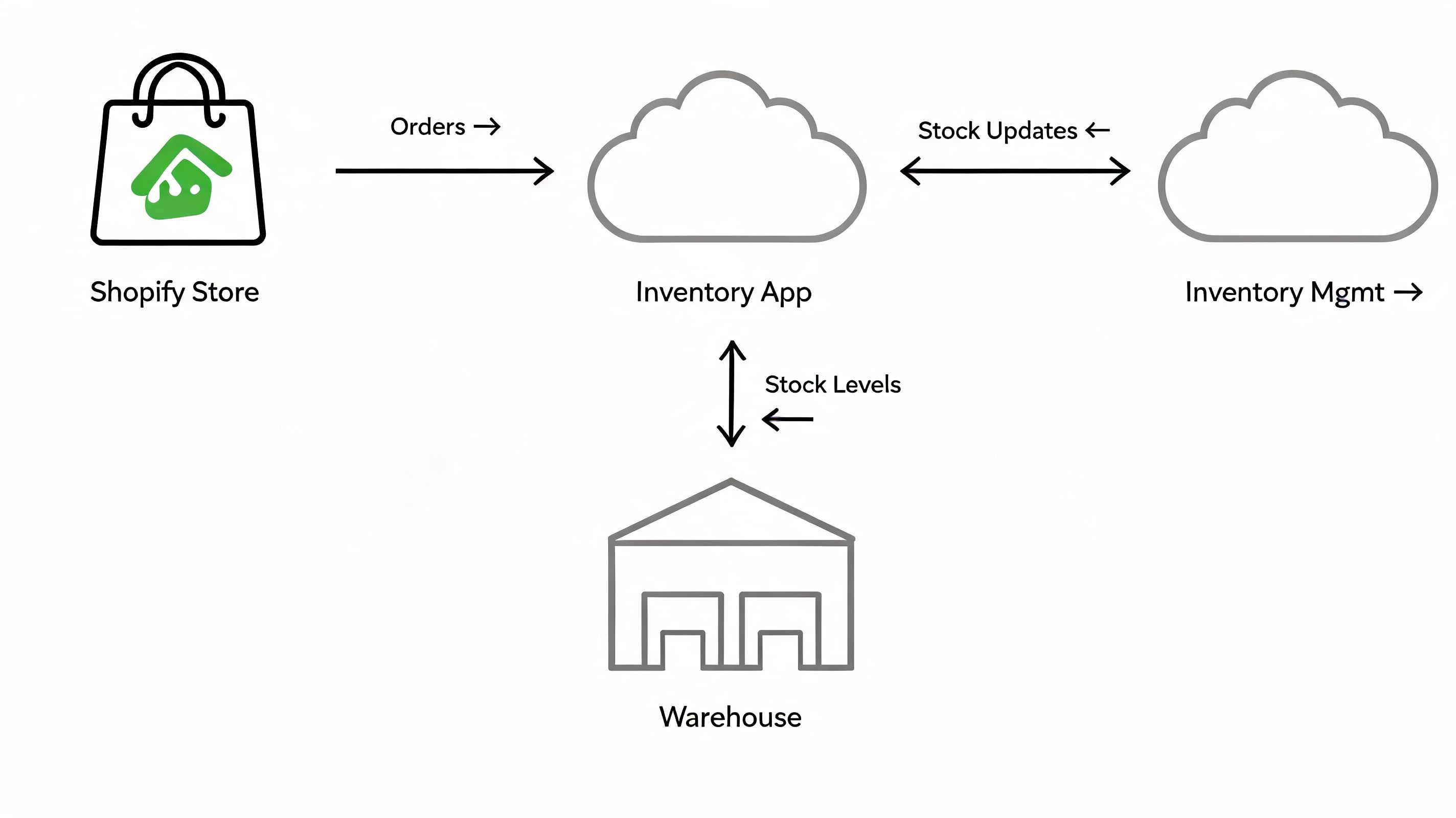
A Shopify Plus brand usually has at least four moving parts touching stock. Shopify captures the order. The inventory app reserves and updates availability. A 3PL or warehouse system handles physical movement. Support and post-purchase processes create exceptions that can either preserve accuracy or corrupt it.
The clean workflow most brands plan for
At a high level, the flow should work like this:
- Purchasing creates inbound stock
- Warehouse receiving confirms quantity and location
- Inventory becomes available to sell
- Shopify order reserves stock
- Fulfillment picks, packs, and ships
- Returns or cancellations release or adjust stock
This part is familiar. Most app demos handle it well.
The messy workflow brands actually live with
The problem starts after checkout.
Customers change addresses. They ask to swap a size. Support approves an add-on item. Someone cancels one line from a multi-line order. A retained order gets edited before capture. None of these events are unusual. They're routine. Yet many inventory setups still treat them as edge cases.
A Netstock analysis of inventory software gaps notes that 30-40% of stockouts stem from unintegrated sales channel updates, and for Shopify Plus merchants, inventory mismatches from post-purchase changes can push support ticket volume up by 25%. That's the hidden failure point most inventory guides skip.
Why post-purchase edits break inventory accuracy
Inventory systems are usually built around the original order event. Once a customer or agent changes that order, the stock implications depend on whether every connected system receives and processes the change correctly.
A common failure pattern looks like this:
- Shopify reflects the edit
- The warehouse hasn't seen it yet
- The inventory app only partially updates
- Support logs the change manually
- Stock remains allocated to the wrong SKU or location
That's how a brand can look “mostly synced” while still producing recurring discrepancies.
If your team treats post-purchase changes as customer service work instead of inventory events, accuracy will drift.
What good integration looks like
A strong Shopify workflow connects inventory actions to every material order event, including changes after payment. That means the inventory app should handle reservations, releases, substitutions, and fulfillment state changes as part of one connected process.
This walkthrough is useful because it shows how order workflows increasingly need tighter system coordination, not more manual intervention:
The operational goal is simple. Every order change should create a predictable inventory outcome. If it doesn't, the team ends up reconciling by hand, and hand reconciliation does not scale.
How to Choose the Right Stock Control App
Most merchants choose inventory software the wrong way. They compare interfaces, skim reviews, and ask whether the app has the expected feature list.
That's not enough. The right decision is less about which app looks cleaner and more about which one fits the operational shape of your business.
Start with your complexity, not the demo
A stock control inventory app should match the workflows you already have and the ones you're likely to add soon. If you sell only through one storefront today but plan to add retail, marketplaces, or additional warehouses, choose for that future state now.
The first screening questions I use are practical:
- Can it handle multi-location inventory without awkward workarounds
- Does it connect cleanly to your 3PL, ERP, accounting stack, and POS
- How does it treat reservations, transfers, and adjustments
- What happens when orders change after checkout
- Can your warehouse team use it quickly under pressure
A polished interface matters. It just matters less than operational fit.
Prioritize integration depth over feature volume
A long feature list can hide weak system design. What you want is dependable movement of inventory data between platforms.
That's why app evaluation should borrow from a broader discipline. This framework for driving revenue with Shopify apps is helpful because it pushes teams to evaluate apps by strategic impact and integration value, not surface-level promises.
The same principle applies to inventory. An app that integrates thoroughly with your stack will outperform an app with more checkboxes but shallow connectors.
Don't ignore global operations
International complexity sneaks up on brands.
For the 60% of Shopify brands expanding globally, multilingual support becomes a serious operational requirement, and data indicates multilingual apps can reduce stock-taking errors by 28% in diverse markets, as noted in this multilingual stock app listing and supporting data. Many reviews barely discuss this, which is exactly why brands discover the gap too late.
If your operation spans regions, ask about:
- Language support for warehouse and ops users
- Timezone-aware alerts
- Location-specific stock visibility
- Cross-border transfer handling
- Reporting consistency across markets
Evaluate the surrounding operating system
Inventory software doesn't live alone. It sits beside order management, warehouse execution, support workflows, and finance reconciliation.
That's why I'd rather see a merchant map their full order architecture than run one more vendor demo. This guide to a Shopify order management system is useful in that context because inventory decisions make more sense when viewed as part of the broader operating model.
Good inventory software reduces decisions your team has to make manually. Bad inventory software creates new decisions every time reality gets messy.
Choose the app your operators can trust on a bad day, not the one that looks best on a calm one.
Measuring Success with Key Inventory KPIs
A brand can install a stock control inventory app, sync every SKU, and still miss the actual problem. Inventory accuracy often breaks after the order is placed, when customers change quantities, swap variants, cancel items, or accept a post-purchase upsell. If the team only measures what sits on the shelf, they miss what happens between checkout and fulfillment.
That is why I push merchants to track KPIs that reflect operational control, not just inventory position. Classic finance metrics still matter, but for a high-volume Shopify Plus brand, the sharper question is whether inventory stays correct as orders change.
Track the KPIs that expose process failure
Start with variance and exception metrics your ops team can act on weekly.
| KPI | What It Measures | Why It Matters for High-Volume Merchants |
|---|---|---|
| Inventory Record Accuracy | Gap between system stock and physical stock | Shows whether your app is producing numbers the warehouse can trust |
| Stockout Rate | How often shoppers hit unavailable items they intended to buy | Connects inventory discipline to lost revenue and conversion |
| Backorder Rate | Share of orders that cannot ship in full when promised | Exposes weak purchasing, poor allocation, or slow inventory updates |
| Order Edit Impact Rate | How often post-purchase changes affect reserved or allocated stock | Reveals whether customer edits are creating hidden inventory distortion |
| Perfect Order Rate | Orders delivered complete, accurate, and on time | Ties inventory control to fulfillment quality and customer experience |
Inventory Record Accuracy is one of the first numbers I check after an app rollout. If the count in Shopify, the stock control app, and the warehouse do not match, every downstream decision gets worse. Reordering gets noisy. Transfers become harder to trust. Support starts making exceptions that create even more drift.
Order Edit Impact Rate is the KPI many guides skip. They treat inventory as a pre-purchase problem. That no longer reflects how modern Shopify brands operate. If customers can edit addresses, remove items, or add products after checkout, those actions need to update reservations and available stock correctly. Otherwise, your inventory system is technically synced and operationally wrong.
Use KPI trends to assign ownership
A useful KPI points to a team and a fix.
If stockout rate rises while inventory record accuracy stays high, the issue is usually forecasting, purchasing cadence, or allocation logic. If perfect order rate falls while stock levels look healthy, the problem often sits in picking discipline, order routing, or post-purchase exceptions. If backorder rate climbs after a campaign or upsell push, merchandising and ops need to review whether promotional demand is outrunning available stock.
For teams tightening these controls, this guide on how to simplify inventory management and avoid stockouts is useful because it connects day-to-day inventory discipline with fewer preventable demand gaps.
I also like to compare these inventory signals with broader customer and revenue reporting. The teams that review metrics for growing online stores alongside ops KPIs usually spot the pattern faster. A rise in support tickets, refund pressure, or delayed fulfillment often starts with inventory errors the warehouse team thought were minor.
Good KPI tracking connects stock control before purchase with order changes after purchase. That is how brands keep inventory accurate at scale.
Avoiding Pitfalls with Post-Purchase Automation
Most inventory implementations fail in familiar ways. Dirty product data gets imported. Teams aren't trained on receiving discipline. Manual adjustments become normal. Then order edits after checkout create a second layer of exceptions that nobody fully owns.
That last part matters more than many merchants realize. You can build a solid stock control foundation and still lose accuracy if post-purchase changes flow through support inboxes, spreadsheets, and one-off approvals. The inventory system may be correct at the moment of purchase and wrong an hour later.
The practical fix is to treat post-purchase automation as part of inventory protection. Customer edits, cancellations, and add-ons need controlled workflows with clear permissions and predictable stock outcomes. Brands that track broader metrics for growing online stores usually discover the same truth. Operational quality shows up in customer-facing metrics faster than expected.
Good inventory control starts before checkout. Mature inventory control survives what happens after it.
If your Shopify team is trying to reduce support load while protecting inventory accuracy after purchase, SelfServe is built for that gap. It gives customers controlled self-service for order edits, address changes, cancellations, and upsells, so post-purchase changes don't keep turning into manual exceptions that distort your inventory data.