System Integration Benefits for Shopify Merchants
A customer notices a delivery address error after placing an order. The support team opens Shopify, checks the order in the ERP, searches for the shipment in the 3PL portal, and sends another message to confirm the change. By the time someone updates every system, the warehouse may already be packing the parcel. One address change has created a ticket, several lookups, multiple chances for inconsistent data, and a possible reshipment.
That pattern becomes expensive as a Shopify brand grows. System integration benefits don't arrive because a store has more apps. They arrive when the right systems exchange accurate information at the right moment, with clear rules for what can change, where the authoritative record lives, and how exceptions reach a human.
Why System Integration Matters for Growing Shopify Brands
A high-volume Shopify merchant rarely operates from Shopify alone. Orders begin in the storefront, inventory may be controlled by an ERP, fulfillment happens through a 3PL, customer conversations live in a support platform, and marketing or CRM tools track the relationship after purchase. When those systems don't share state reliably, the operations team becomes the integration layer.
That usually starts with small workarounds. An agent copies an order number into the 3PL dashboard. A warehouse coordinator checks whether an address edit reached fulfillment. A support manager asks finance to confirm a refund. Customers receive different answers because each team sees a different version of the order.
The first problem is usually post-purchase friction
Disconnected data creates support demand before it creates an obvious technology failure. Customers ask whether an order shipped, whether an address can be changed, or whether an item can be added. Agents then switch between screens, reconcile timestamps, and decide whether an action is still safe.
The operational cost isn't limited to handling time. A missed address change can lead to an undeliverable package. A stale inventory value can allow an order that the warehouse can't fulfill. A delayed order status can cause a customer to contact support even though the shipment is moving normally.
Practical rule: Treat every repeated customer question as a possible data-flow problem, not only a support-training problem.
For Shopify Plus merchants, this distinction matters because scale exposes weak handoffs quickly. The more channels, markets, warehouses, and partner systems a brand adds, the more often teams need the same order record to trigger different actions. A unified view of commerce operations is useful context when evaluating what is a unified commerce platform, especially if the business is moving beyond a single storefront and fulfillment path.
Integration changes the economics of growth
A connected workflow lets customers complete eligible post-purchase actions without asking an agent to perform every lookup. It can also pass approved changes to downstream systems, tag orders for warehouse handling, and surface exceptions before they become failed deliveries.
The broader market reflects this shift. The Computer Society reported that system integration was valued at $385.95 billion in 2023 and projected a 13.8% CAGR through 2030, linking integration investment with operational efficiency, lower costs, customer experience, and decision-making (Computer Society summary). For a Shopify merchant, the point isn't the market size alone. Integration has become core infrastructure across ERP, CRM, supply chain, and commerce operations.
What System Integration Actually Means in a Shopify Stack
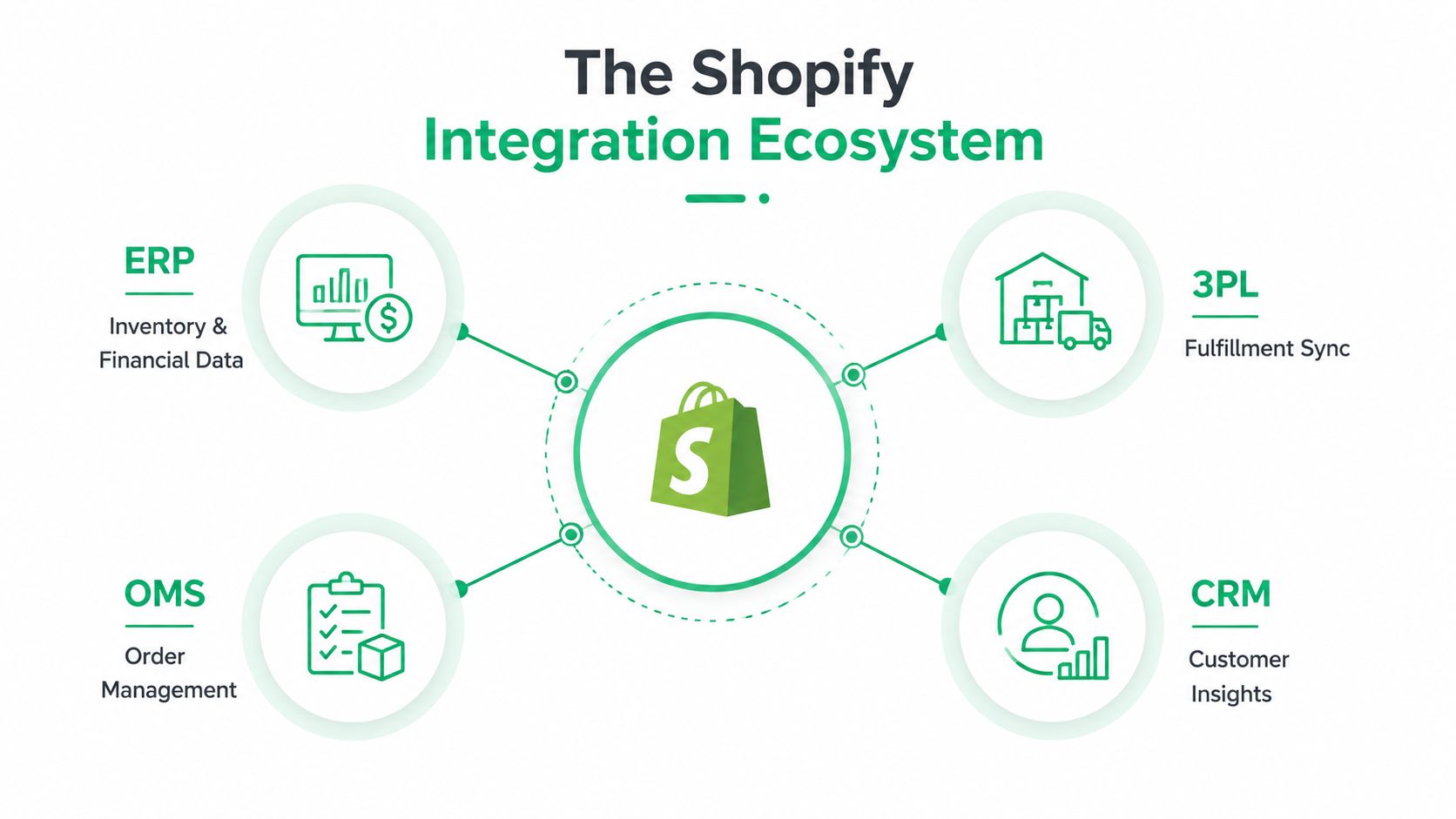
A Shopify order can change in seconds, while the ERP, OMS, 3PL, and support platform each hold a different part of the transaction. If those systems do not exchange updates reliably, an address edit may miss the warehouse, an inventory change may arrive late, and an agent may answer from an outdated record. Integration is the set of signals, rules, and safeguards that moves information between those parts.
A simpler way to picture the Shopify stack is as connected workstations with defined responsibilities:
- Shopify: storefront orders, customer actions, checkout, and post-purchase experiences
- ERP: inventory, finance, purchasing, and product master data
- OMS: order orchestration, edits, routing, and status logic
- 3PL: picking, packing, shipment, tracking, and fulfillment events
- CRM or support platform: customer history, conversations, and service workflows
Three connection patterns
Point-to-point connections link one system directly to another. They suit a narrow, stable workflow, such as sending Shopify orders to one 3PL. As the stack grows, each new connection adds mapping, authentication, failure handling, and upgrade dependencies.
Middleware or iPaaS adds an intermediary layer for transformations, routing, retries, and monitoring. It helps when several systems need the same order event in different formats. The trade-off is operational ownership. Someone must maintain the platform, monitor failures, and govern changes.
App-native integrations use an existing Shopify app or connector with predefined capabilities. They usually deploy faster for common workflows, but fit can become a constraint. A prebuilt connector may not support unusual fulfillment states, multi-language requirements, approval rules, or legacy ERP fields.
A merchant deciding how to connect your data with Technioz should begin with the business event, not the connector catalogue. Define what happens when an address changes, an order is edited, inventory is reserved, or a shipment is delayed. Then identify the source of truth, the systems that must receive the event, the required response time, and the human fallback when delivery fails.
Real-time does not mean every record needs instant sync
Timing matters when it changes the outcome. An address edit must reach the fulfillment path before the warehouse acts. An inventory update must keep saleable quantity close to operational reality. A historical sales report can usually tolerate scheduled synchronization.
That distinction helps prioritize ROI. Build fast, observable flows for support and fulfillment events first. Use scheduled transfers for reporting or low-risk reference data where freshness does not affect the customer or the next operational decision.
Core Business and Operational Benefits of Integrated Systems
The strongest business case starts with the first workflow that stops wasting human attention. In Shopify operations, that's often post-purchase support: order-status questions, address changes, cancellations, and requests to add or remove products. When the customer or agent works from current order data, the team avoids duplicate lookups and manual copying.
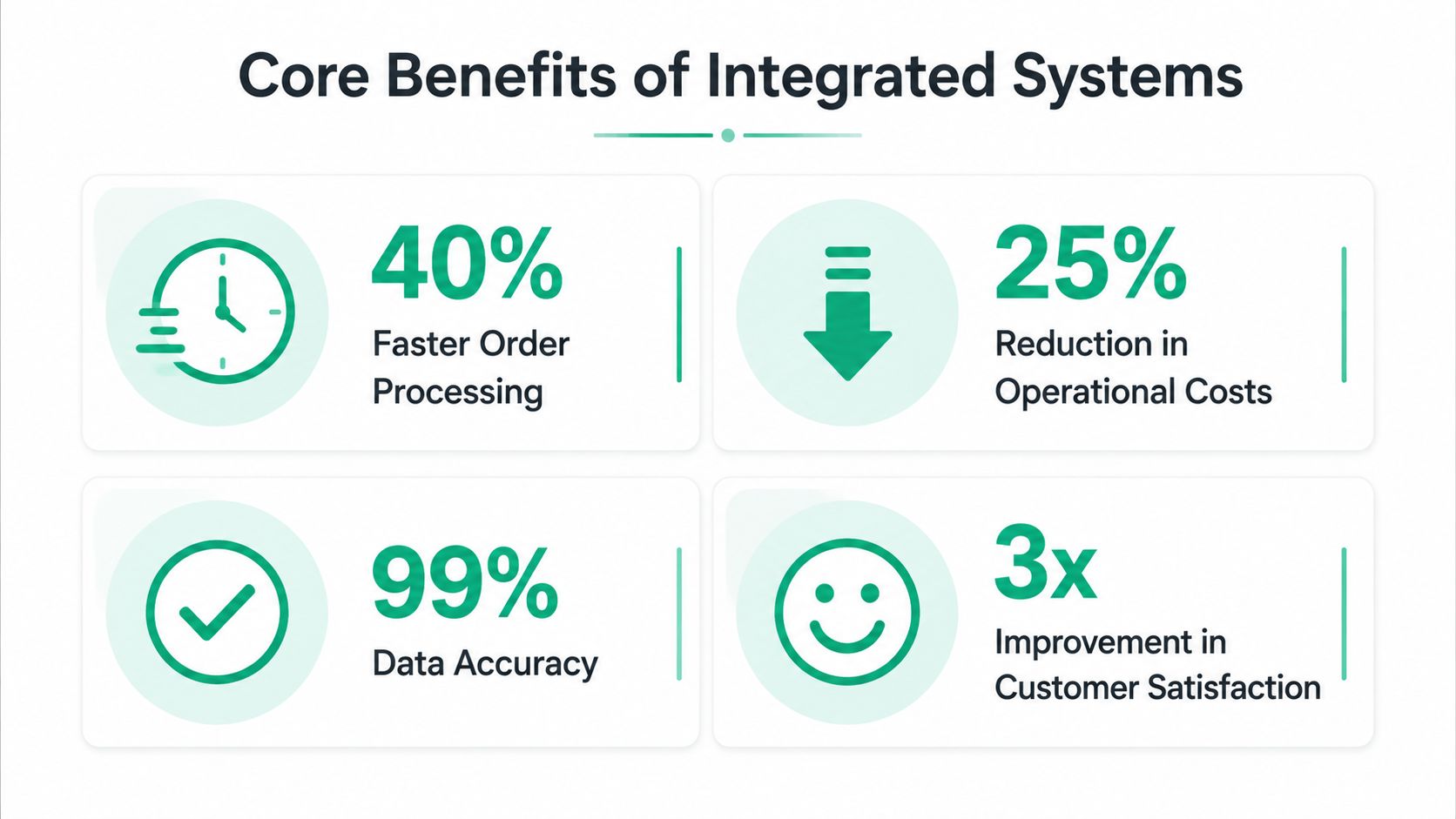
A 2025 technical review reported a 34% increase in operational efficiency, a 27% reduction in operational costs within the first year, and data accuracy rising to 96% after implementation (technical review of enterprise system integration). The same review reported a 29% reduction in process cycle times, 33% better cross-departmental collaboration efficiency, a 25% drop in IT maintenance costs, and a 28% improvement in resource utilization. These are enterprise-level findings, so a Shopify operator should use them as directional evidence, not a promise for a specific store.
What tends to pay off first
The sequence usually follows operational proximity:
- Less manual entry: Orders, tags, tracking data, and approved edits move without repeated copying.
- Lower support effort: Customers and agents can access the same current order context, reducing avoidable conversations.
- Fewer correction loops: Address validation and controlled editing reduce the need to repair bad data after handoff.
- Shorter processing cycles: Warehouses and service teams receive usable information earlier.
- Better cross-team coordination: Support, operations, finance, and fulfillment act from shared status information.
Published ERP supply-chain integration research links automated order processing with shorter cycle times and fewer order-entry errors, while a separate support-operations case study reported a 90% reduction in automation complexity after workaround-heavy integrations were removed (ERP supply-chain integration review). The practical lesson is important: a cleaner workflow can create value before a merchant touches advanced forecasting or executive reporting.
The later gains compound through better operating decisions. Accurate inventory and fulfillment signals help teams decide what to replenish, where to route orders, and which exceptions deserve intervention. A unified order history can also support relevant post-purchase offers, although the revenue outcome depends on product fit, placement, customer intent, and execution rather than integration alone.
For a focused view of how these flows fit together, review this guide to a Shopify order management system. The right design connects order state with the actions customers and internal teams are permitted to take.
Integrated Versus Disconnected Post-Purchase Workflows
The difference becomes obvious when an order needs to change after checkout.
In a disconnected stack, the customer emails support to correct an address. The agent edits Shopify, opens the 3PL portal, checks whether the order has entered fulfillment, and tries to update the shipment. If one system rejects the change or processes it later, the agent must investigate manually. The customer waits, and the merchant carries the risk of a mis-ship or reshipment.
In an integrated stack, the customer sees only the actions that remain safe. An editing interface can enforce a time window, validate the address while it's entered, and send an approved change to the systems responsible for the order. The merchant still needs exception handling, but routine requests don't require a human to coordinate every handoff.
| Workflow Step | Disconnected Stack | Integrated Stack |
|---|---|---|
| Customer requests an address change | Sends an email or opens a ticket | Uses a controlled self-service workflow |
| Agent checks order state | Searches Shopify, ERP, and 3PL separately | Views synchronized status and permissions |
| Address quality | Agent reviews or copies the new address | Validation occurs during entry |
| Downstream update | Agent repeats the change in another system | Approved event moves through the defined integration |
| Warehouse awareness | Depends on manual notes or delayed updates | Order tags and fulfillment signals update automatically |
| Exception handling | Discovered during investigation or fulfillment | Routed for review when an automated action can't complete |
| Customer communication | Agent sends a follow-up after checking systems | Status reflects the action and its outcome |
Control matters as much as convenience
Self-service shouldn't mean unrestricted editing. A merchant needs rules for which fields customers can change, when changes close, whether a line item can be added, and when cancellation requires approval. Without those controls, automation can move errors faster.
Webhook design supports this control layer. Events can trigger order tagging, post-purchase edits, address validation, cancellations, and related actions without forcing the support team to build each customer-facing workflow from scratch. The Shopify webhook automation guide is useful when mapping those events to downstream actions.
The operational payoff comes from reducing context switching. Agents spend less time comparing screens and more time handling cases that need judgment. Fulfillment teams receive cleaner instructions, while customers get a faster path to a simple correction.
Hidden Costs and Risks of System Integration
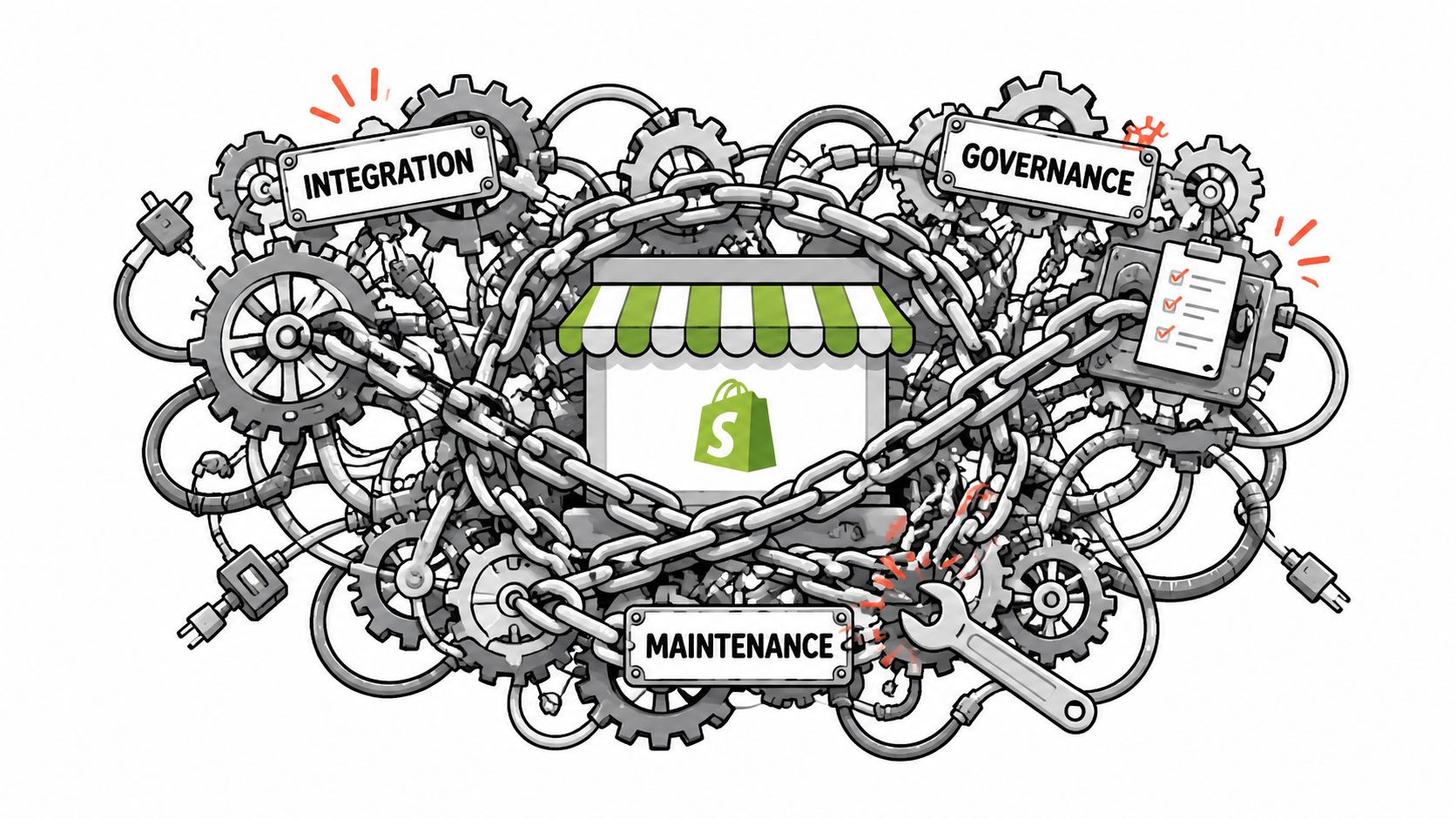
Integration doesn't remove complexity. It relocates complexity into data contracts, permissions, monitoring, and ownership. A merchant can replace visible manual work with an invisible dependency that fails during a Shopify change, ERP upgrade, 3PL outage, or partner-system modification.
The risk is highest when each system connects directly to several others. A field renamed in one platform can break an order flow elsewhere. A status that means “released” in an ERP may mean “ready to pick” in a 3PL. If nobody owns the mapping, teams discover the mismatch through customer complaints or warehouse exceptions.
Where integration creates fragility
Legacy platforms often contain valuable business logic that a new connector doesn't understand. Replacing them may be unrealistic, so the integration must preserve existing behavior while exposing only the data and actions needed by newer tools. Research on integration architecture acknowledges both the complexity of integration and the importance of reusing existing systems rather than assuming replacement is always appropriate (Springer discussion of system integration tradeoffs).
Global operations add another layer. Multi-language workflows need translated customer-facing states, consistent field handling, and support processes that don't assume one market's address format. Partner systems may return incomplete or contradictory data. A flow that works for one warehouse can fail when another 3PL uses different status names, cut-off rules, or shipment identifiers.
Governance also carries a cost:
- Data ownership: Decide which system controls customer, product, inventory, order, and shipment fields.
- Permission design: Limit customer and agent actions to safe states and approved windows.
- Observability: Record failures, retries, rejected changes, and delayed events where operators can act on them.
- Change management: Test Shopify, ERP, OMS, and 3PL updates before they reach production.
- Recovery planning: Give teams a manual fallback when an integration is unavailable.
A useful decision test is simple. Integrate a workflow when repeated manual handling creates measurable operational risk or consumes significant team capacity. Buy a connector when the process is common and the merchant can accept its data model. Build custom logic when the workflow is commercially important and the available connector can't represent the required rules. Defer integrations that move low-value data without changing a decision, customer outcome, or fulfillment action.
Best Practices for Planning Your Shopify Integration Roadmap
A reliable roadmap starts with operational evidence, not the most impressive architecture diagram. Pull a representative sample of support conversations, fulfillment exceptions, address corrections, cancellations, and inventory discrepancies. Mark where an employee re-enters data, waits for another team, or checks multiple systems to answer one question.
Build the roadmap around friction
Use this order of work:
- Audit support volume and error rates. Identify the requests that repeat and the mistakes that reach customers or warehouses.
- Prioritize by business impact. Start with workflows that protect delivery, reduce avoidable support handling, or create a clear revenue opportunity.
- Define success metrics. Track support contacts, manual touches, rejected updates, exception resolution, order accuracy, and downstream processing time.
- Schedule a phased rollout. Launch one event path, observe it, document failures, then expand to adjacent systems.
A sensible first phase might connect controlled address editing and order tagging to fulfillment. A later phase can connect ERP inventory logic, richer customer history, and decision dashboards. The sequence should let early operational improvements finance attention for more complex work.
Choose the simplest architecture that can survive change
Native Shopify apps suit standard workflows and short deployment cycles. Middleware helps when several systems need routing, transformation, retries, and centralized monitoring. Custom integration earns its place when the merchant needs special approval paths, unusual ERP logic, or a partner connection that no existing app supports.
For 3PL projects, document the complete event lifecycle before implementation. Define what happens when an order is created, edited, released, picked, packed, shipped, delayed, cancelled, or returned. This Shopify and 3PL integration resource can help frame the data and operational questions.
Global merchants should test translated labels, address formats, validation responses, and support escalation in every active market. Don't treat localization as a copywriting task. It affects whether customers understand which actions are available and whether the resulting data is usable downstream.
Use monitoring that names the order, event, destination, failure reason, and next action. Keep a manual recovery procedure for every critical flow. Integration is healthy when operators can detect, explain, and resolve a failure without searching through several unconnected tools.
Turning Integration Into Compounding ROI
A Shopify team usually feels integration's first return in support. Reduce repetitive questions and manual order edits, then address quality and fulfillment coordination. Inventory accuracy and exception visibility follow. Only after those workflows hold steady should integrated data guide forecasting, staffing, and relevant post-purchase offers.
The order and timing of these gains remain less clearly measured across support, fulfillment, inventory, and decision-making functions (research on integration benefit measurement). Build your own baseline instead of assuming every connection pays back equally.
Audit the Shopify stack. Identify post-purchase workflows that create the most customer risk and operator effort, then rank them. Start with one observable process and expand after its data rules and fallback procedure work in production.
If staff still update addresses across Shopify and a 3PL portal, SelfServe can reduce that friction through controlled editing and validation. Visit SelfServe to assess whether its customer workflows and 3PL or ERP options fit the first high-friction process on your roadmap.