Upsell Conversion Rates: The 2026 Guide to AOV Growth
A single upsell can do more for margin than a lot of acquisition work. Research cited by Shno's roundup of upsell and cross-sell statistics says effective upselling strategies can drive a revenue increase of 10% to 30% on average.
That's why upsell conversion rates matter so much. They tell you whether your store is turning existing buying intent into higher average order value, or wasting the easiest revenue opportunity in the funnel.
Most brands still put too much attention on pre-purchase offers and email follow-ups. The underused opportunity sits later, after the order is already placed, on the pages where the customer is still engaged but the original sale is no longer at risk.
What Are Upsell Conversion Rates
Upsell conversion rate is the percentage of shoppers who accept an additional offer after seeing it. In practice, it's one of the cleanest signals of whether your post-purchase merchandising is working.
For Shopify brands, this metric matters because it affects AOV directly. If more existing customers add one more product, accessory, refill, or upgrade, you generate more revenue from traffic you already paid for. That's usually a better operational bet than trying to squeeze the same gain from new customer acquisition alone.

The terms merchants mix up
These three offers often get lumped together, but they behave differently:
- Upsell means moving the customer to a higher-value purchase or adding a premium add-on after the main item is chosen.
- Cross-sell means offering a complementary product.
- Order bump is a low-friction add-on placed close to checkout, usually with a simple accept action.
The distinction matters because the mechanism affects performance. A shopper reacts differently to a last-step checkbox than to an email sent later, and differently again to a curated offer shown after payment.
Practical rule: Treat upsell conversion rates as a merchandising metric, not just a marketing metric. The offer, its placement, and the effort required to accept it all shape the result.
Why post-purchase deserves its own playbook
Most content about upsells talks about the cart, checkout, or email. That leaves a blind spot. The moment after the sale is confirmed has its own psychology, its own technical constraints, and its own operating rules.
On Shopify, that matters because Thank You and Order Status pages can become revenue surfaces instead of dead ends. They can also support customer convenience, order management, and cleaner support operations when built well. If you're also tightening your AOV model, it helps to understand what average order value means in practice.
Post-purchase upsells work because the customer has already committed. You're no longer trying to protect the first conversion. You're trying to extend it with a relevant, easy add-on.
How to Calculate Your Upsell Conversion Rate
The formula is simple:
Upsell conversion rate = (Number of successful upsells / Total upsell offers shown) × 100
That's it. If you show an offer to shoppers and some of them accept, the conversion rate is the share who said yes.

A simple way to think about it
Think about a barista asking, “Want to make that a large?” The barista doesn't measure success by how many people bought coffee that day. They measure success by how many people were asked and how many upgraded.
Upsells work the same way online. You're not measuring total store conversion here. You're measuring how effective a specific extra offer was when it appeared.
What counts in the numerator and denominator
Use a consistent definition:
- Successful upsells are accepted offers that were added to the order.
- Total upsell offers shown is the number of times the offer displayed to eligible shoppers.
Don't mix “eligible sessions” with “offers shown.” If the widget didn't render, the offer didn't happen. Don't mix all upsell types together either. Post-purchase page offers, checkout order bumps, and email upsells should each be tracked separately.
A store example
If your Shopify store showed a post-purchase offer to 1,000 customers and 120 accepted it, your upsell conversion rate would be 12%.
If a different offer showed to 1,000 customers and only 60 accepted, that version converted at 6%. The second offer might still be worth keeping if it has a higher item value or better margin, but now you know it's less efficient at getting the yes.
That's the point of this metric. It gives you a clean read before you make decisions about product selection, copy, design, or pricing.
A low upsell conversion rate doesn't always mean the tactic is bad. It often means the offer is mismatched, overpriced, or too hard to accept.
What to track inside Shopify
Most merchants need four fields at minimum:
- Which offer was shown
- How many times it was shown
- How many times it was accepted
- Revenue tied to accepted offers
Then segment by device, product trigger, and page type. That's where the useful patterns show up.
Pricing is one of the first things to audit. Prospeo's examples of upselling benchmarks note that the price anchoring threshold for successful upsells is a strict 25% of the original order value, and that the $51–$100 price range is the global sweet spot with a 16.2% conversion rate. That doesn't mean every store should force that range. It means price relative to the original order has to feel proportionate.
Upsell Conversion Rate Benchmarks by Industry
Benchmarks only help if you compare the right mechanism to the right mechanism. A post-purchase page offer shouldn't be judged against an email sequence. A checkout order bump shouldn't be treated like a generic cross-sell module.
The broad benchmark range is already wide. Prospeo's upsell and cross-sell rate data puts the average upsell conversion rate across e-commerce industries at approximately 18.7% to 33.7%, with order bumps at 37.8% and email sequences at 11.3%.
Average upsell conversion rates by mechanism
| Upsell Mechanism | Average Conversion Rate | Notes |
|---|---|---|
| Order bumps | 37.8% | Highest-converting mechanism in the dataset |
| Post-purchase email sequences | 11.3% | Much lower than immediate on-site offers |
| Physical product businesses | 18.7% | Lower baseline than SaaS |
| SaaS companies | 27.6% | Higher average than physical products |
| Top-quartile performers | 42% to 48% | Usually tied to stronger timing and segmentation |
What these numbers actually mean
This data points to one operational truth. Timing and placement often matter more than the product itself. An offer shown at the moment of highest momentum, with almost no extra effort required, tends to beat the same product offered later in an email.
For physical-product brands on Shopify, that's a useful reality check. If you're selling tangible goods, your baseline may naturally sit lower than a SaaS company's. That doesn't mean the channel is weak. It means you need sharper merchandising and cleaner execution.
A mature store should also evaluate whether the mechanism matches the goal:
- Checkout order bumps are strong when you want a very small, obvious add-on.
- Post-purchase page offers are better when you want to protect the first conversion and monetize after commitment.
- Email upsells still have a role, but they aren't the benchmark you should build around if immediate AOV lift is the goal.
Why this matters for Shopify teams
Merchants often ask whether an upsell “worked” after seeing a single rate in a dashboard. That's the wrong question. The better question is whether the rate is good for that mechanism, that product type, and that moment in the journey.
A post-purchase page offer can be strategically valuable even when its raw conversion rate doesn't match a checkout order bump. It serves a different function. It avoids interrupting checkout, keeps the original sale secure, and gives the team another revenue event after payment.
If you're comparing channels, compare them fairly. Delayed communication rarely beats an immediate, friction-light offer embedded right after purchase.
The Three Drivers of High Conversion Rates
High upsell conversion rates usually come down to three things: timing, relevance, and friction. Most failed offers break one of those rules. Some break all three.
Easy Apps Ecom's Shopify upsell benchmark guide notes that post-purchase upsell modules on Order Status or Thank You pages consistently achieve an 8–15% acceptance rate, driven by the post-commitment state where the primary transaction is already secured.

Timing changes customer behavior
A shopper who just completed a purchase is in a different mindset than someone still deciding whether to buy at all. That's why post-purchase pages deserve separate treatment. You're not asking them to risk the sale. You're asking whether they want to improve the order they already trust.
That difference removes a lot of resistance. It also changes how aggressively you can test merchandising, because a decline won't jeopardize the original transaction.
Relevance does most of the heavy lifting
Generic offers underperform because they ask the customer to do extra interpretation. The shopper has to figure out why the product belongs with what they just bought.
Relevant offers shorten that thinking. If the store sells skincare and the customer bought a cleanser, a compatible refill, travel version, or matching accessory makes sense immediately. If the store sells bundled goods, there's also a useful parallel in how brands scale your Amazon brand through kitting. The same principle applies. Curated combinations convert better than random assortments because the buyer understands the logic instantly.
Relevance is not “people who bought this also bought that.” Relevance is “this clearly improves the order you just placed.”
For Shopify brands building this flow, post-purchase upsell options on Shopify are most useful when they tie offers to the item already purchased, not to a broad category page.
Friction kills intent faster than weak copy
Many merchants spend too much time tweaking headlines and not enough time reducing effort. If the shopper has to re-enter details, open a new cart flow, or work through a cluttered layout, acceptance drops.
That's why one-click mechanics matter so much in post-purchase environments. The cleaner the action path, the better the take rate tends to be. A simple yes or no beats a mini shopping session every time.
Here's the practical hierarchy to follow:
- First, fix offer logic. Don't optimize a bad match.
- Then remove steps. Acceptance should feel close to effortless.
- Then refine presentation. Copy and design matter, but only after the fundamentals are right.
Optimizing Post-Purchase Upsells on Shopify
Most Shopify stores treat the Thank You page as a receipt. That's a mistake. It's one of the few places where buying intent is still warm and the original order is already protected.
That gap is still undercovered. Prospeo's review of upsell techniques points out the post-purchase upsell timing gap, noting that most content focuses on checkout or pre-purchase upsells while offering minimal guidance on Thank You and Order Status page conversion.
Start with the page, not the product catalog
The best post-purchase offers are narrow. One clear add-on usually beats a busy block of options. On Shopify, especially for high-volume brands, the page should answer three questions immediately:
- What is being offered
- Why it fits the order
- How to accept it with minimal effort
That means short copy, obvious buttons, and no visual clutter competing with order details.
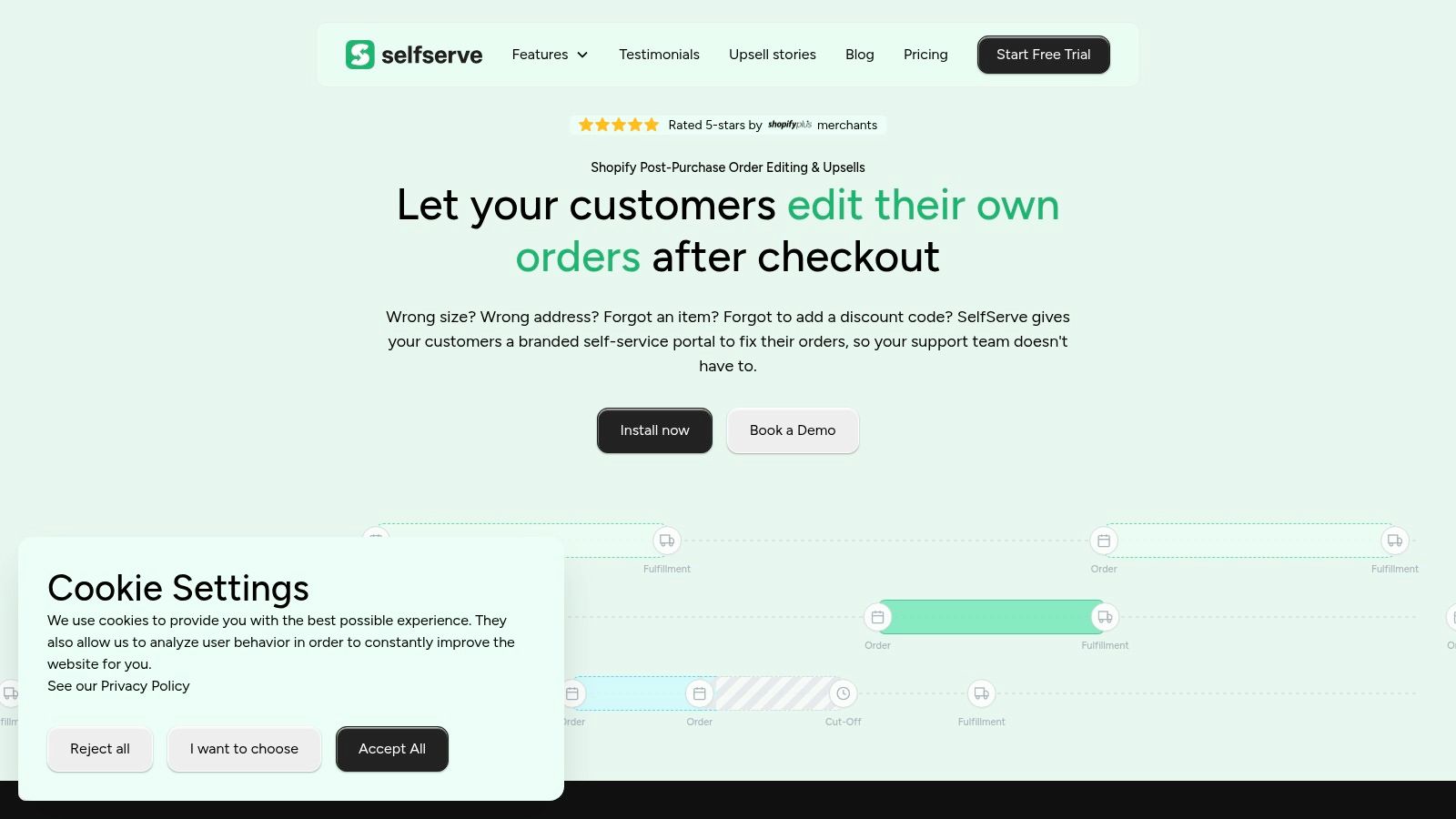
Merchants evaluating tools for this workflow usually compare apps based on how much control they get over targeting, display rules, and order handling. A useful starting point is this rundown of Shopify upsell apps built for different post-purchase use cases. One option in this category is SelfServe, which adds upsell modules on Thank You and Order Status pages while also letting customers manage approved post-purchase order changes.
Build offer logic around the original purchase
Strong post-purchase upsells are curated, not broad. A few patterns tend to work better than open-ended merchandising:
- Consumable follow-ons fit stores with replenishment cycles.
- Accessories work when they complete setup or improve use.
- Bundles broken into add-ons work when the first order establishes intent but not full adoption.
- Operational add-ons can work when they solve a practical need tied directly to the item purchased.
If a product manager or retention lead can't explain in one sentence why the offer belongs with the order, the customer probably won't see it either.
Field note: The best post-purchase offers often feel less like selling and more like fixing an omission the shopper might have made.
Test the variables that actually move results
A/B testing matters here, but not every variable deserves equal attention. Start with the highest-impact ones:
Offer type
Test a refill against an accessory. Test a single hero product against a small curated collection.Trigger rules
Show different offers based on the purchased product, collection, or order composition.Price framing
Keep the add-on proportional to the original purchase so it feels like an extension, not a second cart.Headline clarity
A plain statement of utility often beats clever copy.
After you've established the fundamentals, review the implementation in action.
Don't ignore mobile behavior
A lot of post-purchase widgets are built on desktop logic and then squeezed onto a smaller screen. That hurts performance. Mobile shoppers need fewer choices, larger touch targets, faster loading, and cleaner hierarchy.
For international Shopify stores, multilingual handling also matters. If order management and upsell blocks switch naturally into the shopper's language, the flow feels more trustworthy and easier to act on. That's especially important on post-purchase pages, where confusion creates drop-off fast.
The stores that do this well treat post-purchase optimization as part merchandising, part UX, and part operations. That's why it often outperforms teams that only think about the offer itself.
Common Pitfalls That Destroy Conversion Rates
Most weak upsell conversion rates aren't caused by a lack of traffic. They're caused by bad decisions after the sale.
One of the biggest blind spots is device experience. Prospeo's analysis of post-purchase upsell opportunities highlights a clear mobile versus desktop conversion gap, with desktop users at 28–30% and mobile users at 18–20%, while noting that most guidance still ignores device-specific tactics.
The mistakes that show up over and over
Irrelevant offers
If the add-on doesn't connect tightly to the order, shoppers skip it without thinking. Fix this by tying offers directly to the purchased item or immediate use case.Too much friction
If accepting the offer feels like starting checkout again, conversion drops. Keep the path simple and avoid any unnecessary steps.Bad price positioning
An upsell that feels too expensive compared with the original order creates instant resistance. Keep the price relationship sensible and aligned with the purchase the customer just made.Crowded page design
Too many choices turn a post-purchase offer into a distraction. Limit decision load and make the primary action unmistakable.
What mobile teams should audit first
If mobile underperforms, don't jump straight to creative changes. Audit the basics first:
Load speed and rendering
Make sure the widget appears cleanly and quickly on smaller screens.Tap targets
Buttons need to be obvious and easy to hit without zooming or hunting.Content length
Mobile shoppers won't read a dense sales pitch after checkout.Layout order
Put the offer, its value, and the accept action in the visible part of the screen flow.
The easiest way to lower acceptance is to make the shopper work to understand the offer.
A better operating habit
Start small. Launch one tightly matched offer. Track acceptance cleanly. Review mobile separately from desktop. Then iterate on the offer logic before changing design for the sake of activity.
Merchants that treat post-purchase upsells like a disciplined revenue surface usually learn faster than those trying to outsmart the customer with more aggressive selling.
If your team wants to turn Thank You and Order Status pages into a practical AOV lever while also giving customers controlled post-purchase order editing, SelfServe is worth a look. It helps Shopify brands add curated upsell modules to existing orders and reduce support workload in the same workflow.